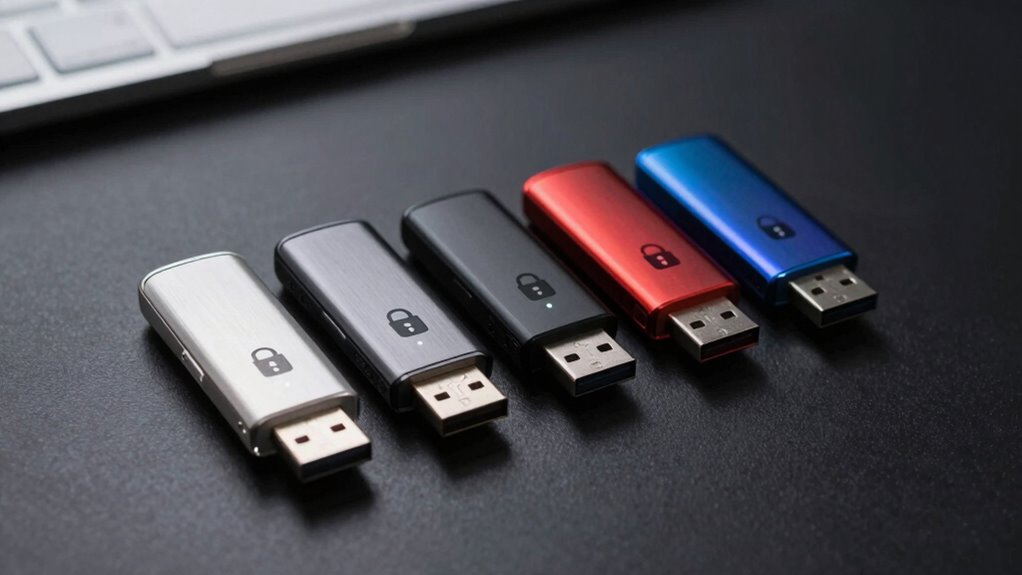

Choosing the right encrypted USB drive in 2026 means balancing security, capacity, and convenience. If I were selecting the best overall, I’d consider the Kingston Ironkey Keypad 200 32GB for its military-grade encryption and multi-pin options. For those needing rugged durability, the iStorage datAshur PRO+A stands out with waterproof and crush-resistant design. Budget-conscious buyers should look at the Kingston IronKey Vault Privacy 50 for solid security without overpaying, while professionals requiring large capacity will find the Ironkey Locker+ 64GB compelling. Each choice involves tradeoffs—more security often means less convenience or capacity—and understanding these helps tailor a pick to specific needs.

Get privacy and security gear delivered free — and shop member deals
- Fast, free delivery on millions of items
- Access to Prime Big Deal Days deals on October 6–7
- Prime Video, Amazon Music and more included
Key Takeaways
- Security level and certification, like FIPS 140-3, are paramount for sensitive data.
- Capacity varies from 16GB to 64GB, influencing storage needs and cost.
- Durability features such as waterproof and crush resistance matter for rugged environments.
- Multi-PIN and password options enhance security but may complicate access.
- Faster transfer speeds benefit large file handling but can increase cost.
| Kingston Ironkey Keypad 200 32GB Encrypted USB |  | Best Overall Security with Multi-PIN Access | Storage Capacity: 32GB | Encryption: XTS-AES 256-bit | Certification: FIPS 140-3 Level 3 (Pending) | VIEW ON AMAZON | See Our Full Breakdown |
| Kingston Ironkey Keypad 200 16GB Encrypted USB |  | Best Compact Security for Everyday Use | Storage Capacity: 16GB | Encryption: XTS-AES 256-bit | Certification: FIPS 140-3 Level 3 (Pending) | VIEW ON AMAZON | See Our Full Breakdown |
| iStorage datAshur PRO+A 32GB Secure USB Memory Stick |  | Best Rugged and Durable USB Drive | Storage Capacity: 32GB | Encryption Standard: FIPS 140-3 | Transfer Speed: up to 300 MB/s read, 239 MB/s write | VIEW ON AMAZON | See Our Full Breakdown |
| Kingston IronKey Vault Privacy 50 16GB Encrypted USB |  | Best Business-Grade Security in a Compact Form | Capacity: 16GB | Encryption: XTS-AES 256-bit | Security Features: Brute Force, BadUSB Attack Protection, Multi-Password | VIEW ON AMAZON | See Our Full Breakdown |
| Kingston Ironkey Locker+ 64GB Encrypted USB Drive |  | Best Large Capacity Encrypted USB Drive | Capacity: 64GB | Encryption: XTS-AES 256-bit | Certification: FIPS 197 | VIEW ON AMAZON | See Our Full Breakdown |
| encrypted usb drive | Encryption | Storage Capacity | Certification | Security Features |
|---|---|---|---|---|
| Kingston Ironkey Keypad 200 32 | XTS-AES 256-bit | 32GB | FIPS 140-3 Level 3 (Pending) | Alphanumeric PIN, Multi-PIN, Brute Force & BadUSB Protection |
| Kingston Ironkey Keypad 200 16 | XTS-AES 256-bit | 16GB | FIPS 140-3 Level 3 (Pending) | Alphanumeric PIN, Multi-PIN, Brute Force & BadUSB Protection |
| iStorage datAshur PRO+A 32GB S | — | 32GB | — | — |
| Kingston IronKey Vault Privacy | XTS-AES 256-bit | — | — | Brute Force, BadUSB Attack Protection, Multi-Password |
| Kingston Ironkey Locker+ 64GB | XTS-AES 256-bit | — | FIPS 197 | — |
More Details on Our Top Picks
Kingston Ironkey Keypad 200 32GB Encrypted USB
The Kingston Ironkey Keypad 200 32GB stands out for its military-grade encryption, certified to FIPS 140-3 Level 3, making it ideal for highly sensitive data. Its alphanumeric keypad allows secure PIN entry, with multi-PIN options for user and admin, adding layers of protection. Compared to smaller-capacity options, it provides a robust security framework, but the 32GB limit might be restrictive for some users. The pending certification means full compliance is not immediate, which is a consideration for government or enterprise use. Its physical security features and encryption make it perfect for those prioritizing data integrity over storage volume.
Pros:- Military-grade FIPS 140-3 encryption
- Multiple PIN options for layered security
- Protection against brute force and BadUSB attacks
Cons:- Pending full certification may delay deployment
- Limited 32GB capacity for large files
- Requires physical PIN entry for access
Best for: Professionals handling highly sensitive data requiring multi-layer security.
Not ideal for: Users needing large storage or quick, on-the-go access without entering PINs.
- Storage Capacity:32GB
- Encryption:XTS-AES 256-bit
- Certification:FIPS 140-3 Level 3 (Pending)
- Security Features:Alphanumeric PIN, Multi-PIN, Brute Force & BadUSB Protection
Our verdict“A top-tier choice for security-focused users needing multi-PIN access and robust encryption, despite storage limits.”
Kingston Ironkey Keypad 200 16GB Encrypted USB
This 16GB version of the Ironkey Keypad 200 offers similar security features—military-grade encryption, multi-pin access, and FIPS 140-3 Level 3 certification—but with less storage. Its smaller capacity makes it more portable and easier to carry daily but limits its usefulness for large files. The device remains an excellent choice for those who prioritize security over capacity, especially in tightly controlled environments. The interface and PIN setup are straightforward, but the limited space could be a barrier for users with extensive data needs.
Pros:- Secure military-grade encryption
- Multi-PIN access control
- Compact and portable design
Cons:- Limited 16GB capacity
- Pending certification might delay compliance
- Less suitable for large data transfers
Best for: Security-conscious users needing a highly portable encrypted drive.
Not ideal for: Those with large file storage requirements or needing quick access without PIN entry.
- Storage Capacity:16GB
- Encryption:XTS-AES 256-bit
- Certification:FIPS 140-3 Level 3 (Pending)
- Security Features:Alphanumeric PIN, Multi-PIN, Brute Force & BadUSB Protection
Our verdict“A compact yet secure option ideal for daily encrypted data transfer, with capacity constraints to consider.”
iStorage datAshur PRO+A 32GB Secure USB Memory Stick
The datAshur PRO+A emphasizes durability with its waterproof, crush-resistant design rated IP68, making it suitable for fieldwork. It also features fast USB 3.2 Gen 1 speeds, allowing large files to transfer quickly, which is a significant advantage over older or slower models. Its FIPS 140-3 Level 3 certification confirms military-grade encryption, and PIN protection ensures data remains safe even if lost. However, the need for PIN entry can slow down quick access, and the 32GB capacity, while sufficient for many, might fall short for users with extensive storage needs.
Pros:- Rugged waterproof and crush-resistant design
- Fast USB 3.2 Gen 1 data transfer speeds
- Military-grade encryption with PIN security
Cons:- PIN entry can slow quick access
- Limited 32GB capacity for large datasets
- Requires physical access for PIN entry
Best for: Field workers or rugged environments where durability is critical.
Not ideal for: Users seeking a small form factor or requiring very large storage capacity.
- Storage Capacity:32GB
- Encryption Standard:FIPS 140-3
- Transfer Speed:up to 300 MB/s read, 239 MB/s write
- Connectivity:USB 3.2 Gen 1
- Protection Features:Waterproof, crush-resistant, IP68
Our verdict“A rugged, high-speed encrypted drive suited for tough environments, with a tradeoff in convenience due to PIN requirement.”
Kingston IronKey Vault Privacy 50 16GB Encrypted USB
The IronKey Vault Privacy 50 targets enterprise and government users with its hardware encryption and multi-password features. Its 16GB capacity might seem limited but is often sufficient for sensitive documents. The device offers advanced protection against malware and USB attacks, with multiple password options and passphrase modes, providing a flexible security environment. However, the 16GB size can be restrictive for larger data sets, and the complexity of managing multiple passwords could be a hurdle for less tech-savvy users.
Pros:- Strong hardware encryption
- Multiple password and passphrase options
- Protection against malicious USB attacks
Cons:- Limited 16GB capacity
- Potentially complex for casual users
- No additional features like cloud backup
Best for: Business and government sectors requiring multi-layer security and device management.
Not ideal for: Users needing large-capacity storage or simpler security setups.
- Capacity:16GB
- Encryption:XTS-AES 256-bit
- Security Features:Brute Force, BadUSB Attack Protection, Multi-Password
- Compliance:TAA
Our verdict“A security-focused choice for professional environments that value multi-password protection over storage size.”
Kingston Ironkey Locker+ 64GB Encrypted USB Drive
The Locker+ offers a generous 64GB capacity, making it suitable for users with bigger data needs. Its hardware encryption, certified under FIPS 197, provides high security, while multi-password options allow for flexible access control. Transfer speeds of up to 145MB/s read and 115MB/s write are respectable, balancing speed with security. However, it lacks rugged features like waterproofing or shock resistance, which might be a concern for users in mobile or demanding environments. It’s an excellent choice for those prioritizing capacity and speed over rugged durability.
Pros:- High capacity at 64GB
- FIPS 197 certified hardware encryption
- Multi-password security options
Cons:- No waterproof or shockproof features
- Less portable due to size
- Limited to 64GB, which may be insufficient for some
Best for: Users needing large storage with solid security for everyday or semi-regular use.
Not ideal for: Environmentally demanding scenarios where ruggedness is necessary.
- Capacity:64GB
- Encryption:XTS-AES 256-bit
- Certification:FIPS 197
- Transfer Speed:up to 145MB/s read, 115MB/s write
- USB Version:USB 3.2 Gen 1
Our verdict“A balanced option for users needing more storage without sacrificing security, suitable for office or urban environments.”

How We Picked
My selection process focused on encryption standards, build quality, and usability. I prioritized products with certified military-grade encryption like FIPS 140-3, ensuring they meet stringent security standards. Durability features such as waterproofing or rugged design were key for those needing offline protection in tough environments. I also considered capacity to suit different storage needs, from 16GB to 64GB. User controls like PIN and password options were evaluated for flexibility versus simplicity. Finally, I balanced price against security features to recommend options that provide real value for specific user profiles.
| encrypted usb drive | Certification | Security Features |
|---|---|---|
| Kingston Ironkey Keypad 200 32 | FIPS 140-3 Level 3 (Pending) | Alphanumeric PIN, Multi-PIN, Brute Force & BadUSB Protection |
| Kingston Ironkey Keypad 200 16 | FIPS 140-3 Level 3 (Pending) | Alphanumeric PIN, Multi-PIN, Brute Force & BadUSB Protection |
| iStorage datAshur PRO+A 32GB S | — | — |
| Kingston IronKey Vault Privacy | — | Brute Force, BadUSB Attack Protection, Multi-Password |
| Kingston Ironkey Locker+ 64GB | FIPS 197 | — |
Factors to Consider When Choosing Encrypted Usb Drive
When selecting an encrypted USB drive, consider your security needs, environment, capacity, and ease of use. High-security drives with military-grade encryption and certifications like FIPS 140-3 are best for sensitive data. Rugged features matter if you’ll be in mobile or harsh conditions. Balance capacity with speed—larger files demand faster transfer speeds. Multi-password and PIN options enhance control but can impact convenience, so pick a device that matches your workflow and risk profile.Security Standards and Certifications
Look for drives with certifications such as FIPS 140-3 or FIPS 197, which indicate the device meets rigorous security standards. These certifications ensure encryption methods are tested and trusted for protecting classified or sensitive information.
Durability and Environment
Consider rugged features like waterproofing, crush resistance, and shockproof design if you plan to carry your drive in mobile or outdoor environments. These features help prevent physical damage that could compromise your data security.
Capacity and Speed
Match capacity to your storage needs, from 16GB for light use to 64GB for larger data sets. Faster USB standards like USB 3.2 Gen 1 significantly reduce transfer times, especially for large files, improving overall workflow efficiency.
Access Control Features
Devices with multi-pin, multi-password, or passphrase options offer enhanced security layers. However, they may introduce complexity; weigh the security benefits against ease of access, especially if multiple users need quick entry.
Frequently Asked Questions
What is FIPS 140-3 and why does it matter?
FIPS 140-3 is a federal government security standard that validates the cryptographic modules used in encryption devices. When a USB drive is FIPS 140-3 certified, it means the encryption algorithms and processes have been independently tested and meet strict security criteria, making it suitable for government and enterprise use.
Are rugged features worth it for an encrypted USB drive?
Yes, if you’ll be using the drive outdoors or in mobile environments, rugged features like waterproofing, crush resistance, and shockproof casing protect against physical damage and environmental hazards, helping preserve data security in challenging conditions.
How important is capacity when choosing an encrypted USB drive?
Capacity depends on your data volume. For small files or documents, 16GB may suffice, but larger datasets or multimedia files require 32GB or more. Balancing capacity against cost and speed ensures you get a device that fits your workflow without overspending or sacrificing performance.
Do I need hardware encryption or software encryption?
Hardware encryption, embedded directly into the drive, generally offers stronger security and better performance than software solutions, which rely on host computers. For maximum data protection, especially in sensitive contexts, hardware-encrypted drives are the better choice.
Can I use an encrypted USB drive on multiple operating systems?
Many encrypted drives are compatible with Windows, macOS, and Linux, but it’s essential to verify compatibility before purchase. Some devices require specialized software or drivers, while others support cross-platform access natively, which simplifies data sharing across systems.
Conclusion
For security-focused professionals handling sensitive data, drives like the Kingston Ironkey Keypad 200 or IronKey Vault Privacy 50 are ideal, with certifications and multi-layer protections. Those needing rugged durability should consider the datAshur PRO+A for its waterproof, crush-resistant build combined with fast transfer speeds. Budget-conscious buyers or lighter security users can opt for the Ironkey Locker+ for larger capacity without sacrificing basic encryption. Ultimately, selecting the right encrypted USB drive depends on your specific security needs, environment, and storage requirements.
As an affiliate, we earn on qualifying purchases.Fall Picks
fall essentials