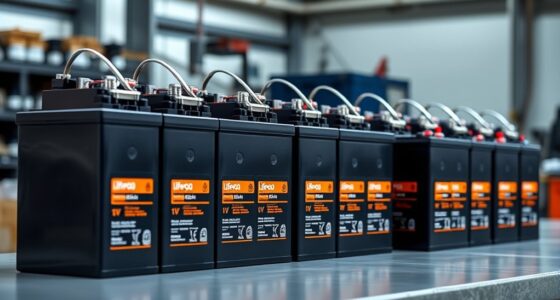
USB data blockers for travel let you charge through a public USB port while blocking data connections, but the right choice depends on which plugs your devices use and how much charging speed you need. I’d put the Rixmie USB-C and USB-A kit first for its mix of connector types and included storage case; the Afterplug 240W USB-C pair stands out for USB-C-only setups that need higher power, while the PortaPow USB-A 2-pack is a straightforward option for older USB-A devices. The main tradeoffs are connector coverage, charging compatibility, and whether a multi-pack earns its space in your travel kit. Some blockers are designed for one connector or one charging direction, so checking the fit before a trip matters. Read on for the full breakdown and recommendations by travel style.

Get privacy and security gear delivered free with Prime
- Fast, free delivery on millions of items
- Prime Video, Amazon Music and more included
- Member-only deals all year
Key Takeaways
- Connector coverage shaped the strongest all-around pick: Rixmie’s USB-C and USB-A kit serves more device types than the USB-A-only options, with a case to keep small adapters together.
- High-power USB-C charging is a separate use case: Afterplug’s stated 240W capacity makes it the standout for compatible USB-C equipment, while it does not replace a USB-A blocker.
- Pack size changes the value proposition: BUISAMG’s six-pack and JSAUX’s four-packs suit households or people who want blockers left in several bags, while a two-pack is easier to keep compact.
- USB-A models remain useful for legacy ports: PortaPow, StarTech.com, Plugable, and several multi-packs address USB-A charging, but buyers with newer USB-C-only devices need a matching connector.
- More adapters do not guarantee broader compatibility: Check connector direction, charging standards, and device power needs; a charge-only adapter can block data yet still fail to meet a device’s charging requirements.
| Rixmie USB-C and USB-A Data Blocker Kit with Webcam Cover and Storage Case |  | Best Travel Security Kit | Brand and model: Rixmie RPK01 | Included items: USB-A blocker, USB-C blocker, sliding webcam cover, 3.5 mm port cover, storage case | USB-C charging: Up to 240W PD 3.1 EPR; tested at 48V × 5A | VIEW LATEST PRICE | See Our Full Breakdown |
| PortaPow USB-A Data Blocker, 2 Pack |  | Best Simple USB-A Pair | Brand and model: PortaPow PPSCA02 | Connector type: USB Type-A | Package quantity: 2 | VIEW LATEST PRICE | See Our Full Breakdown |
| BUISAMG USB-C and USB-A Data Blocker, 6-Pack |  | Best for Group Travel | Brand and model: BUISAMG 700128420147 | Quantity: 6 | Connectors: USB Type-A and USB Type-C | VIEW LATEST PRICE | See Our Full Breakdown |
| 3-in-1 USB Data Blocker, 2-Pack |  | Best Connector Flexibility | Connection types: USB-A to USB-C, USB-A to USB-A, USB-C to USB-C | Package quantity: 2 | USB-C to USB-C charging: Up to 20V/4A | VIEW LATEST PRICE | See Our Full Breakdown |
| Afterplug USB-C to USB-C Charge-Only Data Blocker, 240W, 2-Pack |  | Best Compact USB-C Pair | Brand and model: Afterplug AP-DB01-RED | Connector: USB Type-C male to USB Type-C female | Function: Charge-only; blocks data transfer | VIEW LATEST PRICE | See Our Full Breakdown |
| StarTech.com USB-A Charge-Only Data Blocker Adapter |  | Best for a Simple USB-A Setup | Connector: USB-A male to female | Charging mode: Charge-only; no data pins | Output: 5V, 2.4A | VIEW LATEST PRICE | See Our Full Breakdown |
| JSAUX USB and USB-C Charge-Only Data Blockers, 4-Pack, Grey |  | Best Overall for Mixed-Port Travel | Connectors: USB Type-A and USB Type-C | Pack contents: 2 USB-A blockers and 2 USB-C blockers | Maximum charging power: 100W | VIEW LATEST PRICE | See Our Full Breakdown |
| JSAUX USB-A Charge-Only Data Blocker, 4-Pack, Red |  | Best Value for USB-A-Only Kits | Connector: USB Type-A | Pack quantity: 4 | Function: Charge-only; no data sync or transmission | VIEW LATEST PRICE | See Our Full Breakdown |
| Plugable USB-MC1 USB Data Blocker and Charge-Only Adapter |  | Best for a Basic Single-Device Kit | Model: USB-MC1 | Connector type: USB | Number of ports: 1 | VIEW LATEST PRICE | See Our Full Breakdown |
| SignalFi USB Data Blocker 2-Pack (USB-A to A & USB-C to C) |  | Best for Fast-Charging Protocol Coverage | Connector types: USB-A to A; USB-C to C | Package quantity: 2 | Material: Aluminum alloy | VIEW LATEST PRICE | See Our Full Breakdown |
| Rixmie USB-A Data Blocker, 2-Pack |  | Best Compact USB-A Pair | Brand: Rixmie | Pack size: 2 | Connector types: USB Type-A and USB Type-C | VIEW LATEST PRICE | See Our Full Breakdown |
| Fidioto USB Data Blocker Adapters, 4-Pack |  | Best for Fast-Charging Flexibility | Quantity: 4 | Connector types: USB Type-A and USB Type-C | Maximum charging power: 100 W | VIEW LATEST PRICE | See Our Full Breakdown |
| Lamroyce USB-A Data Blocker, 2-Pack |  | Best for Keychain Carry | Quantity: 2 | Connector: USB Type-A male to female | Maximum input: 5 V | VIEW LATEST PRICE | See Our Full Breakdown |
| USB-C & USB-A Data Blocker 3-Pack – Safe Charging Protection |  | Best for Mixed-Cable Coverage | Pack contents: 3 adapters: USB-C to USB-C, USB-A to USB-C, and USB-A to USB-A | Connector types: USB Type-A and USB Type-C | USB-C charging: Up to 100 W | VIEW LATEST PRICE | See Our Full Breakdown |
| RUXELY USB-A and USB-C Data Blocker Adapters, 3-Pack |  | Best for Durable Cable Carry | Pack contents: 2 USB-A adapters and 1 USB-C adapter | Connector types: USB Type-A and USB Type-C | Connector gender: Male-to-male | VIEW LATEST PRICE | See Our Full Breakdown |
| USB data blockers for travel | Warranty | Compatible devices |
|---|---|---|
| Rixmie USB-C and USB-A Data Bl | 1-year limited manufacturer warranty | Desktop, laptop, power bank, smartphone, and tablet |
| PortaPow USB-A Data Blocker | 2 years | Android and iPhone |
| BUISAMG USB-C and USB-A Data B | — | USB-C phones, tablets, and computers |
| 3-in-1 USB Data Blocker | 12 months | iPhone, Sony, Samsung Galaxy, LG, USB-C iPad, Android tablets, MacBooks, OnePlus, and other USB devices |
| Afterplug USB-C to USB-C Charg | — | — |
| StarTech.com USB-A Charge-Only | Lifetime | — |
| JSAUX USB and USB-C Charge-Onl | — | — |
| JSAUX USB-A Charge-Only Data B | 18 months | — |
| Plugable USB-MC1 USB Data Bloc | 2-year limited parts and labor | — |
| SignalFi USB Data Blocker 2-Pa | 1 year | — |
| Rixmie USB-A Data Blocker | — | Smartphones, tablets, earbuds, smartwatches, and power banks |
| Fidioto USB Data Blocker Adapt | Six months | Smartphones, tablets, Bluetooth headsets, and power banks |
| Lamroyce USB-A Data Blocker | 3 years | PCs, laptops, and gaming consoles |
| USB-C & USB-A Data Blocker 3-P | — | Laptops, smartphones, and tablets |
| RUXELY USB-A and USB-C Data Bl | — | — |
More Details on Our Top Picks
Rixmie USB-C and USB-A Data Blocker Kit with Webcam Cover and Storage Case
I’d choose the Rixmie kit when a travel setup needs more than a single charge-only adapter. It combines USB-A and USB-C data blockers with a webcam cover and audio port cover, all kept together in a compact case. Its USB-C blocker supports up to 240W PD 3.1 EPR with compatible equipment, giving it a higher stated power ceiling than the BUISAMG 6-Pack, which is limited to 2.4 A. The extra privacy pieces make this a more complete kit, though they do not add charging protection beyond the blockers themselves. The 240W figure depends on the charger, device, and cable, and the webcam cover may not fit every camera or laptop lid. I’d skip it if I only needed inexpensive USB-A adapters.
Pros:- Includes both USB-A and USB-C charge-only blockers
- USB-C model supports up to 240W PD 3.1 EPR with compatible equipment
- Adds webcam and 3.5 mm port covers
- Compact case keeps the accessories together
Cons:- Reaching 240W requires compatible charger, device, and cable
- Charging speed depends on the connected equipment
- Webcam cover fit depends on camera placement, bezel space, and lid clearance
Best for: Travelers carrying both USB-A and USB-C devices who also want a small kit of camera and audio port covers
Not ideal for: People who only need a basic USB-A blocker or whose laptop camera bezel and lid cannot accommodate a sliding cover
- Brand and model:Rixmie RPK01
- Included items:USB-A blocker, USB-C blocker, sliding webcam cover, 3.5 mm port cover, storage case
- USB-C charging:Up to 240W PD 3.1 EPR; tested at 48V × 5A
- USB-A charging:QC 2.0 and QC 3.0
- Connectors:USB Type-A and USB Type-C
- Compatible devices:Desktop, laptop, power bank, smartphone, and tablet
- Storage case dimensions:55 × 55 × 17 mm
- Warranty:1-year limited manufacturer warranty
Our verdict“Choose the Rixmie kit if you want blockers for both connector types plus compact camera and audio port covers for travel.”
PortaPow USB-A Data Blocker, 2 Pack
For travelers who mainly encounter USB-A charging ports, PortaPow keeps the choice straightforward: two USB-A blockers that sit between a cable and charger to prevent data transfer while allowing charging. I’d favor this pair over the Rixmie kit when I do not need USB-C or the extra privacy accessories; it is a focused option with a two-year warranty. That simplicity comes with a firm limit: it cannot connect directly to USB-C ports, and blocking data also rules out syncing through the adapter. The BUISAMG set offers both connector types and more pieces, while PortaPow makes more sense for someone who wants a pair of USB-A adapters for phones and familiar public charging ports. Check your cable and charger connection before packing it.
Pros:- Two adapters provide a spare or let a traveler kit out two cables
- Physically blocks data transfer and syncing while allowing charging
- Compatible with Android and iPhone devices using USB-A connections
- Two-year warranty
Cons:- USB-A only, so it does not directly fit USB-C ports
- Cannot be used for syncing while connected
- Charging performance details are not specified
Best for: Travelers with USB-A charging cables who want a pair of blockers for phones used at airports, in cars, or at offices
Not ideal for: People whose travel chargers and cables are USB-C, or anyone who needs to sync data through the adapter
- Brand and model:PortaPow PPSCA02
- Connector type:USB Type-A
- Package quantity:2
- Compatible devices:Android and iPhone
- Item weight:9 g
- Color:Red
- Item dimensions:3.54 × 2.36 × 0.39 inches
- Warranty:2 years
Our verdict“Pick PortaPow if your travel charging kit is USB-A based and you want two simple blockers with a longer stated warranty.”
BUISAMG USB-C and USB-A Data Blocker, 6-Pack
The BUISAMG set is the practical pick when several people need blockers or a traveler wants spares across bags. Its six adapters include USB-A and USB-C options, so it covers more connector situations than the two-piece PortaPow pack. The tradeoff is that the stated maximum current is 2.4 A, and the product details do not specify charging speeds beyond that rating. I would not choose it for a laptop-centered kit seeking a clearly stated high-power USB-C option; the Rixmie kit specifies up to 240W PD 3.1 EPR, subject to compatible equipment. The metal shell is described as aiding heat dissipation and fire safety, but the available details do not give a fuller charging profile. For shared travel use, quantity and connector variety are its strongest arguments.
Pros:- Six blockers provide spares for multiple travelers or bags
- Includes USB-A and USB-C connector options
- Allows charging while blocking data connections
- Metal shell is described as supporting heat dissipation and fire safety
Cons:- Maximum current is listed as 2.4 A
- Charging speeds beyond the current rating are not specified
- The set has no stated case or cable organization
Best for: Families or small travel groups who want several USB-A and USB-C blockers to distribute among phones and tablets
Not ideal for: Laptop travelers who need a clearly specified high-power USB-C charging capability
- Brand and model:BUISAMG 700128420147
- Quantity:6
- Connectors:USB Type-A and USB Type-C
- Maximum current:2.4 A
- Number of ports:1
- Item weight:0.03 kg
- Compatible devices:USB-C phones, tablets, and computers
- Shell material:Metal
Our verdict“Choose BUISAMG when several travelers need mixed USB-A and USB-C blockers and a 2.4 A current limit fits their devices.”
3-in-1 USB Data Blocker, 2-Pack
This two-pack stands out for travelers who encounter different port and cable combinations: each blocker supports USB-A to USB-C, USB-A to USB-A, and USB-C to USB-C. That range is more flexible than the USB-A-only PortaPow pair, while the Rixmie kit is a better fit for someone who also wants camera and audio covers. Charging limits vary by connection: single-device charging is listed up to 3A, while USB-C to USB-C is specified up to 20V/4A. That makes the connection type worth checking before relying on a particular speed. The metal shell is designed for heat dissipation and fire safety, but the product details do not explain the blocking mechanism or give charging speeds for every configuration. I’d pick this for mixed-cable travel, not for buyers who want a simple, fully specified charging profile.
Pros:- Supports three USB-A and USB-C connection configurations
- USB-C to USB-C charging is specified up to 20V/4A
- Includes two blockers
- Metal shell is designed for heat dissipation and fire safety
Cons:- Single-device charging is listed up to 3A, with different limits by connection
- Charging speeds are not specified for each connector configuration
- Data-blocking mechanism is not described
Best for: Travelers carrying both USB-A and USB-C cables who want one blocker format for several connection pairings
Not ideal for: Buyers who need detailed charging specifications for every connector configuration or only use one cable type
- Connection types:USB-A to USB-C, USB-A to USB-A, USB-C to USB-C
- Package quantity:2
- USB-C to USB-C charging:Up to 20V/4A
- Single-device charging:Up to 3A
- Compatible devices:iPhone, Sony, Samsung Galaxy, LG, USB-C iPad, Android tablets, MacBooks, OnePlus, and other USB devices
- Material:Metal shell
- Warranty:12 months
Our verdict“Choose this two-pack if your travel setup mixes USB-A and USB-C connections and you are comfortable checking the stated limits for each pairing.”
Afterplug USB-C to USB-C Charge-Only Data Blocker, 240W, 2-Pack
For a USB-C-only travel kit, Afterplug offers two small, metallic USB-C male-to-female adapters that block data while allowing charge-only use. Each weighs 6 g, and the stated 240W ceiling makes this a more clearly high-power USB-C option than the BUISAMG set, whose maximum current is 2.4 A. The compact format is useful when I want a blocker to stay with a cable, but the connector choice narrows where it works: it is designed for an end-to-end USB-C connection and may charge slowly or fail with a USB-A to USB-C cable. Compared with the Rixmie kit, Afterplug is simpler and comes as a pair, but it lacks USB-A support and the extra privacy covers. Choose it when the travel kit is already built around USB-C.
Pros:- Two compact USB-C male-to-female blockers
- Supports charging up to 240W with compatible equipment
- Metallic finish and 6 g item weight
- Designed to block data transfer at public charging ports
Cons:- May charge slowly or not at all with a USB-A to USB-C cable
- USB-C to USB-C use only
- Cannot transfer data
Best for: USB-C laptop and phone travelers who want two lightweight charge-only adapters for compatible USB-C to USB-C connections
Not ideal for: Travelers relying on USB-A ports or cables, or anyone who needs data transfer through the adapter
- Brand and model:Afterplug AP-DB01-RED
- Connector:USB Type-C male to USB Type-C female
- Function:Charge-only; blocks data transfer
- Maximum power:240 W
- Input voltage:48 V
- Dimensions:0.9 × 0.44 × 0.24 inches
- Item weight:6 g
- Package quantity and warranty:2-pack; 1 year
Our verdict“Choose Afterplug if you want a compact pair of USB-C blockers and your travel cables and devices support USB-C to USB-C charging.”
StarTech.com USB-A Charge-Only Data Blocker Adapter
The StarTech.com adapter is a straightforward travel pick for someone whose charging kit already uses USB-A. It physically blocks data connections and supports up to 12W charging, a useful fit for phones and tablets when a public USB-A port is the only outlet nearby. Its compact 9.07 g body is easier to tuck away than a cable, though you still need to bring a separate USB-A cable and power source. Compared with the Plugable USB-MC1, StarTech lists a higher maximum output; compared with the JSAUX four-pack, it lacks USB-C blockers and multiple adapters. That makes it a focused choice for one-device travelers, but a poor match for newer USB-C-only charging setups or anyone who wants one blocker per bag.
Pros:- Physically blocks data connections while allowing charging
- Supports up to 5V, 2.4A charging
- Compact 9.07 g design
- Works with USB-A cables for USB-C, Lightning, and Micro-USB devices
Cons:- USB-A connector does not fit directly into USB-C charging ports
- Charge-only design prevents data transfer
- Requires a separate USB-A cable and power source
Best for: Travelers with USB-A charging cables who want one lightweight blocker for a phone or tablet.
Not ideal for: USB-C-only device owners or travelers who want a multi-adapter set for several bags.
- Connector:USB-A male to female
- Charging mode:Charge-only; no data pins
- Output:5V, 2.4A
- Maximum power:12W
- Dimensions:1.3 x 0.5 x 0.7 inches
- Weight:9.07 g
- Material:TPE
- Warranty:Lifetime
Our verdict“Choose StarTech.com if your travel kit already relies on USB-A and you want a small, single-adapter option with a stated 12W ceiling.”
JSAUX USB and USB-C Charge-Only Data Blockers, 4-Pack, Grey
For travel with a mix of older USB-A and newer USB-C chargers, the JSAUX four-pack is the most flexible set in this group: it includes two blockers of each type and supports PD charging up to 100W. That range can suit more than a phone, though actual speed depends on the connected device and charger. The small metallic adapters take little room, and having four means one can stay in a work bag or family kit. The tradeoff is that this is still charge-only gear, so syncing and data use are unavailable. Compared with the JSAUX red USB-A four-pack, this set handles USB-C ports and lists much higher charging capacity, but it is a less focused choice if every cable you carry is USB-A.
Pros:- Includes two USB-A and two USB-C blockers
- Supports PD 3.0/2.0 charging up to 100W
- Compact metallic design for travel
- Provides multiple adapters for separate bags or devices
Cons:- Charging speed depends on the device and wall charger
- Blocks syncing and all data transfer
- Four adapters may be more than a single-device traveler needs
Best for: Travelers carrying both USB-A and USB-C devices who want blockers distributed across work and personal bags.
Not ideal for: People who only use USB-A ports and prefer a simple, single-connector set.
- Connectors:USB Type-A and USB Type-C
- Pack contents:2 USB-A blockers and 2 USB-C blockers
- Maximum charging power:100W
- Maximum current:2.4A
- Charging technology:PD 3.0/2.0
- Dimensions:1.18 x 0.39 x 0.2 inches
- Weight:0.02 kg
- Finish:Metallic grey
Our verdict“Pick this JSAUX set if your travel gear spans USB-A and USB-C and you want the broadest connector coverage in this batch.”
JSAUX USB-A Charge-Only Data Blocker, 4-Pack, Red
If the charging ports you encounter are mostly USB-A, the JSAUX red four-pack gives you a blocker for several cables or bags without adding much bulk. Each aluminum-shell adapter permits charging up to 2.4A while stopping data transmission, and the red finish makes the small pieces easier to spot in a crowded pouch. Unlike the mixed-connector JSAUX grey four-pack, this set has no USB-C blockers and does not list PD charging support. That narrower fit is also its main advantage for travelers who want several identical USB-A adapters and do not need the broader compatibility. Skip it if your charging kit is moving toward USB-C or you need a single set to serve both port types.
Pros:- Four blockers in one set
- Allows charging up to 2.4A while blocking data
- Aluminum shell with non-slip design
- Compact form and visible red finish
Cons:- USB-A connector limits use to compatible cables and ports
- Does not support syncing or data transfer
- No PD charging support is listed
Best for: USB-A users who want several compact blockers to keep in different travel bags or with spare cables.
Not ideal for: Travelers whose chargers or devices rely on USB-C ports, or those seeking listed PD fast charging.
- Connector:USB Type-A
- Pack quantity:4
- Function:Charge-only; no data sync or transmission
- Maximum current:2.4A
- Material:Aluminum shell
- Dimensions:1.18 x 0.39 x 0.39 inches
- Weight:0.03 kg
- Warranty:18 months
Our verdict“Choose the red JSAUX set if you need multiple USB-A-only blockers and value easy-to-spot adapters over mixed-port coverage.”
Plugable USB-MC1 USB Data Blocker and Charge-Only Adapter
The Plugable USB-MC1 suits a traveler who wants one basic blocker for a phone, tablet, or desktop USB port and does not need a multi-pack. Its stated 5W nominal power and support for charging at 1A or more cover modest charging needs, but give it less headroom than the StarTech.com adapter, which lists up to 12W. The USB-MC1 also comes without a power plug, so it works as an adapter in an existing setup rather than a complete charging solution. Its compact 14 g body is easy to carry, while the two-year limited warranty provides a defined support period. Choose it for simple, lower-power charging; skip it if you expect faster charging or need blockers for several devices.
Pros:- Blocks data transfers while allowing charging
- Compact 14 g adapter
- Works with smartphones, tablets, and desktop USB ports
- Two-year limited parts and labor warranty
Cons:- 5W nominal power is lower than the StarTech.com adapter’s stated maximum
- No power plug is included
- Charge-only use prevents USB data transfer
Best for: Solo travelers who want one compact blocker for modest USB charging from a port they already have.
Not ideal for: Travelers seeking higher-output charging, a supplied wall plug, or multiple blockers for a family or team.
- Model:USB-MC1
- Connector type:USB
- Number of ports:1
- Input voltage:5V
- Nominal power:5W
- Dimensions:1.75 x 0.5 x 0.75 inches
- Weight:14 g
- Warranty:2-year limited parts and labor
Our verdict“Pick the Plugable USB-MC1 for a simple single-device setup where modest charging matters more than high output or extra adapters.”
SignalFi USB Data Blocker 2-Pack (USB-A to A & USB-C to C)
The SignalFi two-pack is aimed at travelers who want a compact blocker pair with support for several listed fast-charging protocols, including PD, QC, and AFC. It includes one USB-A-to-A adapter and one USB-C-to-C adapter, which gives it a broader port mix than the single USB-A StarTech.com adapter. Its aluminum alloy shell and small dimensions suit pocket carry. The connector combinations are specific, though: SignalFi says it does not support USB-A-to-USB-C configurations, and Lightning iPhones are incompatible. It also blocks data functions such as CarPlay and Android Auto, so it is a poor fit for drivers who use those connections. Compared with the JSAUX grey four-pack, it includes fewer adapters and does not state a maximum charging wattage.
Pros:- Includes one USB-A-to-A and one USB-C-to-C blocker
- Lists support for PD, QC, AFC, and other charging protocols
- Aluminum alloy shell
- Compact dimensions for pocket or keychain carry
Cons:- Does not support USB-A-to-USB-C configurations
- Incompatible with Lightning iPhones
- Blocks data functions including CarPlay and Android Auto
Best for: Travelers with USB-A-to-A and USB-C-to-C charging setups who want protocol support for compatible devices.
Not ideal for: Lightning iPhone owners, drivers who use CarPlay or Android Auto, and anyone needing USB-A-to-USB-C support.
- Connector types:USB-A to A; USB-C to C
- Package quantity:2
- Material:Aluminum alloy
- Supported protocols:Apple PD18W, Samsung AFC, QC2.0/3.0, PD2.0/3.0, Huawei FCP/SCP
- Maximum voltage:50V
- Dimensions:1.18 x 0.39 x 0.2 inches
- Warranty:1 year
Our verdict“Choose SignalFi if your devices match its two connector pairings and you want protocol coverage in a compact two-adapter set.”
Rixmie USB-A Data Blocker, 2-Pack
For travelers with USB-A cables already packed, this two-pack adds a simple charge-only barrier between a public port and a phone, tablet, or other device. Its aluminum adapters are compact, and the two pieces make it easier to keep one with a day bag and another with a spare cable. Compared with the Lamroyce USB-A Data Blocker, 2-Pack, Rixmie also lists compatibility with USB-C, Lightning, and Micro USB devices when used with the appropriate cable, while Lamroyce emphasizes a keychain loop and a three-year warranty. The tradeoff is ordinary USB-A charging: fast charging modes are unsupported, and data-dependent features such as file transfer, CarPlay, and Android Auto will not work. Choose it for compact travel coverage from USB-A ports; skip it if fast charging or vehicle data connections matter.
Pros:- Blocks data while allowing power from public USB-A ports
- Works with existing USB-A cables for USB-C, Lightning, and Micro USB devices
- Compact aluminum construction
- Two adapters provide a spare or a second bag option
Cons:- Does not support fast charging modes such as Quick Charge
- Standard USB-A charging may be slower than a direct connection
- Blocks data-dependent functions including file transfer, CarPlay, and Android Auto
Best for: Travelers who carry USB-A charging cables and want a compact blocker pair for phones, earbuds, or power banks.
Not ideal for: Travelers relying on Quick Charge, fast charging, file transfer, CarPlay, or Android Auto through the adapter.
- Brand:Rixmie
- Pack size:2
- Connector types:USB Type-A and USB Type-C
- Material:Aluminum
- Data transfer:Blocked
- Charging:Power only; up to 3 A standard charging
- Compatible devices:Smartphones, tablets, earbuds, smartwatches, and power banks
- Model:DB001
Our verdict“Pick this pair if you want compact USB-A protection for everyday travel charging and can accept standard charging speeds.”
Fidioto USB Data Blocker Adapters, 4-Pack
Fidioto is the flexible choice for travelers who use a mix of USB-A and USB-C gear and want four adapters in the bag. It disconnects data pins while allowing power, supports charging up to 100 W, and needs no app or driver. That gives it a broader charging range than the Rixmie USB-A Data Blocker, 2-Pack, whose listed charging is standard USB-A up to 3 A without fast-charging modes. The four configurations also make it easier to cover different port and cable combinations across a travel kit. Its main limitation is inherent to charge-only adapters: data transfer is disabled, and the set includes no power plug, so it cannot provide a wall outlet or cable by itself. Buyers who need multiple connector options should favor it; a USB-A-only traveler may prefer a smaller pair.
Pros:- Disconnects data pins while allowing charging
- Supports charging up to 100 W and multiple fast-charging protocols
- Four adapter configurations cover USB-A and USB-C connections
- Lightweight, plug-and-play design requires no drivers or apps
Cons:- Cannot transfer data
- Does not include a power plug
- Six-month warranty is specified
Best for: Travelers carrying a mix of USB-A and USB-C devices who want multiple blocker configurations and support for higher-powered charging.
Not ideal for: People who need to transfer files through the adapter or expect a complete wall-charging kit with a power plug included.
- Quantity:4
- Connector types:USB Type-A and USB Type-C
- Maximum charging power:100 W
- Data transfer:Disabled; power only
- Weight:As light as 2.2 g
- Compatible devices:Smartphones, tablets, Bluetooth headsets, and power banks
- Warranty:Six months
- Setup:Plug and play; no drivers or apps required
Our verdict“Choose Fidioto if your travel kit mixes USB-A and USB-C devices and you want charge-only adapters rated for higher-power charging.”
Lamroyce USB-A Data Blocker, 2-Pack
The keychain loop is Lamroyce’s travel-specific advantage: it gives USB-A users a way to keep a blocker attached to their keys or bag instead of searching for one at a public charging station. The two aluminum-alloy adapters allow charging up to 5 V/3 A while blocking data transfer and synchronization. Compared with the Rixmie USB-A Data Blocker, 2-Pack, Lamroyce adds the carry loop and lists a three-year warranty, while Rixmie names broader device compatibility across common phone cable types. Lamroyce is still a USB-A-focused option, and its charge-only design rules out syncing and other data functions. Its compatibility listing also names PCs, laptops, and gaming consoles, so travelers should match the adapter to their cable and port setup before relying on it. Pick it for a tethered spare; skip it if you need USB-C port coverage.
Pros:- Blocks data transfer and synchronization while allowing charging
- Supports charging up to 5 V/3 A
- Compact adapters include anti-loss keychain loops
- Aluminum-alloy shells and metal connectors
Cons:- Designed for USB-A ports and connectors
- Does not support data transfer or synchronization
Best for: USB-A travelers who want a blocker tethered to a keychain or bag and mainly charge devices at public ports.
Not ideal for: Travelers whose charging setup depends on USB-C ports or who need synchronization and data transfer.
- Quantity:2
- Connector:USB Type-A male to female
- Maximum input:5 V
- Charging:Up to 3 A
- Function:Charging only; blocks data transfer and synchronization
- Material:Aluminum-alloy shell and metal connectors
- Compatible devices:PCs, laptops, and gaming consoles
- Warranty:3 years
Our verdict“Choose Lamroyce if you want a USB-A blocker that stays attached to your keys or bag and do not need data functions.”
USB-C & USB-A Data Blocker 3-Pack – Safe Charging Protection
This three-piece set covers three useful cable paths: USB-C to USB-C, USB-A to USB-C, and USB-A to USB-A. For a traveler carrying both newer USB-C devices and older USB-A accessories, that mix can reduce the need to guess whether a blocker matches the cable already in the bag. The USB-C adapters support up to 100 W, while USB-A charging is listed at 2.4 A. Compared with the RUXELY USB-A and USB-C Data Blocker Adapters, 3-Pack, this set spells out a USB-A-to-USB-A option, while RUXELY specifies two USB-A adapters and one USB-C adapter with a braided exterior. The tradeoff is that the listing gives fewer build and warranty details. As with the other charge-only picks, data transfer is unavailable.
Pros:- Includes USB-C to USB-C, USB-A to USB-C, and USB-A to USB-A adapters
- USB-C charging supports up to 100 W
- USB-A charging is listed at 2.4 A
- Compact, lightweight design suits travel
Cons:- Charge-only function prevents data transfer
- Limited listed detail about materials and warranty
- USB-A charging is specified by current rather than a stated wattage
Best for: Travelers with both USB-C and USB-A cables who want a defined mix of blocker connections, including USB-A to USB-A.
Not ideal for: Buyers who need data transfer through an adapter or want detailed material, warranty, or per-adapter build information.
- Pack contents:3 adapters: USB-C to USB-C, USB-A to USB-C, and USB-A to USB-A
- Connector types:USB Type-A and USB Type-C
- USB-C charging:Up to 100 W
- USB-A charging:Up to 2.4 A
- Data transfer:Disabled; charging only
- Input voltage:5 V
- Compatible devices:Laptops, smartphones, and tablets
- Finish:Glossy silver
Our verdict“Pick this set if your travel cables span USB-A and USB-C and you want all three listed connection types in one pack.”
RUXELY USB-A and USB-C Data Blocker Adapters, 3-Pack
RUXELY suits travelers who want blockers built into a cable-like form: the three-piece set pairs two USB-A adapters with one USB-C adapter and uses aluminum-alloy connectors with a nylon-braided exterior. The USB-C unit supports up to 100 W, which gives it an advantage over the USB-A-only Lamroyce USB-A Data Blocker, 2-Pack for newer devices and higher-powered USB-C charging. Its USB-A adapters, however, top out at 15 W, so travelers using older ports should expect a more modest ceiling. The listed 18 cm length and male-to-male connector type may also shape how it fits into a particular cable setup. Actual charging speed depends on the device and charger, and the charge-only design blocks data transfer. Choose it for mixed-port coverage and a braided exterior; skip it if you need to sync or rely on high-powered USB-A charging.
Pros:- Includes two USB-A adapters and one USB-C adapter
- USB-C adapter supports up to 100 W charging
- Aluminum-alloy connectors and nylon-braided exterior
- Charge-only design blocks data transfer at public ports
Cons:- USB-A adapters are limited to 15 W
- Actual charging speed depends on the device and charger
- Charge-only design cannot transfer data
Best for: Travelers who want a braided, portable set for both USB-A and USB-C charging, especially those with a higher-powered USB-C device.
Not ideal for: People who need data or synchronization, or whose travel setup depends on USB-A charging above the listed 15 W limit.
- Pack contents:2 USB-A adapters and 1 USB-C adapter
- Connector types:USB Type-A and USB Type-C
- Connector gender:Male-to-male
- Maximum charging power:USB-C: 100 W; USB-A: 15 W
- Maximum current:5 A
- Maximum voltage:20 V
- Materials:Aluminum-alloy connectors; nylon-braided exterior
- Item length:18 cm
- Data transfer:Disabled; charge-only
Our verdict“Choose RUXELY if you want a braided mixed-port travel set with high-powered USB-C charging and can work within USB-A’s 15 W limit.”
How We Picked
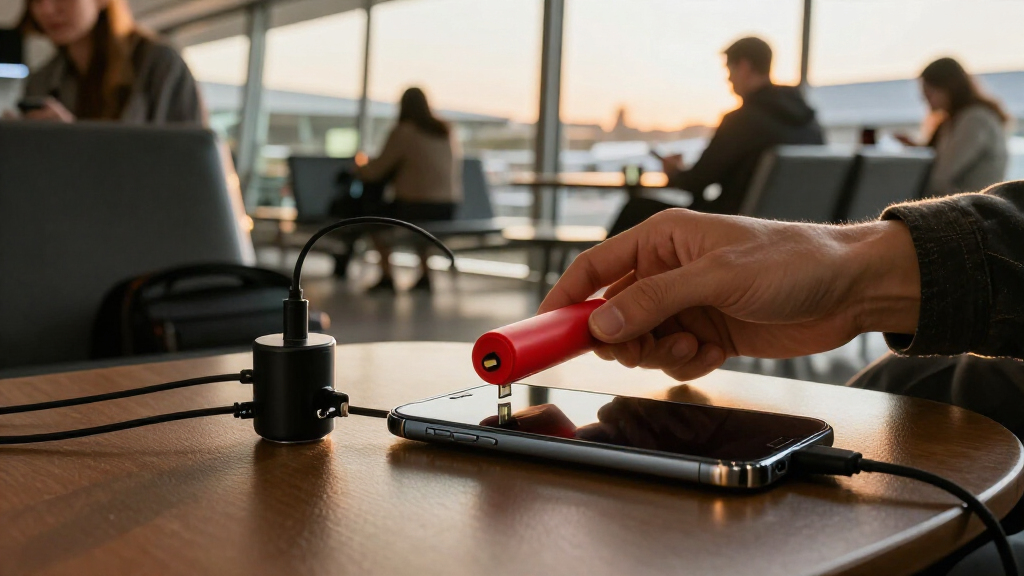
I ranked these options around the situations travelers actually face: a mix of USB-A and USB-C ports, limited packing space, shared charging kits, and devices with different power needs. I gave more weight to useful connector coverage and clear travel convenience than to adapter count alone. A compact two-pack can make more sense for a solo traveler than a six-pack, while a multi-connector kit can reduce the chance of carrying the wrong blocker.
I also considered how clearly each product’s stated format matches its likely role. That puts the Rixmie combination kit first as a flexible starting point, with Afterplug higher for USB-C power needs and simpler USB-A pairs better suited to travelers with legacy devices. Product names alone do not establish compatibility with every charging protocol or device, so I treat stated power and connector details as selection cues rather than universal guarantees.
Factors to Consider When Choosing USB Data Blockers For Travel
Before choosing a blocker, I’d match it to the charging ports and devices you will actually take. These broader checks can prevent a small adapter from becoming the wrong link in your travel charging setup.
Match the connector at both ends
USB-A and USB-C describe different connector shapes, and a blocker built for one may not fit a cable or charging port built for the other. Check the port on the charger or public station and the connector on your cable before packing. Also confirm whether the product is a plug-through adapter or a charge-only cable, since those formats fit into different setups. A mixed kit can cover more situations, though it takes more room and creates more pieces to track. If every device you carry uses USB-C, a USB-A-heavy pack may add little practical coverage. I’d list the ports I expect to use before buying, rather than choosing by the number of adapters in the box.
Treat charging speed as a compatibility question
A data blocker’s job is to restrict data pins, but that alone does not tell you how quickly a phone or laptop will charge. Charging speed also depends on the charger, cable, device, and supported power standards. A high wattage claim can be useful for compatible equipment, yet it should not be read as a promise that every USB-C device will receive that power. For a laptop, check the device’s required input and the blocker’s stated support before relying on it during a trip. Travelers charging only phones may prefer a simpler, smaller adapter. I’d keep a wall charger and cable that already suit my devices as the dependable option when speed matters.
Decide whether a multi-pack fits your travel habits
Extra blockers help when several people share a kit or when you want one in a backpack, carry-on, and office bag. They can also become unused spares that take up space. Count the ports and bags you need to cover, then choose a pack size that matches that number. A solo traveler who keeps one compact kit may get more use from two adapters than from six. Multi-packs can make sense for families, frequent travelers, or people who want to leave a blocker in each bag. Keep the spares stored together so the one you need is easy to find when you reach a public charging point.
Check the direction and format before departure
Adapters can be designed for a particular connection, such as USB-A to USB-A or USB-C to USB-C. A product name listing both connector types does not always mean every possible combination is supported. Look for a clear diagram or specification that shows how the blocker connects between the power source and your cable or device. This matters most when your travel cable has different ends or when you plan to charge directly from a USB port. A small mismatch can leave the blocker unusable even if the connector family looks familiar. I’d test the physical fit at home with the actual cable I plan to pack.
Keep a backup charging route
A blocker is one layer in a travel charging plan, not a replacement for a charger you control. Public USB ports and unfamiliar cables can vary in condition and power output, so a blocker may not solve slow charging or a damaged port. A compact wall charger and a suitable cable give you another route when a public port does not work well. If your itinerary includes long transfers, a charged power bank can reduce dependence on shared charging stations. These extra items add weight, so prioritize them based on how long you will be away from outlets. I’d avoid making a single public USB port the only way to keep a critical device powered.
Use a blocker with realistic security expectations
A charge-only blocker is meant to prevent a USB connection from carrying data while allowing power through. It does not inspect the charger, certify the outlet, or protect a device from every electrical or physical hazard. Be cautious about unfamiliar cables and accessories, and use your own charger when an ordinary outlet is available. A blocker is most useful when you need to use a USB power source you do not control and want to restrict data transfer. Do not assume that a product name proves independent security testing or certification. Check the manufacturer’s documentation for the exact behavior and compatibility of the model you buy.
Frequently Asked Questions
Will one blocker work for both my USB-C phone and older USB-A charging ports?
Only if the blocker’s connector arrangement matches both the port and the cable or device connection in your setup. A kit with separate USB-A and USB-C adapters can cover more combinations, but it may still lack a connector direction you need. Check the product’s diagrams and compare them with the cable you plan to use. If you travel with both connector types, a mixed kit is usually simpler than hoping a single adapter will fit every port. Pack the matching cable as well as the blocker.
Can I use a data blocker to charge a laptop at a public USB-C port?
Possibly, if the blocker supports the laptop’s connector and charging requirements and the public port supplies enough power. A stated high wattage, such as Afterplug’s 240W claim, applies only within the limits of compatible equipment and the power source. The blocker does not increase the port’s output or make an incompatible charging standard work. Check your laptop’s input requirements and the product’s specifications before depending on it. For a trip where laptop power is essential, bring a suitable wall charger as a backup.
Is a two-pack enough for a solo traveler?
For many solo trips, two blockers are enough if they cover the connectors you use and you keep them in one travel kit. One can serve as a spare, which helps if a small adapter gets misplaced. A larger pack is more useful when you want blockers in several bags or share them with other travelers. Connector mix matters more than the total count: two USB-A adapters will not help with a USB-C-only charging setup. I’d choose by the devices and ports on my itinerary rather than buying the largest pack.
Will a blocker keep my phone charging as fast as a direct cable?
There is no universal answer: the result depends on the blocker’s design, charging protocol support, cable, device, and power source. A blocker that passes power may still not support the charging features your phone expects. Product wattage claims can guide comparison, but they do not guarantee a particular charging speed with every combination. If rapid charging is a priority, check the model’s compatibility details and use a charger and cable suited to your phone. Carrying a wall charger gives you a more predictable option than relying on a public USB port.
Does a data blocker make any public USB port completely safe?
No. A blocker is intended to restrict data transfer through a USB connection while allowing charging, but it does not verify the source or protect against every electrical, physical, or device risk. Use a reputable blocker with the correct connector and follow its manufacturer’s instructions. When a wall outlet and your own charger are available, that may be a more direct charging route. Keep your device software current and avoid unfamiliar cables or accessories. Treat the blocker as one practical safeguard rather than a guarantee of safety.
Conclusion
For most mixed-device travelers, I’d choose the Rixmie USB-C and USB-A kit as the best overall option because its connector range and storage case suit a varied travel kit. The PortaPow USB-A 2-pack is my best value fit for travelers who mainly use USB-A, while Afterplug’s 240W USB-C pair is the best premium-style choice for compatible USB-C devices with greater power needs. Beginners may find a clearly labeled mixed kit easier to match to unfamiliar ports than a collection of single-format adapters. For families or several travel bags, the BUISAMG six-pack offers more pieces to distribute; for a compact USB-A-only setup, consider StarTech.com or Plugable. Match the connector and charging requirements first, then choose the pack size that fits the way you travel.