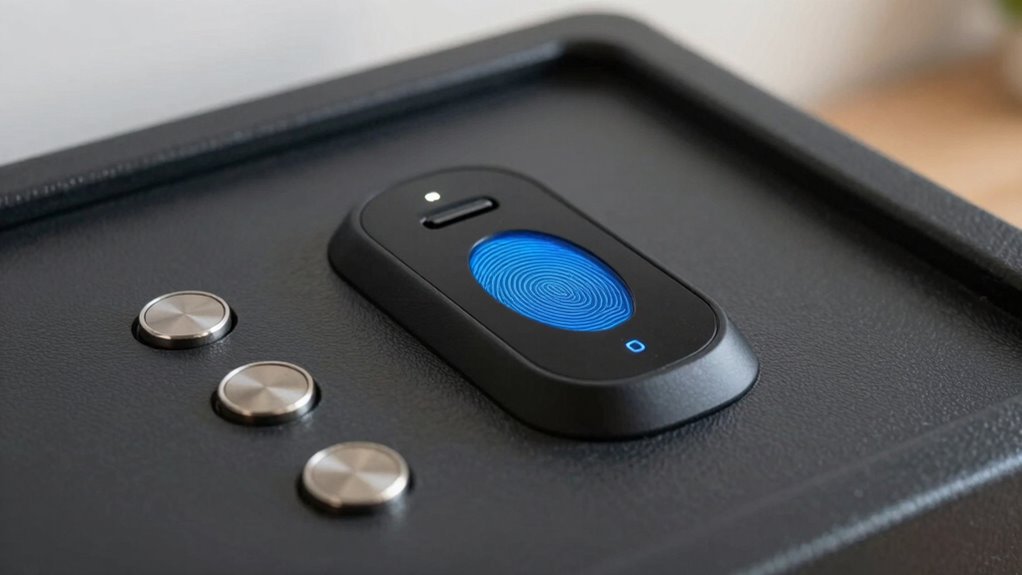

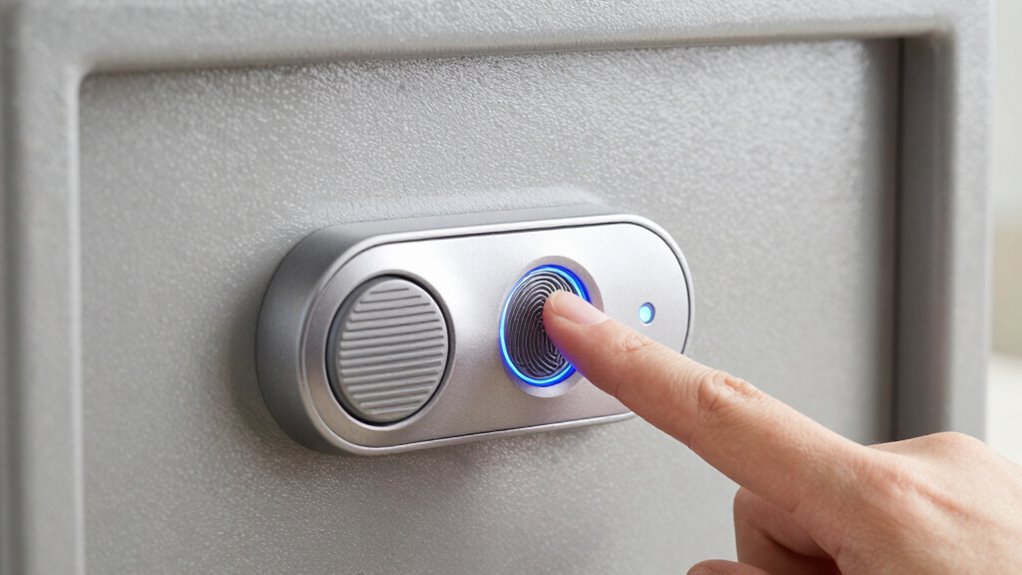
Biometric locks on small safes work by scanning your fingerprint and comparing it to stored data to verify your identity. When you place your finger on the sensor, it captures a unique pattern and matches it to the registered fingerprint. If it’s a match, the lock releases; if not, access is denied. To keep your safe secure and functioning well, regular maintenance and smart management of your biometric data are important. Keep exploring to learn more about how these locks keep your valuables safe.

Get privacy and security gear delivered free — and shop member deals
- Fast, free delivery on millions of items
- Access to Prime Big Deal Days deals on October 6–7
- Prime Video, Amazon Music and more included
Key Takeaways
- Biometric locks on safes use fingerprint sensors to verify stored fingerprint data for access.
- Fingerprint data is securely stored and encrypted to prevent unauthorized duplication.
- The sensor scans and matches live fingerprint images against stored templates for authentication.
- Regular maintenance, such as sensor cleaning and firmware updates, ensures reliable operation.
- Backup methods like PIN codes or RFID cards provide additional security and access options.
However, understanding how these locks work also means being aware of potential security vulnerabilities. Although biometric systems are generally reliable, they’re not foolproof. Forging or duplicating fingerprints, especially if high-resolution images are available, can sometimes be a concern. Additionally, if someone manages to bypass the fingerprint sensor through hacking or exploiting software flaws, the security of your valuables could be compromised. That’s why it’s essential to stay informed about the latest security updates and patches provided by the manufacturer. Regularly updating the lock’s firmware and following recommended security practices can help minimize these vulnerabilities.
Furthermore, biometric data management is critical, as mishandling or storing fingerprint data insecurely can pose privacy risks. Properly managing biometric data involves secure storage and encryption, which are important aspects of biometric security. Maintenance procedures are equally important to keep your biometric lock functioning properly over time. Regular cleaning of the sensor is vital since dirt, dust, or moisture can interfere with fingerprint recognition. Use a soft, lint-free cloth to gently wipe the sensor surface and ensure it remains responsive. Also, check the lock’s battery life if it’s powered by batteries—weak or dead batteries can prevent the lock from functioning correctly. Replacing batteries as recommended prevents unexpected lockouts. It’s a good idea to periodically re-register your fingerprints, especially if you notice the lock becoming less responsive or if your fingerprints change due to aging or injuries. Some models allow you to store multiple fingerprints for added convenience, so consider registering a backup in case your primary fingerprint isn’t recognized. To enhance security, consider employing additional authentication methods such as PIN codes or RFID cards as backup options.
Additionally, understanding the environmental impact of biometric locks and proper disposal methods can help reduce your overall ecological footprint. Ultimately, maintaining your biometric lock’s security and functionality requires a combination of vigilant use and routine upkeep. Keep the lock’s firmware up to date, clean the sensor regularly, and stay aware of any security alerts from the manufacturer. By doing so, you’ll guarantee your small safe remains a reliable safeguard for your valuables, giving you peace of mind that your possessions are protected by a modern, biometric security system that’s both convenient and robust.
biometric safe with fingerprint lock
As an affiliate, we earn on qualifying purchases.
As an affiliate, we earn on qualifying purchases.
Frequently Asked Questions
How Do Biometric Safes Store Fingerprint Data Securely?
You can trust that biometric safes store fingerprint data securely through advanced fingerprint encryption, which protects your data from theft. The sensor durability guarantees reliable performance over time, resisting wear and tear. When you scan your fingerprint, the safe processes and encrypts your fingerprint data locally, preventing it from being transmitted or stored externally. This combination of encryption and durable sensors keeps your personal information safe and your safe accessible only to you.
What Happens if the Biometric Sensor Fails?
Think of a biometric sensor as the safe’s vigilant guardian, but even guardians can falter. If it fails, the lock’s fingerprint encryption system becomes a silent fortress, refusing entry. You’ll typically find backup methods, like a key or PIN, acting as a trusted squire to retrieve your valuables. Modern sensors boast enhanced durability, but if it’s damaged or malfunctions, professional servicing restores the safe’s protective shield, ensuring your security remains intact.
Can Multiple Users Access the Safe With Biometric Locks?
Yes, multiple users can access a safe with biometric locks. You can often register several fingerprints or biometric profiles, allowing designated users quick access. Security protocols guarantee that only authorized individuals gain entry, and the safe’s system verifies each user’s identity accurately. This setup provides convenience for shared spaces while maintaining secure user access. However, always check the specific model’s capacity to confirm it supports your intended number of users.
Are Biometric Safes Resistant to Hacking or Spoofing?
Think of biometric safes as guardians with a nearly impenetrable armor, yet no protector is invincible. They’re designed to resist hacking and spoofing, but security vulnerabilities exist if the technology isn’t premier. While they offer user convenience by quick access, tech-savvy intruders might exploit flaws. Ultimately, these safes provide a strong layer of protection, but you should still stay vigilant, updating software and choosing reputable brands.
How Long Does It Take for a Biometric Lock to Unlock?
You’ll find that a biometric lock typically unlocks within a second or two. This speed depends on fingerprint accuracy and sensor durability, which determine how quickly and reliably the lock recognizes your fingerprint. High-quality sensors process data faster, ensuring swift access. So, when you scan your finger, expect almost instant unlatching, provided the sensor is durable and accurately reads your fingerprint each time.
Conclusion
Biometric locks on small safes turn unlocking into a swift and effortless experience, making security feel like second nature. With just a fingerprint or eye scan, you can access your valuables faster than you can blink—truly a feat of modern technology. As you embrace these advanced safes, you’ll wonder how you ever managed without such a fortress of convenience and security. It’s like having a personal bodyguard that’s always alert and ready to protect what’s yours.
Fall Picks
fall essentials
As an affiliate, we earn on qualifying purchases.