TL;DR

Get privacy and security gear delivered free with Prime
- Fast, free delivery on millions of items
- Prime Video, Amazon Music and more included
- Member-only deals all year
Privacy screen protectors limit the viewing angle of your laptop screen, blocking others from seeing your data. Modern filters are thinner, clearer, and often combine blue light filtering. Choosing the right one depends on size, compatibility, and features.
Ever had a sneaky coworker glance at your screen during a meeting? Privacy screen protectors for laptops block that chance. They’re the invisible shield that keeps your sensitive info safe, especially in cafes, airports, or busy offices.
But with so many options now—matte, glossy, magnetic, integrated blue light filters—how do you pick the right one? This guide breaks down what’s important, recent innovations, and how to get the best fit for your device.
Choose a filter that matches your screen size and aspect ratio for best privacy and clarity.
Higher-quality filters minimize color distortion and brightness loss, making your screen look natural.
Static cling filters are easy to remove and reposition, ideal for temporary privacy needs.
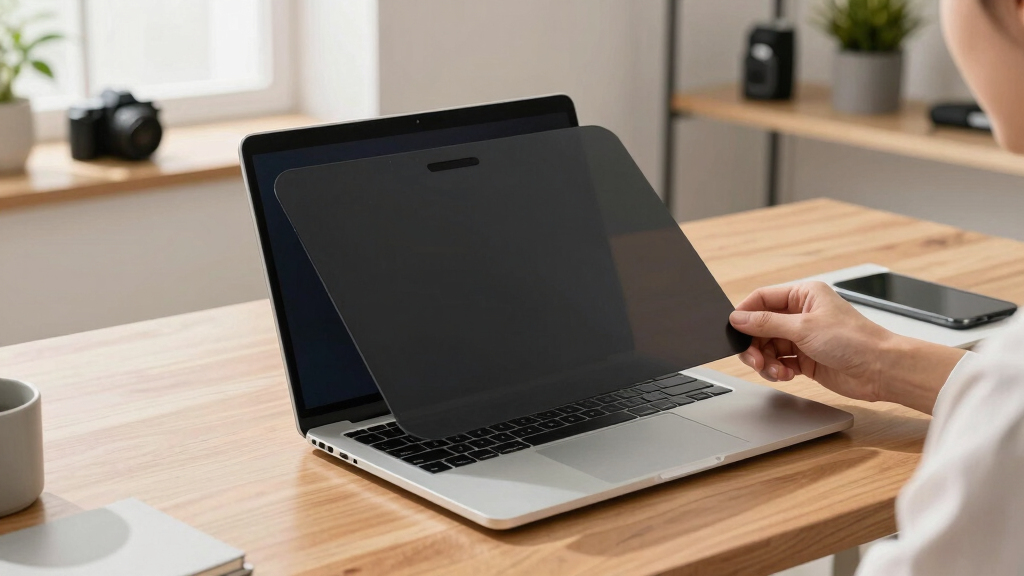
Recent tech advances include ultra-thin designs, blue light filtering, and magnetic attachments—improving usability and comfort.
Regular cleaning and proper storage extend your privacy filter’s lifespan and effectiveness.
What Exactly Do Privacy Screen Protectors Do—and Why Should You Care?
Privacy screen protectors act as a visual barrier, limiting the viewing angles of your screen so that only someone directly in front can see the display clearly. This isn’t just about preventing casual glances; it’s a strategic security measure. When you’re working in places like airports or cafes, the risk of shoulder surfing—where someone discreetly looks over your shoulder—is real. A narrow viewing angle means even if someone tries to peek, they’ll see only a blurred or blacked-out section of your screen, making sensitive information unintelligible.
The importance of this protection extends beyond just privacy. It reduces the risk of data breaches, identity theft, or accidental exposure of confidential information. However, it’s essential to understand that a narrower viewing angle can sometimes cause issues, such as slight color shifts or diminished brightness, which may affect tasks that require precise color accuracy, like photo editing or graphic design. Therefore, balancing privacy with display quality is critical. Overly restrictive filters might hinder your ability to use your device comfortably, especially in tasks demanding high visual fidelity. Choosing the right filter depends on your environment—if you’re in a high-traffic area, privacy is paramount; if you work with color-sensitive content, clarity might take precedence.
laptop privacy screen protector 15 inch
As an affiliate, we earn on qualifying purchases.
As an affiliate, we earn on qualifying purchases.
Different Types of Privacy Filters — Which One Fits Your Style?
Understanding the various types of privacy filters is crucial because each has tradeoffs that can significantly impact your user experience. Matte filters are designed to diffuse light, reducing glare and fingerprints, which is beneficial in outdoor or brightly lit environments. This means your screen remains visible in sunlight, but the diffusion might soften images, slightly reducing sharpness and vibrancy—an important consideration if color accuracy is vital for your work. Conversely, glossy filters enhance clarity and color richness, making images pop and details sharper, but they tend to reflect ambient light, causing glare that can be distracting in bright settings. This tradeoff means you need to consider your typical environment—outdoor, indoor, or mixed—and your priority: glare reduction or visual clarity.
Choosing between static cling and adhesive-based filters also involves understanding their implications. Static cling filters are removable and repositionable, making them ideal for temporary needs or if you switch devices frequently. However, they might not adhere perfectly over time, especially with dust or fingerprints, and can lift or shift. Adhesive filters provide a more permanent, secure fit, ensuring consistent privacy, but they can be more challenging to remove without leaving residue and are less flexible if you want to switch devices often. The decision hinges on your usage pattern—if you need flexibility, static filters are better; if you want long-term stability, adhesive options are preferable.
Size and aspect ratio are equally important. An ill-fitting filter can cause glare, reduce usable screen space, or block essential features like the webcam. Accurate measurements and choosing a filter designed for your device’s dimensions ensure optimal privacy without compromising usability. In essence, understanding these differences helps you tailor your choice to your specific needs, balancing privacy, display quality, and convenience.
How to Pick the Perfect Privacy Screen for Your Laptop
- Measure your screen: diagonal size and aspect ratio are key. Use a ruler or tape measure for accuracy.
- Check compatibility: ensure the filter fits your model—many brands list supported sizes.
- Decide on features: want blue light filtering? Matte finish? Magnetic attachment? List priorities.
- Set a budget: prices range from $20 for basic models to over $100 for premium filters with added features.
- Read reviews: real user feedback helps avoid filters that distort colors or reduce touch sensitivity.
Matching your device’s specifications with the right filter is critical because an ill-fitting filter can cause glare, block essential features like the webcam, or reduce the overall usability of your screen. For example, a high-end designer or photographer might prioritize filters that maintain color accuracy and clarity, even at a higher cost. On the other hand, someone who primarily needs privacy during quick meetings might opt for a more affordable, easy-to-apply static cling filter. By carefully measuring and considering your primary needs, you ensure that your investment enhances both security and productivity without unnecessary compromise.
What Are the Latest Innovations in Privacy Screen Technology?
The field of privacy filters is rapidly evolving, driven by the demand for better security, usability, and comfort. Recent innovations focus on making filters more transparent, durable, and user-friendly, which has broad implications for daily use. For instance, ultra-thin designs—sometimes less than 0.2mm thick—offer almost invisible protection that doesn’t add bulk or weight, maintaining the sleek profile of modern laptops. This is vital for professionals who travel frequently and need lightweight solutions. Blue light filtering integration addresses eye strain caused by prolonged screen time, which is increasingly relevant as remote work and digital fatigue grow. Magnetic snap-on mechanisms make attaching and removing filters quick and effortless, enabling seamless transitions between private and public use environments. Eco-friendly materials are also gaining traction, reducing environmental impact without sacrificing performance.
These innovations mean that users no longer have to choose between privacy and aesthetic or comfort. Instead, they can have a nearly invisible, highly effective shield that’s easy to maintain and enhances overall user experience. The trend toward combining security features with ergonomic benefits reflects a broader industry shift—making privacy solutions more integrated, less obtrusive, and tailored to the modern digital lifestyle.
How to Maintain and Maximize Your Privacy Filter’s Lifespan
Proper maintenance of your privacy screen protector is essential to ensure it continues to function effectively over time. Regular cleaning with a soft microfiber cloth removes dust, fingerprints, and smudges that can diminish clarity and reduce privacy effectiveness. Using harsh chemicals such as alcohol or ammonia-based cleaners can erode coatings, cause discoloration, or damage the surface, ultimately shortening the lifespan of your filter. Instead, opt for gentle, screen-safe cleaning solutions recommended by the manufacturer, which preserve the integrity of the filter’s coatings and materials.
When cleaning, be gentle—scratches or abrasive materials can create micro-damage, leading to reduced clarity or privacy performance. Some static cling filters are washable if cleaned properly; always follow the manufacturer’s instructions to prevent damage. Proper storage when not in use is equally important—keep the filter in a clean, dust-free pouch or case to avoid scratches or deformation. Avoid exposing the filter to extreme heat or direct sunlight, as high temperatures can warp or weaken materials over time, compromising both privacy and visual clarity. Regular maintenance not only extends the lifespan but also ensures consistent performance, helping you maximize your investment and maintain a high level of privacy protection.
Which Privacy Filter Features Are Worth the Extra Cost?
Investing in a high-quality privacy filter can be worthwhile, especially if privacy and display quality are priorities. Features that significantly enhance your experience include:
- High transparency: Ensures minimal color distortion and brightness loss, which is critical for tasks like photo editing, graphic design, or any work requiring color accuracy. A poorly designed filter can cause colors to look dull or inaccurate, undermining your workflow and leading to frustration.
- Blue light filtering: Reduces eye strain and fatigue during extended screen time, which is increasingly important as digital eye strain becomes a common concern. This feature can help prevent headaches and discomfort, especially during long work sessions or late-night use.
- Durability: Scratch-resistant coatings and high-quality materials extend the lifespan of the filter, reducing the need for replacements and maintaining privacy performance over time. A durable filter also withstands daily handling and cleaning better, ensuring consistent protection.
- Ease of attachment: Magnetic or snap-on designs allow quick, tool-free installation and removal, providing flexibility for users who need to switch between private and shared environments. This convenience encourages consistent use, which is essential for ongoing privacy protection.
For example, a financial analyst working remotely might prioritize clarity and blue light filtering, even if it costs a bit more. The added comfort and security justify the investment, especially when handling sensitive data. Ultimately, weighing these features against your specific privacy concerns and budget helps you select a filter that offers the best overall value and performance, ensuring your data stays protected without sacrificing screen quality or usability.
Frequently Asked Questions
Do privacy screen protectors affect display quality?
They can reduce brightness and color accuracy slightly, but top-tier filters minimize these effects. High-quality filters aim for minimal visual distortion so your screen stays vibrant and clear.
Are privacy screen protectors compatible with touchscreens?
Many are, but some may reduce touch sensitivity. Always check the product specifications—you want a filter designed for touch-enabled devices if that’s important for your workflow.
How easy is it to install and remove a privacy filter?
Static cling filters are simple—just peel and stick, then remove when needed. Adhesive ones are more permanent but often more stable. Follow manufacturer instructions for best results.
Can I use a privacy filter with a screen protector or case?
Usually yes, but ensure the filter fits your device’s dimensions and doesn’t interfere with your case or other accessories. Measure carefully before buying.
Are privacy filters necessary everywhere?
They’re most useful in public or shared spaces. If you mostly work at home or in private, they may be optional—but still offer an extra layer of security for sensitive info.
Conclusion
If privacy matters, a good privacy screen protector is a small investment with a big impact. It’s your invisible shield against prying eyes, turning public spaces into safe zones for your sensitive info.
Remember: measure carefully, pick features that suit your style, and treat your filter well. That way, your data stays private—and your screen stays crystal clear.
Fall Picks
fall essentials
As an affiliate, we earn on qualifying purchases.