
If you’re looking for the best 10GbE NAS devices for video analytics in 2025, I suggest considering options like the QNAP TS-932PX-4G, Terramaster F8 SSD NAS, Asustor Lockerstor 10, and QNAP TBS-h574TX-i5-16G-US, which all offer high-speed connectivity, large storage capacities, and strong security features. Industrial-grade switches are also key for reliable network performance in demanding environments. Continue with me to explore these powerful options and find the perfect fit for your needs.
Key Takeaways
- High-speed 10GbE connectivity ensures seamless, real-time video data transfer and analytics performance.
- Compatibility with multiple drive bays and SSD support enables extensive storage capacity for large video files.
- Devices feature robust processing power and RAM for demanding video analytics workloads.
- Industrial-grade switches and rugged NAS units provide reliable operation in challenging environments.
- User-friendly design and advanced security features facilitate easy deployment and secure data management for surveillance.
QNAP TS-932PX-4G 5+4 Bay High-Speed NAS with Two 10GbE and 2.5GbE Ports

If you’re looking for a versatile NAS that delivers high-speed connectivity for small-scale video analytics, the QNAP TS-932PX-4G is an excellent choice. It features a 9-bay design with five 3.5-inch and four 2.5-inch drive bays, supporting HDD/SSD hybrid setups. Powered by a quad-core AnnapurnaLabs Alpine AL324 processor and 4GB of DDR4 RAM (expandable to 16GB), it offers fast data transfer with two 10GbE SFP+ ports and two 2.5GbE ports. Its hybrid architecture boosts application performance, making it suitable for backups, media streaming, and surveillance. Compact and reliable, this NAS balances speed and capacity for small business or home video analytics needs.
Best For: small businesses or home users seeking high-speed, versatile storage for backups, media streaming, and video analytics with reliable network connectivity.
Pros:
- High-speed data transfer with dual 10GbE SFP+ ports and 2.5GbE ports for fast network access.
- Supports hybrid HDD/SSD setups, enhancing application performance with SSD caching options.
- Compact 9-bay design offering ample storage capacity while fitting into small spaces.
Cons:
- Limited expansion options due to lack of PCIe slots for future upgrades like NVMe or additional network cards.
- USB ports are only USB 3.2 Gen 1, which may restrict external drive transfer speeds.
- User interface can be sluggish compared to competitors, impacting user experience during management tasks.
TERRAMASTER F8 SSD NAS Storage
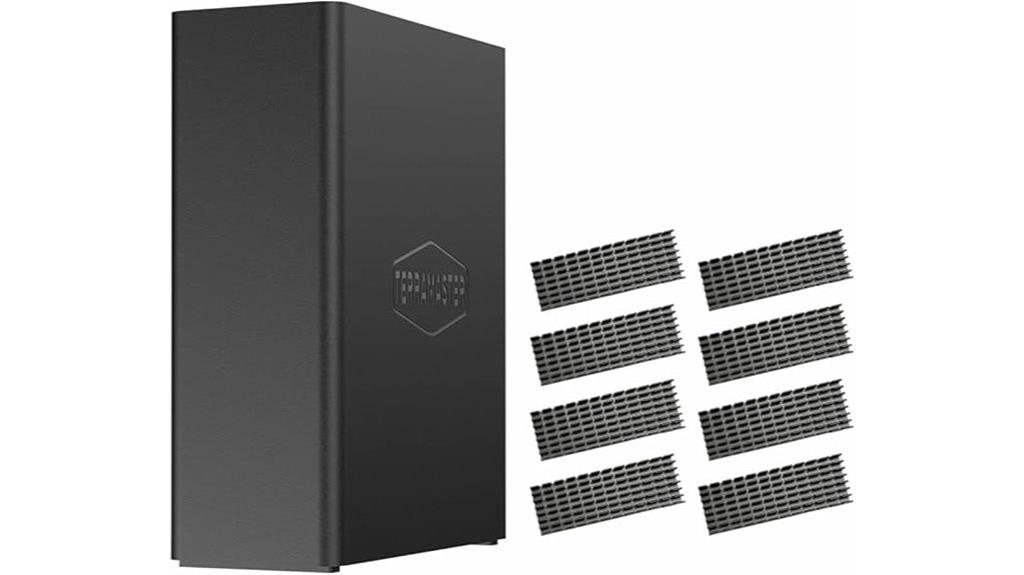
Looking for a compact, high-performance NAS that can handle demanding video analytics workloads? The TERRAMASTER F8 SSD NAS Storage is exactly that. It’s an 8-bay all-SSD device with a powerful quad-core processor, UHD Graphics, and 8GB DDR5 RAM, delivering transfer speeds up to 1024MB/s via its 10GbE port. Support for eight NVMe SSDs up to 8TB each provides a total of 64TB capacity. Its small, tool-free design makes setup and upgrades simple, while multiple heat sinks and silent fans keep it cool and quiet. Perfect for small businesses or home setups needing fast, reliable storage for intensive video tasks.
Best For: small businesses and home users needing high-performance, compact SSD-based NAS storage for demanding video analytics and data-intensive tasks.
Pros:
- High transfer speeds up to 1024MB/s with 10GbE port for fast data access and backups
- Compact, lightweight design with tool-free installation and easy upgrades
- Effective cooling system with heat sinks and silent fans ensures stable, quiet operation
Cons:
- Limited to 8 NVMe SSDs, which may restrict future expansion beyond 64TB
- No support for traditional HDDs, potentially limiting storage flexibility for some users
- Higher cost compared to hybrid or HDD-based NAS solutions
Asustor Lockerstor 10 NAS (AS6510T)

The Asustor Lockerstor 10 NAS (AS6510T) stands out as an ideal choice for high-performance video analytics setups, thanks to its robust 10GbE connectivity and expandable storage capacity. Its 10-bay design supports up to 180TB, with dual M.2 NVMe slots for fast caching, boosting throughput. Powered by a quad-core Intel Atom CPU and up to 64GB of RAM, it handles heavy workloads efficiently. The device runs ADM OS, offering a user-friendly interface and extensive app support. With features like RAID support, hot-swappable drives, and reliable data management, it guarantees high performance and data integrity for demanding video analysis tasks.
Best For: high-performance video analytics setups and demanding data-intensive applications requiring extensive storage, fast connectivity, and reliable data management.
Pros:
- Supports up to 180TB of expandable storage with RAID options for data protection
- Dual 10GbE ports and M.2 NVMe slots deliver high-speed data transfer and caching
- User-friendly ADM OS with extensive app support for multimedia and server applications
Cons:
- Higher cost may be prohibitive for small businesses or home users
- Some users report limited caching performance and potential security vulnerabilities
- Requires technical expertise for optimal setup and maintenance
QNAP TBS-h574TX-i5-16G-US 5 Bay High-Performance NAS with Intel Core Processor, Thunderbolt 4 & 10GbE

For professional video editors and small studios demanding high-speed, reliable storage, the QNAP TBS-h574TX-i5-16G-US stands out with its powerful Intel Core i5 processor and dual Thunderbolt 4 ports. This 5-bay all-flash NAS delivers exceptional performance thanks to its 12-core CPU and 16GB DDR4 RAM, supporting up to 7.68TB of NVMe SSD storage. It offers blazing-fast data transfers via 10GbE and Thunderbolt 4, making real-time editing and large file transfers seamless. Its sleek design, combined with features like 4K multimedia support and intuitive QuTS hero OS, makes it a top choice for demanding media workflows.
Best For: professional video editors and small studios requiring high-speed, reliable all-flash storage with advanced connectivity options.
Pros:
- Exceptional performance with Intel Core i5 CPU and 16GB DDR4 RAM for demanding media workflows
- Dual Thunderbolt 4 ports and 10GbE support enable ultra-fast data transfer and seamless collaboration
- Sleek industrial design with comprehensive multimedia features like 4K playback and real-time transcoding
Cons:
- Potential heat management issues and SSD overheating during intensive use
- Firmware stability problems and occasional bugs that may require RMA support
- Limited availability of certified 8TB drives and possible drive compatibility concerns
Asustor Drivestor 2 Lite NAS Enclosure (AS1102TL)
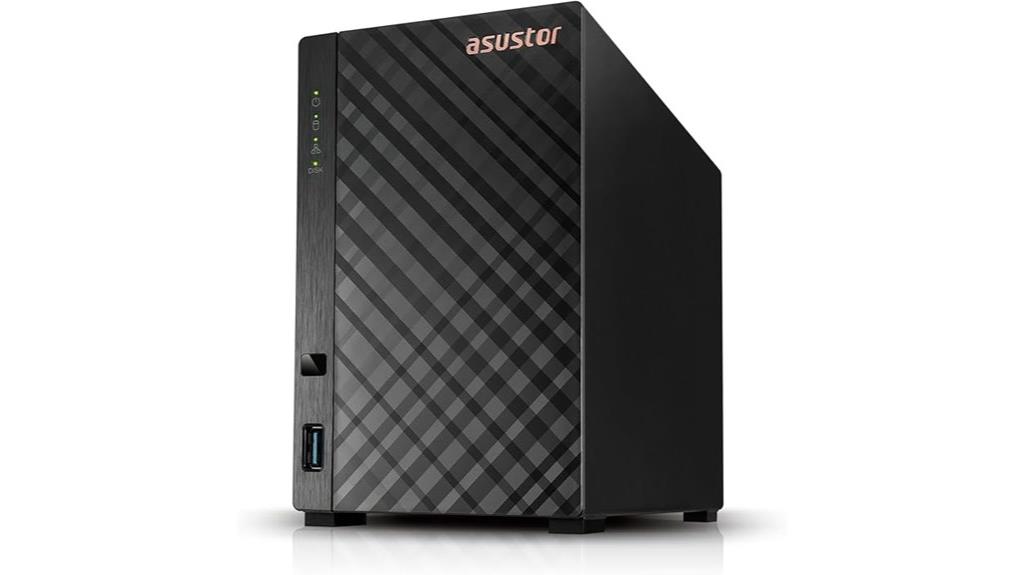
If you need a compact, cost-effective NAS enclosure for small-scale video analytics, the Asustor Drivestor 2 Lite AS1102TL stands out with its simple design and reliable performance. It’s diskless, letting you choose your drives, and features a quad-core 1.7GHz processor with 1GB DDR4 RAM, ensuring smooth data handling. The 1GbE port supports steady network transfers, and its support for 4K transcoding makes streaming and content management effortless. With Btrfs and iSCSI snapshot support, data protection is straightforward. Plus, its tool-free setup means you can install drives quickly, making it an excellent choice for those seeking a budget-friendly, efficient NAS solution.
Best For: small-scale users seeking an affordable, reliable NAS enclosure for easy setup and efficient media streaming.
Pros:
- Compact and cost-effective design ideal for small-scale storage needs
- Supports 4K transcoding for seamless streaming and media management
- Tool-free installation simplifies drive setup and maintenance
Cons:
- Limited 1GB DDR4 RAM may restrict performance with larger workloads
- Only includes a single Gigabit Ethernet port, which may limit transfer speeds for heavy users
- Lacks additional features like multiple network ports or advanced hardware options
QNAP 8-Port 10GbE Managed Switch

In high-demand video analytics environments, a reliable and high-speed network switch is essential, and the QNAP 8-Port 10GbE Managed Switch delivers just that. Its rugged, industrial-grade design handles harsh conditions with a fanless, IP20-rated enclosure, operating from -30°C to 65°C. With 16 high-speed ports—8 fiber SFP+ and 8 RJ45—supporting multiple speeds, it guarantees low-latency, high-throughput connections. The switch offers flexible installation options and advanced management via QSS, SNMP, and ACL, making setup and maintenance straightforward. Built for demanding industrial and commercial applications, it provides stable, high-speed connectivity critical for efficient video analytics workflows.
Best For: high-demand industrial and commercial environments requiring high-speed, reliable, and low-latency network connectivity for applications like video analytics, factory automation, and smart city infrastructure.
Pros:
- Rugged, industrial-grade design with IP20-rated enclosure suitable for harsh environments
- Supports multiple high-speed ports (8 x 10GbE SFP+ and 8 x 10GbE RJ45) for versatile connectivity
- Advanced network management features including ACL, SNMP, and Qfinder Pro for secure and straightforward setup
Cons:
- Fanless design may lead to higher operating temperatures in extremely hot environments without proper ventilation
- Larger physical footprint (14 x 12 x 4 inches) may require dedicated space for installation
- Higher price point compared to basic unmanaged switches due to advanced features and industrial build
10GBE Pcie 4X, Qnap, QXG10G1T Network Card

The QNAP QXG-10G1T Network Card stands out with its PCIe 3.0 x4 interface, delivering reliable 10Gbps Ethernet speeds essential for high-bandwidth video analytics. It supports 10GBASE-T connectivity via a single RJ45 port, compatible with Windows, Linux, QNAP NAS, and servers. With impressive throughput averaging 9.8 Gb/s, it handles intensive data transfers smoothly. Installation is straightforward, recognized instantly on compatible systems, and drivers like Marvell 2.2.2.0 optimize performance. Users praise its stability and speed, though some manage heat with case fans. Overall, it’s a dependable, cost-effective upgrade for high-performance network environments.
Best For: high-performance workstations, servers, and NAS users seeking reliable 10Gbps network connectivity for data-intensive tasks.
Pros:
- Supports 10Gbps speeds with an average throughput of 9.8 Gb/s, ideal for large data transfers
- Easy to install with immediate recognition on compatible systems, including QNAP NAS
- Compatible with Windows, Linux, and high-performance network environments, ensuring versatile deployment
Cons:
- Can generate heat during operation, requiring additional cooling solutions like case fans
- Recognition issues on some PCs may occur, necessitating adjustments to energy management settings
- Limited to a single RJ45 port, which may require additional cards for multi-Gigabit setups
Factors to Consider When Choosing a 10GBE NAS for Video Analytics

When choosing a 10GbE NAS for video analytics, I consider key factors like storage capacity, network options, and processing power to guarantee smooth performance. Scalability and data security are also crucial to future-proof my setup and protect sensitive footage. Understanding these points helps me select a device that meets my current needs and adapts to growing demands.
Storage Capacity Needs
To choose the right 10GbE NAS for video analytics, you need to accurately assess your storage capacity needs. Start by determining the total amount of footage you need to store now and anticipate future growth. Calculate the average size of your video files and how many videos you generate daily or weekly. This helps you estimate your current storage requirements and plan for expansion. Select a NAS with enough drive bays and supported maximum capacity to avoid frequent upgrades. Considering hybrid storage solutions—using HDDs for bulk storage and SSDs for caching—can optimize both capacity and performance. Additionally, plan for scalable options like expansion units or extra drives, ensuring your storage can grow alongside your evolving video analytics demands.
Network Interface Options
Selecting the right network interface options for your 10GbE NAS directly influences the system’s ability to handle high-resolution video streams efficiently. 10GbE interfaces support speeds up to 10 gigabits per second, enabling rapid access and transfer of large video files. Multiple port configurations, like SFP+ fiber and RJ45 copper, offer flexibility to match different network setups. High-quality ports often include features such as link aggregation and VLAN support, which help manage bandwidth and improve network segmentation. Compatibility with PCIe network cards and onboard ports guarantees seamless integration with existing hardware infrastructure. Ultimately, your choice impacts latency, throughput, and scalability—key factors for real-time video analytics. Selecting the right network interface ensures your NAS can reliably support demanding video processing tasks.
Processing Power Requirements
Choosing the right processing power for your 10GbE NAS is essential to ensuring smooth video analytics performance. Adequate CPU resources handle high-resolution streams and real-time analytics without bottlenecks. I recommend multi-core CPUs with high clock speeds, like Intel Core i5 or Xeon processors, especially for intensive tasks. The NAS must support hardware-accelerated decoding and encoding to process data efficiently. As the number of concurrent streams or complexity of analytics algorithms increases, so does the demand for scalable CPU performance. Insufficient processing power can cause latency, dropped frames, and reduced accuracy, jeopardizing your analytics outcomes. To avoid these issues, prioritize a NAS with robust, scalable CPUs that can handle your current and future processing needs effectively.
Scalability Potential
As video analytics workloads grow, ensuring your 10GbE NAS can scale effectively becomes essential. I look at the maximum number of drive bays and expansion options to future-proof my storage, making sure I can add drives as data needs increase. Support for scalable RAID configurations and multi-layered storage pools helps me manage data flexibly without hassle. Compatibility with hardware modules like network interface cards or NVMe SSDs boosts throughput and caching, keeping performance high. I also check if the NAS can handle firmware or hardware upgrades with minimal downtime, so my system stays current without major disruptions. Lastly, seamless integration with larger network architectures, including multiple 10GbE ports and high-bandwidth pathways, ensures my setup can grow alongside my expanding video analytics demands.
Data Security Features
When expanding my video analytics infrastructure, I realize that robust data security features are essential to protect sensitive footage and maintain trust. Encryption protocols like AES-256 are vital for safeguarding stored data from unauthorized access, ensuring that even if a breach occurs, the footage remains protected. Features such as snapshot backups and version control allow quick recovery after security incidents or data corruption, minimizing downtime. Support for user authentication and access control guarantees that only authorized personnel can view or manage critical data. Regular firmware updates and security patches are crucial for closing vulnerabilities. Additionally, network security measures like VLAN segmentation and secure remote access help isolate and secure data transmissions, reducing potential cyber threats and maintaining the integrity of my video analytics system.
Compatibility With Systems
Ensuring compatibility with your existing systems is critical when selecting a 10GbE NAS for video analytics. I always verify that the NAS supports the operating systems in my infrastructure, whether Windows, Linux, or macOS, for smooth integration. I also check that its network interface cards (NICs) and ports are compatible with my switches and cabling standards, like RJ45 or SFP+ for 10GbE connections. Confirming firmware and driver support for high-speed network cards is essential to guarantee proper recognition and peak performance of my hardware. Additionally, I review the NAS’s hardware architecture, such as PCIe slots, to ensure they accommodate the 10GbE network cards I plan to use. Consulting manufacturer documentation or compatibility lists helps me avoid potential conflicts and guarantees seamless operation.
Thermal and Power Management
Effective thermal and power management are crucial in a 10GbE NAS designed for video analytics because sustained high-speed data processing generates significant heat and consumes considerable energy. Proper thermal management ensures that components stay within safe temperatures, preventing overheating that could slow performance or cause hardware failures. Adequate power management reduces energy use and thermal stress, extending the device’s lifespan. Cooling solutions like heat sinks, convection, or silent fans help maintain ideal temperatures during intensive workloads. Monitoring system temperatures and power consumption with built-in sensors allows for proactive adjustments before issues arise. Choosing a NAS with efficient thermal and power features minimizes downtime, ensuring reliable, continuous video data processing. Good management practices are essential for maintaining peak performance during demanding video analytics tasks.
Budget and Cost Efficiency
Choosing a 10GbE NAS for video analytics involves more than just picking a model with high bandwidth and storage; you also need to contemplate budget and cost efficiency. I recommend evaluating the total cost of ownership, including the initial purchase, maintenance, upgrades, and energy consumption. Comparing the price-to-performance ratio helps guarantee you get the right balance of speed and capacity without overspending. Look for models that support expandable RAM and storage—this future-proofs your setup without immediate extra costs. Don’t forget to factor in network accessories like switches and cables, as these can add considerably to your expenses. Finally, prioritize energy-efficient devices with low power consumption to cut ongoing operational costs, making your investment more sustainable over time.
Frequently Asked Questions
What Security Features Are Essential for 10GBE NAS Devices Handling Video Data?
When handling video data on 10GbE NAS devices, I think strong security features are vital. I always look for encryption—both at rest and in transit—to protect sensitive footage. Multi-factor authentication adds an extra layer of security, while regular firmware updates help patch vulnerabilities. Also, I prioritize robust access controls and audit logs to monitor activity, ensuring my data stays safe from unauthorized access or breaches.
How Scalable Are These NAS Solutions for Expanding Video Analytics Needs?
These NAS solutions are highly scalable, and I find that their modular design really makes a difference. As your video analytics needs grow, you can easily add more drives or upgrade components without much hassle. This flexibility means I can start with a small setup and expand seamlessly, ensuring my storage keeps pace with increasing data demands. It’s all about future-proofing, and these devices deliver just that.
Which NAS Models Offer the Best Balance Between Performance and Energy Efficiency?
I find that models like Synology DS1621+ and QNAP TS-464 offer the best balance between performance and energy efficiency. They deliver solid speeds for video analytics while maintaining low power consumption, thanks to their efficient processors and power management features. These devices are perfect if you need reliable, high-performance storage without dramatically increasing your energy costs. I recommend considering them for a smart, sustainable setup.
Are There Compatibility Issues With Existing Surveillance Camera Systems?
Think of my surveillance setup as a well-oiled machine, and compatibility issues are like loose gears. Usually, I find that most modern 10GbE NAS devices play nicely with existing camera systems, especially if they follow standard protocols. Still, I always double-check the specs and firmware updates. Sometimes, a minor tweak or firmware refresh is all it takes to keep everything running smoothly without a hitch.
What Is the Typical Setup Time for Deploying a 10GBE NAS for Video Analytics?
Setup for a 10GbE NAS for video analytics typically takes me about a few hours to a day. I start by connecting the device to my network, installing necessary drives, and configuring settings through the user interface. Then, I integrate my cameras and confirm proper bandwidth allocation. It’s straightforward, especially with clear instructions, but complexity can vary depending on my existing infrastructure and the number of cameras I’m managing.
Conclusion
In the end, choosing the right 10GBE NAS for video analytics can truly make or break your workflow. These devices are powerful tools that can help you stay ahead of the game, but only if you pick the one that fits your needs. Don’t let this opportunity slip through your fingers—think carefully and act wisely. After all, a stitch in time saves nine, and investing now pays off later.