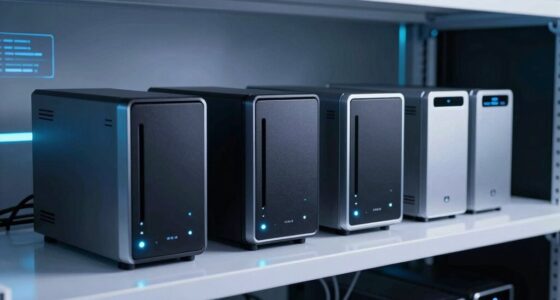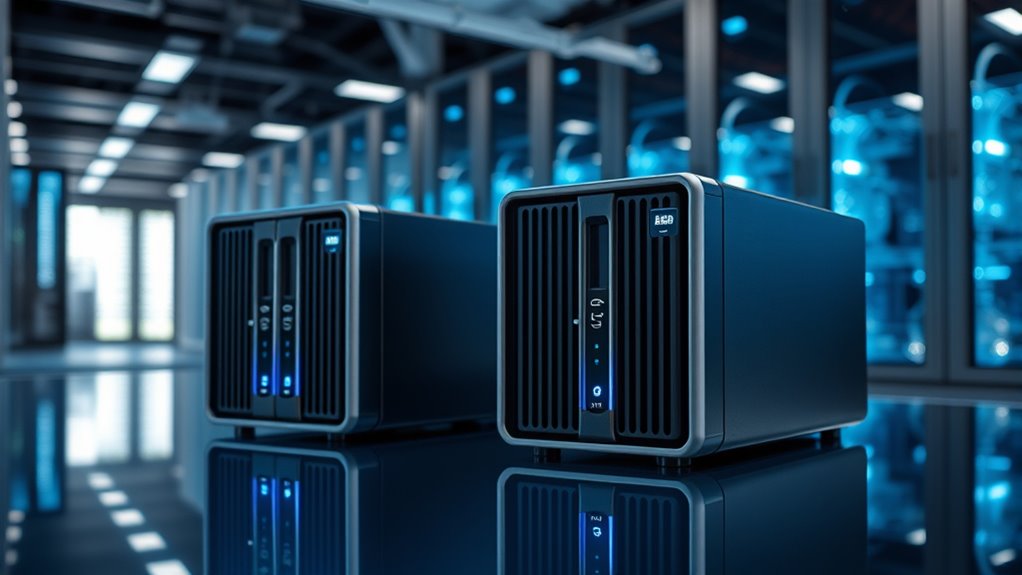

Feeding large AI datasets over a network changes what you need from a NAS: raw sequential throughput, plenty of fast NVMe cache, and ideally a GPU close to the storage. Among the models I compared here, the UGREEN NAS DXP8800 Ultra stands out as my best overall pick because its 8-bay chassis, strong NVMe tiering, and high-speed networking slots handle dataset streaming without forcing you into a workstation-priced build. If you want local training too, the NIMO 6-Bay AI NAS with an RTX 5080 is the standout premium option, while the Synology DS1825+ remains the safest pick for teams who value polished software over raw hardware. The main tradeoff in this category is between GPU-equipped all-in-one servers that train and store on one box, and pure storage NAS that scale cleaner but stay dumber. One honest note: several of these ship with dual 10GbE rather than native 25GbE, so I flag where an add-in card or link aggregation gets you there. Keep reading for the full breakdown of which box matches your workload.

Get privacy and security gear delivered free with Prime
- Fast, free delivery on millions of items
- Prime Video, Amazon Music and more included
- Member-only deals all year
Key Takeaways
- Only a few models in this lineup offer a realistic path to 25GbE (via spare PCIe slots, OCuLink, or USB4 bridging); the NIMO 6-Bay RTX 5080 unit and UGREEN DXP8800 Ultra are the strongest candidates for a true 25GbE pipeline.
- GPU-equipped NAS like the NIMO RTX 5080 and RTX PRO 2000 models blur the line between storage and training servers — great for solo researchers, awkward for teams that need to scale storage independently of compute.
- Synology‘s DS1825+ wins on software maturity (Btrfs, snapshots, easy permissions) but its fixed CPU and limited GPU headroom make it the weakest fit for on-device inference or preprocessing.
- Minisforum‘s Ryzen AI Max+ 395 and HX PRO 370 models punch above their bay count with unified-memory APUs that excel at data preprocessing, but 5 bays caps raw dataset capacity.
- Bundled-drive SKUs (the DS1825+ 64TB IronWolf bundle) trade flexibility for convenience — fine for beginners, wasteful for anyone who’d rather pick enterprise-capacity drives themselves.


More Details on Our Top Picks
NIMO AI NAS – Agentic Mini PC and AI Server, AMD Ryzen 7 PRO 8845HS, RTX 5060, 32GB DDR5 RAM
This option stands out for being the one pick in this lineup that arrives ready to run local models rather than waiting on separately purchased drives and GPUs. The RTX 5060 gives it enough headroom to host 70B-parameter LLMs privately, which matters when your training or RAG datasets can’t leave the building. Compared with the NIMO 6-Bay Pro, it trades raw compute (the 5060 is far below the 5080’s 1801 TOPS) for simplicity — no assembly, no GPU compatibility guessing. The tradeoffs are real: RAM is capped at 32 GB, which limits dataset caching and concurrent VMs, and the 96 GB of included storage means you’ll be attaching external arrays almost immediately for serious dataset work.
Pros:- Locally deploys 70B parameter LLMs with full data privacy out of the box
- Handles virtualization, Docker, and multi-stream 4K/8K transcoding simultaneously
- Enterprise-grade user permissions and automatic backup tooling
- No separate GPU or drive purchases required to start working
Cons:- 32 GB RAM ceiling limits large dataset caching and heavy multitasking
- Only 96 GB of storage is inadequate for serious AI dataset hosting
Best for: Developers and small teams who want a plug-and-play private LLM server today without sourcing drives or GPUs separately
Not ideal for: Anyone with multi-terabyte AI training sets — 96 GB of internal storage disappears instantly
Our verdict“Buy this if you need private, GPU-backed AI inference running the day it arrives; skip it if your datasets are measured in terabytes.”
NIMO 6-Bay AI NAS with RTX 5080 GPU (Diskless) – Intel Core Ultra 7 356H, Up to 204TB, Dual 10GbE, USB4, 1801 TOPS AI Compute
For sheer local AI muscle, nothing else in this roundup comes close. The factory-verified RTX 5080 delivering up to 1801 TOPS means you can fine-tune models and run RAG pipelines over large private corpora without touching a cloud bill. The 204TB hybrid capacity across six SATA bays and three NVMe slots outspaces the NEXUS’s 132TB, and the full-size PCIe Gen5 x8 slot plus 1000W Platinum PSU leaves room for a GPU swap years from now. The catch is what surrounds that power: it ships diskless, the total investment once you add drives is steep, and NIMO OS setup assumes you already know what a container is. Compared with the UGREEN DXP8800 Ultra, you give up two drive bays but gain genuine training-class compute.
Pros:- 1801 TOPS of verified AI compute handles fine-tuning and heavy local inference
- Up to 204TB of hybrid SATA plus NVMe storage
- Dual 10GbE and dual USB4 for high-bandwidth multi-user access
- PCIe Gen5 x8 slot and 1000W Platinum PSU enable future GPU upgrades
Cons:- Ships diskless, so drives add substantial cost before day one
- Advanced setup complexity for users new to NAS or AI workloads
Best for: Studios and labs fine-tuning models on private datasets who need both serious GPU compute and six-figure terabyte storage
Not ideal for: NAS newcomers or budget-conscious buyers — the diskless build and premium internals make total cost of ownership very high
Our verdict“The strongest choice here if money is secondary to local AI capability — just budget for the drives.”
6-Bay Desktop NAS with Intel Core i5-1235U, 64GB DDR5, 1TB NVMe SSD, and RTX PRO 2000 GPU
This model makes the most sense for buyers who want GPU-accelerated inference and big-bay storage without paying for the NIMO 6-Bay Pro’s flagship silicon. The RTX PRO 2000 is a workstation-class card that comfortably serves local inference and RAG workloads, and the included 1TB NVMe system drive plus 64GB of DDR5 means it boots into useful work faster than diskless rivals. Dual Thunderbolt 4 ports are a genuine differentiator against the dual USB4 NEXUS, giving creators direct-attach speeds for editing off the NAS. The weak point is the CPU: the i5-1235U starts at a low base clock and is a laptop-class chip, so heavy simultaneous multi-user loads will bottleneck before the GPU does. RAM is also capped at 64GB with no upgrade path.
Pros:- Workstation-class RTX PRO 2000 GPU for local AI inference and creator apps
- 64GB DDR5 plus included 1TB NVMe system drive for immediate productivity
- 10GbE networking and dual Thunderbolt 4 for fast direct-attach workflows
- Six HDD bays supporting up to 212TB with PCIe expansion headroom
Cons:- Low 1.3 GHz base clock on the i5-1235U limits sustained multi-user performance
- Memory maxes out at 64GB with no upgrade path
Best for: Solo creators and small offices that want ready-to-use GPU inference, Thunderbolt direct-attach editing, and up to 212TB of bays
Not ideal for: Multi-user teams running heavy parallel workloads — the U-series CPU will throttle under sustained load
Our verdict“A sensible middle path between the 5080 flagship and smaller mini-PC builds, best for single-user or lightly shared setups.”
Nimo AI NAS NEXUS – Agentic Computer Mini PC and AI Server with AMD Ryzen 7 PRO 8845HS, up to 132TB ZFS Hybrid Storage, Dual 10GbE
What separates the NEXUS from every other machine here is its approach to the data itself. ZFS with ECC memory means checksummed, self-healing storage — the kind of integrity guarantee that matters when a corrupted shard quietly poisons a training run. Pair that with 96 GB of RAM (double the agentic NIMO mini PC’s ceiling and well past the i5 NAS’s cap) and you get serious ZFS ARC caching for repeated dataset reads. The full-size GPU bay accepting cards up to 330mm lets you pick your own AI accelerator instead of accepting a factory choice, though that means buying it separately. The open-source ZimaOS rewards tinkerers and can frustrate anyone expecting a polished, mainstream NAS experience.
Pros:- ZFS with ECC memory provides enterprise-grade data integrity for irreplaceable datasets
- 96 GB RAM enables large ARC caching for fast repeated dataset access
- Dual 10GbE and 40Gbps USB4 support multi-user collaboration
- Modular design accepts full-size GPUs up to 330mm for future upgrades
Cons:- Drives and GPU sold separately, inflating the true cost of a working system
- Open-source OS demands more technical expertise than mainstream alternatives
Best for: Data-integrity-obsessed builders who want ZFS checksumming, ECC memory, and the freedom to install their own GPU
Not ideal for: Buyers who want a polished, appliance-like NAS — open-source ZimaOS and BYO-GPU assembly demand technical effort
Our verdict“The pick for builders who treat dataset integrity as non-negotiable and don’t mind assembling the rest themselves.”
UGREEN NAS DXP8800 Ultra 8-Bay Network Attached Storage
Compared with the GPU-centric NIMO and NEXUS machines, the DXP8800 Ultra plays a different game: it’s a pure storage and collaboration platform with eight SATA bays and two NVMe slots reaching 272TB — the largest capacity in this roundup. For AI work, that means it excels as the dataset repository feeding a separate compute node rather than doing inference itself; the Intel 150U and expandable-to-96GB DDR5 handle VMs, containers, and UGOS Pro’s local AI photo search, but there’s no discrete GPU. Dual 10GbE plus dual Thunderbolt 4 covers both network and direct-attach editing lanes, and the broad RAID support (0 through 10) lets you tune redundancy per project. The Synology DS1825+ matches it on bay count, but the UGREEN wins on raw connectivity and memory expandability.
Pros:- Eight SATA bays plus two NVMe slots for up to 272TB — the largest capacity here
- Dual 10GbE and dual Thunderbolt 4 support fast collaborative large-file workflows
- Memory expandable to 96GB supports VMs, containers, and local AI features
- Full RAID flexibility from JBOD through RAID 10 for capacity-versus-redundancy tuning
Cons:- No discrete GPU, so it can’t serve as a local inference or training node
- Diskless — realizing the 272TB capacity requires a separate drive investment
Best for: Creative studios and business teams that need maximum-capacity shared storage with fast networking, paired with separate compute for AI training
Not ideal for: Anyone hoping to run local LLM inference on the box itself — there’s no discrete GPU option in the base configuration
Our verdict“Choose this when your priority is storing and serving massive datasets, not processing them on-device.”
MINISFORUM NAS N5 MAX 5-Bay AI NAS, AMD Ryzen AI Max+ 395, 64GB LPDDR5x, 128GB SSD
Nothing else in this lineup can match the 126 TOPS of AI performance packed into the N5 MAX. Where the Synology DS1825+ treats AI as something that happens on other machines, the Ryzen AI Max+395 with its Radeon 8060S GPU and XDNA2 NPU lets you run inference right next to your datasets — which matters when you’re iterating on models against hundreds of gigabytes of training data. Storage is equally serious: 160TB of SATA capacity plus five M.2 NVMe slots, giving you a fast NVMe tier for hot datasets and SATA bulk for archives. The tradeoffs are real, though. The 64GB of LPDDR5x is soldered and permanently fixed, unlike the UGREEN iDX6011 Pro’s approach, and MinisCloud OS is a young platform without the mature ecosystem of Synology or QNAP. Dual 10GbE is standard, but you’ll need a switch upgrade to feed it properly.
Pros:- 126 TOPS of combined GPU/NPU AI performance for running local models
- Up to 160TB SATA plus five M.2 NVMe slots for tiered hot and cold dataset storage
- Dual 10GbE and USB4 (80Gbps) for fast multi-user and direct-attached transfers
- Three-zone cooling keeps noise at 24dB idle
Cons:- 64GB RAM is soldered and cannot be upgraded
- Proprietary MinisCloud OS lacks the ecosystem maturity of established NAS platforms
- Diskless — drives sold separately on already premium hardware
Best for: ML engineers and AI researchers who want to run local inference and model workloads directly alongside their training datasets
Not ideal for: Buyers who want a proven, established NAS ecosystem — MinisCloud OS lacks the app depth and community support of Synology’s DSM
- Processor:AMD Ryzen AI Max+395, 16-core/32-thread, up to 5.1GHz
- Memory:64GB LPDDR5x (non-expandable)
- Storage Bays:5x 3.5-inch SATA, up to 160TB total
- M.2 Slots:5x M.2 NVMe (up to 40TB total)
- AI Performance:Up to 126 TOPS (Radeon 8060S + XDNA2 NPU)
- Networking:Dual 10GbE, USB4 (80Gbps)
- RAID Support:RAID 0/1/5/6/10
- Operating System:MinisCloud OS
Our verdict“The strongest pick in this roundup if local AI compute next to your storage is the priority, provided you can live with a locked memory ceiling and a young OS.”
MINISFORUM N5 Pro 5-Bay Desktop AI NAS, AMD Ryzen AI 9 HX PRO 370, 128GB SSD, 10GbE/5GbE, USB4, HDMI, OCuLink (Diskless)
Where the N5 MAX trades flexibility for raw AI horsepower, the N5 Pro flips that equation. Its expandable DDR5 ECC memory (up to 96GB) is a genuine advantage over sibling Minisforum hardware — ECC matters for dataset integrity over long ZFS scrub cycles, something the Synology DS1825+ bundle’s 32GB ceiling can’t touch. The OCuLink and PCIe x16 slot open the door to a 25GbE card or an external GPU cage, so this box can grow with your pipeline instead of being replaced by it. With 188TB of SATA capacity and flexible M.2/U.2 NVMe options, storage scaling is best-in-class here. The 80 TOPS of AI compute sits well below the N5 MAX’s 126 TOPS, and the preinstalled 128GB system SSD eats one M.2 slot out of the box. OCuLink also doesn’t support hot-swapping, so plan maintenance windows accordingly.
Pros:- Expandable DDR5 ECC memory up to 96GB for data integrity and growth
- OCuLink and PCIe x16 slots support 25GbE NICs or GPU expansion
- Up to 188TB SATA plus flexible M.2/U.2 NVMe configuration
- 10GbE + 5GbE ports can be aggregated for multi-user throughput
Cons:- Preinstalled 128GB system SSD occupies one M.2 slot
- OCuLink does not support hot-swapping
- Diskless — full storage cost lands on top of the base unit
Best for: Builders and IT teams who want a NAS they can upgrade over time — more RAM, 25GbE networking, or expansion cards as workloads grow
Not ideal for: Buyers wanting maximum out-of-the-box AI compute — the N5 MAX delivers substantially more TOPS without any upgrades
- Processor:AMD Ryzen AI 9 HX PRO 370, 12-core/24-thread, up to 5.1GHz
- Memory:2x DDR5 SO-DIMM, up to 96GB ECC, 5600 MT/s
- Drive Bays:5x SATA HDD, up to 188TB
- NVMe Storage:3x M.2 or 1x M.2 + 2x U.2
- AI Performance:Up to 80 TOPS (Radeon 890M)
- Networking:1x 10GbE, 1x 5GbE
- Expansion:OCuLink PCIe 4.0 x4, PCIe x16 slot, 2x USB4
- RAID Modes:RAID 0/1/5/RaidZ1/6/RaidZ2
Our verdict“The most future-proof chassis in this roundup, ideal if your 25GbE and capacity needs will outgrow what you buy today.”
Synology DS1825+ 8-Bay Diskless NAS
The DS1825+ makes this list for a different reason than the Minisforum boxes: it’s the software, not the silicon. Synology’s DSM platform offers mature multi-user permissions, snapshots, Docker deployment, and — unique in this lineup — high-availability clustering with automated failover. For a team sharing AI datasets, that means one box can die mid-training-run without taking the data pipeline down. Reported throughput of 2,239 MB/s with networking upgrades puts it comfortably ahead of the UGREEN iDX6011 Pro’s dual 10GbE ceiling once you fit a 25GbE card. The catch is that everything desirable costs extra: it ships diskless, and 10GbE or 25GbE requires optional upgrade cards. There’s also no meaningful local AI compute here — unlike the N5 MAX, inference happens elsewhere. You’re buying a rock-solid data platform, not an AI workstation.
Pros:- Mature DSM ecosystem with clustering, automated failover, and snapshots
- Expandable capacity from 160TB up to 360TB with expansion units
- Supports optional 10GbE or 25GbE networking upgrades
- Handles concurrent 4K/8K editing, VMs, and database workloads
Cons:- 10GbE/25GbE networking requires separately purchased upgrade cards
- Diskless — drives add substantial cost
- No built-in AI compute compared with Minisforum and UGREEN rivals
Best for: Small teams and studios that need reliable shared dataset storage with mature software, permissions, and failover — not onboard AI compute
Not ideal for: Anyone expecting built-in AI acceleration — this is a pure storage and services platform with no GPU or NPU
- Drive Bays:8 (diskless)
- Maximum Expandable Capacity:360TB with expansion units
- Reported Throughput:2,239 MB/s with network upgrades
- Network Upgrades:Optional 10GbE or 25GbE cards
- Warranty:3 years
Our verdict“The safest long-term platform choice for multi-user dataset sharing, as long as you budget for drives and a networking card.”
UGREEN iDX6011 Pro 6-Bay AI NAS, 64GB
The iDX6011 Pro splits the difference between the compute-heavy Minisforum units and the software-first Synology DS1825+. Its Intel Core Ultra 7 255H with 96 TOPS of AI compute handles local AI file search, photo organization, and lightweight inference, while UGOS Pro adds business-grade permissions, backup, and team collaboration that MinisCloud OS is still catching up on. With 208TB across six SATA bays plus two M.2 slots, capacity sits between the N5 Pro’s 188TB and the Synology’s expansion path. Connectivity is the standout: dual 10GbE, dual Thunderbolt 4, and OCuLink give you flexible paths to 25GbE territory via expansion, and the 3.7-inch touchscreen is a genuinely useful diagnostic tool. The tradeoff is complexity — 64GB of LPDDR5X is fixed, and the business-oriented feature set will feel like overkill for a home user who just wants a media library.
Pros:- 96 TOPS AI compute powers local AI file search and data management
- Dual 10GbE plus dual Thunderbolt 4 and OCuLink for versatile high-speed connectivity
- Up to 208TB across six SATA bays and two M.2 slots
- Business-focused UGOS Pro with permissions, backup, and collaboration tools
Cons:- Diskless — drives purchased separately
- 64GB memory is soldered and non-expandable
- Business-grade feature set adds complexity for non-technical users
Best for: SMBs and IT teams that need centralized storage, local AI tools, and user management in a single private platform
Not ideal for: Casual home users — the business feature set and powerful hardware are wasted on basic file storage
- Processor:Intel Core Ultra 7 255H, up to 5.1GHz
- Memory:64GB LPDDR5X
- Drive Bays:6x SATA, up to 208TB total
- M.2 Slots:2
- AI Compute:Up to 96 TOPS
- Networking:Dual 10GbE LAN
- Connectivity:Dual Thunderbolt 4, OCuLink, SD 4.0, 8K HDMI
- Warranty:3 years
Our verdict“The best-balanced pick for a small business that wants AI-assisted storage management without abandoning polished, team-ready software.”
Synology DS1825+ 8-Bay NAS 64TB Bundle with Seagate IronWolf 8TB Drives, Ryzen V1500B, 8GB RAM
This bundle answers the biggest frustration with every other entry here: it actually includes drives. Eight pre-fitted Seagate IronWolf 8TB drives mean you unbox, initialize, and start copying datasets the same day — no compatibility research, no per-bay procurement. The tradeoff is internal muscle: the Ryzen V1500B and 8GB of RAM (32GB max) are modest next to the UGREEN iDX6011 Pro’s 64GB or the N5 Pro’s expandable ECC memory, so heavy virtualization is off the table. Out of the box you get dual 2.5GbE with over 696/862 MB/s sequential performance, but reaching this roundup’s 25GbE theme requires a PCIe expansion card. Compared with the bare DS1825+, you sacrifice configuration freedom for convenience; 8TB drives are a sensible middle ground, though anyone planning multi-hundred-terabyte archives will swap them out sooner than they’d like.
Pros:- Includes eight 8TB IronWolf drives for immediate 64TB of usable-ready capacity
- Dual 2.5GbE provides fast networking out of the box with no extras
- Two M.2 NVMe slots for caching and PCIe slot supports up to 25GbE upgrades
- Full Synology DSM software stack for backup, sharing, and surveillance
Cons:- Memory capped at 32GB maximum — well below AI-focused rivals
- 10GbE or 25GbE requires a separately purchased expansion card
- 8TB bundled drives may need replacing as archives scale
Best for: First-time NAS buyers or small teams who want working storage on day one without researching and buying drives separately
Not ideal for: Power users planning large-scale archives or VM-heavy workloads — the 32GB RAM ceiling and 8TB drives will be outgrown quickly
- Drive Bays:8
- Included Drives:8x Seagate IronWolf 8TB (64TB total)
- Processor:AMD Ryzen V1500B
- Memory:8GB RAM, expandable to 32GB
- Networking:2x 2.5GbE, upgradable to 25GbE via PCIe
- M.2 Slots:2x M.2 NVMe for caching
- Sequential Performance:Over 696 MB/s read / 862 MB/s write
Our verdict“The easiest on-ramp to serious dataset storage in this roundup, provided your ambitions stop short of onboard AI workloads.”

How We Picked
I judged every model against what actually bottlenecks AI dataset work: sequential read throughput, NVMe cache/tiering layout, network expandability toward 25GbE, GPU or APU headroom for preprocessing and inference, and total usable capacity after parity. A NAS with ten bays but no caching tier will lose to a five-bay box with fast NVMe when you’re streaming shuffled training shards. I also weighed software maturity, because permissions, replication, and snapshot tooling matter once datasets are shared across a small team.
Ranking followed role fit rather than spec-sheet totals. Models that could realistically reach 25GbE — through native ports, free PCIe slots, or OCuLink — placed higher, since that’s the promise of this roundup. GPU-equipped units were ranked on whether their compute is genuinely useful for AI work or just marketing, and every pick had to justify its tradeoffs: capacity versus footprint, software polish versus hardware openness, and all-in-one convenience versus upgrade room.
Factors to Consider When Choosing 25gbe Nas For Ai Datasets
Before you commit to any single box, it helps to understand where the real bottlenecks in an AI dataset pipeline live — and where buyers commonly overspend or underspend.Getting to Actual 25GbE
Few consumer-grade NAS ship with native 25GbE, so your buying decision often hinges on expansion paths: a free PCIe slot, an OCuLink port, or Thunderbolt/USB4 that can bridge to a 25GbE adapter. Check whether the slot is electrically wired with enough lanes — a 25GbE card squeezed onto two PCIe lanes will throttle hard. Also budget for the rest of the chain: a 25GbE switch, DAC or fiber cabling, and a workstation NIC. A common mistake is buying a fast NAS and then connecting it through a 1GbE management port by accident, capping everything at 125 MB/s.
NVMe Cache and Tiering Strategy
Training workloads rarely read sequentially — shuffled batches hit random regions of huge files, which is where spinning rust falls apart. A two-tier design with fast NVMe caching in front of HDD capacity is usually more valuable than extra bays. Look for M.2 slots you can populate yourself, and prefer platforms that support real tiering (promoting hot data) rather than read-cache-only schemes. If your datasets are under a few terabytes and re-read constantly, going all-NVMe in fewer bays often beats a big HDD array.
On-Box GPU: Useful or Vanity?
Embedded GPUs like an RTX 5080 or RTX PRO 2000 can genuinely handle inference, embedding generation, and data preprocessing next to the storage — a real latency win for RAG pipelines and dataset cleaning. But if your training happens on a separate GPU cluster, money spent on a NAS GPU is mostly idle silicon. Be honest about your workflow: co-located compute pays off for solo researchers, while teams usually benefit more from a dumber, bigger storage box and a proper training machine. Also check GPU thermals in a NAS chassis, since sustained loads in compact enclosures can throttle.
Capacity Planning and Drive Selection
AI datasets grow fast, and RAID parity eats capacity: a 6-bay array in RAID6 gives you four drives’ worth of usable space. Buy a chassis with at least one or two empty bays beyond your current need. Pre-populated bundles are convenient but lock you into mid-tier drives; if you’d rather choose enterprise or high-capacity drives yourself, go diskless. Also confirm RAM sizing — ZFS-based systems especially want memory proportional to storage, and 8GB on a multi-hundred-terabyte pool will hurt rebuild times and dedupe performance.
Software Ecosystem and Team Fit
Synology’s DSM remains the friendliest platform for snapshots, shared-folder permissions, and replication, which matters the moment a second person touches the dataset. UGREEN and Minisforum lean on their newer OSes or plain Windows/Linux installs — more flexible for Docker containers and custom ML tooling, less polished for multi-user hygiene. If your pipeline lives in Docker, Kubernetes, or Jupyter environments, verify NFS/SMB multi-path support and container runtime compatibility before buying, since that’s painful to retrofit.
Power, Noise, and Placement
GPU-equipped NAS boxes under sustained load can sound like workstations, so plan placement accordingly — a garage rack tolerates what an office desk won’t. Idle power draw matters too: a box that runs 24/7 at 80W costs meaningfully more per year than a 25W appliance-style unit. Compact mini-PC style units like the NIMO or NEXUS fit on a desk but concentrate heat; 8-bay towers spread it out. Balance thermal headroom against footprint based on where the box will physically live.
Frequently Asked Questions
Can I add a 25GbE card to a NAS that only ships with 10GbE?
Often yes, but only if the chassis has an accessible PCIe slot or OCuLink port wired with enough lanes — check the electrical configuration, not just the physical slot. The UGREEN DXP8800 Ultra and the larger NIMO units are the best candidates in this lineup for that upgrade. A 25GbE card on a slot limited to a couple of lanes will bottleneck well below its rated speed. You’ll also need a matching NIC in your workstation and a 25GbE-capable switch or direct-attach link. If a model has no expansion path at all, dual 10GbE link aggregation is the realistic ceiling.
Is a GPU inside the NAS actually worth it for AI dataset work?
It depends on whether compute and storage belong together in your workflow. For a solo researcher running preprocessing, embedding generation, or RAG inference directly against stored data, an on-board RTX 5080 or RTX PRO 2000 removes a network hop and simplifies the stack. If your heavy training runs on a separate GPU server or cloud, the NAS GPU sits idle and you’d be better served by a bigger, cheaper storage-only box. Thermal constraints in compact NAS chassis can also cap sustained GPU performance compared with a proper workstation. Match the hardware to where your training actually happens.
How much NVMe cache do I need for training on large datasets?
A workable rule is enough NVMe to hold your active working set — the files a training epoch actually touches. For shuffled training on multi-terabyte datasets, a read cache of 2–4TB of NVMe in front of HDDs makes a dramatic difference in epoch time. If your entire dataset fits on NVMe, skip the HDD tier entirely; random reads on spinning drives are the single biggest bottleneck in this kind of pipeline. Prefer platforms that support genuine tiering over cache-only schemes so hot data stays resident. And remember cache consumes M.2 slots you might otherwise want for a boot mirror.
Should I buy the drive bundle or go diskless?
Go diskless if you have opinions about drive choice, want enterprise-class or high-capacity models, or plan to expand incrementally — bundles lock you into whatever mid-tier drives the vendor sourced. Bundles make sense for beginners who want a validated, ready-to-run configuration without researching drive compatibility and vibration behavior. The Synology DS1825+ 64TB IronWolf bundle is exactly that convenience play. Do the math on per-terabyte cost either way, since bundled pricing isn’t always favorable. One caveat: mixing bundled drives with later, different-model additions can complicate RAID behavior on some platforms.
Is Synology’s hardware too weak for AI dataset serving even with great software?
For pure dataset serving over fast network links, the DS1825+ is adequate — sequential streaming doesn’t need a powerful CPU, and its NVMe slots cover cache duties. Where it falls short is on-box compute: no meaningful GPU option and a modest CPU mean preprocessing, embedding, and inference should live elsewhere. If your workflow is ‘store datasets, train on a separate GPU rig,’ Synology’s mature snapshots, permissions, and replication are a genuine advantage over newer rivals. If you want one box to do everything, the NIMO or UGREEN options fit better. Decide whether you’re buying storage software or an integrated AI server.
Conclusion
For best overall, the UGREEN DXP8800 Ultra balances capacity, NVMe tiering, and expansion headroom toward a true 25GbE link. The best premium pick is the NIMO 6-Bay with RTX 5080 — it’s the closest thing to a single-box AI lab if your budget matches its ambition. For best value, the NIMO NEXUS delivers ZFS hybrid storage and dual 10GbE in a compact package that punches above its price class. Beginners should start with the Synology DS1825+ 64TB bundle, which trades raw speed for software you won’t fight with. Finally, for specific needs: the Minisforum N5 MAX suits preprocessing-heavy unified-memory workloads, the RTX PRO 2000 6-bay fits quiet office inference, and the N5 Pro covers compact OCuLink expandability. Match the box to where your training actually runs, and you won’t overspend on silicon that sits idle.