AIThis post was created with the assistance of artificial intelligence (AI).

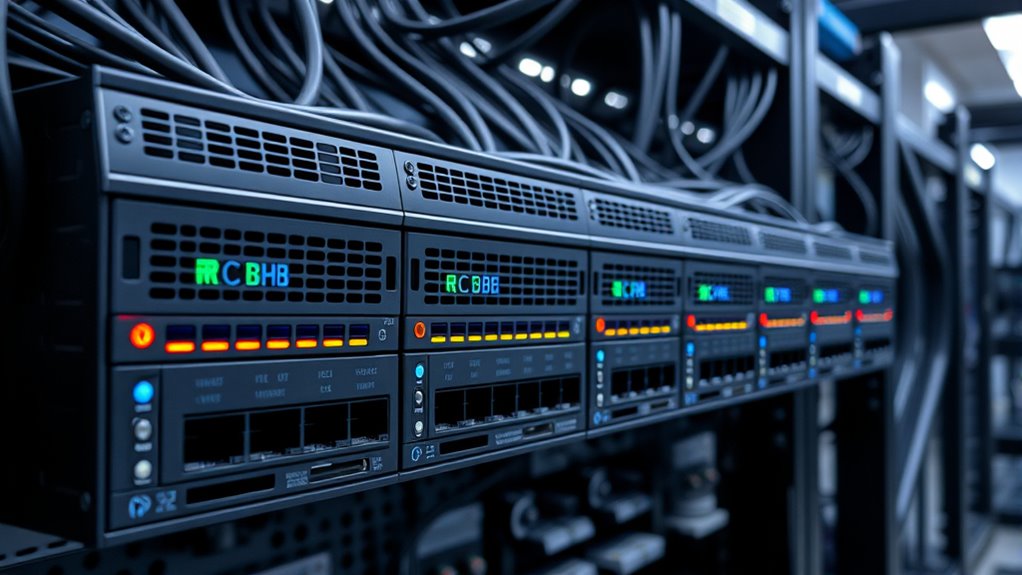
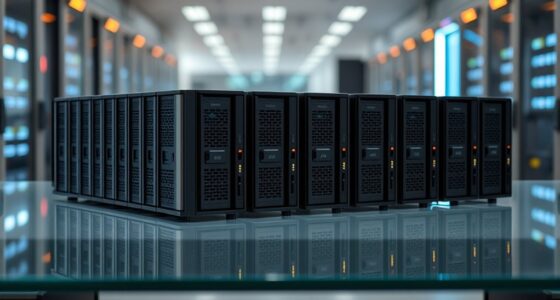
The right 40GbE switch for a lab depends on one question: do you need pure 40G port density, or a mix of fast uplinks and practical downstream connectivity? The Arista DCS-7050QX-32S-R stands out as the best overall pick because its 32 QSFP+ ports, low noise profile, and mature EOS software make it the most livable data center switch in a home or research lab. If port count is the priority, the Cisco Nexus N3K-C3164Q-40GE doubles the density for similar money, while the MikroTik CRS354-48P-4S+2Q+RM makes the most sense for labs that need PoE and 10G access with only a pair of 40G uplinks. The main tradeoff in this category is between cheap renewed data center gear with loud fans and complex licensing, versus newer, quieter switches with far fewer 40G ports. Read on for the full breakdown of all ten options.

Before you orderOffer from Amazon

Get privacy and security gear delivered free with Prime

  • Fast, free delivery on millions of items
  • Prime Video, Amazon Music and more included
  • Member-only deals all year
Start your free Prime trial Free trial for eligible customers · Cancel anytime
As an affiliate, we earn on qualifying purchases.

10
compared
6
brands
3
conditions
Which 40gbe switches for lab should you buy?
★ Top Pick
Arista DCS-7280QR-C36-M-R 24×4
Best Overall
24x 40GbE plus 12x 100GbE QSFP28 uplinks for future growth
See on Amazon →
Builders who want maximum 40GbE port count for a multi-node virtualization or storage cluster and do not need 100G uplinks
Arista DCS-7050QX-32S-R 32x 40
Wire-speed Layer 2 and Layer 3 performance under Arista EOS
View on Amazon →
Labs simulating large-scale data center fabrics or pursuing Cisco/NX-OS certifications who need dozens of 40G ports in one chassis
Cisco Nexus N3K-C3164Q-40GE 64
64 40G ports — unmatched density for large fabric simulations
View on Amazon →
Labs and small offices that need PoE-heavy gigabit access with 40G uplinks to a core or storage network in one box
MikroTik CRS354-48P-4S+2Q+RM 4
48 gigabit ports with auto-sensing 802.3af/at PoE for APs, cameras, and edge devices
View on Amazon →
Labs needing the 7280QR’s 40G/100G capability in the opposite airflow orientation to match their rack layout
Arista DCS-7280QR-C36-M-F 36-P
Identical 24x 40G / 12x 100G platform to the top pick with alternate airflow
View on Amazon →
Pros & cons at a glance
Arista DCS-7280QR-C36-M-R 24×4
✓ 24x 40GbE plus 12x 100GbE QSFP28 uplinks for future growth
✗ Rear-to-front airflow must match your rack orientation before purchase
Arista DCS-7050QX-32S-R 32x 40
✓ Wire-speed Layer 2 and Layer 3 performance under Arista EOS
✗ Only a 90-day limited warranty on renewed hardware
Cisco Nexus N3K-C3164Q-40GE 64
✓ 64 40G ports — unmatched density for large fabric simulations
✗ Renewed condition with only a 90-day limited warranty
MikroTik CRS354-48P-4S+2Q+RM 4
✓ 48 gigabit ports with auto-sensing 802.3af/at PoE for APs, cameras, and edge devices
✗ RouterOS/SwOS has a steep learning curve for less technical users
Arista DCS-7280QR-C36-M-F 36-P
✓ Identical 24x 40G / 12x 100G platform to the top pick with alternate airflow
✗ Airflow direction is inconsistently documented and must be verified before purchase
TotalServerShield 48-Port 1/10
✓ 48 RJ45 ports with 100Mb/1G/10G backward compatibility means no forklift upgrade of existing cabling
✗ Only a 90-day seller warranty, thin for enterprise hardware
Dell Networking N4064 10/40GbE
✓ Stacking up to 12 switches from a single IP address keeps management simple as the lab grows
✗ At 32.6 pounds it realistically requires a proper rack
Dell S4048-ON 48-Port 10GbE SF
✓ Dual power supplies provide real redundancy for a lab core
✗ Rack rails kit not included — an extra purchase and possible sourcing headache
Cisco Meraki MS450-12-HW Cloud
✓ 2x 100GbE QSFP28 ports give a genuine upgrade path beyond 40G
✗ Only 12 ports, far below the 36-40 port density of the Arista or Cisco Nexus alternatives
Mellanox IS50XX InfiniBand 36-
✓ 36 QSFP ports at 40Gb/s gives dense fabric connectivity for multi-node clusters
✗ Not a drop-in Ethernet replacement — requires compatible InfiniBand hardware end to end

Key Takeaways

  • Renewed Arista hardware dominated the top spots because EOS software is free of licensing gates, unlike Cisco NX-OS feature tiers and Meraki cloud licenses that add recurring cost to a lab build.
  • The biggest hidden cost across this roundup is not the switch — it is DACs, optics, and QSFP breakout cables, which can approach the price of a renewed switch itself when wiring multiple 40G nodes.
  • Pure 40G port-dense switches (Arista 7050QX, Cisco 3164Q) suit compute clusters, while hybrid switches like the MikroTik CRS354 and Dell S4048-ON better serve labs mixing everyday 1G/10G machines with a fast storage backbone.
  • The Mellanox IS50XX is the only InfiniBand unit here, and it is a trap for Ethernet labs — cheap and fast, but it will not speak Ethernet without the right firmware family, so verify before buying.
  • Fan noise and power draw separate livable lab switches from rack-only gear: front-to-back data center airflow designs assume a rack, and several picks draw 150W+ idle, which matters on a home power circuit.
2
Arista DCS-7050QX-32S-R 32x 40
Best Value for Pure 40G Density
3
Cisco Nexus N3K-C3164Q-40GE 64
Best for Maximum Port Count

Our Top 40gbe Switches For Labs Picks

Arista DCS-7280QR-C36-M-R 24x40GbE 12x100GbE Data Center Switch (Renewed)Arista DCS-7280QR-C36-M-R 24x40GbE 12x100GbE Data Center Switch (Renewed)Best OverallForm Factor: 1U rack-mountablePorts: 24x 40GbE QSFP+ / 12x 100GbE QSFP28Switching Capacity: 4.32 TbpsVIEW ON AMAZONSee Our Full Breakdown
Arista DCS-7050QX-32S-R 32x 40GB QSFP+ 4x 10GB SFP+ Switch (Renewed)Arista DCS-7050QX-32S-R 32x 40GB QSFP+ 4x 10GB SFP+ Switch (Renewed)Best Value for Pure 40G DensityPorts: 32x QSFP+ 40G / 4x SFP+ 10GData Transfer Rate: 40 Gbps per QSFP+ portPerformance: Wire-speed L2/L3VIEW ON AMAZONSee Our Full Breakdown
Cisco Nexus N3K-C3164Q-40GE 64-Port 40Gb Switch (Renewed)Cisco Nexus N3K-C3164Q-40GE 64-Port 40Gb Switch (Renewed)Best for Maximum Port CountModel: N3K-C3164Q-40GEPorts: 64x 40G QSFPSwitch Type: Managed, modular, Layer 3VIEW ON AMAZONSee Our Full Breakdown
MikroTik CRS354-48P-4S+2Q+RM 48-Port Gigabit PoE Switch with 4x 10G SFP+ and 2x 40G QSFP+MikroTik CRS354-48P-4S+2Q+RM 48-Port Gigabit PoE Switch with 4x 10G SFP+ and 2x 40G QSFP+Best Hybrid Pick for Access Plus 40G UplinksPorts: 48x 1G RJ45, 4x 10G SFP+, 2x 40G QSFP+PoE: Passive PoE, 802.3af/at Type 1/2 auto-sensingSwitching Capacity: 336 GbpsVIEW ON AMAZONSee Our Full Breakdown
Arista DCS-7280QR-C36-M-F 36-Port 40GbE/100GbE Data Center Switch (Renewed)Arista DCS-7280QR-C36-M-F 36-Port 40GbE/100GbE Data Center Switch (Renewed)Best Premium Alternative Airflow OptionForm Factor: 1UPorts: 24x 40GbE QSFP+ / 12x 100GbE QSFP28Switching Capacity: Up to 4.32 TbpsVIEW ON AMAZONSee Our Full Breakdown
TotalServerShield 48-Port 1/10GBASE-T Managed Data Center Switch with 4x 40GbE QSFP+ UplinksTotalServerShield 48-Port 1/10GBASE-T Managed Data Center Switch with 4x 40GbE QSFP+ UplinksBest for Copper-Heavy LabsRJ45 Ports: 48x 1/10GBASE-T (backward compatible with 100Mb/1Gb)Uplinks: 4x 40GbE QSFP+Management: 1x 1000Base-T RJ-45 portVIEW ON AMAZONSee Our Full Breakdown
Dell Networking N4064 10/40GbE Switch – 48x 10GBase-T Ports, 2x 40GbE UplinksDell Networking N4064 10/40GbE Switch - 48x 10GBase-T Ports, 2x 40GbE UplinksBest for Scalability and StackingPorts: 48x 10GBase-T (RJ45)Uplinks: 2x 40GbESwitch Type: Managed Layer 2/3VIEW ON AMAZONSee Our Full Breakdown
Dell S4048-ON 48-Port 10GbE SFP+ / 6-Port 40GbE QSFP+ Switch with Dual PSU (Renewed, No Rails Kit)Dell S4048-ON 48-Port 10GbE SFP+ / 6-Port 40GbE QSFP+ Switch with Dual PSU (Renewed, No Rails Kit)Best Fiber Spine for the MoneyPorts: 48x 10GbE SFP+40GbE Ports: 6x QSFP+Power Supplies: Dual PSUVIEW ON AMAZONSee Our Full Breakdown
Cisco Meraki MS450-12-HW Cloud-Managed Switch, 12x 40GbE QSFP+ and 2x 100GbE QSFP28 (Renewed)Cisco Meraki MS450-12-HW Cloud-Managed Switch, 12x 40GbE QSFP+ and 2x 100GbE QSFP28 (Renewed)Best Cloud-Managed 100G-Ready CorePorts: 12 totalInterfaces: QSFP+ (40GbE) and QSFP28 (100GbE)Switch Type: Managed, cloud-managedVIEW ON AMAZONSee Our Full Breakdown
Mellanox IS50XX InfiniBand 36-Port 40Gb/s QSFP Managed SwitchMellanox IS50XX InfiniBand 36-Port 40Gb/s QSFP Managed SwitchBest for HPC ClustersPorts: 36x QSFPData Rate: 40Gb/s per portNetwork Type: InfiniBandVIEW ON AMAZONSee Our Full Breakdown
Specs at a glance
40gbe switches for labPortsCondition
Arista DCS-7280QR-C36-M-R 24×424x 40GbE QSFP+ / 12x 100GbE QSFP28Renewed
Arista DCS-7050QX-32S-R 32x 4032x QSFP+ 40G / 4x SFP+ 10GRenewed
Cisco Nexus N3K-C3164Q-40GE 6464x 40G QSFPRenewed
MikroTik CRS354-48P-4S+2Q+RM 448x 1G RJ45, 4x 10G SFP+, 2x 40G QSFP+—
Arista DCS-7280QR-C36-M-F 36-P24x 40GbE QSFP+ / 12x 100GbE QSFP28Renewed
TotalServerShield 48-Port 1/10——
Dell Networking N4064 10/40GbE48x 10GBase-T (RJ45)—
Dell S4048-ON 48-Port 10GbE SF48x 10GbE SFP+Certified Refurbished
Cisco Meraki MS450-12-HW Cloud12 totalRenewed; unclaimed, no license
Mellanox IS50XX InfiniBand 36-36x QSFP—

More Details on Our Top Picks

  1. Arista DCS-7280QR-C36-M-R 24x40GbE 12x100GbE Data Center Switch (Renewed)

    Arista DCS-7280QR-C36-M-R 24x40GbE 12x100GbE Data Center Switch (Renewed)

    Best Overall

    View on Amazon

    This model stands out as the strongest all-around pick because it solves the two biggest lab problems at once: affordable 40GbE density and a genuine growth path to 100GbE uplinks. The 12 QSFP28 ports mean a lab built around this switch will not hit a ceiling the moment 100G NICs become cheap on the secondary market. Compared with the Arista 7050QX-32S, which offers more 40G ports but no 100G path, the 7280QR trades four QSFP+ ports for long-term headroom. The M variant’s expanded memory and SSD matter for labs running full routing tables or VXLAN/EVPN experiments under Arista EOS, which remains one of the most pleasant network operating systems to learn on.

    The tradeoffs are real: it is renewed enterprise hardware, the rear-to-front airflow must match the rack before ordering, and its capabilities are wasted on a two-node homelab.

    Pros:
    • 24x 40GbE plus 12x 100GbE QSFP28 uplinks for future growth
    • M variant brings expanded memory and SSD for large route tables and telemetry
    • Arista EOS with MPLS, VXLAN/EVPN, and 1M+ IPv4 routes is a career-valuable skill set
    • 4.32 Tbps switching capacity comfortably exceeds any lab workload
    Cons:
    • Rear-to-front airflow must match your rack orientation before purchase
    • Renewed condition means variable history and cosmetic wear
    • Full data-center feature set is overkill for simple storage and virtualization labs

    Best for: Homelab and small-lab builders who want 40GbE today and a credible 100GbE migration path while learning EOS, VXLAN, and EVPN

    Not ideal for: Quiet-office labs — enterprise airflow and fan noise, plus renewed-unit risk, make it a poor fit for a desk-side environment

    • Form Factor:1U rack-mountable
    • Ports:24x 40GbE QSFP+ / 12x 100GbE QSFP28
    • Switching Capacity:4.32 Tbps
    • Forwarding Rate:1.44 Bpps
    • Airflow:Rear-to-front (port-side intake)
    • Memory/Storage:Expansion memory + SSD (M variant)
    • Operating System:Arista EOS
    • Condition:Renewed
    Our verdict
    “The most future-proof 40G foundation for a serious lab, provided the airflow direction matches your rack and you accept renewed-hardware risk.”
  2. Arista DCS-7050QX-32S-R 32x 40GB QSFP+ 4x 10GB SFP+ Switch (Renewed)

    Arista DCS-7050QX-32S-R 32x 40GB QSFP+ 4x 10GB SFP+ Switch (Renewed)

    Best Value for Pure 40G Density

    View on Amazon

    When the goal is simply the most 40GbE ports per dollar, this 7050QX makes a compelling case. Thirty-two QSFP+ ports plus four SFP+ give a lab room for a dozen-plus nodes at full 40G, something the MikroTik CRS354 cannot approach with its two QSFP+ ports. Compared with the 7280QR-C36-M, this model gives up the 100GbE uplinks and the expanded-memory M features, but for labs that will live at 40G for years, those omissions save money without hurting day-to-day performance. Wire-speed L2/L3 under EOS means it doubles as a routing learning platform, not just a dumb fabric.

    Buyers should weigh the 90-day limited warranty typical of renewed enterprise gear, and confirm back-to-front airflow suits the rack before committing.

    Pros:
    • 32x QSFP+ ports — the highest pure 40G density in this lineup at its price point
    • Wire-speed Layer 2 and Layer 3 performance under Arista EOS
    • Compact 1U form factor with relatively efficient power draw
    • Four SFP+ ports handle 10G management and out-of-band connections
    Cons:
    • Only a 90-day limited warranty on renewed hardware
    • No 100GbE upgrade path compared with the 7280QR series

    Best for: Builders who want maximum 40GbE port count for a multi-node virtualization or storage cluster and do not need 100G uplinks

    Not ideal for: Anyone planning 100GbE soon — there is no QSFP28 path, making the 7280QR a better long-term choice

    • Ports:32x QSFP+ 40G / 4x SFP+ 10G
    • Data Transfer Rate:40 Gbps per QSFP+ port
    • Performance:Wire-speed L2/L3
    • Airflow:Back-to-front
    • Form Factor:1U rack-mountable, metal chassis
    • Warranty:90 days limited
    • Condition:Renewed
    Our verdict
    “The densest way to build an all-40G lab fabric on a budget, as long as 100G is not on the roadmap.”
  3. Cisco Nexus N3K-C3164Q-40GE 64-Port 40Gb Switch (Renewed)

    Cisco Nexus N3K-C3164Q-40GE 64-Port 40Gb Switch (Renewed)

    Best for Maximum Port Count

    View on Amazon

    Nothing else in this roundup matches the raw scale of this Nexus: 64 QSFP ports in a single chassis, nearly double the 40G density of the Arista 7050QX. For labs simulating large spine-leaf fabrics, teaching NX-OS, or building a multi-rack test environment, that port count changes what is architecturally possible. Managed Layer 3 capability and dual power supplies make it feel like the production gear it originally was. Compared with the Arista options, the tradeoff is Cisco NX-OS and its licensing quirks rather than the friendlier EOS, plus a large physical footprint that assumes real rack space. The renewed condition is the main gamble — inspection and a 90-day warranty help, but long-term reliability is on the buyer.

    Buyers should also verify NX-OS feature licenses are included, as stripped images limit what the hardware can do.

    Pros:
    • 64 40G ports — unmatched density for large fabric simulations
    • Managed Layer 3 switching with dual power supplies for redundancy
    • Professionally inspected and tested before resale
    • Excellent platform for learning Cisco NX-OS
    Cons:
    • Renewed condition with only a 90-day limited warranty
    • NX-OS licensing can restrict features on secondhand units
    • Large chassis and power draw demand proper rack infrastructure

    Best for: Labs simulating large-scale data center fabrics or pursuing Cisco/NX-OS certifications who need dozens of 40G ports in one chassis

    Not ideal for: Compact homelabs — the chassis is large, power-hungry, and most of its 64 ports will sit dark

    • Model:N3K-C3164Q-40GE
    • Ports:64x 40G QSFP
    • Switch Type:Managed, modular, Layer 3
    • Data Transfer Rate:2560 Gbps aggregate
    • Dimensions:22.3 x 17.4 x 3.5 inches
    • Power:Dual power supplies
    • Condition:Renewed
    Our verdict
    “A scale play for fabric-scale labs and Cisco-focused learning — the right pick only if 32 or 36 ports genuinely are not enough.”
  4. MikroTik CRS354-48P-4S+2Q+RM 48-Port Gigabit PoE Switch with 4x 10G SFP+ and 2x 40G QSFP+

    MikroTik CRS354-48P-4S+2Q+RM 48-Port Gigabit PoE Switch with 4x 10G SFP+ and 2x 40G QSFP+

    Best Hybrid Pick for Access Plus 40G Uplinks

    View on Amazon

    This MikroTik plays a completely different game from the Arista and Cisco units. Instead of dozens of 40G ports, it pairs 48 PoE-capable gigabit access ports with 4x 10G SFP+ and just two 40G QSFP+ uplinks. That makes it the natural aggregation point for a lab that mixes access-layer devices — cameras, APs, compute nodes — with a 40G core or storage link, a role the pure 40G switches here cannot fill. The 750 W PSU comfortably powers a large PoE deployment. The honest tradeoff: RouterOS/SwOS demands a real learning investment compared with more conventional interfaces, and two QSFP+ ports cap any serious multi-node 40G fabric — the 7050QX is the better fit there. Fan noise is also typical of high-power rack gear.

    Pros:
    • 48 gigabit ports with auto-sensing 802.3af/at PoE for APs, cameras, and edge devices
    • Uplink flexibility with 4x 10G SFP+ and 2x 40G QSFP+
    • 750 W power supply supports substantial PoE loads
    • Includes cable management bracket for clean rack installs
    Cons:
    • RouterOS/SwOS has a steep learning curve for less technical users
    • Noisy fan-based cooling unsuitable for quiet rooms
    • Only two 40G ports limits high-speed fabric growth

    Best for: Labs and small offices that need PoE-heavy gigabit access with 40G uplinks to a core or storage network in one box

    Not ideal for: Builders of all-40G fabrics — two QSFP+ ports will bottleneck quickly compared with the Arista options

    • Ports:48x 1G RJ45, 4x 10G SFP+, 2x 40G QSFP+
    • PoE:Passive PoE, 802.3af/at Type 1/2 auto-sensing
    • Switching Capacity:336 Gbps
    • Forwarding Rate:235 Mpps
    • Power Supply:750 W
    • Form Factor:1U rackmount
    Our verdict
    “A smart one-box solution when PoE access networking and 40G uplinks matter more than raw 40G density.”
  5. Arista DCS-7280QR-C36-M-F 36-Port 40GbE/100GbE Data Center Switch (Renewed)

    Arista DCS-7280QR-C36-M-F 36-Port 40GbE/100GbE Data Center Switch (Renewed)

    Best Premium Alternative Airflow Option

    View on Amazon

    Functionally, this switch is the twin of the 7280QR-C36-M-R: same 24x 40G plus 12x 100G layout, same 4.32 Tbps capacity, same M-variant memory and SSD, same EOS feature set including VXLAN/EVPN. The reason it earns a separate slot is airflow direction — the F designation points to a front-to-back configuration, which suits racks where the port side faces the cold aisle, the opposite of the R model. For labs whose rack layout rules out the R variant, this is the same premium platform without compromise. Compared with the 7050QX-32S, it again trades a few 40G ports for 100G headroom and deeper memory. One caution stands out: the source listing describes airflow inconsistently, so confirming the actual fan configuration with the seller before racking it is non-negotiable.

    Pros:
    • Identical 24x 40G / 12x 100G platform to the top pick with alternate airflow
    • Expanded memory and SSD support larger route tables and telemetry
    • Full EOS feature set including MPLS, VXLAN, and EVPN
    • 4.32 Tbps capacity with genuine 100G migration path
    Cons:
    • Airflow direction is inconsistently documented and must be verified before purchase
    • Renewed condition carries the usual secondhand-hardware risk
    • Overkill for small two- or three-node labs

    Best for: Labs needing the 7280QR’s 40G/100G capability in the opposite airflow orientation to match their rack layout

    Not ideal for: Buyers unwilling to verify the airflow direction with the seller — an incorrectly oriented switch fights the whole rack’s cooling

    • Form Factor:1U
    • Ports:24x 40GbE QSFP+ / 12x 100GbE QSFP28
    • Switching Capacity:Up to 4.32 Tbps
    • Forwarding Rate:1.44 Bpps
    • Operating System:Arista EOS
    • Key Features:L2/L3, MPLS, VXLAN/EVPN
    • Condition:Renewed
    Our verdict
    “The same best-overall platform for racks with the opposite airflow orientation — just verify the fan direction before ordering.”
  6. TotalServerShield 48-Port 1/10GBASE-T Managed Data Center Switch with 4x 40GbE QSFP+ Uplinks

    Best for Copper-Heavy Labs

    View on Amazon

    Most 40GbE lab switches force you into SFP+ or QSFP+ transceivers and DACs, which adds cost and cabling hassle fast. This model takes the opposite approach: 48 RJ45 copper ports that run 1G or 10G over ordinary Cat6a, so existing lab wiring keeps working while four 40GbE QSFP+ uplinks handle the backbone to servers or a storage box. Compared with the Dell S4048-ON, which is all-fiber, this is far cheaper to cable if your hosts already have 10GBASE-T NICs. The dual hot-swappable 500W PSUs and rear-to-front airflow make it rack-appropriate, and the dedicated management, console, and USB ports are a nice touch that cheaper units often omit. The tradeoff is thin seller support — a 90-day warranty is all you get — and 10GBASE-T runs hotter than SFP+ designs.

    Pros:
    • 48 RJ45 ports with 100Mb/1G/10G backward compatibility means no forklift upgrade of existing cabling
    • Four 40GbE QSFP+ uplinks for backbone or storage traffic
    • Dual hot-swappable 500W power supplies for redundancy
    • Dedicated management, RS-232 console, and USB ports for out-of-band control
    Cons:
    • Only a 90-day seller warranty, thin for enterprise hardware
    • 10GBASE-T PHYs consume more power and add latency versus SFP+ designs like the Dell S4048-ON

    Best for: Lab owners with 10GBASE-T NICs and Cat6a cabling who want 40GbE uplinks without buying transceivers

    Not ideal for: Buyers who want long-term warranty coverage or an all-fiber, low-latency topology — the 90-day seller warranty and copper PHYs work against both

    • RJ45 Ports:48x 1/10GBASE-T (backward compatible with 100Mb/1Gb)
    • Uplinks:4x 40GbE QSFP+
    • Management:1x 1000Base-T RJ-45 port
    • Console:1x RS-232 RJ-45, 1x USB Type-A
    • Airflow:Rear-to-front
    • Power Supplies:2x hot-swappable 500W AC
    • Part Number:DCS-7050TX-64-R
    • Warranty:90 days through seller
    Our verdict
    “This pick makes the most sense for labs standardized on copper RJ45 that need 40GbE uplinks without the transceiver tax.”
  7. Dell Networking N4064 10/40GbE Switch - 48x 10GBase-T Ports, 2x 40GbE Uplinks

    Best for Scalability and Stacking

    View on Amazon

    Where the TotalServerShield unit stops at a single chassis, the N4068 family’s stacking support for up to 12 switches under one IP makes this the standout choice if your lab is expected to grow. This option stands out for its enterprise Layer 2/3 feature set — real routing protocols, MLAG for active/active uplinks, and a non-blocking wire-speed fabric — wrapped around 48 10GBase-T copper ports and two 40GbE uplinks. Compared with the two-uplink TotalServerShield, you trade half the 40GbE ports for a much deeper software stack and open-standard interoperability with non-Dell gear. The tradeoffs are real: at 32.6 pounds it demands rack mounting, and its configuration surface area will overwhelm someone who just wants plug-and-play layer 2.

    Pros:
    • Stacking up to 12 switches from a single IP address keeps management simple as the lab grows
    • MLAG plus dual 80PLUS-certified hot-swappable PSUs deliver genuine high availability
    • Non-blocking architecture sustains wire speed across all ports under heavy traffic
    • Open-standard protocols make it play nicely in multivendor environments
    Cons:
    • At 32.6 pounds it realistically requires a proper rack
    • Only two 40GbE uplinks — fewer than the Dell S4048-ON’s six — limits pure 40G expansion

    Best for: Growing labs or small businesses that expect to expand beyond one switch and want unified management plus Layer 3 routing

    Not ideal for: Hobbyists with a couple of servers — the enterprise feature depth and physical weight are wasted on a small flat network

    • Ports:48x 10GBase-T (RJ45)
    • Uplinks:2x 40GbE
    • Switch Type:Managed Layer 2/3
    • Stacking:Up to 12 switches managed from a single IP
    • Redundancy:MLAG active/active support
    • Power Supplies:Dual internal hot-swappable, 80PLUS-certified
    • Weight:32.6 pounds
    Our verdict
    “This model is better suited to labs planning multi-switch growth than anyone wanting a simple one-box 40GbE spine.”
  8. Dell S4048-ON 48-Port 10GbE SFP+ / 6-Port 40GbE QSFP+ Switch with Dual PSU (Renewed, No Rails Kit)

    Dell S4048-ON 48-Port 10GbE SFP+ / 6-Port 40GbE QSFP+ Switch with Dual PSU (Renewed, No Rails Kit)

    Best Fiber Spine for the Money

    View on Amazon

    If your hosts have SFP+ and QSFP+ ports, this is the sweet spot in this batch: 48 SFP+ ports for server connections and six QSFP+ 40GbE ports for uplinks or spine links — more 40G capacity than either the TotalServerShield or the N4064T-style copper switches. Compared with the Arista DCS-7050QX-32S-R, you get more total ports at similar refurbished pricing, though the Arista’s EOS software is more pleasant to automate. As a certified refurbished unit it’s been function-tested and carries a minimum 90-day warranty, which beats truly as-is used gear. Budget for the gaps: no rack rails included, generic packaging, and factor transceivers or DACs into your real cost, because fiber ports are useless without them.

    Pros:
    • 48x 10G SFP+ plus 6x 40G QSFP+ is outstanding port density for a refurbished price point
    • Dual power supplies provide real redundancy for a lab core
    • Certified refurbishing with a minimum 90-day warranty reduces used-gear risk
    • SFP+ fabric runs cooler and lower-latency than 10GBASE-T alternatives
    Cons:
    • Rack rails kit not included — an extra purchase and possible sourcing headache
    • Refurbished condition means generic packaging and cosmetic wear are likely

    Best for: Labs with SFP+/QSFP+ equipped servers that want maximum 10G port density plus six 40G links on a refurb budget

    Not ideal for: Anyone running copper 10GBASE-T NICs — every port here needs transceivers or DACs, and the missing rails add hassle for rack builds

    • Ports:48x 10GbE SFP+
    • 40GbE Ports:6x QSFP+
    • Power Supplies:Dual PSU
    • Condition:Certified Refurbished
    • Warranty:Minimum 90 days
    • Rails Kit:Not included
    • Weight:29.7 pounds
    Our verdict
    “Compared with similar options, this delivers the most usable fiber ports per dollar and suits labs that can supply their own transceivers and rails.”
  9. Cisco Meraki MS450-12-HW Cloud-Managed Switch, 12x 40GbE QSFP+ and 2x 100GbE QSFP28 (Renewed)

    Cisco Meraki MS450-12-HW Cloud-Managed Switch, 12x 40GbE QSFP+ and 2x 100GbE QSFP28 (Renewed)

    Best Cloud-Managed 100G-Ready Core

    View on Amazon

    This is the only switch in this lineup that speaks QSFP28 at 100GbE, which makes it the natural pick if your lab is already eyeing a future 100G spine rather than maxing out at 40G. Twelve 40GbE QSFP+ ports put it in similar territory to the Arista DCS-7280QR-C36-M for pure 40G density — where the Arista clearly wins on port count — but the Meraki’s cloud-managed dashboard is a completely different operating model: configure from a browser instead of a CLI. That convenience comes with the biggest catch in this roundup: this renewed unit is unclaimed and ships without a license, and Meraki hardware is essentially inert without an active licensing agreement. Until you price out and secure that license, this is a bargain only on paper.

    Pros:
    • 2x 100GbE QSFP28 ports give a genuine upgrade path beyond 40G
    • 12x 40GbE QSFP+ ports suit a compact lab core or aggregation layer
    • Cloud management replaces CLI work with a browser dashboard
    • 90-day limited warranty on a renewed unit offers some protection
    Cons:
    • Ships unclaimed and without a license — ongoing licensing cost is mandatory to operate it
    • Only 12 ports, far below the 36-40 port density of the Arista or Cisco Nexus alternatives

    Best for: Labs already invested in the Meraki ecosystem or planning a 40G-to-100G migration who can obtain licensing

    Not ideal for: Buyers wanting a working switch out of the box — without a Meraki license the hardware won’t pass traffic or be manageable

    • Ports:12 total
    • Interfaces:QSFP+ (40GbE) and QSFP28 (100GbE)
    • Switch Type:Managed, cloud-managed
    • Management:Cisco Meraki cloud dashboard (license required)
    • Max Operating Temperature:40 °C
    • Condition:Renewed; unclaimed, no license
    • Warranty:90 days limited
    Our verdict
    “This pick makes the most sense for Meraki shops planning a 100G future — everyone else should weigh licensing costs before touching it.”
  10. Mellanox IS50XX InfiniBand 36-Port 40Gb/s QSFP Managed Switch

    Mellanox IS50XX InfiniBand 36-Port 40Gb/s QSFP Managed Switch

    Best for HPC Clusters

    View on Amazon

    Everything else here is Ethernet; the IS50XX is InfiniBand, and that distinction defines who should buy it. For compute clusters running MPI workloads, InfiniBand’s ultra-low latency and 36 40Gb/s QSFP ports deliver interconnect performance Ethernet switches in this roundup simply can’t match — the Cisco Nexus 64-port 40G unit moves more standard traffic, but the Mellanox finishes HPC jobs faster. This model is better suited to a parallel storage or compute fabric than to serving NFS to workstations. The barriers are specific: your NICs and hosts must speak InfiniBand, management tooling differs from Ethernet, and as a likely legacy enterprise unit, warranty coverage is unclear. It’s a specialist tool that rewards specialists and frustrates everyone else.

    Pros:
    • 36 QSFP ports at 40Gb/s gives dense fabric connectivity for multi-node clusters
    • InfiniBand latency is dramatically lower than Ethernet for MPI-style workloads
    • Managed functionality allows fabric configuration and monitoring
    • High port density rivals the Arista 36-port units at a lower barrier for IB clusters
    Cons:
    • Not a drop-in Ethernet replacement — requires compatible InfiniBand hardware end to end
    • Legacy/used enterprise item with unclear warranty coverage

    Best for: HPC and compute-cluster builders whose nodes already have InfiniBand HCAs and who need a low-latency fabric

    Not ideal for: General-purpose labs — it won’t carry standard Ethernet traffic, so file servers, workstations, and internet uplinks need a separate switch

    • Ports:36x QSFP
    • Data Rate:40Gb/s per port
    • Network Type:InfiniBand
    • Switch Type:Managed
    • Brand:Mellanox
    • Model:IS50XX
    • Use Case:High-performance computing, data center interconnect
    Our verdict
    “This is the right choice only for labs building genuine HPC fabrics on InfiniBand; general networking labs should stay with the Ethernet picks.”
40gbe switches for labs
What makes a great 40gbe switches for lab
1
Ethernet vs. InfiniBand Hardware
The single most common mistake in this category is buying cheap 40G QSFP switches without realizing some are InfiniBand-only hardw
2
Port Density vs. Port Flexibility
A 32- or 64-port 40G switch sounds like the obvious winner, but density only pays off if you actually have that many 40G-capable n
3
Noise, Power, and Placement
Data center switches assume data center conditions: rack mounting, controlled airflow front-to-back, and tolerance for high fan no
4
Renewed Hardware Reality Check
Most affordable 40G switches are renewed data center decommissions , and that is fine — these platforms were built for decade-long
How to choose your 40gbe switches for lab
1
How we picked
My ranking logic starts with a simple premise: a lab switch has to be livable , not just fast.
2
Ethernet vs. InfiniBand Hardware
The single most common mistake in this category is buying cheap 40G QSFP switches without realizing some are InfiniBand-
3
Port Density vs. Port Flexibility
A 32- or 64-port 40G switch sounds like the obvious winner, but density only pays off if you actually have that many 40G
4
Noise, Power, and Placement
Data center switches assume data center conditions: rack mounting, controlled airflow front-to-back, and tolerance for h
5
Renewed Hardware Reality Check
Most affordable 40G switches are renewed data center decommissions , and that is fine — these platforms were built for d
Vetted 40gbe switches for labs ·
The best 40gbe switches for labs, compared
★ Winner Arista DCS-7280QR-C36-M-R 24×4
Best Overall
10compared
3conditions

How We Picked

My ranking logic starts with a simple premise: a lab switch has to be livable, not just fast. I weighed port count and 40G density first, then software accessibility — whether the operating system, management, and feature set are usable without per-year licenses, which is why unlicensed Arista EOS and MikroTik RouterOS rank highly while cloud-locked Meraki sits lower despite excellent hardware. Noise, power draw, and physical form followed, because a switch that screams at 70dB or pulls 200W idle is a different purchase decision for a basement rack than a colo cage.

I also judged each switch on its ecosystem practicality: availability of affordable renewed units, compatibility with cheap QSFP+ DACs and optics, airflow direction, and how easily the unit fits a mixed-speed lab rather than a uniform 40G fabric. Value was assessed as total cost of ownership — switch plus expected cabling plus any licensing — not sticker price alone. That combination is why a renewed Arista with free software beats a cheaper switch that carries hidden recurring costs or a port layout that forces expensive cabling workarounds.

Everyday → specialist
Everyday & valuePremium & specialist
Which 40gbe switches for lab fits you?
The everyday user
All-round, reliable
The enthusiast
Premium & high-performance
The gift-giver
Looks & craftsmanship

Factors to Consider When Choosing 40gbe Switches For Labs

Buying a 40GbE switch for a lab is less about raw throughput numbers and more about matching the switch’s origins and assumptions to how your lab actually runs. These are the factors that most often make or break the purchase.

Ethernet vs. InfiniBand Hardware

The single most common mistake in this category is buying cheap 40G QSFP switches without realizing some are InfiniBand-only hardware. InfiniBand switches like the Mellanox IS50XX look identical to Ethernet switches — same QSFP ports, same cables — but they will not pass Ethernet traffic, and no configuration changes that. Ethernet-labeled variants exist in the same chassis families, so read the exact model number and firmware family before clicking buy. The reverse trap exists too: some Ethernet switches refuse third-party optics or DACs unless you disable strict transceiver checks in software. Budget an hour of research on cable and optic compatibility for whatever model you choose, because that research saves the most money in this entire purchase.

Port Density vs. Port Flexibility

A 32- or 64-port 40G switch sounds like the obvious winner, but density only pays off if you actually have that many 40G-capable nodes. Most labs need two to six 40G links — storage, a hypervisor host, maybe a backup target — with everything else running at 1G or 10G. That is why hybrid switches with a few QSFP+ uplinks and dozens of cheaper downstream ports often deliver more real-world value than a pure 40G monster. If you do go dense, remember QSFP+ ports can usually be split into 4x10G with breakout cables, which turns a 40G switch into a flexible 10G fabric. Decide your actual speed mix before choosing, not after.

Licensing and Software Costs

Enterprise switch software is where renewed-hardware bargains quietly get expensive. Cisco NX-OS gates advanced features behind license tiers, and Meraki hardware is close to useless without an active cloud license, which is a recurring cost on top of a renewed purchase. Arista EOS and MikroTik RouterOS, by contrast, ship their feature sets without license keys, which is a major reason they rank highly for labs. Before buying any enterprise switch, check whether the features you need — and for labs that usually means VLANs, LACP, and jumbo frames, nothing exotic — are available at the base license level. Many lab builders discover they need far less feature depth than the licensing matrix suggests, which can justify a cheaper locked-down unit.

Noise, Power, and Placement

Data center switches assume data center conditions: rack mounting, controlled airflow front-to-back, and tolerance for high fan noise. In a shared space, several of these units are genuinely unpleasant to sit near, and fan noise does not meaningfully drop at idle on most enterprise platforms. Power draw matters just as much — a big 40G chassis can pull well over 100W doing nothing, which adds up on a home electricity bill over a year. Check airflow direction too: a back-to-front airflow switch mounted in a quiet desk-side rack will fight itself and run hot. If your lab lives in a bedroom or office rather than a basement or closet, weight these factors heavily; they argue for smaller units like the MikroTik.

Renewed Hardware Reality Check

Most affordable 40G switches are renewed data center decommissions, and that is fine — these platforms were built for decade-long service lives. But renewed means variance: fans, power supplies, and transceiver ports may show wear, and seller warranty terms differ widely. Dual-PSU models are more forgiving here because a failed supply does not take the lab down. Verify that the seller images the correct OS version and that you can access the console without vendor credentials; some enterprise gear arrives locked to a previous owner’s management account. A little pre-purchase due diligence on the seller matters more than the brand on the bezel.

Cabling Budget: The Hidden Half of the Purchase

The expense that surprises every first-time 40G buyer is cabling. Quality QSFP+ DACs are cheap at short lengths but climb fast beyond three meters, and 40G optics plus fiber for runs across a room can cost more per link than expected. Breakout cables for 4x10G splits add another SKU to stock. Plan your cabling before choosing a switch, because port placement determines whether you need one-meter DACs or ten-meter AOCs — and that difference can exceed the price gap between two switch models. Buying every cable from the switch vendor is unnecessary, but stick to sellers who guarantee compatibility with your specific brand, since transceiver checking is real on several platforms here.

Frequently Asked Questions

Can I use cheap QSFP+ DACs and third-party optics with these enterprise switches?

Usually yes, with one caveat. Arista, Dell, and Cisco platforms commonly enforce transceiver checking that flags non-OEM optics, but nearly all of them allow you to disable or override that check in software — the command is well documented for EOS, NX-OS, and Dell OS10. MikroTik is famously indifferent to optic brand. The practical approach is to buy DACs and optics from sellers who explicitly list compatibility with your exact switch model, since QSFP+ firmware coding varies between vendors. Budget-conscious lab builders routinely run entirely third-party cabling without issue once the check is disabled. Keep one known-good OEM cable on hand for isolating link problems during troubleshooting.

Is the Mellanox IS50XX a good budget way to get 40GbE in a lab?

Only if you know exactly what you are buying. The IS50XX family is an InfiniBand switch, and despite using the same QSFP ports and cables as 40GbE, it will not carry Ethernet traffic. Building an InfiniBand fabric instead is a legitimate lab path — RDMA storage over InfiniBand is extremely cheap secondhand — but it requires InfiniBand host adapters and a different configuration mindset than Ethernet, and it isolates those nodes from your standard network. If your goal is a conventional Ethernet lab with 40G uplinks, spend slightly more on an Ethernet switch. If your goal is a dedicated high-speed storage cluster and you enjoy the learning curve, the InfiniBand route is one of the best bandwidth-per-dollar plays in homelabbing.

For most labs, 40G uplinks between two or three key nodes deliver almost all the benefit at a fraction of the cost. The traffic that actually saturates links in a lab is usually storage — VMware datastores, Ceph, NFS, backup jobs — so putting 40G on your storage box and hypervisor hosts covers the real bottleneck. Desktops, IoT gear, and management interfaces are perfectly served by 1G or 2.5G. This is why hybrid switches with a couple of QSFP+ ports and many 10G or 1G ports rank so well in this comparison. Full 40G density only earns its cost when you are building a compute cluster or running multi-node storage replication where every node talks to every node constantly.

Are renewed data center switches reliable enough for a lab?

Yes, and they are the foundation of this entire category — almost nothing at lab-friendly prices is new. These platforms were engineered for continuous operation in far harsher environments than any home rack, so a five-year-old chassis typically has most of its service life left. The real risk points are fans and power supplies, which are the wear items; a dual-PSU model mitigates the failure that actually matters. Buy from sellers who test and warranty the units, and confirm the switch arrives with accessible software rather than a locked management account. Treat any included rails or optics as a bonus rather than an expectation, since renewed listings vary on accessories.

How loud are these switches really, and can the fans be tamed?

Genuinely loud — the pure data center models in this lineup idle in the 60–70dB range, which is vacuum-cleaner territory and not shareable with a living space. Fan replacement and aftermarket fan controllers are popular in the homelab community, but they carry real risk: these chips are designed for forced high-volume airflow, and slowing fans can cause thermal shutdowns or shortened component life, particularly on 40G and 100G dense line cards. The safer path for quiet spaces is choosing a smaller platform in the first place, like the MikroTik CRS354, which is built for wiring closets rather than data halls. If you do modify fans, monitor temperatures for a week afterward before trusting the switch with anything important. The honest answer is that big iron belongs in a basement, garage, or closet.

Conclusion

The right pick depends entirely on what your lab is for. For the best overall balance of density, software, and livability, the Arista DCS-7050QX-32S-R takes it — 32 QSFP+ ports, license-free EOS, and manageable noise for its class. The best value goes to the MikroTik CRS354-48P-4S+2Q+RM, which gives most labs everything they actually use — PoE, 10G access, and dual 40G uplinks — at a fraction of the power draw of data center iron. If money is no object and you want maximum headroom, the Arista DCS-7280QR-C36-M-R is the best premium choice thanks to its 40G/100G flexibility.

For beginners, the MikroTik again makes sense because RouterOS documentation and community support are strong and the hardware forgives mistakes. For specific needs: the Cisco Nexus N3K-C3164Q-40GE is the port-density play for large compute clusters, the Dell S4048-ON fits hybrid labs wanting 10G SFP+ access with 40G uplinks, and the Mellanox IS50XX suits only builders deliberately pursuing an InfiniBand storage fabric. The Meraki MS450 lands last for labs purely on licensing economics, not hardware quality. Whatever you choose, budget for cabling with the same seriousness as the switch itself — that is where this comparison showed the real money goes.

FALL

Fall Picks

As an affiliate, we earn on qualifying purchases.
You May Also Like

5 Best MacBook Pro Models for College Power Users in 2026

Discover the top MacBook Pro options for college power users in 2026. Find the best overall, value, and premium choices for demanding students and professionals.

13 Best Network Attached Storage Devices for Surveillance in 2026—Expert Recommendations

Discover the top NAS options for surveillance in 2026. From versatile picks to budget-friendly models, find the perfect storage for your security needs.

8 Best Computers, Tablets & Components in 2026

Discover the best computers, tablets & components for 2026. Find top picks for performance, value, and ease of use tailored to your needs.

15 Best Secure Wi-Fi Cameras to Keep Your Home Safe and Sound

Discover the top secure Wi Fi cameras for 2026. Find the best options for security, ease of use, and privacy with our expert-curated list and buying guide.