
I’ve looked into top ECC memory kits that boost workstation reliability and performance. From 128GB DDR3 modules like the OWC kits to 64GB DDR4 options like Kingston and NEMIX, these kits are designed for stability and data accuracy. I recommend considering compatibility, speed, capacity, and brand reputation when choosing. Keep exploring, and you’ll find details on how these options can enhance your system’s performance and reliability.
Key Takeaways
- Prioritize ECC modules compatible with your workstation’s motherboard and CPU for optimal reliability.
- Select kits with appropriate capacity and speed to meet current and future performance needs.
- Choose reputable brands offering warranties, rigorous testing, and reliable customer support.
- Consider module latency and speed balance for enhanced system responsiveness and stability.
- Review compatibility, maximum supported memory, and expansion options to ensure seamless upgrades.
OWC 128GB DDR3 ECC Registered RAM Module Upgrade Kit
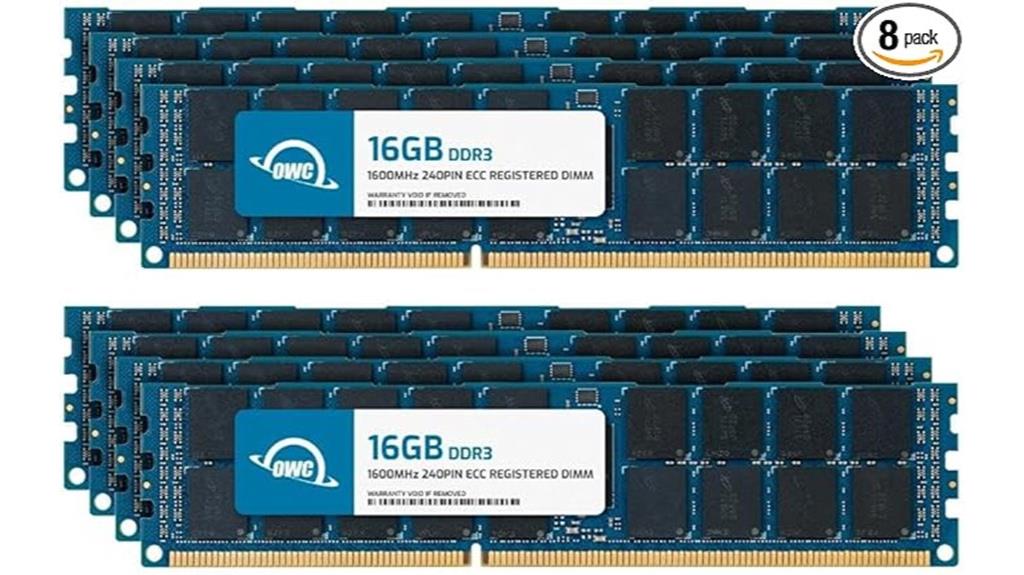
If you’re upgrading a workstation or server that requires maximum stability and error correction, the OWC 128GB DDR3 ECC Registered RAM Kit is an ideal choice. This kit includes eight 16GB modules designed specifically for ECC registered systems, ensuring reliable error correction and data integrity. Operating at 1600 MHz with a voltage of 1.5V, these modules meet strict JEDEC standards and are ROHS compliant. They’re perfect for demanding workloads like virtualization or intensive applications, helping extend your system’s lifespan and improve performance. With a lifetime warranty and dedicated support, this upgrade kit offers a dependable solution for high-end enterprise environments.
Best For: professionals upgrading enterprise workstations or servers requiring maximum stability, error correction, and high memory capacity for demanding workloads.
Pros:
- Ensures reliable error correction and data integrity in critical systems
- Supports large memory capacities up to 128GB for virtualization and intensive applications
- Backed by a lifetime warranty with dedicated technical support for peace of mind
Cons:
- Compatible only with ECC registered systems; not suitable for standard desktops
- Some users have reported receiving used or defective modules
- Higher cost compared to non-ECC or unbuffered memory options
OWC 64GB DDR3 ECC Registered RAM Module Kit for HP Z820
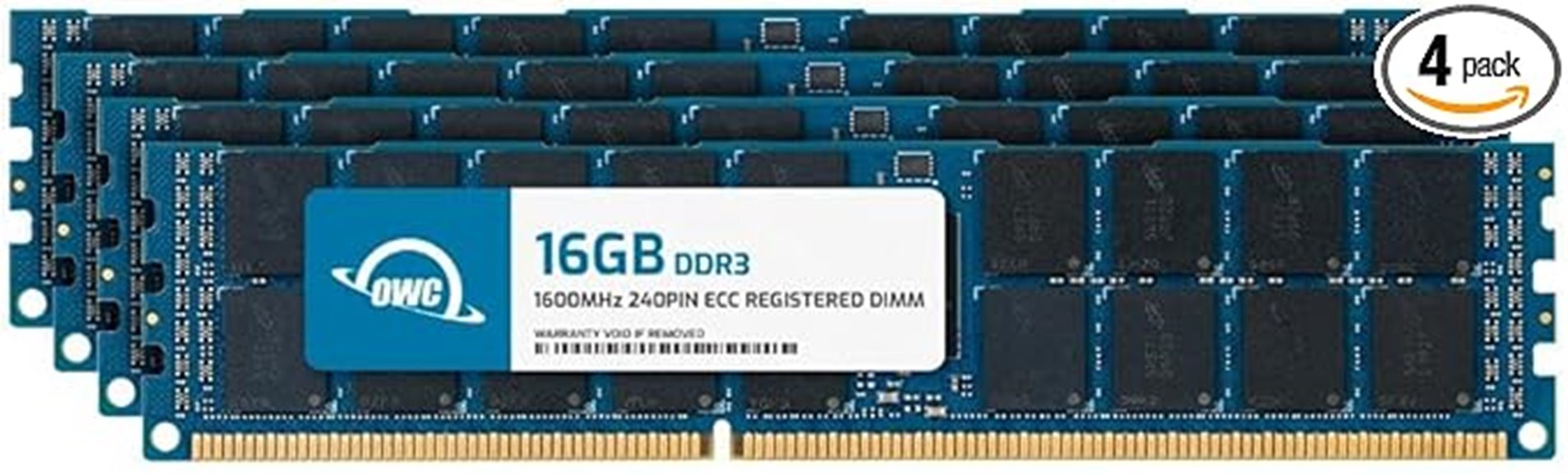
The OWC 64GB DDR3 ECC Registered RAM Module Kit is the ideal upgrade for HP Z820 workstations that demand reliable, error-correcting memory. Comprising four 16GB modules, it offers a total of 64GB of DDR3 1600 MHz RAM, optimized for stability and longevity in server and workstation environments. These modules feature ECC registration, ensuring data integrity and reducing the risk of errors. Designed specifically for the Z820, they’re not compatible with standard desktops or unbuffered memory. Backed by OWC’s lifetime warranty and excellent support, this kit provides a dependable and scalable memory solution for demanding professional workloads.
Best For: professionals and enterprises seeking reliable, high-capacity ECC registered memory upgrades specifically for HP Z820 workstations to enhance stability and error correction.
Pros:
- Designed specifically for HP Z820, ensuring optimal compatibility and performance.
- ECC registered modules provide error correction for data integrity and system stability.
- Comes with a lifetime warranty and excellent technical support for peace of mind.
Cons:
- Only compatible with HP Z820 workstations; not suitable for standard desktop PCs.
- Cannot be mixed with unbuffered or non-ECC memory modules.
- Higher price point compared to non-ECC or unbuffered RAM options.
A-Tech Server 32GB Kit (2x16GB) DDR4 3200MHz RAM Modules

For professionals seeking reliable and stable memory for their workstations, the A-Tech Server 32GB Kit (2x16GB) DDR4 3200MHz modules stand out as an excellent choice. These ECC unbuffered DIMMs are designed specifically for select server and workstation systems, supporting speeds up to 3200MHz. Each kit includes two 16GB modules, offering high capacity and enhanced performance. Built and tested for stability, many users report error-free operation after extensive Memtest86 testing. Compatible with systems like Dell T140, Asus, and HPE Proliant, they’re ideal for increasing workload capacity, reducing bottlenecks, and ensuring long-term reliability in demanding environments.
Best For: professionals and system builders seeking reliable, high-capacity ECC memory for workstations and servers to enhance performance and stability.
Pros:
- Supports speeds up to 3200MHz for optimal performance in compatible systems
- ECC unbuffered design ensures data integrity and reliability during intensive workloads
- Rigorous testing and high stability, with many users reporting error-free operation over extended periods
Cons:
- Compatible only with select server and workstation systems; not suitable for desktop or laptop computers
- Cannot mix ECC types, limiting upgrade flexibility in mixed-memory environments
- Some systems may require BIOS adjustments or CMOS clearing for optimal recognition and operation
NEMIX 32GB DDR4 RAM (2x16GB) 3200MHz UDIMM Kit
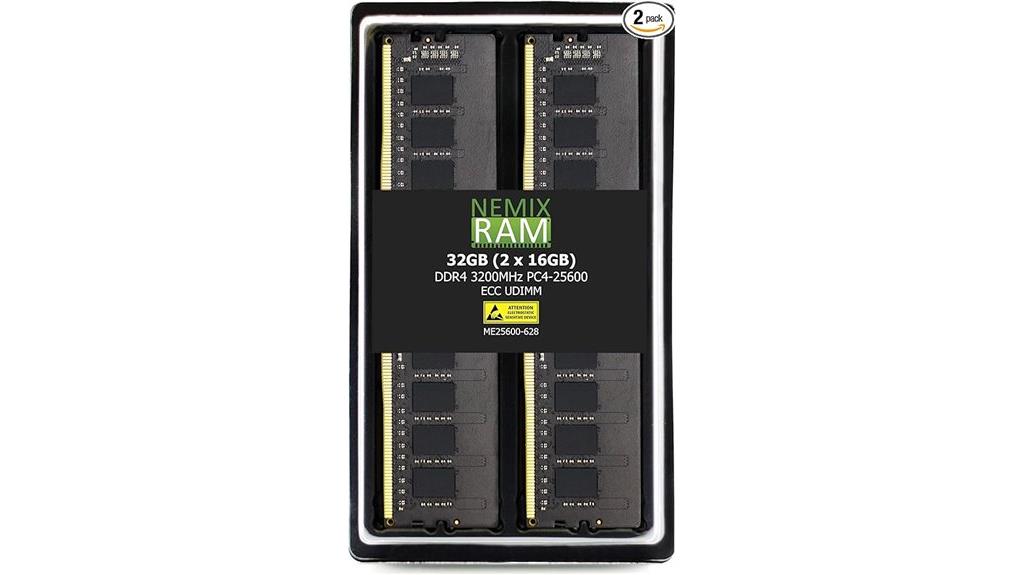
NEMIX’s 32GB DDR4 RAM kit stands out as an excellent choice for workstations requiring reliable ECC error detection, especially in systems where data integrity is critical. This 2x16GB kit operates at 3200MHz, with ECC support and multi-bit error detection, making it suitable for enterprise, server, and high-performance applications. Its unbuffered UDIMM design ensures compatibility with many motherboards, including B550 and server models. The module’s 288-pin, gold-colored design is easy to install and offers stable performance verified by Memtest86. While some users report early failures, many appreciate its affordability and compatibility, making it a solid budget-friendly option for demanding workstation environments.
Best For: users seeking an affordable, reliable DDR4 ECC-compatible RAM kit for enterprise, workstation, or high-performance computing environments.
Pros:
- Supports ECC error detection, ideal for data integrity-critical applications
- Compatible with a wide range of motherboards, including B550 and server models
- Verified stability with Memtest86 and suitable for demanding workloads
Cons:
- Some users have experienced early failures and system instability
- Limited BIOS options for testing or manually inserting errors for ECC verification
- Occasional delays or difficulties in obtaining RMA support and replacements
Kingston 64GB DDR4 ECC Reg RAM Kit (4x16GB, 2133MHz, CL15)

If you operate high-performance workstations or servers that demand maximum stability and data integrity, Kingston’s 64GB DDR4 ECC Registered RAM kit is an excellent choice. It features four 16GB DDR4 ECC Registered DIMMs running at 2133MHz with CL15 latency, ensuring reliable performance. Designed for compatibility with various server and workstation motherboards, it offers robust error detection with ECC and registered memory for enhanced stability. Backed by a lifetime warranty and free technical support, this kit provides peace of mind for demanding applications like 3D rendering, CAD, and server operations. Its proven reliability and stability make it a solid investment for mission-critical systems.
Best For: high-performance workstations and servers that require maximum stability, data integrity, and reliable operation for demanding applications like 3D rendering, CAD, and server management.
Pros:
- Excellent stability and reliability backed by Kingston’s lifetime warranty
- Supports ECC for error detection and data integrity in critical systems
- Operates smoothly at 2133MHz with minimal heat generation, ideal for server environments
Cons:
- Compatibility issues may arise with certain motherboards, such as MSI or Dell Precision models
- Limited performance at 2133MHz compared to newer DDR4 modules with higher speeds
- Slightly heavier and larger dimensions may require careful installation in some setups
NEMIX 32GB DDR4 ECC Server Memory Kit

The NEMIX 32GB DDR4 ECC Server Memory Kit is an excellent choice for professionals who need reliable, error-correcting memory to guarantee data integrity in demanding workstation environments. This kit includes two 16GB modules running at 2666MHz, with ECC support for enhanced stability. Designed for servers, workstations, and enterprise systems, it offers straightforward installation and proven performance. Backed by a lifetime replacement warranty and top-tier support, it guarantees long-term reliability. Suitable for Dell PowerEdge and similar configurations, it boosts system responsiveness and data accuracy, making it ideal for critical applications where uptime and integrity are paramount.
Best For: professionals and organizations requiring reliable, error-correcting memory for servers, workstations, and enterprise systems to ensure data integrity and system stability.
Pros:
- ECC support enhances data accuracy and system stability.
- Easy installation with proven compatibility for enterprise hardware like Dell PowerEdge.
- Backed by a lifetime replacement warranty and dedicated IT support for long-term reliability.
Cons:
- Some users have experienced ECC errors after extended use, potentially disabling modules via BIOS.
- Mixed lots of SK Hynix chips may lead to variability in performance.
- Minor installation challenges reported by a few users, requiring careful handling during setup.
Timetec 32GB DDR4 Memory Kit (2x16GB) for PC RAM Upgrade

For those upgrading server or workstation systems that demand high reliability, the Timetec 32GB DDR4 Memory Kit (2x16GB) stands out with its unbuffered ECC modules. Designed specifically for supported server SODIMM systems, it offers 2666MHz performance with dual rank 2Rx8 architecture, ensuring stability and data integrity. Each module provides 16GB of capacity, totaling 32GB in the kit, with a low voltage of 1.2V for efficient operation. Backed by a lifetime warranty and free US-based technical support, this kit enhances enterprise-level reliability and performance in demanding environments. It’s an excellent choice for those seeking a dependable, high-capacity memory upgrade.
Best For: enterprise servers and workstations requiring high-capacity, reliable ECC memory modules for enhanced stability and data integrity.
Pros:
- Specifically designed for supported server SODIMM systems, ensuring compatibility and optimal performance
- Unbuffered ECC modules provide added reliability and error correction capabilities
- Lifetime warranty and US-based technical support offer peace of mind and assistance
Cons:
- Not suitable for desktop or laptop systems, limiting versatility
- Requires compatible server SODIMM slots, which may not be available in all systems
- Operates at 2666MHz, which may be slower than higher-frequency modules for some demanding applications
OWC 64GB DDR3 ECC Registered RAM Upgrade Module
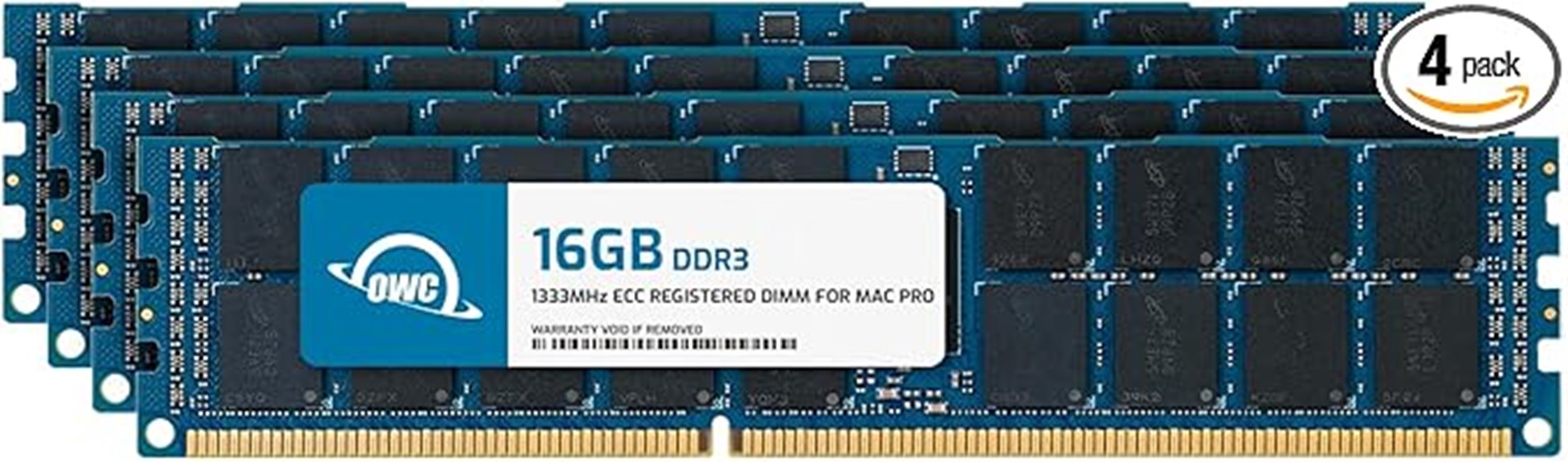
When upgrading a Mac Pro from 2009 to 2012, the OWC 64GB DDR3 ECC Registered RAM module stands out as an ideal choice for those who need reliable error correction and enhanced stability. This kit includes four 16GB modules, totaling 64GB of memory, running at 1333MHz with CL9 timings and 1.5V. Designed specifically for Mac Pro models from 2009-2012, it’s compatible with Nehalem and Westmere architectures, including the MacPro4,1 and 5,1. Meeting JEDEC standards and RoHS compliance, it guarantees safe, reliable upgrades. Plus, OWC offers a limited lifetime warranty and free technical support, making it a dependable option.
Best For: professionals and enthusiasts looking to upgrade their Mac Pro from 2009-2012 with reliable, high-capacity ECC RAM for improved stability and performance.
Pros:
- Compatible with Mac Pro models from 2009-2012, including Nehalem and Westmere architectures
- Meets JEDEC standards and RoHS compliant for safe and reliable upgrade
- Comes with a limited lifetime warranty and free technical support
Cons:
- Only compatible with specific Mac Pro models, limiting its use for other systems
- Requires installation of four modules, which may be complex for some users
- May be more costly compared to standard non-ECC RAM options
OWC 128GB DDR4 3200MHz ECC UDIMM RAM
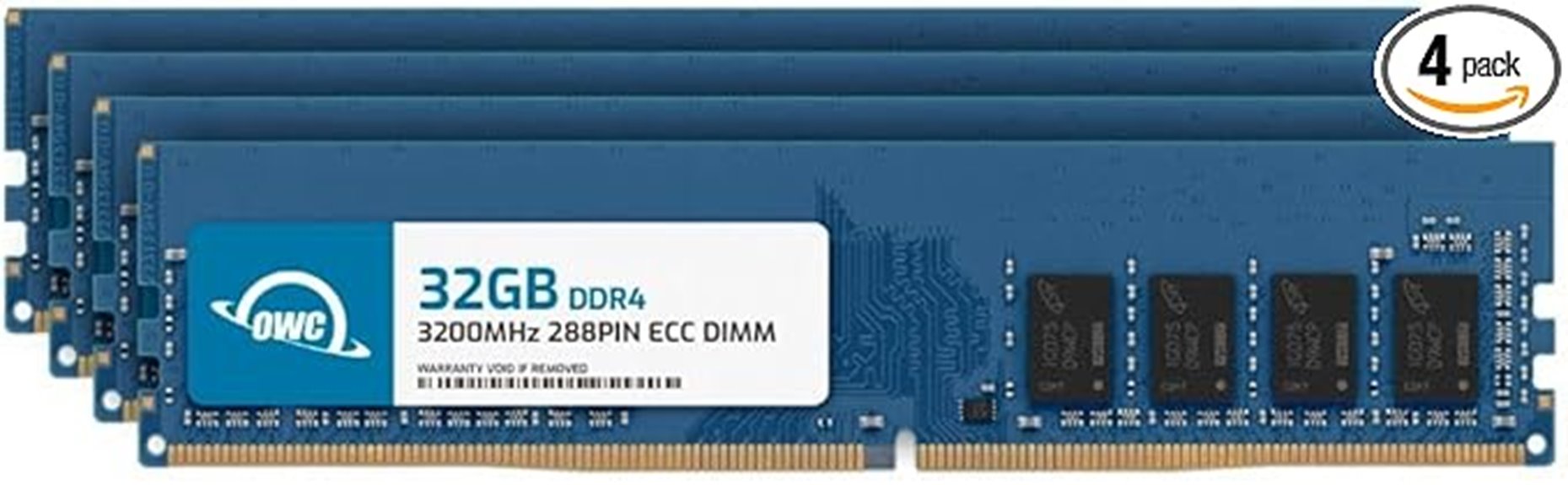
If you’re building a high-capacity workstation that demands reliable error correction, the OWC 128GB DDR4 3200MHz ECC UDIMM RAM stands out as an excellent choice. It features four 32GB modules running at 3200MHz with CL22 latency, designed for stability and compatibility across various OEM platforms like Dell, HP, and Lenovo. Recognized for its error correction capabilities, users confirm stable operation and reliable ECC detection. The modules operate at 1.2V and meet JEDEC standards, with a robust warranty and tech support. While some initial BIOS or recognition issues occur, overall, this kit delivers high performance and peace of mind for demanding professional environments.
Best For: professionals and enthusiasts building high-capacity workstations, servers, or NAS systems requiring reliable ECC memory and stable performance.
Pros:
- High capacity with 128GB total (4 x 32GB modules) suitable for demanding workloads
- Recognized ECC functionality with stable error correction and detection
- Compatible with a wide range of OEM platforms including Dell, HP, Lenovo, and more
Cons:
- Higher price point compared to other DDR4 modules with similar capacity
- Some users experience BIOS or recognition issues initially
- Limited to systems supporting DDR4 ECC UDIMM, reducing compatibility with non-ECC or non-registered platforms
NEMIX 32GB DDR4 Server Memory Kit
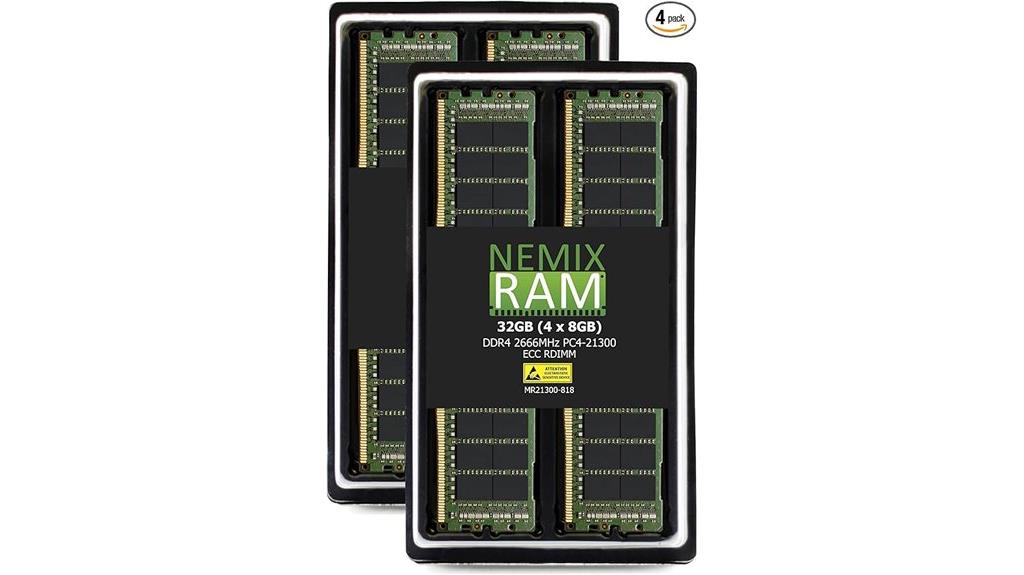
The NEMIX 32GB DDR4 Server Memory Kit is an excellent choice for professionals and enterprise users who need reliable error-correcting memory to guarantee data integrity. This kit includes four 8GB ECC RDIMM modules operating at 2666MHz, with a low 1.2V power draw. Designed for servers, workstations, and high-performance systems, it supports ECC functionality to detect and correct memory errors. Easy to install and compatible with many motherboards, including HP Z4 G4 systems, it offers enhanced stability and responsiveness. Backed by a lifetime warranty and high customer ratings, the NEMIX kit delivers dependable performance for demanding professional applications.
Best For: professionals, enterprise users, and system builders seeking reliable ECC DDR4 memory for servers, workstations, and high-performance computing environments.
Pros:
- Provides ECC error correction for data integrity and system stability
- Compatible with a wide range of enterprise and workstation motherboards, including HP Z4 G4
- Easy to install with a lifetime warranty backed by reliable customer support
Cons:
- Slightly higher cost compared to non-ECC DDR4 modules
- Limited to systems that support ECC RDIMM memory, reducing compatibility with consumer-grade PCs
- May require BIOS configuration for optimal performance in some server setups
A-Tech 128GB DDR3 Server RAM Upgrade Modules

A-Tech’s 128GB DDR3 Server RAM Upgrade Modules are an excellent choice for server administrators seeking reliable, high-capacity memory for compatible enterprise systems. These modules come as a kit of four 32GB DDR3 LRDIMMs, running at 1866MHz and designed specifically for select DDR3 servers. They feature ECC Load Reduced technology, ensuring error correction and improved stability. While not suitable for desktops or laptops, they’re tested for quality and backed by a limited lifetime warranty. Compatibility is essential, so I recommend verifying your server model and memory channel guidelines before installation to maximize performance and avoid potential issues.
Best For: server administrators seeking high-capacity, reliable DDR3 memory upgrades for compatible enterprise servers.
Pros:
- Provides a substantial 128GB total capacity with four 32GB modules, ideal for demanding server applications.
- Features ECC Load Reduced technology for enhanced error correction and system stability.
- Backed by a limited lifetime warranty and undergoes rigorous quality control testing for dependability.
Cons:
- Not compatible with desktops, laptops, or non-server systems, limiting versatility.
- Compatibility varies among server models; users must verify system compatibility prior to purchase.
- Some users report issues with recognition or operation in certain configurations or operating systems like Windows 10.
NEMIX 64GB DDR4 RAM (2x32GB) for Servers
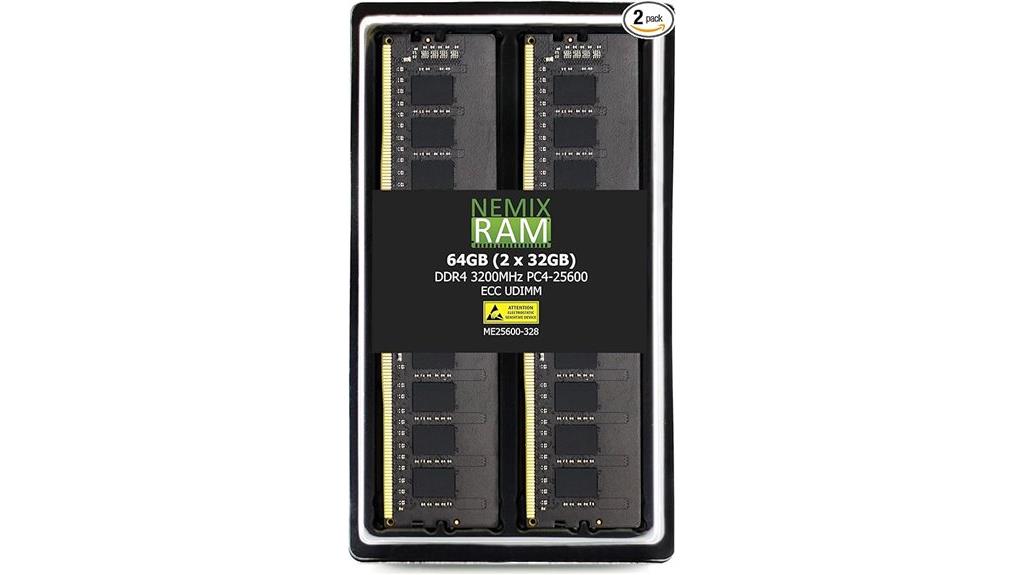
NEMIX 64GB DDR4 RAM (2x32GB) is an ideal upgrade for enterprise servers and high-performance workstations that demand reliable, error-correcting memory. Designed specifically for the Dell PowerEdge T150, this kit features DDR4-3200MHz ECC unbuffered UDIMMs, offering enhanced stability and performance. Operating at 1.2V with CL22 latency, it ensures quick data processing while maintaining system integrity. Installation is straightforward, and the kit’s compatibility extends to various servers, NAS devices, and workstations. Backed by a lifetime replacement warranty and supported by expert customer service, this RAM delivers both value and peace of mind for demanding enterprise environments.
Best For: enterprise server environments, high-performance workstations, and NAS systems requiring reliable ECC memory for enhanced stability and speed.
Pros:
- Compatible specifically with Dell PowerEdge T150 and other compatible systems
- ECC unbuffered design ensures data integrity and system reliability
- Easy installation process backed by lifetime warranty and expert support
Cons:
- Limited to systems that support DDR4 ECC UDIMM modules
- Slightly higher cost compared to non-ECC RAM options
- Initial reports of parity errors in some units, though replacements have resolved issues
G.SKILL G5 Neo Series DDR5 RAM (AMD Expo) 128GB (4x32GB) 6400MT/s CL32-39-39-102 1.40V Workstation Memory

For high-performance workstations that demand both speed and reliability, the G.SKILL G5 Neo Series DDR5 RAM stands out with its advanced AMD Expo overclock profile and ECC registration. With a total of 128GB across four 32GB modules, it delivers DDR5-6400 speeds with CL32-39-39-102 timings at 1.40V, ensuring fast data transfer and stability. Designed for platforms like AMD WRX90 and TRX50, this kit combines overclocking potential with ECC features for enhanced reliability. Properly installed and matched, it provides a solid foundation for demanding workloads, making it a top choice for workstation builders seeking performance and peace of mind.
Best For: high-performance workstation builders and professionals requiring reliable, high-speed DDR5 memory with ECC features for demanding tasks.
Pros:
- Supports high DDR5-6400 speeds with low latency timings for fast data transfer
- ECC registered design enhances system stability and data integrity
- Includes AMD Expo overclock profile for easy performance tuning
Cons:
- Designed specifically for workstation platforms, limiting compatibility with consumer motherboards
- May require careful matching and configuration to achieve optimal performance
- Higher cost compared to standard DDR5 modules without ECC or overclocking features
Factors to Consider When Choosing Ecc Memory Kits for Workstations

When choosing ECC memory kits for a workstation, I always start by checking system compatibility and understanding my memory capacity needs. I pay close attention to ECC performance features, speed, and latency to guarantee ideal performance, while also considering brand reliability for peace of mind. These factors help me select the right kit that balances compatibility, performance, and dependability.
Compatibility With System
Choosing the right ECC memory kit starts with making certain it’s compatible with your system’s motherboard or server. I recommend checking that the memory type, socket, and maximum capacity match your system’s specifications. It’s also essential to verify your BIOS or firmware supports ECC and is configured correctly for error correction. Pay attention to memory speed and timings to guarantee they align with what your system supports, preventing stability issues. Additionally, consult your motherboard or server’s Qualified Vendor List (QVL) to confirm the modules are tested and guaranteed compatible. Lastly, determine whether your system needs registered (RDIMM) or unbuffered (UDIMM) ECC modules, as mixing types can cause problems. Proper compatibility ensures top performance and reliability.
Memory Capacity Needs
Determining the right memory capacity for your workstation is crucial to guarantee smooth performance and future-proofing your setup. First, check your motherboard’s maximum supported memory capacity to avoid compatibility issues and ensure ideal performance. Assess your workload needs—virtual machines or large data processing demand higher ECC memory capacities, such as 64GB or 128GB. Think about future upgrades; selecting a kit with higher capacity now can save money and reduce downtime later. Keep in mind that ECC memory kits typically come in standard sizes like 16GB, 32GB, or 64GB, which helps plan your total capacity. Exceeding your motherboard’s supported capacity can cause boot failures or instability, so always verify the maximum supported memory before making a purchase.
ECC Performance Features
To guarantee ideal error correction and system stability, it’s important to take into account the ECC memory’s core features, such as its ability to detect and correct errors. ECC memory kits use specialized algorithms to identify and automatically fix single-bit errors, ensuring data integrity during critical tasks. Support for multi-bit error detection further enhances reliability, especially in demanding workloads. These modules often include extra memory chips or EEPROMs to store error correction data and system configurations, playing a crucial role in stability. Additionally, the latency and clock speed of ECC modules influence both error detection speed and overall system responsiveness. Proper BIOS or firmware support is essential for these features to function correctly, making compatibility a key factor when selecting ECC memory for workstations.
Speed and Latency
When selecting ECC memory kits for workstations, understanding how speed and latency impact overall performance is key. Higher memory speeds, like 3200MHz or 6400MT/s, can boost performance but require compatible motherboards and BIOS settings. Lower latency timings, such as CL11 instead of CL22, reduce delays between commands and improve responsiveness. However, balancing speed and latency is essential—faster modules with higher CL values may not outperform slower modules with lower CL in real-world tasks. ECC memory often runs at lower speeds than non-ECC modules to prioritize stability, which can affect performance choices. Ensuring your motherboard and CPU support your desired speed and latency is critical for achieving ideal stability and maximizing the benefits of your ECC memory kit.
Brand Reliability
How can you guarantee the ECC memory kit you choose is dependable? Start by looking at established brands with a proven track record. These companies typically follow rigorous quality control and testing standards, ensuring their modules are reliable. Check if the brand offers thorough warranties and responsive customer support, which reflect confidence in their products’ durability. Reputable manufacturers often adhere to industry standards like JEDEC compliance, ensuring compatibility and performance. Additionally, look for brands that conduct extensive compatibility testing across various workstation and server platforms—this minimizes the risk of hardware conflicts. Finally, customer reviews and third-party testing results can provide valuable insights into a brand’s ability to deliver stable, long-lasting ECC memory under demanding workloads.
Budget Constraints
Budget constraints substantially influence the ECC memory kits you can choose for your workstation, often dictating the capacity, speed, and brand options available. Higher capacity and faster modules typically come with a higher price tag, impacting your overall budget. Balancing cost and performance is critical; cheaper ECC modules may offer lower speeds or capacities, limiting future upgrades and scalability. Sometimes, budget limits mean sticking with older DDR3 RAM or smaller kits, which might hamper system performance. However, investing in cost-effective ECC kits with proven stability can maximize reliability without overspending. Comparing prices across brands and vendors is essential to find the best deals, especially when purchasing larger or faster modules. Ultimately, understanding your budget helps you make informed choices that meet both your performance needs and financial limits.
Future Expansion Options
Considering your current ECC memory setup and budget constraints, it’s wise to plan for future expansion. Start by checking your workstation’s maximum supported memory capacity, making sure that any upgrades stay within system limits. Take a look at your motherboard’s available DIMM slots to know how many modules you can add later. To maximize future upgrade potential, opt for higher-capacity modules, like 32GB or 64GB sticks. Compatibility is essential, so verify that the memory kit works with your motherboard and CPU architecture. Also, choose ECC memory kits supporting dual or quad-channel configurations, which help scale performance efficiently as you expand. Planning ahead now guarantees your workstation remains reliable, high-performing, and adaptable to future needs without costly replacements.
Frequently Asked Questions
How Does ECC Memory Improve Workstation Reliability?
ECC memory improves workstation reliability by detecting and correcting memory errors before they cause system crashes or data corruption. I rely on ECC RAM because it continually checks for faults, ensuring my work remains accurate and stable. This proactive error correction helps prevent unexpected downtime, making my workstation more dependable, especially for critical tasks. With ECC, I feel confident that my system can handle intensive workloads without risking data loss or stability issues.
Can ECC RAM Be Used With Gaming or Consumer-Grade Motherboards?
No, ECC RAM typically isn’t compatible with gaming or consumer-grade motherboards. These boards are designed for non-ECC memory, focusing on affordability and gaming performance. If you want ECC support, you’ll need a workstation or server-grade motherboard that explicitly states compatibility. I recommend checking your motherboard’s specifications before purchasing, as using incompatible RAM can cause boot issues or hardware damage.
What Is the Compatibility Requirement for ECC Memory With CPUS?
Think of your CPU as the captain steering your ship; for ECC memory to work smoothly, it needs the right compatibility. I’ve found that most server-grade or workstation CPUs, like Intel Xeon or AMD Ryzen Pro, support ECC. However, consumer-grade CPUs often ignore ECC’s calls for help. So, I always check my CPU’s specifications first—if it speaks ECC language, then your memory kit will join the crew without a hitch.
Are There Performance Differences Between Registered and Unbuffered ECC RAM?
Yes, there are performance differences between registered (buffered) and unbuffered ECC RAM. Unbuffered ECC RAM generally offers slightly faster speeds and lower latency since it doesn’t have the additional buffering circuitry. Registered ECC RAM, however, provides better stability and scalability in large memory configurations, which is essential for workstations handling intensive tasks. If performance is your priority, unbuffered might be better; for stability and large memory capacity, registered is preferable.
How Does Memory Speed Impact ECC Module Performance?
Think of memory speed as the heartbeat of your system—faster beats mean quicker responses. Higher ECC module speeds allow data to flow more swiftly, boosting performance and reducing latency. However, pushing speeds too high can cause stability issues. I recommend balancing speed with reliability, especially in workstations where accuracy is critical. Selecting the right speed guarantees your system stays both responsive and dependable, like a well-orchestrated symphony.
Conclusion
Choosing the right ECC memory kit can truly boost your workstation’s reliability and speed. With so many options—whether DDR3, DDR4, or DDR5—it’s important to take into account your specific needs and compatibility. Are you ready to upgrade and experience smoother, more dependable performance? Investing in quality ECC RAM isn’t just about hardware; it’s about trusting your system to handle your most demanding tasks with confidence.