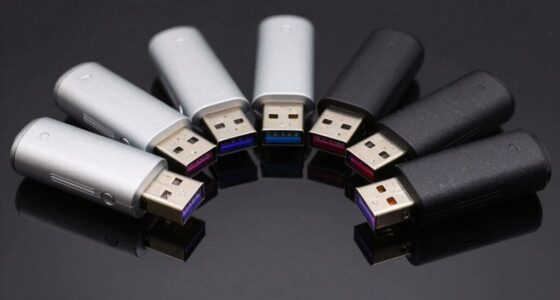
Encrypted flash drives protect stored files if a drive is lost, but they differ in how you unlock them, how much data they hold, and how easily they fit into daily work. My best overall pick is the Kingston IronKey Locker+ 50 G2 64GB, which pairs hardware encryption with more room for routine file storage than the 16GB and 32GB options. The Kingston IronKey Keypad 200 stands out for keypad access, while the Apricorn Aegis Secure Key 3 NX models suit buyers who want an onboard keypad and software-free access. The main tradeoff is between convenience, capacity, and the level of physical access control you need. Read on for the full breakdown and help choosing the right encrypted drive for your work.

Get privacy and security gear delivered free with Prime
- Fast, free delivery on millions of items
- Prime Video, Amazon Music and more included
- Member-only deals all year
Key Takeaways
- The 64GB Kingston IronKey Locker+ 50 G2 is the strongest all-round fit in this lineup for buyers who want a named hardware-encrypted option with more everyday storage than the 16GB and 32GB models.
- Keypad-based drives address a different problem than password-unlocked drives: Kingston’s IronKey Keypad 200 and Apricorn’s Aegis Secure Key 3 NX let users enter credentials on the device rather than relying on a host computer.
- Capacity varies widely, from 4GB to 64GB. The Integral Crypto-197 is a better match for small, tightly scoped transfers than for carrying a broad work archive.
- Several models share a family name but offer different capacities. The 8GB and 32GB Apricorn Aegis Secure Key 3 NX, and the 32GB and 64GB Kingston Locker+ 50 G2, call for a practical capacity choice rather than treating each listing as an entirely different security class.
- Generic AES-256 listings are harder to compare than named product families. Buyers should check the exact unlocking method, compatibility, and security validation details instead of choosing by encryption wording alone.
| Secure 32GB Encrypted USB 3.0 Flash Drive – 256-bit Hardware Encryption |  | Best for Simple, Fast Protection | Capacity: 32 GB | Interface: USB 3.0 | Encryption: 256-bit AES XTS hardware encryption | VIEW ON AMAZON | See Our Full Breakdown |
| Apricorn Aegis Secure Key 3 NX 32GB 256-bit Encrypted USB 3.0 Flash Drive – Black |  | Best for Managed Access Controls | Capacity: 32 GB | Interface: USB 3.0 Type-A | Encryption: 256-bit AES XTS | VIEW ON AMAZON | See Our Full Breakdown |
| Kingston IronKey Locker+ 50 G2 64GB Encrypted USB Drive |  | Best for Higher Capacity | Capacity: 64 GB | Encryption: 256-bit XTS-AES hardware encryption | Certification: FIPS 197 | VIEW ON AMAZON | See Our Full Breakdown |
| Kingston IronKey Keypad 200 32GB Encrypted USB Drive |  | Best for Keypad-Based Access | Capacity: 32 GB | Interface: USB 3.2 Gen 1 | Connector: USB Type-A | VIEW ON AMAZON | See Our Full Breakdown |
| Kingston IronKey Vault Privacy 50 16GB Encrypted USB Drive |  | Best for Fast Transfers in a Small Capacity | Capacity: 16 GB | Encryption: FIPS 197-certified, hardware-based 256-bit AES in XTS mode | Interface: USB 3.2 Gen 1 | VIEW ON AMAZON | See Our Full Breakdown |
| Integral Secure 360 64GB Encrypted USB 3.0 Flash Drive |  | Best for Higher Capacity on a Simple USB-A Drive | Storage capacity: 64 GB | Interface: USB 3.0 | Connector: USB Type-A | VIEW ON AMAZON | See Our Full Breakdown |
| Apricorn Aegis Secure Key 3 NX 8GB Encrypted USB 3.0 Flash Drive | | Best for Managed, Lower-Capacity Security | Capacity: 8GB | Interface: USB 3.0 | Encryption: 256-bit | VIEW ON AMAZON | See Our Full Breakdown |
| Kingston Digital 8GB DataTraveler AES Encrypted USB Flash Drive (DTVP30) |  | Best for Government-Oriented USB 3.0 Use | Capacity: 8 GB | Encryption: 256-bit AES hardware encryption | Interface: USB 3.0 SuperSpeed | VIEW ON AMAZON | See Our Full Breakdown |
| Kingston IronKey Locker+ 50 G2 32GB Encrypted USB Drive | 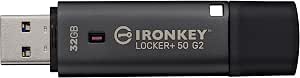 | Best for Balanced Capacity and Published Speeds | Capacity: 32GB | Encryption: 256-bit XTS-AES hardware encryption | Certification: FIPS 197 | VIEW ON AMAZON | See Our Full Breakdown |
| Apricorn Aegis Secure Key 3NX – Software-Free 256-Bit AES XTS Encrypted USB 3.1 Flash Drive with FIPS 140-2 Level 3 Validation, Onboard Keypad, and Cooler Operation |  | Best for Hardware-Only Keypad Access | Storage capacity: 64 GB | Interface: USB 3.0 / USB 3.1 | Encryption: 256-bit AES XTS | VIEW ON AMAZON | See Our Full Breakdown |
| 64GB Encrypted USB 3.0 Flash Drive with AES-256 Hardware Security |  | Best for Linux Server Users | Capacity: 64GB | Interface: USB 3.0 | Encryption: AES-256-bit hardware encryption | VIEW ON AMAZON | See Our Full Breakdown |
| Integral Crypto-197 4GB Encrypted USB 3.0 Flash Drive |  | Best for Small, Certified File Sets | Capacity: 4GB | Interface: USB 3.0 | Encryption: 256-bit AES hardware encryption | VIEW ON AMAZON | See Our Full Breakdown |
| Integral 32GB Secure 360 Encrypted USB 3.0 Flash Drive |  | Best for Separating Everyday and Protected Files | Capacity: 32GB | Interface: USB 3.0 SuperSpeed, up to 5Gbps | Encryption: 256-bit AES Secure Lock II | VIEW ON AMAZON | See Our Full Breakdown |
| encrypted flash drife | Interface | Encryption | Capacity | Read speed |
|---|---|---|---|---|
| Secure 32GB Encrypted USB 3.0 | USB 3.0 | 256-bit AES XTS hardware encryption | 32 GB | Up to 480 MB/s |
| Apricorn Aegis Secure Key 3 NX | USB 3.0 Type-A | 256-bit AES XTS | 32 GB | Up to 77 MB/s |
| Kingston IronKey Locker+ 50 G2 | USB 3.2 Gen 1 | 256-bit XTS-AES hardware encryption | 64 GB | Up to 145 MB/s |
| Kingston IronKey Keypad 200 32 | USB 3.2 Gen 1 | XTS-AES 256-bit hardware encryption | 32 GB | Up to 145 MB/s |
| Kingston IronKey Vault Privacy | USB 3.2 Gen 1 | FIPS 197-certified, hardware-based 256-bit AES in XTS mode | 16 GB | Up to 250 MB/s |
| Integral Secure 360 64GB Encry | USB 3.0 | 256-bit AES | — | 625 MB/s |
| Apricorn Aegis Secure Key 3 NX | USB 3.0 | 256-bit | 8GB | — |
| Kingston Digital 8GB DataTrave | USB 3.0 SuperSpeed | 256-bit AES hardware encryption | 8 GB | — |
| Kingston IronKey Locker+ 50 G2 | USB 3.2 Gen 1 | 256-bit XTS-AES hardware encryption | 32GB | Up to 145 MB/s |
| Apricorn Aegis Secure Key 3NX | USB 3.0 / USB 3.1 | 256-bit AES XTS | — | 77,000 bytes/second |
| 64GB Encrypted USB 3.0 Flash D | USB 3.0 | AES-256-bit hardware encryption | 64GB | — |
| Integral Crypto-197 4GB Encryp | USB 3.0 | 256-bit AES hardware encryption | 4GB | — |
| Integral 32GB Secure 360 Encry | USB 3.0 SuperSpeed, up to 5Gbps | 256-bit AES Secure Lock II | 32GB | — |
More Details on Our Top Picks
Secure 32GB Encrypted USB 3.0 Flash Drive – 256-bit Hardware Encryption
For buyers who want hardware encryption without managing extra software, this 32GB drive pairs 256-bit AES XTS protection with broad support for Windows, macOS, Linux, and embedded systems. Its stated read and write speeds are higher than the Apricorn Aegis Secure Key 3 NX 32GB, making it a better fit when moving files quickly matters alongside basic portability. A zinc-alloy shell adds a sturdier exterior than a plain plastic drive.
The main tradeoff is the ten-attempt wipe rule: it can protect data if someone tries repeated passwords, but a forgotten password or repeated typo can permanently erase files. At 32GB, it also suits sensitive documents better than large backups. Choose it for straightforward encrypted storage; skip it if recovery options or room for bulky files matter more.
Pros:- 256-bit AES XTS hardware encryption
- Automatic data wipe after ten incorrect password attempts
- Broad compatibility without additional software
- Zinc-alloy housing resists scratches and rust
Cons:- 32GB capacity is restrictive for large media collections or backups
- Ten incorrect attempts permanently erase stored data
- Listed transfer speeds may be difficult to realize on some USB 3.0 devices
Best for: People who need a compact, software-free way to carry sensitive documents among Windows, macOS, Linux, and embedded systems.
Not ideal for: Users storing large backups or anyone who needs a recovery path after repeated incorrect password attempts.
- Capacity:32 GB
- Interface:USB 3.0
- Encryption:256-bit AES XTS hardware encryption
- Read speed:Up to 480 MB/s
- Write speed:Up to 160 MB/s
- Compatibility:Windows, macOS, Linux, and embedded systems
- Housing:Zinc alloy
Our verdict“Choose this drive for software-free encrypted file carrying and a durable shell, but avoid it if you need high capacity or password-recovery flexibility.”
Apricorn Aegis Secure Key 3 NX 32GB 256-bit Encrypted USB 3.0 Flash Drive – Black
The Aegis Secure Key 3 NX is the pick for buyers who want more control over how an encrypted drive is administered. Its separate admin and user modes, read-only modes, and recovery PINs provide management options absent from the simpler Secure 32GB Encrypted USB 3.0 Flash Drive. That makes it a stronger match for shared or policy-managed files, where access restrictions can matter as much as encryption itself.
Its 256-bit AES XTS protection is paired with a stated FIPS 140-2 Level 3 validation that was pending, so buyers with formal compliance requirements should verify current certification status rather than treat it as confirmed. Transfer speeds are modest beside the Secure 32GB model, and 32GB leaves little room for large datasets. It supports more listed platforms than the Kingston IronKey Locker+ 50 G2 64GB, including iOS and Android, but its capacity remains limited.
Pros:- 256-bit AES XTS hardware encryption
- Separate admin and user modes with two read-only modes
- Recovery PINs add an account-recovery option
- Compatibility includes Windows, iOS, Linux, Android, and Chrome OS
Cons:- FIPS 140-2 Level 3 validation is listed as pending, not confirmed
- 32GB capacity is limited for larger work files
- Listed read and write speeds trail several alternatives in this roundup
Best for: IT administrators and teams that need separate user and admin access, read-only settings, or recovery PINs on a portable drive.
Not ideal for: Buyers who require confirmed FIPS Level 3 certification, high transfer speeds, or enough capacity for large backups.
- Capacity:32 GB
- Interface:USB 3.0 Type-A
- Encryption:256-bit AES XTS
- FIPS status:FIPS 140-2 Level 3 validation listed as pending
- Read speed:Up to 77 MB/s
- Write speed:Up to 60 MB/s
- Access controls:Admin and user modes, two read-only modes, and recovery PINs
- Compatibility:Windows, iOS, Linux, Android, and Chrome OS
Our verdict“Pick the Aegis Secure Key 3 NX when access management and recovery features matter more than speed or storage capacity.”
Kingston IronKey Locker+ 50 G2 64GB Encrypted USB Drive
Among the five options here, the Locker+ 50 G2 provides the most storage: 64GB rather than 16GB or 32GB. That extra room makes it the more practical choice for work folders, presentations, and a larger set of encrypted files. Its FIPS 197 certification and 256-bit XTS-AES hardware encryption give it a clear security credential, while separate admin and user passwords let a buyer choose a more manageable access setup.
Compared with the 32GB Kingston IronKey Keypad 200, this model doubles capacity and lists a five-year warranty, but it does not offer keypad PIN entry. The tradeoff is a conventional USB Type-A connection and USB-port dependence, so it is less suitable for devices without that port. Its stated speeds are respectable, though below the Kingston Vault Privacy 50 16GB on both read and write; that smaller drive gives up capacity for faster listed transfers and extra attack protections.
Pros:- 64GB capacity exceeds the other listed drives in this batch
- 256-bit XTS-AES hardware encryption with FIPS 197 certification
- Separate admin and user passwords with complex or passphrase modes
- Five-year warranty
Cons:- USB Type-A connection requires a compatible port
- No onboard keypad for PIN entry
- Listed read and write speeds are lower than the Kingston Vault Privacy 50 16GB
Best for: Professionals who need room for a substantial set of encrypted documents and value FIPS 197 certification and separate admin and user passwords.
Not ideal for: People who need keypad-only access, a USB-C connector, or the highest listed transfer speeds.
- Capacity:64 GB
- Encryption:256-bit XTS-AES hardware encryption
- Certification:FIPS 197
- Interface:USB 3.2 Gen 1
- Connector:USB Type-A
- Read speed:Up to 145 MB/s
- Write speed:Up to 115 MB/s
- Password options:Separate admin and user passwords; complex or passphrase modes
- Warranty:5 years
Our verdict“Choose the Locker+ 50 G2 if capacity and certified hardware encryption outweigh keypad access and faster listed transfer speeds.”
Kingston IronKey Keypad 200 32GB Encrypted USB Drive
The IronKey Keypad 200 puts PIN entry on the drive itself, making it the clearest choice for buyers who prefer not to rely on a host computer’s password-entry process. Its alphanumeric keypad, admin and user PINs, brute-force protection, and BadUSB protection create a more hardware-centered access setup than the password-based IronKey Locker+ 50 G2. Compatibility with many USB mass-storage systems also suits people who move files between different operating systems.
That access method comes with compromises. Capacity is just 32GB, half the Locker+ 50 G2’s, and the listed FIPS 140-3 Level 3 certification is pending rather than confirmed. The keypad also adds a distinct interaction step that may be unnecessary for buyers who prefer password controls on a conventional drive. Its 145 MB/s read and 115 MB/s write speeds match the Locker+ 50 G2 figures, but it trades that model’s extra capacity for PIN access and tamper-evident construction.
Pros:- Alphanumeric keypad enables onboard PIN access
- Brute-force and BadUSB protection
- Tamper-evident construction with protective epoxy
- Works with systems that support USB mass storage
Cons:- FIPS 140-3 Level 3 certification is pending
- 32GB capacity is smaller than the IronKey Locker+ 50 G2 64GB
- USB Type-A connector may need an adapter for newer devices
Best for: People who carry sensitive files between different computers and want PIN entry on the drive rather than depending on host software.
Not ideal for: Buyers needing more than 32GB, confirmed FIPS 140-3 Level 3 certification, or a standard password-only workflow.
- Capacity:32 GB
- Interface:USB 3.2 Gen 1
- Connector:USB Type-A
- Encryption:XTS-AES 256-bit hardware encryption
- Certification:FIPS 140-3 Level 3 listed as pending
- Access:Alphanumeric keypad with admin and user PINs
- Read speed:Up to 145 MB/s
- Write speed:Up to 115 MB/s
Our verdict“Choose the Keypad 200 if onboard PIN entry is your priority and 32GB is enough for the files you carry.”
Kingston IronKey Vault Privacy 50 16GB Encrypted USB Drive
The Vault Privacy 50 suits buyers who carry a relatively small set of files but want strong listed transfer speeds and added defenses. Its 250 MB/s read and 180 MB/s write speeds are higher than those listed for the IronKey Locker+ 50 G2 64GB, so moving a compact working folder may take less time. It also combines FIPS 197-certified, 256-bit AES XTS hardware encryption with brute-force and BadUSB protection, plus configurable password modes and write protection.
The cost in capacity is substantial: 16GB is half the 32GB Secure 32GB Encrypted USB 3.0 Flash Drive and a quarter of the Locker+ 50 G2. That makes this a focused carry drive, not a general backup device. Like the Locker+ 50 G2, it uses USB Type-A, so it may need an adapter for devices without that port. Pick it for a smaller, speed-conscious file set; choose a higher-capacity option for larger archives.
Pros:- FIPS 197-certified, 256-bit AES XTS hardware encryption
- Listed read speed of up to 250 MB/s and write speed of up to 180 MB/s
- Brute-force and BadUSB protection
- Configurable password modes and write-protect settings
Cons:- 16GB capacity is the smallest among the products in this batch
- USB Type-A connector may not fit newer devices without an adapter
- Password is required to access encrypted data
Best for: People who carry a limited set of sensitive files and prioritize fast listed transfers, write protection, and attack defenses.
Not ideal for: Users backing up large folders or carrying media libraries who need more than 16GB of storage.
- Capacity:16 GB
- Encryption:FIPS 197-certified, hardware-based 256-bit AES in XTS mode
- Interface:USB 3.2 Gen 1
- Connector:USB Type-A
- Read speed:Up to 250 MB/s
- Write speed:Up to 180 MB/s
- Protection features:Brute-force and BadUSB protection
- Compliance:TAA compliant
Our verdict“Choose the Vault Privacy 50 for a small encrypted file set and faster listed transfers, but pick a larger drive for backups.”
Integral Secure 360 64GB Encrypted USB 3.0 Flash Drive
The Integral Secure 360 pairs 64GB of storage with 256-bit AES encryption, making it a better fit for carrying larger work folders than the 8GB Apricorn Aegis Secure Key 3 NX or Kingston DataTraveler DTVP30. Its USB Type-A connector suits computers with USB 3.0 ports, and the listed 625 MB/s read speed suggests quick file access; the listed 60 MB/s write speed is much lower, so copying large files may take longer than the read figure implies. Compared with the keypad-based Apricorn, this Integral listing gives less detail about authentication and recovery features, so buyers seeking documented access controls should look at that model instead. Its appeal is straightforward: more capacity and a lightweight design, with limited compatibility details and no stated management features.
Pros:- 64GB capacity exceeds the 8GB Kingston DataTraveler and Apricorn Aegis Secure Key models in this group.
- 256-bit AES encryption protects stored files.
- USB 3.0 Type-A connection suits many computers with matching ports.
- Lightweight design is convenient for everyday carry.
Cons:- The description specifies compatibility with USB 3.0 ports, leaving support for other connections unclear.
- The 60 MB/s listed write speed is much lower than the listed 625 MB/s read speed.
- No keypad, password modes, or recovery process are described.
Best for: People who need 64GB of encrypted storage for documents and regular file access on USB 3.0 Type-A devices.
Not ideal for: Buyers who need a documented keypad, recovery PINs, or broad port compatibility, since those features are not specified here.
- Storage capacity:64 GB
- Interface:USB 3.0
- Connector:USB Type-A
- Encryption:256-bit AES
- Read speed:625 MB/s
- Write speed:60 MB/s
- Color:Black
- Additional feature:Lightweight
Our verdict“Choose the Secure 360 if you want 64GB of encrypted storage in a lightweight USB-A drive and do not need documented keypad controls.”
Apricorn Aegis Secure Key 3 NX 8GB Encrypted USB 3.0 Flash Drive
The 8GB Apricorn Aegis Secure Key 3 NX puts more emphasis on controlled access than capacity. Its FIPS 140-2 Level 3 validation, administrator and user modes, two read-only modes, and data recovery PINs make it more feature-detailed than the Kingston DataTraveler DTVP30, whose supplied information focuses on encryption, antivirus, and TAA compliance. Aegis Configurator support also gives organizations a route to manage compatible drives. The tradeoff is clear: 8GB leaves less room for large archives than the 32GB Kingston IronKey Locker+ 50 G2 or the 64GB Integral Secure 360. Buyers should pick this Apricorn for its access-control options and validation credentials, not for carrying a large media library. It is a more specialized choice than the simpler Kingston DataTraveler.
Pros:- FIPS 140-2 Level 3 validated.
- 256-bit encryption protects stored data.
- Separate administrator and user modes support distinct access roles.
- Read-only modes and data recovery PINs add access-management options.
Cons:- 8GB capacity is restrictive beside higher-capacity options in this roundup.
- Aegis Configurator support may be unnecessary complexity for buyers wanting a simple personal drive.
- No read or write speeds are provided in the supplied product details.
Best for: Organizations or security-conscious users who need an 8GB drive with administrator and user modes, read-only options, and recovery PINs.
Not ideal for: People carrying large work files or video collections, since its 8GB capacity is below the 32GB Kingston IronKey Locker+ 50 G2 and 64GB Integral Secure 360.
- Capacity:8GB
- Interface:USB 3.0
- Encryption:256-bit
- Security validation:FIPS 140-2 Level 3
- Management compatibility:Aegis Configurator
- Modes:Separate administrator and user modes; two read-only modes
- Recovery:Data recovery PINs
- Model:ASK3-NX-8GB
Our verdict“Choose this Aegis if access controls and recovery options matter more to you than storage capacity or published transfer speeds.”
Kingston Digital 8GB DataTraveler AES Encrypted USB Flash Drive (DTVP30)
The Kingston DataTraveler DTVP30 is a compact-capacity option for buyers who value its combination of hardware-based 256-bit AES and TAA compliance. That compliance gives it a distinct procurement angle compared with the consumer-focused Integral Secure 360, while its USB 3.0 SuperSpeed interface is suited to routine transfers. Optional ESET antivirus protection is another differentiator, though it should not be confused with the drive’s encryption: antivirus addresses a different security concern. At 8GB, it offers far less room than the 32GB Kingston IronKey Locker+ 50 G2, so it makes more sense for selected documents than broad backups. The supplied details do not list password controls, recovery features, or transfer rates, leaving less to judge about daily access and performance than the more fully specified IronKey.
Pros:- Hardware-based 256-bit AES encryption protects stored data.
- TAA compliance suits specified government and enterprise procurement needs.
- USB 3.0 SuperSpeed interface supports routine data transfers.
- Optional ESET antivirus protection adds a separate security feature.
Cons:- 8GB capacity is small compared with the 32GB Kingston IronKey Locker+ 50 G2 and 64GB Integral Secure 360.
- No transfer speeds are specified in the supplied product details.
- Password modes and recovery controls are not described.
Best for: Government and enterprise buyers seeking a TAA-compliant 8GB drive with hardware encryption and an optional antivirus feature.
Not ideal for: People storing large files or needing documented password administration and recovery features; the 8GB capacity is also limited beside the Kingston IronKey Locker+ 50 G2.
- Capacity:8 GB
- Encryption:256-bit AES hardware encryption
- Interface:USB 3.0 SuperSpeed
- Model:DTVP30/8GB
- Compliance:TAA
- Optional antivirus:ESET
Our verdict“Pick the DataTraveler DTVP30 for TAA-oriented procurement and basic encrypted file carriage, not for high capacity or detailed access controls.”
Kingston IronKey Locker+ 50 G2 32GB Encrypted USB Drive
The Kingston IronKey Locker+ 50 G2 lands between the 8GB Kingston DataTraveler DTVP30 and the 64GB Integral Secure 360: its 32GB capacity can hold a useful working set without pushing buyers to the largest option in this group. It also provides unusually clear performance figures for comparison—up to 145 MB/s read and 115 MB/s write—alongside hardware-based 256-bit XTS-AES encryption and FIPS 197 certification. Separate administrator and user passwords, with complex or passphrase modes, make it more configurable than the DataTraveler details provided here. The cost of that middle-ground positioning is that it has less capacity than the Integral, and the listed speeds are below that drive’s stated read figure. Its strength is a more balanced, clearly specified package rather than maximum capacity or the Apricorn’s FIPS 140-2 Level 3 validation.
Pros:- 32GB capacity sits between the 8GB drives and 64GB options in this lineup.
- Hardware-based 256-bit XTS-AES encryption.
- FIPS 197 certified.
- Administrator and user passwords support complex or passphrase modes.
Cons:- Capacity is half that of the 64GB Integral Secure 360.
- Listed read speed is lower than the Integral Secure 360’s stated read figure.
- FIPS 197 certification is not the same validation level as the Apricorn’s FIPS 140-2 Level 3 validation.
Best for: Users who want 32GB of encrypted storage, stated read and write speeds, and separate administrator and user password options.
Not ideal for: Buyers who need 64GB or more, or who specifically require FIPS 140-2 Level 3 validation like the Apricorn Aegis Secure Key 3 NX.
- Capacity:32GB
- Encryption:256-bit XTS-AES hardware encryption
- Certification:FIPS 197
- Password options:Administrator and user; complex or passphrase modes
- Read speed:Up to 145 MB/s
- Write speed:Up to 115 MB/s
- Interface:USB 3.2 Gen 1
- Model:IKLP50G2/32GB
Our verdict“Choose the IronKey Locker+ 50 G2 if 32GB, clearly stated transfer speeds, and separate password roles are a better fit than maximum capacity.”
Apricorn Aegis Secure Key 3NX – Software-Free 256-Bit AES XTS Encrypted USB 3.1 Flash Drive with FIPS 140-2 Level 3 Validation, Onboard Keypad, and Cooler Operation
The 64GB Apricorn Aegis Secure Key 3NX is the most explicit choice here for buyers who want PIN entry on the drive itself: its onboard keypad and software-free hardware encryption avoid relying on host software for access. It shares FIPS 140-2 Level 3 validation with the 8GB Aegis Secure Key 3 NX, but provides far more listed storage and specifies AES XTS encryption. Compared with the Kingston IronKey Locker+ 50 G2, this Apricorn prioritizes keypad authentication and compliance validation over a published transfer-speed profile. The supplied speed figures are modest, and the encryption validation is marked pending, so buyers should verify the status if formal certification is a requirement. Its multi-platform compatibility and cooler-operation claim add flexibility, but this is not the pick for speed-focused file transfers.
Pros:- Hardware-only encryption requires no host software for access.
- Onboard keypad provides PIN authentication.
- 64GB capacity exceeds the 8GB Aegis Secure Key 3 NX.
- Listed compatibility includes Windows, macOS, Linux, Android, and Chrome OS.
Cons:- The listed read and write speeds are modest for users moving large files frequently.
- FIPS 140-2 Level 3 validation is listed as pending.
- The supplied description gives a limited set of capacity choices.
Best for: Security-focused users who need 64GB, onboard PIN authentication, and software-free access across the listed operating systems.
Not ideal for: People prioritizing fast transfers or requiring confirmed FIPS 140-2 Level 3 status, since the listing marks validation as pending and provides modest speed figures.
- Storage capacity:64 GB
- Interface:USB 3.0 / USB 3.1
- Encryption:256-bit AES XTS
- Validation:FIPS 140-2 Level 3 (pending)
- Authentication:Onboard keypad PIN
- Read speed:77,000 bytes/second
- Write speed:72,000 bytes/second
- Weight:22.68 g
- Warranty:3 years
Our verdict“Choose this Aegis for keypad-based, software-free encrypted access and 64GB capacity, provided its pending validation status and speed figures suit your needs.”
64GB Encrypted USB 3.0 Flash Drive with AES-256 Hardware Security
This drive pairs 64GB of capacity with hardware-level AES-256 encryption, making it a practical fit for protected files on supported Windows and Linux server systems. Its automatic lock engages when unplugged or idle for 30 seconds, while ten failed password attempts trigger a permanent wipe. That gives it a more aggressive lockout policy than the Integral Crypto-197, which erases data after six failed attempts, though either policy can turn a mistyped password into lost files. The aluminum body is compact, and USB 3.0 supports routine transfers. Its main constraints are limited OS compatibility and FAT32, which cannot store individual files larger than 4GB. Choose it over the Integral Secure 360 when supported CentOS or Red Hat use matters more than broad macOS compatibility or dual partitions.
Pros:- Hardware-level AES-256 encryption protects stored data.
- Automatic locking activates when unplugged or idle for 30 seconds.
- 64GB capacity provides more room than the 4GB Integral Crypto-197.
- Compact aluminum alloy body is easy to carry.
Cons:- FAT32 limits individual files to 4GB.
- Compatibility is limited to listed Windows, CentOS, and Red Hat systems.
- Ten incorrect password attempts permanently erase the data, creating a risk of accidental loss.
Best for: Windows users and administrators working with supported CentOS 7 or Red Hat 7.5 systems who need 64GB of hardware-encrypted portable storage.
Not ideal for: Mac users, people on unsupported Linux distributions, or anyone who regularly stores single files larger than 4GB.
- Capacity:64GB
- Interface:USB 3.0
- Encryption:AES-256-bit hardware encryption
- File system:FAT32
- Compatible operating systems:Windows, CentOS 7, Red Hat 7.5, Windows Server 2012/2016
- Security features:Automatic lock when unplugged or idle for 30 seconds; data wipe after 10 failed attempts
- Material and color:Aluminum alloy; red
- Dimensions:3.2 × 1.02 × 0.43 inches
Our verdict“Pick this for 64GB of encrypted storage on supported Windows or Red Hat-family systems, but skip it if you need macOS support or files larger than 4GB.”
Integral Crypto-197 4GB Encrypted USB 3.0 Flash Drive
The Crypto-197 is the capacity outlier here: 4GB is restrictive beside the 32GB Integral Secure 360 and the 64GB encrypted drive in this lineup, but that can suit a controlled set of documents or small transfer tasks. Its FIPS 197-certified, 256-bit AES hardware encryption offers a clear security credential, and setup does not require software, a license, or a subscription. It works with PC and Mac, giving it broader stated desktop compatibility than the 64GB drive, whose listed support is Windows and select Linux systems. The tradeoff is its six-attempt erase policy: it wipes sooner than the ten-attempt policy on the Integral Secure 360, increasing the chance of losing data after password-entry mistakes. A dual-layer waterproof design adds physical protection, but this is not a roomy general-purpose drive.
Pros:- FIPS 197-certified 256-bit AES hardware encryption.
- Compatible with PC and Mac.
- Requires no software installation, license, or subscription.
- Dual-layer waterproof design adds protection against water exposure.
Cons:- 4GB capacity is far below the 32GB and 64GB alternatives in this lineup.
- Data is erased after six unsuccessful access attempts, fewer than the ten allowed by the Integral Secure 360.
- The small capacity limits its usefulness for ongoing backups or larger media files.
Best for: PC and Mac users who need a small, defined set of sensitive files on a FIPS 197-certified hardware-encrypted drive.
Not ideal for: People who carry large project folders, video, or backups, or who want a generous margin for password-entry mistakes.
- Capacity:4GB
- Interface:USB 3.0
- Encryption:256-bit AES hardware encryption
- Certification:FIPS 197
- Password requirement:8–16 alphanumeric characters
- Failed-attempt limit:Data erasure after 6 unsuccessful access attempts
- Protection:Dual-layer waterproof design
- Compatibility and software:PC and Mac; no software required
Our verdict“Choose the Crypto-197 for a small, certified set of PC or Mac files, not as a high-capacity everyday storage drive.”
Integral 32GB Secure 360 Encrypted USB 3.0 Flash Drive
The Secure 360’s defining advantage is its dual-partition layout: regular files can sit apart from the encrypted area, so buyers do not have to treat every file as equally sensitive. The protected partition uses 256-bit AES Secure Lock II, with data erasure after ten failed password attempts. Compared with the 64GB AES-256 drive in this group, the Secure 360 offers half the capacity but adds a regular-plus-encrypted workflow and stated Windows and macOS compatibility. Its capless rotating housing also avoids a loose cap, a practical distinction from drives with detachable covers. USB 3.0 is listed at up to 5Gbps, though actual transfers depend on the host and files. The limits are no listed native Linux support and the same serious risk of permanent loss if the password is entered incorrectly too many times.
Pros:- Dual partitions separate regular files from encrypted data.
- 256-bit AES Secure Lock II protects the encrypted area.
- Capless rotating housing avoids a detachable cap that can be misplaced.
- USB 3.0 supports stated transfer rates up to 5Gbps.
Cons:- No native Linux support is listed.
- 32GB capacity is lower than the 64GB AES-256 drive in this roundup.
- Ten failed password attempts trigger automatic data erasure.
Best for: Windows or macOS users who want 32GB of storage divided between routine files and a separately encrypted area.
Not ideal for: Linux users, buyers who need more than 32GB, or anyone who cannot tolerate automatic data erasure after repeated password errors.
- Capacity:32GB
- Interface:USB 3.0 SuperSpeed, up to 5Gbps
- Encryption:256-bit AES Secure Lock II
- Partitioning:Dual partition: regular and encrypted
- Password protection:Automatic data erasure after 10 failed attempts
- Compatibility:Windows XP, Vista, 7, 8.1, 10; macOS
- Design:Capless rotating housing
- Warranty:2 years
Our verdict“Choose the Secure 360 if you want a clear split between everyday and encrypted files on Windows or macOS, but look elsewhere for Linux support or more capacity.”

How We Picked
I ranked these encrypted flash drives around the decisions that affect real use: the stated security approach, the way a user unlocks the drive, capacity, and the likely fit for different workflows. I gave more weight to clearly identified product families and specific access features, such as the onboard keypad on the Apricorn and Kingston keypad models, than to broad encryption claims without equally clear operating details. I also compared capacity within shared families so a smaller version was not treated as interchangeable with its larger counterpart.
The ranking favors options with a clear balance of security, usability, and usable storage, rather than assuming that the highest capacity or strongest-sounding specification is best for everyone. Security validation and software-free operation matter for buyers with stricter requirements, while simpler transfers or compact data sets may not justify choosing a more specialized device. Where product names provide limited detail, I rank those drives below options with more clearly stated features and advise checking the exact listing and compatibility before buying.
| encrypted flash drife | Interface |
|---|---|
| Secure 32GB Encrypted USB 3.0 | USB 3.0 |
| Apricorn Aegis Secure Key 3 NX | USB 3.0 Type-A |
| Kingston IronKey Locker+ 50 G2 | USB 3.2 Gen 1 |
| Kingston IronKey Keypad 200 32 | USB 3.2 Gen 1 |
| Kingston IronKey Vault Privacy | USB 3.2 Gen 1 |
| Integral Secure 360 64GB Encry | USB 3.0 |
| Apricorn Aegis Secure Key 3 NX | USB 3.0 |
| Kingston Digital 8GB DataTrave | USB 3.0 SuperSpeed |
| Kingston IronKey Locker+ 50 G2 | USB 3.2 Gen 1 |
| Apricorn Aegis Secure Key 3NX | USB 3.0 / USB 3.1 |
| 64GB Encrypted USB 3.0 Flash D | USB 3.0 |
| Integral Crypto-197 4GB Encryp | USB 3.0 |
| Integral 32GB Secure 360 Encry | USB 3.0 SuperSpeed, up to 5Gbps |
Factors to Consider When Choosing Encrypted Flash Drives
Choosing among encrypted flash drives starts with your threat model and workflow, not the biggest number on the product page. These broader checks can help you avoid buying a drive that is secure on paper but awkward or unsuitable for the computers and files you actually use.
Match the Unlock Method to Your Computers
A drive that uses an onboard keypad can reduce reliance on software running on the host computer, which may suit locked-down workstations or computers you do not administer. A password-based design can be simpler for people who mainly use a personal laptop and prefer typing credentials there. Before buying, check how the drive is unlocked, whether any setup utility is required, and whether that process works on the operating systems you use. Do not assume that hardware encryption means every part of access is independent of host software. If you move between managed and personal computers, compatibility may matter more day to day than a small difference in the stated encryption specification.
Choose Capacity for the Files You Will Carry
Capacity affects more than how many documents fit: it can shape whether the drive is a focused transfer tool or a portable working archive. The 4GB and 8GB models in this roundup suit limited file sets better than repeated large transfers, while 32GB and 64GB options leave more room for mixed documents and media. Estimate the size of your current files, then allow room for growth without carrying data you do not need. A larger drive can tempt users to keep more sensitive material in one place, increasing the impact of loss. For especially sensitive work, separating projects across smaller drives may be a more useful safeguard than buying maximum capacity.
Read Security Claims as a Whole
AES-256 wording alone does not tell you how the drive handles authentication, failed attempts, recovery, or security certification. Look for the exact model and its stated validation rather than assuming every product with similar encryption language offers the same controls. Certification can matter when an employer, regulator, or procurement team requires a documented standard; it may add little value for personal file transfers if there is no such requirement. Confirm what the validation applies to and whether it matches the specific capacity and version being sold. Treat vague or generic listings with extra care, since a headline specification may not describe the full access and management process.
Plan for Forgotten Credentials and Recovery
Encryption protects data from unauthorized access, but it can also make forgotten credentials difficult or impossible to recover. Before storing the only copy of important files, learn what the manufacturer says about password resets, recovery keys, and what happens after repeated incorrect attempts. Keep a separate, protected backup of irreplaceable data rather than relying on the encrypted drive as the sole copy. For shared devices, agree on who controls credentials and how authorized users gain access if the primary holder is unavailable. A drive with convenient access is not a substitute for a recovery plan.
Check Connector Fit, Speed, and Everyday Handling
USB generation labels describe an interface, not a guarantee that every transfer will reach a particular speed. Actual performance can depend on the drive, the host port, file sizes, and whether you are copying many small files or a few large ones. Check that the connector works with your computers and any adapters you plan to use, especially if your devices have moved to newer ports. Also think about where the drive will live: a key ring, a locked office drawer, or a travel kit place different demands on its size and handling. If you regularly move large files, seek credible model-specific performance details instead of choosing by interface label alone.
Pay for Controls You Will Actually Use
A specialized keypad or documented security validation can be worthwhile when it solves a real access-control or compliance need. If your use is occasional personal transfers, a simpler model may be easier to manage than a feature set built for stricter environments. Compare the exact model, capacity, and access method before treating two drives from one family as equivalent. Avoid paying for a certification that your organization does not require, but do not replace a mandated control with a lower-cost device that merely uses similar encryption language. The best fit is the drive whose security steps you can follow consistently, including locking it, storing credentials safely, and maintaining a backup.
Frequently Asked Questions
Is a keypad encrypted flash drive better than one unlocked with a password on my computer?
Neither method is automatically better; the right choice depends on where you use the drive. An onboard keypad, as found on the Kingston IronKey Keypad 200 and Apricorn Aegis Secure Key 3 NX, lets you enter credentials on the device and can be useful when you do not want to depend on software on the host computer. A computer-entered password may feel more familiar for personal use, but the unlocking process can depend more on the computer and product setup. Check operating-system support and the exact unlock steps before choosing. If you regularly use shared or restricted workstations, a keypad model may be the more practical fit.
Should I choose the 64GB version or a smaller capacity encrypted drive?
Choose capacity based on the files you need to carry, rather than treating more storage as an automatic upgrade. In this roundup, 64GB models such as the Kingston IronKey Locker+ 50 G2 and Integral Secure 360 provide more room than the 16GB, 32GB, 8GB, and 4GB options. A smaller drive can help keep a transfer set limited, which may reduce how much data is exposed if it goes missing. If you need to carry large files or a changing work set, the extra capacity can avoid juggling multiple devices. Keep a separate backup either way, and avoid storing files you do not need on a portable drive.
Do I need a drive with a security certification for personal files?
For personal use, a certification is most useful when you have a specific policy or documented requirement to meet. A workplace, client, or regulated process may require a particular validation, so check the exact model and the scope of its certification before buying. The Apricorn Aegis Secure Key 3NX listing in this roundup explicitly names FIPS 140-2 Level 3 validation, while encryption wording by itself does not establish the same claim for other models. If no formal requirement applies, focus on the unlock method, compatibility, capacity, and your backup plan. Do not assume that a certificate replaces safe credential handling or file backups.
Can I use an encrypted flash drive on more than one computer?
Often, but support depends on the exact drive and how it unlocks. A keypad model can reduce dependence on host-side unlocking software, though the computer still needs a compatible USB connection and file-system support. Other designs may require particular software or setup steps, which can be a problem on managed work computers where you cannot install applications. Check compatibility for every operating system you expect to use, including any restrictions on workplace machines. If you move between computers often, test the setup process with non-sensitive files before relying on the drive for important transfers.
What should I do if I forget the password or keypad code?
Find the product-specific recovery policy before storing your only copy of important data. Some secure drives may restrict access or erase stored data after repeated incorrect entries, and recovery options differ by model. Record credentials using a separate, protected method that authorized users can reach without keeping the note with the drive. Maintain an encrypted backup elsewhere so a forgotten code, damaged device, or loss does not become permanent data loss. Do not assume a manufacturer can recover files from a device designed to keep its contents inaccessible without the correct credentials.
Conclusion
For most buyers, I recommend the Kingston IronKey Locker+ 50 G2 64GB as the best overall option in this lineup: it combines a clearly named encrypted-drive family with more capacity for routine files than the smaller versions. The Integral Crypto-197 4GB is a value-minded fit for small, limited transfers, while the Apricorn Aegis Secure Key 3NX is the best premium pick for buyers who specifically want a keypad, software-free operation, and stated FIPS 140-2 Level 3 validation. Beginners should choose the capacity and unlock process they can manage consistently, and compare the 32GB and 64GB Kingston Locker+ versions against their actual storage needs. For keypad access, look to the Kingston IronKey Keypad 200 or the Apricorn Aegis Secure Key 3 NX; for a clearly stated 64GB alternative, consider the Integral Secure 360. Check compatibility and keep a separate backup before trusting any one drive with important files.
Halloween Picks
halloween
As an affiliate, we earn on qualifying purchases.