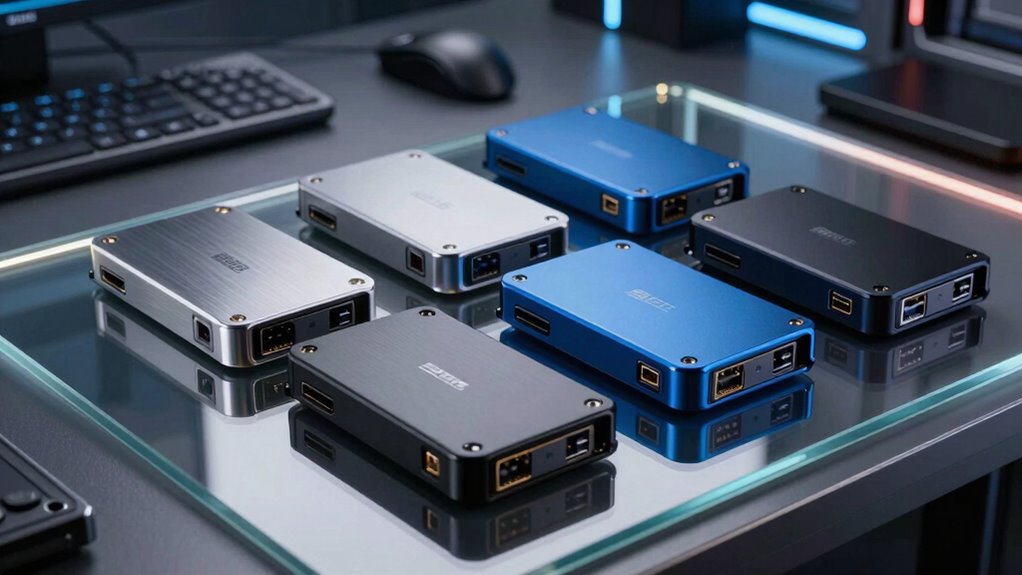

When selecting a hardware encrypted SSD, security and performance are key. The Apricorn Aegis Padlock 1TB stands out as the best overall, offering strong hardware encryption in a portable design. The Kingston IronKey Vault Privacy 80 is notable for its high capacity and privacy features, while the iStorage diskAshur M2 excels with PIN authentication and rugged portability. Buyers often face tradeoffs between capacity, ease of use, and cost. Keep reading to see how these options compare and find the best fit for your needs.

Get privacy and security gear delivered free — and shop member deals
- Fast, free delivery on millions of items
- Access to Prime Big Deal Days deals on October 6–7
- Prime Video, Amazon Music and more included
Key Takeaways
- Top choices balance encryption strength, ease of use, and portability, with some favoring rugged security while others focus on capacity.
- Price varies significantly, with premium models offering advanced features and budget options delivering basic security.
- Most products include hardware encryption, but user authentication methods differ, impacting convenience and security.
- Capacity ranges from 500GB to 2TB, so consider your storage needs carefully to avoid overpaying or running out of space.
- Design and build quality can influence durability and ease of access, especially for those on the go or with demanding environments.
| Apricorn 1TB Aegis Padlock USB 3.0 Hardware Encrypted External Hard Drive |  | Best for Secure Data Transport in Rugged Environments | Storage Capacity: 1TB | Encryption: 256-bit AES XTS | Connection: USB 3.0 | VIEW ON AMAZON | See Our Full Breakdown |
| Apricorn 500GB Aegis Padlock USB 3.0 External Hard Drive |  | Best Compact, Rugged Encrypted Drive for On-the-Go Data Security | Capacity: 500GB | Encryption: 256-bit AES XTS | Connection: USB 3.0 | VIEW ON AMAZON | See Our Full Breakdown |
| Kingston IronKey Vault Privacy 80 960GB External SSD |  | Best User-Friendly External SSD with Touch-Screen Security Management | Capacity: 960GB | Encryption: XTS-AES 256-bit | Certification: FIPS 197 | VIEW ON AMAZON | See Our Full Breakdown |
| iStorage diskAshur M2 1TB Portable SSD with PIN Authentication and Hardware Encryption |  | Best for Rugged Environments with PIN Access | Storage Capacity: 1TB | Encryption: AES-XTS 256-bit | Authentication: PIN (7-15 digits) | VIEW ON AMAZON | See Our Full Breakdown |
| Western Digital 1TB My Passport SSD Portable External Solid State Drive |  | Best High-Speed Drive with Hardware Encryption for Versatile Use | Capacity: 1TB | Speed: up to 1050MB/s | Write Speed: up to 1000MB/s | VIEW ON AMAZON | See Our Full Breakdown |
| Apricorn 2TB Aegis Padlock USB 3.0 Hardware Encrypted External Hard Drive | | Best Rugged Security for Portable Data Transport | Storage Capacity: 2TB | Connection: USB 3.0 | Encryption: 256-Bit AES XTS | VIEW ON AMAZON | See Our Full Breakdown |
| hardware encrypted ssd | Encryption | Storage Capacity | Connection | Capacity |
|---|---|---|---|---|
| Apricorn 1TB Aegis Padlock USB | 256-bit AES XTS | 1TB | USB 3.0 | — |
| Apricorn 500GB Aegis Padlock U | 256-bit AES XTS | — | USB 3.0 | 500GB |
| Kingston IronKey Vault Privacy | XTS-AES 256-bit | — | — | 960GB |
| iStorage diskAshur M2 1TB Port | AES-XTS 256-bit | 1TB | — | — |
| Western Digital 1TB My Passpor | 256-bit AES | — | — | 1TB |
| Apricorn 2TB Aegis Padlock USB | 256-Bit AES XTS | 2TB | USB 3.0 | — |
More Details on Our Top Picks
Apricorn 1TB Aegis Padlock USB 3.0 Hardware Encrypted External Hard Drive
This model stands out for its rugged design and military-grade FIPS 197 validated encryption, making it ideal for travelers and field workers needing secure portability. Compared with the smaller 500GB Apricorn Aegis Padlock, this 1TB drive offers more storage but sacrifices some portability due to its size. Its sealed epoxy coating and wear-resistant keypad provide physical security, while USB 3.0 ensures fast transfer speeds—though it does not include backup software, and the self-destruct feature could be problematic if triggered accidentally. Overall, it’s a strong choice for those prioritizing hardware security in tough environments, but limited to 1TB and lacking advanced management features.
Pros:- Strong hardware encryption with FIPS 197 validation
- Rugged, weather-resistant design suitable for travel
- Fast USB 3.0 data transfer speeds
- No need for software installation or admin rights
Cons:- Limited to 1TB capacity, which may be insufficient for some users
- Self-destruct feature may be irreversible if triggered accidentally
Best for: Field professionals and travelers who need rugged, portable storage with hardware encryption.
Not ideal for: Users seeking high-capacity drives or advanced software management, as it’s limited to 1TB and has no software-based security options.
- Storage Capacity:1TB
- Encryption:256-bit AES XTS
- Connection:USB 3.0
- Encryption Algorithm:FIPS PUB 197
- Physical Features:Sealed epoxy coating, rugged design, wear-resistant keypad
Our verdict“This drive is best suited for professionals needing durable, hardware-encrypted storage in demanding environments.”
Apricorn 500GB Aegis Padlock USB 3.0 External Hard Drive
Compared with the 1TB model, the 500GB Apricorn Aegis Padlock emphasizes portability without greatly sacrificing security, making it ideal for users who value a smaller footprint. It offers similar hardware encryption with 256-bit AES XTS, but its physical security features—such as epoxy coating and brute-force self-destruct—are slightly more challenging to set up due to its compact design. While it provides fast USB 3.0 transfer speeds, its smaller capacity limits usage for larger data sets. This pick makes sense for those prioritizing physical durability and encryption in a smaller form factor, even if the setup process can be fiddly and storage is limited.
Pros:- Hardware encryption with 256-bit AES XTS
- Rugged, compact design ideal for travel
- Fast data transfer with USB 3.0
- No software requirements for operation
Cons:- Limited to 500GB capacity, less suitable for large files
- Physical security features may be complex to configure due to small size
Best for: Frequent travelers and field workers needing portable, hardware-encrypted storage with a compact footprint.
Not ideal for: Users with large data storage needs or those who prefer plug-and-play simplicity without complex physical security features.
- Capacity:500GB
- Encryption:256-bit AES XTS
- Connection:USB 3.0
- Physical Security:Sealed with epoxy coating, brute force self-destruct
- Design:Rugged, compact
Our verdict“This drive is perfect for those needing a durable, portable encrypted drive with modest storage capacity.”
Kingston IronKey Vault Privacy 80 960GB External SSD
This external SSD excels in user management through its intuitive touch-screen interface, setting it apart from other encrypted drives like the Apricorn models. Its high capacity (960GB) and FIPS 197 certification ensure strong security, with XTS-AES 256-bit encryption. The touch screen simplifies password management and configuration, making it accessible for less tech-savvy users. However, this feature also introduces fragility—its screen may be sensitive or prone to damage—and the device’s higher price reflects its premium features. Compared to the rugged Apricorn drives, this model is more about ease of use and high encryption standards, though at a higher cost and with somewhat less physical ruggedness.
Pros:- High-level encryption with FIPS 197 certification
- User-friendly touch-screen for easy password management
- Multiple password modes and configurable rules
- High capacity with 960GB storage
Cons:- Higher price compared to simpler encrypted drives
- Touch screen may be fragile or sensitive to damage
- Limited clarity on transfer speeds
Best for: Business users and security-conscious individuals who prefer a user-friendly interface over rugged portability.
Not ideal for: Outdoor workers or those in physically demanding environments, as the touch screen may be fragile and the device is less rugged.
- Capacity:960GB
- Encryption:XTS-AES 256-bit
- Certification:FIPS 197
- Features:Touch-screen PIN, Multi-Password, Read-Only Modes
Our verdict“This drive is best suited for users who want strong encryption combined with straightforward, touchscreen-based management.”
iStorage diskAshur M2 1TB Portable SSD with PIN Authentication and Hardware Encryption
Compared with the Kingston IronKey Vault Privacy 80, the diskAshur M2 focuses heavily on physical durability. Its shockproof, crushproof, and IP68-rated water resistance make it a top choice for fieldwork in extreme conditions. The hardware encryption and PIN authentication (7-15 digits) ensure data security, but the requirement to enter a PIN can be less convenient than touch-based or software-driven solutions. Its fast USB 3.2 transfer speeds—up to 370MB/s—are competitive, though the capacity is limited to 1TB. This model is ideal for users who prioritize physical ruggedness over advanced user interfaces, accepting the slight inconvenience of PIN entry.
Pros:- Highly rugged: shockproof, crushproof, water-resistant
- Hardware encryption with PIN authentication
- Fast USB 3.2 transfer speeds
- Lightweight and portable at 65 grams
Cons:- PIN entry may be less convenient than touchscreen or software solutions
- Limited to 1TB capacity, which might be restrictive for large data needs
Best for: Outdoor professionals and military personnel needing durable, encrypted storage in extreme environments.
Not ideal for: Desk-bound users or those preferring biometric or software-based security, as PIN entry can be less convenient.
- Storage Capacity:1TB
- Encryption:AES-XTS 256-bit
- Authentication:PIN (7-15 digits)
- Transfer Speed:Up to 370MB/s
- Water Resistance:IP68
Our verdict“This drive is perfect for demanding outdoor environments where physical durability and security are paramount.”
Western Digital 1TB My Passport SSD Portable External Solid State Drive
Compared with the rugged diskAshur M2, the WD My Passport SSD emphasizes speed—reaching up to 1050MB/s—making it ideal for quick data transfers and creative workflows. Its hardware encryption with 256-bit AES provides solid security, but it doesn’t match the physical toughness of the diskAshur. The drive’s sleek, compact design and compatibility across USB 3.2 Gen-2, USB-C, and USB-A make it versatile for different devices, though performance can vary depending on the host system. This pick makes the most sense for users who need fast, secure storage that balances speed and portability, but those in harsh environments may prefer the more rugged options.
Pros:- Very fast transfer speeds with NVMe technology
- Hardware encryption with AES 256-bit
- Versatile compatibility with USB 3.2 Gen-2, USB-C, and USB-A
- Shock resistant up to 6.5ft
Cons:- Performance may vary depending on connected device
- Less physically rugged than the diskAshur M2
Best for: Creative professionals and power users requiring fast, secure storage across multiple devices.
Not ideal for: Outdoor or physically demanding environments where ruggedness outweighs speed, as it’s less resistant to environmental hazards.
- Capacity:1TB
- Speed:up to 1050MB/s
- Write Speed:up to 1000MB/s
- Encryption:256-bit AES
- Drop Resistance:Up to 6.5ft
Our verdict“This drive suits users who need rapid, encrypted storage with broad device compatibility, accepting less ruggedness for speed.”
Apricorn 2TB Aegis Padlock USB 3.0 Hardware Encrypted External Hard Drive
This model stands out for its rugged, tamper-resistant design combined with military-grade 256-bit AES XTS encryption, making it ideal for users who prioritize physical durability alongside security. Compared to the Kingston IronKey Vault Privacy 80, which is an SSD with faster transfer speeds, the Apricorn offers a more rugged build but at the expense of capacity—limited to 2TB—and overall speed, which is still constrained by its USB 3.0 interface. Its PIN access and self-destruct feature provide a strong security layer, but the setup process is less seamless than some software-based solutions or newer encrypted SSDs. This pick makes the most sense for field workers or professionals needing secure transport of sensitive data in rugged environments. However, users looking for larger capacity or faster transfer rates might find it restrictive. The device’s high-security hardware encryption, durable, tamper-resistant casing, and fast USB 3.0 speeds are key strengths, but the limited capacity and the absence of additional software features are notable drawbacks.
Pros:- High-security hardware encryption with military-grade standards
- Rugged, tamper-resistant, and impact-resistant design
- Fast USB 3.0 data transfer speeds for portable use
- Built-in self-destruct feature enhances physical security
Cons:- Limited to 2TB capacity, which may be insufficient for large data needs
- Requires PIN setup, which can be less convenient than biometric or software solutions
- No mention of bundled security management software or additional features
Best for: Field workers and security-conscious professionals needing rugged protection for portable data.
Not ideal for: Users requiring large storage capacities or very fast transfer speeds, such as video editors or data scientists.
- Storage Capacity:2TB
- Connection:USB 3.0
- Encryption:256-Bit AES XTS
- Power:Bus powered
- RPM:5400
- Security Features:PIN access, Brute force self-destruct, Tamper-resistant coating
Our verdict“This drive is ideal for security-focused users needing durable, portable storage in rugged environments, but not for those seeking high capacity or ultra-fast speeds.”

How We Picked
The products in this roundup were selected based on their hardware encryption capabilities, build quality, user authentication features, and overall value. We prioritized devices that combine robust security with user-friendly operation, including physical security measures like PINs or biometric options. Performance, capacity, and reliability also played key roles in ranking, ensuring that each pick offers a practical balance between security and usability for different user needs. Our evaluation focused on real-world applicability, durability, and how well each device fits various security scenarios.Factors to Consider When Choosing Hardware Encrypted Ssd
Choosing a hardware encrypted SSD involves more than just secure storage. Consider these factors to ensure you select a device that meets your security needs without sacrificing usability or value. Addressing capacity, authentication methods, and physical durability can prevent common pitfalls and help you avoid overpaying for features you don’t need.Encryption Strength and Security Features
Not all hardware encryption is equal. Look for devices that use AES-256 encryption, a standard recognized for its security strength. Features like self-destruct mechanisms or tamper-evident designs add extra layers of protection. Understanding the encryption method helps prevent scenarios where a device’s security could be compromised or bypassed.
Authentication Methods
Different devices employ PIN codes, biometric authentication, or physical keys. PINs are user-friendly but susceptible to shoulder surfing, while biometric options provide quick access but may introduce compatibility issues or higher costs. Consider your environment and security requirements to choose the most appropriate method, balancing convenience and protection.
Capacity and Performance
Storage capacity varies widely, from 500GB to 2TB or more. Larger capacity means more data but also higher cost. Performance, especially transfer speeds, impacts how smoothly you can work with large files. Prioritize a balance that aligns with your typical data volume and workflow to avoid bottlenecks or unnecessary expenditure.
Build Quality and Durability
Physical robustness matters if you transport your device frequently. Look for shock- and water-resistant designs, especially for rugged environments. A sturdy enclosure can prevent damage from drops or exposure, ensuring your encrypted data remains safe over time. Cheaper models might cut corners on durability, risking long-term reliability.
Price and Value
The cost of hardware encrypted SSDs varies widely. Premium models often include advanced security features and higher capacities, but may be unnecessary for casual use. Conversely, budget options might lack certain security features or durability. Assess your security level needs and storage requirements to find the best value without overspending on features you won’t use.
Frequently Asked Questions
Can I upgrade the storage capacity of a hardware encrypted SSD later?
Most hardware encrypted SSDs have fixed storage capacities, and upgrading typically requires purchasing a new device. Some models offer multiple capacity options at purchase, but they are not designed for internal upgrades. If you anticipate needing more storage over time, choosing a device with a larger capacity initially can prevent the hassle and cost of replacement later.
How secure is hardware encryption compared to software encryption?
Hardware encryption generally provides a higher level of security because the encryption process occurs within the device itself, reducing the risk of software-based vulnerabilities. It also isolates the encryption keys from the host system, making it more resistant to hacking attempts. However, the overall security depends on the device’s build quality, authentication methods, and physical security features.
Is it safe to leave my encrypted SSD plugged in and unlocked?
Leaving your encrypted SSD unlocked poses significant security risks, especially if it contains sensitive data. Physical security remains essential because anyone with access could potentially read the data. Always lock or disconnect your device when not in use, and consider additional security measures like secure storage environments or remote wipe capabilities if available.
Are there compatibility issues I should be aware of?
Most hardware encrypted SSDs connect via standard interfaces like USB 3.0 or USB-C, ensuring broad compatibility. However, some security features, such as biometric authentication, may require specific operating systems or drivers. Check compatibility with your devices beforehand, especially if you plan to use the SSD across different platforms or environments.
What is the typical lifespan of a hardware encrypted SSD?
The lifespan depends on usage patterns, build quality, and environmental conditions. Generally, well-made SSDs with durable enclosures can last several years under normal use. Frequent read/write cycles can wear out the memory cells over time, but most devices are rated for thousands of cycles. Regular backups and proper handling extend the effective lifespan of your encrypted drive.
Conclusion
For most users seeking a reliable, all-around secure solution, the Apricorn Aegis Padlock 1TB offers excellent value with straightforward security features. Those needing higher capacity or advanced privacy controls might prefer the Kingston IronKey Vault Privacy 80. Beginners or casual users should consider models with simpler authentication methods, while professionals with demanding security needs should look at premium options with rugged build and comprehensive features. Ultimately, the best choice depends on your specific storage, security, and budget priorities.
Fall Picks
fall essentials
As an affiliate, we earn on qualifying purchases.