
For a Mac Pro for 3D and simulation, my best overall pick is the 16-inch MacBook Pro with M5 Max, a 40-core GPU, 64GB memory, and a 2TB SSD: it balances graphics capacity, working memory, and portable use. The 128GB M5 Max configurations suit heavier scenes and larger datasets, while the Mac Studio is the desktop alternative for buyers who value a fixed workstation setup. The main tradeoffs are GPU and memory headroom versus portability, and generous built-in storage versus keeping project files on external drives. Read on for the full comparison, plus guidance on matching a configuration to your software and workload.

Get privacy and security gear delivered free with Prime
- Fast, free delivery on millions of items
- Prime Video, Amazon Music and more included
- Member-only deals all year
Key Takeaways
- The 40-core M5 Max models lead for demanding portable work. They combine the strongest listed GPU configuration with options for 64GB or 128GB memory.
- More memory can matter more than a larger SSD for complex scenes. The 128GB options give larger projects more room in unified memory, while 2TB or 4TB storage mainly changes how much work fits locally.
- The 16-inch models make more sense for sustained workstation tasks. They offer more screen area for timelines, node editors, and model views than the 14-inch choices.
- The M5 Pro configurations are balanced choices, not Max substitutes. Their 48GB memory and smaller listed GPU configurations suit moderate workloads, but leave less graphics headroom for demanding 3D scenes.
- The base M5 and 36GB M5 Max options favor lighter or more specific workloads. They can fit modeling, learning, and mobile work, but are less suited to large simulations that depend on GPU capacity or memory.



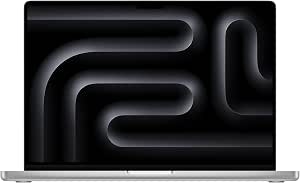




| mac pro for 3d and simulation | Memory | Storage | Display | Ports |
|---|---|---|---|---|
| Apple MacBook Pro 16.2-inch wi | 64GB unified memory | 2TB SSD | 16.2-inch Liquid Retina XDR with Nano-Texture Glass | Three Thunderbolt 5, MagSafe 3, SDXC, HDMI, headphone jack |
| Apple MacBook Pro 16-inch with | 48GB unified memory | 1TB SSD (listed; product details contain conflicting storage information) | 16.2-inch Liquid Retina XDR, 3456 x 2234 resolution, up to 120Hz | Three Thunderbolt 5, HDMI, MagSafe 3, SDXC card slot, headphone jack |
| Apple 16.2-Inch MacBook Pro wi | 36GB unified memory | 2TB SSD | 16.2-inch Liquid Retina XDR | Three Thunderbolt 5, MagSafe 3, SDXC card slot, HDMI, headphone jack |
| Apple MacBook Pro 16.2-inch wi | 128GB | 2TB SSD | 16.2-inch Liquid Retina XDR | Three Thunderbolt 5, MagSafe 3, SDXC card slot, HDMI, headphone jack |
| Apple MacBook Pro 16.2-inch wi | 128GB unified memory | 4TB SSD | 16.2-inch Liquid Retina XDR | Three Thunderbolt 5, MagSafe 3, SDXC, HDMI, headphone jack |
| Apple MacBook Pro 14.2-inch wi | 48GB unified memory | 1TB SSD | 14.2-inch Liquid Retina XDR, 3456 × 2234, 120Hz | Three Thunderbolt 5, MagSafe 3, SDXC, HDMI, headphone jack |
| Apple MacBook Pro 16.2-inch La | 128GB unified memory | 2TB SSD | 16.2-inch Liquid Retina XDR, up to 1600 nits peak brightness | Three Thunderbolt 5, MagSafe 3, HDMI, SDXC, headphone jack |
| Apple Mac Studio Desktop Compu | — | — | — | — |
| Apple MacBook Pro 14.2-inch wi | 36GB unified memory | 2TB SSD | 14.2-inch Liquid Retina XDR | Three Thunderbolt 5, MagSafe 3, SDXC, HDMI, headphone jack |
| Apple 14-inch MacBook Pro | 48GB unified memory | 1TB SSD | 14.2-inch Liquid Retina XDR | — |
| Apple 2026 MacBook Pro 14-inch | 32GB unified memory | 1TB SSD | 14.2-inch Liquid Retina XDR, up to 1600 nits peak brightness | 3x Thunderbolt 5, MagSafe 3, HDMI, SDXC, headphone jack |
| Apple 2026 MacBook Pro Laptop | 48GB unified memory | 1TB SSD | 16.2-inch Liquid Retina XDR | 3x Thunderbolt 5, MagSafe 3, SDXC, HDMI, headphone jack |
| Apple MacBook Pro 14.2-inch wi | 64GB unified memory | 2TB SSD | 14.2-inch Liquid Retina XDR | 3x Thunderbolt 5, MagSafe 3, SDXC, HDMI, headphone jack |
More Details on Our Top Picks
Apple MacBook Pro 16.2-inch with M5 Max, 18-core CPU, 40-core GPU, 64GB Memory, 2TB SSD, Nano-Texture Glass, Space Black
For 3D artists who need serious GPU capacity without moving to a 128GB configuration, this M5 Max with a 40-core GPU strikes a useful balance. Its 64GB unified memory and 2TB SSD leave room for sizeable scenes, simulation data, and project files, while the 16.2-inch XDR screen offers a generous workspace away from a desk. Compared with the M5 Max 32-core model in this lineup, it has more GPU cores and substantially more memory, making it the stronger fit for heavier scenes. The 128GB models are better for unusually large datasets or memory-hungry simulations, though. This configuration’s tradeoff is carrying 7.4 pounds, and the listed memory tops out at 64GB—less headroom for projects that grow beyond that.
Pros:- M5 Max pairs an 18-core CPU with a 40-core GPU for demanding 3D and compute workloads
- 64GB unified memory supports larger working scenes than the 36GB M5 Max configuration
- 2TB SSD provides useful room for project assets and simulation files
- Thunderbolt 5, HDMI, and SDXC support a broad desktop and media workflow
Cons:- 64GB memory ceiling offers less room for large simulations than the 128GB models
- At 7.4 pounds, it is a heavy laptop to carry regularly
- The integrated GPU shares unified memory with the system, so memory capacity must cover both
Best for: 3D generalists and technical artists who need a high-GPU laptop for substantial scenes but do not expect to exceed 64GB of unified memory.
Not ideal for: Simulation specialists running exceptionally large datasets or memory-heavy workloads that could benefit from 128GB, and buyers who prioritize a lighter travel machine.
- Processor:Apple M5 Max, 18-core CPU
- Graphics:40-core integrated GPU
- Memory:64GB unified memory
- Storage:2TB SSD
- Display:16.2-inch Liquid Retina XDR with Nano-Texture Glass
- Ports:Three Thunderbolt 5, MagSafe 3, SDXC, HDMI, headphone jack
- Wireless:Wi-Fi 7, Bluetooth 6
- Weight:7.4 pounds
Our verdict“Choose this M5 Max configuration for demanding mobile 3D work when 64GB is enough and portability matters less than GPU capacity and a large screen.”
Apple MacBook Pro 16-inch with M4 Max, 16-Core CPU, 40-Core GPU, 48GB RAM, 1TB SSD (Late 2024, Space Black)
The M4 Max remains a compelling fit for 3D work when a 40-core GPU matters more than having the newest chip generation. Its 48GB of unified memory is below the 64GB M5 Max option in this roundup, but still gives many artists room for detailed assets and active applications. The 16.2-inch, 120Hz XDR display and broad port selection also make it practical as a mobile workstation connected to external screens and peripherals. Compared with the M5 Max 40-core model, this configuration has less memory and an older chip, so it is not the pick for buyers seeking the most headroom. Its 1TB SSD can also fill quickly with caches, textures, and simulation outputs; product details additionally conflict about storage, so verify the configuration before purchase.
Pros:- 40-core GPU is suited to graphics-heavy creative workloads
- 48GB unified memory offers meaningful capacity for many 3D projects
- 16.2-inch XDR display supports detailed work on the go
- Thunderbolt 5, HDMI, and SDXC provide flexible connections
Cons:- Older M4 Max generation compared with the M5 Max options in this roundup
- 1TB SSD may be restrictive for large asset libraries and simulation outputs
- At 2.15 kg, it is a substantial laptop to carry
Best for: 3D artists who want a high-core-count GPU and a large built-in display, and whose workflows fit within 48GB memory and 1TB of storage.
Not ideal for: Buyers handling huge simulations, keeping extensive local asset libraries, or wanting the newer M5 Max generation and more memory.
- Chip:Apple M4 Max
- CPU:16-core
- GPU:40-core
- Memory:48GB unified memory
- Storage:1TB SSD (listed; product details contain conflicting storage information)
- Display:16.2-inch Liquid Retina XDR, 3456 x 2234 resolution, up to 120Hz
- Ports:Three Thunderbolt 5, HDMI, MagSafe 3, SDXC card slot, headphone jack
- Weight:2.15 kg
Our verdict“Pick this model if a 40-core GPU and large XDR screen matter more than the newer M5 Max generation, 64GB-plus memory, or larger storage.”
Apple 16.2-Inch MacBook Pro with M5 Max, 18-Core CPU, 32-Core GPU, 36GB Memory, 2TB SSD, Wi-Fi 7, Space Black
This configuration keeps the M5 Max generation and a roomy 2TB SSD while stepping down to a 32-core GPU and 36GB of memory. That makes it a more measured choice for artists working on moderate scenes, modeling, and look development than the 40-core, 64GB M5 Max configuration. The 16.2-inch XDR display and full port mix still suit a mobile workstation setup, while Wi-Fi 7 supports current wireless networks. The compromise shows up as scene complexity rises: 36GB leaves less space for large assets and simulation data, and its 32-core GPU has fewer cores than the other M5 Max options here. I’d favor the 40-core model for sustained GPU-heavy work; this one makes more sense when 2TB storage and the M5 Max platform matter more than maximum graphics and memory capacity.
Pros:- M5 Max 18-core CPU gives it a current-generation platform for demanding creative tasks
- 2TB SSD accommodates more active projects than the 1TB M4 Max configuration
- 16.2-inch Liquid Retina XDR display provides ample workspace
- Thunderbolt 5, HDMI, and SDXC enable varied peripheral and display setups
Cons:- 32-core GPU has fewer cores than the 40-core M5 Max models in this group
- 36GB unified memory is a constraint for large scenes and simulation datasets
- At 4.73 pounds, it is not a lightweight travel option
Best for: Freelance 3D generalists who work across modeling, asset creation, and moderate-sized scenes and want 2TB of internal storage.
Not ideal for: Artists rendering or simulating very large scenes who need the extra GPU cores and memory available in the 40-core M5 Max configurations.
- Processor:Apple M5 Max, 18-core CPU
- Graphics:32-core GPU
- Memory:36GB unified memory
- Storage:2TB SSD
- Display:16.2-inch Liquid Retina XDR
- Wireless:Wi-Fi 7, Bluetooth 6
- Ports:Three Thunderbolt 5, MagSafe 3, SDXC card slot, HDMI, headphone jack
- Weight:4.73 pounds
Our verdict“Choose this M5 Max model for generalist 3D work and 2TB storage, but step up to a 40-core, higher-memory configuration for large simulations.”
Apple MacBook Pro 16.2-inch with M5 Max, 18-core CPU, 40-core GPU, 128GB Memory, 2TB SSD, Silver
For workflows where scene data, caches, and simulation state consume more memory than a typical 3D project, the defining feature here is 128GB unified memory. It gives this M5 Max configuration a clear role over the 64GB model: more room to keep demanding projects in memory, rather than trimming scenes or closing applications to make space. The 40-core GPU and 18-core CPU also put it among the strongest mobile options in this set, while support for up to four external displays helps build a workstation-style desk. The tradeoff is substantial: at 8.4 pounds, this is a laptop for buyers who need mobility occasionally, not a light daily carry. The 2TB SSD is also less capacious than the 4TB model, which is a better fit for large local libraries.
Pros:- 128GB unified memory offers substantial capacity for memory-intensive scenes and simulations
- M5 Max combines an 18-core CPU with a 40-core GPU
- Supports up to four external displays for a workstation-style setup
- Thunderbolt 5, HDMI, and SDXC cover a wide range of connections
Cons:- 8.4-pound listed weight makes regular travel burdensome
- 2TB SSD offers less local capacity than the 4TB M5 Max configuration
- The extra memory brings less benefit to projects that remain comfortably within 64GB
Best for: Simulation engineers and 3D artists who need 128GB of unified memory for large working datasets but still require a portable macOS workstation.
Not ideal for: Frequent travelers seeking a light laptop, or creators who need more than 2TB of local project storage and would prefer the 4TB configuration.
- Chip:Apple M5 Max
- CPU:18-core
- GPU:40-core
- Memory:128GB
- Storage:2TB SSD
- Display:16.2-inch Liquid Retina XDR
- External displays:Up to four
- Ports:Three Thunderbolt 5, MagSafe 3, SDXC card slot, HDMI, headphone jack
- Weight:8.4 pounds
Our verdict“Choose this model when 128GB memory is the priority for large simulations and 2TB storage is sufficient.”
Apple MacBook Pro 16.2-inch with M5 Max, 18-Core CPU, 40-Core GPU, 128GB Memory, 4TB SSD, Space Black
This configuration pairs the 128GB memory suited to demanding simulations with a 4TB SSD for artists who keep extensive assets, caches, and active projects on the laptop. Against the 2TB, 128GB M5 Max model, its main advantage is storage capacity—not a different CPU or GPU—so the choice comes down to how much data needs to stay local. The 18-core CPU and 40-core GPU make it a serious mobile workstation, and its Thunderbolt 5, HDMI, and SDXC connections help integrate it into a desk setup. The large capacity comes with a substantial 8.2-pound listed weight. Buyers who mainly work from a fixed studio may get more practical value from a desktop approach, while those who rarely keep large files locally may find the 2TB model sufficient.
Pros:- 128GB unified memory supports memory-intensive 3D and simulation work
- 4TB SSD provides more local room for assets, caches, and project archives than the 2TB models
- M5 Max includes an 18-core CPU and 40-core GPU
- Thunderbolt 5, HDMI, and SDXC support a broad workstation setup
Cons:- 8.2-pound listed weight is a major portability tradeoff
- The 4TB storage advantage may be unnecessary for users who rely on external or network storage
- Compared with the 2TB, 128GB model, the listed core counts are the same, so the added capacity is the main distinction
Best for: 3D studios and simulation professionals who need 128GB of unified memory and keep large working libraries, caches, and project files on their laptop.
Not ideal for: Mobile creators who carry their computer daily, or users whose projects fit comfortably on a 2TB SSD.
- Chip:Apple M5 Max
- CPU:18-core
- GPU:40-core
- Memory:128GB unified memory
- Storage:4TB SSD
- Display:16.2-inch Liquid Retina XDR
- Ports:Three Thunderbolt 5, MagSafe 3, SDXC, HDMI, headphone jack
- Wireless:Wi-Fi 7, Bluetooth 6
- Weight:8.2 pounds
Our verdict“Choose this configuration over the 2TB 128GB model when keeping large 3D libraries and simulation files locally is worth the added carrying weight.”
Apple MacBook Pro 14.2-inch with M5 Pro, 48GB Memory, 1TB SSD, Space Black
This 14-inch configuration is a sensible fit for 3D artists who need a capable Mac they can carry between studios, classrooms, or client sites. Its 48GB of unified memory gives scenes and simulation data more room than a basic configuration, while the 120Hz Liquid Retina XDR display provides a sharp, responsive workspace. Compared with the desktop Mac Studio with M5 Max, it gives up graphics headroom and the option to connect more external displays, but includes its own screen and battery-powered mobility. The listed 15-core CPU and 16-core GPU make it a less compelling choice for sustained, GPU-heavy rendering than the M5 Max laptops. The product data also reports a relatively high 2.14 kg weight for a 14-inch model and contains conflicting chip specifications, so confirm the exact configuration before buying.
Pros:- 48GB unified memory provides room for more demanding scenes and multitasking
- 14.2-inch Liquid Retina XDR display with 120Hz refresh rate
- Thunderbolt 5, HDMI, SDXC, and MagSafe 3 support varied studio connections
- Built-in battery, camera, and six-speaker audio suit mobile work
Cons:- Listed 16-core GPU is a step down from the M5 Max configurations for GPU-heavy work
- The supplied product data has conflicting chip specifications that should be verified
- Listed weight of 2.14 kg is substantial for a 14-inch laptop
Best for: 3D students and mobile artists who need 48GB of memory, an integrated high-quality display, and ports for external drives and peripherals.
Not ideal for: Artists running long, GPU-intensive simulations or large scenes who prioritize graphics capacity over portability; consider an M5 Max model or Mac Studio instead.
- Chip:Apple M5 Pro
- CPU / GPU:15-core CPU / 16-core GPU
- Memory:48GB unified memory
- Storage:1TB SSD
- Display:14.2-inch Liquid Retina XDR, 3456 × 2234, 120Hz
- Ports:Three Thunderbolt 5, MagSafe 3, SDXC, HDMI, headphone jack
- Weight:2.14 kg
- Operating system:macOS
Our verdict“Choose this portable M5 Pro configuration for mobile 3D work with substantial memory, but favor an M5 Max system for heavier GPU rendering.”
Apple MacBook Pro 16.2-inch Laptop with M5 Max, 18-core CPU, 40-core GPU, 128GB Unified Memory, 2TB SSD – Space Black
For artists who need to take demanding projects on the road, this is the lineup’s most capable laptop configuration: an 18-core CPU, 40-core GPU, and 128GB unified memory give complex scenes and memory-hungry workloads considerably more capacity than the 36GB M5 Max 14-inch MacBook Pro. The 2TB SSD also leaves more room for working files before external storage becomes necessary. Its 16.2-inch XDR screen offers a larger workspace, and the machine supports up to four external displays. That capacity comes with a clear portability tradeoff: it is larger than the 14-inch alternatives, and its powerful hardware may be excessive for lighter modeling or occasional simulation. Compared with the Mac Studio with M5 Max, this laptop adds an integrated display and mobility but does not offer the desktop’s support for up to five external displays.
Pros:- 40-core GPU is well suited to demanding graphics and rendering workloads
- 128GB unified memory accommodates large scenes and memory-intensive work
- 2TB SSD provides substantial onboard workspace
- 16.2-inch XDR display and support for up to four external displays
Cons:- Large 16-inch chassis is less convenient to carry than the 14-inch MacBook Pro models
- High-end CPU, GPU, and memory configuration may be unnecessary for lighter 3D workloads
- Supports fewer external displays than the Mac Studio listed in this roundup
Best for: Professional 3D artists and simulation specialists who need high memory capacity and strong GPU performance in a system they can move between work locations.
Not ideal for: Buyers who work mainly at a fixed desk, run modest scenes, or want a smaller travel laptop; a Mac Studio or 14-inch MacBook Pro may suit those needs better.
- Chip:Apple M5 Max
- CPU / GPU:18-core CPU / 40-core GPU
- Memory:128GB unified memory
- Storage:2TB SSD
- Display:16.2-inch Liquid Retina XDR, up to 1600 nits peak brightness
- External displays:Up to four
- Ports:Three Thunderbolt 5, MagSafe 3, HDMI, SDXC, headphone jack
- Wireless:Wi-Fi 7, Bluetooth 6
Our verdict“Pick this when you need maximum listed laptop memory and GPU capacity for serious mobile 3D work, and can accept the larger chassis.”
Apple Mac Studio Desktop Computer with M5 Max Chip (2026)
The Mac Studio is the strongest fit here for a permanent workstation built around external displays and peripherals. Its M5 Max chip, memory configurations up to 128GB, and stated memory bandwidth up to 614GB/s target demanding creative and professional workloads. Support for up to five external displays gives it an advantage over the M5 Max 16-inch MacBook Pro, which supports up to four. The compact enclosure also keeps the computer itself out of the way on a crowded desk. Unlike either MacBook Pro, though, it has no built-in screen or battery, so the total setup depends on separately chosen display and input devices. The listed memory ceiling is configuration-dependent, and buyers should check the exact build rather than assume every unit includes the maximum. This makes most sense for desk-based work, not artists needing a complete mobile system.
Pros:- M5 Max platform targets demanding creative and professional workloads
- Memory configurations reach up to 128GB, depending on build
- Supports up to five external displays
- Compact desktop enclosure includes a broad selection of ports
Cons:- Requires a separate display and other desk peripherals
- Maximum memory and storage depend on the chosen configuration
- Not suited to mobile work like the MacBook Pro options
Best for: Studio-based 3D artists who already have a monitor setup and want a compact desktop with high memory options and multiple display connections.
Not ideal for: Artists who need to work away from a desk or want a ready-to-use computer with an integrated display; choose a MacBook Pro instead.
- Chip:Apple M5 Max
- Unified memory:Up to 128GB, configuration-dependent
- Memory bandwidth:Up to 614GB/s
- External displays:Up to five
- Connectivity:Four Thunderbolt 5, two USB-C, two USB-A, HDMI, SDXC, headphone jack
- Wireless:Wi-Fi 7, Bluetooth 6
- Dimensions:7.76 × 7.76 × 3.74 inches
- Weight:5.94 pounds
Our verdict“Choose the Mac Studio for a fixed 3D workstation with multiple displays and configured memory capacity, rather than a portable setup.”
Apple MacBook Pro 14.2-inch with M5 Max, 18-core CPU, 32-core GPU, 36GB Memory, 2TB SSD
This 14-inch model brings the M5 Max chip to a more travel-friendly form than the 16-inch M5 Max workstation. Its 18-core CPU and 32-core GPU make it a better match for GPU-focused 3D tasks than the M5 Pro 14-inch options, while the 2TB SSD offers more onboard project space than their 1TB drives. The main compromise is memory: at 36GB, it has far less headroom than the 128GB 16-inch M5 Max model, which can matter when scenes, caches, and other applications compete for unified memory. The smaller display also gives less room for tool panels and timelines, though external displays can help at a desk. I’d choose this for artists who value M5 Max graphics and compact size more than maximum memory capacity.
Pros:- M5 Max with 32-core GPU offers more graphics capacity than the M5 Pro 14-inch options
- 2TB SSD provides generous onboard project storage
- 14.2-inch Liquid Retina XDR display keeps the system more compact than 16-inch alternatives
- Thunderbolt 5, HDMI, and SDXC support studio and field connections
Cons:- 36GB unified memory is substantially below the 128GB available in the 16-inch M5 Max configuration
- Smaller built-in screen leaves less room for complex 3D interfaces
- M5 Max capabilities may exceed what lighter modeling workflows require
Best for: Traveling 3D artists who want an M5 Max GPU and 2TB of storage in a 14-inch laptop, and whose projects fit within 36GB of unified memory.
Not ideal for: Simulation specialists working with very large memory-heavy scenes or those who want the biggest laptop workspace; the 128GB 16-inch M5 Max is a better fit.
- Chip:Apple M5 Max
- CPU / GPU:18-core CPU / 32-core GPU
- Memory:36GB unified memory
- Storage:2TB SSD
- Display:14.2-inch Liquid Retina XDR
- Wireless:Wi-Fi 7, Bluetooth 6
- Ports:Three Thunderbolt 5, MagSafe 3, SDXC, HDMI, headphone jack
- Weight:3.59 pounds
Our verdict“Choose this compact M5 Max when graphics performance and 2TB storage matter more than the memory capacity of the 16-inch model.”
Apple 14-inch MacBook Pro (CTO) – M5 Pro, 18-Core CPU, 20-Core GPU, 48GB RAM, 1TB SSD, Space Black (2026)
This configure-to-order model is a balanced choice for artists who want more clearly specified M5 Pro graphics capacity without stepping up to an M5 Max laptop. Its 18-core CPU and 20-core GPU, paired with 48GB unified memory, suit modeling, moderate simulation work, and multitasking better than a basic mobile configuration. The 14.2-inch XDR display and stated battery life of up to 24 hours also support working away from a fixed desk. Against the 14-inch M5 Max with 32-core GPU, it gives up GPU resources and half the storage, but may make more sense for workflows that do not need that level of graphics performance. Its 1TB SSD can fill quickly with assets and caches, and configure-to-order upgrades may cost more than a base model. Check software compatibility and the exact configuration for your intended 3D applications.
Pros:- 18-core CPU and 20-core GPU provide a defined M5 Pro configuration
- 48GB unified memory supports substantial multitasking and scene work
- 14.2-inch Liquid Retina XDR display with up to 1600 nits peak brightness
- Stated battery life of up to 24 hours supports mobile work
Cons:- 1TB SSD offers less project capacity than the 2TB M5 Max 14-inch option
- 20-core GPU trails the 32-core GPU in the M5 Max 14-inch model
- Configure-to-order upgrades may carry a higher cost than base configurations
Best for: 3D generalists and simulation learners who want 48GB of memory and a specified 20-core GPU in a portable laptop without needing M5 Max graphics capacity.
Not ideal for: GPU-rendering specialists with large project libraries or heavy simulation workloads; the M5 Max 14-inch model has a larger GPU and 2TB SSD.
- Chip:Apple M5 Pro
- CPU / GPU:18-core CPU / 20-core GPU
- Memory:48GB unified memory
- Storage:1TB SSD
- Display:14.2-inch Liquid Retina XDR
- Peak brightness:Up to 1600 nits
- Battery life:Up to 24 hours
- Power adapter:96W
Our verdict“Pick this M5 Pro configuration for portable 3D work that benefits from 48GB of memory but does not need M5 Max-level GPU capacity.”
Apple 2026 MacBook Pro 14-inch Laptop with M5 Chip (10-Core CPU, 10-Core GPU), 32GB Unified Memory, 1TB SSD – Silver
For 3D artists who need to work away from a desk, this 14-inch MacBook Pro pairs a compact build with 32GB of unified memory and a sharp XDR screen for modeling, scene review, and lighter simulation tasks. Its 10-core GPU is the main limit: compared with the M5 Pro 16-inch MacBook Pro, it has less graphics headroom for complex scenes and sustained GPU-heavy work. The smaller display also gives less room for timelines, node editors, and reference panels, though Thunderbolt 5 and HDMI make adding external displays straightforward. I’d choose this model for mobile workflows and moderate project sizes, not as a substitute for a high-end rendering workstation. Its tradeoff is clear: better portability than the more powerful options, with less capacity for demanding simulations.
Pros:- 32GB unified memory supports multitasking across a 3D application, references, and supporting tools.
- Compact 14.2-inch XDR display is well suited to mobile scene work and review.
- Three Thunderbolt 5 ports, HDMI, and SDXC simplify connections to displays and project storage.
- All-day battery operation supports work away from a power outlet.
Cons:- 10-core GPU is a weaker fit for complex rendering and GPU-intensive simulation than the M5 Pro or M5 Max options.
- 14.2-inch workspace can feel tight for detailed scenes, timelines, and tool panels.
- 1TB SSD may require external storage for large asset libraries and project caches.
Best for: 3D students, freelancers, and technical artists who travel often and mainly model, review scenes, or run moderate workloads.
Not ideal for: Artists running large GPU renders or memory-hungry simulations locally; the 10-core GPU and 32GB memory offer less headroom than the M5 Pro and M5 Max models.
- Chip:Apple M5
- CPU:10-core
- GPU:10-core
- Memory:32GB unified memory
- Storage:1TB SSD
- Display:14.2-inch Liquid Retina XDR, up to 1600 nits peak brightness
- Ports:3x Thunderbolt 5, MagSafe 3, HDMI, SDXC, headphone jack
- Weight:3.41 pounds
Our verdict“Choose this 14-inch M5 model for mobile 3D work and moderate scenes, but favor an M5 Pro or M5 Max if local rendering speed is a priority.”
Apple 2026 MacBook Pro Laptop with M5 Pro Chip, 16.2-inch Liquid Retina XDR Display, 48GB RAM, 1TB SSD, Wi-Fi 7, Silver
This 16-inch configuration makes the strongest all-around case for artists who need a laptop to handle serious modeling and simulation work. The 18-core CPU, 20-core GPU, and 48GB of unified memory give it more room for demanding scenes than the 14-inch M5 model, while the 16.2-inch XDR display provides extra space for viewports and technical interfaces. It is a more balanced mobile workstation than the M5 Max 14-inch model, which adds a much larger GPU and 2TB storage but weighs 5.5 pounds according to its listed specs. The M5 Pro’s limits show up with especially large scenes or GPU-bound rendering; that is where a Max configuration makes more sense. Choose this for sustained professional work when screen space and memory matter more than the lightest carry.
Pros:- 18-core CPU and 20-core GPU provide more compute and graphics capacity than the base M5 model.
- 48GB unified memory is better suited to complex scenes and multitasking across creative applications.
- 16.2-inch XDR display gives more working room for viewports, timelines, and technical panels.
- Thunderbolt 5, HDMI, and SDXC support practical workstation connections.
Cons:- At 4.71 pounds, it is less convenient to carry than the 14-inch M5 model.
- 20-core GPU falls short of the 40-core GPU in the listed M5 Max configuration for graphics-heavy workloads.
- 1TB SSD can constrain projects with extensive assets, caches, or simulation data.
Best for: Working 3D generalists and simulation-focused designers who want a large built-in display, substantial memory, and strong mobile performance.
Not ideal for: Frequent travelers prioritizing low carry weight, or GPU render specialists who need the extra graphics resources and storage of an M5 Max configuration.
- Chip:Apple M5 Pro
- CPU:18-core
- GPU:20-core
- Memory:48GB unified memory
- Storage:1TB SSD
- Display:16.2-inch Liquid Retina XDR
- Ports:3x Thunderbolt 5, MagSafe 3, SDXC, HDMI, headphone jack
- Wireless:Wi-Fi 7, Bluetooth 6
- Weight:4.71 pounds
Our verdict“Pick this M5 Pro MacBook Pro for demanding mobile 3D work that benefits from a large display and 48GB memory without requiring M5 Max graphics.”
Apple MacBook Pro 14.2-inch with M5 Max, 18-Core CPU, 40-Core GPU, 64GB Memory, 2TB SSD, Silver
The 40-core GPU makes this the graphics specialist in this batch: it is better suited than the M5 Pro 16-inch MacBook Pro to GPU-heavy rendering, dense viewports, and simulation tasks that can use substantial graphics resources. It also brings 64GB unified memory and a 2TB SSD, giving larger projects and working files more breathing room than either of the other two picks. The catch is that it puts this much power into a 14.2-inch chassis, so the built-in workspace is smaller than the M5 Pro’s 16.2-inch display. Its listed 5.5-pound weight also weakens the usual portability advantage of a 14-inch model. I’d pick it for artists who need Max-class GPU and storage in a laptop, while those who value a larger screen or lighter travel load should compare the 16-inch M5 Pro instead.
Pros:- 40-core GPU offers substantially more graphics resources than the 10-core M5 and 20-core M5 Pro in this batch.
- 64GB unified memory gives larger scenes and demanding applications more working capacity.
- 2TB SSD provides more local room for assets, caches, and project files than the other two picks.
- Thunderbolt 5, HDMI, and SDXC support external displays and common creative-workflow connections.
Cons:- Listed weight of 5.5 pounds is heavy for a 14.2-inch laptop.
- 14.2-inch display offers less workspace than the M5 Pro model’s 16.2-inch screen.
- Its high-end GPU and memory configuration may be excessive for modeling and lighter simulation work.
Best for: GPU-focused 3D artists and simulation professionals who need high graphics capacity, 64GB memory, and 2TB of local storage in a laptop.
Not ideal for: People seeking a light everyday travel laptop, or artists who prefer a large built-in workspace for complex interface layouts.
- Chip:Apple M5 Max
- CPU:18-core
- GPU:40-core
- Memory:64GB unified memory
- Storage:2TB SSD
- Display:14.2-inch Liquid Retina XDR
- Ports:3x Thunderbolt 5, MagSafe 3, SDXC, HDMI, headphone jack
- Wireless:Wi-Fi 7, Bluetooth 6
- Weight:5.5 pounds
Our verdict“Choose this M5 Max model when GPU capacity, memory, and local storage take priority over a large screen or easy portability.”

How We Picked
I ranked these Apple systems for practical 3D and simulation work, focusing on the listed GPU configuration, unified memory, display size, and storage. GPU capacity can affect viewport responsiveness and supported rendering workloads; memory determines how much scene data and simulation state can stay available without leaning on slower storage. I also weighed whether each configuration makes sense as a portable workstation or a fixed desktop setup.
The 16-inch M5 Max with a 40-core GPU and 64GB memory ranks first because it offers a strong balance of graphics capability and working capacity without requiring the highest memory tier. Configurations with 128GB move up for large projects, while the Mac Studio earns a distinct desktop role. M5 Pro and base M5 models rank lower for demanding graphics workloads, though their lower GPU tiers can still suit lighter projects and buyers who value portability or a more moderate configuration. Several entries share the same core specifications; I treat those as near-equivalent choices rather than claiming a meaningful performance difference based on color or listing variation.
| mac pro for 3d and simulation | Chip |
|---|---|
| Apple MacBook Pro 16.2-inch wi | — |
| Apple MacBook Pro 16-inch with | Apple M4 Max |
| Apple 16.2-Inch MacBook Pro wi | — |
| Apple MacBook Pro 16.2-inch wi | Apple M5 Max |
| Apple MacBook Pro 16.2-inch wi | Apple M5 Max |
| Apple MacBook Pro 14.2-inch wi | Apple M5 Pro |
| Apple MacBook Pro 16.2-inch La | Apple M5 Max |
| Apple Mac Studio Desktop Compu | Apple M5 Max |
| Apple MacBook Pro 14.2-inch wi | Apple M5 Max |
| Apple 14-inch MacBook Pro | Apple M5 Pro |
| Apple 2026 MacBook Pro 14-inch | Apple M5 |
| Apple 2026 MacBook Pro Laptop | Apple M5 Pro |
| Apple MacBook Pro 14.2-inch wi | Apple M5 Max |
Factors to Consider When Choosing Mac Pro For 3d And Simulation
Choosing a Mac for 3D work is less about buying the most powerful configuration on the list and more about matching hardware to the software, project scale, and time you spend away from a desk. I would check these factors before choosing a chip tier or memory upgrade.
Match the GPU to Your Software and Rendering Path
GPU-heavy viewport work and rendering can benefit from the higher GPU configurations, but the gain depends on whether your application uses Apple silicon’s GPU effectively. Check the software’s supported render engines, plug-ins, and any external-device requirements before treating core count as a direct performance promise. Some simulation tasks lean more on CPU throughput, memory capacity, or software-specific acceleration than on GPU alone. A common mistake is choosing a Max model for a workflow that cannot use its extra graphics resources. If your work is mostly modeling, look for a configuration that keeps the interface responsive without paying for capacity your render pipeline will not use.
Choose Memory for Your Largest Real Project
Unified memory is shared across the CPU and GPU, so scene geometry, textures, caches, and simulation data all compete for the same pool. Estimate from your largest project and typical multitasking load, not just the size of a new or empty scene. If large simulations routinely push memory limits, the 128GB M5 Max configurations are a more relevant upgrade than simply adding internal storage. On the other hand, smaller scenes and learning projects may be comfortable with 32GB, 36GB, or 48GB, depending on the application. Avoid assuming that an external SSD can make up for insufficient memory: storage can hold files, but it does not replace active working memory.
Decide Whether a 14-Inch or 16-Inch Screen Fits the Work
A 14-inch MacBook Pro is easier to carry between studios, classrooms, or client sites, while the 16-inch display gives workspaces more room for a viewport alongside tools, timelines, and reference windows. External displays can improve a desk setup, but they add equipment and reduce the appeal of an all-in-one mobile workstation. Buyers who work in one place most days should compare a laptop connected to a monitor with a desktop system before settling on a screen size. Remember that screen space is a usability benefit, not a substitute for GPU or memory capacity. If you travel often and dock at a desk, the smaller model may make a better compromise.
Treat SSD Capacity as a Project-Management Choice
Internal storage affects how many active projects, source assets, caches, and applications you can keep on the machine. The 4TB configuration favors local project access, while 2TB or 1TB may be adequate when files are archived or managed on fast external storage. Simulation caches can grow quickly, so count temporary output and backup copies as well as final project files. A larger internal SSD reduces dependence on external drives, but it does not make calculations run faster by itself. Buyers should also plan a backup routine; keeping the only copy of a project on a workstation is a workflow risk regardless of SSD size.
Choose Between a Mobile Workstation and a Desktop
A MacBook Pro combines its display, keyboard, battery, and computer in one system, which is useful when work happens in more than one location. The Mac Studio is the fixed-workstation option in this lineup, better suited to buyers who already have a monitor and peripherals and rarely need to carry the computer. Compare the full setup, including displays, input devices, storage, and backup hardware, rather than judging the computer alone. A desktop can make a cleaner permanent workstation, but it cannot replace a laptop for on-site work. Pick portability only if you will use it; otherwise, a desktop-centered setup may fit your habits better.
Check Compatibility Before Paying for a Higher Tier
Before selecting M5 Pro or M5 Max, check each core application’s current Apple silicon support and confirm that required plug-ins, render engines, and simulation tools work on macOS. Some studios rely on software or pipelines built around other operating systems or specialized hardware. A configuration that runs your actual toolchain is more useful than a higher-spec machine that cannot support a required dependency. Verify project interchange with collaborators as well, including file formats and color-management settings. This step can prevent an expensive mismatch that no upgrade in GPU cores or memory will solve.
Frequently Asked Questions
Is the 128GB M5 Max configuration worth choosing over 64GB for 3D work?
It is most relevant when your scenes, textures, simulation states, or concurrent applications regularly exceed what a 64GB system can comfortably hold. The 128GB configurations in this roundup pair that larger memory pool with an M5 Max 40-core GPU, making them the clearest options for memory-heavy work. If your projects are moderate and you can keep tasks separate, the 64GB configuration may be a more balanced fit. Check memory use on representative projects before paying for capacity you may not need. Memory headroom helps active workloads; it does not automatically speed up every render.
Should I choose a 16-inch MacBook Pro or the Mac Studio?
Choose the 16-inch MacBook Pro if you need a workstation you can carry or want its display included in the setup. The Mac Studio makes more sense when you work from one desk, already own a suitable monitor, and prefer a permanent desktop arrangement. Compare the complete system cost and workspace, including display, keyboard, storage, and backup devices, rather than the computer alone. The product list identifies the Studio as an M5 Max desktop but does not provide equivalent configuration details for every laptop, so confirm its exact memory and GPU configuration before comparing. Portability is the main practical distinction, not a guarantee that one form factor will outperform another in every application.
Can an M5 Pro MacBook Pro handle professional 3D work?
Yes, an M5 Pro model can be a reasonable fit for professional modeling, asset preparation, and moderate projects, depending on the software and scene size. The listed M5 Pro options have 48GB memory, while their GPU configurations are below the 40-core M5 Max choices in this roundup. That makes them less compelling for workloads that lean heavily on GPU rendering or large scenes. Check the performance needs of your specific render engine and simulation tools before choosing. If your day includes frequent, demanding GPU tasks, the Max models provide more listed graphics capacity.
Is the 14-inch M5 MacBook Pro suitable for learning 3D and simulation?
It can suit learning, lighter modeling, and introductory projects, particularly if portability matters and your software runs well on Apple silicon. Its listed 10-core CPU, 10-core GPU, and 32GB unified memory place it below the M5 Pro and M5 Max choices for demanding scenes. That difference may become restrictive as projects grow or simulation workloads become more complex. A beginner who already knows they plan to work with large datasets may be better served by a higher-memory option from the start. For coursework and smaller projects, the base M5 configuration avoids paying for graphics capacity that may go unused.
Should I prioritize a larger SSD or more memory for simulation projects?
For active simulation workloads, I would generally prioritize enough unified memory to hold the working data before upgrading SSD capacity. A larger SSD helps keep project files, assets, and caches on the computer, but it does not provide the same role as memory during active computation. The 128GB models are suited to larger working sets, while the 4TB M5 Max option is aimed at buyers who also want more local storage. If your memory needs are already covered, extra SSD capacity can reduce reliance on external drives. Track both peak memory use and project storage growth to identify which limit you actually encounter.
Conclusion
For most buyers seeking a best overall balance, I recommend the 16-inch M5 Max with a 40-core GPU, 64GB memory, and 2TB SSD. Choose a best premium 128GB M5 Max configuration if large scenes and simulations demand more working memory, or the 4TB version if keeping extensive project files local matters. The Mac Studio is my pick for a fixed desktop workflow, while the 48GB M5 Pro models offer a more measured choice for moderate professional workloads. For beginners and lighter projects, the 14-inch M5 with 32GB is the straightforward entry point; for a compact but stronger graphics option, compare the 14-inch M5 Max models. Match the final choice to your software and largest real project, not the chip label alone.