

For IT teams that need one versatile field tool, I’d put the NetAlly EtherScope nXG 300 first for its mix of Ethernet testing and Wi-Fi diagnostics. The Fluke Networks LinkIQ-Duo is a strong alternative for teams splitting their work between cable qualification and wireless checks, while the NetAlly LinkRunner 10G Professional Kit suits high-speed Ethernet troubleshooting. The main tradeoff is breadth versus specialization: a full-featured handheld can cover more fault types, but a focused cable verifier or Wi-Fi tester may be simpler for a dedicated task. I compare all 15 options by workflow, capabilities, and fit for IT teams below. Continue reading for the full breakdown and help matching a tool to your network.

Get privacy and security gear delivered free with Prime
- Fast, free delivery on millions of items
- Prime Video, Amazon Music and more included
- Member-only deals all year
Key Takeaways
- EtherScope nXG 300 stands out for teams that want wired troubleshooting and Wi-Fi diagnostics in one handheld; dedicated Wi-Fi tools still make more sense for wireless-only work.
- LinkRunner 10G and its Professional Kit target high-speed Ethernet checks, while simpler LinkSprinter and cable-verifier options fit routine connectivity or wiring tasks.
- AirCheck G3 Pro and Ekahau Sidekick 2 serve distinct wireless workflows, so buyers should choose based on whether they need operational Wi-Fi troubleshooting or survey-oriented analysis.
- The cable-focused models are not interchangeable: basic mapping and continuity checks differ from network qualification, PoE checks, and fiber testing.
- Several listings are closely related or bundled versions, including the EtherScope nXG and LinkRunner 10G options; compare included accessories and workflow needs rather than assuming the name alone defines the difference.
| Klein Tools Scout Pro 3 Cable Tester Starter Kit |  | Best for Structured-Cabling Checks | Cable types: RJ11/12, RJ45, and coaxial F-connector | Maximum cable length: 2,000 ft (610 m) | Fault detection: Open, short, miswire, and split pair | VIEW ON AMAZON | See Our Full Breakdown |
| Ekahau Sidekick 2 ESK-2 Wi-Fi Network Testing Device |  | Best for Dedicated Wi-Fi Analysis | Wireless bands: 2.4, 5, and 6 GHz | Radios: 4 tri-band radios | Spectrum analyzer scan rate: 50 sweeps per second | VIEW ON AMAZON | See Our Full Breakdown |
| NetAlly LinkRunner 10G Professional Kit with WIREVIEW 1–6 Wire Mapper |  | Best Overall for Wired Network Troubleshooting | Compatible networks: 1 Gigabit, Multi-Gigabit (NBASE-T), and 10 Gigabit Ethernet | Media: Copper and fiber | Testing features: Layer 1–7 AutoTest, line-rate performance testing, packet capture, and continuous monitoring | VIEW ON AMAZON | See Our Full Breakdown |
| NetAlly EtherScope nXG 300 Ethernet Network Tester & Wi-Fi 6/7 Diagnostics Tool Kit |  | Best Premium Wired-and-Wireless Platform | Wi-Fi support: Wi-Fi 6/6E/7 on 2.4 GHz, 5 GHz, and 6 GHz | Ethernet support: Up to 10G | Spectrum analysis: Full tri-band spectrum analysis | VIEW ON AMAZON | See Our Full Breakdown |
| NOYAFA NF-8508 Network Cable Tester with Optical Power Meter |  | Best Value for Mixed Cable and Fiber Checks | Compatible cable types: Cat5, Cat6, RJ11, RJ45, phone lines, and BNC | Cable length measurement: Up to 200 m | Optical power wavelengths: 850, 1300, 1310, 1490, 1550, 1625, and 1650 nm | VIEW ON AMAZON | See Our Full Breakdown |
| TREND Networks NaviTEK NT PRO Network Tester |  | Best for Copper-and-Fiber Troubleshooting | Brand: TREND Networks | Model: R151006 | Weight: 1 kg | VIEW ON AMAZON | See Our Full Breakdown |
| TREND Networks SignalTEK QT Pro Network Qualification Tester Bundle |  | Best Complete Qualification Kit | Model: SignalTEK QT Pro Bundle | Part number: R166003 | Copper qualification: Up to 10 Gb/s | VIEW ON AMAZON | See Our Full Breakdown |
| Klein Tools Scout Pro 3 Cable Tester with Test + Map Remote Kit |  | Best for Basic Cable Mapping | Supported connections: RJ11/12, RJ45, F-connector coax | Cable length measurement: Up to 2,000 feet | Tests: Wiremap, miswires, split pairs, shorts, opens, shield issues, and PoE | VIEW ON AMAZON | See Our Full Breakdown |
| NetAlly AirCheck G3 Pro Wi-Fi 6 and Wi-Fi 7 Handheld Tester | 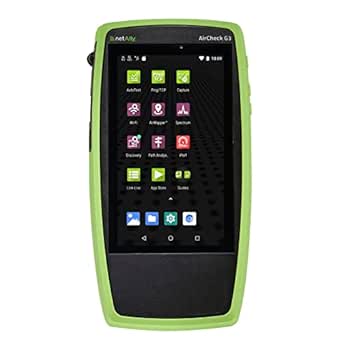 | Best for Wi-Fi Troubleshooting | Model: AIRCHECK-G3-PRO | Compatible devices: Wi-Fi 6/6E, Wi-Fi 7, and Bluetooth/BLE devices | Wireless features: Site surveys, device discovery, path analysis, security audits, and network mapping through Link-Live | VIEW ON AMAZON | See Our Full Breakdown |
| Fluke Networks LinkIQ-Duo Cable, Wi-Fi, and Network Tester |  | Best Hybrid Daily-Use Tester | Model: LIQ-DUO | Cable performance: 10BASE-T to 10GBASE-T | Network diagnostics: IPv4 and IPv6 ping; nearest switch IP address, name, port, VLAN, and advertised data rates | VIEW ON AMAZON | See Our Full Breakdown |
| NetAlly LinkRunner 10G Ethernet Tester |  | Best for Advanced Wired-Network Troubleshooting | Model: LR10G-200 | Network speeds: 1 Gigabit, multigigabit, and 10 Gigabit Ethernet | Media: Copper and single-mode or multimode fiber | VIEW ON AMAZON | See Our Full Breakdown |
| NetAlly LinkSprinter 300 Pocket Ethernet Network Tester |  | Best for Fast Help-Desk Checks | Model: LSPRNTR-300 | Product type: Copper Ethernet network tester | Connectivity checks: PoE, link, DHCP, gateway, and internet | VIEW ON AMAZON | See Our Full Breakdown |
| Fluke Networks MS2-100 MicroScanner2 Copper Cable Verifier with Built-In IntelliTone Toning |  | Best for Copper Cable Tracing | Measurement type: Copper cable verifier | Cable types: RJ11, RJ45, and coax | Measurements: Continuity, wire map, length, and fault distance | VIEW ON AMAZON | See Our Full Breakdown |
| NetAlly LinkRunner AT 3000 Copper and Fiber Network Cable Tester |  | Best for Touchscreen Field Validation | Link speeds: 10/100 Mbps, 1 Gbps, 2.5 Gbps, 5 Gbps, and 10 Gbps | PoE validation: Up to 90W, 802.3bt with TruePower loading | Switch discovery: CDP, LLDP, and EDP | VIEW ON AMAZON | See Our Full Breakdown |
| NetAlly EXG-300 EtherScope nXG 300 Ethernet Network Tester & Wi-Fi 6/7 Diagnostics Tool |  | Best for Combined Wi-Fi and 10G Analysis | Model: EXG-300 | Wi-Fi support: Wi-Fi 6/6E/7 | Ethernet support: Up to 10G | VIEW ON AMAZON | See Our Full Breakdown |
| network analyzer tools for it team | Weight | Power source |
|---|---|---|
| Klein Tools Scout Pro 3 Cable | 454 g | Battery powered |
| Ekahau Sidekick 2 ESK-2 Wi-Fi | 2.4 pounds | — |
| NetAlly LinkRunner 10G Profess | 1.7 lb | Battery powered |
| NetAlly EtherScope nXG 300 Eth | 1.68 pounds | — |
| NOYAFA NF-8508 Network Cable T | — | — |
| TREND Networks NaviTEK NT PRO | 1 kg | Battery powered |
| TREND Networks SignalTEK QT Pr | — | — |
| Klein Tools Scout Pro 3 Cable | 1.2 pounds | 9V battery |
| NetAlly AirCheck G3 Pro Wi-Fi | 1.1 lbs | Battery powered |
| Fluke Networks LinkIQ-Duo Cabl | 3 pounds | Battery powered |
| NetAlly LinkRunner 10G Etherne | 1.7 pounds | Battery powered |
| NetAlly LinkSprinter 300 Pocke | — | — |
| Fluke Networks MS2-100 MicroSc | 363 g | Battery powered; two AA batteries included |
| NetAlly LinkRunner AT 3000 Cop | — | — |
| NetAlly EXG-300 EtherScope nXG | 3.96 pounds | — |
More Details on Our Top Picks
Klein Tools Scout Pro 3 Cable Tester Starter Kit
I’d choose the Scout Pro 3 for IT teams that need to find common copper and coax wiring faults without carrying a full network diagnostic platform. It checks RJ11/12, RJ45, and coax runs, measures cable length up to 2,000 feet, and includes locator remotes that help identify which run terminates where. That makes it more capable for basic cable qualification than the NOYAFA NF-8508’s shorter 200-meter length range, though NOYAFA adds PoE and fiber-power functions the Scout Pro 3 lacks. The tradeoff is scope: this is a cable tester, not a tool for validating Ethernet performance or troubleshooting Wi-Fi. It also does not test PoE, and tone tracing requires a separately sold analog probe. I’d pick it for closet and patch-panel checks, not end-to-end network analysis.
Pros:- Checks voice, data, and coaxial cable types with one tester
- Measures cable runs up to 2,000 feet
- Identifies opens, shorts, miswires, and split pairs
- Includes multiple locator remotes for distinguishing cable runs
Cons:- Does not test Power over Ethernet
- Analog probe for tone-based cable tracing is sold separately
- Does not provide Ethernet performance, packet, or wireless diagnostics
Best for: IT support and cabling teams that need to map RJ45, phone, and coax runs and locate common wiring faults across offices or wiring closets.
Not ideal for: Teams diagnosing PoE delivery, fiber power, Wi-Fi interference, or Ethernet performance; this tester focuses on cable wiring and length.
- Cable types:RJ11/12, RJ45, and coaxial F-connector
- Maximum cable length:2,000 ft (610 m)
- Fault detection:Open, short, miswire, and split pair
- Display:Backlit LCD
- Power source:Battery powered
- Weight:454 g
- Included accessories:Self-storing remote, 5 LANMap remotes, 5 CoaxMap remotes, coax F-adapter, and battery
Our verdict“Choose the Scout Pro 3 when cable mapping and fault checks matter more than PoE, fiber, or network-layer diagnostics.”
Ekahau Sidekick 2 ESK-2 Wi-Fi Network Testing Device
For teams whose hardest tickets involve wireless coverage or interference, I’d put the Ekahau Sidekick 2 ahead of the cable-focused Klein Tools Scout Pro 3. Its four tri-band radios cover 2.4, 5, and 6 GHz, while the spectrum analyzer scans at 50 sweeps per second to give wireless teams a purpose-built view of their RF environment. That focus is its advantage over the NetAlly LinkRunner 10G, which brings broad wired diagnostics, packet capture, and performance testing rather than concentrating on Wi-Fi analysis. The Sidekick 2 is not a general-purpose wired tester, though, and the listed hardware does not describe standalone Ethernet diagnostics. A compatible software package may be needed for the complete toolset, adding a dependency for teams that want to turn measurements into a broader workflow. I’d reserve it for wireless specialists rather than general help-desk use.
Pros:- Supports testing across 2.4, 5, and 6 GHz bands
- Four tri-band radios support dedicated wireless measurement work
- Spectrum analyzer scans at 50 sweeps per second
- Compact device at 2.4 pounds
Cons:- A compatible software package may be needed for the complete toolset
- The listed capabilities focus on wireless rather than wired Ethernet diagnostics
- Less suited to general network support than a tool such as the LinkRunner 10G
Best for: Wireless engineers and IT teams validating 2.4, 5, and 6 GHz networks or investigating RF conditions during Wi-Fi deployment and troubleshooting.
Not ideal for: Generalist support teams that need copper and fiber Ethernet tests, cable mapping, or a single handheld tool for wired and wireless tickets.
- Wireless bands:2.4, 5, and 6 GHz
- Radios:4 tri-band radios
- Spectrum analyzer scan rate:50 sweeps per second
- Model number:ESK-2
- Dimensions:6.1 × 8.9 × 1.5 inches
- Weight:2.4 pounds
- Battery:1 included lithium-ion battery
Our verdict“Choose the Sidekick 2 when wireless analysis is the main job and pair it with suitable software for the intended workflow.”
NetAlly LinkRunner 10G Professional Kit with WIREVIEW 1–6 Wire Mapper
I rank the LinkRunner 10G Professional Kit first for broad wired troubleshooting because it goes well beyond the Scout Pro 3’s cable checks. It tests copper and fiber links through 10 Gigabit Ethernet, runs Layer 1–7 AutoTest, supports line-rate performance testing and packet capture, and can monitor a network continuously. Those functions help an IT team move from “is the cable wired correctly?” to “where is the connection or performance problem?” without switching to a separate analyzer for every step. Compared with the EtherScope nXG 300, this kit’s listed strengths center on wired Ethernet rather than Wi-Fi 6/7 and spectrum analysis. That makes it a more focused choice for wired teams, not a wireless planning tool. Its professional feature set and 1.7-pound body may be more than basic connectivity checks require.
Pros:- Tests copper and fiber Ethernet from 1 Gigabit through 10 Gigabit
- Combines Layer 1–7 AutoTest, performance testing, and packet capture
- Includes SFP+ modules, a wire mapper, probe, and carrying case
- Supports continuous network monitoring for up to 24 hours
Cons:- Its broad diagnostics may exceed the needs of teams doing only basic connectivity checks
- Does not list the Wi-Fi 6/7 and spectrum-analysis functions offered by the EtherScope nXG 300
- The kit weighs 1.7 pounds, which adds bulk for technicians carrying multiple tools
Best for: Enterprise network technicians and field support teams that troubleshoot copper and fiber links, including multi-gigabit and 10G Ethernet, and need packet capture or ongoing monitoring.
Not ideal for: Small IT teams that only need cable continuity and wire mapping, or wireless teams seeking Wi-Fi 6/7 diagnostics and spectrum analysis.
- Compatible networks:1 Gigabit, Multi-Gigabit (NBASE-T), and 10 Gigabit Ethernet
- Media:Copper and fiber
- Testing features:Layer 1–7 AutoTest, line-rate performance testing, packet capture, and continuous monitoring
- Power source:Battery powered
- Operating temperature:32–113 °F
- Weight:1.7 lb
- Included components:LR10G-100 mainframe, power adapter, holster, SFP+ 10G850 and 10G1310 modules, RJ-45 inline coupler, WIREVIEW 1–6 wire mapper, IntelliTone 200 probe, quick start guide, and medium soft case
Our verdict“Choose this kit for a wired-focused team that needs one handheld platform for cable, link, performance, and packet-level troubleshooting.”
NetAlly EtherScope nXG 300 Ethernet Network Tester & Wi-Fi 6/7 Diagnostics Tool Kit
The EtherScope nXG 300 is the broadest fit here for teams that have to troubleshoot both modern Wi-Fi and high-speed Ethernet. It supports Wi-Fi 6/6E/7 across 2.4, 5, and 6 GHz and Ethernet up to 10G, with full tri-band spectrum analysis, automated network mapping, and cloud collaboration listed as part of its toolkit. Against the LinkRunner 10G Professional Kit, its differentiator is the wireless side: LinkRunner provides detailed wired testing, packet capture, and performance checks, while EtherScope adds Wi-Fi diagnostics and remote collaboration. That wider remit comes with a more specialized workflow and a 1.68-pound handheld unit, so it is a harder fit for teams that only need to verify cables or Ethernet links. I’d place it above simpler testers for mixed-network operations, but not for basic cable mapping.
Pros:- Covers Wi-Fi 6/6E/7 and Ethernet up to 10G
- Includes a spectrum analyzer and SFP+ modules
- Cloud integration supports remote troubleshooting collaboration
- Automatic wired and wireless network mapping aids documentation
Cons:- Its broad professional feature set may be excessive for basic cable or link checks
- At 1.68 pounds, it is less pocketable than a simple cable tester
- The listed kit depends on an advanced diagnostic workflow that may not suit teams seeking a basic standalone tester
Best for: Enterprise network teams responsible for both Wi-Fi 6/6E/7 and up-to-10G Ethernet, especially those documenting networks or collaborating on remote troubleshooting.
Not ideal for: Small support teams focused on cable faults or routine Ethernet verification that do not need wireless spectrum analysis, mapping, or cloud collaboration.
- Wi-Fi support:Wi-Fi 6/6E/7 on 2.4 GHz, 5 GHz, and 6 GHz
- Ethernet support:Up to 10G
- Spectrum analysis:Full tri-band spectrum analysis
- Model number:EXG-300-KT-X2
- Dimensions:2.2 × 7.7 × 4.1 inches
- Weight:1.68 pounds
- Included accessories:NXT-2000 Spectrum Analyzer, SFP+ modules, holster, and softcase
- Battery:Included lithium polymer battery
Our verdict“Choose the EtherScope nXG 300 when one team needs advanced diagnostics and documentation across both Wi-Fi and 10G Ethernet.”
NOYAFA NF-8508 Network Cable Tester with Optical Power Meter
I’d shortlist the NOYAFA NF-8508 for teams that want several field checks in one device without stepping up to a platform like the LinkRunner 10G. It combines copper cable continuity and length tests with PoE testing, optical power measurement, and a visual fault locator. That combination is more varied than the Klein Tools Scout Pro 3, which reaches longer cable runs and includes locator remotes but does not test PoE or fiber power. The NF-8508’s cable length range tops out at 200 meters, and the product data does not specify measurement accuracy, so I would not treat it as a substitute for a more advanced performance analyzer. Its listed weight of 0.59 kg may also feel substantial for a handheld tool. It makes sense for general field triage where broad functions matter more than documented precision.
Pros:- Combines cable testing with optical power measurement and visual fault locating
- Supports PoE testing up to 60 V DC
- Measures cable length up to 200 meters
- Rechargeable battery is rated for up to 10 hours of use
Cons:- The product data does not specify measurement accuracy
- The listed 0.59 kg weight may be heavy for frequent handheld use
- Its functions do not match the Layer 1–7, performance, and packet diagnostics of the LinkRunner 10G
Best for: Field technicians and smaller IT teams that need cable tracing, PoE checks, basic cable-length measurement, and fiber power readings in one kit.
Not ideal for: Teams that need documented measurement accuracy, cable-length checks beyond 200 meters, or advanced Ethernet performance and packet analysis.
- Compatible cable types:Cat5, Cat6, RJ11, RJ45, phone lines, and BNC
- Cable length measurement:Up to 200 m
- Optical power wavelengths:850, 1300, 1310, 1490, 1550, 1625, and 1650 nm
- Optical power detection range:-70 to +10 dBm
- Visual fault locator wavelength:650 nm
- Maximum PoE voltage:60 V DC
- Battery:1500 mAh, 3.7 V lithium battery; up to 10 hours of use
- Charging:USB Type-C
Our verdict“Choose the NF-8508 for varied cable, PoE, and fiber field checks in one device, but not when precise or advanced network analysis is required.”
TREND Networks NaviTEK NT PRO Network Tester
The NaviTEK NT PRO stands out for teams that need to find physical-layer faults and document the fix from one handheld tool. TDR distance-to-fault and advanced wiremapping help pinpoint opens and shorts rather than merely flagging a bad link, while PoE load testing and VLAN detection extend checks into live network conditions. Built-in PDF reports can reduce the work of recording findings for tickets or handoffs. Compared with the Klein Tools Scout Pro 3, this is a more specialized troubleshooting option, with copper-and-fiber coverage and deeper diagnostics rather than a focus on basic cable mapping. That extra scope brings a steeper learning curve, and battery operation can interrupt long field sessions if charging is overlooked. I’d choose it for technicians handling mixed media and fault isolation, not for teams seeking a simple cable verifier.
Pros:- Tests copper and fiber networks
- Uses TDR and wiremapping to help locate opens and shorts
- Performs PoE/PoE+ load testing and VLAN detection
- Creates PDF reports on the device
Cons:- Battery-powered operation may require charging during long troubleshooting sessions
- Its advanced feature set has a steeper learning curve than the Klein Tools Scout Pro 3
Best for: Network technicians who regularly troubleshoot copper and fiber links, need TDR fault location, and document field work.
Not ideal for: Help-desk teams or occasional installers who only need straightforward wiremapping; its professional feature set may take time to learn.
- Brand:TREND Networks
- Model:R151006
- Weight:1 kg
- Power source:Battery powered
- Testing features:Wiremapping, TDR distance-to-fault, PoE load testing, VLAN detection
- Reporting:Built-in PDF reporting
- Included components:Remote
- Certifications:CE, RoHS
Our verdict“Choose the NaviTEK NT PRO when locating and documenting copper-and-fiber faults matters more than keeping the tool simple.”
TREND Networks SignalTEK QT Pro Network Qualification Tester Bundle
This bundle is the broadest field kit in this group for teams qualifying links across copper, fiber, and Wi-Fi. Its stated ceilings—copper up to 10 Gb/s and fiber up to 100 Gb/s—make it suited to validating demanding infrastructure, while PoE testing up to 90 W helps check whether a link can support powered devices under load. Cloud reporting and remote support can help distributed teams share results without bringing every technician back to the same site. Compared with the TREND Networks NaviTEK NT PRO, the SignalTEK bundle leans more toward qualification across multiple media and comes with an extensive set of remotes and fiber accessories. The tradeoff is a substantial kit to carry, and its wide scope may be more than a team needs for routine copper mapping. I’d favor it when one package needs to cover varied sites and link types.
Pros:- Qualifies copper up to 10 Gb/s and fiber up to 100 Gb/s
- Tests Wi-Fi on 2.4 GHz and 5 GHz bands and PoE up to 90 W
- Cloud reporting and remote support aid coordination across sites
- Includes SFP modules, remotes, patch cords, cleaning pens, and a rugged case
Cons:- The complete accessory bundle is bulky to transport
- Its wide qualification scope may be unnecessary for teams focused on routine cable mapping
Best for: Infrastructure teams qualifying high-speed copper and fiber links, checking Wi-Fi and PoE, and sharing test results across remote technicians.
Not ideal for: Technicians who mainly identify basic copper wiring faults or want a light, minimal kit for daily carry.
- Model:SignalTEK QT Pro Bundle
- Part number:R166003
- Copper qualification:Up to 10 Gb/s
- Fiber qualification:Up to 100 Gb/s
- Wi-Fi bands:2.4 GHz and 5 GHz
- PoE testing:Up to 90 W (802.3af/at/bt)
- Fiber modules:Single-mode 1310 nm and multimode 850 nm SFP modules
- Warranty:3 years
- Included components:Tester, remotes, SFP modules, patch cords, loopback remotes, fiber cleaning pens, cable tracing probe, rugged hard case
Our verdict“Pick this bundle when your team needs one well-equipped kit for qualifying copper, fiber, Wi-Fi, and high-power PoE across multiple sites.”
Klein Tools Scout Pro 3 Cable Tester with Test + Map Remote Kit
The Scout Pro 3 is the straightforward choice for IT teams that need to map and check voice, data, and coax runs without carrying a broader network qualification platform. It checks common wiring faults, detects PoE, and measures cable length up to 2,000 feet; the included remotes help identify which run terminates where. That makes it a practical fit for office moves, patch-panel cleanup, and smaller installation jobs. Compared with the TREND Networks NaviTEK NT PRO, it offers a simpler cable-focused workflow but lacks the same copper-and-fiber troubleshooting depth, TDR fault location, and reporting features. It is also less suited to teams needing traffic simulation or advanced network diagnostics. A cable tracing probe is sold separately, so buyers who need tone-and-probe tracing should factor in another tool. I’d pick it for routine mapping, not complex fault analysis.
Pros:- Checks RJ11/12, RJ45, and F-connector coax connections
- Identifies wiremap faults, split pairs, shorts, opens, and shield issues
- Detects PoE and measures cable length up to 2,000 feet
- Includes Test + Map remotes and common cable adapters
Cons:- Cable tracing requires a compatible analog probe sold separately
- Its cable-checking focus offers less diagnostic depth than the TREND Networks NaviTEK NT PRO
Best for: IT generalists and installers mapping RJ45, telephone, and coax runs in offices, schools, or small network closets.
Not ideal for: Teams diagnosing fiber links, locating faults with TDR, or needing advanced network qualification and reporting.
- Supported connections:RJ11/12, RJ45, F-connector coax
- Cable length measurement:Up to 2,000 feet
- Tests:Wiremap, miswires, split pairs, shorts, opens, shield issues, and PoE
- Power source:9V battery
- Weight:1.2 pounds
- Dimensions:6.9 x 3.2 x 1.5 inches
- Included accessories:Test + Map remotes #1–6, coax barrel adapters, RJ45/RJ11/RJ12 jumper cables, carrying case, and battery
Our verdict“Choose the Scout Pro 3 for accessible mapping and fault checks across common office cabling, but look elsewhere for fiber or advanced network diagnostics.”
NetAlly AirCheck G3 Pro Wi-Fi 6 and Wi-Fi 7 Handheld Tester
The AirCheck G3 Pro is the clearest fit here for teams whose toughest tickets involve wireless connectivity, not cable faults. It supports Wi-Fi 6, Wi-Fi 7, and Bluetooth/BLE checks, with site surveys, device discovery, path analysis, security audits, and network mapping through Link-Live. Those functions give technicians a way to examine client and access-point behavior and keep findings organized beyond the handheld. Compared with the Fluke Networks LinkIQ-Duo, which combines cable performance testing with Wi-Fi analysis up to Wi-Fi 6E, the AirCheck is more focused on wireless diagnostics and adds Wi-Fi 7 support. Its boundary is just as clear: spectrum analysis needs an optional adapter, and the supplied description does not position it as a copper or fiber cable tester. I’d choose it for Wi-Fi operations, not as the team’s only all-purpose network analyzer.
Pros:- Supports Wi-Fi 6, Wi-Fi 7, and Bluetooth/BLE troubleshooting
- Includes site surveys, device discovery, path analysis, and security audits
- Link-Live supports test-data management and network mapping
- Portable handheld design weighs 1.1 pounds
Cons:- Spectrum analysis requires an optional adapter
- Its wireless focus does not replace a dedicated cable and PoE tester such as the Fluke Networks LinkIQ-Duo
Best for: Wireless support and network operations teams diagnosing Wi-Fi 6/7, Bluetooth/BLE, client discovery, and access-point issues.
Not ideal for: Teams that need one handheld to certify copper links, test PoE under load, or analyze RF spectrum without buying an optional adapter.
- Model:AIRCHECK-G3-PRO
- Compatible devices:Wi-Fi 6/6E, Wi-Fi 7, and Bluetooth/BLE devices
- Wireless features:Site surveys, device discovery, path analysis, security audits, and network mapping through Link-Live
- Power source:Battery powered
- Weight:1.1 lbs
- Dimensions:4.98 x 7.68 x 1.65 inches
- Warranty:1 year
- Included components:AirCheck G3, 1-year AllyCare, carry case, AC charger, user guide
Our verdict“Choose the AirCheck G3 Pro when Wi-Fi 6/7 diagnosis is the priority and pair it with a separate tool for cable and PoE testing.”
Fluke Networks LinkIQ-Duo Cable, Wi-Fi, and Network Tester
The LinkIQ-Duo makes sense for teams that want one handheld to bridge cable performance checks and live network diagnostics. It tests Ethernet from 10BASE-T through 10GBASE-T, reports switch details such as port and VLAN, and supports IPv4 and IPv6 ping tests—useful when a fault could sit in the cable, switch configuration, or broader connection path. Its Ethernet Alliance-certified PoE testing checks classes 1–8 and available power under load, while Wi-Fi analysis extends to Wi-Fi 6E. Compared with the NetAlly AirCheck G3 Pro, it is more balanced across wired and wireless support, though the AirCheck is the more focused choice for Wi-Fi 7 and wireless investigations. The LinkIQ-Duo’s three-pound weight is less appealing for all-day carry, and battery operation means charging remains part of field planning. I’d favor it for mixed help-desk and infrastructure work.
Pros:- Tests cable performance from 10BASE-T to 10GBASE-T
- Combines switch diagnostics with IPv4 and IPv6 ping
- Verifies PoE classes 1–8 and available power under load
- Includes Wi-Fi analysis up to Wi-Fi 6E
Cons:- Weighs 3 pounds, making it heavier for extended field use
- Battery-powered operation requires charging and power planning
- Wi-Fi coverage stops at Wi-Fi 6E, while the NetAlly AirCheck G3 Pro supports Wi-Fi 7
Best for: IT support and network technicians who regularly troubleshoot Ethernet links, switch connectivity, PoE devices, and Wi-Fi 6E.
Not ideal for: Wireless specialists who need Wi-Fi 7 testing or teams prioritizing a lightweight handheld for long field rounds.
- Model:LIQ-DUO
- Cable performance:10BASE-T to 10GBASE-T
- Network diagnostics:IPv4 and IPv6 ping; nearest switch IP address, name, port, VLAN, and advertised data rates
- PoE testing:Ethernet Alliance-certified; detects classes 1–8 and tests available power under load
- Wi-Fi analysis:Up to Wi-Fi 6E
- Power source:Battery powered
- Weight:3 pounds
- Certifications:UL, CE, ETL, Ethernet Alliance
Our verdict“Pick the LinkIQ-Duo for a balanced daily tool spanning cable, switch, PoE, and Wi-Fi 6E checks rather than specialized Wi-Fi 7 analysis.”
NetAlly LinkRunner 10G Ethernet Tester
I’d choose the LinkRunner 10G when an IT team needs one handheld tool for complex wired links, from copper and fiber checks to Layer 1–7 validation. Its support for 1G through 10G and PoE validation up to 90W makes it more capable on high-speed infrastructure than the pocket-sized LinkSprinter 300, which focuses on rapid basic connectivity checks. Automated tests and packet capture can help teams investigate intermittent faults without carrying a separate analyzer for every task. The tradeoff is its specialist scope: it is a substantial, 1.7-pound handheld, and it does not provide the Wi-Fi diagnostics offered by the EtherScope nXG 300. I’d favor it for wired-network teams that need broad link troubleshooting, not staff who mainly verify an outlet and move on.
Pros:- Tests copper and single-mode or multimode fiber across 1G, multigigabit, and 10G Ethernet
- Automated Layer 1–7 tests and packet capture support deeper fault investigation
- Validates 802.3bt PoE delivery up to 90W
- Includes one year of AllyCare support and a rugged carrying case
Cons:- At 1.7 pounds, it is heavier than pocket-oriented connectivity testers
- Its professional feature set may be excessive for routine basic link checks
- Does not include the Wi-Fi diagnostics available on the EtherScope nXG 300
Best for: Enterprise network technicians who troubleshoot copper and fiber links, multigigabit or 10G connections, and high-power PoE deployments.
Not ideal for: Help-desk staff who mainly need quick link, DHCP, and gateway checks; the LinkSprinter 300 is simpler to carry and operate for that work.
- Model:LR10G-200
- Network speeds:1 Gigabit, multigigabit, and 10 Gigabit Ethernet
- Media:Copper and single-mode or multimode fiber
- PoE validation:Up to 90W 802.3bt
- Display platform:Android-based
- Power source:Battery powered
- Weight:1.7 pounds
- Dimensions:7.67 × 4.05 × 2.16 inches
Our verdict“Choose the LinkRunner 10G for demanding copper-and-fiber troubleshooting, but pick the LinkSprinter 300 for lightweight, basic connectivity verification.”
NetAlly LinkSprinter 300 Pocket Ethernet Network Tester
The LinkSprinter 300 is the simplest fit here for technicians who need a quick answer at a wall jack: it checks PoE, link, DHCP, gateway, and internet access in about 10 seconds. Switch-port and VLAN discovery add useful context when a connection fails, while Link-Live reporting gives teams a way to track results beyond the technician’s pocket. Compared with the LinkRunner 10G, it is far less suited to fiber, high-speed link analysis, or deeper fault work; its strength is speed and portability, not breadth. The no-display design keeps operation compact but means technicians rely on indicator lights rather than an on-device results screen. I’d pick it for repeatable first-line checks, and skip it if staff need detailed cable diagnostics or visual test records in the field.
Pros:- Runs core connectivity checks in about 10 seconds
- Identifies switch port and VLAN information through network discovery
- Can upload test results to the Link-Live cloud portal
- Pocket-sized and powered by PoE or two AA batteries
Cons:- No display or touchscreen for viewing detailed results on the tester
- Focused on copper connectivity rather than fiber or advanced cable fault analysis
Best for: Help-desk and field-support teams that need fast copper-link, PoE, DHCP, gateway, and internet checks across many network outlets.
Not ideal for: Network engineers diagnosing fiber, multigigabit performance, or detailed cable faults; the LinkRunner 10G offers broader diagnostic depth.
- Model:LSPRNTR-300
- Product type:Copper Ethernet network tester
- Connectivity checks:PoE, link, DHCP, gateway, and internet
- Network discovery:CDP, LLDP, and EDP
- Reporting:Link-Live cloud portal
- Power:PoE or two AA batteries
- Dimensions:5.25 × 3.5 × 2.5 inches
- Display:No display or touchscreen
Our verdict“Choose the LinkSprinter 300 for quick, repeatable help-desk checks, not for advanced link or cabling diagnostics.”
Fluke Networks MS2-100 MicroScanner2 Copper Cable Verifier with Built-In IntelliTone Toning
For teams whose recurring problem is finding or verifying copper runs, I’d put the MicroScanner2 ahead of network analyzers built around broader live-link checks. It measures wire map, length, and fault distance, and its IntelliTone digital and analog toning helps technicians trace a cable to the right endpoint. Support for RJ11, RJ45, and coax also makes it useful in mixed cabling environments, while service detection covers Ethernet, POTS, PoE, and VoIP. Compared with the LinkSprinter 300, this is the better choice for physical cable faults and tracing, but it does not provide the same DHCP, gateway, or internet-connectivity workflow. The listed dimensions suggest a comparatively long unit, and its AA battery power means maintaining spares. I’d select it for cabling crews, not as a general-purpose network analyzer.
Pros:- Measures continuity, wire map, cable length, and fault distance
- IntelliTone supports digital and analog cable tracing
- Tests RJ11, RJ45, and coax cabling
- Detects Ethernet, POTS, PoE, and VoIP services
Cons:- Does not provide the LinkSprinter 300’s focused DHCP, gateway, and internet checks
- Listed dimensions of 10.43 × 16.5 × 3.15 inches may be cumbersome for tight work areas
- Runs on AA batteries, so teams need to keep replacements available
Best for: IT cabling technicians who trace RJ45, RJ11, or coax runs and need wire-map, length, and fault-distance checks.
Not ideal for: Support teams that need fast DHCP, gateway, and internet validation; the LinkSprinter 300 is more focused on those connectivity checks.
- Measurement type:Copper cable verifier
- Cable types:RJ11, RJ45, and coax
- Measurements:Continuity, wire map, length, and fault distance
- Toning:Built-in digital and analog IntelliTone
- Service detection:Ethernet, POTS, PoE, and VoIP
- Power source:Battery powered; two AA batteries included
- Minimum operating voltage:3 volts
- Weight:363 g
Our verdict“Choose the MicroScanner2 when cable tracing and physical copper-fault checks matter more than live network connectivity tests.”
NetAlly LinkRunner AT 3000 Copper and Fiber Network Cable Tester
The LinkRunner AT 3000 suits teams that want a touchscreen workflow spanning cable checks and live network validation. It tests copper and fiber, reports link speed and network services such as DHCP and DNS, and checks PoE up to 90W with TruePower loading. Its AutoTest results and switch discovery can make field handoffs clearer than the LinkSprinter 300’s indicator-light approach, while cable fault checks and SFP diagnostics reach beyond basic connectivity. Compared with the LinkRunner 10G, it shares broad wired-network ambitions but emphasizes a touchscreen field workflow and optional remote control rather than the listed packet-capture capability. Some parts of the workflow require add-ons: USB Wi-Fi/Bluetooth and WireView adapters are optional. I’d favor it for technicians who need readable copper-and-fiber validation, while teams seeking wireless analysis should look to the EtherScope nXG 300.
Pros:- Combines copper and fiber checks with DHCP, DNS, and switch connectivity tests
- Supports link speeds up to 10Gbps and PoE validation up to 90W
- Discovers switches, ports, and VLAN information through CDP, LLDP, and EDP
- Touchscreen AutoTest results support clear field reporting
Cons:- USB Wi-Fi/Bluetooth adapter is optional
- WireView adapters for locating cable endpoints are optional
Best for: Field network technicians who validate copper and fiber links, PoE, switch details, and connectivity across multigigabit sites.
Not ideal for: Teams wanting wireless diagnostics in the base setup or cable endpoint mapping without extra accessories; the EtherScope nXG 300 targets Wi-Fi analysis.
- Link speeds:10/100 Mbps, 1 Gbps, 2.5 Gbps, 5 Gbps, and 10 Gbps
- PoE validation:Up to 90W, 802.3bt with TruePower loading
- Switch discovery:CDP, LLDP, and EDP
- Copper cable tests:Length, wire map, shorts, opens, mis-wires, split pairs, and crossovers
- Fiber tests:Link signal strength measurement and SFP diagnostics
- Interface:Touchscreen display
- Optional connectivity:USB Wi-Fi/Bluetooth adapter
Our verdict“Choose the LinkRunner AT 3000 for touchscreen-led copper and fiber field validation, and the EtherScope nXG 300 when Wi-Fi diagnostics are part of the job.”
NetAlly EXG-300 EtherScope nXG 300 Ethernet Network Tester & Wi-Fi 6/7 Diagnostics Tool
The EtherScope nXG 300 earns its place for IT teams that work across wireless and wired networks rather than treating Wi-Fi as a separate troubleshooting job. It supports Wi-Fi 6/6E/7 and Ethernet up to 10G, with Android-based apps and Link-Live cloud integration for documenting work and coordinating with remote engineers. That gives it a wider wireless remit than the LinkRunner AT 3000, which focuses on copper-and-fiber validation, and makes it a better fit for teams diagnosing both access and uplink issues. Spectrum analysis is listed for 2.4GHz and 5.0GHz with the NXT-2000 adapter, so buyers should confirm the included configuration rather than assume every spectrum function is built in. At nearly four pounds, it is also heavier than the LinkSprinter 300 and less suited to quick pocket checks.
Pros:- Combines Wi-Fi 6/6E/7 diagnostics with Ethernet testing up to 10G
- Link-Live integration supports remote collaboration and documentation
- Spectrum analysis can help identify wireless interference with the NXT-2000 adapter
- Android-based apps support a broad handheld analysis workflow
Cons:- At 3.96 pounds, it is heavier than pocket-oriented testers
- Spectrum analysis is specified with the NXT-2000 adapter, so buyers should check the kit contents
Best for: Enterprise IT teams responsible for Wi-Fi 6/6E/7 and high-speed Ethernet troubleshooting, especially when remote collaboration and shared documentation matter.
Not ideal for: Technicians who mainly need quick, lightweight copper connectivity checks; the LinkSprinter 300 is more compact and straightforward.
- Model:EXG-300
- Wi-Fi support:Wi-Fi 6/6E/7
- Ethernet support:Up to 10G
- Spectrum analysis:2.4GHz and 5.0GHz with NXT-2000 adapter
- Platform:Android-based apps
- Cloud integration:Link-Live
- Weight:3.96 pounds
- Dimensions:12 × 10.25 × 5.75 inches
Our verdict“Choose the EtherScope nXG 300 when one handheld needs to cover Wi-Fi 6/6E/7 and 10G Ethernet, but not for simple pocket-sized link checks.”

How We Picked
I ranked these tools by how well they address recurring IT field tasks: locating cable faults, verifying Ethernet links, checking network services, qualifying cabling, and diagnosing Wi-Fi. I gave more weight to useful diagnostic breadth, clear fit for a team workflow, and the ability to reduce time spent switching between tools than to a long feature list. I also considered whether a tool’s specialized capabilities—such as fiber checks, wire mapping, or Wi-Fi analysis—justify choosing it over a more general tester.
The ranking favors versatile options near the top because many IT teams handle mixed networks and need one device for several kinds of first-line troubleshooting. Specialized testers rank well when they solve a distinct job better, but they are a weaker fit as a team’s only analyzer. Closely related models and kits are judged by their stated scope and included accessories; buyers should confirm exact configuration and compatibility before purchasing.
Factors to Consider When Choosing Network Analyzer Tools For It Teams
Start with the work your team repeats, not the longest feature list. A tool that matches your incident workflow can save handoffs and repeat visits, while an advanced analyzer may sit unused if only a few specialists can operate it. These decisions help separate a useful team purchase from an expensive tool mismatch.
Match the Tool to the Fault You Need to Isolate
“Network analyzer” can mean anything from a wire mapper to a Wi-Fi diagnostic handheld, and those tools answer different questions. If tickets often begin with dead jacks, miswires, or failed patch leads, prioritize cable verification and mapping. If users report slow access or failed connections, link status, network service checks, and wireless diagnostics may matter more. A common mistake is buying a tester that confirms continuity and expecting it to explain application or network-path problems. Map the first three steps of your usual troubleshooting process, then choose a device that covers those steps without forcing technicians to change tools.
Decide How Much Wired and Wireless Work Belongs in One Device
Combined wired-and-wireless tools can reduce what technicians carry, but breadth does not always replace a specialized Wi-Fi workflow. Teams handling frequent access-point deployment or survey work may need dedicated wireless capabilities, while help-desk and field technicians may value a single handheld for quick checks across both media. Ask who will use the device and how often each task appears in tickets. If wireless analysis is rare, paying for advanced Wi-Fi functions may add training and maintenance without changing daily response. If wireless incidents are common, a cable-only tester will leave a major gap.
Choose Link-Speed Headroom for the Network You Actually Support
A tester should be able to validate the Ethernet links your team is responsible for, including faster uplinks where they are part of the environment. Buying only for today’s access ports can create a blind spot when diagnosing aggregation links or upgrades. At the same time, a 10G-capable instrument may be excessive for teams that only troubleshoot basic edge connectivity. Check the network’s current link speeds, planned refreshes, and the specific tests technicians need to run at each speed. Also confirm that the product’s stated capability applies to the test you need, not just a related interface or accessory.
Treat Cable Qualification, Mapping, and Certification as Different Jobs
Mapping tells a technician which conductors connect and where; qualification checks whether a link can support a given network use; certification is a separate, standards-focused process. These tasks are often confused when teams compare cable tools by connector type alone. A compact verifier may be ideal for tracing and quick fault isolation but may not replace a qualification tester or a formal certification workflow. Before buying, identify whether the team needs to repair, accept, document, or certify cabling. Choosing based only on RJ45 support can lead to a tool that fits the connector but not the required evidence.
Account for Accessories, Shared Use, and Field Readiness
Kits can add remotes, adapters, or other components that make multi-technician cable work easier, while a base unit may be enough for a single specialist with existing accessories. Compare what is included against the jobs and cable types your team handles; bundle contents can matter as much as the tester itself. Shared tools also need a practical plan for charging, storage, firmware updates, and keeping remotes with the main unit. If several technicians rely on one device, ease of handoff and a repeatable test routine can matter more than a few advanced functions. Confirm connector, fiber, and accessory compatibility before standardizing on a model.
Frequently Asked Questions
Should I buy one all-in-one analyzer or separate cable and Wi-Fi testers?
Choose one combined tool if the same technicians routinely troubleshoot both Ethernet and Wi-Fi and need to move quickly between them. Separate devices can be a better fit when wireless work involves dedicated survey tasks or when cable technicians need a simple, rugged verifier they can use without extra training. Think about how often each task appears, who handles it, and whether separate tools would create delays or useful specialization. A mixed team may get more value from one versatile handheld plus a basic cable tester than from making every technician carry an advanced analyzer. The right split depends on workflow, not on the number of functions listed on a box.
Can a cable verifier replace a network analyzer for troubleshooting?
No, not for every fault. A cable verifier can help identify wiring problems and confirm a physical connection, but it may not provide the network-facing checks needed to investigate link behavior, services, or Wi-Fi issues. If incidents regularly continue after cabling is cleared, a team needs a tester that can examine more than the copper path. Conversely, an advanced analyzer can be unnecessary for a crew whose work is limited to tracing and basic cable checks. Buy for the handoff point in your troubleshooting process: what the next technician needs to know once the physical layer has been checked.
When does a 10G tester make sense for an IT team?
A 10G-capable tester makes sense when technicians must verify or troubleshoot links operating at that speed, or when a network refresh is bringing those links into regular support. It can also help teams avoid carrying a tool that cannot test an important part of their infrastructure. For an environment centered on standard edge connections, that capability may not improve day-to-day diagnosis enough to justify the added complexity. Check which ports and test functions are covered, and whether the team needs Ethernet validation, cable qualification, or both. Match the tool to supported links rather than buying on future-proofing alone.
What should I verify before choosing a bundled tester kit?
Check the exact contents, not just the product name or the word “kit.” Confirm which remotes, adapters, wire mappers, and accessories are included, and whether they suit the cable types and jobs your technicians handle. A bundle can be useful for teams that need multiple endpoints for mapping or want a ready-to-deploy field setup. It may duplicate equipment the team already owns, or leave out an accessory needed for a particular workflow. For closely related listings, compare the included components and stated capabilities before deciding they are interchangeable.
How should a team decide between a Wi-Fi handheld and a Wi-Fi survey tool?
Start by distinguishing reactive support from planned wireless design. A handheld focused on operational checks can suit technicians diagnosing connectivity issues and checking the live environment. Survey-oriented work calls for capabilities and workflows built around collecting and interpreting coverage data, so a general-purpose tester may not be a substitute. Consider who owns access-point placement, roaming issues, and ongoing wireless validation, then match the tool to that responsibility. If the same team does both jobs, confirm that one device supports both workflows rather than assuming all Wi-Fi test features serve the same purpose.
Conclusion
For a mixed IT team, my best overall pick is the NetAlly EtherScope nXG 300, because it brings Ethernet troubleshooting and Wi-Fi diagnostics together. The best value by task is a focused option such as the LinkSprinter 300 for quick Ethernet checks or a Klein Scout Pro 3 kit for basic cable mapping; the right choice depends on which job your team repeats. For best premium capability, look at the LinkRunner 10G Professional Kit when high-speed Ethernet work is part of the support load. For beginners, a straightforward cable tester or verifier is easier to deploy than a broad analyzer. For specific needs, choose the AirCheck G3 Pro or Ekahau Sidekick 2 for wireless workflows, a SignalTEK QT Pro for network qualification, or a fiber-capable LinkRunner AT 3000 when copper alone is not enough. Match the tool to your team’s routine faults and required evidence, and avoid paying for capabilities it will not use.