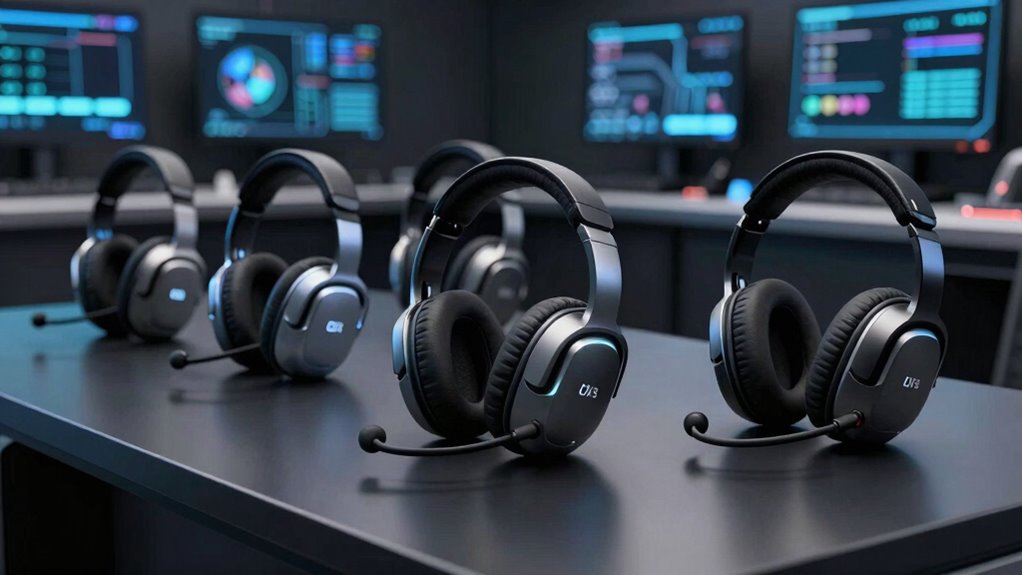

For operations teams, the best noise-canceling headset balances clear voice pickup, all-day comfort, and reliable connections across busy shifts. I rank the Yealink BH74 as the best overall for its hybrid ANC and Teams certification, while the Logitech Zone Wired 2 stands out for teams that prefer a dependable wired setup, and the Yealink BH78 suits buyers seeking a premium over-ear option with adaptive noise cancellation. The main tradeoff is choosing between wireless mobility and the simpler management of wired headsets, while active noise cancellation for the wearer is not the same as a microphone that reduces background noise for callers. Read on for the full breakdown, selection criteria, and advice for matching a headset to your team’s work pattern.

Get privacy and security gear delivered free — and shop member deals
- Fast, free delivery on millions of items
- Access to Prime Big Deal Days deals on October 6–7
- Prime Video, Amazon Music and more included
Complete the kit


Key Takeaways
- The Yealink BH74 leads the shortlist by combining hybrid ANC with Teams certification, making it the most balanced fit for operations staff who need workplace noise control and a business-ready calling setup.
- Wired picks favor predictability over mobility: the Yealink UH37 and Logitech Zone Wired 2 avoid battery management and suit fixed desks, while wireless options make more sense for staff moving between stations.
- The BH78 is the premium over-ear choice for buyers prioritizing adaptive listening noise cancellation; its fit and feature set are a different proposition from lighter, call-focused wired headsets.
- Budget-friendly wireless models vary in the details that matter at work. The Soothielec, Waxop, PrancyBt, and generic wireless options should be checked for dongle support, microphone controls, and compatibility with team devices before a fleet purchase.
- Call clarity depends on the microphone as much as ANC. Products listing noise-canceling microphones address what callers hear, while ANC chiefly reduces noise for the wearer; teams should match each feature to their actual problem.
| Yealink BH74 Wireless Headset with Microphone, Hybrid ANC, Teams Certified |  | Best for Multi-Device Operations | Style: On-ear | Microphones: 6 AI-enhanced microphones | Noise cancellation: Hybrid ANC with 4 modes | VIEW ON AMAZON | See Our Full Breakdown |
| Wired Headset with Noise Canceling Mic & In-Line Control – Business USB Computer Headset for PC, Call Center, Home Office, Online Classes, Teams, Zoom |  | Best for Fixed Call Stations | Microphone array: 3 microphones | Noise cancellation: Blocks over 96% of background noise, as stated in product data | Connectivity: USB-A plug-and-play | VIEW ON AMAZON | See Our Full Breakdown |
| Soothielec KH53 Wireless Headset with Microphone |  | Best for Teams Newcomers | Connectivity: Bluetooth 5.3; USB-A dongle | Bluetooth range: 33 ft | Talk time: Up to 40 hours | VIEW ON AMAZON | See Our Full Breakdown |
| Waxop WX-HS012 Wireless Bluetooth Headset with Microphone |  | Best for Long Shifts Between Charges | Connectivity: Bluetooth 5.2 and USB dongle | Wireless range: Up to 49 ft (15 m) | Talk time: Up to 65 hours | VIEW ON AMAZON | See Our Full Breakdown |
| Yealink UH37 Wired USB Headset with Noise-Canceling Microphone |  | Best Wired Fit for Mixed USB Devices | Connectivity: Wired USB-C and USB-A | Microphones: Dual noise-canceling microphones | Speaker size: 35 mm | VIEW ON AMAZON | See Our Full Breakdown |
| Wireless Work Headset with ANC, ENC, Flip-to-Mute Microphone, and USB Dongle |  | Best for Physical Mute Control | Noise cancellation: Hybrid ANC with 3 modes; ENC microphone noise cancellation | Connectivity: Bluetooth 5.4 and Qualcomm USB-A dongle | Dual connectivity: Connects to two devices at once | VIEW ON AMAZON | See Our Full Breakdown |
| Yealink BH78 Bluetooth Over-Ear Headset with Adaptive Noise Cancellation |  | Best Premium Wireless Workstation Headset | Model: Yealink BH78 | Fit: Over-ear | Connectivity: Bluetooth wireless | VIEW ON AMAZON | See Our Full Breakdown |
| PrancyBt Wireless Bluetooth Headset with Noise-Cancelling Microphone and USB Dongle |  | Best for Straightforward Wireless Calling | Connectivity: Bluetooth and USB dongle | Wireless range: Up to 33 feet | Battery life: Up to 35 hours | VIEW ON AMAZON | See Our Full Breakdown |
| Logitech Zone Wired 2 Noise Canceling Headset – Black |  | Best for Stationary, Noise-Controlled Desks | Model: Logitech Zone Wired 2 | Connectivity: Wired USB-C; USB-A adapter included | Fit: On-ear | VIEW ON AMAZON | See Our Full Breakdown |
| Lenovo Wireless VoIP Headset, Teams Certified, Bluetooth 5.3 |  | Best Lightweight Team Headset | Certification: Microsoft Teams Open Office | Connectivity: Bluetooth 5.3 multipoint and USB-A receiver | Microphones: Three-microphone noise suppression | VIEW ON AMAZON | See Our Full Breakdown |
| noise canceling headsets for operations team | Connectivity | Talk time | Microphones | Noise cancellation |
|---|---|---|---|---|
| Yealink BH74 Wireless Headset | — | Up to 32 hours | 6 AI-enhanced microphones | Hybrid ANC with 4 modes |
| Wired Headset with Noise Cance | USB-A plug-and-play | — | — | Blocks over 96% of background noise, as stated in product data |
| Soothielec KH53 Wireless Heads | Bluetooth 5.3; USB-A dongle | Up to 40 hours | — | — |
| Waxop WX-HS012 Wireless Blueto | Bluetooth 5.2 and USB dongle | Up to 65 hours | — | AI noise cancellation; product data states reduction of up to 99.9% of unwanted sounds |
| Yealink UH37 Wired USB Headset | Wired USB-C and USB-A | — | Dual noise-canceling microphones | — |
| Wireless Work Headset with ANC | Bluetooth 5.4 and Qualcomm USB-A dongle | Up to 35 hours | — | Hybrid ANC with 3 modes; ENC microphone noise cancellation |
| Yealink BH78 Bluetooth Over-Ea | Bluetooth wireless | Up to 38 hours | 4-microphone array with wind noise suppression | Adaptive ANC; blocks up to 98% of background distractions |
| PrancyBt Wireless Bluetooth He | Bluetooth and USB dongle | — | — | — |
| Logitech Zone Wired 2 Noise Ca | Wired USB-C; USB-A adapter included | — | Dual noise-canceling microphones with AI algorithms | — |
| Lenovo Wireless VoIP Headset | Bluetooth 5.3 multipoint and USB-A receiver | Up to 31 hours | Three-microphone noise suppression | — |
More Details on Our Top Picks
Yealink BH74 Wireless Headset with Microphone, Hybrid ANC, Teams Certified
The BH74 suits operations staff who move between a computer and phone but still need a headset built around clear calls. Its six AI-enhanced microphones and four-mode hybrid ANC give teams more ways to manage noisy work areas than the simpler call-focused noise reduction on the Soothielec KH53. Two simultaneous connections also make switching between devices practical, while Teams certification and support for other UC platforms fit mixed-software workplaces.
Its up to 32 hours of talk time, 50 m range, and five-minute quick charge reduce interruptions across long shifts. The tradeoff is the on-ear fit, which may be less comfortable than a headset with memory-foam earcups for some staff. A charging dock is also absent, unlike the Waxop WX-HS012, so teams must plan how units will be charged and stored.
Pros:- Six AI-enhanced microphones and hybrid ANC with four modes support clearer calls in varied noise conditions.
- Connects to two devices at once and can retain up to eight paired devices.
- Up to 32 hours of talk time, with a five-minute charge providing up to 45 minutes of talk time.
- Lightweight 152 g design, flip-to-mute control, and included USB dongle and protective case.
Cons:- Charging dock is not included.
- On-ear fit may be uncomfortable for staff who prefer over-ear or memory-foam earcups.
Best for: Operations coordinators who regularly switch between a Teams computer and a mobile phone and need wireless range across a shared work area.
Not ideal for: Teams that want a charging dock included or staff who find on-ear headsets uncomfortable during long shifts.
- Style:On-ear
- Microphones:6 AI-enhanced microphones
- Noise cancellation:Hybrid ANC with 4 modes
- Talk time:Up to 32 hours
- Wireless connectivity:Bluetooth 5.3
- Wireless range:Up to 50 m (160 ft)
- Weight:152 g
- Compatibility:Microsoft Teams certified; supports 100+ UC platforms
- Included accessories:BT51 USB-C to A dongle, USB-C/A adapter, protective case, USB charging cable
Our verdict“Choose the BH74 when a wireless operations team needs flexible device switching, Teams support, and configurable noise control more than an included charging dock.”
Wired Headset with Noise Canceling Mic & In-Line Control – Business USB Computer Headset for PC, Call Center, Home Office, Online Classes, Teams, Zoom
For a staffed desk or call station, this wired model prioritizes predictable connection and visible call status over freedom to roam. Its USB-A plug-and-play setup avoids headset battery management and software installation, while the three-microphone array and AENC voice protection are aimed at keeping speech clear amid nearby activity. The 360° Busylight gives coworkers a quick visual cue, a useful floor-level feature that the Yealink UH37 does not list.
The in-line controller puts mute, volume, and Teams call functions within reach, and the adjustable headband with memory-foam cushions supports extended desk shifts. Unlike the wireless Yealink BH74, though, this headset tethers the wearer to the computer. Its Busylight alerts are also Teams-only, so organizations using other calling platforms should not count on that status feature.
Pros:- Three-microphone array and AENC voice protection target background noise during calls.
- USB-A plug-and-play connection requires no software installation.
- 360° Busylight signals busy status and can alert users to Teams calls.
- In-line mute, volume, and Teams controls pair with an adjustable headband and memory-foam cushions.
Cons:- Wired USB connection restricts movement away from the computer.
- Busylight call alerts work only with Microsoft Teams.
Best for: Call-center agents and dispatch staff who work at a fixed USB-A computer station and need visible busy status with physical call controls.
Not ideal for: Mobile operations staff who need to move around, or teams that rely on non-Teams software for Busylight alerts.
- Microphone array:3 microphones
- Noise cancellation:Blocks over 96% of background noise, as stated in product data
- Connectivity:USB-A plug-and-play
- Busylight:360° visible red busy indicator; Teams call alert
- In-line controls:Mic mute/unmute, volume up/down, MS Teams answer/end
- Headband:Adjustable
- Ear cushions:Memory foam
Our verdict“Pick this headset for a fixed USB-A call station where clear status signaling matters more than wireless mobility.”
Soothielec KH53 Wireless Headset with Microphone
The KH53 is a straightforward step into wireless calling for staff who need a laptop connection and phone access without a complicated setup. Bluetooth 5.3, an included USB-A dongle, and support for two simultaneous devices cover common work and mobile combinations. Its one-touch call mute and charging stand also make daily desk use simple. Compared with the Yealink BH74, it offers fewer stated noise-control modes and less wireless range, but its included stand gives it a ready-made place to charge between shifts.
Up to 40 hours of talk time helps reduce charging interruptions, and memory-foam earcups offer a different fit from the BH74’s on-ear design. The limits are relevant for operations teams: the mute button works only during calls, Bluetooth range is listed at 33 ft, and the dongle does not support desk phones or landlines. Its one-year warranty is also shorter than the BH74’s two years.
Pros:- Bluetooth 5.3 and an included USB-A dongle support common computer and phone setups.
- Can connect to two devices simultaneously.
- Up to 40 hours of talk time and a charging stand support regular shift use.
- Adjustable headband, memory-foam earcups, and a call-only mute button.
Cons:- Mute function works only during calls.
- USB dongle is not compatible with desk phones or landlines.
- Bluetooth range is listed at 33 ft, and the one-year warranty is shorter than the Yealink BH74’s.
Best for: Small operations teams moving from wired desk use to wireless laptop-and-phone calling, especially those who want a charging stand at each workstation.
Not ideal for: Staff who need to mute outside active calls, connect to desk phones, or roam farther than the stated 33 ft Bluetooth range.
- Connectivity:Bluetooth 5.3; USB-A dongle
- Bluetooth range:33 ft
- Talk time:Up to 40 hours
- Battery capacity:600 mAh
- Charging time:2 hours
- Device connections:Two simultaneous connections
- Included accessories:Charging stand, USB-C charging cable, USB dongle, user manual
- Warranty:1 year
Our verdict“Choose the KH53 for an approachable wireless laptop-and-phone setup with a charging stand, provided its call-only mute and shorter range fit the workflow.”
Waxop WX-HS012 Wireless Bluetooth Headset with Microphone
The WX-HS012 puts endurance and straightforward desk storage ahead of advanced platform features. Its stated up to 65 hours of talk time is longer than the Soothielec KH53’s 40 hours, making it a better fit for teams that want fewer charging cycles across busy schedules. It also includes both a USB dongle and charging base, so staff can use a computer connection and return the headset to a dedicated charging spot.
Bluetooth 5.2, a listed 49 ft range, and a 270° rotatable microphone cover basic wireless calling needs. The comparison with Yealink BH74 is less favorable for teams seeking adaptable ANC: the Waxop specifies AI noise cancellation but does not list multiple modes or Teams certification. Its on-ear fit may also wear less comfortably over long shifts than the KH53’s memory-foam earcups, and the stated range is more limited than the BH74’s.
Pros:- Up to 65 hours of stated talk time.
- Includes both a USB dongle and charging base.
- Bluetooth 5.2 and dongle connectivity offer two ways to connect.
- Adjustable headband and 270° rotatable microphone support fit and positioning.
Cons:- On-ear design may become uncomfortable for some users during extended shifts.
- Wireless range is listed at up to 49 ft, shorter than the Yealink BH74’s stated 50 m.
- Product data does not specify Teams certification or multiple ANC modes.
Best for: Operations desks that want a charging base, USB-dongle connectivity, and long stated talk time without requiring Teams certification or broad roaming range.
Not ideal for: Teams that need Teams-certified platform integration, longer-range wireless movement, or an over-ear fit for extended wear.
- Connectivity:Bluetooth 5.2 and USB dongle
- Wireless range:Up to 49 ft (15 m)
- Talk time:Up to 65 hours
- Charging time:2 hours
- Noise cancellation:AI noise cancellation; product data states reduction of up to 99.9% of unwanted sounds
- Microphone:270° rotatable
- Ear placement:On-ear
- Included accessories:Charging base, USB dongle, user manual
- Warranty:18 months
Our verdict“Choose the WX-HS012 when long stated talk time and a charging base matter more than extended wireless range or certified platform integration.”
Yealink UH37 Wired USB Headset with Noise-Canceling Microphone
The UH37 is the practical choice for teams that want a simple wired headset but use a mix of USB-C and USB-A equipment. Its dual noise-canceling microphones focus the offering on call clarity, while the 35 mm speakers also suit listening to training material between calls. At 140 g, it is lighter than the BH74, though it gives up the BH74’s wireless movement, long-range connection, and multi-device pairing.
On-headset call, volume, mute, and Teams controls keep routine actions close at hand, and Microsoft Teams certification gives it a clear place in Teams-centered deployments. Compared with the three-microphone wired USB-A headset in this lineup, the UH37 adds USB-C connectivity but does not list a Busylight or memory-foam cushions. Its wired design remains a meaningful constraint for staff who need to leave their desks while on calls.
Pros:- USB-C and USB-A connectivity support a range of computers and mobile devices.
- Dual noise-canceling microphones are designed for clearer calls.
- On-headset call, volume, mute, and Teams controls reduce reliance on computer controls.
- 140 g weight and breathable leather ear cups suit extended desk use.
Cons:- Wired connection limits movement compared with wireless options such as the Yealink BH74.
- Product data does not list a Busylight or memory-foam cushions.
Best for: Teams-based operations groups with USB-C and USB-A computers that want a lightweight wired headset with on-headset call controls.
Not ideal for: Staff who need to move freely during calls, or call stations that rely on a visible Busylight and specifically listed memory-foam cushions.
- Connectivity:Wired USB-C and USB-A
- Microphones:Dual noise-canceling microphones
- Speaker size:35 mm
- Weight:140 g
- Compatibility:Desktop computers, laptops, and mobile devices
- Certification:Microsoft Teams
- On-headset controls:Call, volume, mute, and Teams controls
Our verdict“Pick the UH37 for Teams-centered desks that need USB-C and USB-A flexibility and do not require wireless mobility.”
Wireless Work Headset with ANC, ENC, Flip-to-Mute Microphone, and USB Dongle
This headset suits operations staff who move between a computer and a phone and want a quick, visible way to stop transmitting. Its flip-to-mute boom makes muting a deliberate physical action, while dual-device connectivity lets it stay paired to two devices at once. Hybrid ANC has three listening modes, and ENC is designed to reduce background noise picked up on calls; together, those features address both sides of a busy workspace. Compared with the wired Logitech Zone Wired 2, this model gives workers more freedom to move and a longer quoted talk time, but trades away its wired simplicity. The main constraint is deployment: the included USB-A dongle is for PC and Mac, not desk phones, landlines, or VoIP phones, and it requires a USB-A port. Its 35-hour talk time helps teams with long shifts avoid frequent charging.
Pros:- Three hybrid ANC modes and ENC address listening distractions and microphone noise.
- Flip-to-mute boom gives workers a direct physical way to mute calls.
- Connects to two devices at once for PC-and-phone workflows.
- Up to 35 hours of talk time supports long shifts between charges.
Cons:- The USB-A dongle does not support desk phones, landlines, or VoIP phones.
- Dongle use requires a USB-A port.
- A two-hour charge is needed for a full charge.
Best for: Operations coordinators who switch between a PC and a second device and need an easy-to-find physical mute control.
Not ideal for: Teams using desk phones, landlines, or VoIP phones, and workers whose computers lack a USB-A port for the dongle.
- Noise cancellation:Hybrid ANC with 3 modes; ENC microphone noise cancellation
- Connectivity:Bluetooth 5.4 and Qualcomm USB-A dongle
- Dual connectivity:Connects to two devices at once
- Wireless range:33 feet
- Microphone:270° rotatable boom with flip-to-mute
- Talk time:Up to 35 hours
- Music playback:Up to 50 hours
- Charging and compatibility:2-hour charge; PC and Mac via USB-A dongle; not compatible with landlines, desk phones, or VoIP phones
Our verdict“Choose this for flexible PC-and-phone work where physical muting and long talk time matter more than desk-phone support.”
Yealink BH78 Bluetooth Over-Ear Headset with Adaptive Noise Cancellation
The BH78 is the most fully equipped wireless workstation option in this group, aimed at teams that need a headset to support calls across varied platforms rather than just basic computer audio. Its adaptive ANC and four-microphone array with wind suppression target changing office noise and clearer speech, while Teams certification and compatibility with more than 100 platforms make it easier to standardize across mixed setups. Compared with the Lenovo Wireless VoIP Headset, the BH78 offers more explicit ANC, a charging stand, and a broader accessory bundle; Lenovo is lighter at 140 g and may suit workers who prioritize low carry weight. The BH78’s over-ear fit and foldable construction favor focused desk work, but take up more space than a compact headset. Talk time reaches 38 hours, and a five-minute charge provides an hour of listening; the stated full charge time is 130 minutes.
Pros:- Adaptive ANC and wind suppression target office distractions and microphone noise.
- Four-microphone array is designed for clear calls in changing conditions.
- Teams certification and compatibility with over 100 platforms support mixed-device teams.
- Includes a charging stand, carrying case, adapters, and a BT51 dongle.
Cons:- The over-ear design is bulkier to carry than lighter options such as the Lenovo headset.
- A full charge takes 130 minutes.
- Its listed talk time is shorter than its music playback time, so continuous callers should plan around the 38-hour talk limit.
Best for: Operations managers standardizing wireless headsets for Teams users and staff who move between multiple conferencing platforms.
Not ideal for: Mobile staff who need a small, light headset to carry all day or workers who prefer an on-ear design.
- Model:Yealink BH78
- Fit:Over-ear
- Connectivity:Bluetooth wireless
- Noise cancellation:Adaptive ANC; blocks up to 98% of background distractions
- Microphones:4-microphone array with wind noise suppression
- Talk time:Up to 38 hours
- Music time:Up to 120 hours
- Fast charging:5 minutes provides 1 hour of listening
- Compatibility and accessories:Microsoft Teams certified; works with over 100 platforms and operating systems; includes charging stand, USB-C/A adapter, USB-C to 3.5 mm cable, carrying case, and BT51 dongle
Our verdict“Pick the BH78 for a feature-rich wireless desk headset with broad platform support, provided its over-ear size fits your team’s routine.”
PrancyBt Wireless Bluetooth Headset with Noise-Cancelling Microphone and USB Dongle
PrancyBt keeps the feature set focused on routine calls: wireless connections, a noise-cancelling microphone, and a mute button that works during active calls or meetings. That makes it a simpler fit for staff who need to join computer meetings without a more elaborate ANC setup. Unlike the Wireless Work Headset with ANC and ENC, this listing does not specify active noise cancellation for what the wearer hears or dual-device connections, so it is the less capable choice for noisy floors and frequent device switching. Its Bluetooth and USB-dongle options provide flexibility, but the dongle works only with Windows, and the headset is not compatible with desk phones or landlines. Up to 35 hours of operation and an adjustable headband suit longer shifts, though the call-only mute behavior may be limiting for workers who want to mute outside a live meeting.
Pros:- Noise-cancelling microphone is intended to reduce background sound on calls.
- Bluetooth and USB-dongle connection options support different computer workflows.
- Up to 35 hours of operation suits extended workdays.
- Adjustable headband and soft foam ear pads are designed for extended wear.
Cons:- The USB dongle works only with Windows.
- Mute works only during active calls or meetings.
- Not compatible with desk phones or landlines, and listening-side ANC is not specified.
Best for: Windows-based operations staff who need a basic wireless headset for scheduled computer calls and prefer having Bluetooth as another connection option.
Not ideal for: Teams that need listening-side ANC, desk-phone or landline compatibility, or a USB dongle that works across operating systems.
- Connectivity:Bluetooth and USB dongle
- Wireless range:Up to 33 feet
- Battery life:Up to 35 hours
- Microphone:Noise-cancelling
- Mute:One-click mute during active calls or meetings
- Fit:Adjustable headband, soft protein-foam ear pads, and 270-degree rotatable earcups
- USB dongle compatibility:Windows only
- Phone compatibility:Not compatible with desk phones or landline telephones
Our verdict“Choose PrancyBt for uncomplicated wireless computer calls, but skip it if your team needs listening-side ANC or broad dongle compatibility.”
Logitech Zone Wired 2 Noise Canceling Headset – Black
For a fixed operations station, the Zone Wired 2 removes wireless variables: staff plug in over USB and get adaptive hybrid ANC plus dual microphones with AI algorithms for voice transmission. That combination makes it a strong fit for shared offices where background noise can interfere with calls and where dependable wired use matters more than walking range. Compared with the wireless Yealink BH78, Logitech gives up mobility and a charging routine in exchange for a direct connection and Logi Tune controls for EQ and ANC levels. Its replaceable earpads and strap support longer-term maintenance, a useful distinction for equipment shared across shifts. The on-ear fit keeps the headset lighter at 223.5 g, but some workers may find pressure on the ears tiring during extended sessions. It also lacks the two-device wireless switching offered by several alternatives.
Pros:- Adaptive hybrid ANC adjusts to ambient sound.
- Dual noise-canceling microphones use AI algorithms for voice transmission.
- Logi Tune allows customization of EQ and ANC levels.
- Replaceable earpads and strap support ongoing maintenance.
Cons:- Wired-only connectivity limits movement compared with wireless headsets such as the Yealink BH78.
- The on-ear design may cause fatigue during extended wear.
- No dual-device wireless switching is specified.
Best for: Call-center and operations staff who stay at a computer station and want wired connectivity with adjustable listening-side noise cancellation.
Not ideal for: Workers who need to move freely during calls, switch between devices wirelessly, or dislike on-ear pressure for long shifts.
- Model:Logitech Zone Wired 2
- Connectivity:Wired USB-C; USB-A adapter included
- Fit:On-ear
- Driver size:40 mm
- Weight:223.5 g
- Noise control:Adaptive hybrid active noise cancellation
- Microphones:Dual noise-canceling microphones with AI algorithms
- Audio customization:EQ and ANC settings via Logi Tune
- Warranty:1-year limited
Our verdict“Choose the Zone Wired 2 for a stationary desk where adjustable ANC and a direct wired connection matter more than mobility.”
Lenovo Wireless VoIP Headset, Teams Certified, Bluetooth 5.3
Lenovo’s strongest case is its 140 g weight: for staff who wear a headset through frequent calls but also need to move around, it is a lighter alternative to the over-ear Yealink BH78. Bluetooth 5.3 multipoint connects two devices simultaneously, and the USB-A receiver adds Microsoft Teams functionality. Its three-microphone noise suppression is aimed at cleaner call pickup, while the replaceable memory-foam earcups help teams refresh shared equipment without replacing the whole headset. Unlike the Logitech Zone Wired 2, Lenovo is wireless and easier to carry between work areas, but the product data does not specify listening-side ANC. That makes it a weaker choice for workers trying to block ambient sound for themselves, even if its microphones suppress noise for callers. Teams functionality also depends on the USB-A receiver, so USB-C-only setups may need another connection plan.
Pros:- At 140 g, it is lighter than the over-ear Yealink BH78.
- Bluetooth 5.3 multipoint connects to two devices at once.
- Three-microphone noise suppression supports clearer calls.
- Replaceable memory-foam earcups and long battery life suit regular work use.
Cons:- Listening-side active noise cancellation is not specified.
- The USB-A receiver is required for Microsoft Teams functionality.
- Talk time of up to 31 hours is shorter than the 38 hours listed for the Yealink BH78.
Best for: Teams users who value low headset weight, two-device Bluetooth pairing, and microphone noise suppression for calls.
Not ideal for: Workers who need specified active noise cancellation for listening or Teams functionality without a USB-A port.
- Certification:Microsoft Teams Open Office
- Connectivity:Bluetooth 5.3 multipoint and USB-A receiver
- Microphones:Three-microphone noise suppression
- Weight:140 g
- Talk time:Up to 31 hours
- Playback time:Up to 60 hours
- Earcups:Replaceable memory foam with leatherette covering
Our verdict“Pick Lenovo for a lightweight, multipoint Teams headset when call-side noise suppression matters more than listening-side ANC.”

How We Picked
I ranked these headsets for the demands of operations work: frequent calls, shared or noisy spaces, long shifts, and the need to keep devices manageable across a team. I gave weight to the stated microphone noise reduction, listening-side ANC where specified, connection type, included USB dongle or wired interface, meeting-platform certification, and practical controls such as flip-to-mute. I also considered whether the product information supports a clear workplace use case rather than treating wireless features or ANC labels as proof of better call performance.
The Yealink BH74 takes the top position because its listed hybrid ANC and Teams certification offer a useful balance for business communication. Other models rank higher for narrower priorities: the BH78 emphasizes adaptive ANC and an over-ear design, while wired choices such as the UH37 and Zone Wired 2 favor desk-based reliability. Where product details are limited, I avoid assuming enterprise durability or compatibility; those headsets rank as conditional options until buyers confirm fit with their devices and calling software.
| noise canceling headsets for operations team | Noise cancellation | Talk time |
|---|---|---|
| Yealink BH74 Wireless Headset | Hybrid ANC with 4 modes | Up to 32 hours |
| Wired Headset with Noise Cance | Blocks over 96% of background noise, as stated in product data | — |
| Soothielec KH53 Wireless Heads | — | Up to 40 hours |
| Waxop WX-HS012 Wireless Blueto | AI noise cancellation; product data states reduction of up to 99.9% of unwanted sounds | Up to 65 hours |
| Yealink UH37 Wired USB Headset | — | — |
| Wireless Work Headset with ANC | Hybrid ANC with 3 modes; ENC microphone noise cancellation | Up to 35 hours |
| Yealink BH78 Bluetooth Over-Ea | Adaptive ANC; blocks up to 98% of background distractions | Up to 38 hours |
| PrancyBt Wireless Bluetooth He | — | — |
| Logitech Zone Wired 2 Noise Ca | — | — |
| Lenovo Wireless VoIP Headset | — | Up to 31 hours |
Factors to Consider When Choosing Noise Canceling Headsets For Operations Teams
For a team purchase, I would start with the noise problem and work pattern, then match the headset to those needs. These choices affect call quality, staff comfort, device support, and the time spent managing equipment after rollout.
Separate Listening ANC From Microphone Noise Reduction
Active noise cancellation usually reduces sound reaching the wearer, while a noise-canceling microphone aims to limit background noise sent to callers. A busy floor may require both, but a quiet desk team that mainly needs clearer outgoing calls may get more value from a strong microphone than listening-side ANC. Do not assume that a headset described as noise canceling handles both paths equally well. Ask staff whether the bigger complaint is hearing coworkers or being heard over them. A short trial in the actual work area can reveal problems that feature labels do not.
Choose Wireless Mobility Only Where It Helps
Wireless headsets are useful when staff leave their desks during shifts or need freedom from a cable at shared workstations. At fixed stations, wired models remove charging schedules, battery aging, and the risk of a headset being unavailable mid-shift. Fleet managers should count the indirect work of charging, pairing, replacing lost dongles, and resolving connection issues—not just the convenience of going wireless. USB dongles can offer a more direct computer connection than relying on staff to pair through Bluetooth, but the team’s device policies still matter. For mixed desk and floor roles, a split deployment may work better than giving everyone the same type.
Match Certification and Connections to Your Calling Stack
Teams certification is a useful signal for organizations centered on Microsoft Teams, but it does not settle compatibility with every phone, softphone, or computer setup. Check how the headset connects to each device and whether staff need to switch between a computer and a mobile phone during a shift. A wired USB model can simplify desk setup, while Bluetooth may suit workers who take calls across devices. Confirm that mute, call answer, and volume controls behave as expected in the software your team actually uses. Testing a small group before a fleet order can prevent support tickets caused by an otherwise capable headset that does not fit local settings.
Treat Comfort as a Shift-Length Requirement
Comfort depends on fit, clamp pressure, ear coverage, weight, and heat—not just whether a headset is labeled over-ear or on-ear. Staff who wear headsets for long blocks may prefer a different fit from workers who put one on for occasional calls. Glasses, hair, head size, and personal sensitivity to pressure can change how a model feels across a shift. Avoid selecting for the whole team based on one person’s preference; offer a small set of fits when roles and wear times vary. A headset that gets removed often can undermine call readiness even if its audio features suit the floor.
Plan for Shared-Device Hygiene and Replacement
Operations teams may issue headsets to individual staff or rotate equipment among shifts, and those setups call for different care routines. Shared use makes replaceable or cleanable contact surfaces and labeled storage more relevant than a long feature list. Keep track of cables, dongles, charging accessories, and spare units, since a missing connection piece can sideline an otherwise functional headset. Before adopting a model, check how the team will clean it and who will handle pairing or firmware tasks. A consistent checkout and maintenance process can reduce downtime more effectively than buying features staff do not use.
Pay for Features That Solve a Measured Problem
Premium ANC is easier to justify when staff work near steady machinery, open-plan chatter, or other persistent noise that interferes with concentration. If the real issue is callers hearing nearby conversations, prioritize microphone performance and test call samples rather than paying extra for stronger listening-side cancellation. A lower-cost model can fit occasional calls or controlled desk areas, but uncertain compatibility and limited controls may create hidden support costs across a large team. Compare the cost of a headset with the time spent handling failed calls, discomfort, and replacements. A pilot across different roles gives a more useful spending signal than choosing by specification alone.
Frequently Asked Questions
Should I choose ANC or a noise-canceling microphone for a noisy operations floor?
Choose based on who needs relief from the noise. Listening-side ANC reduces what the headset wearer hears, while microphone noise reduction can help keep background sound out of the caller’s audio. Staff who need to focus amid persistent noise may benefit from both, but an agent whose main problem is callers hearing the floor should prioritize microphone performance. Check for both features separately in product specifications. If possible, trial the headset during a typical busy period and compare the call audio.
Are wired headsets a better fleet choice than wireless ones?
Wired headsets can be easier to manage at fixed workstations because they do not need charging or Bluetooth pairing. Wireless models suit staff who move between stations or need to step away while staying connected. The right fleet choice depends on how often employees move and how much support time battery and connection issues would create. Some teams may benefit from both types for different roles. Before standardizing, map each role’s movement and device setup rather than assuming one connection style fits everyone.
Is Teams certification enough to confirm a headset will work with our operation?
Teams certification supports use with Microsoft Teams, but it does not automatically confirm compatibility with every phone, computer, softphone, or call-routing setup. Check the connection ports, Bluetooth requirements, and any supplied USB dongle against the devices employees use. Test mute and call controls in your organization’s software, since control behavior can vary by setup. If staff switch between a computer and mobile device, verify that workflow separately. A small pilot helps uncover these issues before they affect a full shift.
How can I choose a headset for staff who wear it for an entire shift?
Look beyond the product category and check fit, pressure, ear coverage, weight, and heat during extended wear. A model that feels fine for a short call may become uncomfortable over several hours, and individual fit varies with glasses and head shape. Ask staff to try the headset for a representative work block before making a large purchase. If the team has different roles or preferences, offering a couple of approved fits may improve use. Comfort matters operationally because uncomfortable staff are more likely to remove or adjust the headset during calls.
When does a premium ANC headset make sense for an operations team?
A premium ANC model makes the strongest case when steady background noise interferes with concentration or staff spend much of the shift in shared spaces. If employees mainly need callers to hear them clearly, a microphone-focused option may address the problem without paying for listening features they rarely use. Consider how many people will benefit, how long they wear headsets, and whether they need to move around. A pilot in the loudest work area can show whether ANC changes comfort or call readiness. The premium choice is less compelling for quiet, fixed desks where a dependable wired headset may meet the need.
Conclusion
For most operations teams, I would start with the Yealink BH74 as the best overall, thanks to its listed hybrid ANC and Teams certification. The Yealink UH37 is my best value direction for a fixed desk where wired simplicity matters, while the Yealink BH78 is the best premium pick for teams that specifically want adaptive ANC in an over-ear design. For beginners setting up a straightforward computer calling station, I would favor a wired USB option such as the UH37 over a wireless model that adds pairing and charging tasks. If staff need to move around, compare the Lenovo wireless VoIP headset and wireless dongle-equipped options against your device setup before choosing; for callers affected by background noise, prioritize microphone performance over ANC alone. My final recommendation is to pilot the leading fit and connection types with representative staff, then standardize by role rather than forcing one headset across every operation.
Fall Picks
fall essentials
As an affiliate, we earn on qualifying purchases.