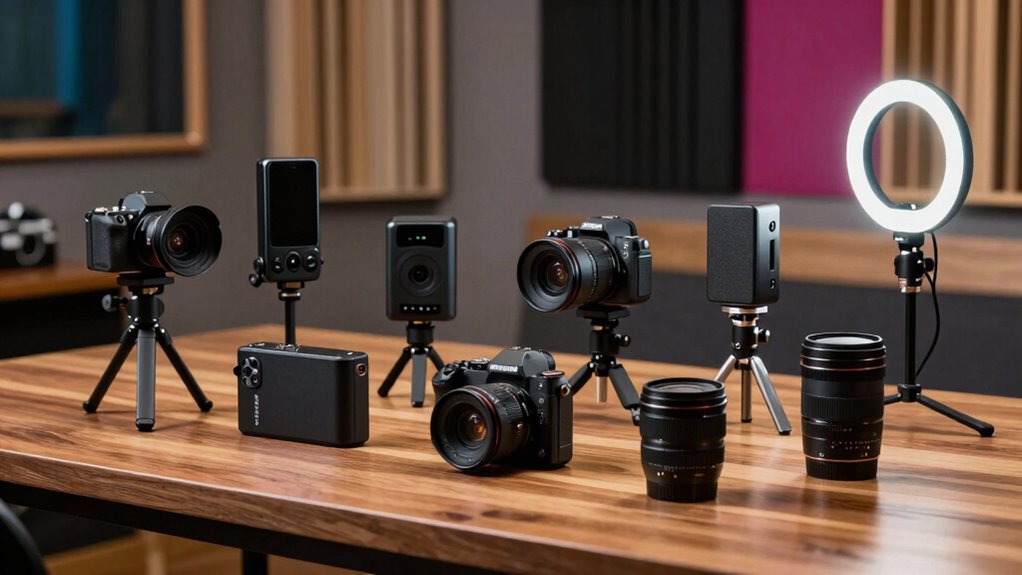

A podcast camera kit can mean a complete two-person studio, a set of streaming cameras, or a creator camera that needs separate audio gear. I rank the Movo two-camera bundle with microphones first for co-hosts who want sound and picture gear together, while the Logitech Mevo Start 3-Pack is my pick for app-controlled multi-angle live shows. For a solo host prioritizing camera image and autofocus, the Canon EOS R50 Content Creator Kit is the stronger camera, but it does not replace a multi-mic podcast setup.

Get privacy and security gear delivered free with Prime
- Fast, free delivery on millions of items
- Prime Video, Amazon Music and more included
- Member-only deals all year
The main tradeoff is completeness versus camera control: bundled Movo kits supply two XLR microphones and an interface, while the Canon and camcorder put more emphasis on one camera and lightweight solo recording. The Mevo set adds three wireless angles but records at 1080p, not 4K. I’ve ranked these options by how well their included gear serves an actual podcast workflow, not by resolution alone.
Complete the kit

Key Takeaways
- Best complete two-person package: The Movo bundle with boom arms pairs two cameras with two XLR microphones and a two-channel interface.
- Best for live multi-angle shows: Logitech’s three Mevo Start cameras use app control, Auto-Director, and wireless streaming, with 1080p as the ceiling.
- Best camera-first option: The Canon EOS R50 offers oversampled 4K and subject-tracking autofocus, but podcast hosts need to plan for separate multi-person audio.
- Best desk-stand alternative: The second Movo bundle also targets two speakers and 4K, but it supplies desk stands rather than boom arms and the listed details are less complete.
- Best simple solo camcorder kit: The 4K camcorder includes a lavalier mic, tripod, remote, and memory card, but its battery runtime is unspecified.
| Movo Video Podcast Equipment Bundle with 2 Microphones, 2 Cameras, Audio Interface, and Boom Arms |  | Best Overall for Two-Person Podcasting | Cameras: 2 livestreaming cameras; described as 4K | Microphones: 2 cardioid dynamic XLR microphones | Microphone response: 40Hz–16kHz | VIEW ON AMAZON | See Our Full Breakdown |
| Logitech Mevo Start 3-Pack Wireless Live Streaming Cameras |  | Best for Live Multi-Angle Streaming | Camera count: 3 | Video resolution: 1080p | Wireless connection: 802.11ac Wi-Fi | VIEW ON AMAZON | See Our Full Breakdown |
| Movo Video Podcast Equipment Bundle – USB Audio Interface, 2 XLR Dynamic Microphones, 2 4K UHD Cameras, 2 Desk Stands |  | Best Value-Style Two-Person Desk Setup | Cameras: 2, described as 4K UHD | Microphones: 2 XLR dynamic microphones | Audio channels: 2 | VIEW ON AMAZON | See Our Full Breakdown |
| Canon EOS R50 Content Creator Kit |  | Best Premium Camera for a Solo Host | Sensor: 24.2 MP APS-C CMOS | Processor: DIGIC X | Video: 6K-oversampled 4K at up to 30 fps | VIEW ON AMAZON | See Our Full Breakdown |
| 4K Ultra HD Camcorder with Wireless Microphone, Tripod, and Remote |  | Best Simple Solo Camcorder Kit | Video resolution: 4K Ultra HD | Focus modes: Auto, manual, and fixed | Screen: 3-inch flip touchscreen with 270-degree viewing angle | VIEW ON AMAZON | See Our Full Breakdown |
| podcast camera kit | Weight |
|---|---|
| Movo Video Podcast Equipment B | — |
| Logitech Mevo Start 3-Pack Wir | 232 g per camera |
| Movo Video Podcast Equipment B | — |
| Canon EOS R50 Content Creator | 1.6 pounds |
| 4K Ultra HD Camcorder with Wir | 16 ounces |
More Details on Our Top Picks
Movo Video Podcast Equipment Bundle with 2 Microphones, 2 Cameras, Audio Interface, and Boom Arms
This is my top pick for a co-hosted podcast because it combines the two parts that are most often bought separately: two camera positions and two XLR dynamic microphones. The included two-channel USB audio interface gives both speakers a direct route into a computer, and the microphones’ cardioid dynamic design is suited to close speech pickup in a room that is not acoustically treated. Boom arms also help position each mic near its speaker without placing stands across the desk.
Compared with the Movo desk-stand bundle, this package is more convenient for a typical seated interview: boom arms offer more flexible mic placement and can clear some tabletop space. It also avoids the extra audio assembly required by the Canon or camcorder kits. The tradeoff is that the product details give limited camera specifications; I can’t compare sensor, autofocus, or frame-rate performance from the information supplied. The two-channel interface is built for two voices, not a larger panel, and the bundle’s 4K camera description should not be treated as a full picture of camera quality.
I would choose it when a host wants a coordinated starting point for two-person video and audio, especially if the recording happens at a desk. I would skip it for a growing show with three or more regular speakers, or for a buyer who wants detailed camera controls and performance information before choosing.
Pros:- Includes two cameras for a two-angle show.
- Two cardioid dynamic microphones and a two-channel interface cover two speakers.
- Boom arms allow flexible mic positioning and keep stands off the desk.
- USB-C connectivity and Windows and macOS compatibility are listed.
Cons:- Camera specifications beyond the 4K description are limited.
- Two interface channels restrict straightforward expansion to larger groups.
- A one-year warranty is listed.
Best for: Two hosts or an interviewer and guest who want two camera angles, two XLR mics, and boom arms in one package.
Not ideal for: Panel podcasts needing more than two microphone channels, or creators who require detailed camera specifications before purchase.
- Cameras:2 livestreaming cameras; described as 4K
- Microphones:2 cardioid dynamic XLR microphones
- Microphone response:40Hz–16kHz
- Audio interface:2 channels
- Connectivity:XLR and USB-C
- Phantom power:48V
- Included supports:2 boom arms and 2 full-size tripods
- Compatibility:Windows and macOS
Our verdict“For a two-person show that needs both audio and video gear, this is the most balanced starting kit in the lineup, provided its limited camera detail is acceptable.”
Logitech Mevo Start 3-Pack Wireless Live Streaming Cameras
The Mevo kit is the lineup’s clearest choice for a podcast that is streamed live and benefits from several camera angles. Three compact cameras record or stream at 1080p, while the Mevo Multicam app supplies control features such as Auto-Director and graphics. That app-centered workflow is a different proposition from the Movo bundles: Movo packages XLR microphones and an interface, whereas Mevo puts the focus on camera switching and streaming.
Each camera has a built-in microphone, but I would treat that as a convenience for basic capture rather than a substitute for dedicated podcast audio. The listing also supports external audio sources, so a host can build a separate microphone setup. Each camera has a battery rated for up to six hours and can also use continuous power, which offers flexibility for a recording session or a fixed studio position.
The important compromise is 1080p video and fixed focus. The Canon R50 records oversampled 4K and has advanced autofocus, making it the better fit for a creator prioritizing image detail and subject tracking. Mevo wins when multiple angles and app-directed live production matter more than resolution. Its cameras are not water resistant, and buyers should plan the external audio path rather than assume the built-in mics will deliver the sound expected from a dedicated podcast setup.
Pros:- Three cameras enable multi-angle recording or streaming.
- Mevo Multicam app includes Auto-Director and graphics features.
- Supports streaming to YouTube, Twitch, and Facebook.
- Built-in microphones, external audio support, and up to six hours of battery use are listed.
Cons:- Video resolution is 1080p rather than 4K.
- Fixed-focus lenses offer less control than the Canon R50’s autofocus system.
- The cameras are not water resistant.
Best for: Live podcasters and small production teams who want three wireless camera angles and app-based control.
Not ideal for: Creators who require 4K recording, adjustable focus, or a full XLR microphone and interface package in the same kit.
- Camera count:3
- Video resolution:1080p
- Wireless connection:802.11ac Wi-Fi
- Focus:Fixed
- Viewing angle:82 degrees
- Battery life:Up to 6 hours
- Weight:232 g per camera
- Connector:USB-C
Our verdict“Choose Mevo over the Movo bundles when live camera switching is the priority, but plan separate audio gear and accept 1080p capture.”
Movo Video Podcast Equipment Bundle – USB Audio Interface, 2 XLR Dynamic Microphones, 2 4K UHD Cameras, 2 Desk Stands
This Movo package covers the same basic two-person use case as my overall pick: two cameras, two XLR dynamic microphones, and a two-channel USB interface. Its distinguishing detail is the pair of desk stands instead of boom arms. That can suit a compact setup where the mics stay in fixed positions, though it takes up desk space and gives less freedom to move each microphone around the work area.
Compared with the boom-arm Movo kit, this one is also described as having 4K UHD cameras, but the supplied specs do not provide camera-specific detail such as lens, autofocus, or frame rate. The listing says USB-C connectivity and phantom power, with Windows and macOS compatibility. Since the microphones are dynamic and the interface is limited to two channels, it fits a host-and-guest format better than a panel or a show that expects quick expansion.
It is a sensible choice when a buyer wants a paired desktop setup and does not need boom arms. Its limitations are more apparent for a permanent studio: there is no included lighting, only two audio channels, and no condenser microphone option. Compared with the Canon R50, it offers much more complete two-person audio but less camera detail and fewer documented camera controls. A buyer adding lights or more guests should budget time and equipment for those gaps.
Pros:- Supplies two cameras and two dynamic XLR microphones for a co-hosted show.
- Two-channel interface connects to a computer over USB-C.
- Desk stands provide a simple, self-contained microphone mounting option.
- Windows and macOS compatibility is listed.
Cons:- The two-channel interface is not suited to more than two mic inputs.
- No lighting is included.
- Camera specifications beyond the 4K UHD description are limited.
Best for: Two-person desk podcasts where fixed microphone stands are acceptable and the host wants an included audio interface.
Not ideal for: Larger panels, hosts who need boom-arm positioning, or creators looking for an included lighting package.
- Cameras:2, described as 4K UHD
- Microphones:2 XLR dynamic microphones
- Audio channels:2
- Connectivity:USB-C and XLR
- Microphone frequency response:40 Hz listed
- Audio input:XLR and USB
- Included supports:2 desk stands
- Compatibility:Windows and macOS
Our verdict“This bundle makes sense for a two-speaker desk show that prefers compact stands, while the boom-arm Movo is more flexible for mic placement.”
Canon EOS R50 Content Creator Kit
The Canon EOS R50 is the most capable camera-first option here. Its 24.2 MP APS-C sensor and 6K-oversampled 4K recording give solo hosts a stronger image-making platform than the all-in-one camcorder, while Dual Pixel CMOS AF II with subject tracking helps keep a host in focus during movement. The kit also adds an articulating touchscreen, a lens, a tripod grip with Bluetooth remote, and a small stereo microphone with windscreen.
It differs sharply from both Movo bundles: those include two microphones, two cameras, and a two-channel interface, while the Canon is centered on one interchangeable-lens camera. That makes it attractive for a solo video podcast, filmed monologue, or creator who also makes other video. For an interview, the included stereo mic is not the same as two close-positioned XLR dynamic mics; I would plan a separate audio recorder or interface for a multi-speaker show.
The kit’s included 18–45mm lens has a limited f/4.5–f/6.3 maximum aperture, which can make a dim room harder to manage than a brighter lens. The listed recording capacity is 60 minutes, so it is less suited to long uninterrupted sessions without breaks or a workflow built around that limit. Compared with Mevo, Canon provides 4K and advanced autofocus but not a three-camera live-switching kit. It is the better camera, not the more complete podcast studio.
Pros:- Records 6K-oversampled 4K video at up to 30 fps.
- Dual Pixel CMOS AF II includes subject detection and tracking.
- Articulating touchscreen supports solo framing.
- Kit includes a lens, tripod grip, Bluetooth remote, stereo microphone, and windscreen.
Cons:- The included lens has a limited maximum aperture of f/4.5–f/6.3.
- Listed recording capacity is 60 minutes.
- The kit does not include a two-mic XLR podcast audio setup.
Best for: Solo hosts and creator-podcasters who value detailed 4K video, subject tracking, and a camera they can use beyond podcasting.
Not ideal for: Buyers who need two or more podcast microphones, multiple camera angles, or long uninterrupted recording beyond the listed capacity.
- Sensor:24.2 MP APS-C CMOS
- Processor:DIGIC X
- Video:6K-oversampled 4K at up to 30 fps
- Autofocus:Dual Pixel CMOS AF II with 651 AF zones
- Included lens:RF-S 18–45mm F4.5–6.3 IS STM
- Screen:3-inch articulating touchscreen
- Included microphone:DM-E100 stereo microphone and windscreen
- Weight:1.6 pounds
Our verdict“For a solo host who wants the strongest camera platform here, the R50 is a better fit than the bundled studios, but it needs a separate plan for multi-person audio.”
4K Ultra HD Camcorder with Wireless Microphone, Tripod, and Remote
This camcorder is the most straightforward all-in-one choice for a solo presenter who wants a camera, wireless lavalier microphone, tripod, remote, and memory card in one package. The 3-inch flip touchscreen helps with self-framing, and webcam functionality gives it another use beyond recording a podcast. It also offers auto, manual, and fixed focus modes, so a host can choose a simple setting or make a basic adjustment to the filming approach.
Compared with the Canon R50, this kit asks less of a buyer’s camera workflow and includes more immediate recording accessories, but it lacks the Canon’s stated APS-C sensor, oversampled 4K, and subject-tracking autofocus. Compared with the Movo bundles, it is easier to imagine as a solo desk or standing presentation setup, yet it does not provide two XLR mics, a multi-channel interface, or multi-camera coverage. Its wireless lavalier is aimed at one speaker, not a host and guest sharing a table.
The main unknown is battery life: none is specified, so I would not select it for long sessions without checking the power plan. Electronic stabilization and a flip screen add convenience, but they do not make it an interchangeable-lens camera or a studio audio package. The camcorder is a practical pick for a simple solo video podcast; buyers wanting dependable multi-person sound or more documented camera performance should compare it with the Canon or Movo options instead.
Pros:- Includes a wireless lavalier microphone, tripod, remote, and 32GB memory card.
- Flip touchscreen supports self-framing.
- Offers auto, manual, and fixed focus modes.
- Webcam functionality and HDMI and USB connections support more than one recording workflow.
Cons:- Battery life is not specified.
- The kit does not include a two-mic interface for a co-hosted show.
- Not water resistant.
Best for: Solo creators who want a basic camcorder package with a wireless lavalier, tripod, remote, and included memory card.
Not ideal for: Two-person podcasts, buyers needing XLR audio inputs, or anyone who needs a clearly specified battery runtime.
- Video resolution:4K Ultra HD
- Focus modes:Auto, manual, and fixed
- Screen:3-inch flip touchscreen with 270-degree viewing angle
- Image stabilization:Electronic
- Connections:HDMI and USB
- Included memory card:32GB
- Maximum card capacity:256GB Class 10 Micro SD
- Weight:16 ounces
Our verdict“Choose this camcorder for a simple solo recording kit, not as a replacement for the multi-mic, multi-camera Movo bundles.”

How We Picked
I ranked each option around the job implied by podcast camera kit: capturing speech clearly while recording a usable picture, with a setup that fits the number of people and the way the show is made. A 4K label matters less if a two-person show has only one microphone, and several cameras matter less if the host does not plan to switch angles or stream live.
My comparison gives weight to included audio equipment, camera count and stated video capabilities, connection options, and workflow details such as app control, mounts, and bundled accessories. I also looked for practical limitations in the supplied information: fixed focus, limited channel count, an unspecified camera specification, or a recording-time limit can affect a buyer’s decision even when the headline features sound appealing.
The ranking favors products that can serve a podcast without requiring a long list of additional core gear. That puts the two Movo bundles high for co-hosted recording, but not equally: the boom-arm package is more explicit about its components, while the desk-stand bundle lacks lighting and has a two-channel ceiling. Mevo ranks highly for live multi-camera control, whereas Canon ranks as a camera-first choice. I treat the camcorder as a convenient solo kit, not as a full group podcast studio. I have not assumed that unlisted features, such as camera battery runtime or particular recording formats, are included.
Factors to Consider When Choosing Podcast Camera Kit
I’d start by deciding whether the show is solo, co-hosted, or live-switched. Those formats need different kits: a one-person presenter can work with a lavalier and a flip screen, while a two-person conversation benefits from separate microphones and a way to capture each speaker cleanly. A live production may favor app-controlled camera angles over a higher-resolution single camera.
Match the kit to the number of speakers
For two regular speakers, look first at the Movo bundles. Both provide two XLR dynamic microphones and a two-channel interface, which is a more direct podcast audio path than the built-in or stereo microphones bundled with the camera-first options. The boom-arm version offers flexible placement; the desk-stand version keeps the setup more fixed. Neither is a ready answer for a panel of three or more because each interface is limited to two channels. The camcorder’s wireless lavalier is aimed at a solo speaker, and the Canon’s included stereo mic does not replace a separate mic for each guest.
Choose resolution with the full workflow in mind
Canon’s 6K-oversampled 4K and the Movo kits’ stated 4K cameras may appeal if you want detailed footage or room to crop in editing, but the level of camera detail provided differs. The Canon lists its sensor, frame rate, and autofocus system; the Movo camera details are sparse. Mevo records at 1080p, which may be sufficient for a live show where switching among three angles matters more than 4K capture. I would choose based on the finished show’s needs, not the resolution label alone.
Separate camera coverage from live switching
Two cameras can supply alternate views, but that does not by itself establish how smoothly angles can be switched during a live broadcast. Mevo is the one product here that specifically lists app control, Auto-Director, graphics, and streaming support for named platforms. Movo provides two cameras for multi-angle recording but does not provide comparable app-switching details in the supplied description. If the show is recorded and edited later, two angles may be enough; if it is broadcast live, the control workflow deserves extra weight.
Plan for lighting, space, and mic placement
None of these packages should be treated as a complete lighting studio. The desk-stand Movo listing explicitly excludes lighting, and the other descriptions do not list a dedicated lighting kit either. A well-placed microphone also matters: boom arms can keep a mic close to each speaker while freeing desk space, while desk stands are simpler but occupy the work surface. The Canon and camcorder kits suit compact solo framing, but a quiet room and deliberate mic placement still affect voice quality.
Check session length and power needs
Mevo lists up to six hours of battery life per camera and supports continuous power, giving it a stated runtime advantage for portable use. The Canon listing gives a 60-minute recording capacity, which may shape how a long session is planned. The camcorder description does not specify battery life, so I would seek clarity before relying on it for an extended recording. The Movo product information provided here does not state camera runtime either. For a fixed studio, power access can reduce dependence on batteries; for remote recording, runtime should be part of the decision.
Leave room for the show to grow
Think beyond the first recording. A two-channel interface is a tidy fit for a host and one guest but can become a limit if the format expands to a panel. The Canon offers a more capable camera platform, yet extra audio equipment is needed for multiple speakers. Mevo makes adding camera angles central to its package, though its fixed-focus 1080p cameras have different image-control limits than the Canon. I’d choose the kit that fits the show you actually plan to produce, while checking which missing pieces would be needed for the next step.
Frequently Asked Questions
Which podcast camera kit is best for two people?
For a two-person recording, I’d start with the Movo bundle that includes two cameras, two XLR dynamic microphones, a two-channel interface, and boom arms. The other Movo bundle covers a similar two-speaker setup but uses desk stands. Both provide a more directly matched audio package than the Canon or camcorder kits, while their two-channel limit makes them less suitable for larger panels.
Is the Mevo Start 3-Pack a complete podcast audio kit?
No. It includes built-in microphones and supports external audio sources, but its main strength is three-camera wireless streaming with app control. For speech-focused podcast sound, I’d plan an external audio setup and check how it will connect to the streaming workflow. The Movo bundles include XLR microphones and an interface, so they are more complete for two-person audio out of the box.
Should I choose 4K or multiple camera angles for a podcast?
Choose 4K when image detail and editing flexibility are the priority; choose several angles when the show benefits from switching between a host, guest, and wide shot. The Canon offers documented oversampled 4K and autofocus, while Mevo provides three 1080p cameras and app-based production features. If the show is recorded for later editing, resolution may matter more; for live conversation, extra angles and switching controls may matter more.
Can the Canon EOS R50 kit record a two-person podcast by itself?
The kit supplies a camera, lens, tripod grip, stereo microphone, and windscreen, so it can capture a solo host or a room scene. It does not include two XLR microphones and a two-channel interface like the Movo bundles. For a seated interview where each speaker needs a close mic, I’d add a separate audio solution and plan how to synchronize or route that audio.
What should I check before buying a solo camcorder kit?
Check recording duration, battery runtime, microphone connection options, and whether the included mic suits the way you speak on camera. The listed camcorder kit includes a wireless lavalier, tripod, remote, and memory card, but its battery life is not specified. That makes it a convenient solo-oriented package, though I would clarify power needs before depending on it for long podcast sessions.
Conclusion
For most two-person shows, I’d choose the Movo boom-arm bundle because it pairs two cameras with two dedicated microphones and an interface. Pick the desk-stand Movo instead if a fixed tabletop arrangement suits your workspace. If your format depends on live multi-angle streaming, Mevo is the better match, with the tradeoff of 1080p video and a separate audio plan.
Solo creators who want a more capable camera should look at the Canon EOS R50, especially when autofocus and 4K image quality matter beyond podcasting. For a simpler solo setup with a lavalier and accessories in the box, the camcorder is easier to approach, but its unspecified battery runtime is a real planning gap. My final choice is format-driven: two speakers need separate mics, a live show needs camera control, and a solo creator may value a stronger camera over an all-in-one audio package.