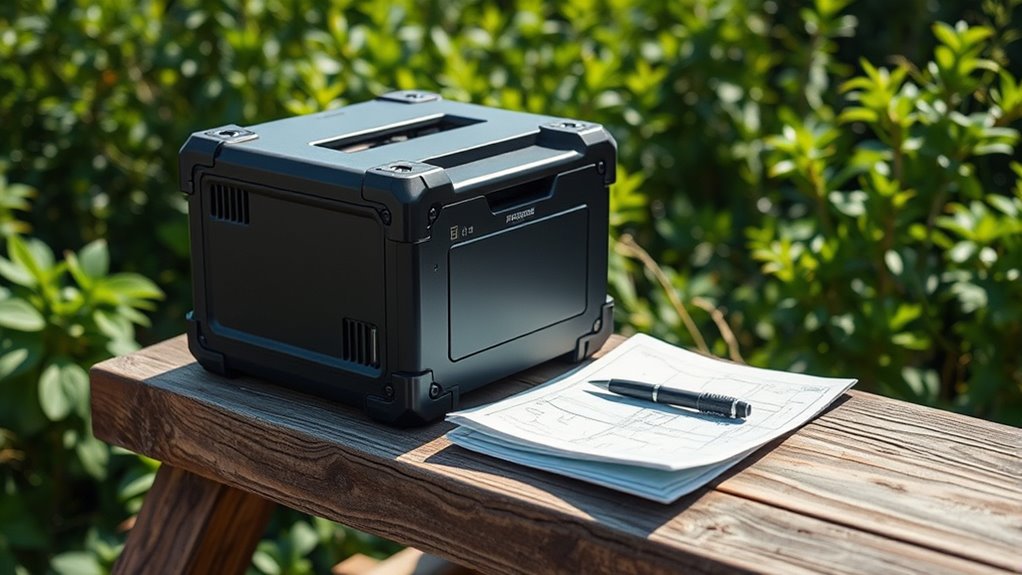

For field printing, the right choice depends on what you print and what the equipment must handle. I would start with the Brother RuggedJet RJ4230B-L for 4-inch labels and receipts with USB, Bluetooth, and NFC, or the Brady M511 when surviving drops and crush pressure matters more than label width. The DT5150P is the specialist for durable, sun- and water-resistant thermal-transfer labels, while the renewed Zebra ZQ520 offers fast 4-inch output and established mobile-platform support.

Get privacy and security gear delivered free with Prime
- Fast, free delivery on millions of items
- Prime Video, Amazon Music and more included
- Member-only deals all year
These are not interchangeable machines. The Brother and Zebra print at up to 5 inches per second on wider media, whereas the Brady and DT5150P focus on smaller industrial labels and different forms of durability. I rank them by how well their stated capabilities match rugged field work, while weighing practical limits such as media width, battery runtime, connectivity, and the Zebra’s renewed condition. All four print monochrome; none is intended for color documents or photo printing.
Key Takeaways
- Brother RJ4230B-L: The clearest fit for field crews needing 4-inch labels or receipts, with USB, Bluetooth, and NFC.
- Brady M511: The strongest stated drop and crush protection, but its label width tops out at 1.5 inches.
- DT5150P: Thermal-transfer output is designed to resist water, sunlight, fading, and scratches; its continuous runtime is about four hours.
- Zebra ZQ520: Fast 4-inch printing and broad mobile-platform compatibility come with renewed condition and a 90-day limited warranty.
- Before choosing, match the printer’s media width and label type to the job: these models range from compact industrial labels to 4-by-6-inch media.
| Brother RuggedJet RJ4230B-L 4-Inch Mobile Thermal Printer |  | Best Overall for 4-Inch Field Printing | Printer type: Monochrome thermal | Media: Labels and receipts | Maximum media size: 4 x 6 inches | VIEW ON AMAZON | See Our Full Breakdown |
| Brady M511 Portable Wireless Industrial Label Printer |  | Best for Documented Impact Resistance | Maximum label width: 1.5 inches | Battery: Internal Li-ion | Battery life: 8+ hours; up to 1,000 labels per charge | VIEW ON AMAZON | See Our Full Breakdown |
| DT5150P 300 DPI Industrial Thermal Transfer Label Printer |  | Best for Outdoor-Resistant Labels | Print technology: Thermal transfer | Resolution: 300 dpi | Label width: 0.3 to 1.65 inches | VIEW ON AMAZON | See Our Full Breakdown |
| Zebra Technologies ZQ52-AUE0000-00 ZQ520 Portable Thermal Printer, 4″, Bluetooth 4.0, 203 DPI (Renewed) |  | Best for Legacy Mobile Integration | Condition: Renewed | Printer type: Portable monochrome thermal | Media size: 4 inches | VIEW ON AMAZON | See Our Full Breakdown |
| portable printers rugged field | Print speed | Resolution | Connectivity | Compatibility |
|---|---|---|---|---|
| Brother RuggedJet RJ4230B-L 4- | Up to 5 in/s | 203 dpi | USB, Bluetooth, NFC | Windows, Android, iOS |
| Brady M511 Portable Wireless I | — | — | Bluetooth 5.0 | Android and iPhone; up to 5 simultaneous users |
| DT5150P 300 DPI Industrial The | 30 mm/s | 300 dpi | — | — |
| Zebra Technologies ZQ52-AUE000 | Up to 5 in/s | 203 dpi | Bluetooth 4.0 | iOS, Android, Windows Mobile, BlackBerry |
More Details on Our Top Picks
Brother RuggedJet RJ4230B-L 4-Inch Mobile Thermal Printer
The Brother RuggedJet RJ4230B-L is my best overall pick for crews that need a practical field printer for both labels and receipts. Its 4-inch media capacity makes it more versatile for larger shipping or work-order labels than the Brady M511, whose maximum label width is 1.5 inches. The Brother also prints at up to 5 inches per second, matching the stated speed of the Zebra ZQ520 while avoiding that model’s renewed-condition caveat.
Its connection options are a useful point of difference in mixed-device teams. USB suits a direct wired setup, Bluetooth supports mobile printing, and NFC adds another pairing route; the listed operating systems include Windows, Android, and iOS. That spread can make it easier to fit into an existing field workflow than a model centered on fewer connection methods. The stated 4-by-6-inch maximum media size also gives buyers a clear sense of its reach, though they should confirm the exact label and receipt stock their tasks require.
The limitation is that the supplied description does not give the kind of explicit drop, crush, water, or dust ratings provided for some other picks. Its “RuggedJet” name and portable dimensions do not, by themselves, establish a protection level. It is also monochrome at 203 dpi, so it is for functional text, barcodes, and receipts rather than graphics requiring color or fine image detail. I would choose it when width and connectivity matter most, but the Brady is a better match when documented impact resistance is the deciding factor.
Pros:- Supports label and receipt printing on media up to 4 by 6 inches.
- Offers USB, Bluetooth, and NFC connectivity.
- Works with Windows, Android, and iOS devices.
- Prints at up to 5 inches per second.
Cons:- Monochrome output and 203 dpi limit it to functional print jobs.
- The supplied specifications do not state drop, water, or dust-resistance ratings.
Best for: Field service, delivery, and warehouse crews that need 4-inch labels or receipts and a choice of wired or wireless connections.
Not ideal for: Buyers who require explicit drop, crush, or weather-protection ratings, color output, or finer-than-203-dpi printing.
- Printer type:Monochrome thermal
- Media:Labels and receipts
- Maximum media size:4 x 6 inches
- Print speed:Up to 5 in/s
- Resolution:203 dpi
- Connectivity:USB, Bluetooth, NFC
- Compatibility:Windows, Android, iOS
- Weight:16 ounces
Our verdict“I recommend the RJ4230B-L for field teams that need the widest practical mix of 4-inch media and connection options in this group.”
Brady M511 Portable Wireless Industrial Label Printer
When field conditions are rough enough that drops and crushing pressure are central concerns, I would put the Brady M511 ahead of the wider printers here. Its stated resistance to six-foot drops and 250 pounds of crush pressure gives buyers concrete durability information the supplied Brother and Zebra descriptions do not provide. It is built for industrial label work and can run for more than eight hours, with up to 1,000 labels per charge according to the product information.
The tradeoff is format. The Brady prints labels up to 1.5 inches wide, far narrower than the Brother and Zebra’s 4-inch class. That makes it a better match for identification, marking, and barcode labels than receipts or broad shipping labels. The DT5150P accepts labels up to 1.65 inches wide and offers thermal-transfer labels described as water-, sun-, and fade-resistant; the Brady instead foregrounds impact protection, multiple mobile users, and a longer stated battery life.
Bluetooth 5.0 connects with Android and iPhone, and up to five users can print simultaneously. That can suit a shared work area, but the stated wireless range is 65 feet, so teams should plan around the printer’s location rather than assume coverage across a large site. The description does not specify waterproofing or a print speed, and its narrower media is a real constraint. I would choose it for compact industrial labels in physically demanding work, not as a general-purpose 4-inch mobile printer.
Pros:- Stated resistance to drops from 6 feet and crush pressure up to 250 pounds.
- Battery life is listed as 8+ hours or up to 1,000 labels per charge.
- Bluetooth 5.0 supports Android and iPhone, with up to five simultaneous users.
- Prints industrial labels up to 1.5 inches wide.
Cons:- Media width is substantially narrower than the 4-inch Brother and Zebra.
- The stated wireless range is 65 feet, and no print speed is provided.
Best for: Industrial and maintenance teams printing narrow identification or barcode labels in environments where drops and crushing are likely.
Not ideal for: Workers who need receipts, 4-inch labels, long-range wireless printing, or stated protection from water and sunlight.
- Maximum label width:1.5 inches
- Battery:Internal Li-ion
- Battery life:8+ hours; up to 1,000 labels per charge
- Drop resistance:6 feet
- Crush resistance:250 pounds
- Connectivity:Bluetooth 5.0
- Wireless range:65 feet
- Compatibility:Android and iPhone; up to 5 simultaneous users
Our verdict“I would pick the M511 when impact resistance and a long shift of narrow-label printing matter more than media width.”
DT5150P 300 DPI Industrial Thermal Transfer Label Printer
The DT5150P earns its place for jobs where a label must last beyond the moment it is printed. Its thermal-transfer output is described as waterproof, scratch-proof, fade-resistant, and sunlight-resistant, a more specific outdoor-media promise than the supplied descriptions make for the Brother or Zebra. It also reaches 300 dpi, compared with 203 dpi on those two 4-inch printers, which can help when small text or dense label content needs more definition.
This is a narrow-label specialist rather than a substitute for the Brother. Its supported width is 0.3 to 1.65 inches, so it can handle somewhat wider labels than the Brady M511’s 1.5-inch maximum but cannot print the Brother’s 4-by-6-inch media or receipts. The built-in automatic cutter can help when preparing batches of labels, and editing is available through a mobile app or PC editor. The listed weight of 0.83 pounds is favorable for handheld carrying.
Runtime is the key operational compromise: the printer is listed for about four hours of continuous printing, well short of the Brady’s stated eight-plus-hour battery life. Its print speed is 30 mm/s, also much slower than the 5-inch-per-second Brother and Zebra. This makes the DT5150P a considered choice for durable, compact labels, not high-volume rapid output through a full shift. I would check that its label sizes and editing workflow match the job before choosing it over the broader, faster Brother.
Pros:- Thermal-transfer labels are described as resistant to water, scratches, fading, and sunlight.
- 300 dpi resolution and a built-in automatic cutter support detailed batch labeling.
- Lightweight handheld design weighs 0.83 pounds.
- Works with a mobile app and PC editor.
Cons:- Continuous printing time is listed at about 4 hours per charge.
- Maximum width of 1.65 inches excludes 4-inch labels and receipts.
- Stated speed of 30 mm/s is slower than the Brother and Zebra.
Best for: Outdoor field workers who need compact labels designed to resist water, scratches, fading, and sunlight.
Not ideal for: Teams printing receipts, 4-inch labels, or high volumes continuously through shifts longer than its stated runtime.
- Print technology:Thermal transfer
- Resolution:300 dpi
- Label width:0.3 to 1.65 inches
- Print speed:30 mm/s
- Weight:0.83 lb
- Battery:Dual 1500 mAh lithium batteries
- Continuous printing time:About 4 hours
- Durability:Labels described as waterproof, scratch-proof, fade-resistant, and sunlight-resistant
- Editing and cutter:Mobile app and PC editor; built-in automatic cutter
Our verdict“I would choose the DT5150P for lasting outdoor labels when its narrower media and shorter runtime fit the route.”
Zebra Technologies ZQ52-AUE0000-00 ZQ520 Portable Thermal Printer, 4″, Bluetooth 4.0, 203 DPI (Renewed)
The Zebra ZQ520 is a strong fit when an organization already relies on Zebra-style mobile printing workflows or needs support for older device environments. It prints 4-inch monochrome labels at up to 5 inches per second, matching the Brother’s stated maximum speed. Its support for CPCL and ZPL gives teams programming options for integrating print jobs into compatible systems, while listed device compatibility spans iOS, Android, Windows Mobile, and BlackBerry.
That compatibility is broader across legacy mobile platforms than the Brother’s listed Windows, Android, and iOS support. Yet for a new field setup, the Brother has the more flexible stated connection set—USB, Bluetooth, and NFC—and explicitly covers labels and receipts. The Zebra description specifies Bluetooth 4.0 and label media. Its core case is therefore a fleet or application that already fits its languages and platform support, rather than a universal edge over the newer alternatives.
The buying caveat is important: this listing is renewed, with a 90-day limited warranty. That short coverage is a meaningful drawback for equipment expected to travel through demanding workdays. The supplied information does not give a drop, crush, or weather rating, so I would not infer rugged protection from the series name alone. It remains fast and integration-friendly, but buyers who prioritize a stated protection rating should look at the Brady, while outdoor-label durability points toward the DT5150P.
Pros:- Prints up to 5 inches per second on 4-inch media.
- Supports CPCL and ZPL programming languages.
- Listed compatibility includes iOS, Android, Windows Mobile, and BlackBerry.
- Compact portable format for mobile business printing.
Cons:- Renewed condition and a 90-day limited warranty.
- Monochrome 203 dpi output only.
- The supplied specifications do not state drop, crush, or weather-resistance ratings.
Best for: Teams with compatible existing CPCL or ZPL workflows and mobile devices that benefit from the listed legacy platform support.
Not ideal for: Buyers who want a new printer, longer warranty coverage, documented impact or weather resistance, or receipts and NFC.
- Condition:Renewed
- Printer type:Portable monochrome thermal
- Media size:4 inches
- Resolution:203 dpi
- Print speed:Up to 5 in/s
- Connectivity:Bluetooth 4.0
- Programming languages:CPCL, ZPL
- Compatibility:iOS, Android, Windows Mobile, BlackBerry
- Warranty:90-day limited warranty
Our verdict“I recommend the renewed ZQ520 chiefly for buyers whose existing mobile printing setup benefits from its language and platform compatibility.”

How We Picked
I ranked these four printers for the specific demands of portable, rugged field work, using the supplied specifications and descriptions. My main questions were whether a model can travel with a worker, print the media a task requires, connect to common mobile devices, and keep producing useful labels or receipts away from a desk. I gave weight to stated drop, crush, water, dust, scratch, and sunlight protection where those claims were provided.
The lineup serves different jobs, so the ranking reflects fit rather than a claim that one printer wins every task. The Brother leads as the most versatile 4-inch field option because it combines labels and receipts with three connection methods. The Brady earns a distinct durability role through its stated six-foot drop resistance and 250-pound crush resistance, though its narrower media limits its reach. The DT5150P stands out for resistant thermal-transfer labels and outdoor use, with shorter runtime and slower stated speed. The Zebra remains compelling for mobile integration and speed, but its renewed condition and limited warranty reduce its appeal for buyers prioritizing a new unit.
I have not treated unprovided details as proven advantages. For example, the supplied description does not give a drop rating for the Brother or Zebra, and the Brady’s durability claims do not specify waterproof or sunlight resistance. I also considered the constraints that determine whether a printer will work on a real route: monochrome output, label widths, battery life, supported devices, and the type of media each model is described as using. A buyer should confirm media and software compatibility for their own workflow before ordering.
| portable printers rugged field | Printer type | Connectivity | Compatibility | Battery |
|---|---|---|---|---|
| Brother RuggedJet RJ4230B-L 4- | Monochrome thermal | USB, Bluetooth, NFC | Windows, Android, iOS | — |
| Brady M511 Portable Wireless I | — | Bluetooth 5.0 | Android and iPhone; up to 5 simultaneous users | Internal Li-ion |
| DT5150P 300 DPI Industrial The | — | — | — | Dual 1500 mAh lithium batteries |
| Zebra Technologies ZQ52-AUE000 | Portable monochrome thermal | Bluetooth 4.0 | iOS, Android, Windows Mobile, BlackBerry | — |
Factors to Consider When Choosing Portable Printers Rugged Field
I would choose a field printer by matching the job’s media and environment first, then checking runtime and connectivity. A printer can be portable and still fail to fit the route if its labels are too narrow, its battery runs short, or its software does not connect to the team’s devices.Start with label width and media type
Check the widest label your work requires, along with whether you need receipts. The Brother and Zebra support 4-inch-class printing, and the Brother’s listed maximum media size is 4 by 6 inches. The Brady stops at 1.5 inches, while the DT5150P ranges from 0.3 to 1.65 inches. Those compact formats suit asset identification and industrial marking but rule out broad shipping labels and receipts. Also distinguish direct thermal output from thermal transfer: the DT5150P’s thermal-transfer labels are described as more resistant to water, sunlight, scratches, and fading, while the other descriptions focus on monochrome thermal printing.
Treat durability claims as specific limits
Look for the type of protection the job demands, rather than assuming every portable or industrial model handles the same hazards. The Brady provides stated six-foot drop and 250-pound crush resistance. The DT5150P describes a dustproof, shockproof housing and labels designed for outdoor exposure. The supplied Brother and Zebra details do not state comparable impact or weather ratings. If a printer will be exposed to rain, dust, crushing, or repeated drops, verify the exact protection claim and whether it applies to the printer, the media, or both.
Plan battery life around the shift
The Brady has the longest stated battery duration here, at 8+ hours or up to 1,000 labels per charge. The DT5150P lists about four hours of continuous printing, which may suit intermittent use but can require a charging plan on a long route. No battery duration is supplied for the Brother or Zebra, so compare those against your expected print volume before committing. Peak speed is not a substitute for runtime: a fast printer still needs enough charge to finish the day’s work.
Check device and workflow fit
Connectivity can determine whether printing is simple in a busy field team. The Brother provides USB, Bluetooth, and NFC, while the Zebra lists Bluetooth 4.0 plus CPCL and ZPL support. The Brady uses Bluetooth 5.0, supports Android and iPhone, and lists up to five simultaneous users within a 65-foot range. The DT5150P pairs a mobile app with a PC editor. Confirm the exact app, operating system, driver, programming language, and label design workflow your organization uses. The most capable hardware still creates friction if it cannot receive jobs from field devices.
Account for print detail and purchase condition
All four options print monochrome, so they are suited to text, barcodes, and functional labels rather than color-coded graphics. The DT5150P’s 300 dpi resolution exceeds the 203 dpi listed for the Brother, Zebra, and RJ4230B-L descriptions, which may help with smaller label content. The Zebra listing is renewed and includes a 90-day limited warranty; buyers should weigh that condition and coverage against its integration strengths. For every model, confirm consumable availability and compatibility with the exact media you plan to carry into the field.
Frequently Asked Questions
Which printer is the best all-around choice for field crews?
I would start with the Brother RJ4230B-L for teams that need 4-inch labels or receipts and flexible connections. Its USB, Bluetooth, and NFC options, along with Windows, Android, and iOS compatibility, make it the broadest stated fit for mixed field workflows. If the work centers on narrow industrial labels and impact resistance, the Brady M511 is a more targeted choice.
Which option has the strongest stated resistance to physical impacts?
The Brady M511 has the clearest impact figures in the supplied information: it is described as resistant to drops from 6 feet and crush pressure up to 250 pounds. Those claims make it the standout for physically demanding handling. The descriptions for the Brother and Zebra do not provide comparable drop or crush ratings, so I would verify protection requirements directly before using them in similarly harsh conditions.
Which printer is better for labels left outdoors?
The DT5150P is the most direct fit when printed labels must face sun, water, scratches, and fading, since its thermal-transfer labels are described as resistant to those conditions. The Brady has stronger stated drop and crush resistance for the printer itself, but the supplied description does not make the same outdoor-media claims. Check that the DT5150P’s 0.3-to-1.65-inch label range fits the job.
Can these printers make color prints or ordinary documents?
No. All four are presented as monochrome thermal or thermal-transfer label printers, and their descriptions focus on labels, with the Brother also supporting receipts. They are intended for functional field output such as barcodes, identification, shipping information, or receipts. Buyers who need color documents, photos, or standard office paper output should choose a different type of printer.
What should I verify before buying a printer for a long field shift?
Match the maximum label width and media type to the actual job, then confirm battery capacity against expected volume. The Brady lists 8+ hours or up to 1,000 labels per charge, while the DT5150P lists around four hours of continuous printing; the supplied details do not state runtime for the Brother or Zebra. I would also check mobile-device compatibility, available software, consumables, and any required drop or weather protection.
Conclusion
For a mixed field route that needs 4-inch labels, receipts, and flexible connections, I recommend the Brother RJ4230B-L. Choose the Brady M511 for narrow industrial labels when documented drop and crush resistance and a long stated battery life matter most. The DT5150P suits outdoor identification work where label durability and finer 300 dpi output outweigh a shorter runtime and limited width. I would select the renewed Zebra ZQ520 when its CPCL or ZPL support and broad listed mobile-platform compatibility fit an established workflow—and when its renewed condition and 90-day warranty are acceptable.