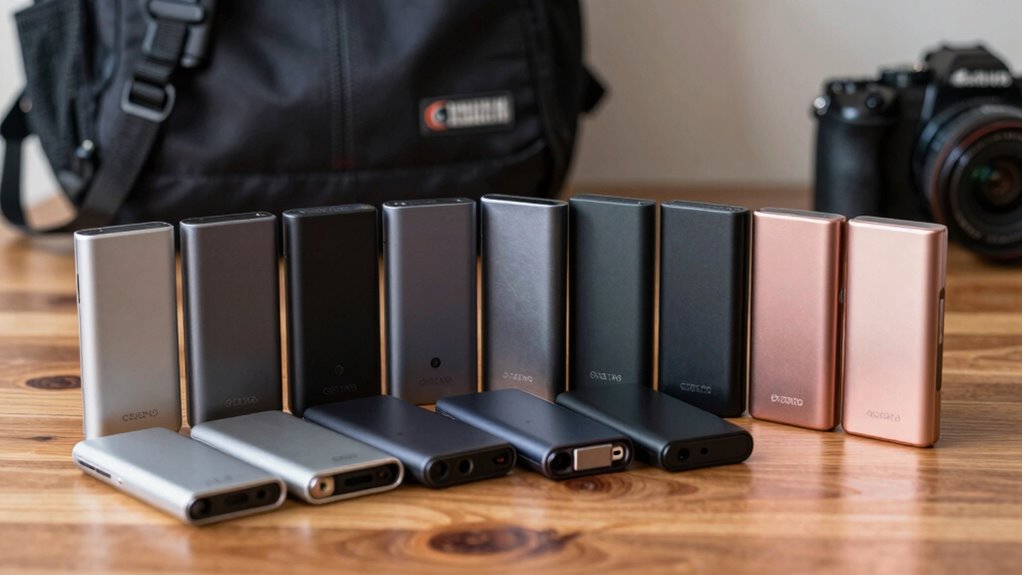

For secure travel, the 1TB Encrypted Touchscreen Portable SSD is my best overall pick because its touchscreen access control puts protection at the center of the design. The SanDisk 2TB Extreme Portable SSD is a better fit for travelers who prioritize a rugged, water and dust resistant drive, while the Samsung T7 offers a familiar, balanced option for everyday file storage. The main tradeoff is between built-in access protection, physical durability, capacity, and speed; no one feature covers every travel risk. A fast drive can still expose files if lost, and a rugged one does not automatically encrypt them. Read on for the full comparison and help choosing the right balance for your trip.

Get privacy and security gear delivered free with Prime
- Fast, free delivery on millions of items
- Prime Video, Amazon Music and more included
- Member-only deals all year
Key Takeaways
- The encrypted touchscreen model stands apart for access control: it is the clearest choice here when protecting files on a lost drive matters more than sticking with a mainstream brand.
- SanDisk’s Extreme models emphasize physical protection: the listed IP65 version adds water and dust resistance, while the 2,000MB/s Extreme listing emphasizes higher stated speed; check the exact model and specifications before buying.
- Samsung covers two different speed needs: the T7 is a straightforward everyday option, while the T9’s USB 3.2 Gen 2×2 connection targets compatible setups that can use its higher performance.
- Capacity and portability vary widely: the SSK’s 250GB capacity suits a small travel file set, while 1TB and 2TB options leave more room for media libraries and backups.
- A magnetic attachment is a convenience, not a security feature: the DIGIERA magnetic SSD may suit a compatible mobile workflow, but travelers still need to think about encryption, physical retention, and device compatibility.
| 1TB Encrypted Touchscreen Portable SSD, Up to 2,000MB/s |  | Best for On-Drive Security Controls | Capacity: 1TB | Interface: USB 3.2 Gen 2×2, 20Gbps | Maximum read speed: 2,000MB/s | VIEW ON AMAZON | See Our Full Breakdown |
| SanDisk 2TB Extreme Portable SSD, Up to 2000MB/s |  | Best for Rugged, Secure Capacity | Capacity: 2TB | Maximum read speed: Up to 2,000MB/s | Water and dust resistance: IP65 | VIEW ON AMAZON | See Our Full Breakdown |
| DIGIERA 1TB Magnetic Portable SSD |  | Best Compact Magnetic Pick | Capacity: 1TB | Interface: USB 3.2 Gen 2×2 | Read speed: Up to 2,000MB/s | VIEW ON AMAZON | See Our Full Breakdown |
| SSK Portable 250GB External SSD, USB-C |  | Best for Short iPhone Shoots | Capacity: 250GB | Read speed: Up to 1,050MB/s | Write speed: Up to 1,000MB/s | VIEW ON AMAZON | See Our Full Breakdown |
| SanDisk 2TB Portable SSD |  | Best Simple 2TB Carry Drive | Capacity: 2TB | Read speed: Up to 1,000MB/s | Interface: USB-C | VIEW ON AMAZON | See Our Full Breakdown |
| Samsung T7 Portable SSD, 2TB, Titan Gray, USB 3.2 Gen 2 |  | Best Balanced Everyday Travel Pick | Capacity: 2TB | Color: Titan Gray | Interface: USB 3.2 Gen 2 | VIEW ON AMAZON | See Our Full Breakdown |
| SanDisk 2TB Extreme Portable SSD, Up to 1050MB/s, USB-C, USB 3.2 Gen 2, IP65 Water and Dust Resistance, Updated Firmware, External Solid State Drive, SDSSDE61-2T00-G25 |  | Best for Harsh Conditions and Data Protection | Capacity: 2TB | Interface: USB-C, USB 3.2 Gen 2 | Read speed: Up to 1,050 MB/s | VIEW ON AMAZON | See Our Full Breakdown |
| Samsung T9 Portable SSD 1TB, USB 3.2 Gen 2×2 External SSD |  | Best for Fast Transfers | Capacity: 1TB | Interface: USB 3.2 Gen 2×2 | Maximum sequential read/write speed: Up to 2,000 MB/s | VIEW ON AMAZON | See Our Full Breakdown |
| SanDisk 1TB Portable SSD, Up to 800MB/s Read Speed, Black |  | Best Simple Lightweight Backup | Storage capacity: 1TB | Read speed: Up to 800 MB/s | Connectivity: USB 3.2 Gen 2, USB Type-C | VIEW ON AMAZON | See Our Full Breakdown |
| portable ssds for secure travel | Capacity | Interface | Read speed |
|---|---|---|---|
| 1TB Encrypted Touchscreen Port | 1TB | USB 3.2 Gen 2×2, 20Gbps | — |
| SanDisk 2TB Extreme Portable S | 2TB | — | — |
| DIGIERA 1TB Magnetic Portable | 1TB | USB 3.2 Gen 2×2 | Up to 2,000MB/s |
| SSK Portable 250GB External SS | 250GB | USB 3.2 Gen 2, 10Gbps | Up to 1,050MB/s |
| SanDisk 2TB Portable SSD | 2TB | USB-C | Up to 1,000MB/s |
| Samsung T7 Portable SSD | 2TB | USB 3.2 Gen 2 | Up to 1,050 MB/s |
| SanDisk 2TB Extreme Portable S | 2TB | USB-C, USB 3.2 Gen 2 | Up to 1,050 MB/s |
| Samsung T9 Portable SSD 1TB | 1TB | USB 3.2 Gen 2×2 | — |
| SanDisk 1TB Portable SSD | — | — | Up to 800 MB/s |
More Details on Our Top Picks
1TB Encrypted Touchscreen Portable SSD, Up to 2,000MB/s
For travelers who want to check drive status and protect files without relying solely on a computer, this model pairs hardware encryption and password protection with a touchscreen showing capacity, temperature, and transfer speed. That on-drive visibility sets it apart from the SanDisk 2TB Extreme Portable SSD, whose listed protections focus on its rugged build and optional password encryption. The 1TB drive also advertises up to 2,000MB/s read and 1,800MB/s write, but those figures depend on a compatible USB 3.2 Gen 2×2 host; many travel devices may not reach them. Its zinc alloy housing and magnetic design suit a mobile kit, while the smaller capacity gives less room for large archives than the SanDisk’s 2TB. ProRes recording is useful only with compatible Apple devices.
Pros:- Hardware encryption and password protection add a security layer for stored files.
- Touchscreen shows transfer speed, temperature, and remaining capacity on the drive.
- Advertised read and write speeds suit large-file transfers on compatible hosts.
- Magnetic design and broad USB-C compatibility fit mobile workflows.
Cons:- Maximum speeds require a compatible USB 3.2 Gen 2×2 connection.
- 1TB offers less archive space than the SanDisk 2TB Extreme Portable SSD.
- ProRes recording support depends on compatible Apple devices.
Best for: Traveling photographers and mobile professionals who want visible drive status, password protection, and a compact 1TB workspace.
Not ideal for: People carrying large video archives or using devices without USB 3.2 Gen 2×2, since capacity and real-world speed may fall short of expectations.
- Capacity:1TB
- Interface:USB 3.2 Gen 2×2, 20Gbps
- Maximum read speed:2,000MB/s
- Maximum write speed:1,800MB/s
- Security:Hardware encryption and password protection
- Display:Touchscreen for speed, temperature, and capacity monitoring
- Housing:Zinc alloy
- Compatibility:Windows, Mac, iPhone, iPad, Android, cameras, gaming consoles, and other USB-C devices
Our verdict“Choose this 1TB drive if on-device status checks and hardware encryption matter more to your travel workflow than maximum capacity.”
SanDisk 2TB Extreme Portable SSD, Up to 2000MB/s
This is the strongest fit here for travelers who need 2TB of working space alongside stated environmental and drop protection. Its IP65 rating addresses dust and water exposure, and the drive is rated for drops up to 3 meters, giving it a more rugged travel profile than the touchscreen 1TB model. Optional 256-bit AES password protection adds a file-access safeguard, though the product data does not describe hardware encryption. The advertised read speed reaches 2,000MB/s, but write speed is lower than that stated maximum and host conditions affect performance. Compared with the basic SanDisk 2TB Portable SSD, this Extreme model lists stronger water, dust, and drop protection plus password encryption; travelers who value those protections should accept its more specialized positioning.
Pros:- 2TB capacity leaves more room for travel archives than the 1TB options.
- IP65 rating provides stated water and dust resistance.
- Drop protection is rated up to 3 meters.
- Optional password protection uses 256-bit AES encryption.
Cons:- Write speed is lower than the stated maximum read speed.
- Performance varies with host device and usage conditions.
- Product data describes optional password encryption, not hardware encryption.
Best for: Traveling creators carrying large project libraries who need 2TB capacity, water and dust resistance, and optional password protection.
Not ideal for: Buyers who need clearly specified fast write speeds or want documented hardware encryption rather than optional password protection.
- Capacity:2TB
- Maximum read speed:Up to 2,000MB/s
- Water and dust resistance:IP65
- Drop protection:Up to 3 meters
- Encryption:Optional password protection with 256-bit AES encryption
- Use case:Backing up projects, freeing device space, and organizing content across devices
Our verdict“Pick the Extreme when rugged protection and 2TB capacity are the priority, and accept that its write performance is less clearly specified.”
DIGIERA 1TB Magnetic Portable SSD
The DIGIERA is aimed at travelers who record directly to a phone and want the drive to stay attached during a mobile shoot. Its magnetic connection, compact 1.58-ounce aluminum body, and support for direct ProRes recording on iPhone 15/16 series give it a distinct role next to the broader USB-C compatibility of the 1TB Encrypted Touchscreen Portable SSD. Both advertise up to 2,000MB/s reads and 1,800MB/s writes, but DIGIERA’s product data emphasizes physical attachment and shock resistance rather than encryption or an on-drive status display. It lists dust and water resistance without a rating, so buyers cannot compare that protection as precisely as the SanDisk 2TB Extreme Portable SSD and its IP65 specification. Its iPhone-specific recording appeal also narrows its audience.
Pros:- Magnetic attachment helps keep the drive with a compatible phone during recording.
- Compact 1.58-ounce aluminum enclosure suits a lightweight travel kit.
- Advertised read and write speeds reach 2,000MB/s and 1,800MB/s.
- Supports direct ProRes recording on iPhone 15/16 series.
Cons:- Product data does not list encryption or password protection.
- Water and dust resistance are stated without a protection rating.
- Direct ProRes support is limited to compatible iPhone models, and actual speeds depend on the host.
Best for: iPhone 15/16 creators who want a lightweight magnetic drive for direct ProRes capture and quick file transfers.
Not ideal for: Travelers seeking documented encryption or a quantified water-resistance rating, or those using older iPhones without USB-C.
- Capacity:1TB
- Interface:USB 3.2 Gen 2×2
- Read speed:Up to 2,000MB/s
- Write speed:Up to 1,800MB/s
- Connectivity:USB Type-C
- Dimensions:2.28 × 0.46 inches
- Weight:1.58 oz
- Enclosure and protection:Aluminum; dust resistant, water resistant, and shock resistant (1500G)
- Compatibility:iPhone 15/16 series, USB-C devices, and Xbox Series S/X
Our verdict“Choose DIGIERA for a compact magnetic iPhone recording setup, but look elsewhere if travel security means documented encryption or rated water resistance.”
SSK Portable 250GB External SSD, USB-C
The SSK makes sense for a traveler who needs a modest, dedicated recording drive rather than a large backup destination. It supports 4K60 ProRes HDR recording on iPhone and includes both USB-C and USB-A cables, which helps when moving files between newer phones and older laptops. Its USB 3.2 Gen 2 connection tops out at a stated 1,050MB/s read and 1,000MB/s write, below the 2,000MB/s claims on the DIGIERA and touchscreen 1TB models. That speed difference matters less for a small transfer kit than the much tighter 250GB capacity, which fills quickly with high-resolution footage. Unlike the SanDisk Extreme, the listed specs do not include a water-resistance rating, drop rating, or encryption, so this is better treated as a compact recording accessory than a protected travel archive.
Pros:- Supports 4K60 ProRes HDR recording on iPhone.
- Includes both USB-C and USB-A cables for different host devices.
- Aluminum alloy case weighs 36.6g.
- Read and write speeds are specified at up to 1,050MB/s and 1,000MB/s.
Cons:- 250GB capacity is limited for extended 4K video capture or large backups.
- Listed specifications do not include encryption, water resistance, or drop protection.
- Its 10Gbps interface is slower than the Gen 2×2 drives in this lineup.
Best for: iPhone videographers who need a small, cable-ready SSD for selected ProRes HDR shoots and short-term file transfers.
Not ideal for: Travelers backing up extensive photo or video libraries, or anyone needing listed encryption and environmental protection.
- Capacity:250GB
- Read speed:Up to 1,050MB/s
- Write speed:Up to 1,000MB/s
- Interface:USB 3.2 Gen 2, 10Gbps
- Included cables:USB-C and USB-A
- Dimensions:2.6 × 1.5 × 0.5 inches
- Weight:36.6g
- Case and power:Aluminum alloy; less than 2.4W power consumption
- iPhone recording support:4K60 ProRes HDR
Our verdict“Choose the SSK for a lightweight, cable-flexible iPhone recording drive when 250GB is enough and rugged security features are not required.”
SanDisk 2TB Portable SSD
For travelers who want 2TB in a pocket-sized USB-C drive without paying attention to specialized controls, this SanDisk keeps the brief straightforward. Its up to 1,000MB/s read speed and drop protection up to 2 meters cover routine photo and video transfers, while the SanDisk 2TB Extreme Portable SSD is the stronger fit for trips where stated water and dust resistance or optional encryption matter. This model’s listed data does not include encryption or an IP rating, so its travel security story is mainly about physical portability and drop protection. It also advertises faster transfers than traditional hard drives, but actual write performance is lower than read speed and usable space falls short of the nominal capacity. Choose it for uncomplicated storage, not for a sensitive-file archive exposed to rough conditions.
Pros:- 2TB capacity supports larger travel libraries than the 1TB drives.
- Pocket-sized design is easy to pack and carry.
- Drop protection is specified up to 2 meters.
- USB-C connectivity supports simple connections to compatible devices.
Cons:- Listed product data does not include encryption or water and dust resistance.
- Write speed is lower than the stated read speed.
- Actual usable storage is less than the advertised capacity.
Best for: Travelers who need a straightforward 2TB USB-C drive for everyday photo and video storage, with modest drop protection.
Not ideal for: People carrying sensitive files who need listed encryption, or travelers who expect water and dust protection.
- Capacity:2TB
- Read speed:Up to 1,000MB/s
- Interface:USB-C
- Drop protection:Up to 2 meters
- Color:Black
- Form factor:Pocket-sized portable SSD
Our verdict“Pick this SanDisk for uncomplicated 2TB travel storage, but choose the Extreme model when encryption or rated water and dust protection matters.”
Samsung T7 Portable SSD, 2TB, Titan Gray, USB 3.2 Gen 2
The Samsung T7 balances useful capacity, speed, and a compact aluminum body for travelers who want one drive for routine backups and media files. Its 2TB capacity gives it more room than the 1TB Samsung T9, while its USB 3.2 Gen 2 speeds are ample for many laptop and camera workflows. The aluminum unibody and protection against falls up to six feet add reassurance in a packed bag, though the SanDisk Extreme goes further with IP65 water and dust resistance, a longer stated drop rating, and hardware encryption. That makes the T7 a sensible general-purpose choice, but not the strongest match for wet or dusty trips or sensitive files requiring built-in encryption. Check device compatibility before relying on it with a phone or camera.
Pros:- 2TB capacity provides room for photos, video, and backups
- Read speeds up to 1,050 MB/s and write speeds up to 1,000 MB/s
- Aluminum unibody with shock resistance and fall protection up to six feet
- Works with compatible PCs, phones, and cameras
Cons:- No listed hardware encryption or password protection
- No listed water or dust resistance rating
- Compatible speeds and use depend on the connected device
Best for: Travelers who want 2TB for laptop, phone, or camera files and value a compact metal enclosure for everyday carry.
Not ideal for: People carrying sensitive work files or traveling in wet, dusty conditions, since the listed data does not specify hardware encryption or an IP water and dust rating.
- Capacity:2TB
- Color:Titan Gray
- Interface:USB 3.2 Gen 2
- Read speed:Up to 1,050 MB/s
- Write speed:Up to 1,000 MB/s
- Construction:Aluminum unibody
- Fall protection:Up to 6 feet
- Video support:Up to 4K at 60 fps
Our verdict“Choose the T7 for roomy, fast everyday travel storage in a metal body; pick the SanDisk Extreme if encryption and weather protection matter more.”
SanDisk 2TB Extreme Portable SSD, Up to 1050MB/s, USB-C, USB 3.2 Gen 2, IP65 Water and Dust Resistance, Updated Firmware, External Solid State Drive, SDSSDE61-2T00-G25
The SanDisk 2TB Extreme is the clearest fit here for travel where drops, dust, or rain are realistic risks. Its IP65 water and dust resistance and protection from drops up to three meters offer stronger stated environmental protection than the Samsung T7, while 256-bit AES hardware encryption with password protection addresses data privacy if a drive is lost. Read and write speeds match the T7’s listed figures, so this pick earns its place through protection rather than extra capacity or speed. The tradeoff is that optimal performance calls for a USB-C connection, and actual speeds depend on the host device. Compared with the faster Samsung T9, this SanDisk prioritizes a more travel-ready protective feature set and doubles its 1TB capacity.
Pros:- IP65 water and dust resistance
- Drop protection up to 3 meters
- 256-bit AES hardware encryption with password protection
- 2TB capacity and read/write speeds up to 1,050/1,000 MB/s
Cons:- Optimal speeds require a suitable USB-C connection and host
- Listed peak performance may be lower on some devices
- The protective feature set does not remove the need for a separate backup
Best for: Photographers, field workers, and frequent travelers carrying sensitive files who need 2TB plus stated water, dust, drop, and encryption protections.
Not ideal for: Buyers who need maximum transfer speed and have a compatible USB 3.2 Gen 2×2 setup, since the Samsung T9 lists higher peak speeds.
- Capacity:2TB
- Interface:USB-C, USB 3.2 Gen 2
- Read speed:Up to 1,050 MB/s
- Write speed:Up to 1,000 MB/s
- Drop protection:Up to 3 meters
- Water and dust resistance:IP65
- Encryption:256-bit AES hardware encryption
- Non-operating temperature:-20°C to 85°C
- Model:SDSSDE61-2T00-G25
Our verdict“Pick this SanDisk if your travel drive needs both physical protection and password-protected hardware encryption.”
Samsung T9 Portable SSD 1TB, USB 3.2 Gen 2×2 External SSD
For travelers who regularly move large video files, the Samsung T9 offers the highest listed transfer ceiling in this group: up to 2,000 MB/s read and write with a compatible USB 3.2 Gen 2×2 host, cable, and UASP mode. That can shorten offloads between supported devices, but the 1TB capacity is half the Samsung T7’s, so frequent shooters may need to clear space sooner. Its Dynamic Thermal Guard manages heat during sustained use, and Samsung Magician supports drive health monitoring and firmware updates. Those features make it a speed-focused option, while the SanDisk Extreme is better specified for rough travel, with IP65 resistance and hardware encryption. The T9’s advantage depends heavily on the equipment you connect it to.
Pros:- Up to 2,000 MB/s read and write with a compatible setup
- Dynamic Thermal Guard supports sustained use
- Samsung Magician offers firmware updates and drive health monitoring
- Listed compatibility includes desktops, cameras, gaming consoles, and iPhone 15 Pro
Cons:- Peak speeds require a compatible host, cable, and UASP mode
- 1TB capacity is less than the 2TB Samsung T7 and SanDisk Extreme
- No water, dust, drop protection, or hardware encryption is specified in the supplied product data
Best for: Video creators and travelers with a compatible USB 3.2 Gen 2×2 setup who prioritize fast transfers and health monitoring.
Not ideal for: People who need 2TB, built-in hardware encryption, or strong stated water and dust protection for demanding trips.
- Capacity:1TB
- Interface:USB 3.2 Gen 2×2
- Maximum sequential read/write speed:Up to 2,000 MB/s
- Thermal management:Dynamic Thermal Guard
- Software:Samsung Magician Software
- Firmware support:Firmware updates via Samsung Magician
- Drive monitoring:Drive health monitoring via Samsung Magician
Our verdict“Choose the T9 when your compatible setup can use its speed and 1TB is enough for your travel files.”
SanDisk 1TB Portable SSD, Up to 800MB/s Read Speed, Black
The SanDisk 1TB Portable SSD suits travelers who want straightforward file storage with a helpful attachment point. Its rubber hook lets it clip to a bag or belt loop, and the stated two-meter drop protection gives it a practical advantage over the Samsung T7’s six-foot fall rating. Its read speed of up to 800 MB/s is lower than the T7 and SanDisk Extreme, and the supplied data gives no write-speed figure, so I would not choose it for the fastest large video transfers. The bigger security gap is that no hardware encryption, password protection, or water and dust rating is listed. Compared with the 2TB SanDisk Extreme, this model offers half the capacity and fewer specified protections, making it a simpler backup drive rather than a secure archive.
Pros:- Rubber hook supports attachment to a bag or belt loop
- Drop protection up to 2 meters
- USB 3.2 Gen 2 and USB Type-C connectivity
- Portable 1TB solid-state storage
Cons:- Read speed up to 800 MB/s is below the Samsung T7 and SanDisk Extreme
- No write speed is specified in the supplied product data
- No hardware encryption or water and dust resistance is specified
Best for: Travelers who need a basic 1TB backup drive that can attach to a bag and has stated drop protection.
Not ideal for: People carrying confidential files or shooting large amounts of video who need listed encryption, water resistance, or higher transfer speeds.
- Storage capacity:1TB
- Read speed:Up to 800 MB/s
- Connectivity:USB 3.2 Gen 2, USB Type-C
- Form factor:Portable, 2.5 inches
- Drop protection:Up to 2 meters
- Color:Black
- Attachment:Rubber hook
Our verdict“Choose this SanDisk for a simple, attachable 1TB travel backup, but select the SanDisk Extreme for encryption and stronger environmental protection.”

How We Picked
I ranked these drives around the risks and constraints of taking files on the road: unauthorized access if a drive goes missing, exposure to dust or water, carrying capacity, and connection speed. Built-in encryption and access controls count strongly for a security-focused roundup, while durability features matter for bags, transit, and changing conditions. I also weighed how easy each drive is to use with typical travel devices and whether its stated interface or speed can be put to use by a buyer’s equipment.
That logic puts the touchscreen encrypted drive first for direct access protection, followed by options whose ruggedness, speed, or simplicity fit distinct travel needs. The SanDisk Extreme products are not interchangeable: their listings describe different speeds and protection details, so model identification matters. Samsung’s T7 and T9 serve different performance tiers, and smaller or magnetic models rank for narrower uses rather than as universal picks. The supplied product names do not specify encryption for most models, so I do not treat speed, capacity, or water resistance as proof that data is protected from unauthorized access.
| portable ssds for secure travel | Interface | Read speed |
|---|---|---|
| 1TB Encrypted Touchscreen Port | USB 3.2 Gen 2×2, 20Gbps | — |
| SanDisk 2TB Extreme Portable S | — | — |
| DIGIERA 1TB Magnetic Portable | USB 3.2 Gen 2×2 | Up to 2,000MB/s |
| SSK Portable 250GB External SS | USB 3.2 Gen 2, 10Gbps | Up to 1,050MB/s |
| SanDisk 2TB Portable SSD | USB-C | Up to 1,000MB/s |
| Samsung T7 Portable SSD | USB 3.2 Gen 2 | Up to 1,050 MB/s |
| SanDisk 2TB Extreme Portable S | USB-C, USB 3.2 Gen 2 | Up to 1,050 MB/s |
| Samsung T9 Portable SSD 1TB | USB 3.2 Gen 2×2 | — |
| SanDisk 1TB Portable SSD | — | Up to 800 MB/s |
Factors to Consider When Choosing Portable Ssds For Secure Travel
Choosing a travel SSD means planning for both the data and the device carrying it. I would start with what happens if the drive is lost, then check how it connects to your equipment and how much protection it offers against everyday travel mishaps.
Separate data security from physical toughness
Encryption helps keep files private when someone else gets hold of a drive; a rugged shell helps the drive survive bumps, dust, or moisture. Those protections solve different problems, and buyers sometimes mistake a water resistance rating for security. Check whether encryption is built in, how access is granted, and whether recovery depends on a password or another method you can manage while traveling. If the listing is vague, look up the exact model documentation before entrusting it with sensitive files. For especially important documents, keep a separate encrypted backup so one lost device does not become the only copy.
Match capacity to the trip, not the biggest number
Estimate the files you will carry, then leave space for new photos, video, or work during the trip. A compact 250GB drive can be enough for documents and a curated set of files, but may fill quickly with high-resolution media. A 1TB or 2TB model gives more room, though storing more on one device can increase the impact if it is lost. Keep a second copy of irreplaceable material elsewhere, such as a separate drive or a secure cloud account when connectivity permits. Avoid paying for capacity you will not use if it makes you less willing to carry a backup.
Check the whole connection path for speed
The speed printed on a product listing describes a ceiling under specified conditions, not a promise for every laptop or phone. The host port, cable, file type, and workload can all limit transfers. A USB 3.2 Gen 2×2 drive such as the T9 needs a compatible connection to reach its intended performance, so verify the ports on the device you plan to bring. For ordinary documents, the convenience of a common USB-C connection may matter more than peak throughput. Large video transfers make interface compatibility more consequential because slow transfers can consume valuable time between travel tasks.
Treat rugged ratings as boundaries, not guarantees
Water and dust resistance can add confidence during ordinary travel, but ratings apply under defined conditions and do not mean a drive is indestructible. A drop onto a hard surface, a damaged port, or exposure beyond the stated rating can still cause failure. Use a protective pouch and avoid plugging in a wet or dirty connector. Read the exact model’s protection rating rather than relying on a family name, since closely named products may list different specifications. If your trip involves harsh outdoor conditions, plan for data recovery through backups instead of relying on durability alone.
Plan for device compatibility and loss
A drive that works smoothly with a laptop may not suit a phone or tablet without the right port, cable, file system, or power support. Magnetic mounting can simplify a phone workflow, but it does not replace a secure cable connection or protect the drive from being detached or misplaced. Check whether your travel devices can read the drive’s format before departure, especially if you move between operating systems. Keep the drive physically separate from the device it backs up when practical, so one theft or mishap is less likely to take both copies. Store any passwords or recovery details in a secure place you can reach without keeping them beside the drive.
Frequently Asked Questions
Is a rugged SSD enough to protect sensitive travel files?
No. Rugged construction and an IP rating address some physical hazards, while encryption or access controls address who can read the files. A water resistant drive can still expose its contents if it is misplaced and lacks effective protection. Check the exact model’s security documentation rather than inferring encryption from the brand or product name. For sensitive files, use encryption and keep a separate backup.
Should I choose the touchscreen encrypted drive or a SanDisk Extreme?
Choose the touchscreen encrypted model if access protection is your main concern and you want security controls integrated into the drive. Choose a SanDisk Extreme model if resistance to dust or water and a travel-ready build matter more, after verifying the exact version’s specifications. The listed Extreme products have different stated speeds and protection details, so compare model numbers rather than names alone. If you need both strong access protection and ruggedness, verify that the specific drive supports both instead of assuming either pick does.
Does the Samsung T9 make sense if my laptop has USB-C?
A USB-C connector alone does not confirm support for the T9’s USB 3.2 Gen 2×2 performance. Check the laptop’s port specifications and use a suitable cable; otherwise, transfers may run below the drive’s potential. If your files are mostly documents or occasional backups, a T7 may be a simpler fit. The T9 is easier to justify when you regularly move large files and your host device can take advantage of its interface.
Is 250GB enough for travel backups?
It can cover documents, selected work files, and a modest collection of photos, but it may be restrictive for regular video backups or a large media library. Estimate the size of your current files and the amount you expect to create during the trip, then leave room for growth. A smaller drive can reduce what you carry, but it can also tempt you to skip backups when space runs short. If the files are irreplaceable, capacity should cover a complete useful copy rather than only the most convenient subset.
Can I rely on one portable SSD as my only travel backup?
I would not treat a single portable drive as the only copy of important files. A lost, stolen, damaged, or failed drive can take that copy with it, regardless of its speed or rugged rating. Keep another copy separate from the SSD, using a second drive or a secure cloud service when your connection and policies allow. Test that you can open the files on the backup before departure. This approach matters more than moving from one high-capacity model to another.
Conclusion
For the strongest security-focused fit in this lineup, I recommend the 1TB Encrypted Touchscreen Portable SSD as best overall. My best pick for physical protection is the SanDisk 2TB Extreme Portable SSD with the explicitly listed IP65 rating, while buyers seeking higher speed should compare the exact SanDisk Extreme listing and the Samsung T9 against their device ports. The Samsung T7 is my best choice for beginners who want a familiar, straightforward everyday drive; the SSK 250GB is a compact, limited-capacity option for a small file set. For value, I would favor the SanDisk 2TB Portable SSD if its basic listed features match your needs, while the DIGIERA magnetic SSD fits a compatible phone-centered workflow. Pick based on the risk you most need to manage, and verify encryption and the exact model details before carrying sensitive files.