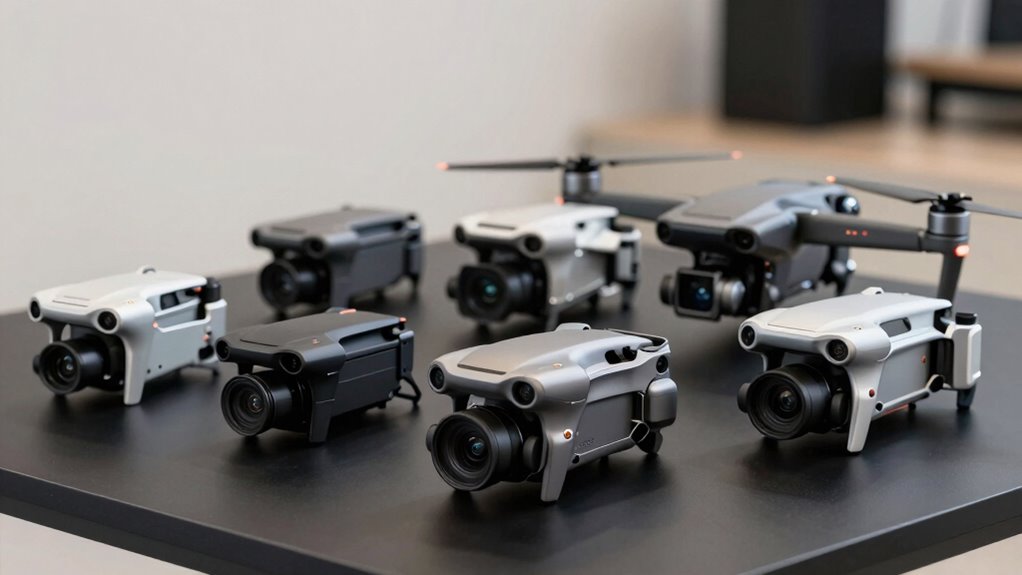

A professional drone camera should match the footage you need to deliver, not just promise a high resolution. I rank the DJI Mavic 4 Pro Creator Combo as the best overall for demanding production work, while the standard Mavic 4 Pro offers a capable alternative without the Creator Combo’s expanded storage and controller setup. For lighter travel and quick deployment, the DJI Mini 5 Pro Fly More Combo Plus is the standout compact option. The key tradeoffs are image and workflow capability versus portability, simpler controls, and a kit that is easier to manage. Read on for the full breakdown and help choosing the right fit for your shoots.

Get privacy and security gear delivered free with Prime
- Fast, free delivery on millions of items
- Prime Video, Amazon Music and more included
- Member-only deals all year
Key Takeaways
- The DJI Mavic 4 Pro Creator Combo ranks first because its bundled controller and 512GB storage make it the most production-ready package in this lineup.
- The standard DJI Mavic 4 Pro separates the aircraft choice from the kit choice: it suits buyers who want the Mavic platform with an RC 2 controller rather than the Creator Combo’s bundled setup.
- The Mini 5 Pro prioritizes portability and a fuller field kit through its Fly More Combo Plus format, making it a stronger travel-oriented pick than the larger Mavic options.
- The Ruko F11PRO’s 6K camera claim should not be treated as proof of professional video quality: buyers should compare actual recording formats, stabilization, control, and workflow support before choosing it for paid work.
- The CHUBORY and DJI Mini 4K serve different entry points: CHUBORY emphasizes long stated flight time and beginner aids, while DJI Mini 4K offers a more established compact-camera-drone direction with two batteries.
| Ruko F11PRO 2 Drone with 6K Camera and 4K Video | 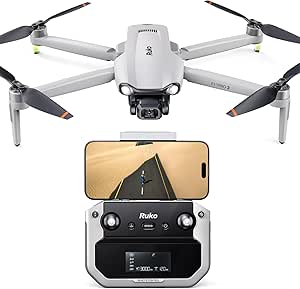 | Best Value for Stabilized 4K | Video resolution: 4K at 30 fps | Photo capability: 6K; 19 MP still resolution | Gimbal: 3-axis mechanical | VIEW ON AMAZON | See Our Full Breakdown |
| DJI Mavic 4 Pro Drone Creator Combo with RC Pro 2 Controller and 512GB Storage |  | Best Premium Professional Camera System | Camera system: 100MP Hasselblad wide, 48MP medium telephoto, and 50MP telephoto | Maximum video: 6K at 60 fps HDR | Maximum flight time: Up to 51 minutes | VIEW ON AMAZON | See Our Full Breakdown |
| DJI Mini 5 Pro Fly More Combo Plus with DJI RC 2 | 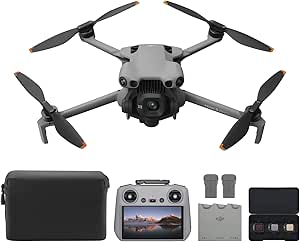 | Best Compact Professional Camera | Camera sensor: 1-inch CMOS | Video: 4K at 60 fps HDR | Gimbal: 225° roll rotation; supports true vertical filming | VIEW ON AMAZON | See Our Full Breakdown |
| CHUBORY 4K Drone with Camera, 84 Min Flight Time, 3 Batteries, Brushless Motor Quadcopter with 2650 ft Control Range, Auto Hover, Follow Me for Beginners |  | Best for Beginner Flight Practice | Camera: 4K HD with 120° wide-angle lens and dual-camera switching | Combined flight time: Up to 84 minutes with three batteries | Control range: Up to 2,650 feet | VIEW ON AMAZON | See Our Full Breakdown |
| Ruko U11MINI 4K Camera Drone with 5.5-Inch Touchscreen Remote |  | Best Built-In Screen for Beginners | Photo resolution: 8K; 48MP effective still resolution | Video resolution: 4K at 30 fps | Camera sensor: 1/2-inch CMOS | VIEW ON AMAZON | See Our Full Breakdown |
| DJI Mavic 4 Pro Drone with DJI RC 2 |  | Best for Professional Imaging Versatility | Main camera: 100MP 4/3 CMOS Hasselblad | Video: Up to 6K/60fps HDR | Tele cameras: Dual large CMOS cameras | VIEW ON AMAZON | See Our Full Breakdown |
| DJI Mini 4K Camera Drone Combo with Two Batteries |  | Best Compact Entry Point | Camera: 4K UHD | Gimbal: 3-axis | Weight: Under 249 g | VIEW ON AMAZON | See Our Full Breakdown |
| professional drone camera | Gimbal | Maximum flight time |
|---|---|---|
| Ruko F11PRO 2 Drone with 6K Ca | 3-axis mechanical | — |
| DJI Mavic 4 Pro Drone Creator | — | Up to 51 minutes |
| DJI Mini 5 Pro Fly More Combo | 225° roll rotation; supports true vertical filming | Up to 52 minutes per battery |
| CHUBORY 4K Drone with Camera | — | — |
| Ruko U11MINI 4K Camera Drone w | 3-axis mechanical brushless | — |
| DJI Mavic 4 Pro Drone with DJI | 360° rotation | Up to 51 minutes |
| DJI Mini 4K Camera Drone Combo | 3-axis | Up to 62 minutes with two batteries |
More Details on Our Top Picks
Ruko F11PRO 2 Drone with 6K Camera and 4K Video
The Ruko F11PRO 2 suits buyers who want stabilized 4K footage and guided flight modes without stepping up to the far more elaborate DJI Mavic 4 Pro Creator Combo. Its three-axis mechanical gimbal helps keep video steady, while GPS return-to-home, waypoint flight, and orbit mode give newer pilots useful tools for repeatable shots. The 6K photo capability adds room to crop stills, but this is a simpler camera setup than the Mavic’s triple-camera system and high-frame-rate HDR video. Battery life is also a shared total: up to 70 minutes across two batteries, not one uninterrupted flight. I’d choose it for accessible aerial work and practice, but skip it if a production needs multiple focal lengths, advanced obstacle sensing, or 6K video.
Pros:- Three-axis mechanical gimbal supports steadier 4K footage
- 6K photo capability provides cropping flexibility for stills
- GPS return-to-home and smart flight modes aid repeatable shooting
- Two batteries provide up to 70 minutes of combined flight time
Cons:- The 70-minute figure is split between two batteries, so each flight is shorter
- Records 4K at 30 fps rather than the higher-frame-rate HDR options on the DJI Mavic 4 Pro
- Lacks the multi-camera coverage and obstacle-sensing details of higher-end professional models
Best for: Newer drone operators and independent creators who want gimbal-stabilized 4K video, GPS-assisted flight modes, and two batteries for planned shoots.
Not ideal for: Commercial crews that need multiple camera focal lengths, advanced obstacle sensing, or higher-frame-rate 6K video.
- Video resolution:4K at 30 fps
- Photo capability:6K; 19 MP still resolution
- Gimbal:3-axis mechanical
- Combined flight time:Up to 70 minutes with two batteries
- Transmission range:Up to 10,000 feet
- Battery capacity:3200 mAh
- Flight features:GPS auto return, GPS Follow, Waypoint Flight, Cruise Control, and Orbit Mode
Our verdict“Choose the F11PRO 2 for accessible, gimbal-stabilized 4K aerial work, but pick the DJI Mavic 4 Pro when a professional shoot demands more camera versatility.”
DJI Mavic 4 Pro Drone Creator Combo with RC Pro 2 Controller and 512GB Storage
For demanding production work, the DJI Mavic 4 Pro Creator Combo offers the broadest camera toolkit in this group: a 100MP Hasselblad wide camera plus medium-telephoto and telephoto cameras. That range makes it easier to change perspective without repositioning the aircraft, while 6K60 HDR video gives editors more room for motion and post-production than the 4K30 Ruko F11PRO 2. Omnidirectional obstacle sensing, low-light forward LiDAR, and ActiveTrack 360 add support for complex flights, and the combo supplies three batteries and an RC Pro 2 controller. Its capabilities may exceed what a small creator needs, and the advertised 18.6-mile transmission range depends on conditions rather than serving as a practical planning distance. I’d favor it for crews that can use its camera flexibility; the lighter Mini 5 Pro is easier to carry.
Pros:- Three-camera system spans wide, medium-telephoto, and telephoto perspectives
- 100MP wide camera and 6K60 HDR capture support detailed production footage
- Omnidirectional sensing includes low-light forward-facing LiDAR
- Combo includes RC Pro 2, three batteries, a charging hub, and backpack
Cons:- Advanced camera and flight capabilities may be unnecessary for casual or occasional use
- The 18.6-mile transmission figure depends on flight conditions and may not reflect practical range
- The larger professional kit is less convenient to carry than the compact DJI Mini 5 Pro
Best for: Professional video teams and experienced aerial creators who need several focal lengths, high-resolution capture, tracking, and a supplied controller-and-battery kit.
Not ideal for: Casual flyers, travel creators prioritizing minimal carry weight, or buyers who will not use the triple-camera system and advanced flight features.
- Camera system:100MP Hasselblad wide, 48MP medium telephoto, and 50MP telephoto
- Maximum video:6K at 60 fps HDR
- Maximum flight time:Up to 51 minutes
- Transmission range:Up to 18.6 miles; range depends on conditions
- Obstacle sensing:Omnidirectional, with low-light forward-facing LiDAR
- Subject tracking:ActiveTrack 360
- Included accessories:RC Pro 2 controller, three batteries, 128GB memory, parallel charging hub, backpack, and 2-year CPS warranty
Our verdict“Choose the Mavic 4 Pro Creator Combo when a professional workflow can use its three cameras and advanced sensing, not just its headline resolution.”
DJI Mini 5 Pro Fly More Combo Plus with DJI RC 2
The DJI Mini 5 Pro is the compact pick for creators who need credible camera tools in a foldable aircraft. Its 1-inch sensor and 4K/60fps HDR give it a stronger image-quality brief than the beginner-oriented CHUBORY 4K, while true vertical filming and 225-degree gimbal roll rotation suit social campaigns that need native portrait framing. Omnidirectional sensing, forward LiDAR, and ActiveTrack 360 bring some advanced flight support in a body weighing about 249.9 grams. The included RC 2, three batteries, ND filters, and charging hub make it a more shoot-ready travel kit than a basic drone bundle. Its tradeoff is camera reach: unlike the Mavic 4 Pro, it does not offer separate telephoto cameras. Android users also need to download DJI Fly from DJI’s website.
Pros:- Foldable body and approximately 249.9 g weight make it easier to pack
- 1-inch sensor records 4K/60fps HDR video
- True vertical filming and 225-degree gimbal roll rotation support portrait work
- Combo includes RC 2, three batteries, ND filters, and a charging hub
Cons:- Single-camera setup lacks the Mavic 4 Pro’s separate medium and telephoto cameras
- Android users must download the DJI Fly app from DJI’s website
- Night flights may require permits depending on local regulations
Best for: Traveling filmmakers and social-video producers who need a compact drone with HDR capture, native vertical framing, tracking, and obstacle sensing.
Not ideal for: Production teams that need interchangeable aerial perspectives or dedicated telephoto cameras like those on the DJI Mavic 4 Pro.
- Camera sensor:1-inch CMOS
- Video:4K at 60 fps HDR
- Gimbal:225° roll rotation; supports true vertical filming
- Obstacle sensing:Omnidirectional, with forward-facing LiDAR and vision sensors
- Tracking:ActiveTrack 360°
- Maximum flight time:Up to 52 minutes per battery
- Weight and storage:Approximately 249.9 g ± 4 g; 42GB internal storage
- Included accessories:DJI RC 2, three batteries, spare propellers, charging hub, and ND filters
Our verdict“Pick the Mini 5 Pro for compact professional-style filming and portrait work, but step up to the Mavic 4 Pro if you need multi-camera coverage.”
CHUBORY 4K Drone with Camera, 84 Min Flight Time, 3 Batteries, Brushless Motor Quadcopter with 2650 ft Control Range, Auto Hover, Follow Me for Beginners
The CHUBORY 4K makes most sense as an entry-level practice aircraft, not as a camera platform for demanding professional delivery. Three batteries provide up to 84 minutes of combined flight time, giving beginners more time to learn framing and controls between charging sessions. Its brushless motors, auto hover, optical-flow positioning, and Follow Me features offer a straightforward starting point. By comparison, the DJI Mini 5 Pro specifies a 1-inch sensor, 4K/60fps HDR, and omnidirectional sensing—stronger evidence for serious image-making and safer complex routes. CHUBORY lists 4K HD and a 120-degree lens, but does not detail transmission latency or video quality. The sub-249g weight and foldable design are convenient, though the brand’s less established profile and limited camera information make it a cautious choice for paid work.
Pros:- Three batteries provide up to 84 minutes of combined flight time
- Brushless motors and auto hover support steadier beginner flights
- Foldable 180 g design is lightweight and portable
- Follow Me, optical-flow positioning, and gesture selfie modes add accessible flight options
Cons:- Camera details are limited to 4K HD and lens coverage, with no sensor or frame-rate information
- Video transmission quality and latency are not specified
- Less established brand presence offers less confidence for professional production than DJI models
Best for: First-time drone owners who want extended practice sessions, basic 4K aerial capture, and simple hover and follow functions.
Not ideal for: Professional creators who need documented sensor performance, detailed video transmission specifications, or advanced obstacle sensing.
- Camera:4K HD with 120° wide-angle lens and dual-camera switching
- Combined flight time:Up to 84 minutes with three batteries
- Control range:Up to 2,650 feet
- Weight:180 g
- Motor type:Brushless
- Positioning and flight features:Auto Hover, Follow Me, Optical Flow Positioning, FPV, and Gesture Selfie
- Dimensions:3.7 × 3.7 × 1.1 inches
Our verdict“Choose the CHUBORY for affordable-feeling practice time and basic aerial clips, not for work where camera specifications and dependable transmission matter.”
Ruko U11MINI 4K Camera Drone with 5.5-Inch Touchscreen Remote
The Ruko U11MINI stands apart from the Ruko F11PRO 2 with a 5.5-inch touchscreen controller, so a pilot can frame shots without mounting a phone. Its listed 48MP effective still resolution and 8K photo mode pair with 4K/30fps video and a three-axis mechanical gimbal, making it a more camera-focused beginner package than the CHUBORY 4K, whose sensor and transmission details are sparse. Two batteries provide up to 64 minutes of combined flight time, and AI takeoff, landing, and return-to-home reduce the workload for new operators. The claimed 20,000-foot range should be treated as a best-case figure, not a routine operating distance. It also lacks the Mini 5 Pro’s 4K/60fps HDR and omnidirectional sensing, and the listed charger is not confirmed as included.
Pros:- Built-in 5.5-inch 1080p touchscreen works without a phone
- Three-axis mechanical brushless gimbal helps steady footage
- 8K photo mode and 48MP effective still resolution provide detailed still capture
- Two batteries offer up to 64 minutes of combined flight time
Cons:- 4K video is limited to 30 fps, unlike the DJI Mini 5 Pro’s 4K/60fps HDR
- The claimed 20,000-foot range depends on open conditions
- A recommended PD65W charger is mentioned, but charger inclusion is not specified
Best for: Beginning aerial photographers who prefer a dedicated screen controller and want stabilized 4K video without relying on a phone for framing.
Not ideal for: Professional crews needing higher-frame-rate HDR video, advanced obstacle sensing, or a clearly specified and included charging setup.
- Photo resolution:8K; 48MP effective still resolution
- Video resolution:4K at 30 fps
- Camera sensor:1/2-inch CMOS
- Gimbal:3-axis mechanical brushless
- Controller display:5.5-inch 1080p touchscreen
- Combined flight time:Up to 64 minutes with two batteries
- Maximum range and weight:Up to 20,000 feet; under 249 g
- Connectivity and formats:R2 digital system; Wi-Fi listed; MP4 video
Our verdict“Choose the U11MINI if a built-in screen and beginner-focused controls matter more than the Mini 5 Pro’s HDR video and advanced sensing.”
DJI Mavic 4 Pro Drone with DJI RC 2
The 100MP Hasselblad main camera, dual tele cameras, and 360° gimbal make this the most versatile imaging choice in this batch. That combination lets a working creator move between high-resolution stills, compressed-perspective telephoto shots, and unusual gimbal angles without relying on a single camera view. It also offers 6K/60fps HDR video and up to 51 minutes of flight time, giving it more room for demanding shoots than the lighter DJI Mini 4K.
The tradeoff is a much heavier, larger aircraft at 2,372 g, so it is less suited to travel where compactness matters. Its listed package includes one battery, limiting the practical benefit of its long maximum flight time unless you bring spares. The DJI Fly app also requires a download from DJI rather than Google Play. I’d choose this over the Mini 4K for production flexibility, not casual portability.
Pros:- 100MP 4/3 CMOS Hasselblad main camera supports highly detailed still images.
- Dual tele cameras expand framing options beyond the main camera.
- 360° gimbal rotation and up to 6K/60fps HDR video support varied cinematic shots.
- Up to 51 minutes of flight time and low-light omnidirectional obstacle sensing support longer, more demanding sessions.
Cons:- At 2,372 g, it is substantially less portable than the under-249 g DJI Mini 4K.
- The listed package includes one battery, so extended shoots may require additional batteries.
- The DJI Fly app must be downloaded from DJI rather than Google Play.
Best for: Commercial and independent aerial filmmakers who need high-resolution stills, multiple focal lengths, and flexible gimbal movement in one drone.
Not ideal for: Travel photographers prioritizing a lightweight kit, or crews needing extended sessions without arranging extra batteries.
- Main camera:100MP 4/3 CMOS Hasselblad
- Video:Up to 6K/60fps HDR
- Tele cameras:Dual large CMOS cameras
- Gimbal:360° rotation
- Obstacle sensing:0.1-lux Nightscape omnidirectional
- Maximum flight time:Up to 51 minutes
- Maximum transmission range:30 km (18.6 miles)
- Weight:2,372 g
Our verdict“Choose the Mavic 4 Pro for professional shoots that benefit from multiple cameras and high-resolution capture, and skip it if portability or a ready-made multi-battery kit matters more.”
DJI Mini 4K Camera Drone Combo with Two Batteries
The under-249 g design makes the DJI Mini 4K the practical pick for creators who want stabilized 4K aerial footage without carrying a professional-sized aircraft. Its 3-axis gimbal helps keep footage steady, while GPS Return to Home and beginner-friendly controls make it a more approachable starting point than the camera-focused DJI Mavic 4 Pro. The combo’s two batteries provide up to 62 minutes of flight time in total, which is useful for practice or short location shoots without a battery change ending the session.
That portability comes with a clear imaging ceiling: it has a 4K UHD camera, not the Mavic’s 100MP Hasselblad sensor, dual tele cameras, or 6K HDR video. Its 10 km transmission figure and flight-time claim depend on conditions, so I wouldn’t treat either as a guaranteed working range. The app also needs to be installed from DJI’s website. This is a compact creator’s tool, not a substitute for a multi-camera professional rig.
Pros:- Under-249 g weight makes the drone easier to pack and carry than the Mavic 4 Pro.
- 4K UHD camera with a 3-axis gimbal provides stabilized aerial footage.
- Two included batteries offer up to 62 minutes of flight time in total.
- GPS Return to Home and beginner-friendly controls support a gentler learning curve.
Cons:- The 4K camera lacks the Mavic 4 Pro’s 100MP still capture and dual tele cameras.
- Maximum flight time and 10 km transmission range depend on conditions and environment.
- The DJI Fly app must be downloaded from DJI’s official website rather than Google Play.
Best for: Travel creators, solo operators, and new drone pilots who want stabilized 4K footage in a compact kit with two included batteries.
Not ideal for: Commercial filmmakers who need high-resolution stills, multiple focal lengths, or the Mavic 4 Pro’s 6K HDR capture.
- Camera:4K UHD
- Gimbal:3-axis
- Weight:Under 249 g
- Maximum video transmission:10 km (32,800 ft)
- Maximum flight time:Up to 62 minutes with two batteries
- Wind resistance:38 kph (Level 5)
- Maximum takeoff altitude:4,000 m
- Included batteries:2
- Included controller:DJI RC-N1C
Our verdict“Pick the Mini 4K for portable, stabilized 4K footage and an approachable two-battery kit, but choose the Mavic 4 Pro for demanding professional imaging.”

How We Picked
I ranked these seven drones around what matters when a camera drone is expected to produce usable aerial material: camera and recording capability, flight control, operator interface, kit readiness, portability, and how clearly the listed features support a real production workflow. I gave more weight to the complete filming system than to headline resolution or stated flight time alone. A drone intended for professional work should make it easier to frame, control, capture, and manage footage—not simply advertise a large number.
The DJI Mavic 4 Pro Creator Combo leads for its more production-oriented bundled setup, while the standard Mavic 4 Pro follows as a distinct aircraft-and-controller option. The Mini 5 Pro earns a high place for buyers who value a compact setup, but it does not replace the Mavic picks for every demanding job. The Ruko and CHUBORY models sit lower because their listed strengths lean more toward headline camera claims, endurance, or beginner convenience than a clearly described professional capture workflow. I treat manufacturer-stated specifications as claims, not proof of real-world output, and advise buyers to verify recording formats, local flight rules, and included accessories before committing.
| professional drone camera | Maximum flight time |
|---|---|
| Ruko F11PRO 2 Drone with 6K Ca | — |
| DJI Mavic 4 Pro Drone Creator | Up to 51 minutes |
| DJI Mini 5 Pro Fly More Combo | Up to 52 minutes per battery |
| CHUBORY 4K Drone with Camera | — |
| Ruko U11MINI 4K Camera Drone w | — |
| DJI Mavic 4 Pro Drone with DJI | Up to 51 minutes |
| DJI Mini 4K Camera Drone Combo | Up to 62 minutes with two batteries |
Factors to Consider When Choosing Professional Drone Camera
Choosing a professional camera drone means buying a working system, not just an aircraft. These broader questions can help prevent mismatches that product feature lists rarely make obvious.
Match Image Delivery Requirements to the Camera
Start with the destination of your footage: client web content, broadcast, inspection records, or personal projects may call for different file formats and editing flexibility. A headline resolution number does not tell you about bitrate, color profiles, frame-rate choices, highlight handling, or how well footage holds up in post. Ask whether your current editing software can work with the recorded files and whether the camera offers enough control for consistent exposure and color. A common mistake is buying on resolution alone, then finding that the recording options do not fit the delivery pipeline. If you need matching shots across multiple cameras, prioritize color and exposure consistency over a single impressive specification.
Plan the Complete On-Site Workflow
Think through the shoot from launch to file handoff: controller, screen visibility, battery rotation, storage, charging, and backup all affect how much usable footage you can bring home. Bundles can save setup decisions, but a bundled accessory only helps if it fits your workflow and can be maintained or replaced. Check whether storage is built in, removable, or dependent on cards, and decide how you will copy and protect footage in the field. Buyers often focus on flight time per battery while overlooking downtime for swaps, charging, and file management. For paid jobs, a spare battery plan and a reliable data-backup routine can matter as much as the aircraft’s headline endurance.
Treat Portability as a Production Decision
A compact drone can make location changes and travel simpler, but a smaller aircraft is not automatically the right choice for every assignment. Consider wind exposure, required framing, flight duration, and whether the work calls for a larger camera platform or specialized payload. Also account for the controller, batteries, chargers, and case; the aircraft’s folded dimensions do not represent the whole kit. A frequent error is choosing the lightest model before checking what conditions and output the job demands. If your work spans travel and controlled locations, portability may save more time than a modest difference in camera specifications.
Check Control, Safety, and Local Flight Rules
Good flight aids can reduce workload, but obstacle sensing, return-to-home behavior, and tracking features do not remove the pilot’s responsibility to maintain safe operation. Before buying, check which sensors work in the directions and conditions you expect, and learn how the aircraft behaves when positioning signals weaken. Your location may also have registration, pilot qualification, airspace, privacy, or operating restrictions that affect which drone you can use and where. Do not assume a beginner feature makes a model suitable for every environment or commercial assignment. Build time for practice and confirm the rules that apply to your work before accepting a flight job.
Budget for Support and Replacement Parts
The purchase decision should include more than the drone and camera: batteries age, propellers need replacement, and crashes or transport damage can interrupt work. Check whether the manufacturer or seller offers accessible parts, repair routes, software support, and clear documentation for the model. Consider how much downtime you can tolerate and whether you need a backup aircraft for deadline-sensitive work. A low-cost kit may be a sensible learning tool, but it can be a poor fit if repairs or replacement parts are hard to source. Paying more makes sense when the added capability, support, or bundle components address a specific production need rather than simply adding features you will not use.
Frequently Asked Questions
Can a drone advertised with a 6K camera be trusted for professional video?
Not from the resolution claim alone. I would verify supported video formats, frame rates, bitrate, stabilization, manual exposure controls, and the actual files produced before using a drone for client work. A high-resolution still-image specification may not describe the quality or flexibility of recorded video. Check sample footage from the exact model and confirm that your editing setup can handle its files. For paid projects, test the full capture-to-delivery workflow before making it your primary camera drone.
Should I choose the Mavic 4 Pro Creator Combo or the standard Mavic 4 Pro?
Choose between them by looking at the bundled workflow, not just the aircraft name. The Creator Combo is the stronger fit if its RC Pro 2 controller and 512GB storage suit the way you capture and manage material. The standard Mavic 4 Pro with RC 2 may make more sense if you prefer that controller setup or already have a storage and accessory plan. Check the exact package contents and regional configuration before ordering, since bundle details affect what you need to add. Neither package is automatically the better choice if its included components do not match your field process.
Is a compact Mini drone enough for professional assignments?
It can be, when the assignment benefits from a portable kit and the camera output meets the client’s delivery requirements. The Mini 5 Pro is the more production-oriented compact choice in this roundup, while the Mini 4K is a simpler option to evaluate for less demanding work. Before relying on either, check wind conditions, flight limits, recording controls, and the output format your client expects. Compact size does not remove local operating rules or the need for a safe flight plan. For demanding camera moves or challenging conditions, a larger platform may be a better match.
How much should I value a stated flight time when comparing drones?
Use it as one planning input, not a promise of usable filming time. Real shoot duration depends on conditions, flight behavior, battery age, and the need to keep a reserve for a safe return. Compare the number of batteries included and how quickly you can recharge or swap them, then plan the working session around conservative flight windows. CHUBORY highlights 84 minutes across its stated setup and three batteries, but that figure should not be compared directly with a single-battery claim without checking how each number is calculated. For any assignment, carry enough charged batteries for the planned shots and a margin for delays.
What should I check before using a camera drone for paid work?
Confirm that you can legally conduct the flight where the client wants the footage and that your qualifications, registration, and airspace permissions meet local requirements. Agree on deliverables in advance, including resolution, aspect ratio, camera movement, file format, and whether edited footage or raw files are expected. Check the site for people, obstacles, wind, launch space, and restrictions that could prevent the planned shots. Make a battery and data-backup plan, and consider how you will handle a failed flight or damaged equipment. A capable camera drone supports the job, but preparation and legal operation determine whether the footage can be captured responsibly.
Conclusion
For the strongest all-around production package in this group, I recommend the DJI Mavic 4 Pro Creator Combo; it leads because the bundled controller and storage point toward a more ready-to-work setup. The best premium alternative is the standard DJI Mavic 4 Pro for buyers who want that platform with an RC 2 controller and do not need the Creator Combo configuration. For travel-focused creators, the DJI Mini 5 Pro Fly More Combo Plus is my compact pick. The best beginner direction depends on priorities: choose the CHUBORY for its stated long-flight setup and beginner aids, or the DJI Mini 4K Combo if you prefer a compact kit with two batteries from DJI. The Ruko F11PRO is a feature-led alternative, but I would verify its actual footage and workflow before assigning it professional work. Match the drone to your deliverables, conditions, and support needs—not the biggest number on the box.