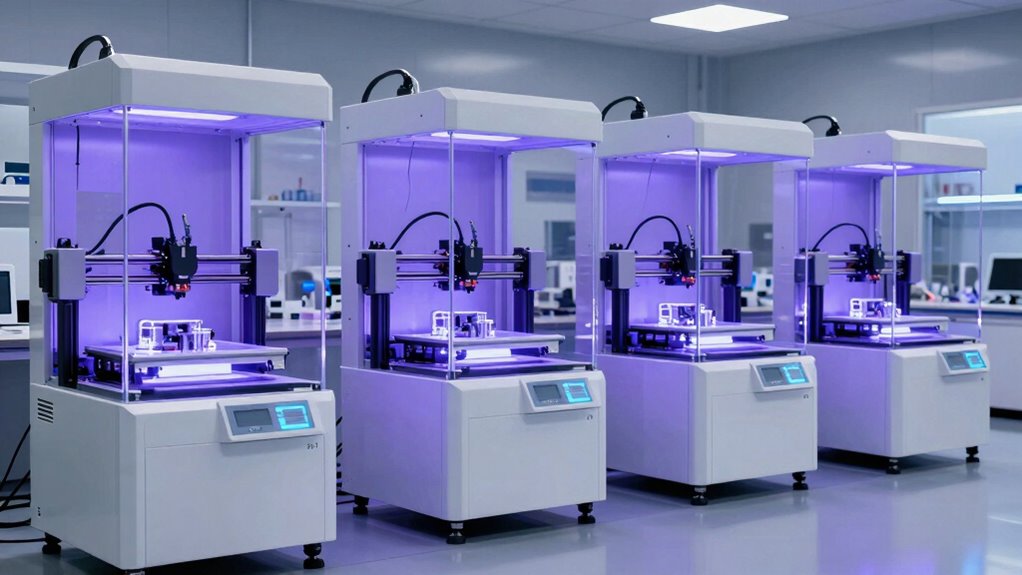

Choosing a large-format resin 3D printer means balancing usable build area against detail, resin handling, and the room needed for a heavy machine. I would start with the ANYCUBIC Photon Mono M7 Max for its roomy 298 × 164 × 300 mm build volume and automatic resin handling, or the ELEGOO Saturn 4 Ultra 16K if fine detail and monitoring features matter more than maximum part size. For a wide build area paired with a high-resolution screen, the ANYCUBIC Photon P1 Max is another strong contender, though its weight and footprint are substantial.

Get privacy and security gear delivered free with Prime
- Fast, free delivery on millions of items
- Prime Video, Amazon Music and more included
- Member-only deals all year
These printers are not interchangeable. Some prioritize a tall, broad build space; others add heated vats, feeding systems, cameras, or finer pixel detail to make larger jobs easier to manage. I rank them by how well their stated features serve actual large-format work, while accounting for handling and workspace tradeoffs. The best choice depends on whether you print oversized single pieces, batches of smaller parts, or detailed models that benefit from tighter pixel spacing.
Complete the kit


Key Takeaways
- Photon Mono M7 Max pairs a 298 × 164 × 300 mm build area with a 1300 ml vat and automatic resin handling for large, sustained jobs.
- Saturn 4 Ultra 16K sacrifices some build volume for a 16K screen, 30 °C tank heating, automatic leveling, and print-monitoring tools.
- Photon P1 Max offers an 18.3L build volume and 24.8 μm pixels, but its 68.9-pound weight calls for a permanent workspace.
- Jupiter 2 has the widest stated build dimension in this group and combines resin feeding with camera monitoring and power loss recovery.
- GK3 Ultra balances a 300 mm-tall build space with 16K detail, heated resin, and an automatic feeder; compare its listed features carefully because fewer technical details are supplied.
| ANYCUBIC Photon Mono M7 Max Resin 3D Printer |  | Best Overall for Large, Hands-Off Jobs | Build volume: 298 × 164 × 300 mm | Resin vat capacity: 1300 ml | Maximum print speed: 60 mm/h | VIEW ON AMAZON | See Our Full Breakdown |
| ELEGOO Saturn 4 Ultra 16K Resin 3D Printer |  | Best for Fine Detail and Assisted Monitoring | Build volume: 8.33 × 4.66 × 8.66 inches | Screen: 10-inch 16K mono LCD | Resin tank heating: 30 °C | VIEW ON AMAZON | See Our Full Breakdown |
| ANYCUBIC Photon P1 Max Resin 3D Printer |  | Best for High-Detail Large Prints | Build volume: 285.5 × 214 × 300 mm (18.3L) | Screen: 14-inch 12K monochrome | Pixel size: 24.8 × 24.8 μm | VIEW ON AMAZON | See Our Full Breakdown |
| ELEGOO Jupiter 2 16K Resin 3D Printer |  | Best for Automation and Monitoring at Large Scale | Build volume: 302.4 × 161.98 × 300 mm | Resolution: 15120 × 6230 | XY resolution: 20 × 26 μm | VIEW ON AMAZON | See Our Full Breakdown |
| UniFormation GK3 Ultra 13.5-Inch 16K Resin 3D Printer |  | Best for Heated Resin Handling and Convenient Vat Changes | Build volume: 300 × 160 × 300 mm | LCD resolution: 16K | Pixel size: 20 × 26 μm | VIEW ON AMAZON | See Our Full Breakdown |
| resin 3d printer large format | Build volume |
|---|---|
| ANYCUBIC Photon Mono M7 Max Re | 298 × 164 × 300 mm |
| ELEGOO Saturn 4 Ultra 16K Resi | 8.33 × 4.66 × 8.66 inches |
| ANYCUBIC Photon P1 Max Resin 3 | 285.5 × 214 × 300 mm (18.3L) |
| ELEGOO Jupiter 2 16K Resin 3D | 302.4 × 161.98 × 300 mm |
| UniFormation GK3 Ultra 13.5-In | 300 × 160 × 300 mm |
More Details on Our Top Picks
ANYCUBIC Photon Mono M7 Max Resin 3D Printer
The Photon Mono M7 Max is my leading all-round pick because it combines a generous 298 × 164 × 300 mm build area with practical support for longer prints. Its 1300 ml vat, automatic resin filling, and recycling features can reduce interruptions when a job consumes a substantial amount of material. Dynamic resin temperature control also addresses a common large-print concern: keeping resin conditions more consistent as a print runs.
Compared with the Jupiter 2, the M7 Max is lighter and narrower in the listed build dimensions, though the Jupiter extends slightly farther across one axis and adds a camera, Wi-Fi, and power loss recovery. The M7 Max instead emphasizes its filling and resin-recycling workflow. The Saturn 4 Ultra is the more detail-led choice, with a 16K screen and faster stated maximum speed, but its build volume is smaller. For buyers who need one machine to handle sizable objects without making every refill a manual interruption, the M7 Max has the clearest balance.
Its stated maximum speed is 60 mm/h, below the Saturn 4 Ultra’s listed 150 mm/h. Those figures alone do not predict the time for a finished model, which also depends on settings and geometry, but buyers focused on headline speed should compare the Saturn. At 52.8 pounds, this printer is still a heavy piece of equipment; it is better placed on a stable bench than moved between rooms after each job.
Pros:- 298 × 164 × 300 mm build volume accommodates sizeable parts.
- 1300 ml vat and automatic filling support longer jobs.
- Dynamic resin temperature control helps manage resin conditions.
- Flip-open cover offers straightforward access to the build area.
Cons:- At 52.8 pounds, it is not convenient to move often.
- Its stated 60 mm/h maximum speed is lower than the Saturn 4 Ultra’s listed figure.
Best for: Makers who want a large build area and automated resin handling for substantial models or extended print sessions.
Not ideal for: Buyers whose priority is the highest stated speed, frequent relocation, or a small machine footprint.
- Build volume:298 × 164 × 300 mm
- Resin vat capacity:1300 ml
- Maximum print speed:60 mm/h
- Light source:COB with Fresnel lens
- Resin features:Automatic filling and recycling; dynamic temperature control
- Dimensions:20.47 × 20 × 31 inches
- Weight:52.8 pounds
Our verdict“I recommend the Photon Mono M7 Max as the best overall large-format choice for buyers who value build space and automated resin handling more than headline speed.”
ELEGOO Saturn 4 Ultra 16K Resin 3D Printer
The Saturn 4 Ultra 16K takes a different route from the biggest-build options: it pairs a more modest 8.33 × 4.66 × 8.66-inch build volume with a 10-inch 16K mono LCD. That makes it a compelling fit when the job is a detailed assembly, miniature, or precision part that must stay within the available build space. Automatic leveling reduces setup work, while smart tank heating holds resin at 30 °C according to the supplied description.
Its feature set is unusually focused on monitoring. The AI camera and detection tools can flag resin shortages or residue and provide a view of the print, though the stated detection performance may vary with the environment, model, and resin. I would treat those alerts as useful assistance, not a substitute for checking the machine. The printer’s tilt-release system is listed at up to 150 mm/h, a higher stated maximum than the M7 Max’s 60 mm/h, but speed claims do not account for every model or print setting.
For sheer part capacity, the Photon Mono M7 Max, Jupiter 2, and GK3 Ultra offer larger stated dimensions in at least one direction. The Saturn is therefore not my pick for buyers who routinely need the largest single pieces. It earns this role by combining fine screen resolution, assisted setup, and monitoring in a package that is lighter than the largest Anycubic and ELEGOO alternatives at 35.5 pounds.
Pros:- 16K mono LCD is suited to fine surface detail.
- Automatic leveling makes setup simpler.
- 30 °C tank heating supports more controlled resin conditions.
- Camera and detection features add visibility during printing.
Cons:- Its stated build volume is smaller than the large-format dimensions of the other picks.
- AI detection results can vary with resin, model, and surroundings.
Best for: Detail-focused makers who want a 16K screen, automatic leveling, heated resin, and camera-assisted monitoring.
Not ideal for: Buyers who need the broadest build area for oversized single pieces or want monitoring alerts to make decisions without supervision.
- Build volume:8.33 × 4.66 × 8.66 inches
- Screen:10-inch 16K mono LCD
- Resin tank heating:30 °C
- Maximum print speed:150 mm/h
- Print system:Tilt-release
- Monitoring:AI camera, chamber lighting, residue and resin shortage detection
- Weight:35.5 pounds
Our verdict“I would choose the Saturn 4 Ultra when detail and guided print monitoring matter more than maximizing the size of each object.”
ANYCUBIC Photon P1 Max Resin 3D Printer
The Photon P1 Max targets buyers unwilling to trade away fine detail simply to gain a large build area. Its stated volume is 18.3 liters, measuring 285.5 × 214 × 300 mm, and its 14-inch 12K monochrome screen has a listed pixel size of 24.8 × 24.8 μm. In this lineup, that combination makes it a distinctive option for large prototypes or batches where small features and surface finish matter alongside capacity.
Compared with the Photon Mono M7 Max, the P1 Max has a wider stated second dimension and a larger stated tank capacity at 1900 ml, but it also weighs 68.9 pounds. The M7 Max is easier to place or reposition and lists automatic resin recycling, while the P1 Max focuses on its 12K detail, heated tank, auto-leveling, and C7-grade ball screws. Buyers who expect to keep the printer in one dedicated workspace may see the weight as a manageable cost of its format; anyone planning frequent moves should take it seriously.
The Jupiter 2 is another large-build alternative, with a slightly larger first dimension and camera monitoring, Wi-Fi, and power loss recovery listed. The P1 Max stands out instead for its stated pixel pitch and 18.3L volume. Its footprint is also substantial, so this is a specialist choice for a permanent production or prototyping area rather than a compact hobby bench. I rank it below the overall pick because the extra size and weight may be unnecessary for buyers who mainly need a tall, large-format printer.
Pros:- 18.3L build volume supports large parts and grouped prints.
- 14-inch 12K screen and 24.8 μm pixel size target fine detail.
- 1900 ml resin tank supports larger-volume work.
- Heated tank and auto-leveling add workflow support.
Cons:- 68.9-pound weight makes relocation difficult.
- Large dimensions call for a dedicated workspace.
Best for: Prototyping and batch-printing users who need a large capacity while preserving fine details.
Not ideal for: Makers with limited bench space or anyone who expects to move the printer regularly.
- Build volume:285.5 × 214 × 300 mm (18.3L)
- Screen:14-inch 12K monochrome
- Pixel size:24.8 × 24.8 μm
- Resin tank capacity:1900 ml
- Maximum tank temperature:35 °C
- Positioning accuracy:±0.01 mm
- Dimensions and weight:20.08 × 20.87 × 29.53 inches; 68.9 pounds
Our verdict“I recommend the Photon P1 Max to buyers who need both high-resolution output and a genuinely spacious build area, and have room to leave it set up.”
ELEGOO Jupiter 2 16K Resin 3D Printer
The ELEGOO Jupiter 2 is built around a 302.4 × 161.98 × 300 mm build area, giving it the longest stated first dimension in this group. That can help with wide objects or arranging several parts across a plate, while its 16K resolution and 20 × 26 μm XY resolution offer a detail-focused specification to pair with the large format. It also bundles automatic leveling, a heated resin tank, and automated feeding instead of treating capacity as the only priority.
Where the Jupiter 2 separates itself from the Photon Mono M7 Max is in its broader monitoring and recovery package. A built-in camera, dual-band Wi-Fi, resin shortage and residue alarms, and power loss recovery can offer more oversight for longer jobs. The M7 Max lists dynamic temperature control and resin recycling and weighs less; the Jupiter’s 63.8-pound body is a meaningful penalty if the setup will be moved. The Jupiter is the stronger match for buyers who want connected monitoring and protection features, not necessarily the easiest printer to relocate.
Against the Photon P1 Max, Jupiter 2’s first build dimension is slightly longer, while the P1 Max lists a 214 mm second dimension and a 1900 ml tank. Those differences make the right choice dependent on model orientation and resin workload, not just the headline size. The Jupiter also has a 4.0-inch touch screen and 8 GB ROM listed, but its nearly 28-inch longest exterior dimension requires a considered placement plan.
Pros:- 302.4 mm stated build dimension accommodates long parts.
- Automatic leveling, tank heating, and resin feeding support a more automated workflow.
- Camera and dual-band Wi-Fi provide print visibility and connectivity.
- Safety alerts and power loss recovery address common long-job interruptions.
Cons:- At 63.8 pounds, moving it can be awkward.
- Its exterior dimensions require substantial dedicated space.
Best for: Makers running long or larger prints who value automated feeding, remote visibility, and power loss recovery.
Not ideal for: Buyers with limited floor or bench space, or those who need a printer that is easy to move.
- Build volume:302.4 × 161.98 × 300 mm
- Resolution:15120 × 6230
- XY resolution:20 × 26 μm
- Tank preheat:30 °C
- Connectivity:Dual-band Wi-Fi
- Other workflow features:Automatic leveling and resin feeding; camera monitoring
- Dimensions and weight:27.95 × 20.08 × 19.29 inches; 63.8 pounds
Our verdict“I would pick the Jupiter 2 for large jobs where automation, camera monitoring, and recovery features matter more than portability.”
UniFormation GK3 Ultra 13.5-Inch 16K Resin 3D Printer
The UniFormation GK3 Ultra makes a strong case as a large-format workhorse: its 300 × 160 × 300 mm build area is close to the M7 Max and Jupiter 2 in the listed dimensions, while the 16K LCD and 20 × 26 μm pixel size target detailed output. Its distinctive value lies in the resin workflow. A heated system, automatic refill, quick-release vat, and built-in carbon filter are aimed at reducing friction around longer jobs and handling.
Compared with the Photon Mono M7 Max, the GK3 Ultra lists a similar overall format and automatic resin supply, but adds a quick-release vat and carbon filtration in its described feature set. The M7 Max gives more explicit tank capacity and maximum speed information, plus automatic resin recycling and a flip-open cover. For a buyer comparing machines, that difference matters: the GK3’s supplied details are useful, but they leave some questions about capacity and speed unanswered. I would not infer performance specifications that are not provided.
The Saturn 4 Ultra is lighter and emphasizes camera-based monitoring, while the GK3 Ultra leans toward resin handling and a precision Z-axis module with ±0.003 mm repeat positioning accuracy. It lists heating at 25 °C or 30 °C and a minimum stated ambient temperature of 0 °C. Those features may suit a workspace where resin temperature needs attention, but the large format still needs room, and buyers seeking a printer with the most fully specified comparison data may prefer the M7 Max or Jupiter 2.
Pros:- 300 × 160 × 300 mm build volume supports large objects and batches.
- 16K screen and 20 × 26 μm pixel size support fine detail.
- Heated resin system and automatic refill support extended jobs.
- Quick-release vat and built-in carbon filter simplify handling.
Cons:- Large build dimensions require dedicated workspace.
- The supplied specifications do not state tank capacity or maximum print speed.
Best for: Makers who want a large build area with heated resin, automatic refill, and quick-release vat handling.
Not ideal for: Buyers who need detailed published tank-capacity and speed figures before deciding, or want a compact printer.
- Build volume:300 × 160 × 300 mm
- LCD resolution:16K
- Pixel size:20 × 26 μm
- Z-axis repeat positioning accuracy:±0.003 mm
- Resin heating:25 °C or 30 °C
- Resin and vat features:Automatic refill; quick-release vat
- Filtration and ambient range:Built-in carbon filter; minimum stated ambient temperature 0 °C
Our verdict“I recommend the GK3 Ultra to buyers who prioritize resin workflow convenience and 16K detail, provided its missing capacity and speed figures are not deal-breakers.”

How We Picked
I ranked these models around the phrase large format, not on resolution alone. My main comparison points are the stated build dimensions, how well each printer supports long or repeated jobs, and the practical demands of moving and housing a machine of this size. A large print volume has limited value if the resin workflow becomes cumbersome or the printer cannot fit the intended workspace.
I also looked at pixel detail and resin management as separate strengths. A 16K screen or small pixel pitch can help preserve fine surface features, while heating, automatic feeding, and monitoring can make bigger jobs easier to run. Those additions do not automatically make one printer better for every buyer: they matter most when the models, resin, and workload make use of them.
Finally, I treated the supplied specifications as the basis for comparison and did not assume unlisted performance. The lineup includes different measurements and feature sets, so I distinguish stated build volume from resolution and automation rather than treating them as the same thing. The ranking favors machines with a compelling mix for large prints, while each entry names the buyer who may be better served elsewhere.
Factors to Consider When Choosing Resin 3d Printer Large Format
I would choose a large-format resin printer by matching the machine to the parts and workflow, not by chasing the largest number on a listing. Build dimensions, pixel detail, resin handling, and installation demands each affect a different part of ownership.Measure the object, not just the printer
Start with the largest model you expect to print, including the room needed to angle it on the build plate and add supports. A stated 300 mm height does not tell the whole story: the width and depth determine whether broad objects fit without splitting. The Jupiter 2 lists a 302.4 mm first dimension, while the Photon P1 Max offers a wider 214 mm second dimension. Check each axis against your actual models before ranking machines by volume alone.
Also think about batch layouts. If you print multiple components together, plate area can matter more than the ability to print one tall object. A larger build area can reduce the need to divide models or schedule multiple runs, but only if the desired parts fit with support structures and spacing.
Treat resolution and build volume as separate decisions
Large-format capacity and fine detail are related buying concerns, but one does not guarantee the other. The Saturn 4 Ultra and Jupiter 2 list 16K screens, while the Photon P1 Max pairs a 12K screen with a stated 24.8 μm pixel size. Pixel pitch and the detail in the model help explain how small features may be represented; a resolution label by itself is not a complete measure of finished quality.
If your work includes fine textures, tiny lettering, or small mechanical details, give screen and XY specifications more weight. For large architectural forms, costume pieces, or prototypes with broad surfaces, usable dimensions may matter more. The right balance depends on the smallest features you need to preserve and the largest single part you need to fit.
Choose resin automation for your workload
Heating and automatic feeding can reduce manual steps during longer jobs, but their value depends on how often you print and how much resin a project uses. The Photon Mono M7 Max lists automatic filling and recycling with a 1300 ml vat, while the GK3 Ultra lists automatic refill and a quick-release vat. The Jupiter 2 also includes automated feeding and tank preheating.
Compare the exact feature set instead of treating every automation claim as equivalent. A feeder is not the same as recycling, and a heated vat is not a guarantee that every resin will suit every condition. Check the resin maker’s recommendations and the printer’s instructions before planning a job around a temperature or feed system.
Account for weight, footprint, and access
Large-format machines need a stable, properly sized surface and convenient access for loading, cleaning, and maintenance. The Photon P1 Max weighs 68.9 pounds, and the Jupiter 2 weighs 63.8 pounds; those are best treated as dedicated installations. The Saturn 4 Ultra is listed at 35.5 pounds, making it the lighter option in this group, while the M7 Max comes in at 52.8 pounds.
Measure the printer’s exterior dimensions and the space needed to open the cover or remove the vat. Leave room for safe resin handling and routine cleanup rather than fitting the printer tightly into a shelf. If the machine must be moved frequently, weight and access may matter more than a modest difference in build dimensions.
Use monitoring as support, not a substitute for oversight
Cameras, sensors, and recovery features can help with long prints, particularly when a large job occupies the machine for an extended period. The Saturn 4 Ultra lists an AI camera and resin or residue detection, while the Jupiter 2 adds camera monitoring, alarms, and power loss recovery. These features help distinguish them from printers whose supplied descriptions focus more on resin feeding and build capacity.
Do not assume alerts will catch every failure. The Saturn’s detection results are described as variable with the environment, model, and resin. Monitoring is most useful as one layer of a careful workflow: prepare the model, use compatible materials, follow setup instructions, and check the printer as the job requires.
Frequently Asked Questions
What makes a resin 3D printer large format?
There is no single dimension that defines every large-format resin printer. For this comparison, I focus on printers with roughly 300 mm of stated build height and broad enough plate dimensions for large models or grouped parts. Always compare all three build axes against your planned objects, since a tall printer can still have limited width or depth.
Which of these printers has the largest stated build volume?
The ANYCUBIC Photon P1 Max lists an 18.3L build volume, measuring 285.5 × 214 × 300 mm. That gives it the broadest stated second dimension in this lineup. The other models have their own advantages, so I would still match the dimensions to the shapes you print rather than using total volume as the only measure.
Is a 16K resin printer always more detailed than a 12K printer?
Not automatically. Resolution labels are only part of the picture; screen dimensions, pixel size, XY resolution, and the model’s features also affect the result. The Photon P1 Max, for example, lists a 12K screen with 24.8 μm pixels, while the GK3 Ultra lists 16K and a 20 × 26 μm pixel size. Compare the actual specifications relevant to your work rather than relying on the K label alone.
Do I need a heated resin tank for large prints?
A heated tank may be useful when resin conditions need temperature support, especially for longer jobs or materials that benefit from warmer handling. The Saturn 4 Ultra and Jupiter 2 list 30 °C heating, while the Photon P1 Max lists a maximum tank temperature of 35 °C. Heating is not a universal requirement or a substitute for following the resin maker’s guidance, so choose it based on your materials and workspace.
Which model is easiest to move or fit into a small workspace?
The ELEGOO Saturn 4 Ultra is the lightest model in this group at a listed 35.5 pounds, so it is the most manageable by weight. Even so, its dimensions still need to fit a stable work surface with access for handling. The Photon P1 Max and Jupiter 2 weigh more than 60 pounds, making them better suited to a dedicated location than frequent relocation.
Conclusion
For the broadest all-round mix of large build space and resin automation, I would choose the ANYCUBIC Photon Mono M7 Max. Buyers focused on fine detail and assisted monitoring should look first at the ELEGOO Saturn 4 Ultra 16K, while users who need a large, detailed workspace for prototyping or batches may prefer the ANYCUBIC Photon P1 Max. I would steer toward the ELEGOO Jupiter 2 for automated feeding, camera visibility, and recovery features, and toward the UniFormation GK3 Ultra for heated resin handling and quick vat changes. Before choosing, match the build axes to your models and confirm you have a stable, accessible place for the machine.