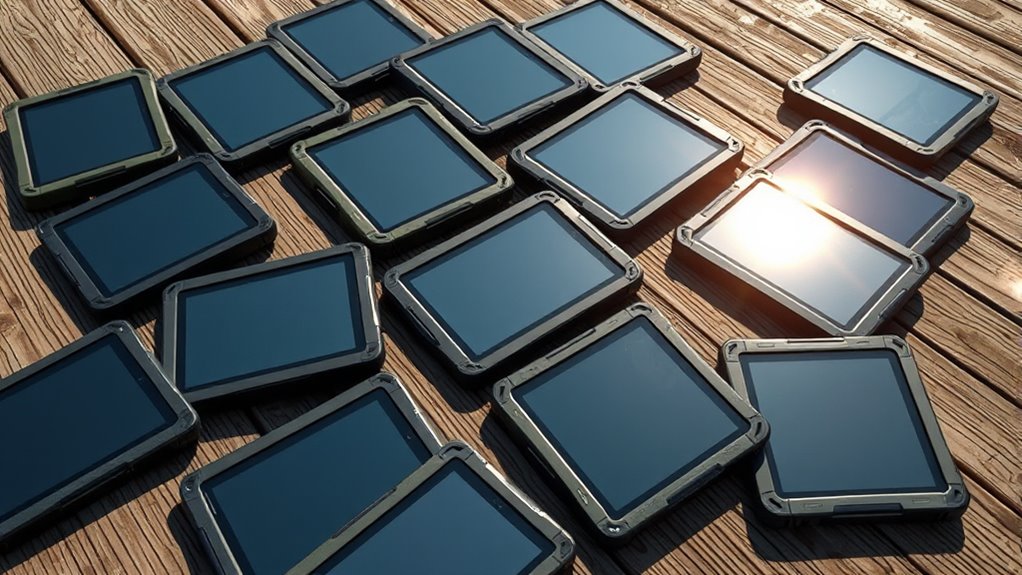

For rugged tablets sunlight readable shoppers, the M10N with the HW N4680 scanner is my best overall pick because its listed 1,000-nit screen and warehouse-focused tools suit demanding outdoor workflows. The M10T Android tablet stands out for field crews who want a removable battery, while the MUNBYN IRT06 offers a more compact Windows option with a listed 700-nit display. The main tradeoffs are screen brightness versus battery life, Windows flexibility versus Android simplicity, and built-in work tools versus a lighter setup. Brightness figures alone do not guarantee visibility in direct sun, so screen finish and viewing angle matter too. Read on for the full breakdown and guidance on matching a tablet to your workday.

Get privacy and security gear delivered free with Prime
- Fast, free delivery on millions of items
- Prime Video, Amazon Music and more included
- Member-only deals all year
Key Takeaways
- The M10N barcode-scanner model and the M10T Android model list 1,000-nit displays, setting them apart on stated brightness; their Windows and Android platforms serve different workflows.
- The MUNBYN IRT06 pairs an 8-inch form with a listed 700-nit display, making it the compact Windows choice, though its screen is less bright on paper than the 1,000-nit options.
- Several 10.1-inch Windows picks add barcode scanning, LTE, GPS, or ports, but buyers should verify which capabilities are included in the exact configuration they intend to buy.
- The M10T’s removable 10,000mAh battery addresses long field shifts differently from the 8849 Tank Pad’s projector and 5G feature set, which prioritize other kinds of utility.
- The lineup spans Windows and Android, so choosing an operating system that supports required work apps may matter more than comparing headline brightness alone.
| MUNBYN IRT06 Rugged Windows Tablet |  | Best Compact Field Tablet | Display: 8-inch, 700 nits | Operating system: Windows 11 Pro; Windows 10 Pro available on request | Processor: Intel Jasper Lake N5100, up to 2.80 GHz | VIEW ON AMAZON | See Our Full Breakdown |
| MUNBYN IRT08 Rugged 10.1-Inch Windows Tablet |  | Best for Long-Shift Battery Swaps | Display: 10.1-inch, sunlight-readable | Operating system: Windows 11 Pro; can be reverted to Windows 10 Pro | Processor: Intel N5100 | VIEW ON AMAZON | See Our Full Breakdown |
| Tokigns 10.1-Inch Rugged Tablet with 2D Barcode Scanner |  | Best for Integrated Data Capture | Display: 10.1-inch IPS, 1920 × 1200, 560 nits | Operating system: Windows 11 Pro | Processor: Intel Celeron N5100, 4 cores, up to 2.8 GHz | VIEW ON AMAZON | See Our Full Breakdown |
| ONERugged M10N Rugged Tablet with HW N4680 Barcode Scanner |  | Best for Bright Warehouse Scanning | Display: 10.1-inch, 1200 × 1920, up to 1000 nits | Operating system: Windows 11 Pro | Processor: Intel N150, 4 cores, up to 3.6 GHz | VIEW ON AMAZON | See Our Full Breakdown |
| ONERugged M10N 10.1-Inch Rugged Windows 11 Pro Tablet |  | Best for Glove-Friendly Field Work | Display: 10.1-inch, 1200 × 1920, up to 1000 nits | Operating system: Windows 11 Pro | Processor: Intel N150, 4 cores, up to 3.6 GHz | VIEW ON AMAZON | See Our Full Breakdown |
| 8849 Tank Pad 5G Rugged Android 15 Tablet with Projector |  | Best for Long Outdoor Shifts | Display: 10.95-inch FHD+ (1200 × 1920), 120Hz, 700 nits | Operating system: Android 15 | Processor: MediaTek Dimensity 8200, 8-core | VIEW ON AMAZON | See Our Full Breakdown |
| 10.1″ Rugged Tablet M10T Android 14, 1000 Nits Sunlight Readable |  | Best for Bright-Screen Fieldwork | Display: 10.1-inch HD+ IPS, 1,000 nits | Operating system: Android 14 | Processor: MediaTek Helio G99, octa-core, 2.2GHz | VIEW ON AMAZON | See Our Full Breakdown |
| HUGEROCK X7 7-Inch Rugged Android 13 Tablet |  | Best Compact Sunlight-Readable Pick | Display: 7-inch FHD, 1920 × 1080 | Brightness: 2,600 nits | Operating system: Android 13 | VIEW ON AMAZON | See Our Full Breakdown |
| HEIGAOLAPC F7G Rugged 10.1-Inch Windows 11 Pro Tablet |  | Best for Wired Industrial Workflows | Display: 10.1-inch, 1920 × 1200, 600 nits | Operating system: Windows 11 Pro | Processor: Intel Celeron J4105, quad-core, up to 2.5GHz | VIEW ON AMAZON | See Our Full Breakdown |
| HIGOLEPC Rugged Tablet PC Outdoor Industrial Waterproof IP67 Tablet |  | Best for GPS-Enabled Windows Fieldwork | Display: 10.1-inch, 1920 × 1200, 600 nits, 60Hz | Operating system: Windows 11 Pro | Processor: Intel Celeron J4105, quad-core, up to 2.5GHz | VIEW ON AMAZON | See Our Full Breakdown |
| rugged tablets sunlight readable | Display | Operating system | Processor | Memory and storage |
|---|---|---|---|---|
| MUNBYN IRT06 Rugged Windows Ta | 8-inch, 700 nits | Windows 11 Pro; Windows 10 Pro available on request | Intel Jasper Lake N5100, up to 2.80 GHz | 8GB RAM, 128GB storage |
| MUNBYN IRT08 Rugged 10.1-Inch | 10.1-inch, sunlight-readable | Windows 11 Pro; can be reverted to Windows 10 Pro | Intel N5100 | 8GB RAM, 128GB storage |
| Tokigns 10.1-Inch Rugged Table | 10.1-inch IPS, 1920 × 1200, 560 nits | Windows 11 Pro | Intel Celeron N5100, 4 cores, up to 2.8 GHz | 8GB RAM, 256GB SSD; microSD expansion up to 512GB |
| ONERugged M10N Rugged Tablet w | 10.1-inch, 1200 × 1920, up to 1000 nits | Windows 11 Pro | Intel N150, 4 cores, up to 3.6 GHz | 8GB LPDDR5, 128GB eMMC |
| ONERugged M10N 10.1-Inch Rugge | 10.1-inch, 1200 × 1920, up to 1000 nits | Windows 11 Pro | Intel N150, 4 cores, up to 3.6 GHz | 8GB LPDDR5, 128GB eMMC |
| 8849 Tank Pad 5G Rugged Androi | 10.95-inch FHD+ (1200 × 1920), 120Hz, 700 nits | Android 15 | MediaTek Dimensity 8200, 8-core | — |
| 10.1" Rugged Tablet M10T Andro | 10.1-inch HD+ IPS, 1,000 nits | Android 14 | MediaTek Helio G99, octa-core, 2.2GHz | — |
| HUGEROCK X7 7-Inch Rugged Andr | 7-inch FHD, 1920 × 1080 | Android 13 | — | 8GB RAM, 128GB storage |
| HEIGAOLAPC F7G Rugged 10.1-Inc | 10.1-inch, 1920 × 1200, 600 nits | Windows 11 Pro | Intel Celeron J4105, quad-core, up to 2.5GHz | 8GB RAM, 128GB storage |
| HIGOLEPC Rugged Tablet PC Outd | 10.1-inch, 1920 × 1200, 600 nits, 60Hz | Windows 11 Pro | Intel Celeron J4105, quad-core, up to 2.5GHz | 8GB RAM, 128GB ROM; expandable up to 256GB |
More Details on Our Top Picks
MUNBYN IRT06 Rugged Windows Tablet
The 8-inch IRT06 is the compact Windows choice here: its 700-nit display is brighter than the IRT08’s listed sunlight-readable screen, while the smaller body is easier to carry during inspections or repair work. Windows 11 Pro, 4G, and GPS/GLONASS keep familiar desktop workflows and field navigation within reach. Its tool-free removable battery is a practical advantage for crews that can carry a spare and need to extend a shift without waiting at an outlet. The tradeoff is screen area: compared with the 10.1-inch MUNBYN IRT08, diagrams and forms have less room, and the single USB port limits attached peripherals. I’d choose it for mobility and direct-sun visibility, not for work that depends on a large display or several wired devices.
Pros:- 700-nit display is specified for sunlight readability.
- Tool-free removable 5000mAh battery supports quick swaps.
- Compact 8-inch format is easier to carry than 10.1-inch alternatives.
- Includes 4G, GPS, and GLONASS for connected field work.
Cons:- Smaller display gives forms and diagrams less working space than the IRT08.
- Only one USB port limits wired accessories.
- Windows 10 Pro requires contacting the seller for manual reinstallation.
Best for: Field technicians and inspectors who want a small Windows tablet with a specified 700-nit screen and swappable power.
Not ideal for: Warehouse teams reviewing large plans or connecting several wired peripherals, because the 8-inch screen and single USB port constrain those workflows.
- Display:8-inch, 700 nits
- Operating system:Windows 11 Pro; Windows 10 Pro available on request
- Processor:Intel Jasper Lake N5100, up to 2.80 GHz
- Memory and storage:8GB RAM, 128GB storage
- Battery:Removable 5000mAh
- Drop resistance:1.22m
- Connectivity:4G, Wi-Fi 802.11ac/b/g/n, Bluetooth 5, USB 3.0, mini HDMI
- Positioning:GPS and GLONASS
Our verdict“Choose the IRT06 if carrying a compact Windows tablet into bright outdoor work matters more than having a large screen or multiple USB connections.”
MUNBYN IRT08 Rugged 10.1-Inch Windows Tablet
The IRT08 pairs a roomier 10.1-inch screen with a detachable 5000mAh battery, making it a better fit than the compact IRT06 when workers need more space for Windows forms, maps, or equipment records. Its listed MIL-STD-810G protection, four-foot drop testing, and water-jet resistance suit jobs where a consumer tablet would be a poor match. GPS and 4G LTE add useful field connectivity, and the included stylus and carry accessories help it arrive ready for mobile data entry. The main limitation is endurance: the stated battery life is up to 6.5 hours, so a full shift may call for a spare or charging plan. The IRT06 has a brighter specified screen at 700 nits; the IRT08 is the more spacious choice, but its sunlight-readability claim lacks a brightness figure in the supplied data.
Pros:- 10.1-inch sunlight-readable display provides more workspace than the IRT06.
- Detachable 5000mAh battery can be replaced for continued field use.
- MIL-STD-810G, four-foot drop testing, and water-jet resistance support rugged use.
- Includes 4G LTE, GPS, stylus, carry handle, and hand strap.
Cons:- Listed battery life of up to 6.5 hours may fall short of a full shift.
- Supplied product data gives no screen brightness figure for comparison in direct sun.
- Reverting to Windows 10 Pro requires reinstalling the system.
Best for: Construction supervisors and field service teams who need a larger Windows display and can plan around detachable battery swaps.
Not ideal for: Workers who need a documented high-brightness rating or a tablet to last a full shift without spare power, since no nit figure is given and battery life is listed up to 6.5 hours.
- Display:10.1-inch, sunlight-readable
- Operating system:Windows 11 Pro; can be reverted to Windows 10 Pro
- Processor:Intel N5100
- Memory and storage:8GB RAM, 128GB storage
- Durability:MIL-STD-810G, four-foot drop tested, water-jet resistant
- Battery:Detachable 5000mAh; up to 6.5 hours
- Connectivity:4G LTE, dual-band Wi-Fi, Bluetooth 5.1
- GPS:U-Blox NEO-7
Our verdict“Pick the IRT08 for a larger rugged Windows workspace and replaceable battery, provided its stated runtime and unspecified brightness rating fit your shift.”
Tokigns 10.1-Inch Rugged Tablet with 2D Barcode Scanner
The Tokigns combines a 560-nit sunlight-readable display with a built-in 2D barcode scanner, NFC, and a broad port selection that includes USB 3.0, USB-C, RJ45 Ethernet, and RS232. That makes it more suited to inventory, logistics, or equipment workflows than the MUNBYN IRT08, which includes a stylus but no listed integrated scanner or legacy serial connection. Its IP67 rating, 8000mAh battery, and stated runtime of up to 10 hours also point toward longer mobile sessions around dust or water. Those capabilities come with tradeoffs: 560 nits is below the 700-nit IRT06 and 1000-nit M10N, so this is less compelling for harsh midday glare. The listing also gives a one-year warranty, shorter than MUNBYN’s two-year coverage.
Pros:- Integrated 1D/2D barcode scanner and NFC support work without separate readers.
- IP67 protection and MIL-STD-810G address dust, water, and impacts.
- 8000mAh battery is listed for up to 10 hours of use.
- RS232, RJ45, USB-A, and USB-C support varied industrial equipment.
Cons:- 560-nit display is less bright than the MUNBYN IRT06 and ONERugged M10N.
- One-year manufacturer warranty is shorter than the two-year MUNBYN warranties.
- The added scanner and connectivity features may be unnecessary for users with simple tablet workflows.
Best for: Warehouse, logistics, and industrial staff who need barcode and NFC capture plus wired connections to existing equipment.
Not ideal for: Outdoor crews working in intense direct sun who prioritize maximum display brightness, since its 560-nit rating trails the IRT06 and M10N.
- Display:10.1-inch IPS, 1920 × 1200, 560 nits
- Operating system:Windows 11 Pro
- Processor:Intel Celeron N5100, 4 cores, up to 2.8 GHz
- Memory and storage:8GB RAM, 256GB SSD; microSD expansion up to 512GB
- Protection:IP67 and MIL-STD-810G
- Battery:8000mAh; up to 10 hours
- Data capture:1D/2D barcode scanner, NFC, fingerprint reader
- Ports:USB 3.0, USB-C, Micro HDMI, RJ45 Ethernet, RS232
- Connectivity:4G LTE, dual-band Wi-Fi, GPS
Our verdict“Choose the Tokigns when integrated scanning and industrial ports matter more than having the brightest display in this group.”
ONERugged M10N Rugged Tablet with HW N4680 Barcode Scanner
For warehouse or loading-dock work, the M10N’s 1000-nit screen is the clearest sunlight-focused advantage in this group, and its integrated Honeywell N4680 scanner keeps label capture in the same device as Windows forms and inventory software. Compared with the Tokigns, it claims twice the display brightness and has glove-compatible touch, which can help teams enter data without removing work gloves. IP65 protection and MIL-STD-810H testing support use around dust, spray, and drops, while Wi-Fi 6 and 4G LTE cover connected work away from a desk. The tradeoffs are its 5000mAh battery with no runtime stated in the supplied details and 128GB eMMC storage. The Tokigns offers a larger 8000mAh battery and IP67 protection, so it may suit wetter jobs better.
Pros:- 1000-nit display is the brightest specified screen in this batch.
- Honeywell N4680 scanner handles 1D and 2D barcode capture onboard.
- Glove-compatible touchscreen supports use without removing work gloves.
- IP65, MIL-STD-810H testing, Wi-Fi 6, and 4G LTE suit mobile operations.
Cons:- 5000mAh battery has no runtime figure in the supplied product data.
- 128GB eMMC storage may constrain large offline work files.
- IP65 protection is below the Tokigns tablet’s IP67 rating.
Best for: Warehouse and receiving teams that scan labels in bright loading areas and use gloves during data entry.
Not ideal for: Users who need a stated full-shift runtime, IP67 water protection, or faster storage capacity for large offline files.
- Display:10.1-inch, 1200 × 1920, up to 1000 nits
- Operating system:Windows 11 Pro
- Processor:Intel N150, 4 cores, up to 3.6 GHz
- Memory and storage:8GB LPDDR5, 128GB eMMC
- Protection:IP65; MIL-STD-810H testing
- Barcode scanner:Honeywell N4680
- Battery:7.6V, 5000mAh
- Connectivity:4G LTE, Wi-Fi 6, Bluetooth 5.2, GPS, NFC
- Operating temperature:-20°C to 60°C
Our verdict“Choose the M10N for very bright warehouse scanning and glove use, but compare its unspecified battery runtime with your shift needs.”
ONERugged M10N 10.1-Inch Rugged Windows 11 Pro Tablet
This M10N shares the 1000-nit, 10.1-inch display and rugged platform of the scanner-equipped M10N, but the supplied product details do not list a barcode scanner. That makes it a better match for field crews who need bright Windows software, glove-compatible touch, 4G LTE, GPS, and RFID/NFC without making scanning the center of the purchase. Its IP65 protection, MIL-STD-810H testing, and operating range from -20°C to 60°C suit changing site conditions. Compared with the Tokigns tablet, it has a brighter screen and a newer listed N150 processor, while Tokigns adds IP67 protection, a larger battery, and built-in barcode capture. The M10N’s 128GB eMMC may be tight for bulky offline files, and its 12-month warranty is shorter than the MUNBYN models’ two years.
Pros:- 1000-nit display supports visibility in bright work areas.
- Glove-compatible touchscreen keeps data entry practical on site.
- Includes 4G LTE, Wi-Fi 6, GPS, GLONASS, BeiDou, and HF-RFID/NFC.
- IP65 and MIL-STD-810H testing support rugged field use.
Cons:- No integrated barcode scanner is listed, unlike the other M10N variant.
- 128GB eMMC storage may be limiting for large offline datasets.
- 12-month warranty is shorter than the two-year coverage listed for MUNBYN tablets.
Best for: Outdoor service and inspection teams that need a bright, glove-friendly Windows tablet with cellular data and RFID/NFC.
Not ideal for: Inventory workers who need integrated barcode scanning or teams that require IP67 immersion protection and a stated long runtime.
- Display:10.1-inch, 1200 × 1920, up to 1000 nits
- Operating system:Windows 11 Pro
- Processor:Intel N150, 4 cores, up to 3.6 GHz
- Memory and storage:8GB LPDDR5, 128GB eMMC
- Protection:IP65; MIL-STD-810H testing
- Connectivity:4G LTE, Wi-Fi 6, Bluetooth
- Positioning:GPS, GLONASS, BeiDou
- Reader:HF-RFID/NFC
- Operating temperature:-20°C to 60°C
Our verdict“Choose this M10N for bright, glove-friendly Windows field work with RFID/NFC, and choose a scanner-equipped model if barcode capture is central.”
8849 Tank Pad 5G Rugged Android 15 Tablet with Projector
The Tank Pad’s 700-nit display is brighter than many standard tablet screens, but it falls short of the 1,000-nit M10T and the HUGEROCK X7’s stated 2,600 nits for direct-sun viewing. Its case for outdoor work is the unusually large 21,000mAh battery, which can also provide reverse charging, plus IP68 protection and an 800-lumen camping light. The built-in projector adds a way to share plans away from a larger screen, though its 100-lumen, 854 × 480 image is better suited to dim settings than sunny sites. Compared with the smaller HUGEROCK X7, this is a more self-contained field hub, but its size and weight are less convenient for handheld navigation. The listing also warns the screen may shatter on an uneven-surface fall, so rugged casing does not mean an unbreakable display.
Pros:- 21,000mAh battery with 66W charging and OTG reverse charging
- IP68 water and dust resistance
- Built-in projector and 800-lumen camping light add field functions
- 512GB storage with support for up to 2TB TF card
Cons:- 700-nit screen is less bright than the M10T and HUGEROCK X7 listings claim
- Product description warns that the screen may shatter on an uneven-surface fall
- U.S. 5G compatibility is specified for T-Mobile and Verizon
Best for: Outdoor crews who need long battery life, 5G connectivity, and occasional presentations or lighting away from an outlet
Not ideal for: Buyers whose main priority is reading in direct sunlight or who need a compact tablet for one-handed navigation
- Display:10.95-inch FHD+ (1200 × 1920), 120Hz, 700 nits
- Operating system:Android 15
- Processor:MediaTek Dimensity 8200, 8-core
- Memory:16GB physical RAM; expandable to 32GB with virtual memory
- Storage:512GB; supports up to 2TB TF card
- Battery and charging:21,000mAh; 66W fast charging; OTG reverse charging
- Protection:IP68 water and dust resistance
- Projector:100 lumens, 854 × 480, 120Hz, manual focus
Our verdict“Choose the Tank Pad for battery endurance and extra field tools, but pick a brighter-screen model if direct-sun readability comes first.”
10.1″ Rugged Tablet M10T Android 14, 1000 Nits Sunlight Readable
The M10T’s 1,000-nit 10.1-inch screen gives it a clear role for crews reading maps, forms, and plans outdoors: it is a more direct sunlight pick than the 700-nit 8849 Tank Pad. Its removable 10,000mAh battery is especially useful for multi-shift teams, since a charged spare can reduce downtime without waiting for a recharge. The listing also specifies IP65 protection, MIL-STD-810H certification, and 4-foot drop resistance, making it a practical worksite choice. Compared with the compact HUGEROCK X7, the larger screen suits document work better, though it is less handy for quick one-handed use. The tradeoffs are 18W charging and a display resolution described only as HD+, not a detailed pixel count. LTE is included, but buyers should confirm the listed bands suit their carrier and region.
Pros:- 1,000-nit display is suited to viewing work materials outdoors
- Removable 10,000mAh battery supports physical swaps between shifts
- IP65 protection and listed MIL-STD-810H and 4-foot drop resistance
- 4G LTE, GPS, and expandable storage support field workflows
Cons:- 18W charging is modest for a 10,000mAh battery
- Display is specified as HD+ without a precise resolution in the supplied listing
- Bulkier than the 7-inch HUGEROCK X7 for handheld navigation
Best for: Construction supervisors and warehouse teams who read plans outdoors and can use spare batteries across shifts
Not ideal for: Buyers needing a pocketable navigation tablet, faster charging, or a specifically stated FHD display resolution
- Display:10.1-inch HD+ IPS, 1,000 nits
- Operating system:Android 14
- Processor:MediaTek Helio G99, octa-core, 2.2GHz
- Memory:8GB RAM
- Storage:128GB; expandable to 512GB via TF card
- Battery and charging:10,000mAh removable battery; 18W fast charge
- Protection:IP65; MIL-STD-810H; listed 4-foot drop resistance
- Connectivity:4G LTE, dual-band Wi-Fi, Bluetooth 5.1, GPS
Our verdict“Pick the M10T if outdoor document visibility and swappable batteries matter more than compact size or fast charging.”
HUGEROCK X7 7-Inch Rugged Android 13 Tablet
For motorcycle navigation, drone control, or other tasks where a tablet needs to stay manageable in one hand, the 7-inch HUGEROCK X7 is the most compact fit here. Its stated 2,600-nit display is the brightest in this batch, giving it a strong sunlight-readability case compared with the larger 700-nit Tank Pad and 600-nit Windows tablets. It weighs 465g and pairs that portability with IP68 water resistance and MIL-STD-810H drop certification. The smaller screen, however, leaves less room for blueprints or side-by-side field data than the 10.1-inch M10T. Its 7,000mAh battery is also below the Tank Pad’s capacity, and Android 13 is older than the Tank Pad’s Android 15. The listing’s camera details are inconsistent, so I would not choose it around camera performance.
Pros:- Stated 2,600-nit brightness is the highest among these five tablets
- Compact 7-inch form and 465g weight suit handheld outdoor use
- IP68 water resistance and MIL-STD-810H drop certification
- Integrated GPS and microSD expansion up to 256GB
Cons:- 7-inch screen is cramped for blueprints and detailed documents
- Android 13 is older than Android 14 on the M10T and Android 15 on the Tank Pad
- Camera specifications in the listing are inconsistent
Best for: Motorcyclists, drone operators, and field technicians who need a compact screen with strong stated outdoor brightness
Not ideal for: Teams reviewing large schematics or buyers who need a newer Android version, larger battery, or dependable camera specifications
- Display:7-inch FHD, 1920 × 1080
- Brightness:2,600 nits
- Operating system:Android 13
- Memory and storage:8GB RAM, 128GB storage
- Expandable storage:microSD up to 256GB
- Battery:7,000mAh
- Protection:IP68 water resistance; MIL-STD-810H drop certification
- Weight and navigation:465g; integrated GPS
Our verdict“Choose the X7 for compact outdoor navigation and its unusually bright stated display, but use a larger tablet for document-heavy work.”
HEIGAOLAPC F7G Rugged 10.1-Inch Windows 11 Pro Tablet
The F7G is aimed at industrial teams who need Windows 11 Pro and legacy connections in a protected tablet. Its 600-nit, 1920 × 1200 screen is specified for sunlight readability, though it does not match the M10T’s 1,000 nits or the HUGEROCK X7’s listed 2,600. Where it stands apart is its port selection: HDMI, Gigabit Ethernet, and RS232 can connect it to equipment or displays that wireless-first Android tablets cannot handle as directly. IP67 protection, MIL-STD-810H compliance, and stated 1.2-meter drop resistance suit demanding sites. Compared with the similar HIGOLEPC model, however, the F7G omits GPS as well as 4G LTE, limiting untethered field use. Its 8-hour battery claim and Celeron J4105 also point to practical office and service tasks rather than demanding workloads.
Pros:- HDMI, Gigabit Ethernet, and RS232 support industrial equipment and displays
- Windows 11 Pro compatibility for Windows-based workflows
- IP67, MIL-STD-810H, and stated 1.2-meter drop protection
- 1920 × 1200 resolution on a 10.1-inch display
Cons:- No 4G LTE or GPS, unlike the HIGOLEPC model
- 600-nit brightness is below the M10T and HUGEROCK X7 listings
- Celeron J4105 and 8GB RAM are better suited to modest workloads
Best for: Industrial technicians who run Windows software and need Ethernet, HDMI, or RS232 access at a fixed worksite
Not ideal for: Field crews needing mobile data or GPS, or buyers prioritizing a high-brightness screen for direct sun
- Display:10.1-inch, 1920 × 1200, 600 nits
- Operating system:Windows 11 Pro
- Processor:Intel Celeron J4105, quad-core, up to 2.5GHz
- Memory and storage:8GB RAM, 128GB storage
- Protection:IP67, MIL-STD-810H; stated 1.2-meter drop resistance
- Battery:7.6V, 8,000mAh; rated up to 8 hours
- Ports:USB-C 3.1, USB 3.0, HDMI 2.0, Gigabit Ethernet, RS232
- Wireless:Wi-Fi 5, Bluetooth 4.2; no 4G LTE or GPS
Our verdict“Choose the F7G for rugged Windows work that depends on wired industrial ports, provided cellular data and GPS are not required.”
HIGOLEPC Rugged Tablet PC Outdoor Industrial Waterproof IP67 Tablet
The HIGOLEPC keeps the F7G’s core Windows industrial setup—a 10.1-inch 1920 × 1200 screen rated at 600 nits, a Celeron J4105, and ports including HDMI and RS232—while adding built-in GPS. That makes it the more suitable of the two for crews who need location data in the field, although neither product lists 4G LTE. The 600-nit panel is a step below the M10T’s 1,000 nits, so it may be less comfortable to read in harsh direct sun despite the sunlight-readable description. Both Windows models list 8GB RAM, 128GB storage, and an 8-hour battery claim; the HIGOLEPC’s supplied listing also contains conflicting battery figures, so that runtime should be checked before planning a full shift. Its IP67 and 1.2-meter drop claims support jobsite use.
Pros:- Built-in GPS adds navigation and location support missing from the F7G
- 10-point touch and glove operation are listed
- HDMI, USB-C 3.1, USB 3.0, and RS232 support wired peripherals
- IP67 protection and stated 1.2-meter drop resistance
Cons:- No 4G LTE, so GPS does not provide mobile data connectivity
- 600-nit screen is dimmer than the M10T’s stated 1,000-nit display
- Battery information conflicts between the main description and detailed listing
Best for: Windows field technicians who need GPS, glove operation, and wired connections for equipment at outdoor sites
Not ideal for: Mobile crews requiring LTE, buyers prioritizing stronger direct-sun brightness, or teams relying on a confirmed all-day battery runtime
- Display:10.1-inch, 1920 × 1200, 600 nits, 60Hz
- Operating system:Windows 11 Pro
- Processor:Intel Celeron J4105, quad-core, up to 2.5GHz
- Memory and storage:8GB RAM, 128GB ROM; expandable up to 256GB
- Protection:IP67; MIL-STD-810G; stated 1.2-meter drop resistance
- Battery:7.6V, 8,000mAh in description; detailed listing also reports conflicting capacity and runtime
- Ports:USB-C 3.1, USB 3.0, HDMI, RS232
- Wireless and GPS:Dual-band Wi-Fi 5, Bluetooth 4.2, built-in GPS
Our verdict“Pick the HIGOLEPC over the F7G when GPS matters for Windows fieldwork, but verify battery details and plan for Wi-Fi or offline use.”

How We Picked
I ranked these tablets around the promise of outdoor readability: listed screen brightness, practical screen size, and the tools that help people use a tablet in sun-exposed work settings. I also weighed ruggedness claims, battery approach, connectivity, and whether the named features point to a clear role such as warehouse scanning or mobile fieldwork. A brightness number is useful for comparison, but it cannot by itself establish real-world sunlight performance; screen reflectivity, viewing angle, and power draw also affect visibility.
The M10N scanner model leads because its listed 1,000-nit display is paired with a specific warehouse workflow and newer Intel N150 processor. The M10T follows for its similarly bright screen and removable battery, while the MUNBYN IRT06 earns a compact Windows role despite its lower listed brightness. Other products rank by the match between their stated features and a distinct buyer need, including portability, Android features, connectivity, or legacy ports. Where product names do not provide enough detail to compare a spec, I avoid treating that missing information as a proven advantage.
| rugged tablets sunlight readable | Operating system |
|---|---|
| MUNBYN IRT06 Rugged Windows Ta | Windows 11 Pro; Windows 10 Pro available on request |
| MUNBYN IRT08 Rugged 10.1-Inch | Windows 11 Pro; can be reverted to Windows 10 Pro |
| Tokigns 10.1-Inch Rugged Table | Windows 11 Pro |
| ONERugged M10N Rugged Tablet w | Windows 11 Pro |
| ONERugged M10N 10.1-Inch Rugge | Windows 11 Pro |
| 8849 Tank Pad 5G Rugged Androi | Android 15 |
| 10.1" Rugged Tablet M10T Andro | Android 14 |
| HUGEROCK X7 7-Inch Rugged Andr | Android 13 |
| HEIGAOLAPC F7G Rugged 10.1-Inc | Windows 11 Pro |
| HIGOLEPC Rugged Tablet PC Outd | Windows 11 Pro |
Factors to Consider When Choosing Rugged Tablets Sunlight Readable
Choosing an outdoor tablet takes more than finding the biggest brightness number. I would start with the conditions and tasks the device must handle, then check whether the screen, software, battery, and accessories fit the full shift.
Match Brightness to the Light You Face
Ask whether the screen will be used in open midday sun, under a vehicle canopy, or mostly indoors near a loading bay. A listed nit figure helps compare models, but it does not describe glare, reflections, or how the display looks from an angle. When manufacturers omit those details, seek confirmation from the seller or documentation before relying on a tablet for constant direct-sun use. Maximum brightness can also draw more power, so a tablet that looks clear during a short task may need a different charging plan over a long shift. If possible, check the exact display configuration rather than assuming every version under one product family shares the same panel.
Choose the Operating System Around Your Work Apps
Windows can be the more direct fit when a job depends on desktop software, peripherals, or existing business tools. Android may suit teams that rely on mobile apps and want a familiar touch-first interface. Before choosing, confirm the specific software, device management, barcode workflow, and connection method your organization requires. A rugged shell cannot compensate for an app that will not run or a scanner that does not integrate with your system. For mixed fleets, consistency across devices can simplify training and support, even if another tablet looks stronger on one specification.
Treat Rugged Ratings as Part of a Complete Setup
IP and military-standard claims describe particular forms of protection, not immunity to every accident or worksite condition. Check the rating details for the complete assembled tablet, including covers, ports, and any optional accessories. Dust, water, vibration, drops, and temperature are different risks, so match the documentation to the hazards in your workplace. A port left exposed or an incompatible mount can weaken the practical protection of an otherwise rugged device. Also check repair options and warranty terms before putting a tablet into a shared fleet.
Plan Battery Life Around Brightness and Shift Length
Screen brightness, cellular data, GPS, and scanning can all increase energy use during fieldwork. A large battery figure alone does not say how long the device lasts at full brightness with those features active. For long shifts, compare charging time, vehicle or dock charging options, and whether spare batteries are available. A removable battery can reduce downtime when swapping is practical, while a sealed design may suit teams that recharge between tasks. Map charging to the workday before assuming any capacity figure will cover a full shift.
Verify That Built-In Tools Fit the Workflow
Barcode readers, NFC, GPS, LTE, fingerprint readers, and legacy ports are valuable only when the job uses them. Confirm whether a listed feature is built in, optional, or tied to a specific configuration, then check compatibility with existing systems. An integrated scanner can reduce the number of devices a worker carries, but its supported barcode types and scanning range matter. A port such as RS232 can help connect older equipment, while adding weight or taking space that a general field user may not need. Buy for the tasks that happen regularly, not an impressive feature list that stays unused.
Compare Total Carry and Support Needs
A larger 10.1-inch screen gives room for maps, forms, or warehouse interfaces, but it can be harder to carry and mount than an 8-inch or 7-inch tablet. Think about one-handed use, gloves, vehicle mounts, straps, and where the device will be stored between tasks. Rugged tablets can also need purpose-built docks, chargers, or hand straps, so check accessory availability before standardizing a model. For teams, consider how easily staff can learn the interface and how the devices will be updated and serviced. A lighter, simpler tablet may deliver more day-to-day value when workers rarely use specialized ports or scanners.
Frequently Asked Questions
Is a 1,000-nit rugged tablet always easier to read in direct sunlight?
No. A 1,000-nit rating gives a useful brightness comparison, but reflections, screen finish, viewing angle, and automatic brightness behavior also affect readability. High brightness may help outdoors while draining the battery faster. If direct sunlight is a daily condition, check for display details beyond the headline figure and confirm the rating for the exact model configuration. A shade, mount angle, or anti-glare screen protector may also change the result, though any protector should be compatible with touch use.
Should I choose Windows or Android for a rugged work tablet?
Choose based on the applications and peripherals your work already depends on. Windows is a natural candidate for desktop programs and workflows built around PC software, while Android may fit teams using mobile apps and touch-first tasks. Check scanner integration, device management, network access, and support requirements before settling on a platform. The lineup includes both operating systems, so brightness alone does not settle this choice. If workers share devices, account for training and app availability across the whole team.
Is a built-in barcode scanner better than carrying a separate scanner?
An integrated scanner can simplify a warehouse setup by keeping the reader attached to the tablet, but it is only a good fit if its scan performance matches the labels and distances in your workflow. Verify supported barcode types, scanning range, and compatibility with your software. A separate scanner may be easier to replace or more suitable for a specialized scanning task. Compare the cost of downtime and repairs as well as the convenience of carrying one device. The M10N scanner models are aimed at integrated workflows, while other tablets in this lineup prioritize different features.
When is a removable battery worth choosing?
A removable battery is most useful when shifts run longer than the tablet can comfortably last and workers can carry charged spares. It can reduce downtime without waiting for a recharge, but only if replacement batteries and a safe charging process are available. For shorter shifts with reliable access to docks or vehicle charging, a removable design may add little practical benefit. Include screen brightness, GPS, LTE, and scanning in any battery estimate because those features can raise power use. The M10T stands out here with its listed removable battery, but the work schedule determines its value.
Which features should I verify before ordering a rugged tablet for a team?
Confirm the exact screen brightness and size, operating system, memory and storage, cellular bands, and whether tools like scanners or NFC are included in the selected configuration. Ask for documentation on ingress protection and drop or vibration claims, plus details on warranty and service. Check that chargers, docks, mounts, and spare batteries are available for the number of devices you plan to deploy. Test required apps and peripherals before standardizing on a model, especially when moving between Windows and Android. This helps prevent a paper specification from becoming a workflow or support problem.
Conclusion
For the strongest stated balance of outdoor brightness and warehouse utility, I would choose the M10N with HW N4680 scanner as best overall. The M10T is my fieldwork pick and best value candidate for crews who benefit from a bright Android screen and removable battery; compare its full configuration and support terms before purchase. For a premium feature set, the 8849 Tank Pad 5G is the distinctive choice for buyers who can use its projector and 5G, though those extras do not make it the sunlight-readability leader on the information provided. Beginners who want a compact Windows device can start with the MUNBYN IRT06, accepting its lower listed brightness. For scanning, favor an M10N scanner configuration; for small carry size, consider the HUGEROCK X7, and for legacy connections, inspect the HIGOLEPC’s stated RS232 and HDMI ports. Match the final choice to verified display details, required apps, and the accessories your workday needs.