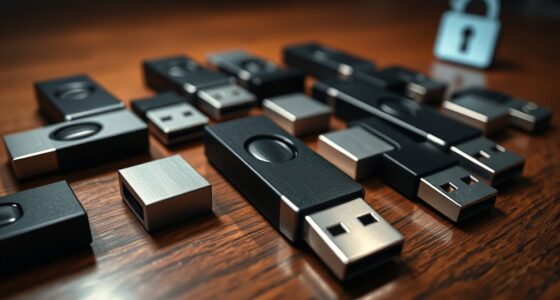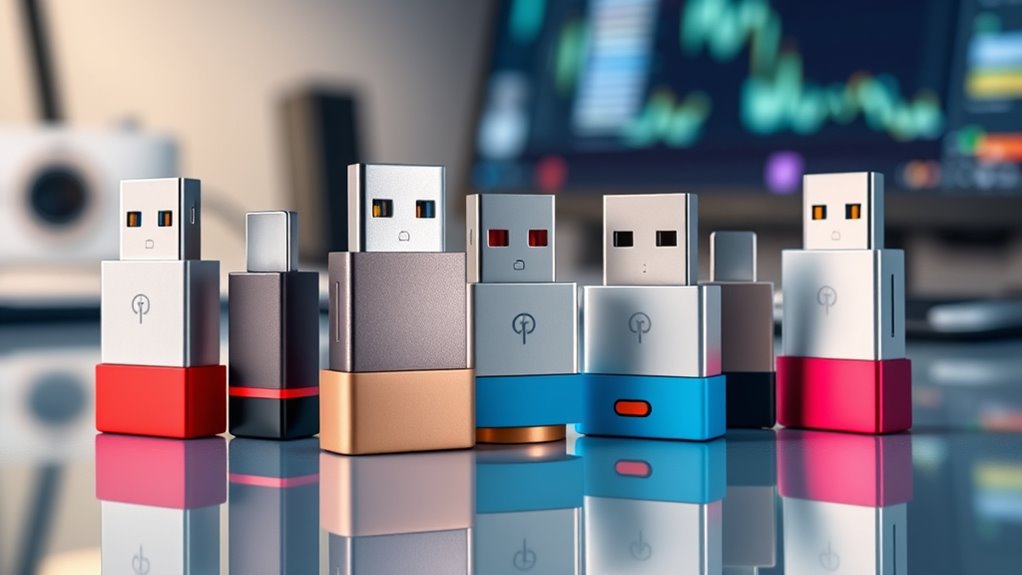

Secure USB adapters, also called data blockers, let power pass through a USB connection while blocking data transfer—a useful safeguard when charging from unfamiliar ports. My best overall pick is the JSAUX USB-A and USB-C Data Blockers, 4-Pack for its mix of connector coverage and multi-adapter convenience. The Plugable USB Data Blocker is a straightforward choice for shoppers who prefer a single branded adapter, while the Afterplug USB-C to USB-C 240W 2-Pack targets newer USB-C charging setups. The main tradeoffs are connector compatibility, charging capability, and whether you need one adapter or a set for several devices. Read on for the full comparison and guidance on choosing the right blocker for your gear.

Get privacy and security gear delivered free — and shop member deals
- Fast, free delivery on millions of items
- Access to Prime Big Deal Days deals on October 6–7
- Prime Video, Amazon Music and more included
Key Takeaways
- The JSAUX four-pack stands out for covering both USB-A and USB-C, while single-connector options such as the PortaPow two-pack are narrower in scope.
- The Afterplug is the lineup’s specialized choice for USB-C-to-USB-C charging and advertises 240W capability; check your charger, cable, and device specifications before expecting that level of power.
- Multi-packs from JSAUX, AreMe, and BUISAMG suit households or travel kits, but more adapters only help if their connector types match the ports you actually use.
- Plugable and StarTech.com offer single-adapter alternatives for buyers who want a focused option instead of a mixed set.
- The products share a charge-only goal, but connector format and set size shape the practical choice more than the general data-blocking promise.
| USB-C Data Blocker Adapter Set, 4-Pack |  | Best for High-Power USB-C Charging | Brand: DIOOEER | Pack quantity: 4 adapters | Included adapters: 2 USB-C to USB-C; 2 USB-A to USB-C | VIEW ON AMAZON | See Our Full Breakdown |
| Plugable USB Data Blocker and Charge-Only Adapter |  | Best Single Adapter for Minimalist Travel | Connector type: USB | Number of ports: 1 | Input voltage: 5V | VIEW ON AMAZON | See Our Full Breakdown |
| JSAUX USB-A and USB-C Data Blockers, Charge-Only, 4-Pack |  | Best Balanced Mixed-Port Set | Pack contents: 2 USB-A data blockers and 2 USB-C data blockers | Connectors: USB Type-A and USB Type-C | USB-C maximum power: 100W (20V/5A) | VIEW ON AMAZON | See Our Full Breakdown |
| 6-Pack USB-C and USB-A Data Blockers |  | Best for Sharing Across a Group | Pack size: 6 | Connector types: USB Type-A and USB Type-C | Number of ports: 1 per blocker | VIEW ON AMAZON | See Our Full Breakdown |
| BUISAMG 3-in-1 USB Data Blocker, 4-Pack |  | Best for Flexible Connection Combinations | Brand: BUISAMG | Pack count: 4 | Connector type: USB Type-C | VIEW ON AMAZON | See Our Full Breakdown |
| StarTech.com USB-A Charge-Only Data Blocker Adapter |  | Best for USB-A Simplicity | Connector: USB-A male to female | Data transfer: Charge-only; no data pins | Maximum output: 5V, 2.4A; 12W | VIEW ON AMAZON | See Our Full Breakdown |
| AreMe USB-A and USB-C Data Blocker Adapter Set, 4-Pack, Blue-Grey |  | Best Connector Coverage | Set contents: USB-A to USB-A, USB-A to USB-C, USB-C to USB-C, and USB-C to USB-A adapters | Function: Blocks data transfer; allows charging | USB-C-to-USB-C charging: Up to 140W (28V/5A) | VIEW ON AMAZON | See Our Full Breakdown |
| Afterplug USB-C to USB-C Data Blocker, Charge-Only, 240W, 2-Pack |  | Best for High-Power USB-C Charging | Connector: USB Type-C male to USB Type-C female | Function: Charge-only; blocks data transfer | Maximum power: 240W | VIEW ON AMAZON | See Our Full Breakdown |
| USB-A and USB-C Data Blocker for Secure Charging |  | Best for Mixed-Port Charging | Function: Charging only; blocks data transfer and syncing | USB-A-to-USB-C charging: Up to 2.4A | USB-C-to-USB-C charging: Up to 240W PD | VIEW ON AMAZON | See Our Full Breakdown |
| BUISAMG USB-A and USB-C Data Blockers, 3-Pack |  | Best Compact Multi-Pack | Package quantity: 3 pieces | Connector types: USB-A and USB-C | Function: Charging only; blocks data transfer and syncing | VIEW ON AMAZON | See Our Full Breakdown |
| PortaPow USB-A Data Blocker, 2-Pack |  | Best for Shared USB-A Charging Ports | Brand: PortaPow | Connector type: USB Type-A | Package quantity: 2 blockers | VIEW ON AMAZON | See Our Full Breakdown |
| secure usb adapter | Warranty |
|---|---|
| USB-C Data Blocker Adapter Set | — |
| Plugable USB Data Blocker and | — |
| JSAUX USB-A and USB-C Data Blo | — |
| 6-Pack USB-C and USB-A Data Bl | — |
| BUISAMG 3-in-1 USB Data Blocke | 12-month worry-free period |
| StarTech.com USB-A Charge-Only | Lifetime |
| AreMe USB-A and USB-C Data Blo | — |
| Afterplug USB-C to USB-C Data | 1 year |
| USB-A and USB-C Data Blocker f | 12 months |
| BUISAMG USB-A and USB-C Data B | 12 months |
| PortaPow USB-A Data Blocker | 2 years |
More Details on Our Top Picks
USB-C Data Blocker Adapter Set, 4-Pack
The USB-C Data Blocker Adapter Set pairs hardware-level data blocking with charging support up to 240W on its USB-C to USB-C adapters. That makes it a better fit for buyers who want to charge a compatible laptop as well as a phone; the JSAUX four-pack tops out at 100W on USB-C. Two USB-A to USB-C adapters also cover older charging ports, so the set suits mixed-device travel. Its aluminum alloy bodies and stated overheating protection add practical reassurance for frequent use. The tradeoff is that the 240W rating applies only to the USB-C pair and depends on the charger and device. Like other data blockers, these adapters prevent syncing while connected, so I would skip them when a charge needs a data connection.
Pros:- Physically blocks USB data pins for charge-only connections
- Includes two USB-C to USB-C and two USB-A to USB-C adapters
- USB-C pair supports up to 240W with compatible equipment
- Aluminum alloy construction with stated overheating protection
Cons:- Cannot transfer data or sync devices while connected
- 240W support applies only to USB-C to USB-C and depends on compatible equipment
Best for: Travelers carrying a compatible USB-C laptop and phone who want charge-only protection across USB-C and USB-A ports.
Not ideal for: People who need to sync files or use USB accessories through the charging connection, since the adapters block data transfer.
- Brand:DIOOEER
- Pack quantity:4 adapters
- Included adapters:2 USB-C to USB-C; 2 USB-A to USB-C
- Maximum USB-C to USB-C power:240W
- Maximum USB-A to USB-C power:60W
- Material:Aluminum alloy
- Protection:Hardware-level data blocking and overheating protection
- Durability:Tested for over 15,000 plug cycles
Our verdict“Choose this set if you need charge-only protection for high-power USB-C devices and older USB-A ports.”
Plugable USB Data Blocker and Charge-Only Adapter
The Plugable USB Data Blocker is a straightforward single-adapter choice for someone who wants to turn a USB port into a charge-only connection without carrying a multi-piece kit. It supports charging at 1A or more and works with phones and tablets, but the listing gives no high-wattage USB-C charging figure like the 100W JSAUX set or 240W USB-C pair from DIOOEER. Its compact form makes it easier to keep in a small travel pouch, while the tradeoff is coverage: one adapter serves one connection type at a time, and no wall plug is included. I would choose it for occasional public-port charging and skip it if several devices or connector types need coverage. Data transfer is unavailable through the blocker.
Pros:- Blocks data transfers while charging
- Compact design suited to travel
- Supports charging at 1A or more
Cons:- Only one adapter is included
- No wall power plug is included
- No high-wattage charging rating is listed
Best for: Solo travelers who mainly charge one phone or tablet from a USB port and want a compact charge-only adapter.
Not ideal for: Households or frequent travelers needing several adapters, varied connector coverage, or documented high-power USB-C charging.
- Connector type:USB
- Number of ports:1
- Input voltage:5V
- Nominal power:5W
- Charging support:1A or more
- Color:Black
- Finish:Matte
- Warranty type:Limited
Our verdict“Pick Plugable for simple, compact charge-only protection when one USB connection is enough.”
JSAUX USB-A and USB-C Data Blockers, Charge-Only, 4-Pack
The JSAUX four-pack splits its coverage evenly between USB-A and USB-C, making it a practical middle ground for travelers with newer and older charging gear. Its USB-C blockers support up to 100W with PD 3.0/2.0, enough for many compatible laptops, though the DIOOEER set lists a higher 240W ceiling for USB-C to USB-C. JSAUX also specifies up to 2.4A for USB-A, which gives buyers clearer guidance than the six-piece set’s current-only rating. The metallic finish and compact form suit a travel pouch. Actual speed still depends on the connected device and charger, and charge-only operation means no file transfer or syncing. This is the sensible pick when connector balance matters more than the highest stated USB-C power.
Pros:- Includes two USB-A and two USB-C data blockers
- USB-C supports up to 100W with PD 3.0/2.0
- USB-A supports up to 2.4A
- Compact metallic design for travel
Cons:- Actual charging speed depends on the device and wall charger
- Blocks syncing and other USB data functions
Best for: People who travel with a mix of USB-A accessories and USB-C phones or laptops and want a clearly specified four-piece set.
Not ideal for: Owners of compatible devices that need the highest listed USB-C power, since DIOOEER specifies up to 240W versus JSAUX’s 100W.
- Pack contents:2 USB-A data blockers and 2 USB-C data blockers
- Connectors:USB Type-A and USB Type-C
- USB-C maximum power:100W (20V/5A)
- USB-C charging technology:PD 3.0/2.0
- USB-A charging support:Up to 2.4A
- Color:Grey
- Finish:Metallic
- Power plug:No plug
Our verdict“Choose JSAUX for a balanced USB-A and USB-C travel set with specified charging support up to 100W on USB-C.”
6-Pack USB-C and USB-A Data Blockers
With six blockers in one set, this option is the lineup’s practical choice for a family, team, or shared travel kit that needs several charge-only adapters on hand. It supports both USB-A and USB-C connections and lists charging up to 2.4A, but it does not provide the USB-C wattage detail found in the JSAUX set or the 240W rating in the DIOOEER set. That makes it easier to justify for quantity than for fast charging. Each blocker serves one connection, so the pack does not act as a multiport hub. Buyers should also check connector fit for each device. Choose it when having spares matters more than charging a laptop at a specified high wattage; it blocks data transfer while charging.
Pros:- Includes six data blockers
- Supports both USB-A and USB-C connections
- Designed to block USB data while charging
- Lists charging support up to 2.4A
Cons:- Each blocker has one port and serves one connection
- No high-wattage USB-C power rating is specified
- Compatibility depends on the device’s connection type
Best for: Families, work teams, or shared travel groups that want several charge-only blockers for compatible phones and tablets.
Not ideal for: Laptop users seeking a specified high-wattage USB-C charging rate or anyone who needs data transfer through the adapter.
- Pack size:6
- Connector types:USB Type-A and USB Type-C
- Number of ports:1 per blocker
- Maximum current:2.4A
- Color:Red
- Compatible devices:Phones, tablets, and computers with compatible USB-C connections
Our verdict“Choose this six-pack when several people need basic USB-A or USB-C charge-only protection and quantity is the priority.”
BUISAMG 3-in-1 USB Data Blocker, 4-Pack
The BUISAMG 3-in-1 set is aimed at buyers whose charging setups mix USB-A and USB-C connections. Its listing gives a USB-C to USB-C ceiling of 20V/4A and up to 3A for a single device, while the JSAUX set specifies USB-C PD support up to 100W. That makes JSAUX the clearer choice for higher-power laptop charging; BUISAMG may suit a broader everyday mix if its listed combinations match your cables and devices. The four-piece pack has a lightweight metal shell, described as aiding heat dissipation, and a 12-month warranty period. Its charging figures vary by connection, so buyers should check the applicable rating before relying on fast charging. It blocks data, which rules out syncing through the adapter.
Pros:- Supports USB-A and USB-C connection combinations
- USB-C to USB-C support listed up to 20V/4A
- Up to 3A charging support for a single device
- Lightweight metal shell and 12-month warranty period
Cons:- Charging specifications vary by connection type
- USB-C power rating is lower than the JSAUX set’s stated 100W
- Cannot transfer data or sync connected devices
Best for: Phone and tablet users who need charge-only protection across mixed USB-A and USB-C charging arrangements.
Not ideal for: Laptop owners who want a clearly stated USB-C PD rating above 80W, or buyers who need data syncing while charging.
- Brand:BUISAMG
- Pack count:4
- Connector type:USB Type-C
- Number of ports:4
- USB-C to USB-C charging:Up to 20V/4A
- Single-device charging:Up to 3A
- Item weight:0.04kg
- Warranty:12-month worry-free period
Our verdict“Pick BUISAMG if your priority is charge-only protection across mixed USB connection combinations for phones and tablets.”
StarTech.com USB-A Charge-Only Data Blocker Adapter
StarTech.com’s single USB-A adapter is a straightforward choice for travelers who charge from familiar USB-A ports and want to block data connections. It passes power while omitting data pins, so a public charging port cannot sync with a connected phone or tablet through this adapter. Its 12W maximum output suits basic charging, though it will be slower than the 240W USB-C options from Afterplug and the USB-A/USB-C Data Blocker for Secure Charging. Compared with the AreMe four-adapter set, StarTech covers fewer connector combinations, but its simple USB-A format avoids choosing among several pieces. The tradeoff is clear: it cannot transfer data, and its output is limited. This makes it a focused travel accessory for older USB-A charging setups rather than a fast-charging all-purpose kit.
Pros:- Blocks data transfer by omitting data pins
- Supports charging up to 5V/2.4A (12W)
- Compact and lightweight at 9.07 g
- Works with USB-A cables for USB-C, Lightning, and Micro-USB devices
Cons:- 12W maximum output is modest beside the high-power USB-C options
- Charge-only design cannot transfer or sync data
- Provides a USB-A connection rather than a range of adapter types
Best for: Travelers who mainly use USB-A charging ports with phones or tablets and want one simple charge-only adapter.
Not ideal for: USB-C-only device owners or people who need fast charging, data transfer, or support for multiple connector combinations.
- Connector:USB-A male to female
- Data transfer:Charge-only; no data pins
- Maximum output:5V, 2.4A; 12W
- Compatible devices:Cellular phones and tablets
- Dimensions:1.3 x 0.5 x 0.7 inches
- Weight:9.07 g
- Finish:TPE
- Warranty:Lifetime
Our verdict“Choose StarTech.com for simple, compact protection at USB-A charging ports when 12W charging is enough.”
AreMe USB-A and USB-C Data Blocker Adapter Set, 4-Pack, Blue-Grey
AreMe’s four-adapter set is the most flexible pick here for someone carrying devices and cables with mixed USB-A and USB-C ends. Its set includes all four A-to-A, A-to-C, C-to-C, and C-to-A combinations, so it covers more connection scenarios than StarTech.com’s single USB-A adapter or Afterplug’s USB-C-only pair. Each piece blocks data while allowing charging, with no drivers or software to install. The standout is 140W support on the USB-C-to-USB-C adapter; the other three are limited to 2A, so the set’s charging capability depends on which adapter you need. That split makes it less suitable for buyers expecting every piece to deliver high-power charging. The aluminum bodies keep the adapters compact, but carrying four pieces adds more to track than a single-purpose blocker.
Pros:- Includes USB-A and USB-C adapters in all four listed connector combinations
- USB-C-to-USB-C adapter supports charging up to 140W
- Blocks data while allowing charging
- Compact aluminum construction needs no drivers or software
Cons:- Three adapters support only up to 2A charging
- Charge-only adapters cannot transfer data
- Four separate pieces can be easier to misplace than a single blocker
Best for: People who carry both USB-A and USB-C cables and want a blocker for several connector pairings, including high-power USB-C charging.
Not ideal for: Buyers who want equally fast charging across every adapter or prefer a single compact piece with fewer parts to manage.
- Set contents:USB-A to USB-A, USB-A to USB-C, USB-C to USB-C, and USB-C to USB-A adapters
- Function:Blocks data transfer; allows charging
- USB-C-to-USB-C charging:Up to 140W (28V/5A)
- Other adapters’ charging:Up to 2A
- Material:Aluminum
- Color:Blue-grey
Our verdict“Pick AreMe if connector flexibility matters more than uniform charging speed across the set.”
Afterplug USB-C to USB-C Data Blocker, Charge-Only, 240W, 2-Pack
Afterplug’s two-pack is aimed at buyers who want charge-only protection without giving up high-power USB-C PD charging. Its rated capacity reaches 240W over USB-C to USB-C, putting it ahead of AreMe’s 140W USB-C adapter on stated maximum power. The small metal, case-friendly form is convenient for phone, tablet, and laptop connections, and having two adapters gives a spare or a second charging location. The limitation is its narrow connector path: this is a USB-C male-to-female adapter, and the product data cautions that USB-A-to-USB-C connections may charge slowly or not at all. By comparison, the AreMe set includes USB-A combinations, though with lower power on three pieces. Afterplug makes the most sense for an all-USB-C setup; buyers using mixed cables should choose a more versatile set.
Pros:- Blocks data connections while allowing charging
- Supports up to 240W USB-C PD charging
- Compact metal design is described as case-friendly
- Two adapters included
Cons:- USB-A-to-USB-C connections may charge slowly or not at all
- USB-C-to-USB-C connector format limits compatibility with mixed-cable setups
- Charge-only design does not support data transfer
Best for: USB-C phone, tablet, and laptop owners who use USB-C-to-USB-C charging and want a compact blocker rated for high-power PD.
Not ideal for: People who rely on USB-A chargers or want one kit to cover multiple connector combinations.
- Connector:USB Type-C male to USB Type-C female
- Function:Charge-only; blocks data transfer
- Maximum power:240W
- Input voltage:48V
- Package quantity:2
- Dimensions:0.9 x 0.44 x 0.24 inches
- Item weight:6 g
- Warranty:1 year
Our verdict“Choose Afterplug for high-power USB-C-to-USB-C charging protection, provided your cables and charger use USB-C.”
USB-A and USB-C Data Blocker for Secure Charging
This dual-format data blocker suits buyers whose charging gear spans both USB-A and USB-C but who still want a stated high-power option. It blocks data transfer and syncing while allowing charging, with support listed at 2.4A for USB-A to USB-C and up to 240W PD for USB-C to USB-C. That makes its stated connector range more useful for mixed-port setups than Afterplug’s USB-C-only adapters, while its USB-C PD rating exceeds the 140W USB-C-to-USB-C adapter in the AreMe set. The listing does not specify the number of pieces, dimensions, or materials, so buyers have less information about what they will carry than with those alternatives. It also cannot sync or transfer files. This pick favors broad charging compatibility and high USB-C power over detailed build information or data flexibility.
Pros:- Blocks data transfer and syncing during charging
- Supports USB-A-to-USB-C charging up to 2.4A
- Supports USB-C-to-USB-C charging up to 240W PD
- Designed for devices with USB-A and USB-C interfaces
Cons:- Charge-only design cannot transfer data or sync devices
- Product data does not specify package quantity or physical construction
- No dimensions or weight are provided for assessing portability
Best for: People who switch between USB-A-to-USB-C and USB-C-to-USB-C charging and want one blocker option covering both.
Not ideal for: Buyers who need data syncing or want clear information about package quantity, size, and construction before choosing.
- Function:Charging only; blocks data transfer and syncing
- USB-A-to-USB-C charging:Up to 2.4A
- USB-C-to-USB-C charging:Up to 240W PD
- Compatibility:Devices with USB-A and USB-C interfaces
- Warranty:12 months
Our verdict“Choose this option for mixed USB-A and USB-C charging connections when high USB-C PD support is a priority.”
BUISAMG USB-A and USB-C Data Blockers, 3-Pack
BUISAMG’s three-pack offers a simple way to keep charge-only blockers with multiple cables or in separate bags. The metal-shell adapters support USB-A and USB-C connections, block data and syncing, and allow charging up to 2.4A. Compared with the AreMe set, this package has one fewer piece and does not list a 140W USB-C option; in return, its stated charging current is consistent across the adapters rather than split between one high-power piece and three 2A pieces. It also provides less connector detail than AreMe, so buyers should not assume it includes every A-to-C and C-to-A pairing. Its 2.4A ceiling is suited to ordinary charging but lacks the high-power PD capacity of Afterplug or the dual-format blocker. The appeal is portability and straightforward coverage, not laptop-class charging.
Pros:- Three adapters provide spares or coverage for multiple charging kits
- Supports charging up to 2.4A
- Metal shells are designed for compact portable use
- Blocks data transfer and syncing while charging
Cons:- Does not list high-power USB-C PD support
- Connector pairings are not specified in the supplied product data
- Charge-only design cannot sync or transfer data
Best for: Travelers who want several compact blockers for USB-A and USB-C charging kits and do not need high-power PD.
Not ideal for: Laptop users seeking high-wattage USB-C charging or anyone who needs data transfer and syncing through the adapter.
- Package quantity:3 pieces
- Connector types:USB-A and USB-C
- Function:Charging only; blocks data transfer and syncing
- Maximum charging current:2.4A
- Shell material:Metal
- Warranty:12 months
Our verdict“Pick BUISAMG for a portable three-piece supply of basic blockers when 2.4A charging meets your needs.”
PortaPow USB-A Data Blocker, 2-Pack
The PortaPow USB-A Data Blocker makes sense for travelers or office users who need a simple barrier between a device and an unfamiliar USB-A port. It blocks data transfer while allowing charging, including from a disabled office PC socket, so it can help protect against unwanted syncing without requiring a separate wall charger. The two-pack also lets you keep one blocker with a travel cable and another at work. Compared with the JSAUX USB-A and USB-C Data Blockers, PortaPow covers only USB-A, so it is a narrower fit if your devices use mixed connectors. Its straightforward format is easier to match to USB-A cables, but you will need a separate product for USB-C connections. Choose it for focused USB-A use; skip it if one adapter needs to cover both connector types.
Pros:- Blocks data transfer while allowing charging
- Can be used with a disabled office PC USB socket
- Two blockers support separate travel and desk setups
- Compatible with Android devices and iPhone
Cons:- USB-A connector limits use with USB-C-only cables
- USB-C blockers are sold separately
Best for: Travelers and office workers who regularly charge phones from shared USB-A ports and want a blocker in two locations
Not ideal for: People whose charging cables are USB-C only or who want one set to cover both USB-A and USB-C devices
- Brand:PortaPow
- Connector type:USB Type-A
- Package quantity:2 blockers
- Compatible devices:Android, iPhone
- Color:Red
- Dimensions:3.54 x 2.36 x 0.39 inches
- Item weight:9 g
- Warranty:2 years
Our verdict“Pick PortaPow for a pair of simple blockers dedicated to shared USB-A charging ports; choose a mixed-connector set if your devices also need USB-C.”
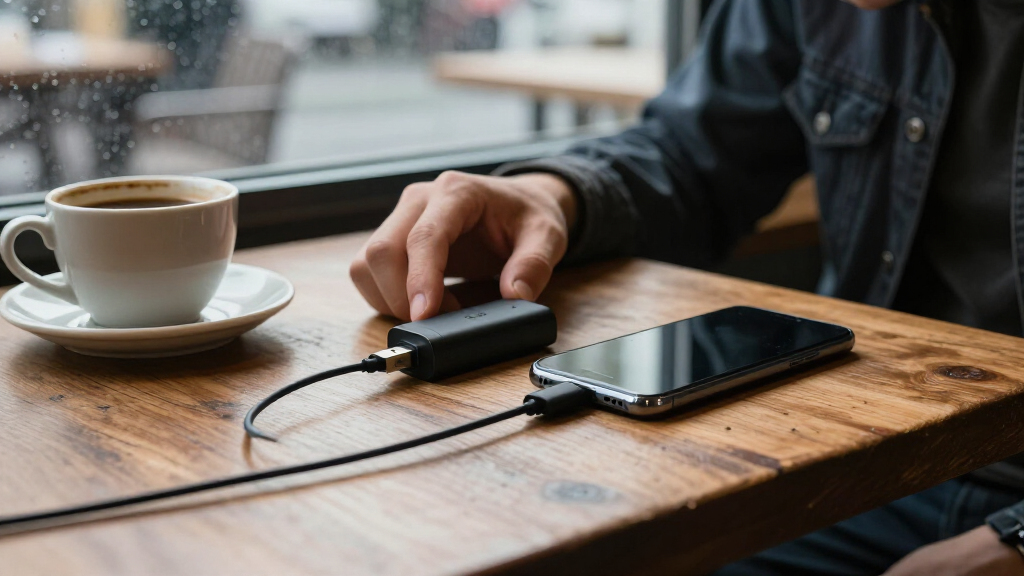
How We Picked
I compared these adapters by the factors that affect secure charging in day-to-day use: connector compatibility, the stated charge-only design, pack size, and fit with common USB-A and USB-C charging setups. I gave more weight to products that offer useful flexibility without making the buyer assemble a collection of mismatched adapters. Specialized USB-C-to-USB-C capability earned a distinct place for newer equipment, while focused single-adapter products remain relevant for buyers with a specific port or charging station in mind.
The order reflects how broadly each option can serve typical charging needs, then how well its format suits a more specific buyer. A mixed-port multi-pack ranks ahead of a single-format option for general use, while a dedicated high-power USB-C model ranks better for compatible setups than for mixed-device households. Product descriptions do not establish independent performance testing, so buyers should confirm device, cable, and charger compatibility rather than treating a blocker’s stated power figure as a guarantee for every charging chain.
Factors to Consider When Choosing Secure Usb Adapters
Choosing a secure USB adapter starts with the ports you need to connect, then moves to the charging setup and number of devices you carry. These broader checks can prevent a blocker from becoming the wrong link in an otherwise compatible charging chain.
Match the blocker to both ends of your charging setup
Write down the port on the power source and the port on the cable or device before choosing an adapter. USB-A and USB-C describe connector shapes, but a blocker set that includes both does not automatically fit every cable combination. A common mistake is buying a USB-C-only blocker for a charger that has only USB-A outputs. Adapters can sometimes bridge a connector mismatch, but every extra piece adds bulk and another fit to check. Choose the simplest arrangement that connects your actual charger, blocker, cable, and device. If your devices use different port types, a mixed set may be more useful than several identical adapters.
Check the full charging chain for power limits
A blocker’s advertised power capacity matters only when the charger, cable, and device also support the requested charging level. A high-power USB-C adapter does not make an older cable or low-capacity charger deliver more power. Before buying for a laptop or other power-hungry device, compare the stated limits for each part of the chain. For phones and small accessories, connector compatibility may matter more than a headline wattage figure. Avoid assuming that every charge-only adapter supports fast charging just because it passes power. When the product listing leaves a specification unclear, choose a setup with confirmed compatibility for your device.
Decide how many blockers you will keep in circulation
A multi-pack can place one adapter in a travel pouch, one at a desk, and another with a family member’s charger. That convenience fades if the extras stay unused or the pack lacks the connector you need most. Count the charging locations and devices you expect to protect, rather than choosing by pack size alone. Keeping a blocker attached to a frequently used cable can make it easier to remember, though it also makes that cable less convenient for data transfer. For occasional travel, a compact set with the right connectors may beat a larger assortment. If several people share chargers, labeling or assigning adapters can prevent mix-ups.
Separate charge-only protection from other security needs
A data blocker is intended to block data connections while allowing charging; it does not replace a trusted charger or protect against every electrical or device-security risk. Public USB ports vary, and a blocker cannot verify the safety or condition of the power source. For stronger control, use your own wall charger with a suitable power outlet when practical. If a device needs a data connection for syncing, setup, or accessories, a charge-only adapter may stop that task until you remove it. Keep a separate cable or adapter for trusted data use so you are not tempted to bypass the blocker in an unfamiliar location. This distinction helps set realistic expectations for what the accessory can do.
Choose a setup that fits your travel habits
The best travel option is the one you can find and connect quickly when you need it. A small single adapter is easier to carry, while a mixed multi-pack covers more charging situations but takes more space. Check whether the adapter will remain securely connected when plugged into a crowded airport or hotel outlet. If you rely on USB-C-to-USB-C charging, confirm that both ends of your cable and the blocker support that arrangement. For a shared family travel kit, label adapters by connector type or keep them together in a small pouch. A simple setup reduces the chance of leaving the blocker behind or connecting the wrong adapter.
Frequently Asked Questions
Will a USB data blocker slow down fast charging?
It can, depending on the adapter and the rest of the charging chain. The charger, cable, device, and blocker all need to support the charging mode you expect. The Afterplug model lists a 240W rating, but that figure alone does not confirm fast charging with every USB-C device. Check the specifications for all connected parts, especially when charging a laptop. If a listing does not clearly state support for your setup, do not assume the device will charge at its maximum rate.
Can I use one blocker for a USB-C phone and a USB-A wall charger?
Only if the blocker and cable arrangement match both ports. A USB-C phone can be charged from a USB-A charger with a suitable USB-A-to-USB-C cable, but a USB-C-only blocker will not plug directly into the USB-A charger. A mixed USB-A and USB-C set gives more connection options, though you still need the right cable. Check the exact plug shapes on your charger and cable ends before ordering. Avoid stacking adapters unless their fit and charging support are clear.
Can I sync files while a data blocker is connected?
A charge-only data blocker is designed to prevent data transfer, so syncing and other USB data functions generally will not work through it. That includes tasks such as transferring files or using a USB accessory that needs a data connection. Keep a separate cable or adapter for trusted devices and remove the blocker when you intentionally need data access. This is a useful tradeoff: the same restriction that blocks data also limits normal USB functions. Do not rely on the blocker as a way to selectively allow safe data connections.
Should I buy a mixed multi-pack or a single USB-C-to-USB-C adapter?
Choose based on the ports in your regular charging kit. A mixed pack is better suited to households or travelers using both USB-A and USB-C, while a USB-C-to-USB-C adapter is a more focused fit for compatible modern chargers and devices. The Afterplug pair has a stated 240W capacity, but that makes sense only if your charger, cable, and device can use the supported power. If most of your equipment shares one connector type, a focused option can reduce clutter. Make a quick list of the chargers and cables you carry before deciding.
Is a USB data blocker enough to make a public charging port safe?
A blocker addresses data transfer over the USB connection, but it does not certify the port’s electrical safety or protect against every possible problem. It cannot tell you whether the port is damaged or whether its power output suits your device. When practical, use your own wall charger and a trusted outlet instead of an unfamiliar USB port. If you do use a public port, choose a blocker that fits your connectors and charging needs. Treat it as one layer of protection with a limited, specific job.
Conclusion
For most buyers, I’d start with the JSAUX four-pack as the best overall fit because it combines USB-A and USB-C coverage in one set. The BUISAMG three-pack is a value-minded pick for buyers who want several adapters without choosing the larger mixed sets, while the Afterplug USB-C-to-USB-C pair is the premium-style specialist for compatible high-power setups. Beginners who want a straightforward single adapter can look at Plugable; buyers who need a USB-A-focused pair can choose PortaPow. For travel or shared charging kits, compare the JSAUX, AreMe, and BUISAMG four-packs by connector mix and pack contents, then confirm compatibility with your cables and charger.
Fall Picks
fall essentials
As an affiliate, we earn on qualifying purchases.