

Get privacy and security gear delivered free — and shop member deals
- Fast, free delivery on millions of items
- Access to Prime Big Deal Days deals on October 6–7
- Prime Video, Amazon Music and more included
Key Takeaways
- The lineup spans tri-band models such as the Zyxel NWA130BE and Omada EAP772, plus dual-band choices such as the Omada EAP773; that difference shapes capacity and spectrum planning more than the Wi-Fi 7 label alone.
- The Omada EAP787 is distinguished by its 10G port, but that port only helps when the switch, cabling, and traffic profile can make use of more than multigigabit connectivity.
- The EAP725-Outdoor is the dedicated outdoor option in this group, so buyers planning exterior coverage should compare its installation and environmental fit with indoor ceiling APs rather than treating them as interchangeable.
- The UniFi options and Omada options tie AP selection to different management ecosystems; choosing within the system your IT team already supports can matter more than a small spec advantage.
- The list includes a renewed U7 Pro Max and a five-pack of U7 Pro units, which makes condition, bundle contents, and deployment scale part of the comparison alongside radio features.
| Ubiquiti UniFi E7 Audience Enterprise WiFi 7 Access Point |  | Best for High-Density, Wide-Area Coverage | Wi-Fi standard: WiFi 7 (802.11be) | Spatial streams: 12 | Coverage area: 465 m² (5,000 ft²) | VIEW ON AMAZON | See Our Full Breakdown |
| Ubiquiti UniFi U7 Pro Wi-Fi 7 Access Point, 5-Pack |  | Best for Multi-Access-Point UniFi Rollouts | Wireless standard: Wi-Fi 7 | Pack size: 5 access points | Spatial streams: 6 per access point | VIEW ON AMAZON | See Our Full Breakdown |
| Zyxel NWA130BE WiFi 7 Tri-Band Wireless Access Point |  | Best for Flexible Standalone or Cloud Management | Wi-Fi generation: WiFi 7 (802.11be) | Frequency bands: 2.4 GHz, 5 GHz, and 6 GHz | Maximum speed: Up to 11 Gbps | VIEW ON AMAZON | See Our Full Breakdown |
| EnGenius ECW520 Wi-Fi 7 Tri-Band Indoor Access Point |  | Best for Managed Indoor Device Density | Wi-Fi generation: Wi-Fi 7 | Frequency bands: 2.4 GHz, 5 GHz, and 6 GHz | Maximum advertised speed: Up to 10.8 Gbps | VIEW ON AMAZON | See Our Full Breakdown |
| TP-Link Omada EAP772 BE11000 Tri-Band Wi-Fi 7 Access Point |  | Best for Flexible Power in Omada Networks | Wi-Fi standard: Wi-Fi 7 | Model: EAP772 | Wireless bands: Tri-band: 6 GHz, 5 GHz, and 2.4 GHz | VIEW ON AMAZON | See Our Full Breakdown |
| TP-Link Omada EAP787 Wi-Fi 7 Tri-Band Access Point, 10G Port, No DC Adapter |  | Best for High-Capacity Omada Networks | Wi-Fi generation: Wi-Fi 7 | Frequency bands: 2.4 GHz, 5 GHz, and 6 GHz | Maximum listed wireless speeds: 688 Mbps (2.4 GHz), 8648 Mbps (5 GHz), 5765 Mbps (6 GHz) | VIEW ON AMAZON | See Our Full Breakdown |
| TP-Link Omada EAP720 BE5000 Wi-Fi 7 Wireless Access Point |  | Best Value for Standard Omada Builds | Model: EAP720 | Wi-Fi standard: Wi-Fi 7 | Wireless bands: Dual-band, 2.4 GHz and 5 GHz | VIEW ON AMAZON | See Our Full Breakdown |
| Zyxel NWA50BEPRO WiFi 7 BE6500 Wireless Access Point |  | Best for Flexible Nebula Management | Model: NWA50BEPRO | Wi-Fi generation: Wi-Fi 7 (802.11be) | Radio configuration: Dual-radio, 4-stream | VIEW ON AMAZON | See Our Full Breakdown |
| TP-Link Omada EAP773 Wi-Fi 7 Dual-Band Access Point |  | Best for Omada Cloud Control | Model: EAP773 | Wi-Fi standard: Wi-Fi 7 | Bands: Dual-band, 2.4 GHz and 5 GHz | VIEW ON AMAZON | See Our Full Breakdown |
| Ubiquiti UniFi U7 Pro Max Tri-Band Wi-Fi 7 Access Point (Renewed) |  | Best Renewed UniFi Capacity Pick | Wi-Fi generation: Wi-Fi 7 (802.11be) | Frequency bands: 2.4 GHz, 5 GHz, and 6 GHz | Spatial streams: 8 | VIEW ON AMAZON | See Our Full Breakdown |
| TP-Link Omada EAP725-Outdoor Wi-Fi 7 Access Point |  | Best for Flexible Outdoor Coverage | Wi-Fi standard: Wi-Fi 7 | Wireless streams: 4 | Maximum speed: Up to 5 Gbps | VIEW ON AMAZON | See Our Full Breakdown |
| Ubiquiti UniFi 7 Pro WiFi 7 Access Point (US Model) |  | Best for 6 GHz Ceiling Deployments | Wi-Fi generation: Wi-Fi 7 | Spatial streams: 6 | Frequency bands: Dual-band, including 6 GHz | VIEW ON AMAZON | See Our Full Breakdown |
| TP-Link Omada EAP723 BE5000 Wi-Fi 7 Dual-Band Access Point |  | Best for Straightforward Omada Deployments | Model: EAP723 | Wi-Fi standard: Wi-Fi 7 (802.11be) | Frequency bands: 2.4 GHz and 5 GHz | VIEW ON AMAZON | See Our Full Breakdown |
| TP-Link Omada EAP770 Wi-Fi 7 BE11000 Wireless Access Point |  | Best for Tri-Band Omada Capacity | Wi-Fi standard: Wi-Fi 7 | Wireless speed: Up to 11 Gbps | Bands: Tri-band: 6 GHz, 5 GHz, and 2.4 GHz | VIEW ON AMAZON | See Our Full Breakdown |
| Grandstream GWN7670 BE3600 Wi-Fi 7 Access Point |  | Best for Flexible SMB Management | Wi-Fi standard: 802.11be (Wi-Fi 7) | Aggregate wireless throughput: 3.6 Gbps | Aggregate wired throughput: 5 Gbps | VIEW ON AMAZON | See Our Full Breakdown |
| wifi 7 access points enterprise | Wi-Fi standard |
|---|---|
| Ubiquiti UniFi E7 Audience Ent | WiFi 7 (802.11be) |
| Ubiquiti UniFi U7 Pro Wi-Fi 7 | — |
| Zyxel NWA130BE WiFi 7 Tri-Band | — |
| EnGenius ECW520 Wi-Fi 7 Tri-Ba | — |
| TP-Link Omada EAP772 BE11000 T | Wi-Fi 7 |
| TP-Link Omada EAP787 Wi-Fi 7 T | — |
| TP-Link Omada EAP720 BE5000 Wi | Wi-Fi 7 |
| Zyxel NWA50BEPRO WiFi 7 BE6500 | — |
| TP-Link Omada EAP773 Wi-Fi 7 D | Wi-Fi 7 |
| Ubiquiti UniFi U7 Pro Max Tri- | — |
| TP-Link Omada EAP725-Outdoor W | Wi-Fi 7 |
| Ubiquiti UniFi 7 Pro WiFi 7 Ac | — |
| TP-Link Omada EAP723 BE5000 Wi | Wi-Fi 7 (802.11be) |
| TP-Link Omada EAP770 Wi-Fi 7 B | Wi-Fi 7 |
| Grandstream GWN7670 BE3600 Wi- | 802.11be (Wi-Fi 7) |
More Details on Our Top Picks
Ubiquiti UniFi E7 Audience Enterprise WiFi 7 Access Point
The E7 Audience is the strongest fit here when a deployment needs one access point to cover a large, busy area. Its 12 spatial streams, claimed coverage of 465 m², and capacity for 1,500+ clients place it well above the five-unit U7 Pro bundle in per-unit scale. The 10 GbE uplink also gives it more wired headroom than the 2.5 GbE Zyxel NWA130BE and the 2.5 GbE ports on the other listed models. That capacity comes with substantial infrastructure demands: it needs PoE++ and draws up to 51 W, so existing PoE+ switching will not be enough. Its size and weight also call for deliberate mounting. I would choose it for a large venue or open enterprise space, not a routine office refresh.
Pros:- 12 spatial streams and stated capacity for 1,500+ clients suit unusually dense deployments
- 465 m² stated coverage can reduce access point count in suitable layouts
- 10 GbE uplink plus a redundant 1 GbE port provide wired capacity and a fallback connection
- Included wall and pole mounts support indoor or outdoor placement
Cons:- Requires PoE++ power, which can mean upgrading switches or injectors
- At up to 51 W and 3.3 kg before mounting hardware, it has higher power and installation demands than the other listed options
- VESA mounting requires optional hardware
Best for: Enterprise network teams covering large halls or high-density indoor and outdoor areas with PoE++ switching and a 10 GbE backbone
Not ideal for: Small offices or sites with PoE+ switches, where its power requirement and broad coverage are difficult to justify
- Wi-Fi standard:WiFi 7 (802.11be)
- Spatial streams:12
- Coverage area:465 m² (5,000 ft²)
- Maximum client count:1,500+
- Uplink:10 GbE and 1 GbE
- Power:PoE++; maximum consumption 51 W
- Maximum data rate:6 GHz: 11.5 Gbps; 5 GHz: 8.6 Gbps
- Mounting:Wall or pole mounts included; VESA mount optional
Our verdict“Choose the E7 Audience for large, dense areas with PoE++ and 10 GbE infrastructure; skip it for ordinary office coverage.”
Ubiquiti UniFi U7 Pro Wi-Fi 7 Access Point, 5-Pack
This five-pack is aimed at organizations that need coordinated coverage across multiple rooms or floors, rather than one high-capacity radio at a central point. Each U7 Pro supports 300+ concurrent clients and has a 2.5 GbE uplink, while the UniFi network app offers a common management path for the set. Compared with the E7 Audience, the U7 Pro trades exceptional per-unit scale and a 10 GbE connection for five placements that can be distributed around a building. The Zyxel NWA130BE also has two 2.5 GbE ports per unit, giving it more wired-port flexibility, but it is sold as a single access point here. This bundle suits planned multi-room deployments; buyers should account for PoE+ switching and verify coverage per unit against the building layout.
Pros:- Five access points support distributed placement across a building
- Each unit is specified for more than 300 concurrent clients
- 2.5 GbE uplink provides more wired capacity than a 1 GbE connection
- Centralized management through the UniFi network app
Cons:- Requires PoE+ power for each access point, adding switch-port and power planning needs
- The stated 140 m range per unit may not translate to equivalent indoor coverage through walls
- Each unit has a 2.5 GbE uplink, below the E7 Audience’s 10 GbE connection
Best for: IT teams rolling out Wi-Fi 7 across several rooms or floors who already use, or plan to use, UniFi management and PoE+ switching
Not ideal for: Small sites needing one access point, or dense venues that need the E7 Audience’s higher per-unit client capacity and 10 GbE uplink
- Wireless standard:Wi-Fi 7
- Pack size:5 access points
- Spatial streams:6 per access point
- Coverage range:Up to 140 m (1,500 ft) per access point
- Client capacity:300+ concurrent clients per access point
- Network uplink:2.5 GbE per access point
- Power:PoE+
- Mounting and management:Ceiling or wall; UniFi network app
Our verdict“Choose this bundle when you need several centrally managed UniFi access points for a building and can provide PoE+ at each location.”
Zyxel NWA130BE WiFi 7 Tri-Band Wireless Access Point
The NWA130BE stands out for buyers who want a choice between standalone and cloud-managed operation. Its tri-band Wi-Fi 7 radios include 2.4, 5, and 6 GHz, while two 2.5 Gbps Ethernet ports provide more wired connection options than the single 2.5 GbE port on the EnGenius ECW520 and TP-Link Omada EAP772. That flexibility comes with modest radio capacity: the listed MIMO configuration is 2×2, far below the E7 Audience’s 12 streams and less suited to very dense enterprise spaces. Internal antennas keep the design contained, but cannot be repositioned to adapt coverage. I would shortlist this Zyxel for smaller deployments that value management choice and multi-gigabit ports; its listed 15 V DC power also means checking the site’s power plan.
Pros:- Tri-band Wi-Fi 7 with multi-link operation
- Two 2.5 Gbps Ethernet ports offer more wired connection flexibility than the single-port ECW520 and EAP772
- NebulaFlex supports standalone or cloud-managed operation
- Built-in RF filtering and cellular coexistence features
Cons:- The 2×2 MIMO configuration is a more modest fit for dense client environments than the 12-stream E7 Audience
- Internal antennas cannot be physically adjusted to shape coverage
- Listed power is 15 V DC, so the installation needs a suitable power source
Best for: Small-business IT managers who want tri-band Wi-Fi 7, two 2.5 Gbps ports, and the option to manage an access point locally or through Nebula
Not ideal for: Large, high-density venues needing high stream counts, or deployments that require adjustable external antennas or PoE power
- Wi-Fi generation:WiFi 7 (802.11be)
- Frequency bands:2.4 GHz, 5 GHz, and 6 GHz
- Maximum speed:Up to 11 Gbps
- Ethernet ports:2 × 2.5 Gbps
- MIMO:2×2
- Antenna type:Internal
- Security:WPA3
- Power and management:15 V DC; NebulaFlex standalone or cloud-managed
Our verdict“Pick the NWA130BE for a smaller deployment that values dual 2.5 Gbps ports and a choice of local or cloud management.”
EnGenius ECW520 Wi-Fi 7 Tri-Band Indoor Access Point
The ECW520 targets indoor sites where administrators want a cloud-managed access point with an explicit device-capacity figure. Its stated support for up to 500 simultaneous devices is higher than the 300+ figure listed for each U7 Pro, though the U7 Pro bundle offers five units for distributing coverage across a building. The ECW520 also supports 320 MHz channels and WPA3 Enterprise, making it a plausible fit for compatible clients and managed business networks. Its stated coverage is 1,200 sq. ft., so it is a localized indoor option rather than a substitute for the E7 Audience’s 465 m² reach. The single 2.5GbE port limits wired flexibility, and the AC adapter is not included; deployment depends on PoE+ or a separately sourced adapter.
Pros:- Tri-band Wi-Fi 7 supports 2.4, 5, and 6 GHz
- 320 MHz channel support can benefit compatible Wi-Fi 7 clients
- Listed support for up to 500 simultaneous devices
- WPA3 Enterprise and Personal security options
Cons:- Single 2.5GbE port offers less wired flexibility than the NWA130BE’s two 2.5 Gbps ports
- The AC adapter is not included, so power must come from PoE+ or a separately sourced adapter
- Stated coverage of up to 1,200 sq. ft. is far below the E7 Audience’s stated area
Best for: Organizations fitting out indoor offices, classrooms, or meeting areas that want cloud-managed Wi-Fi 7 and support for many connected devices
Not ideal for: Outdoor installations, wide-area coverage, or sites without PoE+ and no plan to source a compatible power adapter
- Wi-Fi generation:Wi-Fi 7
- Frequency bands:2.4 GHz, 5 GHz, and 6 GHz
- Maximum advertised speed:Up to 10.8 Gbps
- Channel width:Up to 320 MHz
- MIMO:2x2x2 MU-MIMO
- Ethernet:1 × 2.5GbE PoE+
- Coverage and devices:Up to 1,200 sq. ft.; up to 500 devices
- Security and power:WPA3 Enterprise and Personal; AC adapter not included
Our verdict“Choose the ECW520 for managed indoor areas with many clients, provided you have a PoE+ plan and do not need broad-area coverage.”
TP-Link Omada EAP772 BE11000 Tri-Band Wi-Fi 7 Access Point
The EAP772 is a practical choice for Omada deployments that need tri-band Wi-Fi 7 with more than one way to supply power. It accepts either PoE+ or DC, which gives installers options when the access point location is awkward for one power method. Its 2.5G port and 320 MHz bandwidth support a multi-gigabit wired connection and wide channels for compatible clients. Compared with the EnGenius ECW520, it shares the 2.5 GbE class and wide-channel support, while adding DC as a stated power option; compared with the Zyxel NWA130BE, it has one listed Ethernet port rather than two. It also lacks a bundled DC adapter, so that flexibility may mean an extra sourcing step. Its specs do not state a coverage area or client limit, which makes sizing harder than with the E7 Audience or ECW520.
Pros:- Tri-band Wi-Fi 7 includes 6 GHz, 5 GHz, and 2.4 GHz
- 2.5G Ethernet port and 320 MHz bandwidth support a multi-gigabit, wide-channel setup
- PoE+ or DC power gives installation flexibility
- WPA3, captive portal support, and seamless roaming suit business networks
Cons:- DC adapter is not included, so DC-powered installations need a separate source
- One listed Ethernet port gives less wired flexibility than the NWA130BE’s two 2.5 Gbps ports
- No coverage area or maximum client count is provided in the supplied specs, making capacity planning less direct than for the ECW520
Best for: IT teams using Omada who need tri-band Wi-Fi 7 and may power an access point by PoE+ or a separately supplied DC source
Not ideal for: Buyers needing a stated coverage or client-capacity figure, two Ethernet ports, or a bundled DC adapter
- Wi-Fi standard:Wi-Fi 7
- Model:EAP772
- Wireless bands:Tri-band: 6 GHz, 5 GHz, and 2.4 GHz
- Maximum listed speeds:6 GHz: 5,760 Mbps; 5 GHz: 4,320 Mbps; 2.4 GHz: 574 Mbps
- Ethernet:2.5G
- Maximum bandwidth:320 MHz
- Power options:PoE+ or DC; DC adapter not included
- Security and network features:WPA3, captive portal support, and seamless roaming
Our verdict“Choose the EAP772 for an Omada network where PoE+ or separately sourced DC power fits the installation better than a fixed power arrangement.”
TP-Link Omada EAP787 Wi-Fi 7 Tri-Band Access Point, 10G Port, No DC Adapter
The EAP787 is the strongest fit here for an enterprise site that needs three active bands, a fast wired uplink, and room for many clients. Its 10 Gbps port gives it more uplink headroom than the EAP720 and EAP773 listings, while dedicated RF scanning and AFC-enabled 6 GHz can help teams plan and use spectrum more deliberately. Omada SDN management, mesh, and roaming make it easier to coordinate multiple access points than a standalone deployment. The tradeoff is power planning: the box has no DC adapter, so I would budget for compatible 802.3bt PoE or a separate supply. Its large capacity and listed coverage also do not remove the need for site-specific radio design.
Pros:- Tri-band Wi-Fi 7 includes 2.4 GHz, 5 GHz, and 6 GHz
- 10 Gbps Ethernet uplink offers substantial wired headroom
- Dedicated RF scanning and AFC-enabled 6 GHz support
- Omada SDN, mesh networking, and seamless roaming support coordinated deployments
Cons:- DC adapter is not included
- Requires 802.3bt PoE equipment or a separate DC supply
- Its 510+ client and coverage figures are listed capabilities, not a substitute for an RF site plan
Best for: Organizations already using Omada SDN that need a high-capacity indoor AP, 6 GHz access, and a 10 Gbps wired uplink.
Not ideal for: Small offices with basic client loads or only 2.5G switching, especially if they need an included DC power adapter.
- Wi-Fi generation:Wi-Fi 7
- Frequency bands:2.4 GHz, 5 GHz, and 6 GHz
- Maximum listed wireless speeds:688 Mbps (2.4 GHz), 8648 Mbps (5 GHz), 5765 Mbps (6 GHz)
- Ethernet port:1 × 10 Gbps
- Power:802.3bt PoE or DC; adapter not included
- Maximum concurrent clients:510+
- Listed coverage:Up to 2,050 sq. ft. (190 m²)
- Security:WPA2, WPA3
Our verdict“Choose the EAP787 for a demanding Omada deployment that can power it with 802.3bt PoE and make use of its 10G uplink and three bands.”
TP-Link Omada EAP720 BE5000 Wi-Fi 7 Wireless Access Point
For an Omada rollout that needs Wi-Fi 7 without a tri-band design, the EAP720 keeps the deployment straightforward: it offers dual-band service, a 2.5 Gigabit uplink, and support for more than 250 clients. Compared with the higher-capacity EAP787, it gives up 6 GHz, 10G Ethernet, and dedicated RF scanning, but those omissions may be acceptable where existing clients and applications concentrate on 2.4 and 5 GHz. Unlike the EAP787, the listed package includes a DC adapter, and 802.3at PoE is another power option. I would pick it for ordinary office floors already using Omada management; teams planning a 6 GHz refresh or needing more wired headroom should look higher in the lineup.
Pros:- Wi-Fi 7 dual-band operation with listed speeds up to 5.0 Gbps
- 2.5 Gigabit Ethernet supports multi-gig uplinks
- Power options include 802.3at PoE and the listed DC adapter
- Omada centralized management and mesh support
Cons:- No 6 GHz band, unlike the EAP787 and other tri-band options
- 2.5 Gigabit uplink provides less wired headroom than the EAP787’s 10G port
- Some management features depend on the Omada platform
Best for: Small and midsize businesses standardizing on Omada that want Wi-Fi 7 and multi-gig Ethernet for a typical office client mix.
Not ideal for: Sites that require 6 GHz coverage, a 10 Gbps uplink, or the larger listed client capacity of the EAP787.
- Model:EAP720
- Wi-Fi standard:Wi-Fi 7
- Wireless bands:Dual-band, 2.4 GHz and 5 GHz
- Maximum wireless speed:Up to 5.0 Gbps
- Ethernet port:2.5 Gigabit
- Concurrent clients:250+
- Power options:802.3at PoE or DC adapter
- PoE power consumption:17.83 W
Our verdict“Choose the EAP720 for a conventional Omada office that values manageable Wi-Fi 7 and included power flexibility over 6 GHz or 10G.”
Zyxel NWA50BEPRO WiFi 7 BE6500 Wireless Access Point
The NWA50BEPRO suits teams that want a choice between local configuration and Zyxel’s Nebula cloud tools. Its 2.5GbE PoE+ uplink and listed 6.5 Gbps data rate place it between the EAP720’s dual-band 5 Gbps offering and the EAP787’s faster 10G enterprise design on paper. There is an important radio-planning compromise: it is a dual-radio unit, and its 5 GHz or 6 GHz operation is configurable, so buyers should not assume all three listed bands operate concurrently. That makes it less flexible for a site expecting dedicated capacity on every band, but potentially practical for deployments choosing which newer band matters more. Smart mesh and WPA3 add useful deployment and security options.
Pros:- Configurable 5 GHz or 6 GHz radio operation
- 2.5GbE uplink with 802.3at PoE+ support
- NebulaFlex allows standalone or cloud management
- Smart mesh and WPA3 security are supported
Cons:- 5 GHz and 6 GHz operation is configurable between bands rather than simultaneous
- 2.5GbE uplink has less capacity than the EAP787’s 10G port
- The supplied data does not give a client capacity or coverage figure
Best for: IT teams seeking a Wi-Fi 7 AP with a 2.5GbE PoE+ uplink and a choice of Nebula cloud or standalone management.
Not ideal for: Deployments requiring simultaneous 5 GHz and 6 GHz service from the same AP or a faster-than-2.5GbE uplink.
- Model:NWA50BEPRO
- Wi-Fi generation:Wi-Fi 7 (802.11be)
- Radio configuration:Dual-radio, 4-stream
- Frequency bands:2.4 GHz plus configurable 5 GHz or 6 GHz
- Maximum data rate:6.5 Gbps
- LAN port:2.5GbE
- Power:802.3at PoE+; 16 W draw
- Management and security:NebulaFlex standalone or cloud management; WPA3
Our verdict“Choose the NWA50BEPRO when management flexibility and the ability to select 5 GHz or 6 GHz matter more than having both active at once.”
TP-Link Omada EAP773 Wi-Fi 7 Dual-Band Access Point
The EAP773 makes the most sense for buyers who prioritize Omada’s centralized configuration, VLAN and bandwidth controls, and mesh support in a dual-band Wi-Fi 7 AP. Its listed 5.0 Gbps wireless ceiling and support for 250+ clients put it near the EAP720 on paper, while features such as Multi-Link Operation and 4K-QAM add Wi-Fi 7 capabilities. It does not offer the EAP787’s 6 GHz band or dedicated RF scanning. There is also a material data conflict: the title says 10G Ethernet, while the description says 2.5G. I would verify the hardware revision and port before designing the wired network around it. Power needs planning too, since the DC adapter is not included.
Pros:- Wi-Fi 7 features include Multi-Link Operation and 4K-QAM
- Omada cloud and SDN management with VLAN and bandwidth controls
- Mesh networking and support for 250+ concurrent clients
- Power options include 802.3at PoE or DC
Cons:- Supplied product data conflicts on Ethernet speed: title says 10G, description says 2.5G
- Dual-band design lacks the EAP787’s 6 GHz band
- DC adapter is not included
Best for: Omada administrators who want centralized cloud and SDN controls for dual-band Wi-Fi 7 and can confirm the exact port specification before deployment.
Not ideal for: Buyers who need 6 GHz, an unambiguous 10G or 2.5G uplink specification, or an included DC adapter.
- Model:EAP773
- Wi-Fi standard:Wi-Fi 7
- Bands:Dual-band, 2.4 GHz and 5 GHz
- Maximum wireless speed:Up to 5.0 Gbps
- Ethernet port:Conflicting listing: title says 10G; description says 2.5G
- Power:802.3at PoE or DC; adapter not included
- Concurrent clients:250+
- PoE power consumption:25.4 W
Our verdict“Choose the EAP773 for Omada control features only after confirming its Ethernet port specification for the unit you plan to install.”
Ubiquiti UniFi U7 Pro Max Tri-Band Wi-Fi 7 Access Point (Renewed)
The renewed U7 Pro Max is the UniFi choice here for sites that want three Wi-Fi bands and a listed capacity above 300 connections, with UniFi Network providing centralized management and guest traffic isolation. Its 9,335 Mb/s listed transfer rate positions it above the dual-band EAP773’s 5.0 Gbps figure, and its 6 GHz radio offers an additional band for compatible clients. The wired side is more restrained: a 2.5 GbE port is a narrower uplink than the EAP787’s 10G connection, despite the U7 Pro Max’s higher listed wireless rate. It also requires PoE+ or 48 V DC, and real-time spectral analysis has a software-version requirement. Buyers should weigh the renewed condition alongside those deployment constraints.
Pros:- Tri-band Wi-Fi 7 includes 2.4 GHz, 5 GHz, and 6 GHz
- Listed transfer rate reaches 9,335 Mb/s
- Supports over 300 concurrent connections
- UniFi Network management includes guest traffic isolation and WPA3
Cons:- Renewed condition may not suit buyers who require new equipment
- 2.5 GbE uplink is slower than the EAP787’s 10G port
- Real-time spectral analysis requires UniFi Network 8.2.93 or later
Best for: UniFi Network operators who want a renewed tri-band AP, guest isolation, and capacity for more than 300 connections.
Not ideal for: Organizations needing a new unit, a 10G wired uplink, or deployments without PoE+ or 48 V DC power.
- Wi-Fi generation:Wi-Fi 7 (802.11be)
- Frequency bands:2.4 GHz, 5 GHz, and 6 GHz
- Spatial streams:8
- Maximum transfer rate:9,335 Mb/s
- Concurrent connections:Over 300
- Ethernet port:1 × 2.5 GbE
- Power:PoE+ or 48 V DC
- Mounting:Wall or ceiling
Our verdict“Choose the renewed U7 Pro Max for a UniFi-managed site that wants tri-band capacity and accepts a 2.5 GbE uplink and renewed hardware.”
TP-Link Omada EAP725-Outdoor Wi-Fi 7 Access Point
The EAP725-Outdoor suits enterprise sites where coverage needs to reach across a courtyard, parking area, or outdoor work zone. Its switchable directional and omnidirectional antenna modes let an installer focus coverage in one direction or spread it more broadly; the stated recommended coverage is larger in directional mode. It also detects installed external antennas automatically, which gives it an outdoor deployment flexibility the indoor Omada EAP723 does not offer. The 2.5G PoE port carries both data and power over one cable, simplifying a run to an exterior mounting point. The tradeoff is that it is dual-band, while tri-band options such as the Omada EAP770 can use 6 GHz. Its PoE injector is not included, so buyers need a compatible power source already in their deployment plan.
Pros:- Switchable directional and omnidirectional antenna modes suit different outdoor layouts
- Automatically detects installed external antennas
- 2.5G PoE port carries power and data over one Ethernet cable
Cons:- Dual-band design lacks 6 GHz support
- PoE injector is not included
Best for: Businesses extending managed Wi-Fi to outdoor spaces where antenna direction and cable-based PoE installation matter.
Not ideal for: Sites prioritizing indoor 6 GHz capacity or buyers without a compatible PoE source and no plan to add one.
- Wi-Fi standard:Wi-Fi 7
- Wireless streams:4
- Maximum speed:Up to 5 Gbps
- Bands:Dual-band
- Recommended omnidirectional coverage:3,229 ft² (300 m²)
- Recommended directional coverage:5,500 ft² (510 m²)
- Ethernet:1 × 2.5G PoE
- PoE injector:Not included
Our verdict“Choose the EAP725-Outdoor when adaptable outdoor coverage matters more than tri-band capacity.”
Ubiquiti UniFi 7 Pro WiFi 7 Access Point (US Model)
The UniFi 7 Pro is a ceiling-mounted choice for organizations that want 6 GHz access and six spatial streams in a single indoor AP. Its stated 5.7 Gbps transfer rate and coverage up to 1,500 square feet make it a step up in radio capacity from the dual-band Omada EAP723, which has no 6 GHz band. That can help enterprises with compatible client devices distribute traffic across more spectrum. The wired side is less ambitious: its single LAN port is rated at 1 Gbps, unlike the 2.5G ports on the EAP723 and Grandstream GWN7670. That mismatch may constrain aggregate throughput over the cable. I’d shortlist it for a UniFi deployment needing 6 GHz, but buyers should plan for a PoE+ adapter or another compatible power source because one is not included.
Pros:- Six spatial streams
- Supports the 6 GHz band
- Ceiling-mounted design with stated coverage up to 1,500 ft²
Cons:- 1 Gbps LAN port is slower than the 2.5G ports on several alternatives
- PoE+ adapter is not included
Best for: Organizations standardizing on UniFi that need a ceiling AP with 6 GHz support for compatible client devices.
Not ideal for: Networks that need a 2.5G wired uplink or lack a separate PoE+ power source.
- Wi-Fi generation:Wi-Fi 7
- Spatial streams:6
- Frequency bands:Dual-band, including 6 GHz
- Coverage:140 m² (1,500 ft²)
- Data transfer rate:5.7 Gbps
- LAN port:1 × 1 Gbps
- Antennas:6
- PoE+ adapter:Not included
Our verdict“Pick the UniFi 7 Pro for 6 GHz and UniFi alignment, provided its 1 Gbps port fits the network design.”
TP-Link Omada EAP723 BE5000 Wi-Fi 7 Dual-Band Access Point
The EAP723 is a practical indoor Omada pick for businesses that want Wi-Fi 7 features and a 2.5G wired port without stepping up to a tri-band model. Its 5 GHz radio is rated at 4,324 Mbps, with up to 688 Mbps on 2.4 GHz; 240 MHz bandwidth and Multi-RU support target efficient use of available Wi-Fi 7 capacity. Centralized management, mesh networking, and seamless roaming make it more suited to a coordinated access point deployment than a standalone home router. Compared with the Omada EAP770, it gives up the 6 GHz band and the higher stated aggregate speed, so it is a weaker fit for dense sites with many newer clients. It also has only one Ethernet port, and the DC adapter is not included; buyers should confirm their power plan before installation.
Pros:- 2.5G Ethernet port supports a faster wired uplink
- Wi-Fi 7 features include 240 MHz bandwidth and Multi-RU
- Supports centralized management, mesh networking, and seamless roaming
Cons:- Dual-band design does not provide 6 GHz
- Single Ethernet port limits wired connections at the AP
- DC adapter is not included
Best for: Small and midsize businesses building an Omada-managed indoor network with a 2.5G uplink and roaming across APs.
Not ideal for: High-density deployments that need 6 GHz capacity, or buyers expecting a DC adapter in the box.
- Model:EAP723
- Wi-Fi standard:Wi-Fi 7 (802.11be)
- Frequency bands:2.4 GHz and 5 GHz
- Maximum data rate:5,000 Mbps
- 5 GHz speed:4,324 Mbps
- 2.4 GHz speed:688 Mbps
- Ethernet:1 × 2.5G
- Bandwidth:240 MHz
- Power adapter:DC adapter not included
Our verdict“Choose the EAP723 for an Omada-managed indoor network where 2.5G connectivity matters more than tri-band capacity.”
TP-Link Omada EAP770 Wi-Fi 7 BE11000 Wireless Access Point
For an Omada-managed site with many clients and compatible 6 GHz devices, the EAP770 brings tri-band Wi-Fi 7 and a stated wireless speed of up to 11 Gbps. Its support for more than 380 concurrent devices gives network planners a higher stated client ceiling than the Grandstream GWN7670, which lists up to 256. The EAP770 also includes both a 2.5G Ethernet port and two power options: PoE+ or the included 12V DC adapter. That flexibility helps when a ceiling or wall location has a different power setup than expected. Its stated coverage is up to 1,500 square feet, so the client count alone should not be treated as a guarantee of site-wide performance; radio conditions and layout still matter. Compared with the simpler dual-band EAP723, this is the higher-capacity choice, with more dependence on Omada’s centralized management for its advanced features.
Pros:- Tri-band Wi-Fi 7 includes 6 GHz
- Stated support for more than 380 concurrent devices
- 2.5G Ethernet port
- PoE+ and included 12V DC adapter offer power flexibility
Cons:- Advanced management features depend on the Omada cloud platform
- Coverage is stated at up to 1,500 ft² and varies by environment
Best for: Omada administrators planning an indoor deployment with many concurrent clients and a meaningful share of 6 GHz-capable devices.
Not ideal for: Small sites that do not need tri-band capacity or buyers who want advanced features outside the Omada management platform.
- Wi-Fi standard:Wi-Fi 7
- Wireless speed:Up to 11 Gbps
- Bands:Tri-band: 6 GHz, 5 GHz, and 2.4 GHz
- Ethernet:2.5G
- Concurrent devices:More than 380
- Coverage:Up to 1,500 ft²
- Power options:802.3at PoE+ or 12V DC
- Management:Omada centralized remote management
Our verdict“Choose the EAP770 for an Omada site that can use its tri-band capacity and flexible power options.”
Grandstream GWN7670 BE3600 Wi-Fi 7 Access Point
The GWN7670 is aimed at small and medium businesses that want Wi-Fi 7 without committing every management task to one cloud service. Its embedded controller can manage up to 50 GWN access points, with cloud and on-premise platforms also supported, giving IT teams a choice the Omada EAP770 does not emphasize. Two 2.5GbE ports provide more wired flexibility than the single-port EAP770 and EAP723, while PoE+ helps simplify installation. The compromise is a dual-band 2×2 radio configuration and 3.6 Gbps aggregate wireless throughput; enterprises seeking 6 GHz and higher stated capacity should look at the EAP770 or UniFi 7 Pro. Its listed coverage range reaches up to 175 meters, but actual coverage depends on the environment. A power adapter is not included, so plan on PoE+.
Pros:- Embedded controller supports management of up to 50 GWN access points
- Cloud and on-premise management options
- Two 2.5GbE ports and PoE+ support
- Supports up to 256 concurrent devices
Cons:- Dual-band radios do not provide 6 GHz
- 3.6 Gbps aggregate wireless throughput is below the EAP770’s stated 11 Gbps
- Power adapter is not included
Best for: SMBs that want embedded access point management with cloud or on-premise options and dual 2.5GbE ports.
Not ideal for: Large, high-density enterprise sites seeking 6 GHz or a tri-band radio, or deployments without PoE+ power.
- Wi-Fi standard:802.11be (Wi-Fi 7)
- Aggregate wireless throughput:3.6 Gbps
- Aggregate wired throughput:5 Gbps
- Ethernet ports:2 × 2.5GbE
- Radio configuration:2×2:2 at 2.4 GHz and 2×2:2 at 5 GHz
- Power support:802.3at PoE+
- Concurrent devices:Up to 256
- Coverage range:Up to 175 meters
- Management:Embedded controller; supports up to 50 GWN access points
Our verdict“Pick the GWN7670 for flexible SMB management and dual 2.5GbE ports when 6 GHz is not a requirement.”
How We Picked
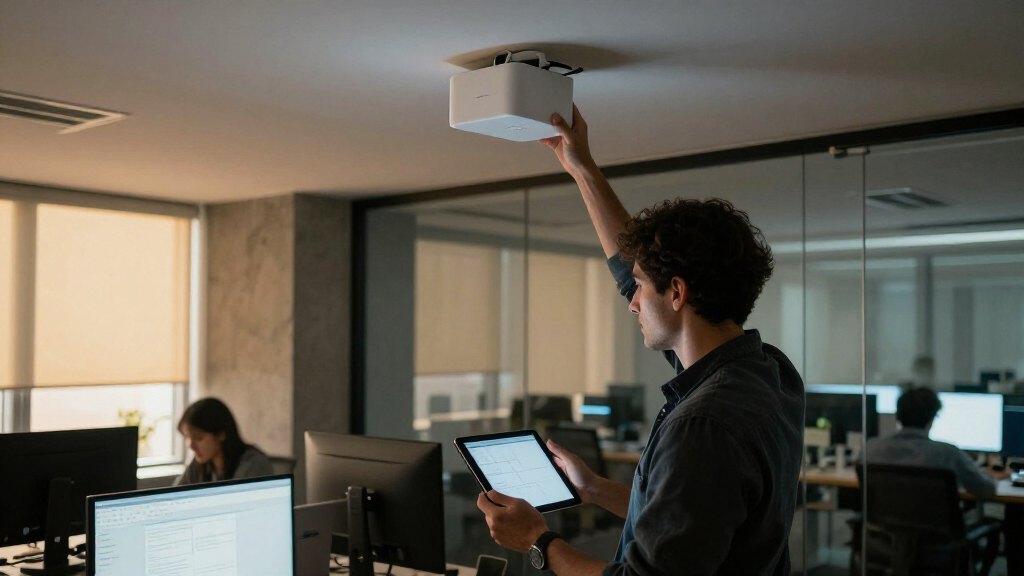
I ranked these enterprise Wi-Fi 7 access points by how well their capabilities map to real deployment needs: radio-band design, wired uplink capacity, indoor or outdoor fit, and the management model required to operate them. I gave more weight to useful headroom and clear deployment roles than to peak aggregate speed claims, since client mix, channel planning, and wired infrastructure determine the results a site can actually use. I also considered whether each model’s feature set appears proportionate to the likely buyer, from small teams seeking simpler rollout to IT groups planning dense, managed networks. The ordering reflects tradeoffs within this particular lineup. The UniFi E7 Audience leads for buyers seeking a high-capacity enterprise-oriented pick; the EAP772 and other tri-band models follow where broader radio capacity is a priority. The EAP787’s 10G port earns attention when the wired network can support it, while dual-band and lower-complexity options make more sense where client density or infrastructure does not justify tri-band hardware. Outdoor suitability, ecosystem fit, bundle format, and renewed condition affect placement because they change how readily each product fits a buyer’s deployment.Factors to Consider When Choosing Wifi 7 Access Points Enterprise
Enterprise Wi-Fi 7 decisions start with the network you need to operate, not the fastest number on an AP listing. I would map coverage, client density, switching, and management requirements before comparing model names. These factors help prevent buying radio capacity that the rest of the network cannot deliver.Match Radio Bands to Client Density
Tri-band access points can add 6 GHz capacity alongside 2.4 and 5 GHz, which may help in busy environments with compatible clients. That capacity does not automatically improve every deployment: older devices may continue using other bands, and walls or distance can limit 6 GHz coverage. Count the devices likely to use Wi-Fi 7 and 6 GHz, then map where they gather at peak times. In a small office with modest concurrency, dual-band models may meet the need with less spectrum-planning overhead. In a dense venue, additional radio capacity can help only when channel reuse and AP placement are planned across the whole site. Avoid selecting tri-band solely because its aggregate throughput figure is larger.Check the Wired Path Before Buying Faster Uplinks
An access point’s uplink sets a ceiling on traffic moving to the wired network, but it is only one link in the path. Confirm the switch port speed, PoE capability, cabling category and run length, and upstream capacity before paying for a faster interface. A 10G AP port can be useful where many clients share one AP or local traffic demands high throughput; it may add little on a lightly loaded edge switch. Also account for switch port availability across every planned AP, not just the first unit. If upgrades to switches or cabling are outside the project, a more modest uplink may be the practical match. Treat the network as a chain and identify its slowest link before setting an AP target.Plan for Power and Mounting
Power requirements can affect both installation cost and where an AP can be placed. Check the exact PoE standard and power draw against the switch budget, including the total draw when all APs are active. A listing that omits a DC adapter may assume PoE, so confirm what is included before rollout. Ceiling mounting, cable routes, and access for maintenance can constrain placement more than a coverage diagram suggests. Outdoor units need a suitable mounting location and weather exposure rating for the actual site conditions. Verify the model’s documentation and installation requirements before ordering hardware for a large site.Choose a Management Model Your Team Can Operate
An enterprise AP is part of an operating system that includes provisioning, monitoring, firmware updates, and troubleshooting. Decide whether your team wants a controller-based workflow, cloud management, or a setup that can run with less centralized oversight. A consistent ecosystem can simplify templates and support when scaling dozens of APs, while mixing vendors may add separate dashboards and operational steps. Ask who will handle configuration changes and firmware maintenance after deployment. Also review licensing or controller requirements for the exact product and feature set. Choose the workflow your staff can sustain during routine changes and outages.Design Coverage Around People and Building Materials
AP count should follow a floor plan and expected usage, not a generic square-foot coverage estimate. Dense seating, concrete walls, glass, machinery, and neighboring networks all affect signal and channel reuse. Place APs for capacity in high-use zones instead of relying on maximum range from a few central units. Outdoor coverage may require a separate AP and careful separation from indoor radios to avoid interference or weak roaming behavior. Validate the plan with a site survey or staged deployment before repeating a design across multiple floors. Leave room for tuning channels and transmit power after observing real client behavior.Budget for the Full Lifecycle and Deployment Scale
The access point purchase is only one part of an enterprise rollout: switching, cabling, mounting, configuration time, support, and eventual replacement all affect total effort. A multi-pack can simplify a consistent deployment, but verify that its model and included accessories match the site plan. Renewed hardware may suit a lab or a carefully managed expansion, though buyers should check warranty coverage, condition grading, and return terms. Standardizing on fewer models can reduce spare inventory and staff training demands. Pay more for capabilities that address a known constraint, such as outdoor exposure or uplink saturation. If the requirement is hypothetical, start with a smaller pilot and gather usage data before scaling.Frequently Asked Questions
Do I need a tri-band Wi-Fi 7 access point for an enterprise office?
Not automatically. Tri-band models add 6 GHz, which can provide extra capacity for compatible clients, but the benefit depends on device support, site density, and coverage geometry. If most endpoints are older or the office has low concurrency, a dual-band AP may be a better fit. For dense meeting areas or high-throughput client groups, tri-band can give your design more room to distribute traffic. Base the choice on a client inventory and floor plan rather than the Wi-Fi 7 name alone.Will a 10G access point make my current network faster?
Only if the rest of the wired path can carry that traffic and the AP’s clients generate enough demand. Check the switch port, PoE support, cabling, and upstream links before choosing a 10G model such as the Omada EAP787. A faster uplink can reduce bottlenecks when many active clients share one AP, but it cannot improve an internet connection or server path that is already constrained elsewhere. For a smaller site, the extra capacity may go unused. Measure current utilization and projected client load to see whether the port addresses a real limit.Can I mix UniFi and Omada access points in one enterprise network?
They can coexist at the network level, but they do not become one centrally managed system. Each ecosystem has its own configuration, monitoring, and maintenance workflow, which can add work for the team operating the site. A mixed setup may make sense during a staged refresh or where a specialized AP fills a clear gap. For a new standardized rollout, choose the management environment your staff already knows and verify that it supports the features and scale you need. Also plan how you will handle firmware updates and troubleshooting across both systems.Is a renewed access point suitable for a production deployment?
It can be, provided its condition, warranty, return terms, and hardware provenance meet your organization’s requirements. A renewed U7 Pro Max may be appropriate for a lab, spare pool, or expansion where the buyer can validate each unit before relying on it. For production, confirm that management adoption works, accessories are present, and support coverage is acceptable. Consider how quickly you could replace a failed unit and whether the same model will remain available. Standard new units may be easier to support across a large fleet.What should I prioritize for outdoor enterprise Wi-Fi coverage?
Start with the exposure conditions, mounting location, power delivery, and the area clients need to cover. The EAP725-Outdoor is the purpose-oriented choice in this lineup, while indoor ceiling models are not substitutes for equipment rated for outdoor installation. Confirm environmental ratings and installation guidance for the exact unit and location. Then plan where indoor and outdoor coverage overlap so clients can roam without sticking to a weak signal. A site survey can reveal whether you need one exterior AP or several carefully placed units.Conclusion
For a broad enterprise deployment, I would start with the Ubiquiti UniFi E7 Audience as my best overall pick, then confirm that its management and infrastructure requirements fit the site. Buyers seeking a balanced tri-band option should compare the TP-Link Omada EAP772 and Zyxel NWA130BE; the EAP720 or EAP723 makes more sense where a simpler dual-band design matches demand. For a premium wired-capacity focus, the Omada EAP787 is the standout when the switch and cabling can use its 10G port. Teams new to managed Wi-Fi should favor the ecosystem they already know, and plan a pilot before scaling. For exterior coverage, choose the EAP725-Outdoor; for a multi-unit UniFi rollout, assess the U7 Pro five-pack and verify what the bundle includes.Evergreen bestsellers Picks
bestsellers
As an affiliate, we earn on qualifying purchases.