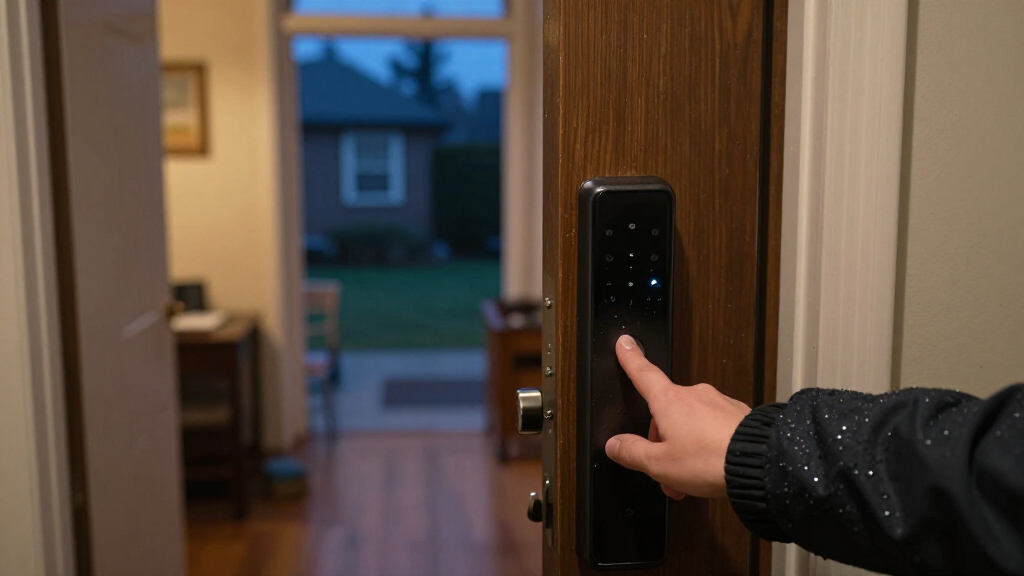
Biometric fingerprint door locks vary most in how they balance fingerprint access, backup entry, smart features, and installation style. I rank the eufy Security FamiLock C32 as the best overall option for shoppers who want a connected lock with a handle, while the Wyze Auto-Lock Bolt v2 stands out for its auto-lock and Wi-Fi features, and the TEEHO TE002 is a straightforward keypad deadbolt alternative. Knob and lever models can suit interior doors, but they are not interchangeable with a deadbolt for every exterior-door setup. Before choosing, check the lock format, door measurements, and what happens if the fingerprint reader or batteries fail. Read on for the full comparison and guidance on matching a lock to your door and access needs.

Get privacy and security gear delivered free — and shop member deals
- Fast, free delivery on millions of items
- Access to Prime Big Deal Days deals on October 6–7
- Prime Video, Amazon Music and more included
Key Takeaways
- The roundup’s clearest connected picks are the eufy FamiLock C32 and Wyze Auto-Lock Bolt v2: compare their handle-versus-deadbolt formats and app features rather than treating them as direct replacements.
- Fingerprint entry is only one part of dependable access: several listed models also offer keypads, physical keys, apps, or cards, but buyers should check the specific backup methods on their chosen model.
- Door hardware format changes the shortlist: knob and lever options may suit particular interior or retrofit needs, while deadbolt models address a different installation and security setup.
- Multi-method access can serve shared households: the Evanshow 5-in-1 combines fingerprint, keypad, app, IC card, and key access, though extra methods can add setup and maintenance.
- Fit and failure planning matter as much as smart features: door dimensions, battery access, and a usable backup entry route should be checked before choosing any model.
| Yamiry Fingerprint Keyless Entry Smart Door Knob Lock |  | Best for Flexible Entry Options | Brand and model: Yamiry YR05 | Unlock methods: App, password, key fob, fingerprint, physical key | Connectivity: Bluetooth; remote control requires a separately sold Wi-Fi gateway | VIEW LATEST PRICE | See Our Full Breakdown |
| eufy Security FamiLock C32 Fingerprint Smart Lock with Handle |  | Best for Built-In Remote Management | Brand and model: eufy Security FamiLock C32 | Unlock methods: Fingerprint, PIN, physical keys | Fingerprint unlock time: 0.3 seconds | VIEW LATEST PRICE | See Our Full Breakdown |
| Smart Fingerprint Door Knob Lock, Silver |  | Best for Interior-Door Modes | Unlock methods: Fingerprint, app via Bluetooth, mechanical key | Operating modes: Passage, Normal with 7-second auto-lock, Privacy, Silent | App features: Fingerprint management, access records, access sharing | VIEW LATEST PRICE | See Our Full Breakdown |
| Evanshow Fingerprint Door Lock Biometric Door Knob with Keypad – Keyless Entry for Home, Hotel, Office, Bedroom (Black) |  | Best for High Fingerprint Capacity | Unlock methods: Fingerprint, password, mechanical keys, IC card | Fingerprint capacity: Up to 100 | Password capacity: Up to 50 | VIEW LATEST PRICE | See Our Full Breakdown |
| Evanshow 5-in-1 Biometric Smart Door Knob with Keypad, App, IC Card, and Keys |  | Best for App-Based Shared Access | Access methods: Fingerprint, password, IC card, Tuya app, 2 mechanical keys | Fingerprint capacity: Up to 100 | Password capacity: Up to 50 | VIEW LATEST PRICE | See Our Full Breakdown |
| DREMUSOUD E008 Smart Fingerprint Door Handle with Keypad |  | Best for High-Capacity Household Access | Unlock methods: Fingerprint, password, IC card, app, and 2 mechanical keys | Fingerprint capacity: Up to 100 | Password capacity: Up to 50 | VIEW LATEST PRICE | See Our Full Breakdown |
| Evanshow Smart Fingerprint Door Lock with App, Keypad, and Lever Handle |  | Best for No-Drill Installation | Unlock methods: Fingerprint, keypad passcode, NFC card, mechanical key, and app | Door thickness compatibility: 1.18–1.97 inches | Auto-lock: Yes | VIEW LATEST PRICE | See Our Full Breakdown |
| Yamiry Smart Door Lock with Fingerprint Keypad |  | Best for DIY Setup and Included Key Fobs | Model: YR01 | Unlock methods: Fingerprint, Bluetooth app, passcode, key fob, mechanical key, and Alexa voice control | Remote control: Requires separately sold Wi-Fi gateway | VIEW LATEST PRICE | See Our Full Breakdown |
| Wyze Auto-Lock Bolt v2 Fingerprint Keyless Entry Smart Lock |  | Best Connected Fingerprint Deadbolt | Lock type: Biometric deadbolt with keypad | Connectivity: Wi-Fi | Maximum users: Up to 50 fingerprints or keypad codes | VIEW LATEST PRICE | See Our Full Breakdown |
| Veise VE017 Fingerprint Smart Door Lock with App Control, Matte Black |  | Best for Local Data Privacy and Adjustable Auto-Lock | Unlock methods: Fingerprint, app, fob card, code, mechanical key, and Alexa/Google voice via G1 Gateway | Material: All-zinc alloy, all-metal | Battery: 4 AA/LR6 alkaline batteries, not included | VIEW LATEST PRICE | See Our Full Breakdown |
| TEEHO TE002 Fingerprint Deadbolt with Keypad for Front Door, Matte Black |  | Best for Front-Door Deadbolt Simplicity | Model: TE002 | Lock type: Fingerprint deadbolt with keypad | Fingerprint capacity: 20 fingerprints | VIEW LATEST PRICE | See Our Full Breakdown |
| Smart Fingerprint Door Lock – Matte Black |  | Best for Interior Knob Versatility | Model: K10B | Lock type: Fingerprint door knob | Entry methods: Fingerprint, Bluetooth app, mechanical key | VIEW LATEST PRICE | See Our Full Breakdown |
| Evanshow Biometric Door Knob with Keypad, Silver |  | Best for High Fingerprint Capacity | Model: 190NOSilver | Lock type: Biometric door knob with keypad | Fingerprint capacity: Up to 100 fingerprints | VIEW LATEST PRICE | See Our Full Breakdown |
| biometric fingerprint door lock | Unlock methods |
|---|---|
| Yamiry Fingerprint Keyless Ent | App, password, key fob, fingerprint, physical key |
| eufy Security FamiLock C32 Fin | Fingerprint, PIN, physical keys |
| Smart Fingerprint Door Knob Lo | Fingerprint, app via Bluetooth, mechanical key |
| Evanshow Fingerprint Door Lock | Fingerprint, password, mechanical keys, IC card |
| Evanshow 5-in-1 Biometric Smar | — |
| DREMUSOUD E008 Smart Fingerpri | Fingerprint, password, IC card, app, and 2 mechanical keys |
| Evanshow Smart Fingerprint Doo | Fingerprint, keypad passcode, NFC card, mechanical key, and app |
| Yamiry Smart Door Lock with Fi | Fingerprint, Bluetooth app, passcode, key fob, mechanical key, and Alexa voice control |
| Wyze Auto-Lock Bolt v2 Fingerp | — |
| Veise VE017 Fingerprint Smart | Fingerprint, app, fob card, code, mechanical key, and Alexa/Google voice via G1 Gateway |
| TEEHO TE002 Fingerprint Deadbo | — |
| Smart Fingerprint Door Lock | — |
| Evanshow Biometric Door Knob w | — |
More Details on Our Top Picks
Yamiry Fingerprint Keyless Entry Smart Door Knob Lock
The Yamiry YR05 suits households that want fingerprint access without relying on just one way in. It adds app control, passwords, key fobs, and physical keys, while storage for 50 fingerprints and passwords gives it more room for shared access than the Smart Fingerprint Door Knob Lock, Silver. Bluetooth app control is useful nearby, but this is not a fully remote lock out of the box: remote access requires a separately sold Wi-Fi gateway. Auto-lock can help avoid leaving the door unsecured, and screwdriver installation keeps setup approachable for compatible standard doors. The tradeoff is that its many entry methods come with a dependency on batteries and a gateway for away-from-home control. Choose it for flexible household access, not for built-in Wi-Fi or a front-door security upgrade.
Pros:- Five entry methods provide useful alternatives if a fingerprint is unavailable.
- Stores up to 50 fingerprints and 50 passwords for shared access.
- Auto-lock and app controls add convenient day-to-day operation.
- Designed for screwdriver installation on most American standard doors.
Cons:- Remote control requires a separately sold Wi-Fi gateway.
- Bluetooth app control is limited to nearby access without that gateway.
Best for: Households with several regular users who want fingerprint, password, key-fob, and physical-key access on a compatible standard door.
Not ideal for: Buyers who need remote control immediately without extra hardware, or who are replacing a front-door deadbolt rather than an interior knob.
- Brand and model:Yamiry YR05
- Unlock methods:App, password, key fob, fingerprint, physical key
- Connectivity:Bluetooth; remote control requires a separately sold Wi-Fi gateway
- Storage:Up to 50 passwords and fingerprints
- Lock methods:Auto-lock, app, long-press button
- Door compatibility:Most American standard doors
- Material and finish:Aluminum, matte black
- Dimensions and weight:5.62 × 2.69 × 3 inches; 1.18 kg
- Warranty:1-year product coverage
Our verdict“Pick the Yamiry if you want several ways for a household to open a compatible door and can accept Bluetooth-only app control unless you add a gateway.”
eufy Security FamiLock C32 Fingerprint Smart Lock with Handle
The eufy Security FamiLock C32 is the clearest fit here for buyers who want remote management without purchasing a separate gateway: its built-in 2.4 GHz Wi-Fi supports remote lock control, unlike the Bluetooth-only Yamiry YR05 without its add-on. Its fingerprint reader is specified to unlock in 0.3 seconds, while Alexa and Google Assistant support can fit into an existing smart-home routine. USB-C emergency backup and physical keys offer alternatives if battery power becomes a problem. But this model is specifically recommended for interior doors and is not recommended for front doors, so its connectivity should not be mistaken for broader exterior-door suitability. It also cannot be rekeyed. I’d choose it for connected interior access, while buyers focused on an entry door should look at a lock intended for that use.
Pros:- Built-in 2.4 GHz Wi-Fi enables remote lock management without a separate gateway.
- Fingerprint unlocking is specified at 0.3 seconds.
- Works with Amazon Alexa and Google Assistant.
- USB-C emergency backup and physical keys provide alternate access options.
Cons:- Not recommended for front-door use.
- Rekeying is not supported.
- Four AA batteries are specified for over five months of operation, so battery replacement remains part of upkeep.
Best for: People adding fingerprint access to an interior door who want remote management and Alexa or Google Assistant compatibility built in.
Not ideal for: Front-door buyers or anyone who needs a lock that supports rekeying.
- Brand and model:eufy Security FamiLock C32
- Unlock methods:Fingerprint, PIN, physical keys
- Fingerprint unlock time:0.3 seconds
- Connectivity:Built-in 2.4 GHz Wi-Fi
- Smart-home compatibility:Amazon Alexa, Google Assistant
- Power and battery life:4 AA batteries; over 5 months
- Emergency backup:USB-C
- Recommended use:Interior doors; not recommended for front doors
- Installation:About 15 minutes; screwdriver required
Our verdict“Choose the FamiLock C32 for a connected interior door, not as a front-door replacement.”
Smart Fingerprint Door Knob Lock, Silver
For an interior door where the way it behaves matters as much as how it opens, this silver knob offers four operating modes: Passage, Normal with a 7-second auto-lock, Privacy, and Silent. That makes it more configurable than the Yamiry YR05, which lists auto-lock but not dedicated privacy or silent modes. The app adds fingerprint management, access records, and sharing, though control is Bluetooth-limited unless you buy a separate gateway. Its rechargeable battery and USB-C charging avoid the AA-battery routine specified for the eufy FamiLock C32, but the advertised one-year life is not a guarantee of actual runtime. Fit is another boundary: this is for interior doors and is not suitable for doors with weather strips. I’d favor it for a bedroom or office with compatible fit, not an exterior entrance or a buyer seeking out-of-home app control without extra hardware.
Pros:- Four modes tailor the lock’s behavior to privacy, quiet use, passage, or automatic relocking.
- App supports fingerprint management, access records, and sharing access.
- Rechargeable battery charges over USB-C.
- Mechanical-key access provides a non-electronic fallback.
Cons:- Remote app control requires a separately purchased gateway.
- Not suitable for doors with weather strips.
- The stated battery life of up to one year is advertised rather than guaranteed.
Best for: People fitting an interior bedroom or office door who want privacy, silent, passage, and timed auto-lock modes.
Not ideal for: Buyers with weather-stripped doors, exterior-door needs, or a requirement for remote app control without a separate gateway.
- Unlock methods:Fingerprint, app via Bluetooth, mechanical key
- Operating modes:Passage, Normal with 7-second auto-lock, Privacy, Silent
- App features:Fingerprint management, access records, access sharing
- Remote control:Requires a separately purchased gateway
- Battery:Rechargeable; advertised life up to 1 year
- Charging:USB Type-C
- Low-battery alerts:Available below 22% charge
- Door compatibility:Interior doors; not suitable for doors with weather strips
- Color and installation:Silver; screwdriver installation
Our verdict“Choose this knob for its flexible interior-door modes if your door has no weather strips and Bluetooth-range app access is enough.”
Evanshow Fingerprint Door Lock Biometric Door Knob with Keypad – Keyless Entry for Home, Hotel, Office, Bedroom (Black)
The black Evanshow biometric knob stands out for access capacity: it stores up to 100 fingerprints and 50 passwords, double the fingerprint capacity listed for the Yamiry YR05. It also combines fingerprint, keypad, IC card, and mechanical-key entry, so different users can rely on different credentials. The stated sub-0.5-second recognition time points to quick access, while the no-drilling, no-wiring installation is appealing for compatible wooden doors. Unlike the Evanshow 5-in-1 model, however, this version’s listed access methods do not include app control, logs, or temporary app credentials. Setup needs care: an administrator fingerprint must be registered before use; the product warns that otherwise any fingerprint can unlock. That makes this a capacity-first choice for indoor shared access, not the pick for buyers who prioritize remote management or app-based entry records.
Pros:- Stores up to 100 fingerprints and 50 passwords.
- Offers fingerprint, password, IC card, and mechanical-key access.
- Designed to install without drilling or wiring on compatible doors.
- USB port provides emergency power for the internal batteries.
Cons:- Administrator fingerprint must be registered before use; otherwise any fingerprint can unlock.
- Listed access methods do not include app control or app-based entry logs.
- Fits wooden doors only within the specified 1.18–1.97-inch thickness range.
Best for: Owners of compatible wooden interior doors who need fingerprint access for a larger group and do not need app management.
Not ideal for: Buyers who want remote app control, entry logs, or temporary app access, or who cannot confirm their door thickness is compatible.
- Unlock methods:Fingerprint, password, mechanical keys, IC card
- Fingerprint capacity:Up to 100
- Password capacity:Up to 50
- Fingerprint unlock time:Under 0.5 seconds
- Door compatibility:Wooden doors 1.18–1.97 inches thick
- Installation:No drilling or wiring required
- Power:Battery with USB emergency-power port
- Material and color:Metal, black
Our verdict“Pick this Evanshow model for high-capacity, multi-method entry on a compatible wooden door, but skip it if app oversight is a priority.”
Evanshow 5-in-1 Biometric Smart Door Knob with Keypad, App, IC Card, and Keys
The Evanshow 5-in-1 pairs fingerprint and keypad entry with IC cards, mechanical keys, and a Tuya app, making it the more management-focused choice beside the black Evanshow knob. Both list capacity for 100 fingerprints and 50 passwords, but this model adds temporary or permanent app access, entry logs, and silent mode—useful when access needs to change without issuing another key. Its snap-fit installation avoids drilling or wiring, provided the door is a compatible wooden model within the specified thickness range. A USB port can supply emergency power from an external power bank, but it cannot recharge the internal batteries. Setup also has a security-sensitive first step: register the administrator fingerprint before use. This is a strong match for shared indoor bedroom access with app oversight, but not for buyers expecting built-in Wi-Fi or a rechargeable battery.
Pros:- Five listed access methods include fingerprint, password, IC card, app, and mechanical keys.
- Tuya app supports temporary or permanent access and entry logs.
- Stores up to 100 fingerprints and 50 passwords.
- Snap-fit installation requires no drilling or wiring on compatible doors.
Cons:- Administrator fingerprint must be registered before first use.
- USB port provides emergency power but does not charge the internal batteries.
- Specified for indoor bedroom doors and wooden doors 1.18–1.97 inches thick.
Best for: People managing access to a compatible indoor bedroom door who want app-based temporary credentials and entry logs alongside fingerprint entry.
Not ideal for: Buyers needing built-in Wi-Fi remote control, a rechargeable internal battery, or installation on doors outside the stated wooden-door thickness range.
- Access methods:Fingerprint, password, IC card, Tuya app, 2 mechanical keys
- Fingerprint capacity:Up to 100
- Password capacity:Up to 50
- App features:Temporary or permanent access, entry logs, silent mode
- Door compatibility:Wooden doors 1.18–1.97 inches thick
- Material and finish:Zinc alloy, matte black
- Dimensions and weight:5.5 × 5.5 inches; 1.2 pounds
- Emergency power:USB port for an external power bank; does not charge internal batteries
- Installation and use:Snap fit, no drilling or wiring; intended for indoor bedroom doors
Our verdict“Choose this Evanshow if you want app-managed shared access on a compatible indoor wooden door and can handle battery upkeep.”
DREMUSOUD E008 Smart Fingerprint Door Handle with Keypad
The DREMUSOUD E008 suits households that need to register many people without relying on one entry method: it stores up to 100 fingerprints and 50 passwords, alongside IC cards, app access, and mechanical keys. Its listed fingerprint recognition speed of 0.2 seconds and one-second unlocking time make biometric entry the focus, while the USB-C emergency power port offers a backup if the batteries run down. Compared with the Evanshow 190BT, the E008 gives a stated fingerprint capacity and supports a wider door-thickness range; Evanshow, by contrast, specifies app-based access management and entry logs. The tradeoff is that DREMUSOUD requires four AAA batteries, sold separately, and its listing does not specify remote management details. Its reversible handle and common US door measurements make fit less restrictive, but buyers should check their door dimensions before ordering.
Pros:- Stores up to 100 fingerprints and 50 passwords.
- Provides fingerprint, password, IC card, app, and mechanical-key entry.
- USB-C emergency power port and low-battery alert provide backup warnings and access.
- Reversible handle fits left- or right-opening doors and listed common US door dimensions.
Cons:- Four AAA batteries are required and not included.
- Remote app capabilities are not detailed in the supplied product information.
- The 12-month warranty is shorter than the Veise VE017’s stated two-year warranty with registration.
Best for: Large households, shared homes, or small offices that want space for many registered fingerprints and several backup entry methods.
Not ideal for: Buyers who want clearly specified remote access logs or who do not want to supply four AAA batteries separately.
- Unlock methods:Fingerprint, password, IC card, app, and 2 mechanical keys
- Fingerprint capacity:Up to 100
- Password capacity:Up to 50
- Fingerprint recognition speed:0.2 seconds
- Power:4 AAA batteries, not included
- Emergency power:USB-C
- Door compatibility:1-3/8 to 2-1/8 in thick; 2-3/8 or 2-3/4 in backset; 2-1/8 in cross-bore
- Handle:Reversible for left- or right-opening doors
- Warranty:12 months
Our verdict“Choose the E008 if fingerprint capacity and varied entry methods matter more than clearly documented remote app features.”
Evanshow Smart Fingerprint Door Lock with App, Keypad, and Lever Handle
The Evanshow 190BT is the fit-focused pick for buyers who want a fingerprint lever lock without drilling or wiring. It combines fingerprint, passcode, NFC card, mechanical-key, and app access, with temporary and permanent codes, entry logs, and auto-lock. That mix makes it more suited to managing household or guest access than a basic biometric-only handle. Compared with the DREMUSOUD E008, Evanshow explicitly lists entry logs and no-drill installation, while DREMUSOUD provides a much higher stated fingerprint capacity and precise US backset and cross-bore measurements. Evanshow’s fit guidance is narrower: it is listed for wooden doors 1.18–1.97 inches thick, so checking the door is especially important. Setup also requires an administrator fingerprint before first use, and its emergency USB port supplies power but does not recharge the internal batteries.
Pros:- Offers five access methods, including fingerprint and app access.
- Supports temporary and permanent passcodes plus entry logs.
- Auto-lock can reduce the chance of leaving the door unlocked.
- Designed for installation without drilling or wiring.
Cons:- Requires an administrator fingerprint to be registered before first use.
- Emergency USB power does not charge the internal batteries.
- The listed door-thickness range is limited to 1.18–1.97 inches.
Best for: Renters or homeowners with compatible wooden doors who want app-managed codes and a lever lock designed to install without drilling.
Not ideal for: People with doors outside the listed thickness range, or buyers who expect the emergency USB port to recharge the lock’s batteries.
- Unlock methods:Fingerprint, keypad passcode, NFC card, mechanical key, and app
- Door thickness compatibility:1.18–1.97 inches
- Auto-lock:Yes
- Installation:No drilling or wiring
- Emergency power:USB port; does not charge internal batteries
- Handle:Reversible lever
- Material:Metal
- Weight:1.2 pounds
Our verdict“Pick the Evanshow 190BT if no-drill installation and app-managed guest access matter more than broad door-fit specifications.”
Yamiry Smart Door Lock with Fingerprint Keypad
The Yamiry YR01 is a flexible DIY choice for buyers who want biometric entry plus several alternatives ready out of the box. It includes two key fobs and two mechanical keys, with fingerprint, passcode, and Bluetooth app access also available. Its app supports temporary and permanent access and unlock records, useful when different people need entry at different times. Compared with the Evanshow 190BT, Yamiry includes fobs and an adjustable latch, while Evanshow lists auto-lock and entry logs; neither has a clear advantage for every door or household. Yamiry’s main limitation is connected control: remote access and Alexa voice unlocking require a separately sold Wi-Fi gateway. The listing describes compatibility with most standard American wooden doors and screwdriver-based installation, but does not give the precise door-thickness measurements that DREMUSOUD provides, so verify fit if your door is nonstandard.
Pros:- Combines fingerprint, Bluetooth app, passcode, key fob, and mechanical-key access.
- Includes two key fobs, two mechanical keys, and an adjustable latch.
- App supports temporary and permanent access plus unlock records.
- Designed for screwdriver-based DIY installation without additional drilling.
Cons:- Remote control and Alexa voice unlocking require a separately sold Wi-Fi gateway.
- The supplied specifications do not state a precise compatible door-thickness range.
Best for: DIY-minded homeowners who want included key fobs, several backup entry methods, and app access for a standard American wooden door.
Not ideal for: Buyers who need remote unlocking or Alexa control without purchasing an additional gateway, or who need detailed fit measurements before ordering.
- Model:YR01
- Unlock methods:Fingerprint, Bluetooth app, passcode, key fob, mechanical key, and Alexa voice control
- Remote control:Requires separately sold Wi-Fi gateway
- Installation:DIY installation; approximately 10 minutes
- Door compatibility:Most standard American wooden doors
- Handle orientation:Reversible for left- or right-handed doors
- Included keys and fobs:2 key fobs and 2 mechanical keys
- Included latch:Adjustable latch
Our verdict“Choose Yamiry if included fobs and straightforward DIY installation matter more than out-of-box remote control.”
Wyze Auto-Lock Bolt v2 Fingerprint Keyless Entry Smart Lock
Unlike the handle-style picks in this group, the Wyze Auto-Lock Bolt v2 is a biometric deadbolt with built-in Wi-Fi. That makes it the stronger fit for buyers who want remote control through an app without a separately sold gateway, as required for the Yamiry YR01’s remote features or the Veise VE017’s voice-assistant and remote access features. Wyze combines sub-second fingerprint unlocking with auto-lock, tamper alarms, backup keys, and a stated capacity of up to 50 fingerprints or keypad codes. Its AI learning scanner is described as improving accuracy over time, though the listing does not provide a measured improvement. IP53 weather resistance and BHMA2 certification add useful durability information, but the product remains a deadbolt rather than a lever handle replacement. It also uses eight AA batteries, so buyers should be comfortable maintaining that battery setup.
Pros:- Built-in Wi-Fi supports remote control through the Wyze app.
- Fingerprint unlocking is listed as taking under a second, with an AI learning scanner.
- Auto-lock, tamper alarm, backup key, and USB-C emergency power offer multiple fallback and security features.
- Lists IP53 weather resistance and BHMA2 certification.
Cons:- Requires eight AA batteries, with stated battery life of up to eight months.
- Deadbolt format does not replace a lever handle.
- Capacity is limited to up to 50 fingerprints or keypad codes.
Best for: Homeowners who want a Wi-Fi-connected fingerprint deadbolt with app control, auto-lock, and a physical-key backup.
Not ideal for: Buyers replacing a lever handle rather than a deadbolt, or those who prefer a lock that uses fewer batteries.
- Lock type:Biometric deadbolt with keypad
- Connectivity:Wi-Fi
- Maximum users:Up to 50 fingerprints or keypad codes
- Fingerprint unlocking:Under one second
- Battery:8 AA batteries; up to 8 months
- Emergency power:USB-C
- Weather resistance:IP53
- Additional features:Auto-lock and tamper alarm
- Certification:BHMA2
Our verdict“Choose the Wyze Bolt v2 if you want a connected fingerprint deadbolt and can accommodate its eight-AA battery requirement.”
Veise VE017 Fingerprint Smart Door Lock with App Control, Matte Black
The Veise VE017 is a well-rounded choice for buyers who want fingerprint entry alongside detailed user management and an adjustable auto-lock schedule. Its AES-128 encrypted local storage addresses a different priority from the Wyze Bolt v2’s built-in Wi-Fi remote control: Veise emphasizes how user data is stored, while remote access and voice-assistant integration require the optional G1 Gateway. The lock offers multiple entry methods, an app for user management and activity logs, and an auto-lock timer adjustable from zero to 180 seconds. Its all-metal zinc-alloy construction and stated BHMA/ANSI certification add useful build and certification details. Compared with the DREMUSOUD E008, Veise gives a longer stated warranty and app-based management, while DREMUSOUD specifies a much higher fingerprint capacity. The tradeoffs are that four AA batteries are not included and gateway-dependent functions add another purchase and setup step.
Pros:- Offers multiple entry methods, including fingerprint, app, fob card, code, and mechanical key.
- AES-128 encrypted local storage supports a privacy-focused approach to user data.
- Auto-lock timer can be adjusted from zero to 180 seconds through the app.
- All-zinc-alloy metal construction and a stated two-year warranty with registration.
Cons:- Four AA/LR6 alkaline batteries are not included.
- Remote access and Alexa or Google Assistant integration require the optional G1 Gateway.
- The listed details do not give a fingerprint capacity or recognition speed.
Best for: Homeowners who want app-based user controls, encrypted local storage, and a configurable auto-lock timer in a metal lock.
Not ideal for: Buyers who want remote control or voice-assistant access without an optional gateway, or who need batteries included.
- Unlock methods:Fingerprint, app, fob card, code, mechanical key, and Alexa/Google voice via G1 Gateway
- Material:All-zinc alloy, all-metal
- Battery:4 AA/LR6 alkaline batteries, not included
- Stated battery life:Approximately 12 months
- Auto-lock timer:0–180 seconds, adjustable via app
- Data storage:AES-128 encrypted local storage
- Certification:BHMA/ANSI
- Warranty:2 years total with registration
- Remote and voice access:Requires optional G1 Gateway
Our verdict“Pick the Veise VE017 if encrypted local storage and adjustable app controls matter more than built-in remote access.”
TEEHO TE002 Fingerprint Deadbolt with Keypad for Front Door, Matte Black
The TEEHO TE002 is the strongest fit here for buyers who want a fingerprint deadbolt with several dependable ways to get inside. It stores 20 fingerprints and 20 passcodes, and one-time PINs that delete after use can suit visitors without leaving a lasting code behind. Compared with the KLLOQUE K10B, this is a deadbolt rather than a knob, making it the more relevant option for a front-door deadbolt replacement; it also offers physical keys as a backup. Its adjustable auto-lock, silent and away modes, and IP54 weather resistance add practical control at the entry. The tradeoffs are a 2-1/8-inch hole requirement and no Wi-Fi or Bluetooth remote management. Four AA batteries are also sold separately, so check the door fit and battery supply before choosing it.
Pros:- Stores 20 fingerprints and 20 passcodes, with one-time PINs that auto-delete after use.
- Fingerprint recognition is described as unlocking in about one second.
- Adjustable 10–99-second auto-lock timer, plus silent and away modes.
- Aluminum alloy construction, IP54 weather resistance, and BHMA Grade 3 certification.
Cons:- Requires four AA batteries, which are not included.
- Fits only doors with a 2-1/8-inch (54 mm) hole.
- No Wi-Fi or Bluetooth for remote control or access management.
Best for: Homeowners replacing a compatible front-door deadbolt who want fingerprint, keypad, key, and temporary visitor access without app dependence.
Not ideal for: Buyers seeking remote access management or whose door does not have a 2-1/8-inch bore hole.
- Model:TE002
- Lock type:Fingerprint deadbolt with keypad
- Fingerprint capacity:20 fingerprints
- Passcode capacity:20 passcodes
- Power:4 AA batteries (not included)
- Battery life:Up to 365 days
- Weather resistance:IP54
- Door hole compatibility:2-1/8 inches (54 mm)
Our verdict“Choose the TE002 for a compatible front-door deadbolt when varied local entry methods matter more than remote app control.”
Smart Fingerprint Door Lock – Matte Black
The KLLOQUE K10B stands apart from the TEEHO TE002 because it is a fingerprint door knob, not a deadbolt. That makes it a better match for bedrooms, offices, or other interior doors where its four modes—Normal, Passage, Privacy, and Silent—can adapt to changing needs. Fingerprint entry sits alongside app control and a mechanical key, while the rechargeable USB-C battery avoids the disposable AA setup used by the TEEHO. Its limits matter, though: Bluetooth control works only near the lock, and remote app access needs a separate gateway. The product data also warns that it is incompatible with doors fitted with weather strips. I would pick it for a nearby interior door where mode flexibility is useful, not as a weather-exposed front-door substitute or a remotely managed access system.
Pros:- Offers Normal, Passage, Privacy, and Silent operating modes.
- Supports fingerprint, Bluetooth app, and mechanical-key entry.
- Rechargeable USB-C power with a stated battery life of up to one year.
- Designed for DIY installation using a screwdriver.
Cons:- Not compatible with doors that have weather strips installed.
- Bluetooth app control is limited to proximity; remote access requires a separate gateway.
- The supplied information does not specify fingerprint capacity or door-thickness compatibility.
Best for: Apartment residents, Airbnb hosts, or office users who want fingerprint access and selectable privacy or passage modes on an interior door.
Not ideal for: Buyers fitting a weather-stripped door or those who need remote access without staying within Bluetooth range or adding a gateway.
- Model:K10B
- Lock type:Fingerprint door knob
- Entry methods:Fingerprint, Bluetooth app, mechanical key
- Operating modes:Normal, Passage, Privacy, Silent
- Power:Rechargeable USB-C battery
- Battery life:Up to one year
- Warranty:1 year
- Compatibility note:Not compatible with doors fitted with weather strips
Our verdict“Pick the K10B for a compatible interior door where selectable modes and rechargeable power matter more than remote reach.”
Evanshow Biometric Door Knob with Keypad, Silver
Capacity is the Evanshow 190NOSilver’s clearest advantage: it holds up to 100 fingerprints and 50 passwords, far more listed credentials than the TEEHO TE002. That may suit a shared indoor space with many regular users, while IC card and mechanical-key access give people alternatives to fingerprint entry. The knob is designed for tool-assisted installation without drilling or wiring, and its USB port can provide emergency power if the internal batteries run down. That port does not recharge those batteries, however, and administrator fingerprint setup is required before the lock is ready to use. The listing also conflicts on finish, describing the color as silver while naming the finish matte black. Compared with the KLLOQUE K10B, the Evanshow emphasizes user capacity and cards, but provides no stated app control or selectable operating modes.
Pros:- Stores up to 100 fingerprints and 50 passwords.
- Provides fingerprint, password, IC card, and mechanical-key entry.
- Designed for installation without drilling or wiring.
- USB emergency-power port can help operate the lock when internal batteries are depleted.
Cons:- Administrator fingerprint setup is required before first use.
- The USB port does not recharge the internal batteries.
- Finish details conflict: the listing gives both silver color and matte-black finish.
Best for: Managers of shared indoor wooden doors who need capacity for many fingerprints and passwords, plus card and key entry.
Not ideal for: Buyers who need an outdoor-rated lock, app control, clearly specified finish, or a power source that can be recharged through the emergency port.
- Model:190NOSilver
- Lock type:Biometric door knob with keypad
- Fingerprint capacity:Up to 100 fingerprints
- Password capacity:Up to 50 passwords
- Entry methods:Fingerprint, password, IC card, 2 mechanical keys
- Door thickness:1.18–1.97 inches
- Power:Internal batteries; USB port for emergency power
- Intended use:Indoor
Our verdict“Choose this Evanshow knob for a high-turnover indoor door where credential capacity outweighs app features and finish certainty.”
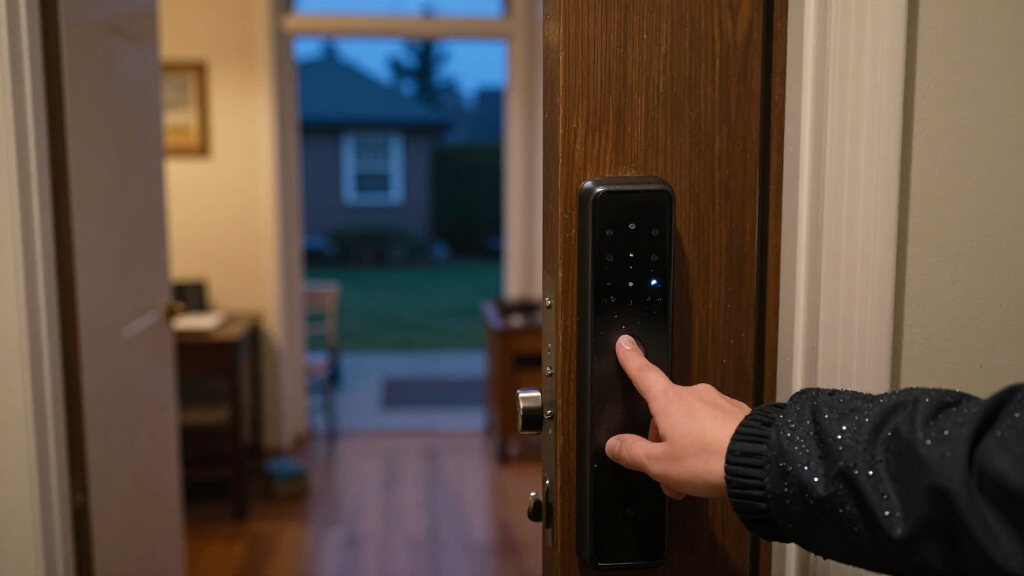
How We Picked
I compared the 13 listed locks by the decisions buyers face before installation: whether a model is a knob, lever, handle set, or deadbolt; how fingerprint access is paired with other entry methods; and whether app or connected features suit the intended use. I also weighed practical concerns such as door compatibility, the value of backup keys or keypad entry, and how much setup complexity each feature set may bring. A fingerprint reader is useful only if the lock fits the door and there is a workable alternative when the reader, power, or phone is unavailable.
The ranking gives priority to versatility and a clear fit for common household needs, then recognizes more specialized strengths. The eufy FamiLock C32 leads as a balanced connected handle option; Wyze ranks highly for shoppers who want a feature-rich deadbolt with auto-lock and Wi-Fi; and simpler keypad or knob models suit buyers who value a narrower setup. Products with several access methods are not automatically placed above simpler locks: extra options matter only when they match how the household shares access and maintains the lock.
Factors to Consider When Choosing Biometric Fingerprint Door Locks
Before picking a model, I would start with the door and the people who need access, then compare smart features. These checks help avoid buying a lock that has appealing fingerprint functions but does not fit the opening or provide a practical fallback.
Match the lock format to the door
Fingerprint locks in this roundup use different hardware formats, including knobs, levers, handles, and deadbolts. Those formats are not interchangeable just because they offer similar entry methods. Check your current door preparation, backset, thickness, handing, and whether the existing hardware is a separate deadbolt before ordering. A replacement knob may leave an existing deadbolt untouched, while a deadbolt model will not necessarily replace the handle. Measure the door and compare the manufacturer’s fit requirements instead of assuming a familiar-looking lock will install cleanly. If the door is shared, rented, or part of a fire-rated setup, confirm that a hardware change is permitted and appropriate.
Plan for access when fingerprints fail
Fingerprint recognition can be less dependable with wet, dirty, worn, or temporarily irritated fingers, so think through the backup before buying. A keypad can help when a reader misses a scan, while a physical key can offer a separate route if electronics stop responding. Cards and app access may be convenient for some households but depend on having the card or phone available and, for connected functions, may rely on power or network conditions. Avoid choosing a lock based on the number of entry methods alone; check which methods work locally and which require an app or connection. Decide who will hold backup keys or codes, and how you would regain entry if the primary user is away. This planning is especially useful for homes with children, caregivers, or frequent visitors.
Treat connectivity as a use-case choice
An app can add remote controls, user management, or status checks, but those functions are only helpful if the lock’s connectivity matches your home and habits. Read which features work over Bluetooth, Wi-Fi, or another connection, and whether remote access needs an additional hub or service. A connected deadbolt such as the Wyze Auto-Lock Bolt v2 is a different proposition from a basic fingerprint knob: the former emphasizes smart functions, while a simpler model may involve less setup. Do not assume every app feature works away from home or remains available during an internet outage. If you mainly want quick entry at the door, prioritize reliable local access and simple code management over remote controls you may rarely use.
Check who can manage fingerprints and codes
Household size and turnover affect how useful a biometric lock will be. A family may prefer a straightforward way to add or remove fingerprints, while a rental or guest room may call for temporary codes rather than storing each visitor’s biometric data. Check how many users or codes the specific model supports and how enrollment and deletion work; do not infer these limits from the product category. Consider whether every household member can comfortably use the reader and keypad, including people with limited dexterity. For shared access, decide who is responsible for keeping credentials current after a move-out or a change in staff. A lock with many methods can help varied users, but only if its administration remains manageable.
Weigh maintenance and backup power
Electronic locks need a plan for battery replacement and low-power alerts. Look for the battery type, how the compartment is accessed, and whether the maker describes an external emergency power method or only a key backup. A quoted battery-life estimate depends on use, settings, and conditions, so treat it as a planning guide rather than a guarantee. Keep spare batteries available and set a reminder to check alerts instead of waiting for the lock to stop responding. If the door is exposed to weather, verify the model’s stated environmental suitability rather than assuming every smart lock is designed for an exterior entrance. Maintenance is a small task, but a missed battery warning can turn a convenient lock into a time-sensitive problem.
Spend for features your household will use
More access methods and connected controls can be worth paying for when they solve a recurring problem, such as managing family members or checking a door remotely. They are less compelling if the lock will serve one person who mostly uses a fingerprint or keypad at the door. Compare the cost of setup effort, app dependence, and maintenance alongside the feature list, without assuming that a longer list means better security or reliability. A simpler keypad-and-fingerprint model can make sense for a secondary entrance, while a connected deadbolt may suit someone who wants automation. For a rental, office, or hotel-style use, confirm the intended setting and the rules for managing credentials before selecting a residential model. Choose based on the real access pattern, not a feature you might never use.
Frequently Asked Questions
Should I choose a fingerprint knob or a fingerprint deadbolt for my front door?
Start by checking which part of the door you need to replace and how the existing hardware is configured. A knob or lever lock and a deadbolt do different jobs, so one format is not automatically a substitute for the other. The roundup includes both styles, including handle options and the Wyze Auto-Lock Bolt v2 deadbolt. Measure your door and confirm the product’s installation requirements before deciding. If you are unsure whether your existing deadbolt must remain, ask a qualified installer rather than choosing by appearance alone.
What backup entry method should I prioritize if fingerprint recognition fails?
Choose a backup you can access without relying on the same thing that has failed. A keypad can help when the reader misses a scan, while a physical key is useful if electronic controls or batteries are unavailable. App access may be convenient, but it is not a complete fallback if your phone is lost or the relevant connection is down. Check exactly which backup methods the model supports and how they work during a power or network interruption. Keep backup keys or codes somewhere accessible to trusted household members without leaving them exposed near the door.
Is a Wi-Fi fingerprint lock worth choosing if I only need keyless entry?
Not necessarily. Wi-Fi and app controls can help if you want remote management or connected functions, but they can also add setup and connection requirements. If your main goal is to enter at the door without carrying a key, a fingerprint reader and dependable local backup may be enough. Compare what the app adds in daily use, and check whether any desired feature needs a hub, internet access, or account setup. The Wyze model is aimed at shoppers drawn to connected deadbolt features, while simpler models may suit people who prefer a narrower setup.
Are biometric fingerprint door locks a good fit for a rental or guest room?
They can be useful when several people need access, but the way you manage credentials matters as much as the reader. A keypad may make it easier to issue a code without enrolling a guest’s fingerprint, while an app or card can suit other access routines. Before installing a lock in a rental, check lease terms, building rules, and whether the original hardware must be preserved. Also confirm how quickly credentials can be removed when a guest or tenant leaves. A multi-method model may fit shared use, but a simpler lock can be easier to administer if access changes often.
What should I verify before buying a fingerprint lock online?
Check the lock format, door thickness, backset, handing, and any other stated fit measurements against your door. Confirm whether the model replaces a knob, lever, handle, or deadbolt and whether it includes the hardware you plan to remove. Read the supported entry methods, app and network requirements, battery details, and backup-entry instructions from the product documentation. If the door is exposed to rain or temperature extremes, verify the manufacturer’s stated environmental limits. These checks can prevent a mismatch that no fingerprint feature can fix.
Conclusion
For most shoppers wanting a connected lock with a handle, I’d start with the eufy Security FamiLock C32 as the best overall pick. The TEEHO TE002 is my best value-style choice for buyers who want a more straightforward fingerprint-and-keypad deadbolt approach, while the Wyze Auto-Lock Bolt v2 is the best premium-style fit for shoppers who prioritize Wi-Fi and auto-lock features. For beginners, a simpler keypad-and-fingerprint model such as the Smart Fingerprint Door Knob Lock, Silver may be easier to approach, provided its format fits the door. If you need several ways to share access, consider the Evanshow 5-in-1; if you need a deadbolt rather than a knob or handle, focus on the deadbolt options first. My final recommendation is to confirm door compatibility and backup entry before choosing based on smart features.
Fall Picks
fall essentials
As an affiliate, we earn on qualifying purchases.