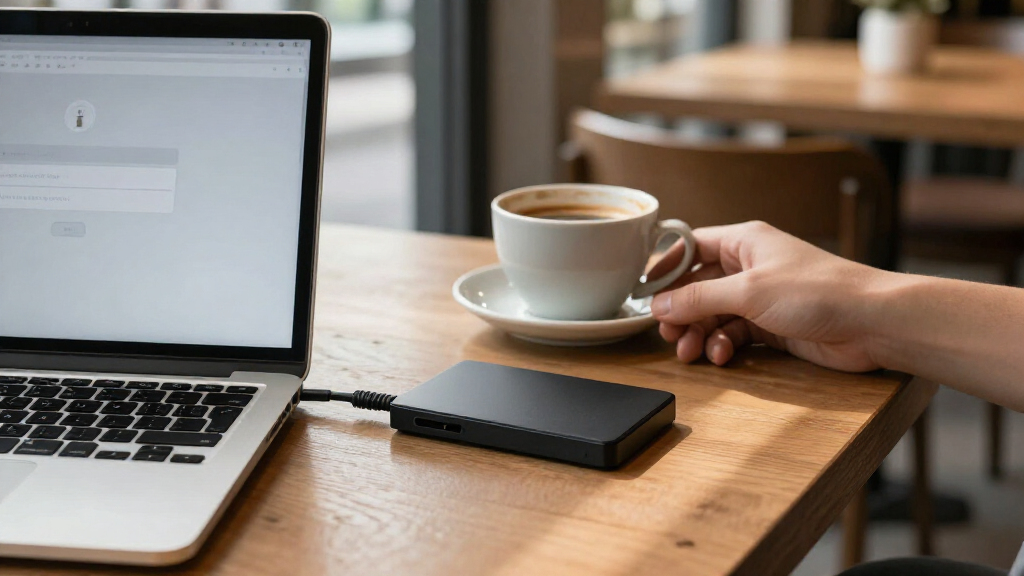
Password-protected external hard drives range from convenient everyday backups to drives built for stricter data security. My best overall pick is the Apricorn Aegis Fortress L3 4TB, which pairs substantial capacity with hardware encryption and FIPS validation. For a simpler, familiar backup setup, the WD My Passport 5TB stands out, while the Aegis Padlock DT suits buyers who need a desktop drive. The main tradeoff is between ease and capacity on one side, and stronger hardware security or a less portable design on the other. Read on for the full breakdown and help matching a drive to your storage and security needs.

Get privacy and security gear delivered free with Prime
- Fast, free delivery on millions of items
- Prime Video, Amazon Music and more included
- Member-only deals all year
Key Takeaways
- Apricorn separates itself on security: The Aegis Fortress L3 models offer hardware encryption and FIPS validation, a different security proposition from the WD My Passport models’ password encryption.
- Capacity changes the value equation: WD My Passport options span 1TB to 6TB, so buyers can choose how much backup space they need without changing product families.
- The Fortress L3 4TB is the strongest all-around security pick: It combines a larger capacity with the Fortress line’s hardware-focused protection, while the 512GB version favors compact storage over room for large archives.
- Portability is not universal: The Apricorn Aegis Padlock DT and WD My Book are desktop-oriented alternatives, not direct substitutes for pocketable My Passport drives.
- Software and compatibility can decide the shortlist: Some My Passport listings emphasize backup tools, ransomware protection, or Mac-oriented use, so buyers should match the exact model to their computer and backup routine.
| WD My Passport 6TB Portable External Hard Drive |  | Best for Maximum Portable Capacity | Storage capacity: 6 TB | Drive type: Mechanical hard disk | Form factor: 2.5 inches | VIEW LATEST PRICE | See Our Full Breakdown |
| Apricorn 512GB Aegis Fortress L3 FIPS Validated SSD USB 3.0 Hardware Encrypted Portable Drive |  | Best for High-Assurance Security | Storage capacity: 512 GB | Drive type: SSD | Security validation: FIPS 140-2 Level 3 | VIEW LATEST PRICE | See Our Full Breakdown |
| WD My Passport 5TB Portable External Hard Drive |  | Best for Balanced Portable Backups | Storage capacity: 5 TB | Form factor: 2.5 inches | Dimensions: 4.22 × 2.95 × 0.75 inches | VIEW LATEST PRICE | See Our Full Breakdown |
| WD My Passport 2TB Portable External Hard Drive, Black |  | Best for Everyday File Carrying | Storage capacity: 2 TB | Drive type: Mechanical hard disk | Form factor: 2.5 inches | VIEW LATEST PRICE | See Our Full Breakdown |
| Apricorn Aegis Fortress L3 4TB FIPS 140-2 Level 3 Encrypted Portable Drive |  | Best Premium High-Capacity Security | Storage capacity: 4 TB | Security validation: FIPS 140-2 Level 3 | Encryption: AES-XTS 256-bit hardware encryption | VIEW LATEST PRICE | See Our Full Breakdown |
| WD My Passport 1TB Portable External Hard Drive, Black | | Best for Everyday Carry | Storage capacity: 1 TB | Drive type: Mechanical hard disk | Form factor: 2.5 inches | VIEW LATEST PRICE | See Our Full Breakdown |
| Western Digital 4TB My Passport Portable External Hard Drive with password protection and auto backup software, White |  | Best for Large Portable Backups | Storage capacity: 4 TB | Form factor: 2.5-inch portable | Interface: USB 2.0/3.0 | VIEW LATEST PRICE | See Our Full Breakdown |
| Apricorn Aegis Padlock DT FIPS USB 3.0 Desktop Drive 2TB Portable Hard Drive (Model ADT-3PL256F-2000 R2) |  | Best for FIPS-Certified Security | Storage capacity: 2 TB | Interface: USB 3.0 | Encryption: 256-bit AES-XTS, FIPS 140-2 Level 2 certified | VIEW LATEST PRICE | See Our Full Breakdown |
| WD My Passport 4TB Portable External Hard Drive, Black |  | Best for Backup Software | Storage capacity: 4 TB | Drive type: Mechanical hard disk | Form factor: 2.5 inches | VIEW LATEST PRICE | See Our Full Breakdown |
| WD 5TB My Passport for Mac Portable External Hard Drive – Navy |  | Best for Mac Storage | Storage capacity: 5 TB | Form factor: 2.5 inches | Connectivity: USB 3.0, USB 3.2 Gen 1 | VIEW LATEST PRICE | See Our Full Breakdown |
| WD 5TB My Passport Portable External Hard Drive – Blue, USB 3.1/3.0, Backup Software with Ransomware Protection & Password Encryption |  | Best for High-Capacity Portable Storage | Storage capacity: 5 TB | Interface: USB 2.0 / 3.0; compatible with USB 3.1 | Encryption and access: Hardware encryption and password protection | VIEW LATEST PRICE | See Our Full Breakdown |
| Western Digital My Passport Ultra Metal Edition 2TB Portable External Hard Drive (Silver) |  | Best for a Premium-Feeling Compact Drive | Storage capacity: 2 TB | Interface: USB 3.0 | Encryption: 256-bit hardware encryption | VIEW LATEST PRICE | See Our Full Breakdown |
| Western Digital My Book 6TB Desktop External Hard Drive |  | Best for a Stationary, High-Capacity Backup Hub | Storage capacity: 6 TB | Interface: USB 3.0; USB 2.0 compatible | Transfer speed: Up to 5 Gbps | VIEW LATEST PRICE | See Our Full Breakdown |
| password-protected external hard drife | Storage capacity | Form factor | Interface | Security |
|---|---|---|---|---|
| WD My Passport 6TB Portable Ex | 6 TB | 2.5 inches | USB 2.0/3.0 | Password protection and hardware encryption |
| Apricorn 512GB Aegis Fortress | 512 GB | — | USB 3.0 | — |
| WD My Passport 5TB Portable Ex | 5 TB | 2.5 inches | USB 2.0/3.0 | Password protection and hardware encryption |
| WD My Passport 2TB Portable Ex | 2 TB | 2.5 inches | — | Password protection and hardware encryption |
| Apricorn Aegis Fortress L3 4TB | 4 TB | 2.5 inches | USB 3.0 | — |
| WD My Passport 1TB Portable Ex | 1 TB | 2.5 inches | — | Password protection and hardware encryption |
| Western Digital 4TB My Passpor | 4 TB | 2.5-inch portable | USB 2.0/3.0 | 256-bit AES hardware encryption and password protection |
| Apricorn Aegis Padlock DT FIPS | 2 TB | — | USB 3.0 | — |
| WD My Passport 4TB Portable Ex | 4 TB | 2.5 inches | — | Password protection and hardware encryption |
| WD 5TB My Passport for Mac Por | 5 TB | 2.5 inches | — | Password protection and hardware encryption |
| WD 5TB My Passport Portable Ex | 5 TB | 2.5-inch | USB 2.0 / 3.0; compatible with USB 3.1 | — |
| Western Digital My Passport Ul | 2 TB | Portable 2.5-inch | USB 3.0 | — |
| Western Digital My Book 6TB De | 6 TB | 3.5-inch desktop drive | USB 3.0; USB 2.0 compatible | — |
More Details on Our Top Picks
WD My Passport 6TB Portable External Hard Drive
For buyers who want a large backup archive in a password-protected portable drive, I’d put the WD My Passport 6TB ahead of the smaller My Passport 5TB and 2TB models. Its 6 TB capacity gives you more room for photo libraries, project files, and scheduled backups without stepping up to a desktop drive. Password protection and hardware encryption address the roundup’s central concern, while the included Acronis software adds backup tools and ransomware defense. The tradeoff is speed: this is a mechanical hard drive, and its listed 110 MB/s read speed suits routine backups better than frequent work with large files. It makes the most sense when capacity and built-in security matter more than SSD responsiveness.
Pros:- 6 TB capacity for large portable archives and backups
- Password protection and hardware encryption
- Acronis software includes backup tools and ransomware defense
- Slim 2.5-inch portable design
Cons:- Mechanical drive is slower and more vulnerable to shock than an SSD
- Listed read speed of 110 MB/s is modest for working with large files
Best for: Photographers and home users who need a high-capacity portable backup drive with password protection and hardware encryption.
Not ideal for: People who regularly edit large files directly from a drive or need SSD-class speed; its mechanical disk and listed 110 MB/s read speed are limiting.
- Storage capacity:6 TB
- Drive type:Mechanical hard disk
- Form factor:2.5 inches
- Interface:USB 2.0/3.0
- Data transfer rate:5 Gbps
- Listed read speed:110 MB/s
- Security:Password protection and hardware encryption
- Included software:Acronis True Image for Western Digital
Our verdict“Choose this My Passport when portable capacity and password-protected backups matter more than fast file access.”
Apricorn 512GB Aegis Fortress L3 FIPS Validated SSD USB 3.0 Hardware Encrypted Portable Drive
The Apricorn Aegis Fortress L3 512GB puts access control ahead of capacity. Its FIPS 140-2 Level 3 validation, AES-XTS 256-bit hardware encryption, and built-in keypad make it a more security-focused choice than the WD My Passport 5TB, which offers password protection and hardware encryption but not the same listed validation or keypad controls. Read-only modes can help prevent unwanted changes, and brute-force defense can erase the drive after repeated failed access attempts. It also works without software across PC, Mac, Linux, and listed gaming consoles. The clear compromise is its 512 GB capacity, far below the WD options, and its USB 3.0 connector lacks USB-C. I’d choose it for sensitive files rather than a broad backup library.
Pros:- FIPS 140-2 Level 3 validation and AES-XTS 256-bit hardware encryption
- Keypad access with admin and user modes
- Read-only options and brute-force crypto-erase
- Works across PC, Mac, Linux, and listed gaming consoles without drivers
Cons:- 512 GB capacity is limited for large backups
- USB 3.0 connector lacks USB-C compatibility
- At 15.2 ounces, it is relatively heavy for a portable SSD
Best for: Security-conscious professionals who carry a limited set of sensitive files across computers and need keypad access with FIPS 140-2 Level 3 validation.
Not ideal for: People building large photo, video, or computer backups; 512 GB offers much less room than the WD My Passport drives.
- Storage capacity:512 GB
- Drive type:SSD
- Security validation:FIPS 140-2 Level 3
- Encryption:AES-XTS 256-bit hardware encryption
- Interface:USB 3.0
- Listed read speed:500 MB/s
- Weight:15.2 ounces
- Compatible devices:PC, Mac, Linux, Xbox One, Xbox Series S/X, Nintendo Switch, PlayStation 4/5
Our verdict“Pick the 512GB Fortress L3 for keypad-controlled, validated security when carrying a small amount of data.”
WD My Passport 5TB Portable External Hard Drive
The WD My Passport 5TB is a middle ground between the 6TB My Passport’s extra room and the 2TB model’s smaller archive space. I’d choose it for a portable backup library when a slim drive, bundled backup software, and password protection with hardware encryption matter more than the highest capacity in this group. Its 7.4-ounce weight and compact listed dimensions suit a bag or desk drawer, while the software adds ransomware protection. Compared with the Apricorn Fortress L3, the WD provides far more storage and simpler backup-oriented features, but it lacks the Apricorn’s listed FIPS validation, keypad, and read-only security modes. Mac users should account for the need to reformat, and the supplied transfer-rate figure is listed as only 1 megabit per second, so it offers little reliable basis for judging actual performance.
Pros:- 5 TB capacity in a slim, 7.4-ounce portable drive
- Password protection and hardware encryption
- Backup software includes ransomware protection
- Three-year limited warranty
Cons:- Mac use requires reformatting
- Listed data transfer rate of 1 megabit per second is not useful for evaluating performance
- Does not list the keypad and FIPS validation offered by the Apricorn Fortress L3
Best for: Laptop users who want a slim, high-capacity drive for routine backups and value included backup software alongside password-based security.
Not ideal for: Mac owners who want ready-to-use setup without reformatting, or speed-focused users who need dependable transfer-rate information before buying.
- Storage capacity:5 TB
- Form factor:2.5 inches
- Dimensions:4.22 × 2.95 × 0.75 inches
- Weight:7.4 ounces
- Interface:USB 2.0/3.0
- Security:Password protection and hardware encryption
- Compatibility:Desktop, laptop, and tablet; Mac use requires reformatting
- Warranty:3-year limited warranty
Our verdict“Choose this model for a large, easy-to-carry backup library if you can accommodate its Mac reformatting requirement.”
WD My Passport 2TB Portable External Hard Drive, Black
When a compact, password-protected drive is for everyday documents and a manageable backup set, the WD My Passport 2TB is a more sensible fit than the 5TB and 6TB WD models. It keeps the same basic appeal—portable 2.5-inch storage with password protection and hardware encryption—while including device management and backup software. Its aluminum enclosure adds a sturdier outer shell, but the product data does not list a transfer speed, so I wouldn’t pick it for performance-sensitive work. Setup also takes more effort than the software-free Apricorn Fortress L3: WD’s management and backup tools require download and installation, and software terms may call for account registration. The smaller capacity is a real limit for growing media collections, yet it avoids paying for space a document-focused buyer may never fill.
Pros:- Portable 2TB capacity for everyday files and modest backups
- Password protection and hardware encryption
- Aluminum enclosure
- Device management and backup software included
Cons:- Software must be downloaded and installed
- Software terms may require account registration
- Less storage than the 5TB and 6TB WD My Passport models
Best for: Students and office workers who want protected transport for documents, coursework, and a modest backup set.
Not ideal for: People archiving large video or photo libraries, or buyers who want keypad security and software-free setup like the Apricorn Fortress L3.
- Storage capacity:2 TB
- Drive type:Mechanical hard disk
- Form factor:2.5 inches
- Connectivity:USB 2.0, USB 3.0, USB 3.2 Gen 2
- Security:Password protection and hardware encryption
- Enclosure material:Aluminum
- Included software:Device management and backup software
- Warranty:3-year limited warranty
Our verdict“Choose the 2TB My Passport for protected everyday files when you do not need the larger WD models’ archive capacity.”
Apricorn Aegis Fortress L3 4TB FIPS 140-2 Level 3 Encrypted Portable Drive
The Apricorn Aegis Fortress L3 4TB brings the lineup’s strongest security focus to a much larger capacity than its 512GB sibling. Its FIPS 140-2 Level 3 validation, AES-XTS 256-bit hardware encryption, keypad PIN access, read-only modes, and brute-force defense make it better suited to sensitive work than the WD My Passport 6TB, whose appeal is greater capacity and backup software. The aluminum enclosure and security fasteners add physical protection, while software-free compatibility across PC, Mac, and Linux simplifies use on different systems. That security comes with compromises: 4 TB still trails the 6 TB WD, and this Apricorn requires a powered USB port. The listed 600 MB/s read speed is attractive, but it does not erase the practical difference between a security-oriented drive and a dedicated high-speed workflow device.
Pros:- 4 TB capacity with FIPS 140-2 Level 3 validation
- AES-XTS 256-bit hardware encryption and keypad PIN access
- Read-only modes and brute-force defense
- Rugged aircraft-grade aluminum enclosure and software-free compatibility
Cons:- Requires a powered USB port
- Lower capacity than the WD My Passport 6TB
- Aegis Configurator for custom profiles and mass configuration is sold separately
Best for: Consultants and small teams who carry several terabytes of sensitive files and need keypad access with validated hardware encryption.
Not ideal for: Users who need maximum portable capacity or a lightweight, bus-powered drive; the WD My Passport 6TB stores more, and this Apricorn requires a powered USB port.
- Storage capacity:4 TB
- Security validation:FIPS 140-2 Level 3
- Encryption:AES-XTS 256-bit hardware encryption
- Interface:USB 3.0
- Form factor:2.5 inches
- Listed read speed:600 MB/s
- Weight:11.2 ounces
- Enclosure material:Aircraft-grade 6061 aluminum alloy
- Compatibility:PC, Mac, Linux, and mass storage compliant systems
Our verdict“Pick the 4TB Fortress L3 when validated, keypad-controlled security matters more than the WD My Passport 6TB’s extra capacity.”
WD My Passport 1TB Portable External Hard Drive, Black
I’d pick this 1TB My Passport for carrying a modest set of sensitive files without giving up hardware-based security. Its password protection and hardware encryption are a stronger fit for private documents than a basic portable drive, while the included Acronis software adds backup and ransomware protection. Compared with the WD My Passport 4TB, this version takes up a similar role in a bag but gives you less room for a growing photo or video library. That smaller capacity can be an advantage if you want a drive focused on work files rather than an archive. The tradeoffs are its mechanical disk, which is less suited to rough handling than an SSD, and the need to connect over USB. Choose it for everyday file storage, not frequent high-speed transfers.
Pros:- Password protection and hardware encryption help secure stored files.
- Slim 2.5-inch design is easy to carry with a laptop.
- Included Acronis software supports backups and ransomware protection.
- Works with desktop computers, laptops, and tablets.
Cons:- 1TB offers less room than the 4TB WD My Passport options in this roundup.
- Mechanical storage is less suited to drops and rough handling than an SSD.
- Requires a USB connection and does not offer wireless access.
Best for: Laptop users who want hardware-encrypted storage for documents and a manageable collection of files.
Not ideal for: Photographers and video editors building a large portable archive; 1TB may fill quickly, and the mechanical disk is less suited to rough travel.
- Storage capacity:1 TB
- Drive type:Mechanical hard disk
- Form factor:2.5 inches
- Connectivity:USB 2.0, USB 3.0, USB 3.2 Gen 2
- Security:Password protection and hardware encryption
- Included software:Acronis True Image for Western Digital
- Warranty:3-year limited warranty
Our verdict“Choose this My Passport if you want a compact, encrypted drive for everyday files and do not need the capacity of the 4TB models.”
Western Digital 4TB My Passport Portable External Hard Drive with password protection and auto backup software, White
This 4TB My Passport suits buyers who want more room for backups and media while keeping password protection and 256-bit AES hardware encryption in the drive. Its USB 3.0 connection supports straightforward use with a PC or Mac, and the compact 2.5-inch body is easier to carry than a desktop backup drive. Compared with the WD My Passport 1TB, the extra capacity gives you more breathing room for a broader file library; compared with the Apricorn Aegis Padlock DT, setup is less dependent on entering a PIN on the drive itself. The tradeoff is that the Apricorn offers FIPS certification and a keypad, while this model relies on downloaded backup software and USB. Its plastic-or-metal enclosure listing also provides less clarity about ruggedness than the Apricorn’s aluminum case.
Pros:- 4TB capacity accommodates larger backups and media collections.
- 256-bit AES hardware encryption works with password protection.
- Compact 2.5-inch form fits in a travel bag.
- USB 3.0 is backward compatible with USB 2.0.
Cons:- Backup software must be downloaded and installed before use.
- USB-only connectivity excludes wireless and Thunderbolt workflows.
- The listed enclosure material is ambiguous, so ruggedness is less clearly specified.
Best for: PC and Mac users who need a portable drive for large personal backups, multimedia libraries, and password-protected files.
Not ideal for: People who need a keypad for access or a FIPS-certified security device; its protection and setup differ from the Apricorn Aegis Padlock DT.
- Storage capacity:4 TB
- Form factor:2.5-inch portable
- Interface:USB 2.0/3.0
- Security:256-bit AES hardware encryption and password protection
- Data transfer rate:Up to 5 Gbps
- Compatible platforms:PC, Mac
- Warranty:3-year limited warranty
Our verdict“Choose this model for high-capacity portable backups with hardware encryption if you do not need keypad access or FIPS certification.”
Apricorn Aegis Padlock DT FIPS USB 3.0 Desktop Drive 2TB Portable Hard Drive (Model ADT-3PL256F-2000 R2)
The Aegis Padlock DT is the security-focused choice here: its physical PIN entry and 256-bit AES-XTS encryption certified to FIPS 140-2 Level 2 give access control a more explicit role than on the WD My Passport drives. It also works across PC, Mac, and Linux without extra software, which helps when a drive moves between different systems. Compared with the WD My Passport 4TB, the Apricorn has half the capacity but adds a keypad, certification, and an aluminum enclosure. That makes it a better fit for sensitive files and mixed-platform teams than for a large media archive. The keypad adds a step each time you unlock it, and its 2.5-inch hard disk still depends on host USB power. I’d choose it for controlled access, not convenience-first backups.
Pros:- Built-in PIN entry controls access at the drive.
- 256-bit AES-XTS encryption carries FIPS 140-2 Level 2 certification.
- Aluminum enclosure offers a more robust shell than the My Passport plastic design.
- Supports PC, Mac, and Linux without additional software.
Cons:- Entering a PIN is less convenient than password access through the WD My Passport software.
- 2TB provides less storage than the 4TB WD My Passport models.
- Requires host USB power and does not operate independently.
Best for: IT staff and professionals who need a PIN-protected, FIPS 140-2 Level 2 certified drive that works across PC, Mac, and Linux.
Not ideal for: People who want quick, frequent access to a large media library; PIN entry adds friction and 2TB is less capacity than the WD 4TB models.
- Storage capacity:2 TB
- Interface:USB 3.0
- Encryption:256-bit AES-XTS, FIPS 140-2 Level 2 certified
- Access control:Built-in PIN entry
- Enclosure:Aluminum
- Compatibility:PC, Mac, Linux
- Speed:300 MB/s
Our verdict“Choose the Aegis Padlock DT when certified, PIN-based access matters more than the larger capacity and simpler routine of the WD drives.”
WD My Passport 4TB Portable External Hard Drive, Black
This black 4TB My Passport pairs password protection and hardware encryption with Acronis backup software that includes ransomware protection, making it a sensible pick for users who want storage and a backup workflow in one portable drive. Its 2.5-inch design is easier to carry than a desktop unit, while 4TB gives it much more space than the WD My Passport 1TB for photos, video, and computer backups. Compared with the white 4TB My Passport, the listed package specifies Acronis True Image for Western Digital and compatibility with tablets as well as computers. The tradeoff is the mechanical disk and a stated speed of 100 MB/s, which limits its appeal for intensive editing or frequent large transfers. It also needs a USB connection, so it is a wired backup drive rather than a flexible network store.
Pros:- 4TB capacity provides room for computer backups and large media collections.
- Password protection and hardware encryption secure stored files.
- Acronis software supports backups and ransomware protection.
- Portable 2.5-inch design works with desktops, laptops, and tablets.
Cons:- Mechanical hard disk is less suited to impacts than a portable SSD.
- Stated speed of 100 MB/s is modest for large, frequent transfers.
- Requires USB connectivity and has no wireless access.
Best for: Laptop and tablet owners who want a portable, encrypted 4TB drive with bundled backup and ransomware protection software.
Not ideal for: Editors who regularly move large projects or buyers needing shock-resistant solid-state storage; this model uses a mechanical disk and lists 100 MB/s speed.
- Storage capacity:4 TB
- Drive type:Mechanical hard disk
- Form factor:2.5 inches
- Stated speed:100 MB/s
- Connectivity:USB 2.0, USB 3.0, USB 3.2 Gen 2
- Security:Password protection and hardware encryption
- Warranty:3-year limited warranty
Our verdict“Choose this version if you want a portable 4TB drive with bundled Acronis backup software and accept mechanical-disk transfer limits.”
WD 5TB My Passport for Mac Portable External Hard Drive – Navy
This 5TB My Passport for Mac is the lineup’s Mac-focused high-capacity pick, combining password protection and hardware encryption with USB-C and USB-A compatibility. The larger capacity suits photo and video libraries that would outgrow the 1TB WD model, while the metal enclosure gives it a different feel from the standard My Passport options. Compared with the WD My Passport 4TB, it adds another terabyte and is described as Mac-ready, but that specialization can complicate use with other operating systems: reformatting may be needed. Its stated 130 MB/s read speed is adequate for backups and general file access, not a match for an SSD when moving large projects. The backup software’s ransomware defense adds useful protection, though this remains a USB-connected mechanical drive. I’d choose it for Mac storage, not platform-neutral speed.
Pros:- 5TB capacity gives more room than the 4TB My Passport models.
- Password protection and hardware encryption secure stored data.
- USB-C and USB-A compatibility supports connection to a range of Mac devices.
- Compact metal enclosure is easy to carry.
Cons:- May require reformatting for non-Mac operating systems.
- 130 MB/s stated read speed is modest for large project transfers.
- Mechanical storage is less suited to rough handling than an SSD.
Best for: Mac users who need a portable encrypted drive for large photo, video, and personal file libraries.
Not ideal for: People who regularly share one drive across Mac and non-Mac systems or need SSD-level transfer performance; reformatting may be required and read speed is modest.
- Storage capacity:5 TB
- Form factor:2.5 inches
- Connectivity:USB 3.0, USB 3.2 Gen 1
- Compatibility:Desktop and laptop (Mac)
- Security:Password protection and hardware encryption
- Read speed:130 MB/s
- Enclosure material:Metal
Our verdict“Choose this drive for a high-capacity Mac library with password protection if cross-platform sharing and faster SSD transfers are not priorities.”
WD 5TB My Passport Portable External Hard Drive – Blue, USB 3.1/3.0, Backup Software with Ransomware Protection & Password Encryption
The WD My Passport 5TB combines substantial capacity with password protection and hardware encryption, making it a practical choice for carrying a large personal archive without moving to a desktop drive. Its bundled Acronis backup software with ransomware defense adds a layer of backup support beyond the basic file storage offered by the Western Digital My Book 6TB. Compared with the My Book, this portable model is easier to take between locations, though it holds slightly less and still depends on an AC-free mechanical drive rather than SSD-level responsiveness. The listed 120 MB/s read speed suits ordinary backups and document access, but large, frequent transfers will take longer than on faster storage. It is a stronger fit for capacity and mobility than for demanding editing workloads.
Pros:- 5TB capacity accommodates extensive personal and work archives.
- Hardware encryption and password protection help restrict access if the drive is lost.
- Portable 2.5-inch design is easier to carry than a desktop drive.
- Acronis backup software includes ransomware defense.
Cons:- Mechanical-drive performance is less responsive than an SSD for intensive work.
- USB 3.0-level performance limits transfer speed despite USB 3.1 compatibility.
- The listed read speed is modest for repeated transfers of large media files.
Best for: People who travel with large photo, video, and document libraries and want password-protected storage plus ransomware-aware backup software.
Not ideal for: Video editors or other users who move large files repeatedly and need SSD responsiveness or faster sustained transfers.
- Storage capacity:5 TB
- Interface:USB 2.0 / 3.0; compatible with USB 3.1
- Encryption and access:Hardware encryption and password protection
- Backup software:Acronis True Image with ransomware defense
- Form factor:2.5-inch
- Read speed:120 MB/s
- Compatible devices:Desktop, laptop, and tablet
- Color and enclosure:Blue; aluminum
Our verdict“Choose this My Passport if you need a highly portable, password-protected 5TB archive, but pick an SSD for frequent heavy-duty transfers.”
Western Digital My Passport Ultra Metal Edition 2TB Portable External Hard Drive (Silver)
The My Passport Ultra Metal Edition is a smaller-capacity pick for buyers who value an aluminum finish and straightforward password-protected portability. Its 256-bit hardware encryption gives it a clearly stated security specification, while local and Dropbox backup options support both an on-device copy and a cloud workflow. Compared with the 5TB WD My Passport, this 2TB model gives up considerable archive space; its appeal is the metal design and backup flexibility, not maximum capacity. The listed transfer rate is attractive on paper, but the drive uses USB 3.0 with USB-A only, so it lacks a native USB-C connection. Mac users must also reformat it, adding setup work. I’d shortlist it for a smaller library and skip it if plug-and-play Mac use or more space is the priority.
Pros:- 256-bit hardware encryption and password protection secure stored files.
- Aluminum enclosure offers a metal alternative to the standard portable-drive design.
- Local and Dropbox cloud backup options support multiple backup workflows.
- Portable 2.5-inch form factor suits laptop bags and desks.
Cons:- Mac use requires reformatting.
- USB-A-only USB 3.0 connection lacks native USB-C support.
- 2TB capacity is substantially lower than the 5TB My Passport in this roundup.
Best for: Laptop owners with a moderate-sized file library who want hardware encryption, a metal enclosure, and local plus Dropbox backup options.
Not ideal for: Mac users who want to avoid reformatting, or anyone needing USB-C connectivity or more than 2TB of storage.
- Storage capacity:2 TB
- Interface:USB 3.0
- Encryption:256-bit hardware encryption
- Password protection:Yes
- Backup options:Local and Dropbox cloud backup
- Form factor:Portable 2.5-inch
- Compatibility:PC and Mac; Mac requires reformatting
- Weight and warranty:8.48 ounces; 3-year limited warranty
Our verdict“Pick the Ultra Metal Edition for a smaller, encrypted portable library with Dropbox backup, not for maximum capacity or USB-C convenience.”
Western Digital My Book 6TB Desktop External Hard Drive
The WD My Book 6TB is the better fit for a desk-based archive than for a drive that travels. It pairs more capacity than the 5TB portable My Passport with 256-bit AES hardware encryption and password protection, while WD Backup and Apple Time Machine support scheduled computer backups. That makes it a sensible home or office destination for large libraries that stay in one place. The tradeoff is the 3.5-inch desktop design: it needs an AC adapter, so it is less convenient to move or use away from an outlet. Its USB 3.0 connection is also not a speed advantage over the portable models based on the listed specifications. Unlike the My Passport, the backup software requires download and installation, which adds an initial setup step.
Pros:- 6TB capacity provides room for large media libraries and computer backups.
- 256-bit AES hardware encryption and password protection help safeguard stored data.
- Supports WD Backup and Apple Time Machine.
- USB 3.0 connection is also compatible with USB 2.0.
Cons:- Requires an AC adapter, limiting portability and placement options.
- Backup software must be downloaded and installed.
- Desktop form factor is less convenient for travel than either My Passport portable model.
Best for: Home and small-office users who want a stationary, password-protected destination for large PC or Mac backups.
Not ideal for: Travelers, laptop-only users, or anyone who needs a drive powered solely by a USB connection.
- Storage capacity:6 TB
- Interface:USB 3.0; USB 2.0 compatible
- Transfer speed:Up to 5 Gbps
- Form factor:3.5-inch desktop drive
- Encryption:256-bit AES hardware encryption with password protection
- Compatibility:PC and Mac
- Dimensions and weight:5.5 x 1.9 x 6.7 inches; 1.05 kg
- Included accessories:USB 3.0 cable, AC adapter, and Quick Install Guide
Our verdict“Choose the My Book for a high-capacity encrypted backup station that can stay near an outlet, not for portable storage.”
How We Picked
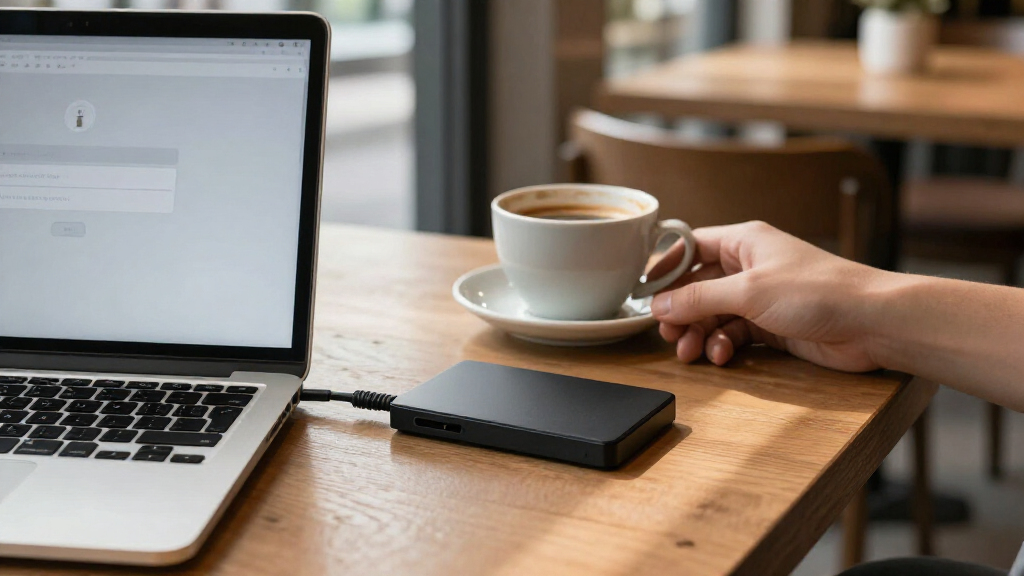
I ranked these drives by how well their security approach fits the needs of someone seeking password-protected storage, then weighed capacity, portability, ease of setup, and backup features. A password prompt can make casual access harder, but hardware-encrypted, FIPS-validated models such as the Apricorn Aegis Fortress L3 are aimed at buyers with stronger data-protection requirements. WD My Passport models provide a more familiar portable-storage route, with a broad range of capacities and listed software features.
The order reflects practical tradeoffs rather than capacity alone: security-focused products rank highly when protection is the main goal, while My Passport versions earn consideration for straightforward everyday backup and size choice. Desktop drives appear lower for buyers who need portability, even when their capacity suits a stationary backup role. I also distinguish closely related listings by their stated capacity, platform focus, and included software, rather than treating every drive in a product family as interchangeable.
| password-protected external hard drife | Interface |
|---|---|
| WD My Passport 6TB Portable Ex | USB 2.0/3.0 |
| Apricorn 512GB Aegis Fortress | USB 3.0 |
| WD My Passport 5TB Portable Ex | USB 2.0/3.0 |
| WD My Passport 2TB Portable Ex | — |
| Apricorn Aegis Fortress L3 4TB | USB 3.0 |
| WD My Passport 1TB Portable Ex | — |
| Western Digital 4TB My Passpor | USB 2.0/3.0 |
| Apricorn Aegis Padlock DT FIPS | USB 3.0 |
| WD My Passport 4TB Portable Ex | — |
| WD 5TB My Passport for Mac Por | — |
| WD 5TB My Passport Portable Ex | USB 2.0 / 3.0; compatible with USB 3.1 |
| Western Digital My Passport Ul | USB 3.0 |
| Western Digital My Book 6TB De | USB 3.0; USB 2.0 compatible |
Factors to Consider When Choosing Password-protected External Hard Drives
Before choosing a model, decide what you need the password to protect, how much data you will store, and where backups will live. Those answers matter more than choosing the largest capacity or the most security-focused label.
Match the Security Level to the Data
Start by separating protection from casual access from protection designed for sensitive or regulated data. A password feature may deter someone who picks up a drive, but the underlying encryption method and how credentials are handled matter too. For business records or confidential files, look for clearly specified hardware encryption and validation rather than relying on a vague security label. For ordinary personal backups, a simpler password-protected drive may be easier to manage day to day. Stronger security can add setup steps and make forgotten credentials a serious problem. Choose a protection level you can use consistently, and keep a separate secure recovery plan for anything you cannot afford to lose.
Choose Capacity From Your Backup Plan
Estimate the size of the files you will protect now, then leave room for growth and versioned backups. Photos, video, and full-computer copies can fill a drive much faster than documents alone. A larger drive is not automatically the safer choice if it becomes your only copy of important data. Multiple smaller drives can support rotation or off-site storage, while one larger drive may simplify a single-computer backup routine. Think about whether you want space for one full backup, several historical versions, or archives from multiple devices. Capacity planning should account for the backup software’s storage behavior, not only the current size of your files.
Decide Whether Portability Helps or Hurts
A portable drive is convenient when files move between home, work, or travel, but carrying it also creates more chances for loss or damage. A desktop model is better suited to a fixed backup station where size and regular transport matter less. Buyers often choose a compact drive for convenience without deciding whether it will be disconnected and stored safely after backups. A drive left attached all the time can remain exposed to theft, accidental deletion, or malware affecting the connected computer. If you need both mobility and a separate backup copy, plan for two storage locations rather than asking one drive to serve every role. Let the way you will store and connect the drive guide the form factor.
Check Computer and Software Compatibility
Confirm that the drive works with your operating system and that its bundled tools support the backup jobs you actually want. A Mac-oriented product listing may be a better starting point for a Mac user, but verify formatting and software details before moving files between platforms. Backup apps can simplify scheduled copies, while manual file copying may be preferable if you want fewer background tools. Ransomware-related software claims do not replace offline or versioned backups. Also check connection requirements and whether your computer has the right ports or adapters. A feature only helps when it fits your setup and does not complicate routine backups.
Plan for Password Loss and Drive Failure
Password protection can limit access, but it does not make a drive immune to hardware failure, accidental formatting, or a lost credential. Before storing your only copy of irreplaceable files, confirm how password recovery works and whether recovery is possible at all. Keep credentials in a reputable password manager and avoid storing the only copy of the password on the protected drive itself. Use a second backup for important data, ideally stored separately from the main drive. Periodically check that backups can be opened and that the drive remains readable. A sensible recovery plan is part of choosing secure storage, not an extra step after purchase.
Pay More for Capabilities You Will Use
Higher-end security makes sense when the data or your organization’s requirements justify the added controls. For routine household backups, paying for compliance-oriented features may add complexity without changing your day-to-day outcome. Conversely, choosing solely by capacity can leave a buyer with a drive whose security approach does not fit sensitive files. Compare the protection method, included software, capacity, and portability as a package. Avoid paying for backup features you will not run, but do not treat a password prompt as proof that every drive offers the same level of protection. The right spend follows your risk and workflow, not a feature checklist alone.
Frequently Asked Questions
Is a WD My Passport password-protected drive equivalent to an Apricorn Aegis Fortress L3?
No. They address password-protected storage with different security positioning: the Apricorn Fortress L3 models specify hardware encryption and FIPS validation, while the WD My Passport listings emphasize password encryption and everyday backup features. That difference matters most when you have sensitive data or formal security requirements. For routine personal backups, a My Passport may be a more straightforward fit. Check the exact model’s security documentation and your organization’s requirements before treating the products as interchangeable.
Should I choose the 512GB Fortress L3 or the 4TB version?
Choose based on the volume of data you need to carry securely, not just the security features, which are the defining appeal of this product family. The 512GB model better suits a smaller working set or a more compact secure-storage role. The 4TB option leaves more room for large files and broader archives, but may be unnecessary if you only need to protect a limited set of documents. Estimate your current data and planned growth, then leave headroom for future files. If the drive will hold a full computer backup, check the backup size before deciding.
Can I use a password-protected external drive as my only backup?
I would not rely on any single external drive as the only copy of important files. Password protection addresses access, not mechanical failure, loss, accidental deletion, or damage. Keep another copy on a separate drive or a trusted backup service, and store at least one copy away from the computer being backed up. For files that change often, use a routine that captures updated versions rather than making a one-time copy. Test that you can restore files before you need them.
Is a desktop drive a poor choice if I need secure storage?
Not necessarily; it depends on whether you need to move the drive. The Apricorn Aegis Padlock DT and WD My Book are better considered for a stationary backup setup than for frequent travel. A fixed location can make scheduled backups easier, but it also means the drive may stay connected or in the same place as the computer. If theft, travel, or off-site storage is part of your risk, a portable option or a separate stored copy may fit better. Choose the desktop form when stable placement and a home or office backup role matter more than portability.
Do I need a Mac-specific My Passport model if I use a Mac?
Not automatically. The My Passport for Mac listing is a convenient starting point, but the key questions are whether the drive is formatted for your Mac, whether its software fits your backup workflow, and whether you need to share it with Windows computers. Reformatting can affect compatibility and may erase existing data, so check setup instructions before storing files. If you plan to move the drive between operating systems, confirm the file-system requirements first. Choose the Mac-focused version when its setup and software match your routine, not just because you own a Mac.
Conclusion
For the strongest blend of capacity and security-focused features, I would choose the Apricorn Aegis Fortress L3 4TB as the best overall option. The WD My Passport 5TB is my best value-style pick for buyers who want a familiar portable backup drive and substantial space, while the Fortress L3 512GB is the premium choice for a smaller, security-led storage role. Beginners who want a straightforward portable drive can start with a WD My Passport capacity that matches their backup size. For stationary storage, compare the Aegis Padlock DT and WD My Book; for Mac-focused use, shortlist the My Passport for Mac. Pick according to the data’s sensitivity, your backup routine, and whether the drive will travel or stay put.