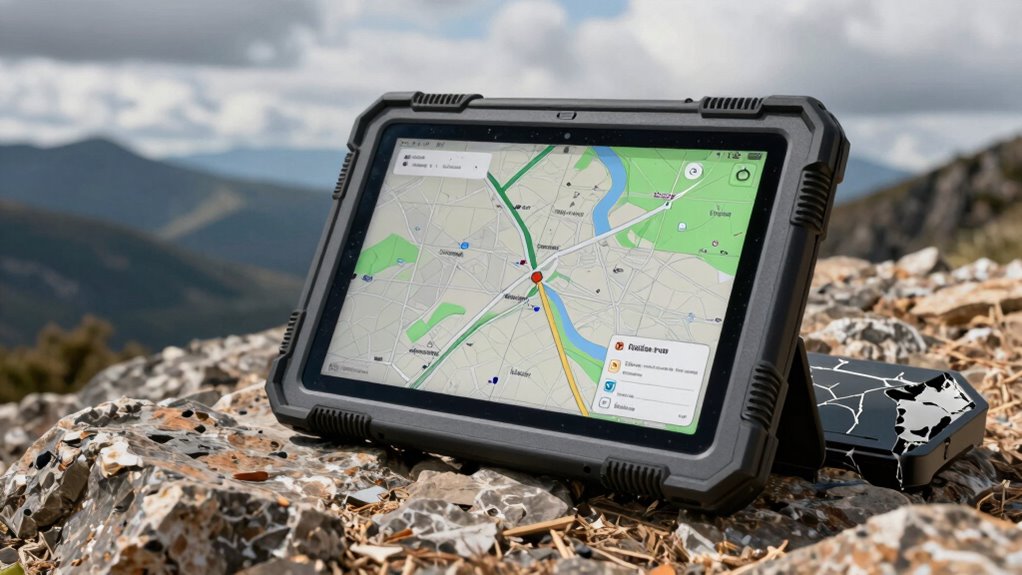

A tough tablet should handle demanding work without forcing you to carry features your job will not use. My best overall pick is the AGM PAD P2 Active, which pairs an 11-inch FHD, 90Hz display with a named IP68/IP69K rating and a MediaTek G99 processor. The HOTWAV R9 Plus stands out for its listed 20080mAh battery and large storage capacity, while the Panasonic Toughbook CF-20 MK2 offers a Windows 2-in-1 format for users who need a keyboard-style setup. The main tradeoffs are portability versus screen size, Android simplicity versus Windows compatibility, and newer specifications versus the uncertainty of renewed devices. Read on for my full breakdown and help matching a tough tablet to your work.

Get privacy and security gear delivered free with Prime
- Fast, free delivery on millions of items
- Prime Video, Amazon Music and more included
- Member-only deals all year
Key Takeaways
- AGM PAD P2 Active leads as the all-rounder: its 11-inch FHD, 90Hz screen, MTK G99, and stated IP68/IP69K rating make it the most balanced pick on listed specs.
- The HOTWAV R9 models prioritize battery capacity: both list a 20080mAh battery; the R9 Plus adds 512GB storage, while the R9 Pro is a simpler alternative for buyers who do not need that larger storage figure.
- Android offers the broadest range of form factors here: the 8-inch Samsung Galaxy Tab Active3 models and Blackview Active 5 favor portability, while the HOTWAV R8 and 11-inch models suit larger-screen tasks.
- Windows choices serve a different job: the MUNBYN IRT08 lists Windows 11 Pro and an Intel N5100, while the renewed Panasonic Toughbook FZ-G1 and CF-20 MK2 appeal to users with specific Windows or 2-in-1 needs.
- Renewed models need extra scrutiny: the Samsung Active3 and Active Pro options and both Panasonic Toughbooks may fit established workflows, but their condition, battery health, included accessories, and software support deserve attention.
| Samsung Galaxy Tab Active3 Enterprise Edition 8″ Rugged Tablet (Renewed) |  | Best Compact Enterprise Pick | Model: SM-T577UZKDN14 | Display: 8 inches | Storage: 64GB | VIEW ON AMAZON | See Our Full Breakdown |
| Panasonic Toughbook FZ-G1 MK5 Rugged Tablet, Intel Core i5-7300U, 8GB RAM, 256GB SSD, 2D Barcode, 4G LTE, Windows 11 Pro (Renewed) |  | Best for Windows Fieldwork | Model: FZ-G1 MK5 | Processor: Intel Core i5-7300U, 2.6GHz base, up to 3.5GHz boost | Memory: 8GB DDR3L RAM | VIEW ON AMAZON | See Our Full Breakdown |
| HOTWAV R9 Pro Rugged Tablet 11-inch Android 14 20080mAh Waterproof 4G Dual SIM |  | Best for Long Runtime | Display: 11 inches, 1920 x 1200 | Operating system: Android 14 | Processor: Unisoc T606 octa-core | VIEW ON AMAZON | See Our Full Breakdown |
| Samsung Galaxy Tab Active Pro 10.1″ Rugged Tablet (64GB, Wi-Fi, Black) |  | Best for Gloved and Wet Work | Model: SM-T540NZKAXAR | Display: 10.1 inches | Storage: 64GB | VIEW ON AMAZON | See Our Full Breakdown |
| Blackview Active 5 8-Inch Rugged Android 15 Tablet |  | Best Compact Outdoor Navigator | Display: 8-inch HD IPS, 90Hz, 360 nits | Operating system: Android 15 | Durability: IP68/IP69K and MIL-STD-810H; drop resistance up to 1.5m | VIEW ON AMAZON | See Our Full Breakdown |
| HOTWAV R9 Plus Rugged Tablet, 11-inch Android 14, 20080mAh Battery, IP68/IP69K Waterproof, 24GB RAM + 512GB Storage, 64MP Camera, Dual SIM 4G LTE |  | Best for Long Field Shifts | Display: 11 inches, 1200 × 1920 | Operating system: Android 14 | Processor: Unisoc T7280 octa-core | VIEW ON AMAZON | See Our Full Breakdown |
| Panasonic Toughbook CF-20 MK2 Rugged 2-in-1 Tablet (Renewed) |  | Best for Windows Field Work | Display: 10.1-inch WUXGA (1920 × 1200) IPS touchscreen | Processor: Intel Core i5-7Y57, 7th Gen | Memory: 8GB DDR3L, soldered | VIEW ON AMAZON | See Our Full Breakdown |
| HOTWAV R8 Rugged Tablet Android 14, 10.1-inch HD+, 12GB RAM + 128GB Storage |  | Best for Basic Outdoor Android Use | Display: 10.1-inch HD+, 800 × 1200, 450 nits | Operating system: Android 14 | Memory and storage: 12GB RAM (4GB physical + 8GB virtual); 128GB storage, expandable up to 1TB | VIEW ON AMAZON | See Our Full Breakdown |
| Samsung Galaxy Tab Active3 Rugged Tablet (Renewed) – 8-inch 64GB LTE Unlocked |  | Best Compact Rugged Tablet | Display: 8 inches | Storage: 64GB | Connectivity: Unlocked LTE and Wi-Fi | VIEW ON AMAZON | See Our Full Breakdown |
| AGM PAD P2 Active Rugged Android 14 Tablet (11-inch FHD, 90Hz, MTK G99, 16GB RAM, 256GB Storage, IP68/IP69K) |  | Best Screen-and-Performance Balance | Display: 11-inch FHD IPS, 90Hz, 480 nits | Operating system: Android 14 | Processor: MediaTek Helio G99 | VIEW ON AMAZON | See Our Full Breakdown |
| MUNBYN IRT08 Rugged Tablet, 10.1 inch Windows 11 Pro, 8GB RAM + 128GB Storage, Intel N5100, 4G LTE, GPS, MIL-STD-810G Certified |  | Best for Windows Field Work | Screen: 10.1-inch sunlight-readable display | Operating system: Windows 11 Pro; revertible to Windows 10 Pro | Processor: Intel Jasper Lake N5100 | VIEW ON AMAZON | See Our Full Breakdown |
| tough tablet | Display | Connectivity | Durability | Storage |
|---|---|---|---|---|
| Samsung Galaxy Tab Active3 Ent | 8 inches | Unlocked Wi-Fi and LTE | — | 64GB |
| Panasonic Toughbook FZ-G1 MK5 | 10.1-inch WUXGA, 1920 x 1200, 2–800 nits | 4G LTE, Wi-Fi 5, Bluetooth 4.2, HDMI, USB 3.0 | MIL-STD-810G; stated four-foot drop resistance; IP65 sealed | 256GB SSD with heater |
| HOTWAV R9 Pro Rugged Tablet 11 | 11 inches, 1920 x 1200 | 4G dual SIM, Wi-Fi 5 | IP68, IP69K, MIL-STD-810H | 256GB, expandable up to 2TB via TF card |
| Samsung Galaxy Tab Active Pro | 10.1 inches | Wi-Fi | MIL-STD-810G and IP68 | 64GB |
| Blackview Active 5 8-Inch Rugg | 8-inch HD IPS, 90Hz, 360 nits | Dual-band Wi-Fi, OTG | IP68/IP69K and MIL-STD-810H; drop resistance up to 1.5m | 128GB UFS, expandable via TF card |
| HOTWAV R9 Plus Rugged Tablet | 11 inches, 1200 × 1920 | Dual SIM 4G LTE, 5G Wi-Fi, Bluetooth 5.0, GPS/Beidou/GLONASS/Galileo | IP68, IP69K, MIL-STD-810H | — |
| Panasonic Toughbook CF-20 MK2 | 10.1-inch WUXGA (1920 × 1200) IPS touchscreen | 4G LTE, Wi-Fi 5, Bluetooth 4.1 | MIL-STD-810G, IP65, 5-foot drop resistance | 256GB M.2 SSD |
| HOTWAV R8 Rugged Tablet Androi | 10.1-inch HD+, 800 × 1200, 450 nits | Dual SIM 4G LTE, 2.4G/5G Wi-Fi, Bluetooth 5.1, GPS/Beidou/GLONASS/Galileo | IP68, IP69K, MIL-STD-810G | — |
| Samsung Galaxy Tab Active3 Rug | 8 inches | Unlocked LTE and Wi-Fi | MIL-STD-810H and IP68 | 64GB |
| AGM PAD P2 Active Rugged Andro | 11-inch FHD IPS, 90Hz, 480 nits | — | IP68, IP69K, 1.8-meter drop resistance | — |
| MUNBYN IRT08 Rugged Tablet | — | 4G LTE, Wi-Fi 2.4G and 5.8G, Bluetooth 5.1 | MIL-STD-810G certified and waterproof | 128GB |
More Details on Our Top Picks
Samsung Galaxy Tab Active3 Enterprise Edition 8″ Rugged Tablet (Renewed)
The 8-inch format makes this Active3 easier to carry on a job site or use one-handed than the larger Panasonic Toughbook FZ-G1 MK5. Unlocked LTE and Wi-Fi also give field teams more flexibility than the Wi-Fi-only Galaxy Tab Active Pro when they need a connection away from a hotspot. Its enterprise focus and biometric security suit workers handling protected data, but the listing does not specify a formal water- or drop-resistance rating, so I would not treat it as the toughest choice for frequent exposure to the elements. This is a renewed unit, and neither a rugged case nor an S Pen is included; buyers should factor in those missing accessories and possible battery wear before choosing it.
Pros:- Compact 8-inch size is practical for mobile work and one-handed use.
- Unlocked LTE and Wi-Fi support flexible connectivity.
- Biometric security features suit enterprise data access.
Cons:- No rugged case or S Pen is included.
- Renewed condition can mean cosmetic wear or reduced battery capacity.
- The supplied details do not state a formal water- or drop-resistance rating.
Best for: Field workers who need a compact, unlocked LTE tablet with biometric security for enterprise tasks.
Not ideal for: Workers who need a documented water- or drop-resistance rating, or a ready-to-use kit with a rugged case and S Pen included.
- Model:SM-T577UZKDN14
- Display:8 inches
- Storage:64GB
- Connectivity:Unlocked Wi-Fi and LTE
- Security:Biometric security capabilities
- Condition:Renewed
- Included accessories:None; rugged case and S Pen not included
Our verdict“Choose this renewed Active3 for compact enterprise work and unlocked LTE, but not if you need verified rugged ratings or included protection accessories.”
Panasonic Toughbook FZ-G1 MK5 Rugged Tablet, Intel Core i5-7300U, 8GB RAM, 256GB SSD, 2D Barcode, 4G LTE, Windows 11 Pro (Renewed)
For harsh job sites where a Windows workflow matters, the IP65-sealed magnesium-alloy build and stated four-foot drop resistance give this Toughbook a clearer durability case than the Samsung Galaxy Tab Active3, whose supplied details do not list comparable ratings. Its daylight-readable 10.1-inch screen, 4G LTE, and built-in ports make it better suited to outdoor forms, equipment connections, and desktop-style work than the Android tablets here. The tradeoff is an older Core i5-7300U paired with 8GB of DDR3L memory, so I would not pick it for demanding modern workloads. It is also renewed, which adds condition uncertainty. Choose it for rugged Windows utility, not for a lightweight tablet experience or current high-performance computing.
Pros:- IP65 sealing and stated four-foot drop resistance suit rough field conditions.
- High-brightness 10.1-inch display is designed for outdoor readability.
- 4G LTE and multiple physical ports support mobile work and peripherals.
- Includes a stylus, AC adapter, and power cord.
Cons:- The Core i5-7300U and 8GB DDR3L memory are an older performance platform.
- Renewed condition may bring wear or battery uncertainty.
- Its rugged chassis is less convenient to carry than smaller tablets.
Best for: Technicians and field crews who need a sunlight-readable Windows 11 Pro tablet, LTE, and physical ports in a sealed chassis.
Not ideal for: Buyers seeking a lightweight Android tablet or strong performance for demanding modern software.
- Model:FZ-G1 MK5
- Processor:Intel Core i5-7300U, 2.6GHz base, up to 3.5GHz boost
- Memory:8GB DDR3L RAM
- Storage:256GB SSD with heater
- Display:10.1-inch WUXGA, 1920 x 1200, 2–800 nits
- Durability:MIL-STD-810G; stated four-foot drop resistance; IP65 sealed
- Connectivity:4G LTE, Wi-Fi 5, Bluetooth 4.2, HDMI, USB 3.0
- Operating system:Windows 11 Pro
- Condition:Renewed
Our verdict“Pick the Toughbook when sealed durability and Windows field tools matter more than modern processing power or easy portability.”
HOTWAV R9 Pro Rugged Tablet 11-inch Android 14 20080mAh Waterproof 4G Dual SIM
The HOTWAV R9 Pro is the standout here for buyers who put battery capacity and harsh-environment protection ahead of portability. Its 20,080mAh battery is far larger than the Blackview Active 5’s 6,600mAh cell, while IP68/IP69K and MIL-STD-810H ratings make its rugged intent explicit. The 11-inch screen and 256GB storage also suit crews carrying maps, manuals, or media for extended shifts. The compromise is size: this is less handy to carry than the 8-inch Active 5 or Galaxy Tab Active3. Carrier support needs careful checking too; the supplied information excludes AT&T, Cricket, and Verizon while listing support for T-Mobile, Mint, Boost, and Google Fi. I would choose it for long outings only when its network limits fit the buyer’s plan.
Pros:- 20,080mAh battery supports extended use and OTG reverse charging.
- IP68/IP69K and MIL-STD-810H ratings suit demanding outdoor conditions.
- 256GB internal storage can be expanded up to 2TB with a TF card.
- 4G dual SIM offers flexibility on supported networks.
Cons:- Not compatible with AT&T, Cricket, or Verizon according to the supplied details.
- Large battery and rugged construction make it less portable than compact options.
- Unisoc T606 is a modest processor rather than a high-performance platform.
Best for: Outdoor crews and travelers who need a large battery, high-capacity storage, and rated protection on supported US carriers.
Not ideal for: AT&T, Cricket, or Verizon users, and buyers who want a light, compact tablet for everyday carrying.
- Display:11 inches, 1920 x 1200
- Operating system:Android 14
- Processor:Unisoc T606 octa-core
- Memory:20GB total (6GB fixed plus 14GB expandable)
- Storage:256GB, expandable up to 2TB via TF card
- Battery:20,080mAh; 20W charging and OTG reverse charging
- Durability:IP68, IP69K, MIL-STD-810H
- Connectivity:4G dual SIM, Wi-Fi 5
Our verdict“Choose the R9 Pro for long-running outdoor use on a supported carrier, but skip it if network compatibility or portability comes first.”
Samsung Galaxy Tab Active Pro 10.1″ Rugged Tablet (64GB, Wi-Fi, Black)
The Galaxy Tab Active Pro earns its place through wet-touch and glove-mode controls, which can matter more on a rainy site or in protective gear than a faster processor. Its MIL-STD-810G and IP68 ratings, replaceable battery, and included S Pen make it a more complete field package than the renewed Galaxy Tab Active3, which arrives without a case or pen. The 10.1-inch display also gives forms and diagrams more room than the Active3’s 8-inch panel. Its key limitation is connectivity: this model is Wi-Fi only, and its GPS is described as Wi-Fi assisted, so it is a weaker fit for crews who need dependable cellular access or independent navigation away from networks. The rugged body also adds bulk over standard tablets.
Pros:- Wet-touch and glove modes support use in challenging work conditions.
- MIL-STD-810G and IP68 ratings provide stated drop and water protection.
- Replaceable battery is useful for extended shifts and serviceability.
- Includes an S Pen for notes and field markups.
Cons:- Wi-Fi-only connectivity limits use away from hotspots.
- GPS is limited to Wi-Fi-assisted location on this model.
- Rugged casing makes it heavier and bulkier than a standard tablet.
Best for: Field technicians who work in gloves or wet conditions and can rely on Wi-Fi for connectivity.
Not ideal for: Mobile crews that need cellular data or reliable standalone location tracking in areas without Wi-Fi.
- Model:SM-T540NZKAXAR
- Display:10.1 inches
- Storage:64GB
- Connectivity:Wi-Fi
- Durability:MIL-STD-810G and IP68
- Battery:Replaceable lithium polymer; up to 15 hours
- Water resistance:Submersible up to 5 feet for 30 minutes
- Included components:Power adapter, USB-C cable, S Pen
Our verdict“Choose the Active Pro for glove-friendly, wet-work operation with a replaceable battery, provided Wi-Fi-only connectivity fits your route.”
Blackview Active 5 8-Inch Rugged Android 15 Tablet
The Blackview Active 5 combines a carry-friendly 8-inch size with an explicit IP68/IP69K and MIL-STD-810H durability specification, making it a more clearly rated compact rugged option than the renewed Galaxy Tab Active3. Its quad-system GPS and compass give hikers, survey crews, and site workers useful navigation tools without relying on cellular service. Glove-friendly touch and a 90Hz screen also help with quick checks outdoors, while expandable storage leaves room for offline maps and documents. The tradeoff is the smaller HD display, which is less comfortable for large plans or detailed forms than the Galaxy Tab Active Pro’s 10.1-inch panel. The 6,600mAh battery is also much smaller than the HOTWAV R9 Pro’s, and no cellular connectivity is specified.
Pros:- IP68/IP69K and MIL-STD-810H ratings include stated drop resistance up to 1.5 meters.
- GPS, GLONASS, BeiDou, Galileo, and a compass support navigation.
- Glove-friendly touch and a 90Hz display suit quick outdoor use.
- 128GB storage is expandable via TF card.
Cons:- The 8-inch HD display offers less workspace for plans and detailed forms.
- No cellular connectivity is specified.
- Its 6,600mAh battery is smaller than the HOTWAV R9 Pro’s large-capacity battery.
Best for: Outdoor workers and navigators who want a compact, rated-rugged Android tablet with offline positioning tools.
Not ideal for: Teams that need a large screen for drawings, cellular data in the field, or especially long battery endurance.
- Display:8-inch HD IPS, 90Hz, 360 nits
- Operating system:Android 15
- Durability:IP68/IP69K and MIL-STD-810H; drop resistance up to 1.5m
- Memory:6GB RAM, with up to 12GB virtual memory expansion
- Storage:128GB UFS, expandable via TF card
- Battery:6,600mAh; 18W charging
- Navigation:GPS, GLONASS, BeiDou, Galileo, compass
- Connectivity:Dual-band Wi-Fi, OTG
Our verdict“Pick the Active 5 for compact outdoor navigation and documented ruggedness, but choose a larger model for extended shifts or detailed work.”
HOTWAV R9 Plus Rugged Tablet, 11-inch Android 14, 20080mAh Battery, IP68/IP69K Waterproof, 24GB RAM + 512GB Storage, 64MP Camera, Dual SIM 4G LTE
I’d put the HOTWAV R9 Plus near the top for crews who need a tablet to last through long stretches away from outlets. Its 20,080mAh battery dwarfs the AGM PAD P2 Active’s 8,000mAh capacity, and OTG reverse charging can lend power to another device. IP68, IP69K, and MIL-STD-810H protection make it a more convincing pick for wet, dusty, or rough job sites than a standard tablet. The 11-inch 2K display and generous storage also suit maps, documents, and large files. The tradeoff is its bulky build, while carrier support is restricted: it does not work with AT&T, Cricket, or Verizon. I’d choose the AGM for a more balanced everyday setup.
Pros:- 20,080mAh battery with 20W charging and OTG reverse charging
- IP68, IP69K, and MIL-STD-810H durability ratings
- 11-inch 2K display with 512GB storage, expandable up to 2TB
- Dual SIM 4G LTE and a 64MP rear camera
Cons:- Not compatible with AT&T, Cricket, or Verizon
- Large, heavy form factor is less convenient for casual carrying
- The processor is specified, but no performance benchmark data is provided
Best for: Field crews and outdoor workers who need very long battery life, rugged protection, and dual-SIM 4G on supported carriers
Not ideal for: AT&T, Cricket, or Verizon customers, and casual users who want a lighter tablet
- Display:11 inches, 1200 × 1920
- Operating system:Android 14
- Processor:Unisoc T7280 octa-core
- Memory and storage:24GB RAM (8GB fixed + 16GB expandable); 512GB storage, expandable up to 2TB
- Battery and charging:20,080mAh; 20W fast charging; OTG reverse charging
- Durability:IP68, IP69K, MIL-STD-810H
- Cameras:64MP rear; 16MP front
- Connectivity:Dual SIM 4G LTE, 5G Wi-Fi, Bluetooth 5.0, GPS/Beidou/GLONASS/Galileo
Our verdict“Choose the R9 Plus for extended work away from power and supported 4G networks, not for lightweight daily carry or broad carrier compatibility.”
Panasonic Toughbook CF-20 MK2 Rugged 2-in-1 Tablet (Renewed)
I’d choose the Panasonic Toughbook CF-20 MK2 when ruggedness has to pair with Windows software and a keyboard-ready 2-in-1 format. Its IP65 protection, magnesium chassis, and 5-foot drop resistance suit demanding work better than the Android HOTWAV R8, while glove and rain modes help keep the touchscreen usable outside. HDMI and Ethernet ports also give it a practical advantage for connecting to job-site equipment. The catch is age: the 7th Gen Core i5 is an older platform, and the listing notes that Windows 11 updates require a fresh installation. Its 8GB RAM is soldered, and this renewed unit may show wear. I’d skip it for buyers who want a current, low-maintenance Android tablet.
Pros:- MIL-STD-810G and IP65 protection with stated 5-foot drop resistance
- 10.1-inch WUXGA touchscreen with glove and rain modes
- HDMI and Ethernet alongside 4G LTE
- Windows 11 Pro and a 256GB SSD
Cons:- 7th Gen Intel processor is an older platform
- 8GB RAM is soldered and cannot be upgraded
- Renewed condition and Windows 11 update requirements may call for extra setup
Best for: Technicians who need Windows 11 Pro, wired connections, LTE, and a rugged tablet that can also serve as a 2-in-1
Not ideal for: Buyers seeking a new device, upgradeable memory, or a newer processor platform
- Display:10.1-inch WUXGA (1920 × 1200) IPS touchscreen
- Processor:Intel Core i5-7Y57, 7th Gen
- Memory:8GB DDR3L, soldered
- Storage:256GB M.2 SSD
- Operating system:Windows 11 Pro
- Durability:MIL-STD-810G, IP65, 5-foot drop resistance
- Connectivity:4G LTE, Wi-Fi 5, Bluetooth 4.1
- Condition:Renewed
Our verdict“Pick this renewed Toughbook for rugged Windows work and useful ports, provided its older hardware and fixed memory fit your workload.”
HOTWAV R8 Rugged Tablet Android 14, 10.1-inch HD+, 12GB RAM + 128GB Storage
The HOTWAV R8 is a sensible fit for buyers who want a rugged Android tablet for navigation, checklists, and routine field tasks without the R9 Plus’s huge battery and storage package. It shares IP68/IP69K protection with the R9 Plus and adds MIL-STD-810G certification, while its 10.1-inch screen is easier to manage than an 11-inch model. The 10,800mAh battery and dual-SIM LTE support help on trips away from Wi-Fi. Its limits are clear: the 800 × 1200 display is less detailed than the R9 Plus’s 2K panel, and the advertised 12GB RAM includes 8GB of virtual memory alongside 4GB physical RAM. I’d favor the AGM PAD P2 Active for sharper viewing and a stronger stated processor.
Pros:- IP68, IP69K, and MIL-STD-810G durability ratings
- 10,800mAh battery with OTG reverse charging
- 10.1-inch display rated at 450 nits
- Dual-SIM 4G LTE and storage expansion up to 1TB
Cons:- 800 × 1200 resolution is less detailed than the R9 Plus and AGM PAD P2 Active displays
- Only 4GB of the stated 12GB RAM is physical
- Not compatible with AT&T, Verizon, or other major US CDMA carriers
Best for: Outdoor users who need a rugged Android tablet for navigation and basic work on supported 4G networks
Not ideal for: Buyers who need a sharp high-resolution display, substantial physical RAM, or AT&T and Verizon compatibility
- Display:10.1-inch HD+, 800 × 1200, 450 nits
- Operating system:Android 14
- Memory and storage:12GB RAM (4GB physical + 8GB virtual); 128GB storage, expandable up to 1TB
- Battery:10,800mAh with OTG reverse charging
- Durability:IP68, IP69K, MIL-STD-810G
- Cameras:13MP rear; 5MP front
- Connectivity:Dual SIM 4G LTE, 2.4G/5G Wi-Fi, Bluetooth 5.1, GPS/Beidou/GLONASS/Galileo
- Operating temperature:-67°F to 158°F
Our verdict“Choose the R8 for basic outdoor Android duties and a large battery, but look elsewhere for sharper visuals or more physical memory.”
Samsung Galaxy Tab Active3 Rugged Tablet (Renewed) – 8-inch 64GB LTE Unlocked
I’d shortlist the Samsung Galaxy Tab Active3 for workers who carry a tablet all day and value glove-friendly operation over screen size. Its 8-inch format is easier to handle in tight spaces than the HOTWAV R8 or 11-inch AGM PAD P2 Active, and unlocked LTE supports major US carriers listed for this model. The replaceable battery and No Battery Mode offer useful options for field swaps or fixed kiosk use—features the larger Android tablets here do not list. The compromise is its 64GB storage and small screen, which can feel restrictive for multitasking or map-heavy work. This is also a renewed device, so its condition may not match a new unit. I’d choose it for portability, not as a large-screen workstation.
Pros:- MIL-STD-810H and IP68 durability ratings
- Replaceable fast-charging battery and No Battery Mode
- Unlocked LTE compatible with Verizon, AT&T, and T-Mobile
- Touchscreen supports glove use
Cons:- 8-inch screen offers less workspace than the HOTWAV R8 or AGM PAD P2 Active
- 64GB storage is limited for large offline files and apps
- Renewed condition may include cosmetic wear
Best for: Mobile technicians who need a compact, glove-operable tablet with replaceable battery options and unlocked LTE
Not ideal for: Users who need a large workspace, substantial built-in storage, or a new device condition
- Display:8 inches
- Storage:64GB
- Connectivity:Unlocked LTE and Wi-Fi
- Durability:MIL-STD-810H and IP68
- Battery:Replaceable, fast charging, No Battery Mode
- Touch features:Enhanced touch sensitivity for glove use
- Condition:Renewed
- Model:SM-T577UZKDXAA
Our verdict“Choose the Tab Active3 when compact handling, glove use, and carrier flexibility matter more than screen area or storage.”
AGM PAD P2 Active Rugged Android 14 Tablet (11-inch FHD, 90Hz, MTK G99, 16GB RAM, 256GB Storage, IP68/IP69K)
The AGM PAD P2 Active is my pick for buyers who want a large, readable screen without stepping up to the HOTWAV R9 Plus’s much heavier battery-first proposition. Its 11-inch FHD panel, 90Hz refresh rate, and 480-nit brightness make scrolling and outdoor viewing more comfortable than on the HOTWAV R8’s lower-resolution screen. The MediaTek Helio G99 and 256GB storage give it a more defined everyday-use profile than the R8, whose listed memory includes virtual RAM. IP68/IP69K protection and 1.8-meter drop resistance add practical toughness. The tradeoff is an 8,000mAh battery that is far smaller than the R9 Plus’s, and half of the advertised 16GB RAM is virtual. I’d pick this for screen quality, not maximum runtime.
Pros:- 11-inch FHD IPS display with 90Hz refresh and 480-nit brightness
- IP68 and IP69K ratings with 1.8-meter drop resistance
- MediaTek Helio G99 processor
- 256GB storage expandable up to 2TB
Cons:- 8,000mAh battery is substantially smaller than the HOTWAV R9 Plus’s
- 16GB RAM includes 8GB of virtual memory
- Rugged construction may be bulkier than a standard tablet
Best for: Outdoor users who want a bright, sharp 11-inch screen for documents, maps, and media alongside rugged protection
Not ideal for: Workers who need the longest possible battery life or depend on a specified large amount of physical RAM
- Display:11-inch FHD IPS, 90Hz, 480 nits
- Operating system:Android 14
- Processor:MediaTek Helio G99
- Memory and storage:16GB RAM (8GB physical + 8GB virtual); 256GB storage, expandable up to 2TB
- Battery:8,000mAh
- Durability:IP68, IP69K, 1.8-meter drop resistance
- Cameras:50MP rear; 8MP front
- Other features:GPS, compass, OTG, Widevine L1, GMS certified
Our verdict“Choose the AGM PAD P2 Active for a brighter, sharper rugged screen and balanced daily use, rather than the longest battery runtime.”
MUNBYN IRT08 Rugged Tablet, 10.1 inch Windows 11 Pro, 8GB RAM + 128GB Storage, Intel N5100, 4G LTE, GPS, MIL-STD-810G Certified
I give the MUNBYN IRT08 the Best for Windows Field Work role because it pairs Windows 11 Pro with a MIL-STD-810G-certified, waterproof design, 4G LTE, and GPS. Its sunlight-readable 10.1-inch screen suits outdoor job sites better than a general-purpose tablet, while the detachable battery can be swapped without tools. Compared with the renewed Panasonic Toughbook FZ-G1 MK5, the MUNBYN offers a newer listed Windows version and a removable battery, while the Panasonic’s Core i5 and larger SSD may suit heavier Windows workloads better on paper. The tradeoff is the MUNBYN’s Intel N5100 and 8GB of RAM, which can feel constrained during demanding multitasking. Its up-to-6.5-hour battery life also falls short for long shifts unless you can carry a spare.
Pros:- MIL-STD-810G certification and waterproof construction suit harsh work environments.
- Sunlight-readable 10.1-inch screen is designed for outdoor visibility.
- Detachable battery allows replacement without tools.
- 4G LTE and U-Blox GPS support connected field use.
Cons:- Up-to-6.5-hour battery life may not cover a full workday.
- Intel N5100 and 8GB RAM may limit heavy multitasking.
- Returning to Windows 10 Pro may require manual reinstallation.
Best for: Construction, warehouse, and field-service workers who need Windows software, outdoor connectivity, and a replaceable battery.
Not ideal for: Users running demanding Windows workloads or working long shifts without access to a spare battery or charging.
- Screen:10.1-inch sunlight-readable display
- Operating system:Windows 11 Pro; revertible to Windows 10 Pro
- Processor:Intel Jasper Lake N5100
- Memory:8GB RAM
- Storage:128GB
- Connectivity:4G LTE, Wi-Fi 2.4G and 5.8G, Bluetooth 5.1
- GPS:U-Blox NEO-7
- Battery:Detachable 5000mAh; up to 6.5 hours
- Durability:MIL-STD-810G certified and waterproof
Our verdict“Choose the MUNBYN IRT08 for rugged Windows field work and replaceable power, but look elsewhere for sustained heavy computing or longer runtime.”

How We Picked
I compared the tablets by the factors that shape field use: the durability details actually listed, screen size and resolution, processor and memory configuration, battery capacity where provided, connectivity, operating system, and form factor. A named IP rating or MIL-STD-810G claim carries more weight than a product simply being called rugged, but neither claim tells the whole story about drop protection, ports, or serviceability. I also treated cellular support, barcode hardware, and a detachable 2-in-1 design as benefits only for buyers whose work needs them.
My ranking favors a useful balance of durability information, current-enough listed hardware, and day-to-day flexibility rather than the longest spec sheet. That puts the AGM PAD P2 Active first, followed by the HOTWAV R9 Plus and compact Samsung Active3 options for their distinct strengths; the HOTWAV R9 Pro, MUNBYN IRT08, Toughbook CF-20 MK2, Galaxy Tab Active Pro, HOTWAV R8, Blackview Active 5, Toughbook FZ-G1 MK5, and Samsung Galaxy Tab Active3 LTE fill more specialized roles. Renewed age and unknown unit condition count against refurbished models, while missing details such as a named ingress rating make direct ruggedness comparisons less certain.
| tough tablet | Processor | Operating system |
|---|---|---|
| Samsung Galaxy Tab Active3 Ent | — | — |
| Panasonic Toughbook FZ-G1 MK5 | Intel Core i5-7300U, 2.6GHz base, up to 3.5GHz boost | Windows 11 Pro |
| HOTWAV R9 Pro Rugged Tablet 11 | Unisoc T606 octa-core | Android 14 |
| Samsung Galaxy Tab Active Pro | — | — |
| Blackview Active 5 8-Inch Rugg | — | Android 15 |
| HOTWAV R9 Plus Rugged Tablet | Unisoc T7280 octa-core | Android 14 |
| Panasonic Toughbook CF-20 MK2 | Intel Core i5-7Y57, 7th Gen | Windows 11 Pro |
| HOTWAV R8 Rugged Tablet Androi | — | Android 14 |
| Samsung Galaxy Tab Active3 Rug | — | — |
| AGM PAD P2 Active Rugged Andro | MediaTek Helio G99 | Android 14 |
| MUNBYN IRT08 Rugged Tablet | Intel Jasper Lake N5100 | Windows 11 Pro; revertible to Windows 10 Pro |
Factors to Consider When Choosing Tough Tablet
I would start with the job the tablet must do, then check whether its protection and software fit that work. A long feature list can distract from practical limits such as screen readability outdoors, glove use, charging access, and how the device will be mounted or repaired. These buying factors help separate a tablet that is merely labeled rugged from one that fits a particular field routine.
Match the Ruggedness Claim to the Actual Hazard
Think through the likely damage before treating any rugged label as a guarantee: dust, rain, drops, vibration, or repeated cleaning each put different demands on a device. An IP rating addresses ingress protection under stated test conditions, not every impact or workplace hazard. Military-standard language also does not tell you how a particular tablet handles a fall onto concrete or a damaged charging port. Check the exact rating and the maker’s definitions, then look for compatible cases, port covers, screen protectors, and mounting hardware. If the listing omits a rating, treat its protection as less documented rather than assuming it matches a model with a published rating. For shared equipment, ask how quickly your team can inspect and replace worn seals or accessories.
Choose a Screen Size Around the Task, Not the Desk
An 8-inch tablet is easier to carry one-handed and store in a small kit, but it can feel cramped for forms, maps, or split-screen work. A 10- or 11-inch display gives documents more room, though the larger body can complicate belt, vehicle, and ladder use. Screen resolution is only part of outdoor readability; brightness, reflections, gloves, and viewing angles matter too, and listings do not always make those details clear. If workers enter data while standing, test the interface at the actual text size and with the gloves they wear. A tablet that stays in a vehicle can justify a larger screen more readily than one carried all shift. Avoid choosing solely by diagonal size when the device will be mounted or used in portrait orientation.
Confirm Software and App Compatibility Before Choosing Android or Windows
Android can suit mobile-first tasks, field forms, communications, and apps designed for touch, while Windows may be necessary for desktop software, specialized peripherals, or established office workflows. Do not assume a Windows tablet will run every legacy program smoothly; processor capability, memory, operating-system support, and the app’s own requirements all matter. In the other direction, an Android tablet may not replace a laptop if your work depends on desktop utilities or complex file handling. Verify that required apps support the exact operating system version and that your organization can manage updates and device security. For older or renewed Windows hardware, check support timelines and whether the software vendor still supports the platform. Buying for the workflow is more useful than choosing the operating system your team already knows by habit.
Read Battery Claims as Capacity, Not a Runtime Promise
A large battery capacity can be attractive for long shifts, but it does not translate directly into a guaranteed number of working hours. Display brightness, cellular signal, GPS, camera use, workload, temperature, and battery age all affect runtime. This matters especially for renewed tablets, where the original battery may have seen substantial use even if the device is described as functional. Ask whether a replaceable battery, spare, or approved charging dock is available if downtime would interrupt work. Also check charging connector durability and whether charging is practical inside the case or vehicle mount. Plan around a full shift with a reserve, rather than relying on a capacity figure alone.
Compare the Whole Work Setup, Including Connectivity and Accessories
Cellular connectivity is useful when Wi-Fi is absent, but confirm supported bands, SIM requirements, carrier compatibility, and whether the listed version is locked or unlocked. GPS, barcode scanning, cameras, and ports can remove extra equipment from a worker’s kit, but only if they match the systems already in use. Before buying, check availability of docks, hand straps, styluses, vehicle mounts, keyboards, and replacement chargers for the exact model. A case or mount can add bulk and may block buttons, antennas, or ports, so compatibility is not a minor detail. For teams, count setup and support time alongside hardware features: a tablet that fits existing accessories may be easier to deploy than a more capable device that requires a new kit. This is where a simple specification comparison can miss the real operating cost.
Weigh Renewed Hardware Against Support and Condition Risk
Renewed tablets can make sense when a business needs a specific older platform, accessory ecosystem, or familiar workflow, but condition can vary by unit and seller. Ask what the refurbishment covers, what battery condition is promised, whether the device includes its expected accessories, and how returns or repairs are handled. Older hardware may also have shorter software support or limited compatibility with newer apps, even if it still starts and runs. Do not pay extra for legacy features your team will not use, such as a particular scanner or Windows application requirement. For a new deployment, compare the lifecycle of the whole fleet, not just the purchase decision for one unit. For a replacement in an existing fleet, matching docks and software may outweigh having newer specifications.
Frequently Asked Questions
Is an IP68 or IP69K tablet automatically a better choice than one without a listed IP rating?
A published rating gives you a more specific basis for comparing resistance to dust and water, but it does not cover every form of damage. It says little about long-term wear, drops, cracked screens, or how well a port cover holds up after repeated use. A tablet without a listed rating may still have protective construction, but the listing gives you less evidence to compare. Match the rating to the hazards and check the maker’s test conditions before relying on it for a safety-critical job. In this roundup, the AGM PAD P2 Active and HOTWAV R9 Plus list IP68/IP69K, while several other listings provide less specific protection information.
Should I buy a renewed Samsung Active3 or an older Panasonic Toughbook for field work?
Choose renewed hardware when a specific workflow, accessory, or software requirement makes that model a practical fit, not just because the product name is familiar. The Samsung Galaxy Tab Active3 options are compact Android tablets, while the Panasonic FZ-G1 MK5 and CF-20 MK2 serve Windows-oriented needs and, for the CF-20, a 2-in-1 format. Check battery health, seller refurbishment details, included accessories, and return terms before deciding. Then confirm operating-system and app support for the work you plan to do. If you are starting a new fleet without legacy requirements, newer listed hardware may be easier to support over time.
Is a large battery more important than a faster processor in a tough tablet?
It depends on whether the tablet spends more time away from charging or running demanding apps. A larger stated battery capacity, such as the 20080mAh listed for the HOTWAV R9 models, may appeal to long shifts, but actual runtime depends on workload, brightness, signal, temperature, and battery condition. A stronger processor matters more for intensive applications, multitasking, or faster handling of large files. For basic forms and communication, extra processing power may bring less benefit than reliable charging access. Compare the demands of a normal shift and keep a reserve plan for both battery wear and poor cellular coverage.
Do I need Windows on a rugged tablet if I already use Android phones?
Familiarity with Android does not decide this on its own; the apps and peripherals required for the job should. Android is a natural fit when your field tools are mobile apps, while Windows may be needed for desktop software or a particular workflow. The MUNBYN IRT08 lists Windows 11 Pro, and the Panasonic Toughbook models target buyers who need rugged Windows hardware, but you should still verify app and accessory compatibility. Windows hardware can involve more setup and support work than a phone-style tablet. Ask your IT team to test the exact application, network, and peripheral combination before standardizing on either platform.
When is an 8-inch tough tablet a better choice than an 11-inch model?
An 8-inch model makes sense when workers carry the tablet constantly, use it one-handed, or need it to fit a compact mount or bag. The Samsung Galaxy Tab Active3 variants and Blackview Active 5 offer the smaller-screen direction in this lineup. An 11-inch tablet gives forms, maps, and documents more space, which can reduce scrolling and improve visibility for detailed tasks. The tradeoff is a larger device that may be harder to carry or use in tight spaces. Compare the screen size with the actual work posture and mounting position rather than assuming bigger is always easier.
Conclusion
For one tablet to cover a broad mix of field tasks, I would choose the AGM PAD P2 Active as the best overall based on its stated IP68/IP69K rating, FHD 90Hz screen, and MTK G99. The HOTWAV R8 is my best value-style pick for buyers seeking a 10.1-inch Android tablet with listed 12GB RAM and 128GB storage, while the HOTWAV R9 Plus suits users who prioritize its listed 20080mAh battery and 512GB storage. For a beginner who wants a smaller Android device, I would compare the Blackview Active 5 with the compact Samsung Galaxy Tab Active3 Enterprise Edition; choose the Active3 LTE version if cellular connectivity is the deciding factor, and inspect renewed condition for either Samsung. My best premium-style Windows pick is the Panasonic Toughbook CF-20 MK2 for buyers who need a 2-in-1, though its renewed status makes condition and support checks essential. The MUNBYN IRT08 fits buyers seeking Windows 11 Pro and listed MIL-STD-810G certification, the Panasonic Toughbook FZ-G1 MK5 fits specific Windows field workflows, and the Samsung Galaxy Tab Active Pro offers a larger Samsung option. Choose the HOTWAV R9 Pro if its large listed battery is the priority without the R9 Plus’s stated 512GB storage; each of these choices still calls for checking the exact protection and support details before deployment.