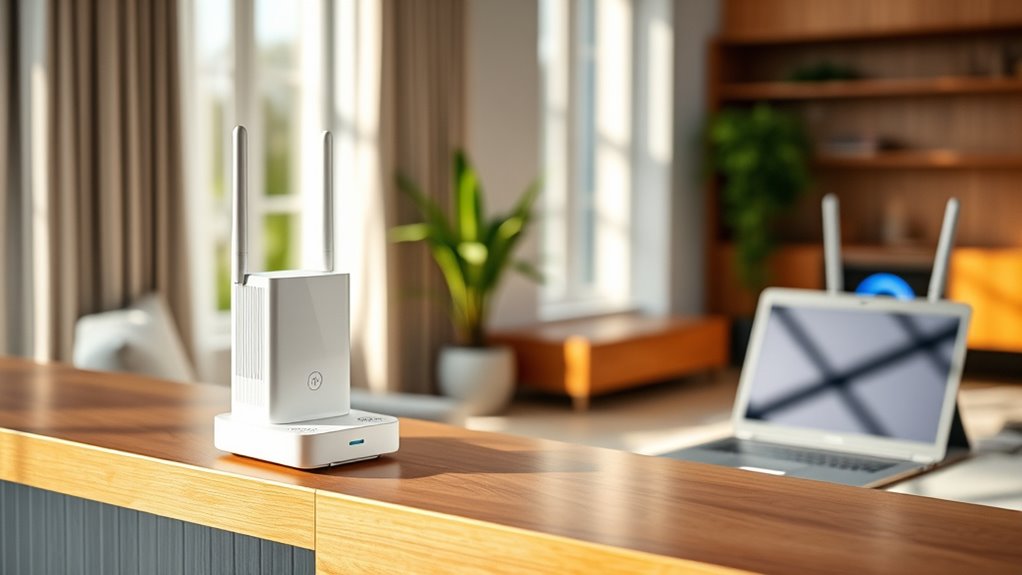

When selecting a secure Wi Fi extender, the key considerations are security features, coverage area, and device capacity. The NETGEAR WiFi Extender EX6120 stands out as the best overall choice for its reliable security protocols and decent coverage. The Jancane WiFi Extender Signal Booster offers extensive coverage for large homes, while the TP-Link Deco X55 AX3000 Mesh System provides seamless mesh security for multiple devices. The main tradeoffs in this category often involve balancing security features with ease of setup and coverage range. Continue reading for a detailed breakdown of these top options and how they compare.

Get privacy and security gear delivered free with Prime
- Fast, free delivery on millions of items
- Prime Video, Amazon Music and more included
- Member-only deals all year
Key Takeaways
- Security protocols vary significantly, with mesh systems often providing better overall security for multiple devices.
- Coverage range is a critical factor—larger homes benefit from extenders with high wattage and multiple bands.
- Device capacity influences network stability; models supporting more devices prevent bandwidth congestion.
- Ease of setup and management differ, with some models requiring technical expertise while others are plug-and-play.
- Price often correlates with security and coverage features, but the most expensive isn’t always the best fit for every user.
| NETGEAR WiFi Extender EX6120, Up to 1,500 sq ft, 1.2 Gbps |  | Best Overall for Secure Home Coverage | Coverage Area: 1,500 sq ft | Maximum Speed: 1.2 Gbps | Device Support: Up to 25 devices | VIEW ON AMAZON | See Our Full Breakdown |
| Jancane WiFi Extender Signal Booster Up to 5800 sq.ft and 55 Devices |  | Best for Wide Coverage and Large Device Support | Coverage Area: 5800 sq ft | Device Capacity: 55 devices | Maximum Speed: 300 Mbps | VIEW ON AMAZON | See Our Full Breakdown |
| 2026 WiFi Extender, Repeater, Booster, Covers Up to 10,000 Sq.ft, Supports 80 Devices, with Ethernet Port |  | Best for Massive Coverage and Device Support | Coverage Area: 10,000 sq ft | Device Support: 80 devices | Maximum Speed: Supports dual-band, no specific max speed listed | VIEW ON AMAZON | See Our Full Breakdown |
| TP-Link Deco X55 AX3000 WiFi 6 Mesh System (3-Pack) |  | Best for Seamless Mesh Coverage and High Device Capacity | Wi-Fi Standard: Wi-Fi 6 (AX3000) | Coverage Area: Up to 6500 sq ft | Device Support: Up to 150 devices | VIEW ON AMAZON | See Our Full Breakdown |
| TP-Link AX3000 WiFi 6 Range Extender (RE715X) |  | Best for Speed and Reliability with WiFi 6 | WiFi Standard: Wi-Fi 6 (802.11ax) | Max Speed: 2404 Mbps (5 GHz), 574 Mbps (2.4 GHz) | Bands: Dual-band | VIEW ON AMAZON | See Our Full Breakdown |
| WiFi Extender 2026 50X WiFi 6 Booster AX3000 |  | Best Overall Secure Wi-Fi Extender | Coverage: 25,699 sq.ft. | Device Support: 165+ devices | Speed: 3000 Mbps | VIEW ON AMAZON | See Our Full Breakdown |
| eero 6 Mesh WiFi Add-On Extender |  | Best for Mesh WiFi System Expansion | Coverage: 1,500 sq. ft. | Technology: Wi-Fi 6, TrueMesh | Setup: Easy via eero app | VIEW ON AMAZON | See Our Full Breakdown |
| TP-Link AC1900 WiFi Range Extender RE550 Dual-Band Wireless Repeater |  | Best for Strong Coverage & Adjustable Antennas | Coverage: 2100 sq. ft. | WiFi Speed: 1300 Mbps (5 GHz), 600 Mbps (2.4 GHz) | Antennas: 3 adjustable external antennas | VIEW ON AMAZON | See Our Full Breakdown |
| TP-Link AC1200 WiFi Extender Dual Band (RE315) |  | Best for Budget-Friendly Coverage & Compatibility | Coverage: 1500 sq. ft. | WiFi Speed: 867 Mbps (5 GHz), 300 Mbps (2.4 GHz) | Setup: App-based via Tether | VIEW ON AMAZON | See Our Full Breakdown |
| WiFi Extender, 1200Mbps Dual Band WiFi Signal Booster for Home |  | Best for Basic Extended Coverage with Multiple Modes | Coverage: 3000 sq. ft. | Speed: 1200 Mbps | Modes: Access Point, WPS, Ethernet | VIEW ON AMAZON | See Our Full Breakdown |
| TP-Link WiFi Extender with Ethernet Port, Dual Band 5GHz/2.4GHz, Up to 1200 sq ft Coverage, Supports 30 Devices |  | Best for Balanced Coverage and Device Support | Bandwidth: Up to 44% more than single-band | Coverage: 1200 sq ft | Device Support: 30 devices | VIEW ON AMAZON | See Our Full Breakdown |
| secure wi fi extender | Coverage |
|---|---|
| NETGEAR WiFi Extender EX6120 | — |
| Jancane WiFi Extender Signal B | — |
| 2026 WiFi Extender | — |
| TP-Link Deco X55 AX3000 WiFi 6 | — |
| TP-Link AX3000 WiFi 6 Range Ex | — |
| WiFi Extender 2026 50X WiFi 6 | 25,699 sq.ft. |
| eero 6 Mesh WiFi Add-On Extend | 1,500 sq. ft. |
| TP-Link AC1900 WiFi Range Exte | 2100 sq. ft. |
| TP-Link AC1200 WiFi Extender D | 1500 sq. ft. |
| WiFi Extender | 3000 sq. ft. |
| TP-Link WiFi Extender with Eth | 1200 sq ft |
More Details on Our Top Picks
NETGEAR WiFi Extender EX6120, Up to 1,500 sq ft, 1.2 Gbps
The NETGEAR EX6120 stands out for its reliable coverage up to 1,500 sq ft and support for multiple devices with speeds up to 1.2 Gbps. Compared with the TP-Link AX3000 Range Extender, it offers simpler setup and better integration with existing WiFi security via WPA3. Its wired Ethernet port adds stability for streaming or gaming. However, the non-Gigabit Ethernet port limits wired performance, and speeds may fluctuate depending on your internet plan and device placement. This makes it a solid choice for users seeking secure, straightforward home extension without complex setup.
Pros:- Extends WiFi coverage to dead zones
- Supports WPA3 security for enhanced protection
- Easy setup via app or WPS button
Cons:- Ethernet port is not Gigabit, limiting wired speeds
- Speeds may vary with connected devices and internet plan
Best for: Home users who need reliable WiFi coverage and strong security with simple setup
Not ideal for: Heavy gamers or large households requiring ultra-fast wired speeds or extensive device capacity
- Coverage Area:1,500 sq ft
- Maximum Speed:1.2 Gbps
- Device Support:Up to 25 devices
- Ethernet Port:Fast Ethernet 10/100 Mbps
- Security:WPA3
Our verdict“This extender fits well for households prioritizing security and reliable coverage without needing ultra-high wired speeds.”
Jancane WiFi Extender Signal Booster Up to 5800 sq.ft and 55 Devices
The Jancane WiFi Extender offers extensive coverage up to 5800 sq ft and supports up to 55 devices, making it ideal for large homes or small offices. Unlike the NETGEAR EX6120, it supports a higher device capacity but at a modest maximum speed of 300 Mbps, which may limit high-bandwidth activities. Its dual modes—Repeater and Access Point—add versatility, but setup may be less straightforward without detailed instructions. External antennas improve signal strength, yet their visibility might be a drawback for aesthetic-conscious users. This model is best suited for those needing broad coverage and multiple device support with security at the forefront.
Pros:- Extends coverage up to 5800 sq ft
- Supports up to 55 devices simultaneously
- Flexible dual-mode operation
Cons:- Maximum speed of 300 Mbps may hinder high-bandwidth tasks
- Setup complexity without detailed instructions
Best for: Large households or small offices needing broad coverage and many device connections
Not ideal for: Users requiring high-speed internet for streaming or gaming, due to its limited 300 Mbps max speed
- Coverage Area:5800 sq ft
- Device Capacity:55 devices
- Maximum Speed:300 Mbps
- Modes:Repeater, Access Point
- Security:WPA/WPA2
Our verdict“Ideal for expanding coverage and device capacity in large spaces where ultra-fast speeds are less critical.”
2026 WiFi Extender, Repeater, Booster, Covers Up to 10,000 Sq.ft, Supports 80 Devices, with Ethernet Port
The 2026 WiFi Extender excels in delivering coverage up to 10,000 sq ft and supporting 80 devices, surpassing many competitors like the Jancane model. Its dual-band support and external antennas ensure strong signals across large areas, while the Ethernet port allows wired connections. However, setup depends on a compatible router with WPS functionality, and external antennas may be less discreet. Its extensive coverage and high device support come at the cost of potentially complex installation and larger physical size, making it suitable for large homes or offices needing maximum coverage and security.
Pros:- Covers up to 10,000 sq ft
- Supports up to 80 devices
- Includes Ethernet port for wired connections
Cons:- Requires compatible router with WPS support
- External antennas may be less discreet
Best for: Large homes or offices requiring extensive coverage and robust device support
Not ideal for: Small apartments or users with limited space who prefer compact solutions
- Coverage Area:10,000 sq ft
- Device Support:80 devices
- Maximum Speed:Supports dual-band, no specific max speed listed
- Ethernet Port:Yes
- Setup:WPS, smartphone app
Our verdict“This extender is best for environments demanding maximum coverage and device capacity with a consideration for setup complexity.”
TP-Link Deco X55 AX3000 WiFi 6 Mesh System (3-Pack)
The TP-Link Deco X55 offers a mesh solution supporting Wi-Fi 6, making it ideal for large homes up to 6500 sq ft with seamless coverage. Compared with traditional extenders like the NETGEAR EX6120, it provides more unified management and supports up to 150 devices. Its multiple Gigabit Ethernet ports allow wired device support, but it requires a modem to work with most internet providers, adding to initial setup complexity. The AI-driven mesh technology ensures consistent performance, yet the need for additional equipment if you lack a compatible modem can be a barrier. It’s perfect for users seeking a future-proof, scalable Wi-Fi system with strong security features.
Pros:- Supports Wi-Fi 6 for faster, more reliable connections
- Provides extensive coverage up to 6500 sq ft
- Supports up to 150 devices simultaneously
Cons:- Requires a modem for most internet setups
- No included modem, additional equipment needed
Best for: Homeowners with large properties wanting seamless, high-capacity Wi-Fi coverage
Not ideal for: Users with smaller spaces or those looking for simple, plug-and-play extenders
- Wi-Fi Standard:Wi-Fi 6 (AX3000)
- Coverage Area:Up to 6500 sq ft
- Device Support:Up to 150 devices
- Ethernet Ports:3 per unit, 6 total
- Setup:App-based
Our verdict“Ideal for large homes seeking a scalable, high-performance Wi-Fi system with security and ease of management.”
TP-Link AX3000 WiFi 6 Range Extender (RE715X)
The TP-Link RE715X enhances existing WiFi with dual-band speeds up to 2404 Mbps on 5 GHz and 574 Mbps on 2.4 GHz, supporting Wi-Fi 6 features like MU-MIMO and Beamforming. Unlike the mesh system, it extends coverage but doesn’t provide seamless roaming, making it more suitable for boosting existing networks rather than replacing them. Its app setup is straightforward, and the Ethernet port supports wired connections for bandwidth-heavy devices. While it doesn’t increase your internet speed directly, it offers a significant boost in coverage and reliability for bandwidth-intensive tasks. This pick makes the most sense for users with existing Wi-Fi 6 routers seeking to enhance coverage without changing their entire network setup.
Pros:- Supports Wi-Fi 6 for faster, more reliable connections
- Includes Gigabit Ethernet port for wired devices
- Easy setup with app and signal indicator
Cons:- Does not increase overall internet speed, only coverage
- Not compatible with mesh systems like Deco
Best for: Home users with Wi-Fi 6 routers needing coverage extension and wired device support
Not ideal for: Small homes or users seeking a full mesh system for seamless experience
- WiFi Standard:Wi-Fi 6 (802.11ax)
- Max Speed:2404 Mbps (5 GHz), 574 Mbps (2.4 GHz)
- Bands:Dual-band
- Ethernet Port:Gigabit Ethernet
- Compatibility:Supports OneMesh and EasyMesh
Our verdict“Best suited for users who want to extend Wi-Fi 6 coverage efficiently without replacing their existing router or mesh system.”
WiFi Extender 2026 50X WiFi 6 Booster AX3000
This model stands out for its extensive coverage area of up to 25,699 sq. ft. and support for over 165 devices, making it ideal for large homes or offices. Its dual-band speeds up to 3000 Mbps surpass many competitors like the TP-Link RE550, which offers similar coverage but at lower speeds. The easy setup with one-tap WPS simplifies installation, yet its large size and potentially complex configuration might challenge users unfamiliar with networking. Compared to mesh options like the eero 6, it provides broader coverage but lacks the simplicity and seamless integration of a full mesh system. The built-in Ethernet port ensures wired connections for stable streaming or gaming, adding flexibility. Overall, this extender is perfect for those who prioritize coverage and speed but are comfortable with technical setup.
Pros:- Massive coverage up to 25,699 sq. ft.
- Supports over 165 devices simultaneously
- High dual-band speeds up to 3000 Mbps
- Ethernet port for wired connections
Cons:- Complex setup for non-technical users
- No detailed compatibility info with all routers
- Large physical size may be inconvenient
Best for: Large households or small business environments needing robust, high-speed coverage for many devices
Not ideal for: Users seeking plug-and-play simplicity or smaller spaces where extensive coverage is unnecessary
- Coverage:25,699 sq.ft.
- Device Support:165+ devices
- Speed:3000 Mbps
- Bands:Dual-band (2.4GHz & 5.8GHz)
- Ethernet Port:Yes
- Setup:One-tap WPS
Our verdict“This extender is best suited for users needing maximum coverage and high device capacity who can handle a more involved setup process.”
eero 6 Mesh WiFi Add-On Extender
The eero 6 extender excels at enhancing an existing eero mesh system, adding up to 1,500 sq. ft. of coverage with ease. Its compatibility with the eero app makes installation straightforward, especially for users already invested in the eero ecosystem. Unlike the high-capacity AX3000, its coverage per unit is limited, so larger homes may require multiple extenders. Compared with the TP-Link RE550, which offers more adjustable antennas for coverage, the eero focuses on seamless mesh integration and stability. While it may not support as many devices as the AX3000, it provides a reliable, cohesive network experience, ideal for users prioritizing simplicity and consistent performance over raw coverage. It’s best for those who already have or plan to build a mesh network with eero gear.
Pros:- Simple setup via eero app
- Effective in eliminating dead zones
- Enhances mesh network stability
- Supports Wi-Fi 6 for future-proofing
Cons:- Requires existing eero system
- Limited coverage per extender
- Additional units needed for larger homes
Best for: Homeowners with existing eero mesh systems seeking easy expansion and reliable coverage
Not ideal for: Users without an eero network or those needing coverage beyond 1,500 sq. ft. per extender
- Coverage:1,500 sq. ft.
- Technology:Wi-Fi 6, TrueMesh
- Setup:Easy via eero app
- Compatibility:Requires existing eero system
Our verdict“This is a solid choice for eero users wanting straightforward, reliable expansion, though it’s less suited for those seeking broad coverage in standalone deployments.”
TP-Link AC1900 WiFi Range Extender RE550 Dual-Band Wireless Repeater
Compared with the AX3000 models, the TP-Link RE550 offers a good balance of coverage and speed, supporting up to 2100 sq. ft. with dual-band speeds of 1300 Mbps on 5 GHz and 600 Mbps on 2.4 GHz. Its three adjustable antennas allow for targeted coverage, making it suitable for irregularly shaped spaces. It supports seamless mesh connectivity with compatible routers, though it isn’t compatible with mesh systems like Deco, which can limit flexibility. Unlike the AX3000, its maximum speed is lower, and it doesn’t support gigabit Ethernet, which might impact wired device performance. This extender is ideal for those who want a versatile, reliable coverage boost but don’t need the highest speeds or full mesh integration.
Pros:- Adjustable external antennas for targeted coverage
- Supports seamless mesh with compatible routers
- Easy setup with Tether app
- Strong coverage for medium-sized homes
Cons:- Lower maximum speeds compared to AX models
- No gigabit Ethernet port
- Limited to 2100 sq. ft. coverage
Best for: Users needing a flexible, high-coverage extender with adjustable antennas for irregular spaces
Not ideal for: High-demand gaming or streaming setups requiring maximum speed and low latency
- Coverage:2100 sq. ft.
- WiFi Speed:1300 Mbps (5 GHz), 600 Mbps (2.4 GHz)
- Antennas:3 adjustable external antennas
- Compatibility:Supports seamless mesh
Our verdict“This extender offers customizable coverage and solid performance for medium-sized homes, but it doesn’t match the speed of higher-end AX options.”
TP-Link AC1200 WiFi Extender Dual Band (RE315)
The RE315 is a reliable, easy-to-use extender that boosts coverage up to 1500 sq. ft., supporting dual-band speeds of 867 Mbps on 5 GHz and 300 Mbps on 2.4 GHz. Its straightforward setup via the Tether app makes it appealing to users who want a quick solution, though it doesn’t support mesh systems like Deco, which limits expansion flexibility. While its speeds are lower than AX or higher-end AC models, it provides stable connections for everyday browsing and streaming. Compared with the AX3000, it offers less raw speed but excels in simplicity and affordability. This model is best suited for smaller households or apartments needing reliable coverage without complex features.
Pros:- Easy setup and management via app
- Reliable dual-band coverage
- Supports multiple devices
- Affordable price point
Cons:- Lower maximum speeds compared to AX models
- Limited to 1500 sq. ft. coverage
- No mesh system support
Best for: Budget-conscious users seeking reliable coverage for small to medium homes
Not ideal for: High-performance gaming, HD streaming, or large households with many devices
- Coverage:1500 sq. ft.
- WiFi Speed:867 Mbps (5 GHz), 300 Mbps (2.4 GHz)
- Setup:App-based via Tether
- Compatibility:Supports most WiFi devices
Our verdict“This extender provides dependable, budget-friendly coverage for smaller spaces but falls short on high-speed demands and larger coverage needs.”
WiFi Extender, 1200Mbps Dual Band WiFi Signal Booster for Home
This extender offers coverage up to 3000 sq. ft., supporting speeds of 300 Mbps on 2.4 GHz and 867 Mbps on 5 GHz, making it comparable to the TP-Link RE550 in coverage but with a slightly lower maximum speed. Its multiple modes, including access point and WPS, provide versatile options for various setups, especially for users who want flexibility without complex configuration. Unlike the AX3000 models, it doesn’t support Wi-Fi 6, limiting future-proofing. Its straightforward setup and security protocols serve well for basic household needs, but performance may vary depending on the existing network conditions. It’s a sensible choice for those wanting reliable coverage without high-speed requirements.
Pros:- Covers up to 3000 sq. ft.
- Supports dual-band speeds with multiple modes
- Easy setup with WPS and Ethernet port
- Flexible modes for varied needs
Cons:- Limited to 1200 Mbps total speed
- No Wi-Fi 6 support for future-proofing
- Performance depends on existing network quality
Best for: Home users needing extensive coverage and multi-mode options without high-speed demands
Not ideal for: High-bandwidth activities like 4K streaming or online gaming with multiple devices
- Coverage:3000 sq. ft.
- Speed:1200 Mbps
- Modes:Access Point, WPS, Ethernet
- Compatibility:Most routers and devices
Our verdict“This extender offers broad coverage and flexible modes for basic household use, though it’s not designed for high-speed or advanced networking needs.”
TP-Link WiFi Extender with Ethernet Port, Dual Band 5GHz/2.4GHz, Up to 1200 sq ft Coverage, Supports 30 Devices
This TP-Link extender stands out for delivering reliable coverage up to 1200 square feet, making it a solid choice for medium-sized homes. Compared with the NETGEAR EX6120, which offers slightly larger coverage at up to 1500 sq ft but lacks an Ethernet port, this model provides a better balance of wired and wireless connectivity. Its dual-band setup ensures less interference and smoother streaming, though the maximum speeds of 300Mbps on 2.4GHz and 433Mbps on 5GHz may fall short for high-bandwidth activities like 4K streaming or gaming. The inclusion of an Ethernet port allows wired devices to benefit from a more secure, stable connection, which is especially helpful for smart TVs or desktop PCs. Setup can be somewhat complex for less tech-savvy users, but the interface offers detailed options for fine-tuning performance. Overall, this extender offers a good mix of coverage, device support, and security features, making it suitable for households with multiple devices needing reliable, secure WiFi.
Pros:- Provides extensive WiFi coverage up to 1200 sq ft
- Supports up to 30 devices simultaneously
- Includes an Ethernet port for wired connections
- Dual-band performance reduces interference
Cons:- Maximum speeds may be insufficient for demanding activities
- Setup process can be complex for non-technical users
Best for: Small to medium households seeking reliable, secure WiFi coverage with wired connectivity options.
Not ideal for: Users requiring ultra-high speeds or extensive smart home device support beyond 30 devices, as speeds may limit streaming or gaming quality.
- Bandwidth:Up to 44% more than single-band
- Coverage:1200 sq ft
- Device Support:30 devices
- WiFi Bands:2.4GHz and 5GHz
- Maximum Speed:300Mbps (2.4GHz), 433Mbps (5GHz)
- Ethernet Port:Yes
Our verdict“This extender is best suited for households that prioritize coverage and device support over ultra-high speeds.”

How We Picked
These products were selected based on a combination of performance, security features, build quality, ease of installation, and value. We prioritized models that offer advanced security protocols like WPA3, support for multiple devices, and broad coverage areas, especially for large homes or offices. The ranking reflects how well each product balances these factors, with an emphasis on security as the core criterion. Devices that excelled in usability and offered future-proof features like Wi Fi 6 were rated higher, while models with notable security shortcomings or limited coverage dropped lower in the list.Factors to Consider When Choosing Secure Wi Fi Extenders
Choosing a secure Wi Fi extender involves more than just coverage. Security features should be a primary concern, especially if you handle sensitive information or have multiple connected devices. Beyond security, consider the size of your space, the number of devices you need to support, and how user-friendly the setup process is. Understanding these factors can help you avoid common pitfalls like underestimating coverage needs or buying an extender with inadequate security protocols.Security Protocols
Look for models that support the latest security standards such as WPA3. These protocols help protect your network from unauthorized access and hacking attempts. Some extenders also offer guest networks and device management features that add layers of security. Failing to prioritize security features can leave your network vulnerable, especially in environments with multiple users or sensitive data.
Coverage Area
Estimate your space accurately before choosing an extender. Larger homes may require models with higher wattage, multiple bands, or mesh capabilities. An extender with insufficient coverage may result in dead zones, forcing you to buy multiple units or upgrade later, which adds costs and complicates your setup. Consider the maximum range and whether the extender can handle your home’s layout and walls.
Device Capacity
If you have many devices—smartphones, smart home gadgets, computers—you’ll need an extender that supports high device counts without sacrificing speed. Some models list a maximum number of supported devices; exceeding this can cause connectivity issues. Prioritize models with robust hardware to ensure your network remains stable under load.
Ease of Setup and Management
Intuitive setup processes save time and frustration. Many modern extenders offer mobile app configurations, which simplify the process. Check if the device supports features like automatic updates, easy firmware upgrades, and management portals. A poorly designed setup can deter users from maintaining optimal security practices or fully utilizing the device’s capabilities.
Price and Future Proofing
While higher prices often mean more features, focus on the value rather than the cost alone. Investing in Wi Fi 6-enabled extenders can future-proof your network, offering better security and performance as your needs grow. However, avoid overpaying for features you won’t use. Balance your budget against your current and anticipated security and coverage needs to find the best fit.
Frequently Asked Questions
How do I ensure my Wi Fi extender is secure?
To keep your Wi Fi extender secure, choose a model that supports the latest security protocols like WPA3. Change default passwords during setup and enable guest networks if available. Regular firmware updates from the manufacturer are also vital to patch security vulnerabilities. Avoid using outdated hardware or firmware that lacks modern security features to reduce the risk of unauthorized access.
Will a Wi Fi extender slow down my internet speed?
While a Wi Fi extender can introduce some latency, high-quality models with dual bands and Wi Fi 6 support minimize speed loss. The impact largely depends on the extender’s capabilities and your internet plan. Proper placement—closer to the router and away from interference—can also improve performance, making the network feel faster and more reliable.
Should I get a mesh system or a traditional extender?
Mesh systems generally provide better security and seamless coverage for large or complex spaces. They also simplify management, often with centralized apps. Traditional extenders are more affordable for smaller areas but might create network segments that require manual switching. Your choice depends on your home’s size, security needs, and budget.
Can a Wi Fi extender support multiple devices securely?
Yes, but only if the extender is designed for high device capacity and supports robust security protocols. Many modern extenders handle dozens of devices simultaneously, especially those with Wi Fi 6. Proper network segmentation, such as guest networks, further enhances security when supporting many devices.
What features make a Wi Fi extender future-proof?
Support for Wi Fi 6 or Wi Fi 6E, advanced security protocols like WPA3, and mesh compatibility are key features for future-proofing. These technologies ensure your network remains secure, fast, and capable of supporting increasing device counts. Investing in these features now can prolong the lifespan of your network equipment and improve overall security.
Conclusion
For most users, the NETGEAR WiFi Extender EX6120 offers a reliable balance of security, coverage, and ease of use, making it the best overall pick. If your priority is covering a large area with many devices, the Jancane WiFi Extender Signal Booster provides extensive range at a good value. The TP-Link Deco X55 AX3000 Mesh System stands out for those seeking seamless security and future-proofing with Wi Fi 6. Beginners or those with smaller spaces might prefer plug-and-play options like the TP-Link AC1200 WiFi Extender RE315. For high-security environments, investing in mesh systems with WPA3 support is wise. Tailor your choice based on your space, device load, and security needs to get the best fit.