
TL;DR

Get privacy and security gear delivered free with Prime
- Fast, free delivery on millions of items
- Prime Video, Amazon Music and more included
- Member-only deals all year
Privacy screen protectors limit your screen’s viewing angle, shielding sensitive info from prying eyes. Modern models offer clearer visuals, touch compatibility, and added features like blue light filtering, making them essential for mobile security.
Ever sat in a coffee shop, secretly worried about someone glancing at your screen? That’s where privacy screen protectors step in. They’re more than just a screen overlay — they’re your digital shield, blocking prying eyes and keeping your data safe.
In this article, you’ll discover how these tiny filters work, what recent innovations make them better, and how to choose the right one for your laptop. Whether you’re a remote worker, student, or just someone who values privacy, this guide will help you make an informed choice.
High-quality privacy filters dramatically reduce side views, often less than 5% distortion, ensuring your data stays private.
Opt for filters compatible with your screen size and touch capabilities to avoid usability issues.
Recent tech improvements mean clearer visuals, better glare reduction, and features like blue light filtering.
Installation is quick and damage-free, but always verify fit and quality before buying.
Privacy filters are an effective physical layer of security but should complement digital security measures.
How Privacy Screen Protectors Keep Your Info Safe
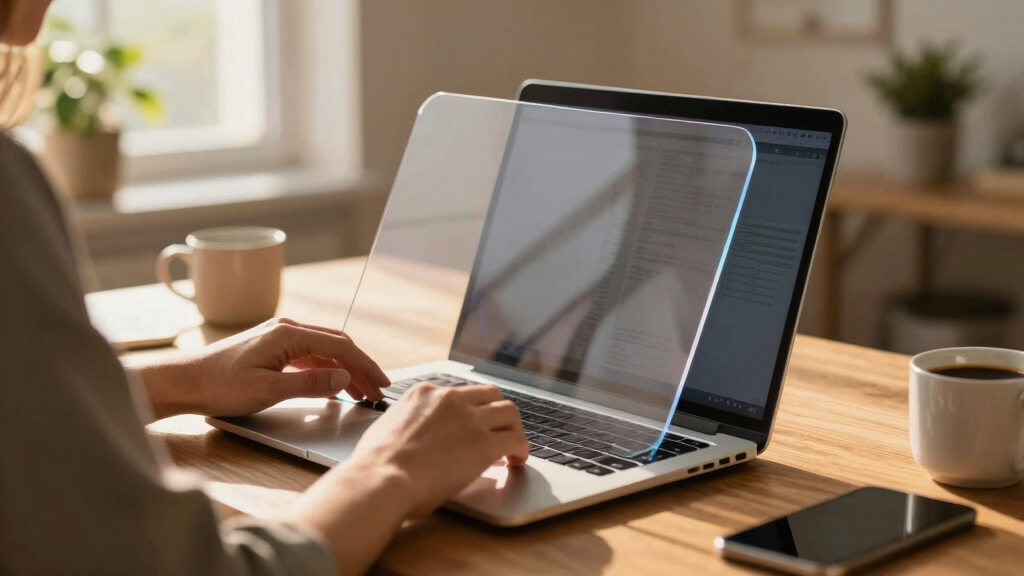
Privacy screen protectors are like a magic mirror that only you can see through. They use micro-louver technology to narrow the viewing angle to about 30-60 degrees. This means that anyone looking from the side sees a dark, unreadable screen, effectively creating a physical barrier against prying eyes. But why does this matter? Because in today’s world, where data breaches and visual hacks can lead to identity theft or corporate espionage, controlling who can see your screen is crucial.
The tradeoff is that narrowing the viewing angle can sometimes reduce your screen’s brightness or clarity from your perspective, especially if the filter isn’t of high quality. That’s why choosing a high-quality filter that balances privacy with visual fidelity is essential. These filters not only protect your data but also help prevent accidental data leaks in public spaces, giving you peace of mind and reducing the risk of visual hacking—a growing concern as more sensitive information is handled on-the-go.
laptop privacy screen protector
As an affiliate, we earn on qualifying purchases.
As an affiliate, we earn on qualifying purchases.
Which Privacy Screen Is Right for You? Types and Features
Choosing the right privacy screen depends on your needs and the environment in which you’ll use it. For instance, matte filters reduce glare and fingerprints, which is beneficial if you often work outdoors or in brightly lit spaces. However, they tend to dull colors slightly, which can impact tasks requiring color accuracy—like photo editing or design work. Glossy filters, on the other hand, offer vibrant visuals and sharper images, but they reflect ambient light and can show fingerprints more readily, potentially compromising privacy in highly reflective environments.
Understanding these tradeoffs helps you prioritize what matters most—whether it’s clarity, glare reduction, or ease of maintenance. Compatibility is another key factor; some filters are designed specifically for certain screen sizes or touch capabilities. For example, a 15.6” matte filter might not fit a 13” laptop perfectly, which could lead to gaps or reduced effectiveness. Therefore, measuring your screen accurately and selecting a filter that matches your device’s specifications is vital for optimal privacy and usability. This careful consideration ensures you don’t sacrifice functionality for security, maintaining a seamless user experience while safeguarding your sensitive information.
The Latest Tech That Makes Privacy Filters Better Than Ever
Recent innovations have turned privacy filters from foggy overlays into high-tech shields that significantly improve user experience. Enhanced clarity allows you to see your screen sharply without the dimming or blurring effects traditionally associated with privacy filters, which is vital for productivity and eye comfort. Anti-reflective coatings have become common, reducing glare and making screens easier to read outdoors or in bright indoor settings—improving usability in real-world conditions.
Touch-friendly filters preserve full touchscreen functionality, so you can swipe and tap without restrictions. Blue light filtering options are increasingly integrated, helping reduce eye strain and improve sleep quality during long working hours. Emerging smart privacy screens can toggle between private and open modes with a simple press or via an app, giving you instant control over your privacy settings. Additionally, eco-conscious brands now offer recyclable materials, aligning security with sustainability—an important consideration for environmentally aware consumers.
These technological advances mean that privacy filters are now more effective, convenient, and environmentally friendly, making them a smarter choice for modern users who demand both security and high-quality visual experiences.
What You Need to Know Before Buying a Privacy Screen
Investing in a privacy filter isn’t just about the price — it’s about compatibility, quality, and features. A poor-quality filter can distort colors, dim your display, or create a hazy viewing experience, which hampers productivity and can cause eye strain. Therefore, selecting a high-quality filter tailored to your device is crucial. Measure your screen accurately, including corner-to-corner dimensions, and verify that the filter supports your specific model, especially if you have a touchscreen or a curved display.
Installation should be straightforward. Most attach via static cling or adhesive strips, and removal is usually damage-free, making it easy to switch filters or clean them. However, some models may slightly reduce brightness; in such cases, adjusting your screen brightness settings can compensate for the dimming effect. Consider the durability and cleaning requirements—some filters are more resistant to scratches and smudges, which extends their lifespan and maintains clarity over time.
Price ranges from about $20 for basic models to over $100 for premium, feature-rich filters. Balancing your budget with your security and usability needs will ensure you get the best value. Remember, a well-chosen privacy filter is an investment in your data security and daily comfort, especially if you rely heavily on your laptop in public or shared spaces.
Frequently Asked Questions
Do privacy screen protectors affect display quality?
Yes, they can slightly dim or dull colors, but high-quality filters minimize these effects. The latest models aim for a near-transparent experience, balancing privacy with visual clarity.
Are privacy screen protectors compatible with touchscreens?
Many are, but check product specs carefully. Some filters are designed specifically for touch-enabled screens, ensuring you don’t lose functionality.
How easy are they to install and remove?
Most are straightforward — attach via static cling or adhesive strips. They can usually be removed without damage, making them convenient for temporary or permanent use.
Can privacy filters be used with all laptop sizes?
They come in various sizes. Measure your screen accurately and select a filter matching your dimensions to ensure a snug fit and effective privacy.
Do privacy screens protect against digital hacking?
No, they block physical side views but don’t prevent hacking or digital breaches. Use them alongside digital security tools for comprehensive protection.
Conclusion
A privacy screen protector is a simple, effective way to shield your data from wandering eyes. With recent tech leaps, they’re clearer, more compatible, and easier to use than ever before.
Choose wisely, and you’ll enjoy peace of mind wherever you work — whether in a bustling cafe or a busy airport lounge. Your data deserves a good guard — don’t leave it exposed.
Halloween Picks
halloween
As an affiliate, we earn on qualifying purchases.