Encrypted USB flash drives offer a reliable way to safeguard sensitive data on the go. The best models combine strong hardware encryption with user-friendly features, but choosing the right one depends on your specific needs. The Kingston IronKey Keypad 200 stands out for its robust security features, while the iDiskk 1TB SSD offers impressive storage with biometric access. Many drives in this category face tradeoffs between speed, capacity, and ease of use. Keep reading for a detailed breakdown of the top options and what makes each unique.

Get privacy and security gear delivered free with Prime
- Fast, free delivery on millions of items
- Prime Video, Amazon Music and more included
- Member-only deals all year
Key Takeaways
- Hardware encryption remains the gold standard for data security in USB drives, with most top picks utilizing AES 256-bit encryption.
- Build quality and durability, such as waterproof or shockproof designs, significantly extend the lifespan of encrypted drives in mobile use.
- High-capacity options like the iDiskk 1TB provide more storage but often come at a higher cost and may have slower encryption speeds.
- User authentication methods vary from PIN pads to fingerprint scanners; choosing the right depends on your convenience and security needs.
- More affordable models tend to compromise on advanced security features or build quality, making it essential to balance budget with protection level.
| Kingston Ironkey Keypad 200 USB-C 32GB Encrypted Flash Drive |  | Best Overall for High Security and Durability | Capacity: 32GB | Encryption: XTS-AES 256-bit | Security: FIPS 140-3 (Pending), Brute Force & BadUSB Protection | VIEW LATEST PRICE | See Our Full Breakdown |
| Kingston Ironkey Locker+ 64GB Encrypted USB Drive |  | Best for Speed and Multi-Password Security | Capacity: 64GB | Encryption: AES-XTS 256-bit | Certification: FIPS 197 | VIEW LATEST PRICE | See Our Full Breakdown |
| Kingston IronKey Locker+ 50 128GB Encrypted USB Flash Drive |  | Best for Virtual Keyboard and Cloud Backup Features | Memory Storage Capacity: 128GB | Hardware Interface: USB 3.2 Gen 1 | Encryption: XTS-AES 256-bit | VIEW LATEST PRICE | See Our Full Breakdown |
| Integral 4GB Crypto-197 256-Bit USB 3.0 Encrypted Flash Drive with Waterproof Double Layer Design |  | Best for Ultra-Secure, Compact Storage in Harsh Environments | Capacity: 4GB | Encryption: 256-bit AES | Certification: FIPS 197 | VIEW LATEST PRICE | See Our Full Breakdown |
| Kingston Ironkey Locker+ 50 G2 32GB Encrypted USB Drive | 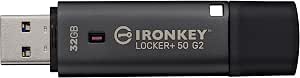 | Best for Fast Speeds and Multi-Password Security | Memory Storage Capacity: 32GB | Hardware Interface: USB 3.2 Gen 1 | Encryption: XTS-AES 256-bit | VIEW LATEST PRICE | See Our Full Breakdown |
| Apricorn 8GB Aegis Secure Key 3 NX Encrypted USB 3.0 Flash Drive |  | Best Overall for High Security and Configurability | Capacity: 8GB | Encryption: 256-bit | Validation: FIPS 140-2 Level 3 | VIEW LATEST PRICE | See Our Full Breakdown |
| Integral 32GB Crypto-197 256-Bit Hardware Encrypted USB 3.0 Secure Flash Drive | | Best Value with Rugged Security for Moderate Needs | Capacity: 32GB | Encryption: AES 256-bit | Certification: FIPS 197 | VIEW LATEST PRICE | See Our Full Breakdown |
| Kingston IronKey Keypad 200 32GB Encrypted USB Drive |  | Best for Multi-PIN Security with Tamper Resistance | Memory Storage Capacity: 32GB | Hardware Interface: USB 3.2 Gen 1 | Write Speed: 115 MB/s | VIEW LATEST PRICE | See Our Full Breakdown |
| iDiskk 1TB Fingerprint Encrypted SSD Flash Drive for USB-C Devices & PC |  | Best for High-Speed, Large Capacity Secure Storage | Memory Storage Capacity: 1TB | Hardware Interface: USB 3.2 Gen 2 | Read Speed: 500 MB/s | VIEW LATEST PRICE | See Our Full Breakdown |
| Integral 32GB Secure 360 Encrypted USB 3.0 Flash Drive |  | Best for Dual Partitioning and Automatic Data Erasure | Capacity: 32GB | Encryption: 256-bit AES | USB Version: USB 3.0 | VIEW LATEST PRICE | See Our Full Breakdown |
| encrypted USB flash drife | Encryption | Capacity | Read Speed | Write Speed |
|---|---|---|---|---|
| Kingston Ironkey Keypad 200 US | XTS-AES 256-bit | 32GB | — | — |
| Kingston Ironkey Locker+ 64GB | AES-XTS 256-bit | 64GB | 145MB/s | 115MB/s |
| Kingston IronKey Locker+ 50 12 | XTS-AES 256-bit | — | 145MB/s | 115MB/s |
| Integral 4GB Crypto-197 256-Bi | 256-bit AES | 4GB | — | — |
| Kingston Ironkey Locker+ 50 G2 | XTS-AES 256-bit | — | 145MB/s | 115MB/s |
| Apricorn 8GB Aegis Secure Key | 256-bit | 8GB | — | — |
| Integral 32GB Crypto-197 256-B | AES 256-bit | 32GB | — | — |
| Kingston IronKey Keypad 200 32 | — | — | 145 MB/s | 115 MB/s |
| iDiskk 1TB Fingerprint Encrypt | — | — | 500 MB/s | 450 MB/s |
| Integral 32GB Secure 360 Encry | 256-bit AES | 32GB | — | — |
More Details on Our Top Picks
Kingston Ironkey Keypad 200 USB-C 32GB Encrypted Flash Drive
The Kingston Ironkey Keypad 200 stands out for its robust hardware encryption combined with a multi-pin keypad, making it ideal for users who prioritize physical security alongside data protection. Compared with the IronKey Locker+ 64GB, it offers more physical security features but is limited to 32GB, which could be restrictive for large data sets. The waterproof IP68 design adds durability, though the FIPS 140-3 Level 3 validation is still pending, meaning full compliance isn’t yet confirmed. Its multi-pin options enhance control but require users to remember complex PINs, which could be inconvenient. This drive is perfect for field professionals or government users needing rugged, secure storage, but less suitable for those with large data needs or seeking immediate FIPS validation.
Pros:- High-level hardware encryption (XTS-AES 256-bit)
- Multi-pin security options for flexible access control
- Waterproof and rugged IP68 design
Cons:- FIPS 140-3 Level 3 validation is still pending
- Limited to 32GB capacity, less suitable for large files
Best for: Security-conscious professionals needing rugged, portable encryption with physical security features
Not ideal for: Users requiring large storage capacity or immediate FIPS 140-3 validation for compliance purposes
- Capacity:32GB
- Encryption:XTS-AES 256-bit
- Security:FIPS 140-3 (Pending), Brute Force & BadUSB Protection
- Features:Alphanumeric Keypad, Multi-Pin Options, IP68 Waterproof
Our verdict“This drive is ideal for users who value durability and physical security over large storage capacity.”
Kingston Ironkey Locker+ 64GB Encrypted USB Drive
The Kingston Ironkey Locker+ 64GB combines high-speed USB 3.2 Gen 1 performance with multi-password protection, making it suitable for users who need quick, secure data transfer. Compared to the IronKey Locker+ 50 128GB, it doubles storage but slightly sacrifices some features like virtual keyboard options, emphasizing speed and simplicity. Its FIPS 197 certification confirms compliance with high security standards, while the fast read (145MB/s) and write speeds (115MB/s) support efficient workflows. However, its 64GB limit might be restrictive for users with larger data needs, and the security features could be overly complex for casual users. This drive suits IT professionals or security teams managing moderate data securely and efficiently, but less so for casual users or those with extensive storage demands.
Pros:- Fast transfer speeds (up to 145MB/s read, 115MB/s write)
- Multi-password protection with admin and user modes
- FIPS 197 certified high-level encryption
Cons:- Limited to 64GB capacity, less suitable for large files
- More costly than standard USB drives with similar capacity
Best for: IT professionals needing fast, secure, and reliable data transfer with multi-password controls
Not ideal for: Casual users or those requiring large storage capacities for multimedia files
- Capacity:64GB
- Encryption:AES-XTS 256-bit
- Certification:FIPS 197
- USB Version:USB 3.2 Gen 1
- Read Speed:145MB/s
- Write Speed:115MB/s
Our verdict“This drive is best for security-focused users who need fast, reliable storage at moderate capacity.”
Kingston IronKey Locker+ 50 128GB Encrypted USB Flash Drive
The Kingston IronKey Locker+ 50 128GB offers advanced security with a virtual keyboard, protecting against keylogger attacks, and supports automatic cloud backup, catering well to users who want both protection and convenience. When compared with the Locker+ 64GB, it provides double the storage but introduces additional features like cloud backup, appealing to users seeking seamless data management. Its high-speed USB 3.2 Gen 1 interface (145MB/s read, 115MB/s write) supports quick data transfers. However, the focus on features like cloud backup might be unnecessary for those who prefer local-only storage or have limited internet access. This makes it ideal for business users or remote workers needing secure backup options, but less suited for those with simple storage needs or limited device compatibility.
Pros:- Includes a virtual keyboard for password entry security
- Supports automatic cloud backup for added convenience
- Fast transfer speeds (up to 145MB/s read)
Cons:- No waterproof or rugged design features
- Limited to USB 3.2 Gen 1 compatibility
Best for: Remote workers or business users needing secure, easy-to-use backup features with virtual password entry
Not ideal for: Users seeking large capacity for multimedia or those without reliable internet for cloud backup
- Memory Storage Capacity:128GB
- Hardware Interface:USB 3.2 Gen 1
- Encryption:XTS-AES 256-bit
- Additional Features:Virtual Keyboard, Cloud Backup
- Read Speed:145MB/s
- Write Speed:115MB/s
Our verdict“Ideal for professionals who want secure, virtual password protection with backup options integrated into a portable drive.”
Integral 4GB Crypto-197 256-Bit USB 3.0 Encrypted Flash Drive with Waterproof Double Layer Design
The Integral Crypto-197 4GB drive emphasizes extreme security and durability, with FIPS 197 certification, waterproof double-layer construction, and hardware encryption. Its tiny 4GB capacity makes it suitable for highly sensitive files rather than large data sets, contrasting sharply with larger drives like the IronKey Locker+ 128GB. The waterproof double-layer protects against environmental hazards, making it ideal for outdoor or industrial use. However, the small capacity limits its versatility, and users must carefully manage their files. This drive suits field researchers or government agents needing secure, portable storage in tough conditions, but is less practical for everyday multimedia storage or large file transfers.
Pros:- FIPS 197 certified with 256-bit AES hardware encryption
- Waterproof double-layer design for extreme conditions
- No software required for setup, compatible with PC and Mac
Cons:- Limited capacity at only 4GB, not suitable for large files
- Requires careful file management due to small size
Best for: Users needing ultra-secure, rugged storage for small but sensitive data, often in outdoor or harsh environments
Not ideal for: People with large data storage needs or those who prefer a simple, lightweight drive without environmental protection features
- Capacity:4GB
- Encryption:256-bit AES
- Certification:FIPS 197
- Waterproof:Yes
- Protection features:Brute force attack protection, auto-lock
Our verdict“This drive is perfect for those who need a tiny, rugged, highly secure device for small but sensitive data on the go.”
Kingston Ironkey Locker+ 50 G2 32GB Encrypted USB Drive
The Kingston Ironkey Locker+ 50 G2 offers fast data transfer speeds (up to 145MB/s read and 115MB/s write) combined with multi-password security options, making it suitable for users who need quick, secure transfers. Compared to the 64GB version, this 32GB model is more affordable for those with moderate storage needs. Its high-level hardware encryption (XTS-AES 256-bit) and FIPS 197 certification provide strong data protection. However, its smaller capacity might be limiting for users with larger files or multimedia libraries. The absence of waterproof or shockproof features means it’s better suited for controlled environments. This drive is a good choice for security-conscious users with moderate data that require speed and multi-layer access controls, but not for those needing large storage or ruggedness.
Pros:- High-speed transfer (up to 145MB/s)
- Multi-password security with admin and user modes
- FIPS 197 certified encryption
Cons:- Limited storage capacity at 32GB
- No rugged or waterproof features
Best for: Security-aware users needing fast, encrypted storage for moderate data volumes in stable environments
Not ideal for: Users with large multimedia files or working in outdoor or harsh conditions
- Memory Storage Capacity:32GB
- Hardware Interface:USB 3.2 Gen 1
- Encryption:XTS-AES 256-bit
- Certification:FIPS 197
- Read Speed:145MB/s
- Write Speed:115MB/s
Our verdict“This drive is ideal for users who prioritize speed and security in a compact, moderate-capacity device.”
Apricorn 8GB Aegis Secure Key 3 NX Encrypted USB 3.0 Flash Drive
The Apricorn Aegis Secure Key 3 NX stands out for its robust security features, including FIPS 140-2 Level 3 validation and 256-bit encryption. It offers multiple security modes and configurable options, making it highly suitable for users needing strict data protection. Compared with larger-capacity drives like the iDiskk 1TB SSD, its limited 8GB capacity can be a constraint for storing larger files, but its security focus makes it ideal for sensitive data. The device’s compatibility with Aegis Configurator enables tailored security settings, though this added complexity might be unnecessary for casual users. Its higher cost relative to standard USB drives reflects its specialized security features, which are less relevant for everyday use. This pick is best suited for professionals handling confidential information who prioritize security over storage capacity.
Pros:- Highly secure with FIPS 140-2 Level 3 validation
- Configurable security modes and recovery options
- Compatible with Aegis Configurator for custom settings
Cons:- Limited to 8GB storage, not suitable for large files
- Higher price point compared to basic encrypted drives
Best for: Security-conscious professionals needing encrypted storage for sensitive data.
Not ideal for: Users requiring large storage capacity or simple, plug-and-play encryption for casual use.
- Capacity:8GB
- Encryption:256-bit
- Validation:FIPS 140-2 Level 3
- Interface:USB 3.0
Our verdict“This drive is perfect for users who need stringent security and customization, despite its limited storage.”
Integral 32GB Crypto-197 256-Bit Hardware Encrypted USB 3.0 Secure Flash Drive
The Integral Crypto-197 offers a compelling mix of hardware encryption, waterproofing, and durability, making it a versatile choice for users who need reliable security in tough environments. Its 32GB capacity is modest, but the waterproof, shock-resistant design offers physical protection that surpasses the more delicate options like the Kingston IronKey Keypad 200. Unlike the Apricorn model, it doesn’t include extensive configurability, focusing instead on straightforward hardware security. The automatic data erasure after failed attempts enhances its security but can be inconvenient if accidental lockouts occur. Its price point makes it accessible for users who want solid encryption without a premium for advanced features, though its limited storage may be restrictive for data-heavy use. This drive suits field workers or travelers needing durable, encrypted storage with moderate capacity.
Pros:- Hardware encryption with AES 256-bit security
- Waterproof and shock-resistant design for physical protection
- No software needed for setup, simple to use
Cons:- Limited to 32GB capacity, less suitable for large files
- Automatic data erasure risks accidental data loss if locked out
Best for: Field workers or travelers needing rugged, encrypted storage with moderate capacity.
Not ideal for: Users who require large storage or advanced configurability beyond hardware encryption.
- Capacity:32GB
- Encryption:AES 256-bit
- Certification:FIPS 197
- Waterproof:Yes
Our verdict“Ideal for users needing durable, hardware-encrypted storage in challenging environments on a budget.”
Kingston IronKey Keypad 200 32GB Encrypted USB Drive
The Kingston IronKey Keypad 200 distinguishes itself through its multi-PIN access and tamper-evident design, offering military-grade security that appeals to high-security environments. Its alphanumeric keypad allows users to set multiple PINs, adding flexibility compared to simpler password systems like the Integral 360. The device’s durability, including tamper-evidence and brute-force attack protection, makes it suitable for government or corporate use. However, its 32GB capacity limits large file storage, and reliance on USB 3.2 Gen 1 compatibility could restrict use on older systems. Pending FIPS 140-3 Level 3 certification, its current compliance status might be a concern for some organizations. This drive is best for users who need multi-layered, physical security for sensitive data and are comfortable with PIN management.
Pros:- Multi-PIN access with alphanumeric keypad
- Tamper-evident, durable epoxy-covered circuitry
- Protection against brute-force attacks and BadUSB threats
Cons:- Limited to 32GB storage capacity
- Requires compatible systems supporting USB 3.2 Gen 1
Best for: Organizations or individuals requiring multi-PIN access and tamper-evidence for sensitive data.
Not ideal for: Users needing large-capacity storage or simple encryption solutions for casual use.
- Memory Storage Capacity:32GB
- Hardware Interface:USB 3.2 Gen 1
- Write Speed:115 MB/s
- Read Speed:145 MB/s
Our verdict“This drive excels for high-security needs where multi-factor PIN access and physical tamper protection are priorities.”
iDiskk 1TB Fingerprint Encrypted SSD Flash Drive for USB-C Devices & PC
The iDiskk 1TB SSD flash drive offers a significant leap in capacity and speed, making it ideal for users who need large, fast, encrypted storage. Its fingerprint security adds a biometric layer of protection, standing out against simpler password-based drives like the Integral 360. With read speeds reaching 500MB/s and write speeds of 450MB/s, it supports quick backups and transfers across a range of devices, including smartphones and laptops. However, its requirement for app installation for auto backup features and potential compatibility issues with older devices could be inconvenient. Its hefty 1TB capacity makes it suitable for content creators, videographers, or anyone needing extensive secure storage on the go. This drive makes the most sense for users prioritizing speed, capacity, and biometric security over extreme portability.
Pros:- High-speed data transfer up to 500MB/s read
- Biometric fingerprint security for easy access
- Large 1TB capacity suitable for extensive storage
Cons:- Requires app installation for features like auto backup
- Potential compatibility issues with legacy devices
Best for: Content creators or professionals needing fast, large-capacity encrypted storage for mobile devices and computers.
Not ideal for: Casual users or those with older devices that may not support the required apps or USB-C connections.
- Memory Storage Capacity:1TB
- Hardware Interface:USB 3.2 Gen 2
- Read Speed:500 MB/s
- Write Speed:450 MB/s
Our verdict“This drive is ideal for power users who demand speed, large capacity, and biometric security in a portable form.”
Integral 32GB Secure 360 Encrypted USB 3.0 Flash Drive
The Integral 360 combines encryption with dual partitioning, allowing users to separate regular and encrypted files on one device, which adds flexibility for mixed-use scenarios. Its automatic data erasure after 10 failed login attempts strengthens security, though this feature can pose risks if users forget their password or experience accidental lockouts. Its 32GB capacity aligns with other drives in this roundup but may limit storage for large datasets. Unlike the Apricorn or Kingston drives, it doesn’t emphasize hardware tamper resistance, focusing instead on encryption features. Its compatibility with both Windows and macOS without additional software makes it convenient for varied environments. This drive suits users who want a versatile, self-contained encrypted solution with quick transfer speeds and partition management.
Pros:- Dual partitioning for versatile file management
- Automatic data erasure after 10 failed attempts
- No software needed for encryption
Cons:- Limited to 32GB capacity, not ideal for large data sets
- Automatic data erasure could lead to accidental data loss
Best for: Users who need to manage both encrypted and unencrypted files on a single drive with auto security features.
Not ideal for: Those handling large files or requiring extensive storage capacity for multimedia projects.
- Capacity:32GB
- Encryption:256-bit AES
- USB Version:USB 3.0
- Transfer Speed:up to 5Gbps
Our verdict“Suitable for users seeking flexible, partitioned encrypted storage with automated security features, despite capacity limits.”
How We Picked
The products in this roundup were selected based on a combination of security features, build quality, usability, and value. We prioritized drives with hardware-based encryption over software solutions, as they tend to offer stronger protection. Speed and capacity were also considered, especially for users who need fast data access or large storage. Additionally, ease of authentication—such as biometric options or keypad access—played a key role. The ranking reflects how well each drive balances security, durability, and user experience, helping buyers find options suited for different priorities.Factors to Consider When Choosing Encrypted USB Flash Drives
When selecting an encrypted USB flash drive, it’s vital to evaluate several key factors to ensure you get the right balance of security, performance, and usability. Not all drives are created equal, and understanding these considerations can prevent costly mistakes or mismatched expectations.Security Level and Encryption Method
Look for drives with hardware-based AES 256-bit encryption, as they provide stronger protection than software-based solutions. Some models also feature tamper-proof designs or self-destruct mechanisms for added security. Consider your threat model—if you need to protect highly sensitive data, prioritize drives with certified security standards and advanced authentication methods.
Build Quality and Durability
Choose a drive with rugged features such as waterproof, shockproof, or crushproof designs if you plan to carry it frequently or in challenging environments. A durable build reduces the risk of physical damage, which can compromise encryption or render the device unusable. Remember that cheaper drives often cut corners on materials, so invest accordingly if durability matters most.
Authentication Methods
Personalized access controls like PIN pads, fingerprint scanners, or biometric authentication enhance security and convenience. Consider how quickly and easily you want to access your data—biometric options are faster but may increase cost and complexity. Avoid drives with weak or easily bypassed security features if your data is highly sensitive.
Storage Capacity and Speed
Assess your storage needs carefully; high-capacity drives like 1TB models are ideal for large files but may have slower encryption speeds due to their size. Conversely, smaller capacity drives tend to be faster and more portable. Balance capacity with speed requirements—if you need quick access, look for drives with USB 3.0 or higher interfaces.
Price and Value
Premium security features and rugged build quality come at a higher price, so consider what level of protection is necessary for your use case. Cheaper drives may lack advanced features but can suffice for less sensitive data. Always weigh the cost against the security benefits, especially if you’re handling critical or confidential information.
Frequently Asked Questions
Can I use an encrypted USB drive on multiple devices without losing security?
Yes, most encrypted USB drives are designed to work across various devices, such as Windows, Mac, and Linux, often with compatible software or hardware encryption. However, some models with biometric authentication or keypad access are tied to specific hardware and may require additional setup or proprietary software. Always verify compatibility and security features for your devices before purchasing, to ensure seamless and secure use.
What happens if I forget my PIN or biometric password?
For drives with PIN or biometric security, forgetting your authentication method can be problematic, as it may lock you out permanently or require factory reset. Some models include master passwords or recovery options, but these can weaken security if not properly managed. Always keep backup authentication methods or recovery keys in a secure location to prevent data loss.
Are encrypted USB drives vulnerable to hacking or malware?
While hardware encryption provides strong protection against unauthorized access, no device is completely immune to hacking or malware. It’s essential to keep your drive firmware updated and avoid connecting it to compromised devices. Using reputable brands with certified security standards reduces risks, but maintaining good cybersecurity practices remains crucial.
Is encryption significantly slowing down data transfer speeds?
Encryption can impact data transfer speeds, especially with hardware that handles high levels of security or large capacities. USB 3.0 or higher interfaces mitigate this issue by offering faster data rates. When speed is critical, select drives with optimized encryption algorithms or those designed for high-performance tasks, but be aware that some slowdown might still occur compared to unencrypted drives.
How long will my encrypted data remain protected?
Data protection depends on the encryption standards used and how well the device is maintained. Hardware encryption, when properly implemented, remains secure over many years. Regular firmware updates and avoiding physical damage extend the lifespan of security features, but no technology is entirely future-proof. Periodic review and updating your security measures are advisable.
Conclusion
For most users seeking a balance of security and ease of use, the Kingston IronKey Keypad 200 offers robust protection with straightforward PIN access, making it ideal for professionals handling sensitive information. Those prioritizing sheer storage capacity and biometric access might lean towards the iDiskk 1TB Fingerprint Encrypted SSD, though at a higher cost. Budget-conscious buyers can find reliable options in models like the Integral Crypto-197 256-Bit USB 3.0, which provide solid encryption without breaking the bank. Beginners should focus on drives with simple authentication and durable build, while security experts may prefer premium models with tamper-proof features. Tailor your choice based on your specific threat level, convenience needs, and budget to get the best encrypted USB drive for your situation.