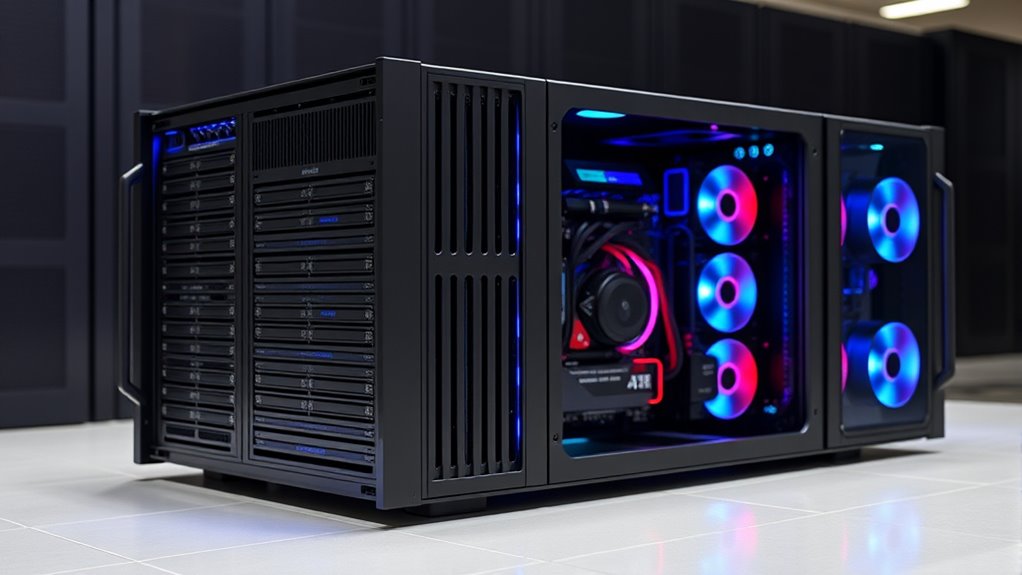

For most GPU builds, I’d start with the SilverStone RM44 for its focus on cooling and current high-power components, while the Rosewill RSV-L4500U stands out for extensive drive storage and the SilverStone RM41-506 for multiple front-accessible bays. The right 4U rackmount case depends on more than rack height: GPU length and thickness, power supply clearance, cooling, and motherboard fit can rule out a chassis that looks suitable on paper. Drive-heavy builds also face a tradeoff between storage capacity and room for airflow or larger cards. I compare all 11 cases by fit, cooling potential, expansion, serviceability, and how clearly their design supports a GPU build. Continue reading for the full breakdown and a buying guide to matching a case to your parts.

Get privacy and security gear delivered free — and shop member deals
- Fast, free delivery on millions of items
- Access to Prime Big Deal Days deals on October 6–7
- Prime Video, Amazon Music and more included
Key Takeaways
- The RM44 is my overall pick for GPU-focused builds because its cooling-oriented design is a stronger starting point for heat-producing components than a case selected mainly for drive count.
- The RSV-L4500U prioritizes storage expansion with 15 bays, but buyers should check whether their chosen card and cooling layout leave enough usable interior space.
- The RM41-506 and the RackChoice model with three 5.25-inch bays suit front-access needs; that flexibility can come at the expense of drive and airflow layout simplicity.
- GPU fit cannot be inferred from 4U height alone: card length, slot thickness, power plugs, and the position of drive cages all affect compatibility.
- The lineup spans very different build goals, from the RM4A and RM400’s more restrained layouts to the UTLGAMENG model’s 12 drive bays and seven PCI slots.
| Rosewill RSV-L4500U 4U Rackmount Server Chassis, 15-Bay, E-ATX, Silver/Black |  | Best for High-Capacity Storage | Form factor: 4U rackmount | Motherboard compatibility: E-ATX | Internal drive bays: 15 × 3.5-inch | VIEW ON AMAZON | See Our Full Breakdown |
| Rackchoice 4U Rackmount Server Chassis | 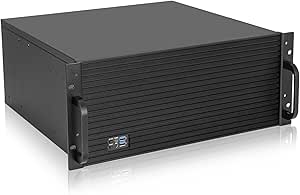 | Best for Flexible GPU Builds | Form factor: 4U rackmount | Motherboard support: EATX, ATX, microATX, Mini-ITX | Drive bays: 8 × 3.5-inch plus 3 × 3.5-inch, or 2 × 3.5-inch and 2 × 2.5-inch | VIEW ON AMAZON | See Our Full Breakdown |
| SilverStone RM44 4U Rackmount Server Chassis |  | Best for Liquid-Cooled GPU Builds | Form factor: 4U rackmount | Radiator support: Up to 360 mm | Motherboard compatibility: SSI-EEB / Extended ATX | VIEW ON AMAZON | See Our Full Breakdown |
| RackChoice 4U Rackmount Server Chassis with 3×5.25-Inch, 8×3.5-Inch, and 2×2.5-Inch Drive Bays |  | Best for Mixed Drive Setups | Form factor: 4U rackmount | Motherboard compatibility: ATX, microATX | Drive bays: 3 × 5.25-inch external, 8 × 3.5-inch internal, 2 × 2.5-inch internal | VIEW ON AMAZON | See Our Full Breakdown |
| SilverStone RM41-506 4U Rackmount Server Case with Six 5.25-Inch Drive Bays |  | Best for Front-Accessible Expansion | Form factor: 4U rackmount | Motherboard support: Up to SSI-CEB | Drive bays: 6 × 5.25-inch | VIEW ON AMAZON | See Our Full Breakdown |
| Rosewill RSV-R4100U 4U Rackmount Server Chassis |  | Best for Legacy Drive Builds | Form factor: 4U rackmount | Motherboard compatibility: ATX, CEB | 3.5-inch drive bays: 7 internal | VIEW ON AMAZON | See Our Full Breakdown |
| 4U Rack-Mount ATX Server Chassis with 3.5-Inch Bays |  | Best for Flexible Motherboard Sizing | Form factor: 4U rack-mount | Motherboard compatibility: ATX, Micro-ATX, Mini-ITX up to 12 × 9.6 inches | Expansion slots: 7 PCI | VIEW ON AMAZON | See Our Full Breakdown |
| UTLGAMENG 4U Rackmount Server Case with 12 Drive Bays and 7 PCI Slots |  | Best for High-Capacity Storage | Form factor: 4U rackmount | Drive bays: 12 | Expansion slots: 7 PCI | VIEW ON AMAZON | See Our Full Breakdown |
| SilverStone RM4A 4U Rackmount Server Chassis |  | Best for Multi-Card GPU Builds | Model: RM4A | Form factor: 4U rackmount | Motherboard support: Up to SSI-EEB | VIEW ON AMAZON | See Our Full Breakdown |
| Rosewill RSV-L4620 4U Rackmount Server Chassis |  | Best for Liquid-Cooled GPU Builds | Form factor: 4U rackmount | Motherboard compatibility: E-ATX, SSI-EEB | Drive support: Up to 2 x 3.5-inch HDDs and 4 x 2.5-inch SSDs | VIEW ON AMAZON | See Our Full Breakdown |
| SilverStone RM400 4U Rackmount Server Chassis |  | Best for Legacy Expansion | Form factor: 4U rackmount | Motherboard support: SSI-CEB, ATX, microATX, Mini-ITX | Front drive bays: 3 × 5.25-inch | VIEW ON AMAZON | See Our Full Breakdown |
| 4u rackmount cases for gpu build | Form factor | Expansion slots | Motherboard compatibility |
|---|---|---|---|
| Rosewill RSV-L4500U 4U Rackmou | 4U rackmount | — | E-ATX |
| Rackchoice 4U Rackmount Server | 4U rackmount | 7 full-height | — |
| SilverStone RM44 4U Rackmount | 4U rackmount | 8 PCIe / PCI | SSI-EEB / Extended ATX |
| RackChoice 4U Rackmount Server | 4U rackmount | — | ATX, microATX |
| SilverStone RM41-506 4U Rackmo | 4U rackmount | 7 standard-profile PCI/PCIe | — |
| Rosewill RSV-R4100U 4U Rackmou | 4U rackmount | 7 PCI | ATX, CEB |
| 4U Rack-Mount ATX Server Chass | 4U rack-mount | 7 PCI | ATX, Micro-ATX, Mini-ITX up to 12 × 9.6 inches |
| UTLGAMENG 4U Rackmount Server | 4U rackmount | 7 PCI | ATX, Micro-ATX, Mini-ITX |
| SilverStone RM4A 4U Rackmount | 4U rackmount | 8 PCI/PCIe | — |
| Rosewill RSV-L4620 4U Rackmoun | 4U rackmount | — | E-ATX, SSI-EEB |
| SilverStone RM400 4U Rackmount | 4U rackmount | 7 standard-profile PCI/PCIe | — |
More Details on Our Top Picks
Rosewill RSV-L4500U 4U Rackmount Server Chassis, 15-Bay, E-ATX, Silver/Black
I’d choose the Rosewill RSV-L4500U when a GPU server also needs a large pool of internal hard drives. Its 15 internal 3.5-inch bays outnumber the listed storage options on the Rackchoice 4U Rackmount Server Chassis, while seven expansion slots leave room for full-height cards. E-ATX support gives builders more motherboard choices, and the supplied fans provide airflow across a sizable enclosure. That capacity comes with a real rack-planning cost: at 31.1 lb and 31 inches deep, it needs room and support. The fan information also conflicts: the specs list eight fans, but the description’s fan breakdown does not clearly account for all eight. I’d verify the included cooling setup before choosing it for a heat-heavy GPU build.
Pros:- Fifteen internal 3.5-inch bays suit large local storage arrays
- E-ATX support and seven PCI slots accommodate broad motherboard and card configurations
- Eight fans are listed for chassis cooling
- Front USB ports, status indicators, and a keyed lock add useful access and monitoring features
Cons:- At 31 inches deep and 31.1 lb, it can be difficult to fit and handle
- The fan count and listed fan breakdown conflict, so the supplied cooling layout is unclear
- The listed maximum PSU output is 1000 W, which may limit power planning for demanding GPU configurations
Best for: GPU server builders who need E-ATX support, seven expansion slots, and many internal 3.5-inch drives in one chassis
Not ideal for: Builders with shallow racks, limited lifting help, or a GPU setup that needs confirmed fan details before purchase
- Form factor:4U rackmount
- Motherboard compatibility:E-ATX
- Internal drive bays:15 × 3.5-inch
- PCI expansion slots:7
- Cooling fans:8 total listed: 6 × 120 mm front/middle, 2 × 80 mm rear
- Maximum power supply output:1000 W
- Dimensions:31 × 23 × 11 inches
- Weight:31.1 lb
Our verdict“Choose the RSV-L4500U when drive capacity matters as much as GPU expansion and your rack can accommodate its depth and weight.”
Rackchoice 4U Rackmount Server Chassis
The Rackchoice 4U Rackmount Server Chassis is a flexible starting point when the motherboard and storage plan are still changing. It supports everything from Mini-ITX to EATX, pairs that range with seven full-height slots, and is described as having space for a large GPU. Three front 120 mm fans and two rear 80 mm fans are specified, giving a clearer cooling layout than the fan details listed for the Rosewill RSV-L4500U. Its bay choices, however, are presented in configurations that are easy to misread, so I’d confirm the exact arrangement before matching drives to a build. At 420 mm deep before the handle, it is shorter than the Rosewill, but rack clearance still deserves a check.
Pros:- Supports Mini-ITX, microATX, ATX, and EATX motherboards
- Seven full-height expansion slots and stated large-GPU clearance
- Three front 120 mm and two rear 80 mm fans are specified
- Drive bay configurations offer more than one storage arrangement
Cons:- The drive bay configurations are complex and should be confirmed before purchase
- 420 mm depth excludes the handle, so actual rack clearance needs checking
- No GPU length or thickness limit is provided in the supplied specifications
Best for: First-time rack builders or system integrators who want broad motherboard compatibility and room to adapt GPU and drive choices
Not ideal for: Buyers who need a clearly documented drive layout or have a rack with limited depth once handles and cabling are added
- Form factor:4U rackmount
- Motherboard support:EATX, ATX, microATX, Mini-ITX
- Drive bays:8 × 3.5-inch plus 3 × 3.5-inch, or 2 × 3.5-inch and 2 × 2.5-inch
- Motherboard size:Up to 12 × 13 inches
- Cooling:3 × 120 mm front fans; 2 × 80 mm rear fans
- Expansion slots:7 full-height
- Power supply support:Standard ATX PS/2
- Chassis depth:420 mm, excluding handle
Our verdict“Pick this Rackchoice model for a configurable GPU build when you can verify the desired drive layout and available rack depth.”
SilverStone RM44 4U Rackmount Server Chassis
For a build that depends on a large radiator, I’d put the SilverStone RM44 ahead of the more storage-focused Rosewill RSV-L4500U. The RM44’s headline advantage is support for radiators up to 360 mm, which gives a builder more room to plan liquid cooling around a hot GPU and processor. Its SSI-EEB and Extended ATX compatibility and eight expansion slots also suit workstation-scale hardware. Sliding-rail mounting holes and a front USB Type-C port round out a chassis aimed at a substantial system. The supplied data does not specify drive bays, fan count, GPU clearance, dimensions, or power supply support, so I’d verify those points against the actual build before ordering. This makes the RM44 a cooling-led choice, not the clearest option for a defined storage plan.
Pros:- Supports radiators up to 360 mm for liquid-cooling plans
- SSI-EEB and Extended ATX motherboard compatibility suits larger platforms
- Eight expansion slots offer room for multiple PCIe cards
- Sliding rail mounting holes and a USB Type-C front interface are specified
Cons:- Drive bay count and storage layout are not provided in the supplied product data
- GPU clearance, fan count, and power supply compatibility are not specified
- A large radiator can make component layout and cooling planning more demanding
Best for: Workstation builders planning a large liquid-cooling radiator alongside an SSI-EEB or Extended ATX motherboard and multiple PCIe cards
Not ideal for: GPU builders who need confirmed card clearance, drive bay counts, fan details, or power supply compatibility before selecting a chassis
- Form factor:4U rackmount
- Radiator support:Up to 360 mm
- Motherboard compatibility:SSI-EEB / Extended ATX
- Expansion slots:8 PCIe / PCI
- Rail mounting:Sliding rail mounting holes
- Front interface:1 USB Type-C
Our verdict“Choose the RM44 when 360 mm radiator support is central to your GPU build and you can confirm its unspecified fit details.”
RackChoice 4U Rackmount Server Chassis with 3×5.25-Inch, 8×3.5-Inch, and 2×2.5-Inch Drive Bays
The RackChoice 4U with three external 5.25-inch bays is the most defined pick here for a mixed collection of drive sizes and front-access devices. Its eight internal 3.5-inch bays and two 2.5-inch bays are easier to plan around than the variable bay combinations listed for the Rackchoice 4U Rackmount Server Chassis. ATX and microATX support covers common GPU platforms, but the supplied details do not state expansion slot count or GPU clearance, so I would check both before committing to a card-heavy build. Cooling is modest out of the box: one 12 cm fan is included, with two 6 cm fans supported separately. A keyed bezel and dust filter help with front access, though the stated drive capacity ceiling rules out drives of 14 TB or more.
Pros:- Provides a specified mix of three 5.25-inch, eight 3.5-inch, and two 2.5-inch bays
- Supports ATX and microATX motherboards
- Keyed front bezel and dust filter help control access and dust
- Includes two front USB 3.0 ports with a USB 2.0 adapter
Cons:- Does not support hard drives 14 TB or larger
- Only one 12 cm fan is preinstalled; two supported 6 cm fans are optional
- The supplied data does not specify GPU clearance or expansion slot count
Best for: GPU workstation builders who need a documented mix of 5.25-inch, 3.5-inch, and 2.5-inch bays for existing devices and drives
Not ideal for: Builders using 14 TB or larger hard drives, or GPU users who need confirmed expansion slot and card-clearance details
- Form factor:4U rackmount
- Motherboard compatibility:ATX, microATX
- Drive bays:3 × 5.25-inch external, 8 × 3.5-inch internal, 2 × 2.5-inch internal
- Maximum supported hard drive capacity:Under 14 TB
- Cooling:1 × 12 cm fan preinstalled; supports 2 × 6 cm fans
- Front ports:2 × USB 3.0 with USB 2.0 adapter
- Power supply compatibility:Standard ATX PS-2
- Depth:450 mm, excluding handle
- Weight:26.4 lb
Our verdict“Choose this RackChoice model when its clearly listed mixed drive bays fit your storage plan and your GPU fit has been confirmed.”
SilverStone RM41-506 4U Rackmount Server Case with Six 5.25-Inch Drive Bays
The SilverStone RM41-506 suits GPU builds that need front-access devices as well as internal expansion. Its six 5.25-inch bays can serve equipment that the internal-drive-heavy Rosewill RSV-L4500U does not prioritize, while seven standard-profile PCIe slots leave space for conventional cards. Support for SSI-CEB boards and either ATX/PS2 or Mini Redundant power supplies gives system planners useful platform flexibility. Two PWM fans are included, though the supplied details do not specify GPU clearance or a broader cooling layout; I’d check both for a high-wattage build. The case has rail-slide mounting holes, but the rails are sold separately, which adds a separate hardware requirement when fitting it into a rack.
Pros:- Six 5.25-inch bays support a range of front-access devices
- Supports motherboards up to SSI-CEB
- Accepts ATX/PS2 or Mini Redundant power supplies
- Seven standard-profile PCI/PCIe slots and two PWM fans are specified
Cons:- Rail slides are sold separately
- GPU clearance and internal 3.5-inch bay capacity are not specified in the supplied data
- The two listed PWM fans may not be enough by themselves for a demanding GPU cooling plan
Best for: GPU workstation builders who need several front-access 5.25-inch devices, SSI-CEB support, and standard-profile expansion slots
Not ideal for: Builders who need many specified internal 3.5-inch bays, confirmed GPU clearance, or rails included with the chassis
- Form factor:4U rackmount
- Motherboard support:Up to SSI-CEB
- Drive bays:6 × 5.25-inch
- Expansion slots:7 standard-profile PCI/PCIe
- Front I/O:USB 3.1 Gen 1, backward compatible with USB 2.0 and 1.1
- Cooling:Two PWM fans, including an 80 mm rear fan
- Power supply support:ATX/PS2 or Mini Redundant
- Rail mounting:Rail-slide mounting holes; rails sold separately
Our verdict“Pick the RM41-506 when front-access 5.25-inch bays matter and you can source rails and confirm GPU cooling and clearance.”
Rosewill RSV-R4100U 4U Rackmount Server Chassis
The RSV-R4100U suits a GPU build that also needs a defined set of storage bays: it has seven internal 3.5-inch bays, seven expansion slots, and supports ATX or CEB boards. That gives it more documented drive capacity than the 4U Rack-Mount ATX Server Chassis with 3.5-Inch Bays, whose bay count is unspecified. The GPU fit needs checking, though: the listing gives no maximum card length, and drives must have three screw holes on each side, which rules out some designs. Three PWM fans are included, with one 120 mm front fan and two 80 mm rear fans. I’d choose it for a known-compatible storage build, but buyers with newer drive mounting patterns or long graphics cards should verify fit before committing.
Pros:- Seven specified internal 3.5-inch drive bays
- ATX and CEB motherboard support
- Three included PWM fans
- Seven PCI expansion slots and a lockable front panel
Cons:- Drive bays require three screw holes on each side
- Maximum graphics card length is not specified
- The 80 mm rear fans may be less suitable for builders prioritizing larger fan mounts
Best for: Builders pairing an ATX or CEB system with up to seven compatible 3.5-inch drives and a GPU whose dimensions they have checked.
Not ideal for: GPU builders with long cards or drives that have only two screw holes per side, since card clearance is unspecified and the bay mounting requirement is restrictive.
- Form factor:4U rackmount
- Motherboard compatibility:ATX, CEB
- 3.5-inch drive bays:7 internal
- Drive mounting requirement:Three screw holes on each side
- 5.25-inch device bays:2
- Expansion slots:7 PCI
- Cooling fans:1 x 120 mm PWM front; 2 x 80 mm PWM rear
- Front USB:2 x USB 3.0
Our verdict“Choose the RSV-R4100U for a GPU server with compatible 3.5-inch drives and verify graphics card clearance before building.”
4U Rack-Mount ATX Server Chassis with 3.5-Inch Bays
This chassis is the flexible board-size pick: it supports ATX, Micro-ATX, and Mini-ITX, while the Rosewill RSV-R4100U supports ATX and CEB. That range can help builders reuse a smaller board or choose a compact platform, and its seven PCI slots leave room for a graphics card and other expansion cards. A lockable door and front foam filter add practical protection for a rack installation. The limitation is that the 3.5-inch bay count is unspecified, and the board tray tops out at 12 × 9.6 inches. One fan is listed, so I’d be more cautious about cooling a high-power GPU than with the Rosewill RSV-L4620, which includes three 120 mm PWM fans. Check board and card dimensions, plus the cooling plan, before choosing it.
Pros:- Supports ATX, Micro-ATX, and Mini-ITX motherboards
- Seven PCI slots for a GPU and add-in cards
- Lockable front door with a foam dust filter
- Two front USB 3.0 ports
Cons:- The number of 3.5-inch bays is not specified
- Only one fan is listed
- Motherboard dimensions are limited to 12 × 9.6 inches
Best for: Builders using ATX, Micro-ATX, or Mini-ITX boards who want a lockable rack chassis and can confirm their GPU and storage fit.
Not ideal for: High-power GPU builders who need documented multi-fan cooling, or storage-focused buyers who need a confirmed drive bay count.
- Form factor:4U rack-mount
- Motherboard compatibility:ATX, Micro-ATX, Mini-ITX up to 12 × 9.6 inches
- Expansion slots:7 PCI
- Drive bays:3.5-inch bays; quantity not specified
- Front USB:2 x USB 3.0
- Fan:1 fan
- Dust protection:Front door foam filter
- Rack compatibility:Standard front-mount server racks
Our verdict“Pick this model if motherboard size flexibility matters most and you can independently confirm drive, GPU, and cooling fit.”
UTLGAMENG 4U Rackmount Server Case with 12 Drive Bays and 7 PCI Slots
With 12 drive bays, this UTLGAMENG case favors storage-heavy GPU servers over oversized graphics cards. It supports ATX, Micro-ATX, and Mini-ITX boards and offers seven PCI slots, but the card limit is just 230 mm with the drive bay installed. Removing the bay raises that to 330 mm, trading storage capacity for GPU clearance. That compromise is more explicit than on the Rosewill RSV-R4100U, whose maximum card length is not given, and it makes this option easier to plan around if the card dimensions are known. The 125 mm CPU cooler limit (153 mm without the bracket), side-panel filter, and keyed lock round out the fit and protection details. I’d shortlist it for many drives and a shorter GPU; long-card buyers should compare it with the SilverStone RM4A.
Pros:- Twelve drive bays for substantial internal storage
- Supports ATX, Micro-ATX, and Mini-ITX boards
- Seven PCI slots and two front USB 3.0 ports
- Key lock and side-panel air filter
Cons:- GPU length is limited to 230 mm with the drive bay installed
- Removing the drive bay to fit a longer card reduces storage capacity
- Maximum CPU cooler height is 125 mm with the bracket installed
Best for: Storage-focused GPU builders who need up to 12 drives and plan to use a card no longer than 230 mm, or are willing to remove the drive bay.
Not ideal for: Builders who need both all 12 drive bays and a long GPU, or who use a CPU cooler taller than the stated clearance.
- Form factor:4U rackmount
- Drive bays:12
- Expansion slots:7 PCI
- Motherboard compatibility:ATX, Micro-ATX, Mini-ITX
- Power supply compatibility:Standard ATX
- Maximum GPU length:230 mm with drive bay; 330 mm with bay removed
- Maximum CPU cooler height:125 mm; 153 mm with bracket removed
- Front USB:2 x USB 3.0
Our verdict“Choose this case when drive count leads your priorities and your GPU fits the stated clearance with the storage bay in place.”
SilverStone RM4A 4U Rackmount Server Chassis
The RM4A stands apart for builders planning several expansion cards: it provides eight full-size PCI/PCIe slots, one more than the seven-slot Rosewill RSV-R4100U and UTLGAMENG case. A card retention bracket helps secure installed cards, while SSI-EEB support accommodates a large server motherboard. It also supports a 360 mm radiator, giving liquid-cooling builds an option that isn’t documented for those two alternatives. The tradeoff is sparse fit information: the supplied specs don’t state maximum graphics card length, drive bay count, or included fans, beyond support for two 80 mm fans. That makes GPU clearance and cooling less certain than on the Rosewill RSV-L4620, which lists three 120 mm PWM fans. I’d favor the RM4A for slot capacity and board size, provided the build dimensions are confirmed.
Pros:- Eight full-size PCI/PCIe expansion slots
- Supports SSI-EEB motherboards
- Includes a card retention bracket
- Supports a 360 mm radiator and USB Type-C
Cons:- Maximum graphics card length is not specified
- Drive bay count is not provided
- Fan support is limited to two 80 mm fans in the listed specs
Best for: Workstation and server builders using an SSI-EEB board who need eight full-size slots for multiple GPUs or other expansion cards.
Not ideal for: Buyers who need published GPU length clearance, a specified drive bay count, or included cooling fans to plan their build.
- Model:RM4A
- Form factor:4U rackmount
- Motherboard support:Up to SSI-EEB
- Expansion slots:8 PCI/PCIe
- Radiator support:360 mm
- Fan support:2 x 80 mm
- Interface:USB Type-C
- Warranty:1 year
Our verdict“Choose the RM4A for a large-board, multi-card build when you can confirm GPU clearance and plan cooling around its fan support.”
Rosewill RSV-L4620 4U Rackmount Server Chassis
The RSV-L4620 is the cooling-focused choice here: it combines three 120 mm PWM fans with support for a 360 mm AIO radiator, a stronger documented starting point for a heat-heavy GPU build than the single fan listed for the 4U Rack-Mount ATX Server Chassis. E-ATX and SSI-EEB compatibility also suits larger platforms, and the front USB-C port supports up to 10 Gbps. Storage is where it gives ground: capacity is two 3.5-inch HDDs and four 2.5-inch SSDs, far fewer than the UTLGAMENG case’s 12 bays. Its 23.62-inch depth and 26-pound weight also call for rack and clearance checks. I’d pick it for a well-cooled, modern system with a modest drive count, but the supplied specs don’t state maximum GPU length.
Pros:- Supports E-ATX and SSI-EEB motherboards
- Three pre-installed 120 mm PWM fans and 360 mm AIO support
- Front USB-C supports transfer speeds up to 10 Gbps
- Supports both 3.5-inch HDDs and 2.5-inch SSDs
Cons:- Limited to two 3.5-inch HDDs and four 2.5-inch SSDs
- Maximum graphics card length is not specified
- Its 23.62-inch depth and 26-pound weight require rack clearance and handling checks
Best for: Builders using an E-ATX or SSI-EEB board who want included PWM airflow, 360 mm AIO support, and fast front USB-C for a GPU workstation.
Not ideal for: Storage-heavy builders who need more than two 3.5-inch HDDs, or GPU buyers who need a specified card length before planning a fit.
- Form factor:4U rackmount
- Motherboard compatibility:E-ATX, SSI-EEB
- Drive support:Up to 2 x 3.5-inch HDDs and 4 x 2.5-inch SSDs
- Cooling:360 mm AIO support; 3 pre-installed 120 mm PWM fans
- Front USB-C:USB 3.2 Gen, up to 10 Gbps
- Material:Alloy steel
- Weight:26 pounds
- Dimensions:23.62 x 16.9 x 6.94 inches (D x W x H)
Our verdict“Choose the RSV-L4620 for a cooling-oriented GPU system with a small drive set, after confirming card and rack clearance.”
SilverStone RM400 4U Rackmount Server Chassis
The RM400 makes the most sense for a GPU build that also needs three front 5.25-inch bays for legacy drives or other bay-mounted hardware. Its seven standard-profile expansion slots give a conventional ATX GPU build room for a graphics card and additional PCIe devices, though the listed slot count alone does not confirm clearance for especially long or thick GPUs. Compared with the SilverStone RM44, the RM400 puts more emphasis on front 5.25-inch access; builders focused on newer storage layouts may prefer a case in this roundup with dedicated 3.5-inch and 2.5-inch bays. Support for SSI-CEB through Mini-ITX offers flexibility, and the lockable door adds front-panel security. The main tradeoffs are limited documented GPU-clearance details and a 160 mm power-supply depth limit, which can narrow component choices.
Pros:- Supports SSI-CEB, ATX, microATX, and Mini-ITX motherboards.
- Seven standard-profile PCI/PCIe slots support GPU and add-in-card configurations.
- Three front 5.25-inch bays suit legacy drives or bay-mounted hardware.
- Lockable front door and backward-compatible USB ports add practical front-panel features.
Cons:- GPU length and thickness limits are not specified in the provided product data.
- Power supplies are limited to 160 mm deep, which may restrict component selection.
- Three 5.25-inch bays prioritize bay-mounted hardware over a documented modern drive-bay layout.
Best for: Builders fitting a standard-profile GPU alongside PCIe cards who need three front 5.25-inch bays and support for several motherboard sizes.
Not ideal for: Builders choosing an unusually long or thick GPU, a deeper power supply, or a storage-focused layout with specified 3.5-inch and 2.5-inch mounts.
- Form factor:4U rackmount
- Motherboard support:SSI-CEB, ATX, microATX, Mini-ITX
- Front drive bays:3 × 5.25-inch
- Expansion slots:7 standard-profile PCI/PCIe
- Power supply support:ATX (PS2) or Mini redundant
- Maximum PSU depth:160 mm
- Front security:Key-lock door
- Front USB:USB 3.1 Gen 1; backward compatible with USB 2.0 and 1.1
Our verdict“Choose the RM400 if your GPU build needs standard-profile expansion slots and front 5.25-inch bays, and verify GPU and PSU clearances before buying.”

How We Picked
I compared these cases around the constraints that most often decide a GPU rack build: usable GPU clearance, expansion slot access, airflow potential, drive cage placement, motherboard and power supply compatibility, and ease of servicing. A 4U label describes rack height, but it does not guarantee that a long, thick card will fit or receive enough fresh air. Where product names or specifications indicate a particular strength, such as high drive capacity or multiple front bays, I weighed that against the space and cooling demands of a GPU build.
The ranking favors cases that appear better suited to balancing GPU accommodation, cooling, and practical assembly, then separates options with more specialized strengths. The RM44 leads for its cooling-focused GPU use; storage-oriented models rank higher for buyers who actually need their bays, while simpler or less clearly differentiated options suit narrower needs. Buyers should confirm current manufacturer dimensions and component clearances before ordering, since the case name alone cannot settle fit.
Factors to Consider When Choosing 4u Rackmount Cases For Gpu Builds
Choosing a GPU chassis starts with the parts and the rack environment, then moves to storage and maintenance needs. I’d make a compatibility checklist before comparing bay counts or exterior features.
Map the full GPU envelope
Measure the card’s length, height, and thickness, including the space its power cable needs after installation. Check the chassis specification for maximum card length and compare that figure against the actual path from rear bracket to any drive cage or crossbar. A nominally compatible card can still press against a cage or force a tight cable bend. Multi-slot cards also occupy neighboring expansion positions, so count usable slots rather than relying on the case’s total slot openings. Leave room for airflow around the card if it uses open-air fans. If the manufacturer does not publish a clear internal clearance, treat compatibility as unconfirmed until you can verify the layout.
Plan airflow around heat, not fan count
High-power GPUs add substantial heat to a shallow enclosure, and more fans do not automatically create a useful airflow path. Look for a clear intake-to-exhaust route that passes air across the card and CPU rather than recirculating warm air inside the case. Consider whether front drive cages obstruct intake and whether the chassis accepts fans where your components need them. Rack placement matters too: a case installed between warm equipment or with blocked front and rear clearance has less room to shed heat. Noise can rise when small, fast fans compensate for restricted airflow. Match the cooling plan to the GPU’s thermal output and the rack’s ventilation.
Check power supply and cable space
Confirm the supported power supply size and length, then check how its cables route around drive cages and the GPU. Modern graphics cards may need bulky power connectors that project upward or sideways, so clearance above the card matters as much as card length. A power supply can physically fit while leaving little space to connect modular cables cleanly. Tight bends can strain connectors and make later service harder. Also verify that the supply has the required GPU connectors and enough capacity for the complete system. Plan cable paths before choosing extra drives or accessories that occupy the same area.
Choose storage by access and airflow impact
Count the drives you expect to install now and the ones you may add later, then distinguish internal mounting positions from front-accessible bays. Hot-swap or front-access needs can be useful in a server, but bay structures may take space from long GPUs or block intake. A high bay count is only helpful if the drive format, mounting hardware, and cooling arrangement match your plan. Avoid filling every position immediately if the GPU relies on unobstructed intake air. For a build centered on compute rather than storage, fewer cages can simplify cooling and maintenance. Check how drives can be removed once the motherboard and card are installed.
Verify the rack and service setup
Check chassis depth against both rack depth and rear cable clearance, including rails, connectors, and room to open or remove the case. Confirm rack compatibility and account for the combined weight of the chassis, power supply, GPU, and drives. A case that fits between the rails may still be awkward to service if front access is restricted or rear cabling is crowded. Think about how often you will replace drives, clean filters, or reseat the GPU. Removable panels and accessible fasteners can matter more in a frequently maintained system than extra expansion positions. Plan for the rack as a working environment, not just a place where the chassis will sit.
Know when a more specialized case is worth it
Paying more for a GPU-oriented layout can make sense when cooling, clearance, or repeated service is central to the build. A storage-focused chassis is the better match when the workload depends on many drives and the GPU is modest enough to fit the remaining space. Front-access bays add value for systems that need drive changes without opening the case, while they can be wasted complexity for a dedicated compute node. Beginners may benefit from choosing a layout with clearly documented compatibility and fewer crowded internal zones. Before committing to a specialized design, compare its exact dimensions and supported parts against your planned build. The best case is the one whose compromises match the system’s main job.
Frequently Asked Questions
Does every 4U rackmount case fit a full-size GPU?
No. Four units describes the case’s rack height, not the card clearance inside it. GPU length, slot thickness, power connector position, and nearby drive cages all affect fit. Check the case’s published limits against the exact card dimensions and allow space for its cables. If clearance details are missing, ask the manufacturer or choose a chassis with documented support for your card size.
Should I choose more drive bays or more GPU cooling room?
Start with the system’s main workload and count the drives it truly needs. Storage-heavy servers can justify more bays, but extra cages may restrict intake or compete with a long GPU for space. A compute-focused build usually benefits more from a direct airflow path and accessible card area. If you need both, verify the proposed drive and GPU layout together rather than assuming the advertised capacities can all be used at once.
Can I use a gaming GPU in a rackmount case?
Often, provided the card fits and the case can supply enough airflow. Check its dimensions, power requirements, slot width, and connector clearance against the chassis and power supply. Open-air cards can behave differently from blower-style cards in a crowded rack, where warm exhaust may recirculate. Plan rack intake and exhaust clearance as part of the build, and monitor temperatures under the workload the system will run.
What should I check when a case listing does not state GPU clearance?
Look for an internal layout drawing or specification showing distance from the rear expansion brackets to the nearest obstruction. Identify whether drive cages can be removed or repositioned, and check clearance above the card for its power cable. Compare those measurements with the card maker’s full dimensions, not just its bracket length. If the seller cannot clarify the layout, choosing a model with published clearance reduces the chance of discovering a fit problem after assembly.
Is a 4U case suitable for a quiet GPU workstation?
It can be, but quiet operation depends on airflow design, fan size and speed, GPU cooler behavior, and rack placement. A restricted intake may force fans to run faster, while a card that recirculates its own heat can raise system noise. Check which fans the case supports and whether its front panel and drive layout leave a clear air path. Also consider that an enclosed rack can amplify or trap noise and heat. For a quiet workstation, prioritize an unobstructed cooling plan before adding dense drive storage.
Conclusion
I’d choose the SilverStone RM44 as the best overall starting point for a GPU-centered rack build, while the Rosewill RSV-L4500U is the storage-focused value pick for buyers who can use its extensive bays and have verified card clearance. The SilverStone RM41-506 is the premium-leaning choice for builds that benefit from multiple front-accessible bays. Beginners should favor a case with clear published dimensions and a straightforward interior layout, then verify every major component before buying. For a high drive count and seven PCI slots, the UTLGAMENG deserves a closer look; for a simpler build, compare the RM4A, RM400, and RSV-R4100U against your exact cooling and expansion needs. In every case, confirm GPU, power supply, rack, and cable clearances before making the final choice.
Fall Picks
fall essentials
As an affiliate, we earn on qualifying purchases.