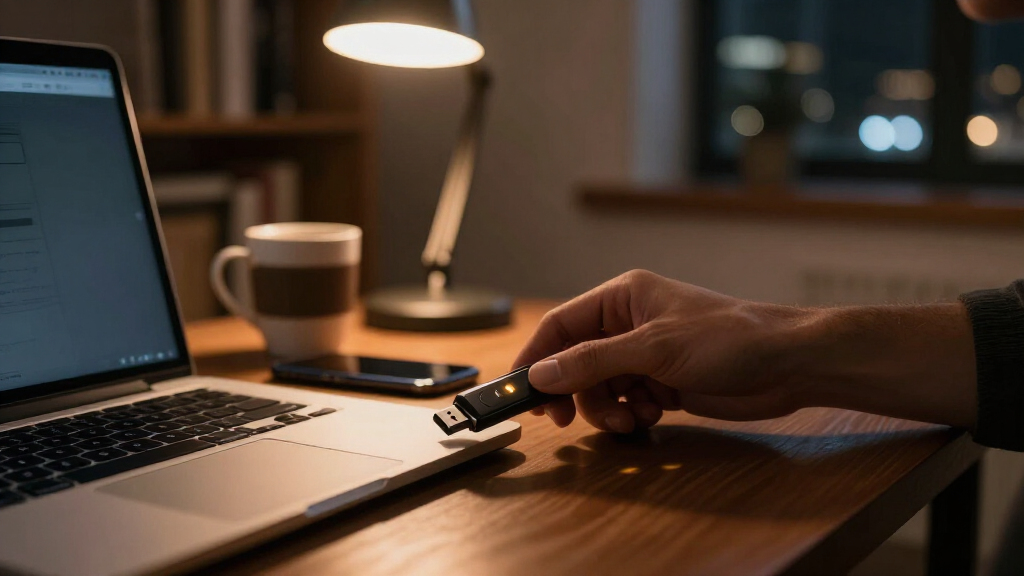

Hardware security keys are the strongest defense against phishing and account takeover, and they work by requiring a physical key tap alongside your password or passkey. The Yubico YubiKey 5C NFC stands out as the best overall pick because it combines USB-C and NFC in a durable body with the broadest protocol support of any key here, including FIDO2, passkeys, and one-time codes. If you want similar capability on a tighter budget, the Yubico Security Key C NFC covers the core FIDO login use case for less, while the Thetis FIDO2 2-pack makes the most sense for outfitting multiple accounts or family members cheaply. The main tradeoffs in this category come down to connector type (USB-A versus USB-C versus NFC), whether you need passkey storage or just two-factor login, and whether you buy one key or a backup pair. Read on for the full breakdown of all six keys and which one fits your setup.

Get privacy and security gear delivered free — and shop member deals
- Fast, free delivery on millions of items
- Access to Prime Big Deal Days deals on October 6–7
- Prime Video, Amazon Music and more included
Key Takeaways
- Connector compatibility decided more rankings than any other factor — the YubiKey 5C NFC and Security Key C NFC earned top spots largely because USB-C plus NFC covers modern laptops and phones with one key.
- Passkey support is the biggest split between premium and budget tiers: only the YubiKey 5-series keys store discoverable credentials, while the Thetis and SecuX keys handle FIDO2 login but not resident passkeys.
- The Thetis 2-pack exposed a smart buying pattern — two cheap keys often protect you better than one expensive key, since a lost or broken single key can lock you out of your accounts.
- The SecuX PUFido’s PUF chip technology is genuine hardware differentiation, but its value depends on high-security use cases rather than everyday account login.
- Yubico dominates this lineup on protocol breadth (PIV, OpenPGP, OTP), which matters for developers and enterprises but is overkill for buyers who just want phishing-proof 2FA on a few accounts.
| Yubico YubiKey 5C NFC – Multi-Factor Authentication Security Key & Passkey |  | Best Overall | Connectivity: USB-C, NFC | Protocols: FIDO2/WebAuthn, FIDO U2F, Yubico OTP, OATH-TOTP/HOTP, Smart card (PIV), OpenPGP | Passkey (FIDO2) Slots: 100 | VIEW LATEST PRICE | See Our Full Breakdown |
| SecuX PUFido USB-C Security Key with PUF Technology, FIDO2/U2F Certified |  | Best Tamper Resistance | Interface: USB-C | Certification: FIDO2/U2F | Security Technology: PUF (Physical Unclonable Function) | VIEW LATEST PRICE | See Our Full Breakdown |
| Yubico Security Key C NFC – FIDO Certified Multi-Factor Authentication Security Key |  | Best for Beginners | Connectivity: USB-C, NFC | Certification: FIDO2/WebAuthn, FIDO U2F | Firmware: 5.7 | VIEW LATEST PRICE | See Our Full Breakdown |
| Yubico YubiKey 5 NFC USB-A Security Key |  | Best for USB-A Desktops | Connectivity: USB-A, NFC | Protocols: FIDO2/WebAuthn, FIDO U2F, Yubico OTP, OATH-TOTP/HOTP, PIV, OpenPGP | Firmware: 5.7 | VIEW LATEST PRICE | See Our Full Breakdown |
| Thetis FIDO2 Security Key (USB-A, 2-Pack) |  | Best Value Backup Pair | Connector: USB-A | Quantity: 2-Pack | Certification: FIDO2 L1 | VIEW LATEST PRICE | See Our Full Breakdown |
| Yubico YubiKey 5C Multi-Factor Authentication Security Key (USB-C) |  | Best for USB-C-Only Laptops | Brand: Yubico | Model: YubiKey 5C (Y-243) | Connection: USB-C | VIEW LATEST PRICE | See Our Full Breakdown |
| hardware security key | Power | Connectivity | Protocols | Firmware |
|---|---|---|---|---|
| Yubico YubiKey 5C NFC | No batteries or internet required | USB-C, NFC | FIDO2/WebAuthn, FIDO U2F, Yubico OTP, OATH-TOTP/HOTP, Smart card (PIV), OpenPGP | 5.7 |
| SecuX PUFido USB-C Security Ke | No batteries required | — | — | — |
| Yubico Security Key C NFC | No batteries or internet required | USB-C, NFC | — | 5.7 |
| Yubico YubiKey 5 NFC USB-A Sec | No batteries required | USB-A, NFC | FIDO2/WebAuthn, FIDO U2F, Yubico OTP, OATH-TOTP/HOTP, PIV, OpenPGP | 5.7 |
| Thetis FIDO2 Security Key | No batteries required | — | — | — |
| Yubico YubiKey 5C Multi-Factor | — | — | FIDO2/WebAuthn, FIDO U2F, Yubico OTP, OATH-TOTP/HOTP, Smart card (PIV), OpenPGP | — |
More Details on Our Top Picks
Yubico YubiKey 5C NFC – Multi-Factor Authentication Security Key & Passkey
The YubiKey 5C NFC earns the top spot because it covers more ground than anything else in this lineup. Unlike the Yubico Security Key C NFC, which sticks to FIDO2 and U2F, this model adds Yubico OTP, OATH-TOTP/HOTP, PIV smart card, and OpenPGP support — meaning it handles legacy enterprise logins and code-generation apps alongside modern passkeys. With up to 100 passkey slots on firmware 5.7, it accommodates a large portfolio of accounts without running out of room, and the dual USB-C plus NFC connection covers both laptops and tap-to-authenticate phones. The tradeoff is port coverage: USB-C only means older desktops with USB-A ports are out of luck without an adapter, which is exactly why the YubiKey 5 NFC exists in this guide. Compared with the SecuX PUFido, it gives up the PUF hardware-rooting gimmick in exchange for far broader protocol and service compatibility.
Pros:- Full protocol coverage: FIDO2/WebAuthn, OTP, OATH, PIV, and OpenPGP in one device
- Dual USB-C and NFC connectivity works across laptops and phones
- 100 passkey slots on firmware 5.7 for large account portfolios
- No batteries, no internet connection, no subscription fees
- Water- and crush-resistant build that survives keychain life
Cons:- USB-C only, incompatible with USB-A ports without an adapter
- Yubico recommends buying a second spare key to avoid lockouts, doubling cost
- NFC tap only works with NFC-enabled phones and devices
Best for: Power users and IT professionals who manage many accounts across phones and modern USB-C laptops and want one key for every protocol
Not ideal for: Anyone still relying on USB-A desktops or older Windows machines — the USB-C-only plug leaves them stranded
- Connectivity:USB-C, NFC
- Protocols:FIDO2/WebAuthn, FIDO U2F, Yubico OTP, OATH-TOTP/HOTP, Smart card (PIV), OpenPGP
- Passkey (FIDO2) Slots:100
- Firmware:5.7
- Dimensions:0.15″D x 0.7″W x 1.77″H
- Durability:Crush resistant, water resistant, keychain-ready
- Power:No batteries or internet required
Our verdict“If you want a single key that handles every authentication standard on modern hardware, this is the one to buy — just budget for a backup.”
SecuX PUFido USB-C Security Key with PUF Technology, FIDO2/U2F Certified
The SecuX PUFido stands out for one reason the Yubico options can’t match: PUF (Physical Unclonable Function) technology, which roots each key’s identity in the unique physical characteristics of its silicon. In practice, that makes the key effectively impossible to clone even if an attacker gets physical access — a genuine advantage over standard FIDO2 keys for anyone worried about sophisticated, hands-on attacks. Like the YubiKey 5C NFC, it handles phishing-resistant passwordless login and 2FA, but it keeps its scope narrower: FIDO2 and U2F only, so no OTP codes, no PIV, no OpenPGP. That focus is fine for most personal accounts, but enterprise users with legacy systems will miss the YubiKey’s protocol breadth. Its compact keychain-friendly design and plug-and-play behavior across Windows, macOS, Linux, iOS, and Android make it a low-friction choice, though USB-C-only connectivity limits older hardware.
Pros:- PUF hardware-rooting makes the key effectively unclonable
- FIDO2 certified for phishing-resistant passwordless login
- Broad OS support across Windows, macOS, Linux, iOS, and Android
- Compact, portable design that fits on a keychain
Cons:- USB-C only, requiring an adapter for USB-A ports
- You must register a backup key to avoid lockout if the primary is lost
- No OTP, PIV, or OpenPGP support unlike the YubiKey 5 series
Best for: Security-conscious users who prioritize hardware-level tamper resistance and clone protection over protocol breadth
Not ideal for: Enterprise or developer users who need OTP, PIV, or OpenPGP support — this key speaks FIDO2 and U2F only
- Interface:USB-C
- Certification:FIDO2/U2F
- Security Technology:PUF (Physical Unclonable Function)
- Compatibility:Windows, macOS, Linux, iOS, Android
- Power:No batteries required
- Design:Compact keychain form factor, plug-and-play
Our verdict“This pick makes the most sense for buyers who value silicon-level clone protection and don’t need legacy protocol support.”
Yubico Security Key C NFC – FIDO Certified Multi-Factor Authentication Security Key
For someone setting up their first hardware key, the Yubico Security Key C NFC strips away everything intimidating. It does one thing — phishing-resistant FIDO2/WebAuthn and U2F authentication — and does it across hundreds of services including Google, Microsoft, and Apple. Where the YubiKey 5C NFC piles on OTP, PIV, and OpenPGP for advanced users, this model deliberately omits them, which matters if you later want to use the Yubico Authenticator app for TOTP codes: this key won’t work with it. The dual USB-C and NFC connectivity matches the 5C NFC, so tapping a phone or plugging into a laptop both work, and the waterproof, crush-resistant housing at just 0.16 ounces disappears on a keychain. The tradeoff is ceiling: it’s a simpler tool that most people will outgrow if they adopt enterprise logins or code-based authentication down the road.
Pros:- Simple FIDO2/WebAuthn and U2F setup with no advanced configuration
- Dual USB-C and NFC connectivity for phones and computers
- No batteries, internet connection, or subscription fees
- Lightweight, waterproof, crush-resistant construction
Cons:- No One-Time Password (OTP) support
- Incompatible with the Yubico Authenticator App
- Buying a recommended spare key doubles the total investment
Best for: First-time hardware key owners who want simple FIDO2 passkey protection for personal accounts like Google, Apple, and Microsoft
Not ideal for: Users who need OTP codes or the Yubico Authenticator app — the 5 Series is required for those features
- Connectivity:USB-C, NFC
- Certification:FIDO2/WebAuthn, FIDO U2F
- Firmware:5.7
- Weight:0.16 ounces
- Dimensions:0.1 x 1.8 x 0.7 inches
- Durability:Waterproof, crush-resistant housing
- Power:No batteries or internet required
Our verdict“This is the right entry point if you want passkey security without paying for protocols you’ll never touch.”
Yubico YubiKey 5 NFC USB-A Security Key
Plenty of offices and home setups still run on USB-A ports, and the YubiKey 5 NFC is the answer the other entries here can’t provide. Unlike the USB-C-only YubiKey 5C NFC and SecuX PUFido, this model plugs into the older, still-ubiquitous connector while keeping NFC for phone authentication — the most flexible port pairing in this roundup for mixed-device households. It retains the full 5 Series protocol stack: FIDO2/WebAuthn, FIDO U2F, Yubico OTP, OATH-TOTP/HOTP, PIV, and OpenPGP, with firmware 5.7 and compatibility with over 1,000 accounts. That makes it functionally the equal of the 5C NFC, just with a different plug. The drawback is direction of travel: USB-C is the standard on new laptops and phones, so this key may eventually need replacing as hardware cycles through. As with every key here, a lost primary means lockout without a registered spare.
Pros:- USB-A and NFC connectivity covers legacy desktops and modern phones
- Full protocol suite including OTP, OATH, PIV, and OpenPGP
- Works with over 1,000 account services
- No batteries, internet connection, or ongoing fees
Cons:- USB-A connector is increasingly outdated on new hardware
- A spare key is recommended to avoid lockout if lost
- Bulkier plug than USB-C models for keychain carry
Best for: Users with older USB-A desktops or workstations who still want full YubiKey 5 protocol support plus NFC for phones
Not ideal for: Anyone with an all-USB-C setup — the wide USB-A plug is awkward or unusable on port-slim modern laptops
- Connectivity:USB-A, NFC
- Protocols:FIDO2/WebAuthn, FIDO U2F, Yubico OTP, OATH-TOTP/HOTP, PIV, OpenPGP
- Firmware:5.7
- Account Compatibility:Over 1,000 accounts
- Power:No batteries required
- Authentication Modes:Passkey sign-in and multi-factor authentication
Our verdict“If your machines still favor USB-A, this is the full-featured key to get — just don’t expect it to age gracefully into an all-USB-C future.”
Thetis FIDO2 Security Key (USB-A, 2-Pack)
Every other key in this guide arrives alone, and every manufacturer quietly recommends you buy a second one. The Thetis FIDO2 2-Pack solves the backup problem upfront: you get a primary key and a registered spare in one purchase, addressing the single biggest risk of hardware authentication — losing access to your accounts. Each key carries FIDO2 L1 certification for passkey login to Gmail, GitHub, Coinbase, Salesforce, and other major services, and the rotating metal cover adds genuine water, crush, and tamper resistance in a way plastic-bodied rivals don’t attempt. Compared with the Yubico Security Key C NFC, you sacrifice NFC tap authentication and NFC phone support entirely, and USB-A limits newer laptops. There are also platform quirks: Windows Hello login works only with Enterprise editions supporting Entra ID, and ID Austria users need FIDO2 Level 2, which this key doesn’t meet.
Pros:- Two keys included, solving the backup/lockout problem out of the box
- FIDO2 L1 certified for enterprise-grade authentication
- Rotating metal cover resists water, crush, and tampering
- Works with major services including Gmail, GitHub, Coinbase, and Salesforce
Cons:- No NFC support at all
- Windows Hello login limited to Windows Enterprise editions with Entra ID
- Incompatible with ID Austria, which requires FIDO2 Level 2
Best for: Budget-minded buyers who want a primary and backup key in a single purchase for personal and business 2FA
Not ideal for: Phone-first users and anyone on Windows Home — no NFC and Enterprise-only Windows Hello support leave gaps
- Connector:USB-A
- Quantity:2-Pack
- Certification:FIDO2 L1
- NFC:Not supported
- Power:No batteries required
- Setup:PIN configuration via Thetis Manager App
- Durability:Rotating metal cover; water, crush, and tamper resistant
Our verdict“This pick makes the most sense for pragmatic buyers who want a spare key included rather than buying two YubiKeys separately.”
Yubico YubiKey 5C Multi-Factor Authentication Security Key (USB-C)
The YubiKey 5C is the pick for anyone living entirely in the USB-C ecosystem — a modern MacBook, a recent iPad Pro, or a current-generation Windows laptop. Compared with the YubiKey 5C NFC, it trades wireless tap-to-authenticate for a slimmer, key-only form factor, and that matters if you never plan to touch your phone with it. Where the budget Thetis FIDO2 2-Pack covers basic FIDO2 only, this key adds OATH-TOTP/HOTP, Smart card (PIV), and OpenPGP, which makes it a genuine work tool for developers signing commits or admins managing certificates. The fiberglass-reinforced body is waterproof and crush-resistant with no batteries to charge. The tradeoff is strict: a single USB-C connector and no NFC means it is dead weight on older USB-A desktops and can’t tap a phone — so a mixed-device household should step up to the NFC model.
Pros:- Full protocol stack including FIDO2/WebAuthn, OATH, PIV, and OpenPGP for enterprise and developer workflows
- Phishing-resistant authentication works with 1000+ services including Google, Microsoft, and Apple
- Waterproof, crush-resistant build with no batteries, subscriptions, or network dependency
- Extremely compact at 0.2 ounces, comfortable on a keyring or in a laptop sleeve
Cons:- USB-C only — useless on older USB-A ports and no NFC fallback for phones
- Yubico recommends a second backup key, which doubles the outlay for a full setup
- Advanced protocols like PIV and OpenPGP require technical know-how most casual users don’t need
Best for: Professionals with all-USB-C setups who need advanced protocols like OpenPGP and PIV alongside everyday passkey login
Not ideal for: Households or travelers mixing USB-A desktops and phones — no NFC and no USB-A adapter means it won’t authenticate on either
- Brand:Yubico
- Model:YubiKey 5C (Y-243)
- Connection:USB-C
- Protocols:FIDO2/WebAuthn, FIDO U2F, Yubico OTP, OATH-TOTP/HOTP, Smart card (PIV), OpenPGP
- Compatibility:Windows, macOS, ChromeOS, Linux
- Dimensions:0.49 x 1.16 x 0.2 inches
- Weight:0.2 ounces
- Build:Waterproof, crush-resistant, no batteries required
Our verdict“Buy this if every device you own has a USB-C port and you want the full YubiKey protocol suite; otherwise the 5C NFC covers more ground for similar effort.”
How We Picked
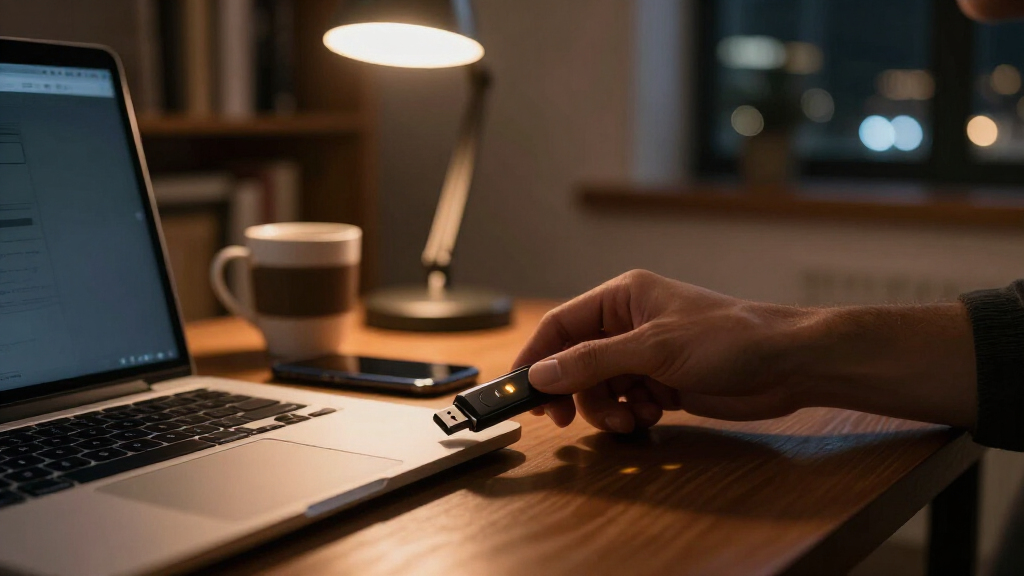
I ranked these hardware security keys by the factors that actually determine whether a key works in daily life: connector coverage (USB-A, USB-C, NFC), protocol support (FIDO2, U2F, passkeys, and extended protocols like PIV and OpenPGP), build durability, and how well each key serves a realistic buyer type rather than a spec sheet. A key that cannot plug into your phone or laptop is useless no matter how strong its cryptography is, so connector flexibility carried heavy weight in the ordering.
Value was judged per use case, not per dollar alone. A two-pack of basic keys can outperform a single premium key for buyers who need redundancy, while a single multi-protocol key makes more sense for someone consolidating dozens of accounts. I also penalized keys for hidden limitations — missing passkey storage, single-connector designs, or certification gaps — because those are the details that surprise buyers after purchase.
| hardware security key | Connectivity | Protocols | Durability | Power |
|---|---|---|---|---|
| Yubico YubiKey 5C NFC | USB-C, NFC | FIDO2/WebAuthn, FIDO U2F, Yubico OTP, OATH-TOTP/HOTP, Smart card (PIV), OpenPGP | Crush resistant, water resistant, keychain-ready | No batteries or internet required |
| SecuX PUFido USB-C Security Ke | — | — | — | No batteries required |
| Yubico Security Key C NFC | USB-C, NFC | — | Waterproof, crush-resistant housing | No batteries or internet required |
| Yubico YubiKey 5 NFC USB-A Sec | USB-A, NFC | FIDO2/WebAuthn, FIDO U2F, Yubico OTP, OATH-TOTP/HOTP, PIV, OpenPGP | — | No batteries required |
| Thetis FIDO2 Security Key | — | — | Rotating metal cover; water, crush, and tamper resistant | No batteries required |
| Yubico YubiKey 5C Multi-Factor | — | FIDO2/WebAuthn, FIDO U2F, Yubico OTP, OATH-TOTP/HOTP, Smart card (PIV), OpenPGP | — | — |
Factors to Consider When Choosing Hardware Security Keys
Choosing a hardware security key is mostly about matching the key’s connectors and capabilities to the devices and accounts you actually use. These are the factors that separate a satisfying purchase from one that ends up in a drawer.Connector Type and NFC
The single most common mistake buyers make is picking the wrong connector. Check what your primary laptop and phone use before ordering: most modern machines are USB-C, but plenty of desktops and older laptops still rely on USB-A. NFC adds real value if you authenticate with an Android phone or iPhone, because you tap the key against the back of the device instead of carrying an adapter. A key with both USB-C and NFC, like the 5C NFC, covers the widest range of hardware with a single purchase. If you own a mix of old and new devices, a USB-A key with NFC is often more practical than a USB-C-only model, since USB-A ports can’t accept USB-C keys without an adapter. Buy for the devices you’ll have in two years, not just the ones on your desk today.
Passkey Support Versus Plain 2FA
Not every FIDO2 key behaves the same way, and this is where spec sheets mislead buyers. Basic keys handle two-factor authentication, where the key confirms a password login. Keys with discoverable credential (passkey) support can store resident credentials on the key itself, letting you sign in with just a username and a tap — no password at all. Passkey storage is limited by the key’s onboard memory, typically 25 credentials on premium keys, so heavy users may still rely on synced passkeys for low-stakes accounts. If your goal is passwordless login, confirm the key explicitly lists discoverable credentials, not just FIDO2 certification. Buyers who only want phishing-resistant 2FA on email and banking can save money with a non-passkey key.
Always Buy Two Keys
This is the advice most buyers skip and later regret. If your account is protected solely by one hardware key and that key is lost, stolen, washed, or snapped in a USB port, you may face a lengthy account recovery process — or permanent lockout on services with strict security policies. Register a primary key and a backup key on every important account, and store the backup somewhere separate from your daily carry, like a safe or a relative’s home. This is exactly why budget multi-packs make sense for many buyers: two inexpensive keys often provide better real-world security than one flagship key. Also print and store the one-time recovery codes each service gives you, because even a spare key won’t help with every account.
Protocol Breadth Beyond FIDO
FIDO2 and U2F cover consumer logins, but premium keys add protocols that matter for specific audiences. PIV supports smart-card certificate login used by some enterprises and government systems, OpenPGP enables encrypted email and Git commit signing, and OTP generates one-time codes for legacy services that don’t support FIDO at all. If you’re a developer, sysadmin, or work in a regulated environment, these protocols justify a 5-series key. If you’re protecting a personal email account and a few social profiles, paying for protocols you’ll never invoke is wasted money. Match the key’s protocol list to the systems you log into today, and check whether your workplace mandates a specific certification before buying.
Durability and Daily Carry
A security key lives on your keychain, which means it gets dropped, scratched, and subjected to pocket lint and weather. Look for water and dust resistance, reinforced bodies, and no fragile moving parts — a key with a recessed connector or solid molding survives years of carry better than one with exposed circuitry. Size also matters more than it seems: a key that protrudes awkwardly from a laptop’s USB-C port is at risk of snapping if the laptop gets bumped. Some slim keys are designed to stay inserted permanently, which suits desktop users but not travelers. Consider whether you’ll carry the key daily or leave it plugged into one machine, and choose a form factor accordingly.
Service Compatibility Checklist
Before buying any key, verify that the accounts you care about actually support hardware security keys. Most major email, social, and financial services now support FIDO2, but some banks and corporate tools still only offer SMS or app-based codes, and a few services restrict which keys they accept. Check each service’s two-factor settings page for a “security key” option and note whether NFC or only physical USB is supported. Also confirm the key works with your browser and operating system — FIDO2 support is broad on current Chrome, Safari, Edge, Firefox, Windows, macOS, Linux, Android, and iOS, but very old software can be a problem. Five minutes of checking beats a key that can’t protect your most important account.
Frequently Asked Questions
Do I need a YubiKey 5-series key, or is a cheaper FIDO2 key enough?
It depends entirely on what you’re protecting and how you log in. A cheaper FIDO2-certified key fully protects you against phishing on any service that supports security keys — the underlying cryptography is the same standard. What the 5-series adds is passkey storage for passwordless login, plus extended protocols like PIV, OpenPGP, and OTP that developers and enterprise users need. If your goal is simply locking down your email and banking with phishing-resistant 2FA, a basic certified key does the job. If you want to ditch passwords entirely or sign Git commits, the premium tier earns its price.
USB-A or USB-C — which connector should I choose?
Choose based on your newest device, not your oldest. USB-C is the standard on current laptops and phones, and a USB-C key with NFC can also tap against mobile devices without a port. USB-A remains useful if you have an older desktop or a company-issued machine without USB-C ports. If you’re torn, NFC softens the decision: a USB-A key with NFC still works wirelessly with modern phones, and a USB-C key works with older ports through a cheap adapter. The worst outcome is a USB-C-only key paired with a USB-A-only desktop, so audit your actual hardware before ordering.
Why do people say to buy two security keys?
Because a hardware key can be lost, stolen, or damaged, and losing your only key can mean losing access to your accounts entirely. Most services let you register multiple keys, and the standard practice is to keep one on your keychain and a second in a safe place as a backup. This is also why multi-packs are attractive — two modest keys often deliver better real-world account protection than one flagship key with no fallback. Pair the second key with printed recovery codes and you’ve covered nearly every lockout scenario. Registering the backup takes five minutes per account and saves potential weeks of identity-verification hassle.
Can I use one security key across multiple accounts and devices?
Yes, and that’s the intended design. A single FIDO2 key can be registered on dozens of different services — Google, GitHub, Facebook, password managers, and more — with each service creating its own unique credential on the same key. The same key also moves freely between devices as long as the connector and protocol match. The only real limit is discoverable passkey storage, which caps out around 25 resident credentials on premium keys. For non-discoverable 2FA logins, there’s effectively no practical account limit, so one key plus one backup can secure your entire digital life.
What happens if my security key breaks or I lose it?
Your accounts stay protected but inaccessible until you recover them, which is why preparation matters more than the key itself. When you set up each key, the service gives you recovery codes — store those printed and offline, because they bypass the key requirement. If you registered a backup key, you simply use it to sign in and register a replacement. Without either, you’re at the mercy of each service’s account recovery process, which for security-focused providers can involve days of identity verification. Treat the recovery codes as seriously as the key itself, and update your registered keys whenever one is retired.
Conclusion
The right hardware security key depends less on raw specs and more on your devices and habits. For best overall, the Yubico YubiKey 5C NFC is the pick I’d point most buyers toward — USB-C plus NFC covers laptops and phones, and its passkey and multi-protocol support make it future-proof. For best value, the Thetis FIDO2 2-pack delivers the core phishing-resistant protection in duplicate, which is smarter security than a single premium key for most households. The Yubico Security Key C NFC is the best choice for beginners who want the trusted FIDO experience without paying for protocols they won’t use.
For best premium, the YubiKey 5 NFC (USB-A) suits buyers anchored to older ports who still want full 5-series capability, while the YubiKey 5C serves users who want that same capability in a slim USB-C-only form for a permanently plugged-in setup. For a specific security-focused need, the SecuX PUFido and its PUF-based hardware root of trust appeals to buyers with high-security requirements rather than casual account protection. Whatever you choose, order two keys, register both everywhere, and store your recovery codes somewhere safe — that habit protects you more than any single product on this list.
Fall Picks
fall essentials
As an affiliate, we earn on qualifying purchases.