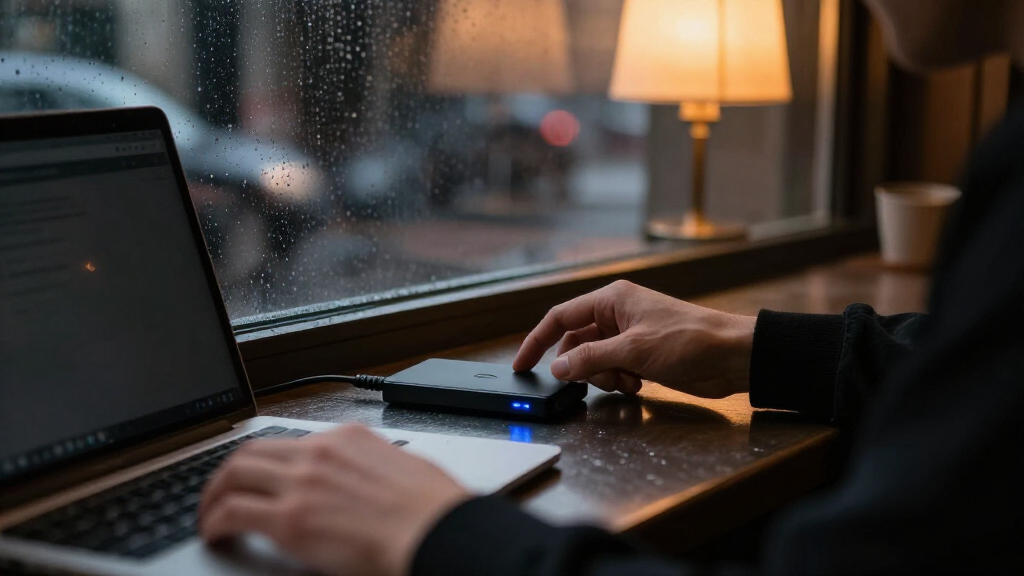

Shopping for encrypted external hard drives usually comes down to one core tradeoff: genuine hardware encryption with a physical keypad costs more per terabyte, while cheaper software-encrypted drives trade real security for capacity and convenience. The Apricorn Aegis Padlock DT 2TB stands out as my best overall pick because its hardware encryption, onboard keypad, and brute-force self-destruct logic protect data even against a stolen drive. If speed matters more than raw capacity, the 1TB Touchscreen Encrypted SSD at up to 2,000MB/s is the performance standout, while the WD My Passport lineup offers the best value if software-based 256-bit encryption fits your threat model. The portable Apricorn Padlock drives fill the middle ground for people who need military-grade security in a travel-sized shell. Keep reading for the full breakdown of where each drive wins and where it falls short.

Get privacy and security gear delivered free — and shop member deals
- Fast, free delivery on millions of items
- Access to Prime Big Deal Days deals on October 6–7
- Prime Video, Amazon Music and more included
Key Takeaways
- Hardware encryption with a physical keypad (the three Apricorn Padlock drives) costs roughly double per terabyte compared with software-encrypted drives like the WD My Passport, but it protects data even if the drive is stolen and plugged into another machine.
- The 1TB touchscreen SSD is the only flash-based drive in this lineup, delivering up to 2,000MB/s versus roughly 100-140MB/s from the spinning Apricorn and WD drives — the single biggest performance gap in the comparison.
- The WD My Passport family spans 2TB, 4TB and 6TB at the lowest cost per terabyte, making it the clear choice when capacity and budget outrank tamper resistance.
- Within the Apricorn line, the desktop DT model suits fixed workstation backups while the portable 500GB and 2TB Padlocks target travelers — same encryption, different form factors and use cases.
- None of these drives require software installation on the host machine except the WD drives’ optional utility, which matters if you plan to use the drive across locked-down work computers or public terminals.
| 1TB Touchscreen Encrypted External SSD, Up to 2,000MB/s |  | Best for Fast, Visible Transfers | Capacity: 1TB | Maximum read speed: Up to 2,000MB/s | Maximum write speed: Up to 1,800MB/s | VIEW LATEST PRICE | See Our Full Breakdown |
| Apricorn Aegis Padlock DT 2TB Encrypted USB 3.0 Hard Drive |  | Best for Managed Desktop Security | Storage capacity: 2TB | Interface: USB 3.0 | Encryption: 256-bit AES XTS hardware encryption | VIEW LATEST PRICE | See Our Full Breakdown |
| WD My Passport 4TB Portable External Hard Drive, Black |  | Best for High-Capacity Everyday Backups | Brand: WD | Model: My Passport | Capacity: 4TB | VIEW LATEST PRICE | See Our Full Breakdown |
| Apricorn Aegis Padlock 500GB USB 3.0 Hardware-Encrypted Portable External Hard Drive |  | Best Compact Pick for Physical Security | Storage capacity: 500GB | Interface: USB 3.0 | Encryption: 256-bit AES XTS hardware encryption | VIEW LATEST PRICE | See Our Full Breakdown |
| Apricorn Aegis Padlock 2TB USB 3.0 Hardware-Encrypted Portable Hard Drive | | Best Value for Keypad-Controlled Capacity | Storage capacity: 2TB | Interface: USB 3.0 | Encryption: AES XTS 256-bit hardware encryption | VIEW LATEST PRICE | See Our Full Breakdown |
| WD My Passport 2TB Portable External Hard Drive, Black |  | Best Budget-Friendly Encryption | Storage capacity: 2 TB | Interface: USB 2.0 / USB 3.0 | Form factor: 2.5-inch portable hard drive | VIEW LATEST PRICE | See Our Full Breakdown |
| WD My Passport 6TB Portable External Hard Drive, Black |  | Best High-Capacity Value | Brand: WD | Model: My Passport | Capacity: 6 TB | VIEW LATEST PRICE | See Our Full Breakdown |
| encrypted external hard drife | Interface | Security | Storage capacity |
|---|---|---|---|
| 1TB Touchscreen Encrypted Exte | USB 3.2 Gen 2×2, 20Gbps | Hardware encryption and password protection | — |
| Apricorn Aegis Padlock DT 2TB | USB 3.0 | — | 2TB |
| WD My Passport 4TB Portable Ex | — | Password protection and hardware encryption | — |
| Apricorn Aegis Padlock 500GB U | USB 3.0 | — | 500GB |
| Apricorn Aegis Padlock 2TB USB | USB 3.0 | — | 2TB |
| WD My Passport 2TB Portable Ex | USB 2.0 / USB 3.0 | Password protection with hardware encryption | 2 TB |
| WD My Passport 6TB Portable Ex | USB 3.1 / USB 3.0 | Password protection with hardware encryption | — |
More Details on Our Top Picks
1TB Touchscreen Encrypted External SSD, Up to 2,000MB/s
This is the speed-focused pick for buyers who want encrypted storage and a live view of what the drive is doing. Its touchscreen reports transfer speed, temperature, and remaining capacity, while hardware encryption and password protection add a security layer without relying on software alone. The advertised read speed reaches 2,000MB/s, well ahead of the USB 3.0 Apricorn Aegis Padlock drives, but the drive needs a compatible USB 3.2 Gen 2×2 connection to reach its ceiling. Its 1TB capacity is also much smaller than the WD My Passport 4TB. The magnetic zinc alloy design suits mobile setups, and compatible Apple devices can record ProRes directly to it. Choose this for fast active work; skip it if you mainly need a large archive.
Pros:- Hardware encryption and password protection
- Touchscreen displays speed, temperature, and capacity
- Advertised read speeds up to 2,000MB/s and write speeds up to 1,800MB/s
- Magnetic zinc alloy design supports portable setups
Cons:- Reaching peak speeds requires a compatible USB 3.2 Gen 2×2 connection
- 1TB capacity is lower than the WD My Passport 4TB
- Direct ProRes recording depends on a compatible Apple device
Best for: Video creators and mobile professionals who need encrypted 1TB storage, status monitoring, and fast transfers over a compatible USB-C connection
Not ideal for: Archive-focused buyers who need several terabytes, or users whose devices lack USB 3.2 Gen 2×2 and cannot benefit from its advertised peak speed
- Capacity:1TB
- Maximum read speed:Up to 2,000MB/s
- Maximum write speed:Up to 1,800MB/s
- Interface:USB 3.2 Gen 2×2, 20Gbps
- Security:Hardware encryption and password protection
- Display:Touchscreen with speed, temperature, and capacity monitoring
- Housing:Zinc alloy
- ProRes recording:Supported on compatible Apple devices, including 4K 60fps and 4K 120fps
Our verdict“Pick this SSD for fast, monitored encrypted storage on compatible devices, but choose a higher-capacity drive for a large archive.”
Apricorn Aegis Padlock DT 2TB Encrypted USB 3.0 Hard Drive
For a desk-bound setup where PIN controls matter more than portability, the Aegis Padlock DT offers a deeper set of access controls than the portable Apricorn Aegis Padlock 2TB. It uses 256-bit AES XTS hardware encryption and supports separate Admin and User PINs, recovery PINs, auto-lock, read-only modes, and brute-force defense. Because it works without software installation, it can suit managed computers where installing utilities is restricted. Its 2TB capacity doubles the 1TB touchscreen SSD’s storage, but USB 3.0 and a 3.5-inch desktop form make it a fixed-location choice rather than a quick-carry drive. The AC adapter adds another cable and power requirement. I’d choose it for controlled desktop access; the WD My Passport 4TB is a more portable option with greater capacity.
Pros:- 256-bit AES XTS hardware encryption with keypad PIN authentication
- Separate Admin and User PINs plus recovery PINs
- Auto-lock, read-only modes, and brute-force defense
- Works without software installation or administrator rights
Cons:- 3.5-inch desktop form factor is less portable than the WD My Passport 4TB
- Requires an AC adapter and a USB 3.0 connection
- 2TB capacity is lower than the 4TB WD My Passport
Best for: Small offices and administrators who need PIN-managed encrypted storage with separate user access on a desktop
Not ideal for: Travelers or laptop users who need a compact, bus-powered drive; this desktop model needs an AC adapter
- Storage capacity:2TB
- Interface:USB 3.0
- Encryption:256-bit AES XTS hardware encryption
- Form factor:3.5 inches
- Rotational speed:7200 rpm
- Authentication:Keypad PIN; separate Admin and User PINs
- Security controls:Recovery PINs, auto-lock, read-only modes, and brute-force defense
- Included accessories:USB 3.0 cable, AC adapter, and Quick Start Manual
Our verdict“Choose this for PIN-managed, software-free desktop security, but pick a portable drive for travel or a larger archive.”
WD My Passport 4TB Portable External Hard Drive, Black
The WD My Passport 4TB is the capacity-first choice for buyers who want a portable drive with password protection and hardware encryption, alongside device management software with ransomware protection. Compared with the 2TB Apricorn Aegis Padlock, it holds twice as much data, making it a better fit for larger backup sets; the Apricorn, though, specifies keypad PIN controls and AES XTS encryption. WD’s listed security details are less specific, so buyers who need clearly documented access controls may prefer the Apricorn Aegis Padlock DT. The slim design and USB 3.1 / USB 3.0 connectivity suit everyday carrying, but the supplied information does not state a transfer-speed ceiling or a keypad. This pick favors capacity and software features over granular hardware access controls.
Pros:- 4TB capacity exceeds the 2TB Apricorn Aegis Padlock models
- Password protection and hardware encryption
- Device management software includes ransomware protection
- Slim portable design with USB 3.1 / USB 3.0 connectivity
Cons:- Listed security details do not specify an encryption standard or keypad PIN controls
- No maximum transfer speed is provided in the product details
- Its 4TB capacity is lower than the WD My Passport 6TB in this roundup
Best for: Laptop owners and home users who need a portable 4TB backup drive with password protection and bundled ransomware protection software
Not ideal for: Security administrators who require specified AES XTS encryption and keypad PIN management, or buyers who need a stated high-speed transfer rate
- Brand:WD
- Model:My Passport
- Capacity:4TB
- Color:Black
- Connectivity:USB 3.1 / USB 3.0
- Security:Password protection and hardware encryption
- Software:Device management software with ransomware protection
- Warranty:3-year limited warranty
Our verdict“Choose the WD My Passport 4TB for roomy portable backups and bundled software, but favor Apricorn for specified PIN-based security controls.”
Apricorn Aegis Padlock 500GB USB 3.0 Hardware-Encrypted Portable External Hard Drive
The 500GB Apricorn Aegis Padlock favors explicit encryption and physical attack protections in a small portable hard drive. It uses 256-bit AES XTS hardware encryption with a FIPS PUB 197 validated algorithm, and its wear-resistant keypad lets a user unlock it without installing software or obtaining administrator rights. An epoxy coating and brute-force self-destruct feature add protections that are not listed for the WD My Passport 4TB. Capacity is the clear compromise: 500GB falls well below the 2TB Apricorn Aegis Padlock, so it suits a focused set of sensitive documents better than a broad backup library. USB 3.0 also lacks the speed promise of the touchscreen SSD. Choose this for security details and portability, not bulk storage.
Pros:- 256-bit AES XTS hardware encryption using a FIPS PUB 197 validated algorithm
- Keypad access without software or administrator rights
- Epoxy coating and brute-force self-destruct feature
- Compact portable hard drive design
Cons:- 500GB capacity is far below the 2TB Apricorn Aegis Padlock
- USB 3.0 does not match the advertised speed potential of the touchscreen SSD
- Keypad PIN entry adds a manual access step
Best for: Traveling professionals who need a compact drive for a limited set of sensitive files and value keypad access and physical attack protections
Not ideal for: Photographers, video creators, or backup-focused households that need more than 500GB; the WD My Passport 4TB offers far more space
- Storage capacity:500GB
- Interface:USB 3.0
- Encryption:256-bit AES XTS hardware encryption
- Encryption standard:FIPS PUB 197 validated
- Software required:None
- Security features:Epoxy coating and brute-force self-destruct feature
- Input:Wear-resistant keypad
- Model:A25-3PL256-500
Our verdict“Pick this compact Apricorn for a smaller set of sensitive files and specified physical protections, but choose a higher-capacity model for routine backups.”
Apricorn Aegis Padlock 2TB USB 3.0 Hardware-Encrypted Portable Hard Drive
This portable Apricorn is the practical middle ground for buyers who want keypad-controlled AES XTS encryption and more room than the 500GB Aegis Padlock. Its integrated keypad supports up to five user PINs and one administrator PIN, while its software-free operation can work on USB-enabled systems without administrator rights. At 2TB, it provides four times the 500GB model’s capacity, though the WD My Passport 4TB doubles it again and adds device management software with ransomware protection. The tradeoff is a conventional 2.5-inch hard drive with USB 3.0 and 5400 rpm, rather than the faster SSD approach of the touchscreen model. Its NTFS formatting may also require changes for some Mac workflows. This is a fit for shared, PIN-managed storage, not speed-sensitive editing.
Pros:- AES XTS 256-bit hardware encryption with integrated keypad
- Supports up to five user PINs and one administrator PIN
- Works without software or administrator rights
- Portable 2TB capacity is four times the 500GB Apricorn Aegis Padlock
Cons:- USB 3.0 hard drive is a slower fit for large active projects than the touchscreen SSD
- NTFS preformatting may need adjustment for some Mac workflows
- Requires manual PIN entry at the keypad
Best for: Small teams and PC/Mac users who need portable 2TB storage with multiple PINs and software-free operation
Not ideal for: Mac users who want plug-and-play formatting, or creators moving large files who need SSD-class transfer performance
- Storage capacity:2TB
- Interface:USB 3.0
- Encryption:AES XTS 256-bit hardware encryption
- Form factor:2.5 inches
- Rotational speed:5400 rpm
- Authentication:Integrated keypad; up to five user PINs and one administrator PIN
- Compatibility:USB-enabled operating systems; PC and Mac
- File system:NTFS
- Enclosure material:Aluminum/Glass
Our verdict“Choose this Apricorn for portable, shared 2TB storage with keypad PIN management, but pick an SSD for speed or the WD My Passport 4TB for more capacity.”
WD My Passport 2TB Portable External Hard Drive, Black
For buyers who want hardware encryption without a premium price, this 2TB My Passport is the easiest entry point in the lineup. Unlike the Apricorn Aegis Padlock drives, which handle encryption through an onboard keypad, this model relies on software-based password protection paired with hardware encryption, meaning you’ll need to download and install WD’s tools before your files are actually locked down. That extra setup step is the main tradeoff, and it also means the drive’s security is tied to the software working properly on your machine. Compared with the 1TB Touchscreen Encrypted SSD, you give up speed dramatically — this is a spinning 2.5-inch disk — but you double the capacity and pay far less per terabyte. The included backup software with ransomware protection adds genuine value for everyday users who want a set-and-forget backup routine rather than maximum security.
Pros:- Hardware encryption and password protection included at a low cost per terabyte
- Bundled backup software adds ransomware protection for automated backups
- Compact 2.5-inch form factor slips into a laptop bag easily
- 3-year limited warranty beats many competitors in this price range
Cons:- Encryption and backup tools require a software download and installation before they work
- Spinning-disk speeds are far slower than encrypted SSD options like the touchscreen 1TB model
- Security depends on host software rather than a self-contained hardware unlock
Best for: Students and home users who want encrypted, automated backups of photos and documents without paying SSD or keypad-drive prices
Not ideal for: Anyone transporting highly sensitive client or legal data — the software-dependent unlock is less robust than the Apricorn Padlock’s standalone hardware keypad
- Storage capacity:2 TB
- Interface:USB 2.0 / USB 3.0
- Form factor:2.5-inch portable hard drive
- Color:Black
- Security:Password protection with hardware encryption
- Backup software:Included; download and installation required
- Ransomware protection:Included with backup software
- Warranty:3-year limited warranty
Our verdict“This pick makes the most sense for everyday users who need affordable, encrypted backups and can live with software setup and slower hard-drive speeds.”
WD My Passport 6TB Portable External Hard Drive, Black
When the question is how much encrypted storage you can get per dollar, this 6TB My Passport answers it more convincingly than anything else here. It triples the capacity of the 2TB My Passport while keeping the same slim shell, and it outspaces the 4TB My Passport by enough to matter for photographers and video editors with large archives. The security story mirrors the rest of the My Passport family: password protection and hardware encryption plus device management software with ransomware defense, which means the same caveat applies — you must install the software, and the unlock mechanism isn’t as independently secure as the Apricorn Aegis Padlock DT 2TB, whose keypad authenticates without ever touching your operating system. Speed-wise, this remains a mechanical drive, so the 1TB Touchscreen Encrypted SSD will demolish it on transfer rates. What you’re buying here is sheer encrypted volume for backups, not performance.
Pros:- Massive 6TB capacity in a slim, travel-friendly enclosure
- Password protection and hardware encryption secure the full archive
- Ransomware defense adds a protective layer for backup sets
- USB 3.1 compatibility keeps transfers as fast as the drive allows
Cons:- Encryption and ransomware features require installing WD’s management software
- Mechanical hard drive speeds lag far behind encrypted SSD alternatives
- Losing the password means losing access to your data — no recovery path
Best for: Photographers, video editors, and households backing up multi-terabyte media libraries who want encryption built into the drive
Not ideal for: Users who frequently shuttle working files between machines — mechanical drive speeds and software-dependent unlocking make it a poor daily-carry workhorse
- Brand:WD
- Model:My Passport
- Capacity:6 TB
- Type:Portable external hard drive
- Interface:USB 3.1 / USB 3.0
- Color:Black
- Security:Password protection with hardware encryption
- Software:Device management software with ransomware defense
- Design:Slim and durable
Our verdict“Choose this drive if your priority is the largest possible encrypted backup volume at a low cost per terabyte, and skip it if fast transfers or keypad-based hardware security matter more than capacity.”

How We Picked
My ranking logic starts with the type of encryption, because it’s the single biggest differentiator in this category. Drives with dedicated encryption hardware and an onboard keypad — the Apricorn Padlock family and the touchscreen SSD — decrypt at the device level, meaning no software, no host-side password, and no trace of the decryption key on your computer. Software-encrypted drives like the WD My Passport rely on a utility and your operating system, which is adequate for casual privacy but weaker against a determined attacker. That distinction anchors the top of the ranking.
From there I weighed speed, capacity per dollar, portability, and setup friction. The touchscreen SSD earns its premium spot on transfer speeds no spinning drive can approach; the Padlock DT wins for stationary encrypted backups; the portable Padlocks trade capacity for travel-friendly security; and the three WD My Passport capacities occupy the value tier for buyers whose main concern is keeping prying eyes off a family or small-business backup. Every pick needed a genuine drawback to stay honest — none of them win on every axis.
| encrypted external hard drife | Interface | Security |
|---|---|---|
| 1TB Touchscreen Encrypted Exte | USB 3.2 Gen 2×2, 20Gbps | Hardware encryption and password protection |
| Apricorn Aegis Padlock DT 2TB | USB 3.0 | — |
| WD My Passport 4TB Portable Ex | — | Password protection and hardware encryption |
| Apricorn Aegis Padlock 500GB U | USB 3.0 | — |
| Apricorn Aegis Padlock 2TB USB | USB 3.0 | — |
| WD My Passport 2TB Portable Ex | USB 2.0 / USB 3.0 | Password protection with hardware encryption |
| WD My Passport 6TB Portable Ex | USB 3.1 / USB 3.0 | Password protection with hardware encryption |
Factors to Consider When Choosing Encrypted External Hard Drives
Before settling on a specific drive, it helps to understand what actually separates a secure purchase from an expensive mistake. These are the factors that shaped my rankings and the ones most buyers get wrong.Hardware vs. Software Encryption
This is the decision that drives everything else. Hardware encryption lives on a chip inside the drive, unlocked by a keypad or touchscreen, so the key never touches your computer and the drive works on any machine without installing anything. Software encryption uses a program on your host computer to scramble files, which is cheaper and usually faster to set up but can be defeated by keyloggers, malware, or simply an unlocked laptop. A common mistake is assuming ‘256-bit AES’ on the box means the same thing in both cases — the cipher may be identical, but the attack surface is not. If your threat model includes theft of the drive itself, hardware encryption is worth the premium. If you’re mainly protecting against a curious roommate or a lost bag at a family gathering, software encryption is a reasonable tradeoff.
Capacity vs. Cost Per Terabyte
Encrypted drives punish capacity hunters with a steep price curve. The jump from a 500GB hardware-encrypted portable drive to a 2TB version of the same drive costs more per terabyte than stepping between the software-encrypted WD capacities, where 4TB and 6TB models deliver the lowest cost per terabyte in this comparison. The mistake I see most often is buying encrypted capacity you don’t need — encrypted backups of documents, tax records, and photos rarely require 6TB unless you’re archiving video. A practical approach: audit what you’re actually protecting first, then decide whether a faster, smaller encrypted SSD serves you better than a slower, roomier encrypted HDD at the same price.
Speed: SSD vs. Spinning Disk
Every drive in this roundup except the touchscreen SSD uses a mechanical hard disk, which caps real-world transfers around 100-140MB/s. That’s fine for overnight backups but painful if you regularly move 100GB video projects or large photo libraries. The flash-based SSD runs at up to 2,000MB/s, meaning a full-drive backup that takes an hour on a spinning drive finishes in minutes. The tradeoff is capacity: you pay SSD prices for a fraction of the space. Buyers who encrypt data once a month should save money with a spinning drive; anyone encrypting and syncing data weekly or daily will feel the speed difference every single session.
Keypad, Touchscreen, or Software Unlock
The unlock mechanism determines both convenience and vulnerability. Physical keypads like the Apricorn Padlocks work anywhere — including computers where you can’t install software — and support admin and user PINs, so an IT department can maintain access if an employee forgets their code. A touchscreen, as on the 1TB SSD, is faster and more pleasant for frequent use. Software unlocking ties you to compatible systems and a utility you must keep updated. One underappreciated detail: hardware-encrypted drives typically wipe their encryption key after a set number of wrong PIN attempts, which is excellent anti-theuth protection but catastrophic if you forget your own PIN. Always keep an unencrypted master record of any recovery codes in a separate secure location.
Portability and Physical Durability
A drive that leaves the house faces different risks than one sitting on a desk. Portable form factors like the pocket-sized Padlocks and My Passport drives are built for bags and commuting, while the desktop-style Aegis Padlock DT is happier staying put next to a workstation — its larger chassis houses the keypad and full-size storage at a friendlier per-terabyte cost. Mechanical drives are also more fragile; a drop while spinning can destroy both the drive and your only encrypted copy. If your data travels daily, the SSD’s lack of moving parts becomes a durability feature, not just a speed one. And regardless of drive type, encryption protects your data from thieves — not from loss, so redundancy still matters.
Compliance and Regulatory Needs
If you’re protecting client records, medical files, or financial data, encryption requirements may not be up to you. Hardware-encrypted drives with FIPS-validated encryption, like the Apricorn line, are frequently mandated by HIPAA-adjacent policies, government contracts, and corporate security standards — buying a cheaper software drive can mean paying twice when compliance review rejects it. Even solo professionals should check whether their industry or insurance policy specifies encryption standards before purchasing. The mistake here is treating this as a consumer purchase when it’s actually a risk-management one. When in doubt, the hardware-encrypted options in this lineup are the ones that survive scrutiny.
Frequently Asked Questions
Is the WD My Passport’s built-in encryption actually secure?
Yes, for most personal threats — but with clear limits. WD uses 256-bit AES encryption administered through its software utility, which is strong cryptography implemented at a level adequate for protecting family backups, tax documents, and similar material from casual access or a stolen bag. The weakness is that the password and decryption process run through your computer’s operating system, so malware, a keylogger, or an unlocked session can expose the data in ways a hardware-encrypted drive resists. There have also been occasional security researcher findings around WD’s utility software over the years, which is worth knowing if your threat model is sophisticated. Compared with the Apricorn Padlock drives, where the key never leaves the device, the WD approach is a convenience-first compromise. If you’d be genuinely harmed by a targeted attack rather than opportunistic theft, step up to hardware encryption.
What happens if I forget my PIN on a hardware-encrypted drive?
This is the sharp edge of hardware encryption, and you should understand it before buying. Drives like the Apricorn Padlock series are designed to erase their encryption key after a configured number of incorrect PIN attempts — often ten — rendering the stored data permanently unreadable even with the correct PIN afterward. There is no backdoor, no factory reset that recovers the data, and no manufacturer service that can restore it; that’s the entire point of the design. If you forget your PIN entirely, the drive can typically be reformatted and reused, but everything on it is gone. Some models support an admin PIN that can unlock the drive or reset a forgotten user PIN, which is a lifesaver in small-business settings. My advice: set up the admin PIN immediately, and store it somewhere physically separate from the drive.
Is 500GB of hardware-encrypted storage enough, or should I pay for 2TB?
It depends entirely on what you’re encrypting, and most buyers overestimate their needs. Encrypted drives typically hold your sensitive subset — financial records, client files, medical documents, personal archives — rather than your entire media library, and that subset is often well under 200GB for individuals and small businesses. If that describes you, the 500GB portable Padlock delivers the same hardware encryption as its 2TB sibling at a lower price, and the smaller capacity costs you nothing functionally. Step up to 2TB if you’re encrypting photo archives, video projects, or multiple machines’ worth of backups, or if you’re buying for a small team. A useful test: check the size of the folder you actually intend to protect, then double it for growth. If that number is under 400GB, save the money.
Do these encrypted drives work on any computer, including work machines where I can’t install software?
The hardware-encrypted options do, and this is one of their most practical advantages. The Apricorn Padlock drives and the touchscreen SSD unlock via their own keypad or screen, then appear to the host computer as an ordinary external drive — no drivers, no utilities, no admin rights needed. That makes them usable on locked-down corporate laptops, library terminals, and other people’s machines without leaving software traces behind. The WD My Passport drives are the opposite: their encryption only functions through WD’s utility, so on a machine where you can’t install it you’ll have either no access to the encrypted partition or none of the protection. If cross-machine portability is part of your plan, that difference alone should steer you toward hardware encryption.
Is the touchscreen SSD worth it over a cheaper encrypted hard drive?
If you interact with the drive regularly, very likely yes — the speed gap is not subtle. At up to 2,000MB/s, the SSD moves data more than ten times faster than the mechanical drives in this lineup, so tasks like backing up a 500GB photo library drop from the better part of an hour to a few minutes. The touchscreen unlock is also faster and quieter in use than pecking a physical keypad, which matters if you authenticate multiple times a day. What you give up is capacity: 1TB of flash versus 2TB-6TB of spinning storage at comparable or lower cost, and mechanical drives remain perfectly adequate for infrequent overnight backups. The SSD also has no moving parts, making it the safest choice for a drive that travels. Treat it as the pick for speed-sensitive, frequent-use workflows rather than set-and-forget archive duty.
Conclusion
Mapping these picks to buyer types closes the decision cleanly. For best overall, the Apricorn Aegis Padlock DT 2TB delivers genuinely robust hardware encryption, keypad access, and enough capacity for serious backups at a fair position on the price curve — it’s the drive I’d point most security-conscious buyers toward. The 1TB Touchscreen Encrypted SSD is the best premium pick, pairing the same class of protection with speeds nothing else here approaches, ideal for creatives and professionals moving large encrypted files daily. For best value, the WD My Passport 4TB hits the sweet spot in that family’s capacity ladder — strong storage per dollar with software encryption that satisfies everyday privacy needs.
Beginners who want real security without complexity should start with the Apricorn Padlock 500GB: hardware encryption, dead-simple keypad setup, and a price low enough to learn on. The 2TB portable Padlock covers the specific need for travel-ready, compliance-grade encryption, while the My Passport 2TB and 6TB serve budget-conscious and capacity-first buyers respectively. Whatever you choose, remember that encryption protects against theft — not loss — so pair whichever drive you buy with a second copy of anything you can’t afford to lose.
Halloween Picks
halloween
As an affiliate, we earn on qualifying purchases.