

Smart light switches let you control compatible fixtures from the wall, an app, or a voice assistant, but the right choice depends on your wiring, smart home setup, and switch layout. The Leviton Decora Smart Wi-Fi Switch is my best overall pick for a straightforward connected switch, while the TP-Link Tapo S505 stands out for Matter support and the Kasa HS220P3 adds dimming. The biggest tradeoffs are whether your box has a neutral wire, whether you want Wi-Fi, Matter, or Zigbee, and whether you need a single or multi-gang switch. Read on for the full breakdown of how these 12 options compare and which one fits your installation.

Get privacy and security gear delivered free — and shop member deals
- Fast, free delivery on millions of items
- Access to Prime Big Deal Days deals on October 6–7
- Prime Video, Amazon Music and more included
Key Takeaways
- Leviton D315S-1RW is my best overall pick for shoppers who want a conventional Wi-Fi switch without needing to build around a particular multi-switch kit.
- Matter support is the standout distinction of the TP-Link Tapo S505 and MOES double switch, but each still needs to match the buyer’s box layout and wiring.
- Multi-packs can simplify several single-pole replacements: Tapo S500 and GHome each come in four-packs, while the NeoBrite bundle pairs a switch with recessed lights.
- Gang count changes the installation decision: HQL and Kasa HS200-2 address two-gang layouts, unlike the many single-gang picks.
- Neutral wire requirements narrow the field; SONOFF ZBM5 is the listed option with neutral wire optional, while most alternatives specify a neutral connection.
| Leviton Decora Smart Wi-Fi Switch, D315S-1RW, White |  | Best for Broad Smart Home Compatibility | Model: D315S-1RW | Connectivity: 2.4 GHz Wi-Fi | Smart home compatibility: Matter, Amazon Alexa, Google Assistant, Apple Home, SmartThings, Home Assistant | VIEW ON AMAZON | See Our Full Breakdown |
| MOES Matter Wi-Fi Smart Double Light Switch, Neutral Wire Required | 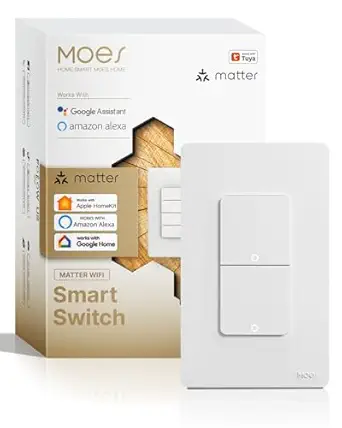 | Best for Two Fixtures in One Gang | Switch type: Smart double switch | Circuit type: 2-way | Operating voltage: 120 V | VIEW ON AMAZON | See Our Full Breakdown |
| NeoBrite Matter Smart Switch and Recessed Lights Kit, 6-Pack |  | Best Neutral-Free Lighting Kit | Included lights: 6 recessed LED downlights | Neutral wire: Not required | Connectivity: Matter, Wi-Fi | VIEW ON AMAZON | See Our Full Breakdown |
| Kasa Smart Wi-Fi Light Switch, Single Pole, Neutral Wire Required (HS200P3) | 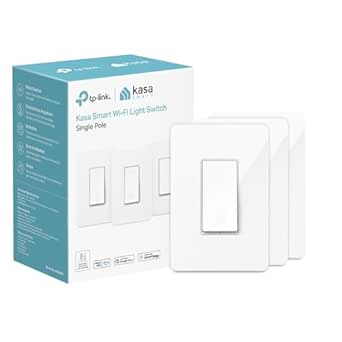 | Best for Straightforward App Control | Model: HS200P3 | Switch type: Single-pole, 1-way rocker | Wiring: Neutral wire required | VIEW ON AMAZON | See Our Full Breakdown |
| TP-Link Tapo S500 Smart Light Switch, Single Pole, Neutral Wire Required, 4-Pack |  | Best Multi-Room Pack | Model and pack size: Tapo S500; 4-pack | Switch type: Single-pole, one-way | Wiring: Neutral wire required | VIEW ON AMAZON | See Our Full Breakdown |
| GHome Smart Wi-Fi Light Switches, Single Pole, 4-Pack |  | Best for Wiring Several Rooms | Pack size: 4 switches | Switch type: Single pole | Voice assistants: Amazon Alexa, Google Assistant | VIEW ON AMAZON | See Our Full Breakdown |
| TP-Link Tapo S505 Matter Smart Light Switch, 2-Pack | 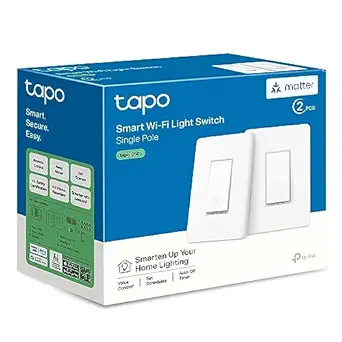 | Best for Matter Households | Model: Tapo S505 | Pack size: 2 switches | Connectivity: Matter; 2.4 GHz Wi-Fi | VIEW ON AMAZON | See Our Full Breakdown |
| HQL 2-Gang Smart Light Switch, Neutral Wire Required |  | Best for Basic Two-Circuit App Control | Model: DS-122 | Switch type: Push button; on-off | Connectivity: 2.4 GHz Wi-Fi, Bluetooth | VIEW ON AMAZON | See Our Full Breakdown |
| Kasa HS200-2 2-Gang Smart Light Switch | 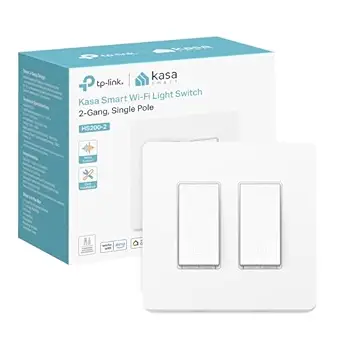 | Best for Two-Circuit Away Mode | Model: HS200-2 | Gang configuration: 2-gang | Switch type: Single pole | VIEW ON AMAZON | See Our Full Breakdown |
| Kasa Smart Wi-Fi Light Switch HS200, Single Pole |  | Best for First-Time Smart Switch Buyers | Model: HS200 | Switch type: Single pole | Wiring: Neutral wire required | VIEW ON AMAZON | See Our Full Breakdown |
| SONOFF ZBM5 Zigbee Smart Light Switch, Neutral Wire Optional, 1-Way, White |  | Best for Neutral-Wire Flexibility | Connectivity: Zigbee | Required hub: SONOFF Zigbee Gateway | Neutral wire: Optional | VIEW ON AMAZON | See Our Full Breakdown |
| Kasa Smart Wi-Fi Dimmer Switch HS220P3, Single-Pole |  | Best Hub-Free Dimmer | Model: HS220P3 | Switch type: Dimmer | Dimming range: 0%–100% | VIEW ON AMAZON | See Our Full Breakdown |
| smart light switch | Switch type | Wiring | Model | Connectivity |
|---|---|---|---|---|
| Leviton Decora Smart Wi-Fi Swi | — | Neutral wire required | D315S-1RW | 2.4 GHz Wi-Fi |
| MOES Matter Wi-Fi Smart Double | Smart double switch | Neutral wire required | — | Wi-Fi, Matter; 2.4 GHz Wi-Fi required |
| NeoBrite Matter Smart Switch a | — | — | — | Matter, Wi-Fi |
| Kasa Smart Wi-Fi Light Switch | Single-pole, 1-way rocker | Neutral wire required | HS200P3 | — |
| TP-Link Tapo S500 Smart Light | Single-pole, one-way | Neutral wire required | — | — |
| GHome Smart Wi-Fi Light Switch | Single pole | — | — | — |
| TP-Link Tapo S505 Matter Smart | Single pole | Neutral wire required | Tapo S505 | Matter; 2.4 GHz Wi-Fi |
| HQL 2-Gang Smart Light Switch | Push button; on-off | Neutral wire required | DS-122 | 2.4 GHz Wi-Fi, Bluetooth |
| Kasa HS200-2 2-Gang Smart Ligh | Single pole | Neutral wire required | HS200-2 | — |
| Kasa Smart Wi-Fi Light Switch | Single pole | Neutral wire required | HS200 | — |
| SONOFF ZBM5 Zigbee Smart Light | — | — | — | Zigbee |
| Kasa Smart Wi-Fi Dimmer Switch | Dimmer | — | HS220P3 | — |
More Details on Our Top Picks
Leviton Decora Smart Wi-Fi Switch, D315S-1RW, White
The Leviton Decora D315S-1RW is the most flexible choice here for households that want one switch to fit a mixed smart home. It works with Matter, Apple Home, Alexa, Google Assistant, SmartThings, and Home Assistant, while the Kasa HS200P3 is limited to Alexa and Google Assistant. Its support for several lamp types and motor loads also gives it a wider job description than the MOES double switch, which only handles on/off control for two light circuits. Leviton can control a compatible fixture remotely or on a schedule, and companion switches add multi-location control. The tradeoff is practical: installation requires a neutral wire, and it relies on 2.4 GHz Wi-Fi. Choose it for platform flexibility and load range; skip it if your wiring lacks a neutral or you need built-in dimming.
Pros:- Matter support plus compatibility with major smart home platforms
- Controls compatible LED, CFL, incandescent, fluorescent, and motor loads
- Supports remote control and scheduled lighting
- Offers multi-location control with compatible companion switches
Cons:- Requires a neutral wire
- Uses 2.4 GHz Wi-Fi
- No dimming capability is specified
Best for: Homeowners with a neutral wire who use multiple smart home platforms or need a switch for varied compatible lighting and motor loads
Not ideal for: Renters or owners of older wiring without a neutral wire, and buyers who need dimming from the wall switch
- Model:D315S-1RW
- Connectivity:2.4 GHz Wi-Fi
- Smart home compatibility:Matter, Amazon Alexa, Google Assistant, Apple Home, SmartThings, Home Assistant
- Load capacity:Up to 15 A and 1/3 HP
- Supported loads:LED, CFL, incandescent, fluorescent, and motor loads
- Wiring:Neutral wire required
- Multi-location control:Compatible wire-free and hard-wired companion switches
- Warranty:1-year limited
Our verdict“Choose the Leviton Decora D315S-1RW if broad platform support and varied compatible loads matter more than dimming or neutral-free installation.”
MOES Matter Wi-Fi Smart Double Light Switch, Neutral Wire Required
The MOES double switch earns its place by controlling two light fixtures from one wall position. That makes it a better fit for a paired lighting setup than the single-pole Kasa HS200P3, which controls one circuit. Matter support and app, voice, and remote control provide flexible ways to switch those fixtures, while its single-gang design keeps the installation footprint compact. The key limitation is that this is a straightforward on/off switch: it does not dim lights or support smart bulbs. That makes the NeoBrite recessed-light kit a more suitable option when adjustable brightness and color temperature are priorities, though that kit is designed for new recessed lighting rather than two existing switched fixtures. MOES also needs both a neutral wire and 2.4 GHz Wi-Fi, so check the wiring before choosing it.
Pros:- Controls two light fixtures from one switch location
- Matter compatibility for supported smart home platforms
- App, voice, remote access, and timer control
- Compact single-gang wall-mount design
Cons:- Does not support dimming or smart bulbs
- Requires a neutral wire
- Requires a 2.4 GHz Wi-Fi network
Best for: Homeowners with two existing light circuits at one wall location who want app or voice on/off control
Not ideal for: Buyers who want dimming, smart-bulb control, or installation without a neutral wire
- Switch type:Smart double switch
- Circuit type:2-way
- Operating voltage:120 V
- Connectivity:Wi-Fi, Matter; 2.4 GHz Wi-Fi required
- Wiring:Neutral wire required
- Control methods:App, remote, and voice
- Compatible devices:Alexa, Google Assistant, MOES/Tuya Smart app, Matter-compatible devices
- Functions:On/off control for two fixtures; no dimming
Our verdict“Pick the MOES double switch to control two existing lighting circuits in one gang when simple on/off operation is enough.”
NeoBrite Matter Smart Switch and Recessed Lights Kit, 6-Pack
The NeoBrite kit is a different kind of smart-switch pick: it pairs a Matter smart switch with six recessed LED downlights, making it suited to a ceiling-lighting project rather than a simple replacement for an existing switch. Its switch works without a neutral wire or separate hub, a useful distinction from the Leviton Decora D315S-1RW and Kasa HS200P3, both of which require neutral wiring. The included lights dim from 5% to 100% and shift between warm and cool white, so the wall control is part of a more adjustable lighting setup than the on/off-only MOES double switch. That flexibility comes with a narrower fit: the kit is for indoor recessed-ceiling installation, and its included lights define the project. Skip it if you only want to make existing fixtures smart or need outdoor-rated equipment.
Pros:- Switch works without a neutral wire or separate hub
- Includes six recessed LED downlights
- Lights dim from 5% to 100% and tune from 2700K to 6500K
- Matter support works with several major smart home platforms
Cons:- Designed for indoor recessed-ceiling use rather than general switch replacement
- Not water resistant
- The included downlights may not suit buyers who only need a switch
Best for: Homeowners planning an indoor recessed-light installation who lack neutral wiring and want app, voice, and wall control with adjustable white light
Not ideal for: Buyers replacing a switch for existing non-recessed fixtures, or anyone needing water-resistant or outdoor lighting
- Included lights:6 recessed LED downlights
- Neutral wire:Not required
- Connectivity:Matter, Wi-Fi
- Compatible platforms:Alexa, Apple Home, Google Home, SmartThings
- Color temperature:2700K–6500K
- Dimming range:5%–100%
- Brightness and wattage:1800 lumens; 15 watts
- Installation and use:Recessed ceiling mount; indoor
- Certification:ETL
Our verdict“Choose the NeoBrite kit for a neutral-free indoor recessed-light project that calls for dimming and tunable white light.”
Kasa Smart Wi-Fi Light Switch, Single Pole, Neutral Wire Required (HS200P3)
The Kasa HS200P3 is a simple route to remote on/off control for one single-pole light circuit. Its app-guided installation and familiar Kasa app make it approachable for buyers who want schedules, timers, or an Away Mode without needing Matter or a more elaborate platform setup. Compared with the Leviton Decora D315S-1RW, it has a shorter compatibility list—Alexa and Google Assistant are specified, but Apple Home and Matter are not. It also lacks the Leviton’s stated support for motor loads and multiple companion-switch arrangements. The tradeoff may be fine if the goal is a basic connected wall switch for a compatible fixture. Still, installation requires a neutral wire and 2.4 GHz Wi-Fi, and the product data does not describe dimming. It is best for uncomplicated single-circuit control, not broader smart-home flexibility.
Pros:- Remote control through the Kasa app
- Works with Amazon Alexa and Google Assistant
- Includes timers, schedules, and Away Mode
- App-guided installation
Cons:- Requires a neutral wire
- Requires 2.4 GHz Wi-Fi
- Specified control compatibility is limited to Alexa and Google Assistant
Best for: First-time smart-switch buyers with neutral wiring who use Alexa or Google Assistant and want app schedules for one lighting circuit
Not ideal for: Households that need Matter or Apple Home support, neutral-free wiring, or a specified dimming function
- Model:HS200P3
- Switch type:Single-pole, 1-way rocker
- Wiring:Neutral wire required
- Wi-Fi:2.4 GHz
- Input voltage:100–120 VAC, 50/60 Hz
- Wattage:600 W
- Control compatibility:Amazon Alexa, Google Assistant
- Certification and color:UL certified; white
Our verdict“Choose the Kasa HS200P3 for basic app and voice control of one circuit if its wiring and platform requirements match your home.”
TP-Link Tapo S500 Smart Light Switch, Single Pole, Neutral Wire Required, 4-Pack
For someone updating several single-pole switches at once, the Tapo S500 four-pack makes more sense than buying a standalone switch like the Kasa HS200P3. Each switch offers app and voice control through Tapo, Alexa, and Google Assistant, along with schedules, timers, countdowns, and Away Mode. Those automation options can put recurring routines and temporary on/off control in the app rather than requiring a separate smart-home platform. Unlike the Leviton Decora D315S-1RW, the listed compatibility does not include Matter, Apple Home, or Home Assistant, so it is a less flexible fit for homes built around those systems. All four switches also require neutral wiring and 2.4 GHz Wi-Fi. Choose this pack when you need several straightforward on/off controls and the platform fit works; look elsewhere if dimming or broader integration is central.
Pros:- Four single-pole switches for multi-room updates
- Remote control through the Tapo app
- Supports schedules, timers, countdowns, and Away Mode
- UL certified with a 2-year warranty
Cons:- Requires neutral wiring
- Requires 2.4 GHz Wi-Fi
- Listed compatibility is narrower than the Matter-enabled Leviton switch
Best for: Homeowners replacing several single-pole switches who use the Tapo app, Alexa, or Google Assistant and have neutral wiring
Not ideal for: Buyers needing Matter or Apple Home compatibility, neutral-free installation, or a dimmer switch
- Model and pack size:Tapo S500; 4-pack
- Switch type:Single-pole, one-way
- Wiring:Neutral wire required
- Wi-Fi:2.4 GHz
- Input voltage:100–120 VAC, 50/60 Hz
- Control methods:Tapo app, Amazon Alexa, Google Assistant
- Automation:Schedules, timers, countdowns, Away Mode
- Certifications and warranty:UL certified; 2 years
Our verdict“Choose the Tapo S500 four-pack when you want matching app and voice control across several single-pole circuits.”
GHome Smart Wi-Fi Light Switches, Single Pole, 4-Pack
I’d choose this four-switch pack when several single-pole circuits need app and voice control at once. It supports Alexa and Google Assistant, schedules, remote access, and grouped controls without a separate hub, making it a straightforward fit for homes already using 2.4 GHz Wi-Fi. Compared with the Kasa HS200, which is sold as a single switch, GHome covers more circuits in one purchase. The tradeoff is a narrower smart-home fit: unlike the TP-Link Tapo S505, it does not list Matter or Apple Home compatibility. Each location also needs a neutral wire, and 5 GHz Wi-Fi is unsupported, so buyers should check wiring and network setup before choosing it.
Pros:- Four switches cover multiple circuits in one pack
- Works with Alexa and Google Assistant
- Remote app control, schedules, and group controls
- No hub needed
Cons:- Requires a neutral wire at each switch location
- Supports 2.4 GHz Wi-Fi only
- Does not list Matter or Apple Home compatibility
Best for: Households with multiple neutral-wired, single-pole light circuits and Alexa or Google Assistant
Not ideal for: Apple Home users, homes without neutral wiring, or buyers who need 5 GHz Wi-Fi support
- Pack size:4 switches
- Switch type:Single pole
- Voice assistants:Amazon Alexa, Google Assistant
- Wi-Fi:2.4 GHz only; 5 GHz not supported
- Hub required:No
- Neutral wire:Required
- Certifications:UL, FCC
Our verdict“Choose this pack to add basic app and voice control across several neutral-wired circuits without a hub.”
TP-Link Tapo S505 Matter Smart Light Switch, 2-Pack
The Tapo S505 is the most flexible pick here for a household that uses more than one smart-home platform. Through Matter, it works with Apple Home, Alexa, Google Home, and SmartThings, while local network control can keep commands working when internet access is down. That gives it an advantage over the GHome four-pack, whose listed compatibility centers on Alexa and Google Assistant. The two-switch pack is a practical way to add Matter support to a pair of circuits, though it covers fewer locations than GHome. Buyers still need neutral wiring and 2.4 GHz Wi-Fi, and the single-pole design will not suit every circuit. Choose it for platform flexibility and local control, not for wiring-free installation.
Pros:- Matter compatibility across four major smart-home platforms
- Local network control can work without internet access
- Includes voice commands, schedules, and timers
- App-guided installation and UL certification
Cons:- Requires a neutral wire
- Requires 2.4 GHz Wi-Fi
- Two-switch pack covers fewer circuits than GHome’s four-pack
Best for: Households mixing Apple Home, Alexa, Google Home, or SmartThings that want Matter-compatible wall switches
Not ideal for: Buyers without neutral wiring or those who want a larger multi-room pack
- Model:Tapo S505
- Pack size:2 switches
- Connectivity:Matter; 2.4 GHz Wi-Fi
- Smart-home compatibility:Apple Home, Amazon Alexa, Google Home, Samsung SmartThings
- Wiring:Neutral wire required
- Switch type:Single pole
- Certification and warranty:UL certified; 2 years
Our verdict“Pick the Tapo S505 if cross-platform Matter support and local control matter more than pack size.”
HQL 2-Gang Smart Light Switch, Neutral Wire Required
The HQL combines control of two light circuits with a push-button wall interface and app features such as timers and Away Mode. It suits buyers who want Alexa or Google voice commands alongside basic remote control, with no hub required for that access. Compared with the Kasa HS200-2, it offers similar two-circuit coverage but lists Bluetooth alongside 2.4 GHz Wi-Fi; the provided details do not explain Bluetooth’s role or specify platform breadth beyond Alexa and Google. Its neutral-wire requirement and 2.4 GHz limit are familiar constraints, while the plastic construction and limited listed ecosystem details make it less compelling for buyers prioritizing smart-home integration. I’d consider it for straightforward on-off control where the listed features match the setup.
Pros:- Controls two circuits from one wall-mounted unit
- App supports schedules, countdown timers, and Away Mode
- Works with Alexa and Google Assistant
- No hub required for basic remote access
Cons:- Requires a neutral wire
- Wi-Fi support is limited to 2.4 GHz
- Listed smart-home compatibility is narrower than the Matter-based Tapo S505
Best for: Buyers replacing a two-gang wall control who want app, button, and Alexa or Google control
Not ideal for: Smart-home users who need Matter, Apple Home, or clearly documented multi-platform support
- Model:DS-122
- Switch type:Push button; on-off
- Connectivity:2.4 GHz Wi-Fi, Bluetooth
- Voice assistants:Amazon Alexa, Google Assistant
- Wiring:Neutral wire required
- Hub required:No for basic remote access
- Mounting and certification:Wall mount; UL
Our verdict“Choose the HQL for basic two-circuit app and voice control when its limited platform details fit your setup.”
Kasa HS200-2 2-Gang Smart Light Switch
For one wall location controlling two separate circuits, the Kasa HS200-2 pairs app and voice access with schedules, timers, and an Away Mode that varies when lights turn on and off. That makes it more useful for managing multiple rooms or creating an occupied-home routine than the single-pole Kasa HS200, which controls one circuit. It also lists SmartThings compatibility alongside Alexa and Google Assistant. The tradeoff is that its provided details do not identify Matter support, so the Tapo S505 is the clearer fit for households seeking cross-platform Matter integration and local network control. Neutral wiring and 2.4 GHz Wi-Fi are required, and buyers should confirm their wall box and circuit arrangement match the two-gang setup.
Pros:- Controls two separate light circuits
- App control with schedules, timers, and Away Mode
- Works with Alexa, Google Assistant, and SmartThings
- UL-certified with flame-retardant materials
Cons:- Requires a neutral wire
- Requires 2.4 GHz Wi-Fi
- Matter support is not listed, unlike the Tapo S505
Best for: Homeowners with two neutral-wired light circuits at one wall location who want app routines and Away Mode
Not ideal for: Buyers seeking Matter support, single-circuit simplicity, or installations without neutral wiring
- Model:HS200-2
- Gang configuration:2-gang
- Switch type:Single pole
- Wiring:Neutral wire required
- Wi-Fi:2.4 GHz
- Voice assistants and platforms:Amazon Alexa, Google Assistant, Samsung SmartThings
- Safety:UL-certified; flame-retardant materials
- App features:Schedules, timers, Away Mode
Our verdict“Pick the HS200-2 when one wall location needs app-managed control of two circuits and Away Mode.”
Kasa Smart Wi-Fi Light Switch HS200, Single Pole
The HS200 keeps the job simple: it replaces a single-pole switch and adds Kasa app control, Alexa and Google voice commands, schedules, timers, and Away Mode. App-guided installation may help first-time buyers follow the setup steps, though the work still calls for neutral wiring and a compatible 2.4 GHz network. Compared with the Kasa HS200-2, this model handles one circuit rather than two, which makes it a better match for a standard single-switch location. The Tapo S505 reaches more platforms through Matter and includes local network control, so it is the stronger choice for mixed ecosystems. The HS200’s narrower compatibility and wiring requirements are real limits, but its feature set covers everyday app and voice control without added complexity.
Pros:- App control with schedules, timers, and Away Mode
- Works with Amazon Alexa and Google Assistant
- App-guided installation
- UL certified
Cons:- Requires a neutral wire
- Requires 2.4 GHz Wi-Fi
- Controls one circuit and does not list Matter support
Best for: First-time smart-switch buyers replacing a standard single-pole switch in an Alexa or Google home
Not ideal for: Homes without neutral wiring or buyers who need Matter, Apple Home, or two-circuit control
- Model:HS200
- Switch type:Single pole
- Wiring:Neutral wire required
- Wi-Fi:2.4 GHz
- Voice assistants:Amazon Alexa, Google Assistant
- Dimensions without panel:4.13 × 1.71 × 1.74 in
- Certification:UL certified
- Minimum mobile OS:Android 5.0; iOS 10
Our verdict“Choose the HS200 for straightforward app and voice control of one neutral-wired, single-pole circuit.”
SONOFF ZBM5 Zigbee Smart Light Switch, Neutral Wire Optional, 1-Way, White
The SONOFF ZBM5 is the better fit when a neutral wire may be missing: its wiring flexibility can make it an option where the Kasa HS220P3 cannot be installed. It adds app and voice control, schedules, and scenes, while Zigbee2MQTT support gives Home Assistant users a route to integrate it into a more customized setup. That flexibility comes with a hub requirement: a SONOFF Zigbee Gateway is needed, so it is less direct than the hub-free Kasa Wi-Fi dimmer. The ZBM5 is a 1-way on/off switch, not a dimmer, which limits control over brightness. I’d choose it for wiring options and Zigbee integration, but skip it if dimming or a hub-free installation is a priority.
Pros:- Can be installed with or without a neutral wire
- Supports eWeLink app control and Alexa and Google Home voice commands
- Works with Home Assistant through Zigbee2MQTT
- Supports scheduling and scene automation
Cons:- Requires a SONOFF Zigbee Gateway
- Provides on/off control rather than dimming
- Designed for 1-way circuits
Best for: Home Assistant users and homeowners whose switch box may lack a neutral wire and who are comfortable using a SONOFF Zigbee gateway
Not ideal for: Buyers who want adjustable brightness, a hub-free setup, or a switch for a multi-way circuit
- Connectivity:Zigbee
- Required hub:SONOFF Zigbee Gateway
- Neutral wire:Optional
- Circuit type:1-way
- Operating voltage:120 V
- Wattage:120 W
- Compatible platforms:eWeLink; Home Assistant via Zigbee2MQTT
- Dimensions:4.72 × 2.91 × 1.55 in
Our verdict“Choose the ZBM5 if neutral-wire flexibility and Zigbee integration matter more than dimming or avoiding a hub.”
Kasa Smart Wi-Fi Dimmer Switch HS220P3, Single-Pole
The Kasa HS220P3 earns its place for buyers who want brightness control without adding a hub. Its 0%–100% dimming lets you adjust compatible lights from the switch or Kasa app, while schedules and voice control make everyday routines easier. Compared with the SONOFF ZBM5, it offers dimming and connects directly to 2.4 GHz Wi-Fi, but it requires a neutral wire and has no Zigbee2MQTT route listed for Home Assistant. Its 1-way circuit also limits where it can replace an existing switch. I’d pick this Kasa when lighting flexibility and a simple hub-free setup matter; the ZBM5 is the more adaptable choice for a box without a neutral wire, provided you accept its gateway and on/off-only control.
Pros:- Dims compatible lights from 0% to 100%
- Works over 2.4 GHz Wi-Fi without a separate hub
- Supports app schedules and remote control
- Compatible with Amazon Alexa and Google Assistant
Cons:- Requires a neutral wire
- Requires a 2.4 GHz Wi-Fi network
- Designed for 1-way circuits
Best for: Homeowners with a neutral wire who want app-based brightness control and voice access without buying a separate hub
Not ideal for: Buyers without a neutral wire, those using only 5 GHz Wi-Fi, or anyone replacing a switch on a multi-way circuit
- Model:HS220P3
- Switch type:Dimmer
- Dimming range:0%–100%
- Wireless protocol:2.4 GHz Wi-Fi
- Neutral wire required:Yes
- Hub required:No
- Circuit type:1-way
- Maximum wattage:150 W
Our verdict“Choose the HS220P3 if you have a neutral wire and want a hub-free dimmer with app and voice control.”

How We Picked
I ranked these smart light switches by how well their stated features address real replacement decisions: wiring compatibility, switch layout, control ecosystem, and whether the product controls a standard on/off circuit or adds dimming. A switch that matches the electrical box and existing fixture is more useful than a longer feature list that does not fit the installation. I also weighed whether each pick serves a clear role, such as Matter compatibility, multi-room replacement, a two-gang box, or a bundled lighting project.
The order reflects breadth of fit and clarity of use for typical buyers, with specialized choices following options that suit more common single-pole replacements. Product names and listed specifications guided this comparison; I did not assume unlisted functions such as three-way support, dimmable loads, or hub compatibility. Buyers should confirm the exact model’s wiring diagram, load requirements, and regional electrical rules before installation.
| smart light switch | Switch type |
|---|---|
| Leviton Decora Smart Wi-Fi Swi | — |
| MOES Matter Wi-Fi Smart Double | Smart double switch |
| NeoBrite Matter Smart Switch a | — |
| Kasa Smart Wi-Fi Light Switch | Single-pole, 1-way rocker |
| TP-Link Tapo S500 Smart Light | Single-pole, one-way |
| GHome Smart Wi-Fi Light Switch | Single pole |
| TP-Link Tapo S505 Matter Smart | Single pole |
| HQL 2-Gang Smart Light Switch | Push button; on-off |
| Kasa HS200-2 2-Gang Smart Ligh | Single pole |
| Kasa Smart Wi-Fi Light Switch | Single pole |
| SONOFF ZBM5 Zigbee Smart Light | — |
| Kasa Smart Wi-Fi Dimmer Switch | Dimmer |
Factors to Consider When Choosing Smart Light Switches
Before choosing a smart switch, match the device to the electrical box and the way people already use the lights. These broader checks can prevent buying a switch that cannot be installed or that adds complexity without solving a real problem.
Check the Wiring Before Choosing a Model
Turn off power at the breaker and identify the wires in the box before ordering; wire colors alone may not tell the whole story. Many models in this roundup require a neutral wire, which is often present in newer homes but may be absent in older installations. Do not assume a switch advertised as smart will work without one. If the wiring is unclear, have a qualified electrician identify it rather than improvising a connection. Also check the manufacturer’s wiring instructions for grounding and load limits. A model with neutral wire optional, such as the listed SONOFF, may widen your choices, but compatibility still depends on the specific circuit and installation instructions.
Match the Switch to the Circuit and Wall Box
Count the switches in the wall plate and identify whether the target light is controlled from one location or multiple locations. A single-pole switch suits a light controlled from one switch position; multi-location circuits need a model specifically rated for that arrangement. Two-gang devices are designed around two controls in one box, so they are not interchangeable with a single-gang switch. Check box depth as well: smart switches can take more room behind the plate than a basic toggle. Photographing the existing wiring before removal can help an installer, but it does not replace verifying the model’s diagram. Buying by appearance alone is a common route to a mismatched installation.
Choose an Ecosystem You Can Maintain
Wi-Fi switches connect directly to a home network, while Matter and Zigbee choices involve different routes to smart home control. Matter can make cross-brand setup more flexible when the rest of the home supports it, though the controller and app still matter. Zigbee products may depend on a compatible hub, so count that hardware and setup effort before choosing one. For a household with several phone platforms or voice assistants, check current compatibility details for the exact model rather than relying on the protocol name alone. If you only need app and voice control in one ecosystem, a simple Wi-Fi choice may be easier to manage. Keeping the number of apps and hubs low often matters more than adding another protocol.
Decide Whether You Need Dimming
An on/off smart switch is enough when the goal is remote control or scheduling, but it cannot provide the brightness adjustment of a dimmer. Dimming can make a room more adaptable, though the fixture and bulbs must support the selected dimmer’s electrical requirements. LED bulbs can behave differently across dimmers, including flicker or limited low-end range, so confirm compatibility before replacing the switch. A dimmer also changes how household members interact with the wall control, which may matter in shared spaces. Avoid paying for dimming in a utility area where full brightness is always preferred. For rooms used at different times of day, adjustable brightness can be a more meaningful upgrade.
Plan Multi-Room Replacements as a Project
Multipacks can make sense when several switches share the same wiring and control needs, but verify every location before buying a set. One box might lack a neutral wire or control a fixture from two locations, even when nearby switches look identical. A bundle that includes recessed lights, like the NeoBrite kit, serves a different project from a pack of replacement switches. Make a room-by-room list of circuit type, gang count, and desired control before choosing a bundle. Consider how you will label and group devices in the app so scenes and schedules remain understandable. Buying a pack only to discover one unsuitable location can erase the convenience of a matched set.
Know When Paying for More Features Helps
Extra protocol support or bundled hardware is useful when it solves a current need, such as cross-platform control or a planned lighting installation. It adds little if your home already works well with a single app and you are replacing one ordinary switch. Think about who will use the wall control and whether they need it to operate independently of a phone or network. Smart control can depend on network and platform availability, so retain a clear way to operate lights locally. For essential rooms, prioritize a familiar physical control and a model with support information you can access. Spend attention on compatibility and installation fit before feature count.
Frequently Asked Questions
How can I tell whether my switch box has a neutral wire?
Switch off the breaker and inspect the box only if you can do so safely; a bundle of white wires connected together often indicates neutrals, but wiring colors and layouts vary. A white wire connected to the existing switch is not automatically a neutral. Compare the wiring with the manufacturer’s diagram or ask an electrician to identify it. This matters because most switches in this roundup explicitly require a neutral connection. If the box lacks one, focus on models whose instructions permit your setup rather than attempting to adapt a neutral-required switch.
Will Matter support make a switch work with every smart home system?
Matter is intended to improve compatibility across supported smart home platforms, but it does not remove the need for a compatible controller, app, network, and device setup. Check that the exact switch model and the platform you use support the features you want. Some functions can vary by platform even when basic on/off control works. Also check whether a Matter device uses Wi-Fi or another network path, since that can affect setup. If your home already centers on one ecosystem, compare its current support against the switch’s product details before switching protocols.
Can I replace a switch that controls the same light from two locations?
Only if the specific smart switch is rated for a multi-location circuit and its instructions describe that wiring. A product listed as single-pole is intended for control from one switch location, so its listing does not establish suitability for a two-location setup. Multi-location wiring can involve a traveler wire and a companion switch, and the arrangement differs among products. Identify how many controls operate the light before purchasing. If the circuit is not clear, have an electrician check it rather than treating a single-pole model as a direct substitute.
Should I choose a multipack if I have several switches to replace?
A multipack is convenient when each location has compatible wiring, the same circuit type, and similar control needs. It can also make device setup more consistent across rooms. However, nearby switch boxes can differ, especially in older homes or where lights are controlled from multiple locations. Check each box’s neutral availability, gang count, and circuit arrangement before opening a pack. If only some locations match, buying for those rooms first can prevent an unused switch from dictating the wrong choice elsewhere.
Do I need a smart dimmer if my bulbs already dim?
Bulbs that dim through their own app or remote do not automatically work with a wall dimmer. A smart dimmer changes power at the switch, so both the dimmer and the bulb or fixture must be compatible with that method. Using an incompatible combination can lead to flicker, buzzing, or an unreliable brightness range. If your current bulbs are smart bulbs, an on/off smart switch may also disrupt their connection when switched off. Check the bulb and fixture guidance before choosing between a dimmer, an on/off switch, or keeping the existing control approach.
Conclusion
For the broadest standard replacement use, I recommend the Leviton Decora Smart Wi-Fi Switch as best overall. The GHome four-pack is my value-oriented choice for buyers replacing several compatible single-pole switches, while the TP-Link Tapo S505 is the best premium fit for shoppers who specifically want Matter support. Beginners who want a conventional Wi-Fi starting point can compare the Kasa HS200 with Leviton after checking wiring and ecosystem compatibility. For specific needs, choose the Kasa HS220P3 for dimming, the HQL or Kasa HS200-2 for a two-gang layout, the SONOFF ZBM5 when neutral wire availability is a concern, or the NeoBrite kit for a switch-and-recessed-light project. The right pick is the one that fits the box, circuit, and control system you already have.
Halloween Picks
halloween
As an affiliate, we earn on qualifying purchases.