Hardware security keys add a physical sign-in step that can help protect accounts from phishing, but the right choice depends on your devices and the services you use. I rank the Yubico YubiKey 5C NFC as the best overall for its USB-C and NFC options, while the YubiKey 5 NFC suits people who still rely on USB-A and the YubiKey 5Ci stands out for Lightning-equipped devices. The main tradeoffs are connector compatibility, how easily you can carry and use the key, and whether its supported authentication methods match your accounts. A small key that fits one device may be less useful than a more versatile model you can use across your daily devices. Read on for the full comparison and guidance on choosing a key you can actually use as a backup.

Get privacy and security gear delivered free with Prime
- Fast, free delivery on millions of items
- Prime Video, Amazon Music and more included
- Member-only deals all year
Key Takeaways
The YubiKey 5C NFC earns the overall lead by pairing USB-C with NFC, covering more common phone-and-computer sign-in situations than a single-connector key.
The YubiKey 5 NFC remains the better fit for buyers whose computers still depend on USB-A; choosing a connector for devices you do not own adds no practical protection.
The two Hirsch SecureKey models divide by USB-A and USB-C rather than by a shared connector, so the right pick follows the ports on your devices.
The Kensington VeriMark NFC+ USB-C adds fingerprint authentication, but biometric convenience is a different priority from compactness or broad connector coverage.
The YubiKey 5C Nano favors a low-profile USB-C fit, while the 5Ci is the specialist choice for people who need both Lightning and USB-C connectors.
| Yubico YubiKey 5C NFC Security Key |  | Best Overall for Broad Protocol Support | Connectivity: USB-C, NFC | Supported protocols: FIDO2/WebAuthn, FIDO U2F, Yubico OTP, OATH-TOTP/HOTP, PIV, OpenPGP | Passkey slots: 100 | VIEW LATEST PRICE | See Our Full Breakdown |
| Yubico YubiKey 5 NFC Security Key, USB-A and NFC |  | Best for USB-A Computers | Connectivity: USB-A, NFC | USB interface: USB 2.0 Type-A | Supported protocols: FIDO2/WebAuthn, FIDO U2F, Yubico OTP, OATH-TOTP/HOTP, PIV, OpenPGP | VIEW LATEST PRICE | See Our Full Breakdown |
| Hirsch SecureKey USB-A NFC Security Key |  | Best for Managed Mixed-Device Environments | Connectivity: USB-A, NFC | Authentication protocols: FIDO2, U2F, WebAuthn, HOTP, PIV | Compatible operating systems: Windows, macOS, Linux, ChromeOS, Android, iOS | VIEW LATEST PRICE | See Our Full Breakdown |
| Hirsch SecureKey USB-C NFC Security Key |  | Best for USB-C Mixed-Device Fleets | Connectivity: USB-C, NFC | Protocols: FIDO2, U2F, WebAuthn, HOTP, PIV | Compatible operating systems: Windows, macOS, Linux, ChromeOS, Android, iOS | VIEW LATEST PRICE | See Our Full Breakdown |
| Kensington VeriMark NFC+ USB-C Security Key |  | Best Compact, Durability-Focused Pick | Connectivity: USB-C, NFC | Authentication standards: FIDO CTAP 2.1, CTAP 2, FIDO2 L2 | Compatibility: Windows, macOS, iOS, Android, ChromeOS | VIEW LATEST PRICE | See Our Full Breakdown |
| Yubico YubiKey 5C Nano USB-C Security Key |  | Best for a Permanently Plugged-In Key | Interface: USB Type-C | Supported protocols: FIDO2/WebAuthn, FIDO U2F, Yubico OTP, OATH-TOTP/HOTP, PIV, OpenPGP | Passkey slots: 100 | VIEW LATEST PRICE | See Our Full Breakdown |
| Yubico YubiKey 5Ci Security Key with Lightning and USB-C Connectors |  | Best for Lightning and USB-C Device Mixes | Connectors: Lightning and USB-C | Supported protocols: FIDO2/WebAuthn, FIDO U2F, Yubico OTP, OATH-TOTP/HOTP, PIV, OpenPGP | Compatible operating systems: Android, iOS, macOS, Windows | VIEW LATEST PRICE | See Our Full Breakdown |
| hardware security key | Color | Connectivity | Supported protocols | Dimensions |
|---|---|---|---|---|
| Yubico YubiKey 5C NFC Security | Black | USB-C, NFC | FIDO2/WebAuthn, FIDO U2F, Yubico OTP, OATH-TOTP/HOTP, PIV, OpenPGP | 0.15 × 0.7 × 1.77 in |
| Yubico YubiKey 5 NFC Security | Black | USB-A, NFC | FIDO2/WebAuthn, FIDO U2F, Yubico OTP, OATH-TOTP/HOTP, PIV, OpenPGP | — |
| Hirsch SecureKey USB-A NFC Sec | White | USB-A, NFC | — | — |
| Hirsch SecureKey USB-C NFC Sec | White | USB-C, NFC | — | — |
| Kensington VeriMark NFC+ USB-C | — | USB-C, NFC | — | 2.01 × 0.63 × 0.2 in |
| Yubico YubiKey 5C Nano USB-C S | Black | — | FIDO2/WebAuthn, FIDO U2F, Yubico OTP, OATH-TOTP/HOTP, PIV, OpenPGP | 0.49 x 1.16 x 0.2 in |
| Yubico YubiKey 5Ci Security Ke | Black | — | FIDO2/WebAuthn, FIDO U2F, Yubico OTP, OATH-TOTP/HOTP, PIV, OpenPGP | 0.2 x 1.6 x 0.5 in |
More Details on Our Top Picks
Yubico YubiKey 5C NFC Security Key
The YubiKey 5C NFC is my strongest all-around pick for buyers who want one key to cover more than passkey sign-in. Its USB-C and NFC options handle newer laptops and compatible phones, while support for FIDO2/WebAuthn, PIV, OpenPGP, and OATH gives it room to serve workplace and advanced authentication needs too. Compared with the Kensington VeriMark NFC+, it supports a broader set of listed protocols; Kensington counters with FIDO2 L2 certification and an IP68 rating. The tradeoff is that this is a single key, so losing it can complicate account recovery unless you register a backup. USB authentication also depends on having USB-C, unlike the USB-A YubiKey 5 NFC. It runs without a battery or internet connection, which keeps routine use simple.
Pros:- USB-C and NFC provide two authentication routes across compatible computers and phones.
- Broad protocol support includes FIDO2/WebAuthn, PIV, OpenPGP, and OATH-TOTP/HOTP.
- Operates without batteries or an internet connection.
- Water-resistant, crush-resistant design is suited to keychain carry.
Cons:- Only one key is included, so buyers should plan for a separately registered backup.
- USB authentication requires a USB-C port or an adapter.
Best for: People with USB-C computers and NFC-capable phones who want one key for passkeys plus PIV, OpenPGP, or one-time-password workflows.
Not ideal for: People whose main computer has only USB-A ports, or anyone who needs a ready-to-use backup included in the purchase.
- Connectivity:USB-C, NFC
- Supported protocols:FIDO2/WebAuthn, FIDO U2F, Yubico OTP, OATH-TOTP/HOTP, PIV, OpenPGP
- Passkey slots:100
- Dimensions:0.15 × 0.7 × 1.77 in
- Durability:Water-resistant and crush-resistant
- Color:Black
- Quantity:1
Our verdict“Choose this if you want a USB-C and NFC key with broader protocol support than the Kensington VeriMark NFC+.”
Yubico YubiKey 5 NFC Security Key, USB-A and NFC
For a computer with standard USB-A ports, the YubiKey 5 NFC avoids the adapter question while still adding NFC access for compatible phones. Its protocol range matches the USB-C YubiKey 5C NFC, including FIDO2/WebAuthn, PIV, OpenPGP, and OATH, so the choice between those two is mainly about the ports on the devices you actually use. Compared with the USB-C model, this version is a better fit for older laptops and desktops, but less convenient if your newer equipment has moved to USB-C only. NFC also depends on phone compatibility. Like the other single-key options here, it is not a backup plan by itself: registering a second key can help prevent lockout if this one is lost. It needs no battery or internet connection.
Pros:- USB-A works directly with many older and standard-port computers.
- NFC adds a way to authenticate on compatible phones without plugging in.
- Supports FIDO2/WebAuthn, PIV, OpenPGP, and OATH-TOTP/HOTP.
- Requires no batteries or internet connection and has a crush-resistant, keychain-compatible design.
Cons:- USB-A can require an adapter for newer USB-C-only devices.
- NFC authentication depends on having a compatible phone.
- A separate backup key is advisable to reduce lockout risk.
Best for: People who use Windows, macOS, or Linux computers with USB-A ports and want NFC access from a compatible phone.
Not ideal for: USB-C-only laptop users who do not want to carry an adapter, or buyers seeking an included second key.
- Connectivity:USB-A, NFC
- USB interface:USB 2.0 Type-A
- Supported protocols:FIDO2/WebAuthn, FIDO U2F, Yubico OTP, OATH-TOTP/HOTP, PIV, OpenPGP
- Passkey slots:100
- Compatible operating systems:Windows, macOS, Linux
- Durability:Crush-resistant; keychain compatible
- Color:Black
Our verdict“Pick this over the YubiKey 5C NFC if USB-A is the port you use most and you still want NFC support.”
Hirsch SecureKey USB-A NFC Security Key
The Hirsch SecureKey USB-A NFC suits buyers who want core phishing-resistant sign-in alongside HOTP and PIV, with SecureKey Manager for PIN and device management. Its listed compatibility spans Windows, macOS, Linux, ChromeOS, Android, and iOS, making it a useful candidate for environments where people move among different device types. Compared with the YubiKey 5 NFC, it lists a similar USB-A-and-NFC connection but fewer protocols: Yubico OTP, OATH, and OpenPGP are not listed here. Its USB-A connector is also less convenient on USB-C-only computers, and the broad compatibility list does not mean every service supports every authentication method. A second key is sensible for recovery. The TAA compliance may matter to certain procurement teams, but it is not a substitute for checking a service’s own requirements.
Pros:- USB-A and NFC cover computers and compatible mobile devices.
- Supports FIDO2, U2F, WebAuthn, HOTP, and PIV.
- SecureKey Manager provides PIN and device management.
- Listed compatibility includes Windows, macOS, Linux, ChromeOS, Android, and iOS.
Cons:- USB-A may require an adapter on USB-C-only computers.
- Its listed protocol set is narrower than the YubiKey 5 NFC’s.
- A separately registered backup key is recommended.
Best for: Teams or individual users with mixed operating systems who need USB-A, NFC, FIDO2/WebAuthn, and managed PIN or device settings.
Not ideal for: USB-C-only device owners, or users who specifically need OpenPGP, Yubico OTP, or OATH support listed on the YubiKey 5 NFC.
- Connectivity:USB-A, NFC
- Authentication protocols:FIDO2, U2F, WebAuthn, HOTP, PIV
- Compatible operating systems:Windows, macOS, Linux, ChromeOS, Android, iOS
- Management:SecureKey Manager for PIN and device management
- Compliance:TAA compliant
- Item weight:0.317 ounces
- Color:White
Our verdict“Choose this for mixed-device use and managed PIN settings if its USB-A connector and protocol set fit your setup.”
Hirsch SecureKey USB-C NFC Security Key
The Hirsch SecureKey USB-C NFC is the more natural Hirsch choice for people whose computers have USB-C ports: it keeps the brand’s FIDO2, U2F, WebAuthn, HOTP, PIV, and SecureKey Manager features while replacing USB-A with USB-C plus NFC. That makes it a stronger fit than the USB-A Hirsch SecureKey for newer laptops, although either can connect by NFC where supported. Compared with the YubiKey 5C NFC, Hirsch lists broad operating-system compatibility and device management, while Yubico lists additional protocols such as OpenPGP, Yubico OTP, and OATH. Check service compatibility before choosing based on a protocol list, since support varies by account. This key also comes as a single unit, so a second registered key is a sensible part of a recovery plan.
Pros:- USB-C and NFC support compatible computers and mobile devices.
- Supports FIDO2, U2F, WebAuthn, HOTP, and PIV.
- SecureKey Manager offers PIN and device management.
- Listed compatibility covers Windows, macOS, Linux, ChromeOS, Android, and iOS.
Cons:- USB-C requires an adapter for USB-A-only computers.
- OpenPGP, Yubico OTP, and OATH are not listed among its supported protocols.
- A second key is recommended for account recovery.
Best for: USB-C laptop users and mixed-device teams who need NFC, PIV or HOTP support, and PIN or device management.
Not ideal for: People with USB-A-only computers or users who need the broader protocol set listed for the YubiKey 5C NFC.
- Connectivity:USB-C, NFC
- Protocols:FIDO2, U2F, WebAuthn, HOTP, PIV
- Compatible operating systems:Windows, macOS, Linux, ChromeOS, Android, iOS
- Management:SecureKey Manager for PIN and device management
- Compliance:TAA compliant
- Item weight:0.563 ounces
- Color:White
Our verdict“Pick this over the USB-A Hirsch model if your computers use USB-C and its listed protocols meet your service needs.”
Kensington VeriMark NFC+ USB-C Security Key
The Kensington VeriMark NFC+ keeps its focus on FIDO2 sign-in: it pairs USB-C with NFC, supports FIDO CTAP 2.1, CTAP 2, and FIDO2 L2, and needs no drivers. Its compact, IP68-rated build is appealing for people who carry a key daily and want stated protection against dust and water exposure. Compared with the YubiKey 5C NFC, Kensington lists fewer authentication protocols, so it is less suited to buyers seeking PIV, OpenPGP, or OATH from one device. Compared with the USB-C Hirsch SecureKey, its listed strength is a small, durability-oriented design rather than HOTP, PIV, or PIN management. It works only with compatible devices and services, and advanced management requires optional Kensington software. Check service support before relying on it for every account.
Pros:- USB-C and NFC offer wired and contactless authentication on compatible devices.
- FIDO CTAP 2.1, CTAP 2, and FIDO2 L2 support phishing-resistant authentication.
- Compact, keychain-ready body is rated IP68.
- No drivers are needed for supported use.
Cons:- Its listed authentication standards are narrower than those of the YubiKey 5C NFC.
- Advanced management features require optional Kensington software.
- Authentication depends on the device and service supporting the key.
Best for: USB-C and NFC users who want a compact FIDO2-focused key with an IP68 rating and no driver installation.
Not ideal for: People who need PIV, OpenPGP, HOTP, or broader listed protocol support from a single security key.
- Connectivity:USB-C, NFC
- Authentication standards:FIDO CTAP 2.1, CTAP 2, FIDO2 L2
- Compatibility:Windows, macOS, iOS, Android, ChromeOS
- Dimensions:2.01 × 0.63 × 0.2 in
- Weight:0.176 ounces
- Model:K64739WW
Our verdict“Choose this over the USB-C Hirsch SecureKey if compact carry and the IP68 rating matter more than PIV or HOTP support.”
Yubico YubiKey 5C Nano USB-C Security Key
The YubiKey 5C Nano suits people who want a low-profile key left in a USB-C port, rather than a device they carry and connect for each sign-in. It supports FIDO2/WebAuthn and FIDO U2F for phishing-resistant sign-ins, alongside PIV, OpenPGP, OTP, and OATH protocols for accounts and systems that use them. Since it needs neither batteries nor an internet connection, it can authenticate wherever the compatible device and service are available.
Compared with the YubiKey 5Ci, this Nano has no Lightning connector, so it is a less flexible pick for people moving between older iPhones and computers. Its fixed-in-place design also trades portability for convenience: it may be awkward to remove, and leaving a key in a shared or unattended device is not right for every setup. It comes as one key, so buyers who want a backup need to source one separately.
Pros:- Supports FIDO2/WebAuthn and FIDO U2F for phishing-resistant authentication on compatible services
- Also supports PIV, OpenPGP, Yubico OTP, and OATH-TOTP/HOTP
- Low-profile design is suited to staying plugged into a USB-C port
- Needs no battery or internet connection
Cons:- USB-C connector limits direct use with devices that lack a compatible port
- Designed to remain in place, which is less convenient for sharing across devices
- Sold as a single key, so a backup requires a separate purchase
Best for: USB-C laptop or desktop users who want a compact key to leave connected for routine sign-ins.
Not ideal for: People who need Lightning compatibility, frequently move their key between devices, or want a spare included.
- Interface:USB Type-C
- Supported protocols:FIDO2/WebAuthn, FIDO U2F, Yubico OTP, OATH-TOTP/HOTP, PIV, OpenPGP
- Passkey slots:100
- Weight:5 g
- Dimensions:0.49 x 1.16 x 0.2 in
- Color:Black
- Construction:Crush resistant and water resistant
- Power:No batteries required
Our verdict“Choose the 5C Nano if you want a multi-protocol security key that can stay in a USB-C device, but pick the 5Ci if Lightning access matters.”
Yubico YubiKey 5Ci Security Key with Lightning and USB-C Connectors
The YubiKey 5Ci is the most connector-flexible option in this pair: its Lightning and USB-C plugs can serve compatible mobile devices and computers without relying on a separate adapter. That makes it a practical choice for someone protecting accounts across an iPhone and a USB-C laptop. It supports FIDO2/WebAuthn and FIDO U2F, plus OTP, PIV, and OpenPGP, so it reaches beyond basic web sign-ins for users whose services or workflows use those protocols.
Unlike the YubiKey 5C Nano, the 5Ci is built to be carried and connected as needed, not left discreetly in a port. Its broad connector range still does not guarantee compatibility: both the device and the account must support the relevant authentication method. The compact body is convenient on the go but easier to misplace, and buyers who mainly use USB-C devices may have little reason to choose it over a simpler USB-C key.
Pros:- Lightning and USB-C connectors cover a wider mix of compatible devices than the 5C Nano
- Supports FIDO2/WebAuthn and FIDO U2F, as well as OTP, PIV, and OpenPGP
- Works without batteries or an internet connection
- Waterproof and crush-resistant construction
Cons:- Device and account compatibility still needs to be checked before buying
- Small form factor can be easier to misplace than a key kept attached to a device
- Less compelling than the 5C Nano for buyers who only need a USB-C key to leave plugged in
Best for: People who authenticate on compatible Lightning-equipped iPhones as well as USB-C computers or mobile devices.
Not ideal for: USB-C-only users who want a key to remain plugged in, or buyers whose devices and accounts do not support its connectors and protocols.
- Connectors:Lightning and USB-C
- Supported protocols:FIDO2/WebAuthn, FIDO U2F, Yubico OTP, OATH-TOTP/HOTP, PIV, OpenPGP
- Compatible operating systems:Android, iOS, macOS, Windows
- Weight:0.16 oz
- Dimensions:0.2 x 1.6 x 0.5 in
- Color:Black
- Construction:Waterproof and crush-resistant
- Power:No batteries required
Our verdict“Choose the 5Ci if you need one physical key for compatible Lightning and USB-C devices; skip it if your setup is USB-C-only and favors a stay-connected key.”
How We Picked
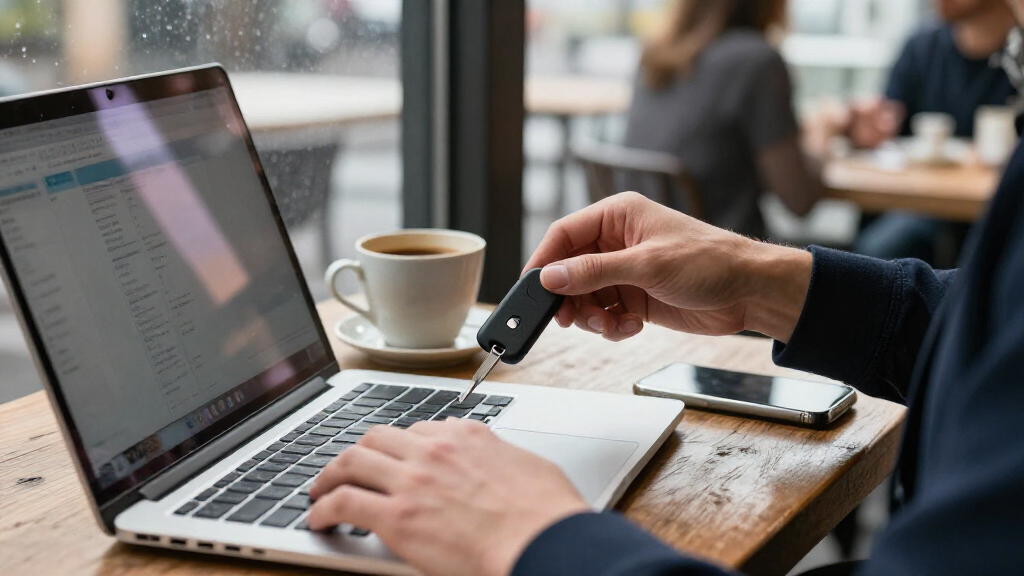
I compared these keys on the factors that affect real account access: supported connectors, NFC availability, portability, and the range of sign-in needs each option can address. I also considered how easily a buyer can match the key to computers and phones they already own, plus whether a distinctive feature—such as fingerprint authentication or a low-profile design—solves a clear use case.
The ranking favors practical versatility for the most users, which puts the YubiKey 5C NFC first for its USB-C and NFC combination. Models with USB-A, Lightning, fingerprint authentication, or a nano form serve narrower preferences and rank according to how well they answer those needs. Before buying any key, check that the websites and services you rely on accept its authentication method; connector fit alone does not determine account compatibility.
| hardware security key | Connectivity | Color | Compatible operating systems |
|---|---|---|---|
| Yubico YubiKey 5C NFC Security | USB-C, NFC | Black | — |
| Yubico YubiKey 5 NFC Security | USB-A, NFC | Black | Windows, macOS, Linux |
| Hirsch SecureKey USB-A NFC Sec | USB-A, NFC | White | Windows, macOS, Linux, ChromeOS, Android, iOS |
| Hirsch SecureKey USB-C NFC Sec | USB-C, NFC | White | Windows, macOS, Linux, ChromeOS, Android, iOS |
| Kensington VeriMark NFC+ USB-C | USB-C, NFC | — | — |
| Yubico YubiKey 5C Nano USB-C S | — | Black | — |
| Yubico YubiKey 5Ci Security Ke | — | Black | Android, iOS, macOS, Windows |
Factors to Consider When Choosing Hardware Security Keys
The best hardware security key is the one you can register with your important accounts and use when you need to sign in. I would make the choice in this order: confirm service support, match the connector to your devices, then weigh portability and any convenience features.
Check Account Support Before Choosing a Connector
A key cannot protect an account unless that service accepts the authentication method it provides. Check the security settings for your email, password manager, work accounts, and financial services before you buy. Some services support security keys for sign-in, while others may offer them only as a second factor or not at all. Do not assume that a key’s brand or connector guarantees compatibility with every account. If you depend on a particular method, verify support for that method on each important service and keep another permitted recovery route available.
Match Ports to the Devices You Actually Use
Make a short list of the computers and phones where you expect to authenticate, then note their available ports and NFC support. USB-C is a practical match for many newer devices; USB-A can be more convenient for older computers and shared workstations. NFC can reduce the need to plug a key into a compatible phone, but it does not replace checking whether the phone and service support that sign-in flow. A frequent mistake is buying for a future device while overlooking the computer used every day. If your devices span connector types, a key with more than one usable route can be worth carrying.
Plan for a Backup Before You Register the First Key
A security key can be lost, damaged, or left in another bag, so plan account recovery before relying on it. Where a service allows it, register a second key and store it separately from your everyday key. Review backup codes and account recovery settings as well; a spare key alone does not help if it has not been added to the account. Avoid keeping every recovery method in the same place as your primary device. This planning can matter more to long-term access than choosing between two keys with similar connectors.
Choose a Form Factor You Will Keep Accessible
Portability is not only about size: it also affects how likely you are to have the key when signing in. A low-profile nano key can stay in a USB-C port, which suits a dedicated computer but may be easy to forget when switching devices. A removable key is easier to carry between machines, though it needs a safe place on a keyring or in a bag. Think about whether you often use shared computers, travel, or move between a phone and laptop. Choose the form that fits your routine, and avoid leaving a key plugged into a device that is frequently carried or stored unattended.
Decide Whether Biometrics or Extra Connectors Solve a Real Problem
Fingerprint authentication can make sign-in feel more direct for buyers who prefer a biometric step, but it adds a feature you may not need if your main goal is a straightforward security key. Likewise, a Lightning-and-USB-C design is most useful when you regularly move between compatible Apple devices and USB-C equipment. Specialty features are poor value when they address devices or habits you do not have. Compare the convenience gain against carrying and managing another kind of key. The best choice is the one that removes a real point of friction without creating a new compatibility gap.
Frequently Asked Questions
Should I buy the YubiKey 5C NFC or the YubiKey 5 NFC?
Choose based on the ports you use most: the 5C NFC is the natural fit for USB-C devices, while the 5 NFC serves computers and other devices with USB-A. Both include NFC, which may make phone sign-in easier when the phone and account support it. If you use both USB-A and USB-C regularly, check whether you need a key that bridges those setups rather than choosing based on a single device. Also confirm that your important services accept the key’s authentication method before deciding.
Will one security key work with every website and app I use?
No single key should be assumed to work with every website or app. Support depends on the service, its sign-in options, and sometimes the device or operating system you use. Check the security settings or help pages for your most important accounts, especially email and password management, before buying. A service may allow a key as a second factor without supporting it as a passkey or passwordless sign-in method. If a key is central to your account plan, confirm the exact sign-in flow rather than relying on a general compatibility claim.
Do I need two hardware security keys?
A second registered key can help prevent a lockout if the primary key is lost or damaged. It is most useful when your important accounts let you register multiple keys and you store the spare somewhere separate from your everyday one. Registering a spare is different from merely owning one: an unregistered key cannot provide access to an account. Keep recovery codes or another supported recovery method available too, since account policies vary. Buyers with few key-supported accounts may choose a different backup plan, but should understand that plan before removing other sign-in methods.
Is the YubiKey 5Ci worth choosing if I have an iPhone?
The 5Ci makes the most sense if you need its Lightning connector for a compatible iPhone or other Lightning device and also want USB-C access. If your current devices use USB-C and support NFC sign-in, the 5C NFC may fit better without the Lightning connector. Check your phone model, the service’s supported sign-in method, and any relevant operating-system requirements before buying. An iPhone alone does not mean you need a Lightning key, particularly if your sign-in routine uses NFC or another supported route. Choose the 5Ci to solve a real connector need, not simply as a hedge against an older device you rarely use.
Should I choose a fingerprint security key or a smaller nano key?
These designs solve different problems: the Kensington VeriMark NFC+ USB-C prioritizes fingerprint authentication, while the YubiKey 5C Nano prioritizes a low-profile USB-C fit. Pick the fingerprint model if biometric interaction is a meaningful part of how you want to sign in and your accounts support its use. A nano key is more suited to a computer where leaving the key in place is convenient, but it can be less practical to move between devices. Consider how you handle travel, shared computers, and backups before settling on either form. Neither feature removes the need to verify service compatibility and register a recovery option.
Conclusion
For most buyers, I would start with the Yubico YubiKey 5C NFC: its USB-C and NFC combination gives it the broadest everyday fit in this group. For a best value-style fit among these options, choose the Hirsch SecureKey model that matches your existing port—USB-A or USB-C—rather than paying for a connector you will not use; check service support before committing. The best premium-style specialist is the Kensington VeriMark NFC+ USB-C for buyers who specifically want fingerprint authentication, while the best for beginners is the YubiKey 5C NFC for its straightforward mix of connection options. For specific needs, pick the YubiKey 5 NFC for USB-A, the 5C Nano for a low-profile USB-C setup, or the 5Ci when Lightning and USB-C are both part of your routine. Register a backup key where possible, and let your supported accounts and actual devices make the final call.