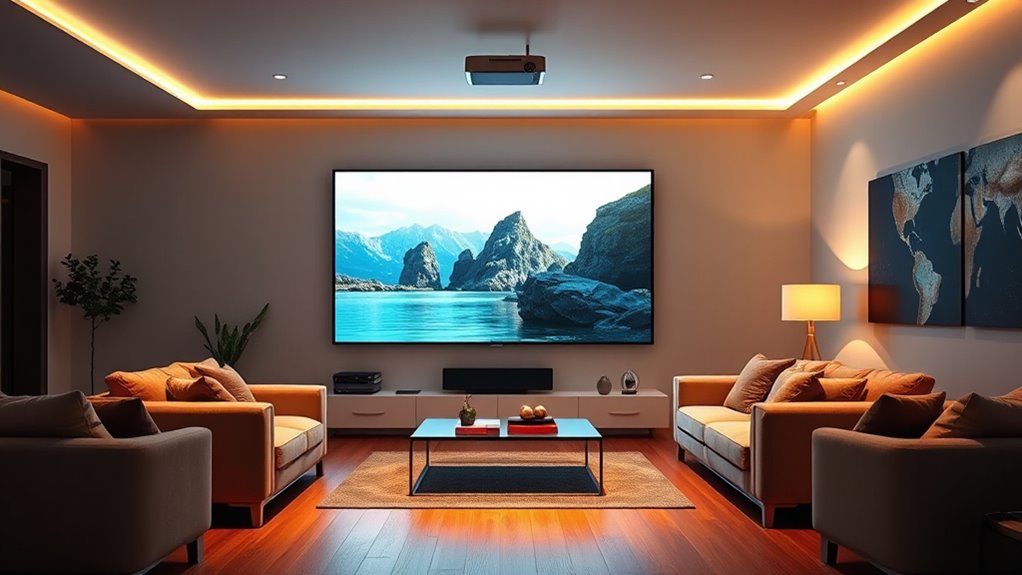

AI projectors can automate tasks such as focus and image alignment, but the right pick depends on whether you value easy setup, streaming, portability, or sound. I name the KOGATA Smart Projector my best overall for its combination of AI auto focus, 6D keystone, built-in apps, and HDR10+. The GooDee 4K Smart Projector stands out for ToF autofocus, while the ONOAYO ONO5Pro 2.0 is aimed at buyers who put powerful built-in audio first. The main tradeoffs are convenience versus image control, portability versus home theater sound, and advertised 4K support versus native resolution. Read on for the full breakdown and a guide to choosing among these different kinds of AI projectors.

Get privacy and security gear delivered free — and shop member deals
- Fast, free delivery on millions of items
- Access to Prime Big Deal Days deals on October 6–7
- Prime Video, Amazon Music and more included
Key Takeaways
- KOGATA is the most balanced pick: it combines automated focus and keystone correction with built-in apps and HDR10+, so it covers more everyday needs than models centered on portability or audio.
- Autofocus approaches differ: GooDee’s ToF autofocus is a notable setup feature, while several other models advertise AI auto focus; buyers should check which adjustments are automatic and which still need manual correction.
- Native resolution matters more than a 4K label: several entries list native 1080p alongside 4K decoding or support, so the label alone does not mean the projector displays a native 4K image.
- The ONOAYO models prioritize sound: the ONO3Pro 2.0 lists 50W Dolby Audio and the ONO5Pro 2.0 lists dual 60W Dolby Audio, making them more oriented toward speaker-free outdoor viewing than compact models.
- Not every product is a movie projector: the Yoturetoys i07Pro is designed for children’s drawing activities, giving it a distinct use case from the home theater and streaming options.
| KOGATA Smart Projector with WiFi and Bluetooth, Native 1080P 4K Decoding, AI Auto Focus, 6D Keystone, Dolby Audio, HDR10+, Built-in Apps |  | Best for Built-In Streaming | Native resolution: 1920 × 1080 | Maximum decoded resolution: 3840 × 2160 | Brightness: 550 lm | VIEW ON AMAZON | See Our Full Breakdown |
| IPOW Native 1080p Projector with 4K Support, Wi-Fi, Bluetooth, and Auto Setup |  | Best for Flexible Connections | Native resolution: 1920 × 1080 | Maximum image size: 120 inches | Minimum image size: 40 inches | VIEW ON AMAZON | See Our Full Breakdown |
| HAPPRUN H1 Native 1080p Portable Bluetooth Projector |  | Best for Portable Full HD | Native resolution: 1920 × 1080 | Display type: LCD | Brightness: 300 ANSI lumens | VIEW ON AMAZON | See Our Full Breakdown |
| Philoent Mini Projector with Wi-Fi 6, Bluetooth 5.4, and Built-In Apps |  | Best Compact Smart Pick | Native resolution: 1280 × 720 | Maximum display resolution: 1920 × 1080 | Brightness: 200 ANSI lumens | VIEW ON AMAZON | See Our Full Breakdown |
| VOPLLS G7 4K Projector with Google TV, HDR10+, Wi-Fi and Bluetooth |  | Best for Google TV Setup | Operating system: Google TV | Resolution claim: 4K; native resolution not specified | HDR: HDR10+ | VIEW ON AMAZON | See Our Full Breakdown |
| X6 Smart Projector with AI Voice Assist, Native 1080P, 800 ANSI Lumens, 4K/8K Support |  | Best for Flexible Room Setup | Native resolution: 1080p | Brightness: 800 ANSI lumens | Contrast ratio: 10,000:1 | VIEW ON AMAZON | See Our Full Breakdown |
| Magcubic HY300Pro Portable Mini Projector with Wi-Fi, Bluetooth, and 180° Rotation |  | Best Compact Casual Pick | Native resolution: 1280 × 720 | Maximum supported input: 3840 × 2160 | Brightness: 200 ANSI lumens | VIEW ON AMAZON | See Our Full Breakdown |
| Smart 4K Projector with WiFi & Bluetooth, AI Auto Focus, VIDAA OS, Dolby Audio, Outdoor Home Theater |  | Best for Built-In Streaming | Native resolution: 1920 × 1080 | Maximum decoded resolution: 3840 × 2160 | Brightness: 550 ANSI lumens | VIEW ON AMAZON | See Our Full Breakdown |
| ONOAYO Outdoor Projector 4K with AI Auto Focus, 50W Dolby Audio, Built-in Apps (ONO3Pro 2.0) |  | Best Portable Audio Setup | Model: ONO3Pro 2.0 | Resolution support: 4K video decoding | Brightness: Not specified | VIEW ON AMAZON | See Our Full Breakdown |
| Yoturetoys AI Drawing Projector for Kids, Model i07Pro |  | Best for Kids’ Drawing Activities | Model: i07Pro | Recommended age: 5–12 years | Built-in pictures: 50 | VIEW ON AMAZON | See Our Full Breakdown |
| ONOAYO ONO5Pro 2.0 4K Smart Outdoor Projector with Dual 60W Dolby Audio |  | Best for Built-In Sound | Resolution: 4K supported | Audio: Dual 60W Dolby Audio | Color gamut: 98% NTSC; 1.07 billion colors | VIEW ON AMAZON | See Our Full Breakdown |
| GooDee YG600-Mini AI Smart Mini Projector with WiFi 6 & Bluetooth 5.4, Auto Focus & Keystone |  | Best Compact Smart Setup | Resolution: Native 1080p; supports 4K input up to 3840×2160 | Contrast ratio: 20,000:1 | Color gamut: 98% NTSC | VIEW ON AMAZON | See Our Full Breakdown |
| GooDee 4K Smart Projector with Wi-Fi 6, Bluetooth 5.4, and ToF Autofocus | 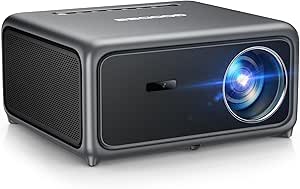 | Best for Automatic Focus | Resolution: Native 1080p with 4K decoding | Contrast ratio: 20,000:1 | Color gamut: 98% NTSC | VIEW ON AMAZON | See Our Full Breakdown |
| iSinbox Smart Outdoor Projector with Built-in Apps, 180° Gimbal, Dolby Audio |  | Best for Flexible Placement | Resolution: Native 1080p; supports 4K decoding | Weight: 3.14 lb | Dimensions: 9.19 × 7.87 × 3.07 inches | VIEW ON AMAZON | See Our Full Breakdown |
| Mini Projector with WiFi 6 and Bluetooth 5.3, Built-in Streaming Apps |  | Best for Simple Flexible Viewing | Resolution: Native 1080p; 4K compatible via HDMI | Brightness: 300 ANSI lumens | Screen size: 50–200 inches | VIEW ON AMAZON | See Our Full Breakdown |
| ai projector | Connectivity | Brightness |
|---|---|---|
| KOGATA Smart Projector with Wi | Wi-Fi 6, Bluetooth | 550 lm |
| IPOW Native 1080p Projector wi | Wi-Fi, Bluetooth, HDMI, USB, VGA | — |
| HAPPRUN H1 Native 1080p Portab | HDMI, USB, Bluetooth 5.3, 3.5 mm jack, IR | 300 ANSI lumens |
| Philoent Mini Projector with W | Wi-Fi 6, Bluetooth 5.4, HDMI, USB | 200 ANSI lumens |
| VOPLLS G7 4K Projector with Go | Bluetooth 5.2, AirPlay, Miracast, Chromecast, HDMI, USB-C | — |
| X6 Smart Projector with AI Voi | — | 800 ANSI lumens |
| Magcubic HY300Pro Portable Min | Wi-Fi, Bluetooth, HDMI, USB | 200 ANSI lumens |
| Smart 4K Projector with WiFi & | WiFi 6, Bluetooth 5.4, HDMI 2.1, AirPlay | 550 ANSI lumens |
| ONOAYO Outdoor Projector 4K wi | — | Not specified |
| Yoturetoys AI Drawing Projecto | — | — |
| ONOAYO ONO5Pro 2.0 4K Smart Ou | WiFi 6, HDMI 2.1, Chromecast, Bluetooth | — |
| GooDee YG600-Mini AI Smart Min | Dual-band WiFi 6; Bluetooth 5.4 | — |
| GooDee 4K Smart Projector with | — | — |
| iSinbox Smart Outdoor Projecto | WiFi 6, Bluetooth 5.4, Chromecast, eARC | — |
| Mini Projector with WiFi 6 and | WiFi 6; Bluetooth 5.3 for audio devices | 300 ANSI lumens |
More Details on Our Top Picks
KOGATA Smart Projector with WiFi and Bluetooth, Native 1080P 4K Decoding, AI Auto Focus, 6D Keystone, Dolby Audio, HDR10+, Built-in Apps
The KOGATA GC357 makes the most sense for viewers who want streaming apps and automatic setup in one projector. Its preinstalled Netflix, YouTube, and Prime Video apps reduce the need for a separate TV stick, while autofocus and 6D keystone help when the projector moves between rooms or outdoor setups. Its native picture is 1080p, not 4K; 4K decoding and HDR10+ support do not change that pixel count. Compared with the IPOW, the KOGATA lists a specific 300-inch maximum image and Wi-Fi 6, but the IPOW offers more connection types, including VGA. The KOGATA’s 550-lumen brightness also points toward dark-room viewing, not daytime use. I’d pick it for convenient app-based movie nights, with the expectation that a large image needs a dim space.
Pros:- Netflix, YouTube, and Prime Video are preinstalled
- Autofocus and 6D keystone correction simplify repositioning
- Wi-Fi 6 and Bluetooth support wireless connections
- Dolby Audio, DTS, and HDR10+ are included
Cons:- Native resolution is 1080p despite 4K decoding support
- Listed 550-lumen brightness limits use in bright rooms
Best for: Viewers who want built-in major streaming apps and automatic image setup for evening movies at home
Not ideal for: Daytime viewers or buyers seeking true native 4K detail, since brightness is listed at 550 lumens and native resolution is 1080p
- Native resolution:1920 × 1080
- Maximum decoded resolution:3840 × 2160
- Brightness:550 lm
- Chipset and memory:MTK9660; 2+8 GB
- Connectivity:Wi-Fi 6, Bluetooth
- Maximum screen size:300 inches
- Audio and HDR:Dolby Audio, DTS, HDR10+
Our verdict“Choose the KOGATA if built-in streaming and easy setup matter more than native 4K resolution or bright-room performance.”
IPOW Native 1080p Projector with 4K Support, Wi-Fi, Bluetooth, and Auto Setup
The IPOW is the practical pick for buyers connecting a mix of newer and older devices. Alongside Wi-Fi and Bluetooth, it has HDMI, USB, and VGA, giving it more wired flexibility than the KOGATA, which emphasizes wireless connections and built-in apps. Its native 1080p resolution supports clear Full HD viewing, while 4K support refers to compatible content rather than a native 4K image. Automatic focus and keystone correction reduce manual setup, and Netflix certification plus built-in apps can keep streaming simple. There are limits to the available specifications: the maximum image size is 120 inches, and the listed maximum throw distance has no unit. Brightness figures also conflict in the listing, so I’d be cautious about choosing it for a bright room.
Pros:- HDMI, USB, VGA, Wi-Fi, and Bluetooth provide varied connection options
- Native 1080p resolution with 4K content support
- Netflix certification and built-in apps support direct streaming
- Automatic focus and keystone correction reduce setup adjustments
Cons:- Maximum throw distance is listed without a unit
- Brightness information conflicts across the listing
- Maximum image size is 120 inches
Best for: Households that need to connect laptops, older devices, and streaming sources through a mix of wired and wireless options
Not ideal for: Buyers who need a clearly documented throw distance or dependable brightness information before planning a fixed installation
- Native resolution:1920 × 1080
- Maximum image size:120 inches
- Minimum image size:40 inches
- Connectivity:Wi-Fi, Bluetooth, HDMI, USB, VGA
- Built-in apps:Over 800
- Minimum throw distance:4.9 feet
- Light source life:30,000 hours
Our verdict“Choose the IPOW for its broad device connections and app support if its incomplete distance and brightness details fit your setup plans.”
HAPPRUN H1 Native 1080p Portable Bluetooth Projector
The HAPPRUN H1 stands out for buyers who want native 1080p in a projector they can move between a desk, tripod, and ceiling mount. Unlike the Philoent, it does not list built-in streaming apps or Wi-Fi, so streaming requires an HDMI source or TV stick. In return, the H1 gives you Full HD resolution rather than the Philoent’s native 720p. Its Bluetooth 5.3 is for audio, not video casting, and the listed 300 ANSI lumens favor darkened rooms. The 200-inch maximum image size gives it flexibility for occasional large-screen viewing, but a bigger picture won’t compensate for limited brightness. I’d choose this model for travel or adaptable home placement when a separate source device is already part of the plan.
Pros:- Native 1920 × 1080 resolution
- Desktop, tripod, and ceiling-mount installation options
- Bluetooth 5.3 supports wireless audio
- Supports image sizes up to 200 inches
Cons:- TV stick or other HDMI source is sold separately
- Bluetooth does not support video casting
- 300 ANSI lumens favor dark viewing conditions
Best for: People who move a Full HD projector between rooms or take it on trips and already have an HDMI streaming source
Not ideal for: Buyers who want direct app streaming, wireless video casting, or a bright image with some room light
- Native resolution:1920 × 1080
- Display type:LCD
- Brightness:300 ANSI lumens
- Image size:40–200 inches
- Connectivity:HDMI, USB, Bluetooth 5.3, 3.5 mm jack, IR
- Maximum throw distance:7 meters
- Installation:Desktop, tripod, or ceiling mount
Our verdict“Choose the HAPPRUN H1 for portable native Full HD if you are comfortable supplying your own streaming device.”
Philoent Mini Projector with Wi-Fi 6, Bluetooth 5.4, and Built-In Apps
At 0.85 lb, the Philoent is the most clearly portable smart option in this group. Built-in apps and Wi-Fi 6 make it more self-contained than the HAPPRUN H1, which needs an HDMI source for streaming; its 180° rotation also lets owners aim the image at different surfaces without relying on a fixed mount. The compromise is picture detail: the Philoent’s native resolution is 1280 × 720, below both the HAPPRUN and IPOW’s native 1080p. Its 200 ANSI lumens likewise suit dim spaces, and the maximum supported throw distance is 3.5 meters. Autofocus, vertical keystone correction, and a 0.8:1 throw ratio make setup flexible in small rooms, but they do not remove those image limits.
Pros:- Lightweight 0.85 lb design with 180° rotation
- Built-in apps and Wi-Fi 6 support direct streaming
- Autofocus and automatic vertical keystone correction simplify setup
- 0.8:1 throw ratio suits shorter placement distances
Cons:- Native resolution is 1280 × 720
- Brightness is 200 ANSI lumens
- Maximum throw distance is 3.5 meters
Best for: Travelers and small-room viewers who want lightweight, app-based projection with flexible aiming
Not ideal for: Viewers prioritizing native Full HD detail or use in rooms with significant ambient light
- Native resolution:1280 × 720
- Maximum display resolution:1920 × 1080
- Brightness:200 ANSI lumens
- Throw ratio:0.8:1
- Connectivity:Wi-Fi 6, Bluetooth 5.4, HDMI, USB
- Weight:0.85 lb (387 g)
- Rotation:Up to 180°
Our verdict“Choose the Philoent for a very light, flexible smart projector when portability matters more than Full HD detail.”
VOPLLS G7 4K Projector with Google TV, HDR10+, Wi-Fi and Bluetooth
The VOPLLS G7 is the strongest fit for buyers who want a familiar streaming interface built into a projector. Licensed Google TV provides access to popular apps, while autofocus, 6D keystone correction, obstacle avoidance, and screen fit aim to reduce the adjustments needed after placement. Compared with the KOGATA, which specifies native 1080p, the G7’s listing calls it a 4K projector but does not state native resolution or measured brightness, leaving two key picture details unclear. Its 1.24:1 throw ratio places a 100-inch image at a stated 9 feet, so it needs more distance than the Philoent’s 0.8:1 design. Dolby Audio, dual speakers, and a three-year warranty round out the package, though buyers should weigh the missing image specifications before planning a dedicated room.
Pros:- Licensed Google TV provides access to popular streaming apps
- Autofocus, 6D keystone, obstacle avoidance, and screen fit aid setup
- Supports AirPlay, Miracast, Chromecast, HDMI, and USB-C
- Dolby Audio and a three-year warranty are listed
Cons:- Native resolution is not specified
- Measured brightness is not specified
- A 100-inch image is listed at 9 feet, requiring more distance than a short-throw design
Best for: Viewers who want Google TV and automated image fitting for a flexible indoor or outdoor setup
Not ideal for: Buyers who need confirmed native resolution and measured brightness to compare picture performance or plan a fixed room installation
- Operating system:Google TV
- Resolution claim:4K; native resolution not specified
- HDR:HDR10+
- Throw ratio:1.24:1
- Image size example:100 inches at 9 feet
- Connectivity:Bluetooth 5.2, AirPlay, Miracast, Chromecast, HDMI, USB-C
- Audio:Dolby Audio, dual speakers, DSP chip
Our verdict“Choose the VOPLLS G7 for Google TV and automated setup if the unspecified native resolution and brightness are acceptable tradeoffs.”
X6 Smart Projector with AI Voice Assist, Native 1080P, 800 ANSI Lumens, 4K/8K Support
The X6 earns its place for buyers who want AI-assisted setup and flexible placement in one home projector. Its 3-second autofocus and automatic keystone correction can reduce the fuss when moving it between rooms, while the 360° rotatable design also supports ceiling projection. Compared with the VIDAA projector in this roundup, the X6 lists fewer streaming apps but has higher stated brightness at 800 ANSI lumens, which gives it a stronger case in moderately lit rooms. Its native resolution is 1080p; 4K and 8K describe decoding support, not the image resolution. Android 14, WiFi 6, and quiet cooling add convenience, but this is still a modestly bright LCD-class home option rather than a replacement for a bright-room display. Buyers also need to supply the remote’s AAA batteries.
Pros:- 3-second AI autofocus and automatic keystone correction simplify setup after repositioning.
- 360° rotation supports flexible placement, including ceiling projection.
- 800 ANSI lumens is a higher stated brightness than the VIDAA projector in this roundup.
- Android 14 includes Netflix, YouTube, Disney+, and Prime Video.
Cons:- The native image resolution is 1080p, even when decoding 4K or 8K content.
- 800 ANSI lumens may still fall short in bright rooms.
- The remote requires two AAA batteries, which are not included.
Best for: People who move a projector between rooms or want ceiling projection, automatic setup, and built-in streaming.
Not ideal for: Buyers seeking true 4K projection or a very large image in a brightly lit room.
- Native resolution:1080p
- Brightness:800 ANSI lumens
- Contrast ratio:10,000:1
- Operating system:Android 14.0
- Maximum screen size:200 inches
- Wireless:WiFi 6; Bluetooth 5.4
- Setup:3-second AI autofocus; automatic keystone correction
- Design:360° rotatable
Our verdict“Choose the X6 if easy repositioning and ceiling projection matter more than native 4K resolution.”
Magcubic HY300Pro Portable Mini Projector with Wi-Fi, Bluetooth, and 180° Rotation
The HY300Pro is the compact, casual option here: its 180° rotating stand makes it easy to aim at a wall or ceiling, and Wi-Fi, Bluetooth, HDMI, and USB cover basic playback needs. That portability comes with a clear picture-quality compromise. The projector is natively 720p, while its 4K support means it accepts or decodes higher-resolution input rather than displaying it at 4K. Its 200 ANSI lumens also make it better suited to a dark bedroom or occasional outdoor viewing after sunset than a living room with daylight. Compared with the X6, it offers less brightness and a lower native resolution, but its small format and rotating stand make it a simpler pick for casual use where a premium image is not the goal.
Pros:- Compact design with a 180° rotating stand makes placement flexible.
- Wi-Fi, Bluetooth, HDMI, and USB support several source options.
- Built-in apps and speaker allow basic viewing without extra equipment.
- Accepts 4K input for compatibility with higher-resolution sources.
Cons:- Native resolution is 720p, so fine detail is less sharp than on the X6.
- 200 ANSI lumens limits use in bright rooms and daytime outdoor settings.
- Focus is manual rather than AI autofocus.
Best for: Students or families wanting a small projector for occasional bedroom viewing, travel, or dark outdoor evenings.
Not ideal for: Movie viewers who want crisp 1080p detail, large bright-room images, or fully automatic focus.
- Native resolution:1280 × 720
- Maximum supported input:3840 × 2160
- Brightness:200 ANSI lumens
- Display type:LCD
- Image size:30–130 inches
- Throw distance:0.6–2.6 meters
- Connectivity:Wi-Fi, Bluetooth, HDMI, USB
- Rotation:180°
Our verdict“Pick the HY300Pro for flexible, casual viewing in dim spaces when portability matters more than image detail.”
Smart 4K Projector with WiFi & Bluetooth, AI Auto Focus, VIDAA OS, Dolby Audio, Outdoor Home Theater
The VIDAA model is the strongest fit for viewers who want a built-in streaming hub and broad app access without attaching a separate streamer. It pairs the VIDAA OS catalog with AI autofocus, 6D keystone correction, screen alignment, and obstacle avoidance, so setup can be less fiddly than on the HY300Pro, which relies on manual focus. The tradeoff is that its 550 ANSI lumens are lower than the X6’s stated 800, making a dark or shaded room the safer setting. Its native resolution is 1080p; 4K decoding does not make it a native 4K projector. HDR10+, MEMC, and Dolby Audio add useful playback features, but buyers should weigh those against the modest brightness if they plan daytime or outdoor use.
Pros:- VIDAA OS provides access to a large app catalog and live TV channels.
- AI autofocus, 6D keystone, screen alignment, and obstacle avoidance simplify setup.
- WiFi 6, Bluetooth 5.4, HDMI 2.1, and AirPlay offer flexible connections.
- Dolby Audio and MEMC support a more feature-rich movie and sports setup.
Cons:- 550 ANSI lumens is lower than the X6’s stated 800 and can constrain room lighting.
- Native resolution is 1080p; 4K is decoding support.
- Large advertised screen sizes depend on a suitable dark viewing environment.
Best for: Households that want a projector with a wide built-in app selection and automatic image adjustment for dark-room viewing.
Not ideal for: People who need a bright picture for daytime viewing or require native 4K projection.
- Native resolution:1920 × 1080
- Maximum decoded resolution:3840 × 2160
- Brightness:550 ANSI lumens
- Operating system:VIDAA
- HDR:HDR10+
- Motion enhancement:MEMC
- Connectivity:WiFi 6, Bluetooth 5.4, HDMI 2.1, AirPlay
- Throw distance:4.5–16.4 feet
Our verdict“Choose this model for convenient built-in streaming and automatic setup in a room where you can control the light.”
ONOAYO Outdoor Projector 4K with AI Auto Focus, 50W Dolby Audio, Built-in Apps (ONO3Pro 2.0)
The ONO3Pro 2.0 is aimed at buyers who want a portable all-in-one setup for streaming and sound. At 2.4 pounds, it is easier to carry than a fixed home-theater unit, while built-in apps, Chromecast, and WiFi 6 help reduce the extra gear needed for a movie night. Its headline dual 50W Dolby Audio speakers and eARC support make audio a central part of its appeal compared with the quieter, under-28dB X6, whose listed specs emphasize subdued cooling. The image claims need more caution: 4K is decoding support, and the native resolution and brightness are not specified. That missing information makes it hard to judge sharpness or suitability for outdoor ambient light, so this is a better match for flexible use than for buyers choosing by measured image performance.
Pros:- At 2.4 pounds, it is suited to portable and temporary setups.
- Built-in streaming apps and Chromecast reduce the need for external devices.
- AI autofocus and keystone correction support quick setup.
- Dual 50W speakers, Dolby Audio, and eARC give audio a prominent role.
Cons:- Native resolution is not specified; 4K decoding does not confirm native 4K projection.
- Brightness is not quantified, making performance in ambient light difficult to assess.
- The listed feature claims do not provide a clear measured basis for comparing image quality.
Best for: People who carry a projector between rooms or to evening gatherings and value built-in streaming and substantial onboard audio.
Not ideal for: Buyers who need confirmed native resolution and brightness figures before choosing a projector for a bright outdoor setting.
- Model:ONO3Pro 2.0
- Resolution support:4K video decoding
- Brightness:Not specified
- Weight:2.4 pounds
- Audio:Dolby Audio; dual 50W speakers; eARC
- Wireless:WiFi 6, Bluetooth, built-in Chromecast
- Autofocus:3 seconds
- Zoom:50%–100%
Our verdict“Consider the ONO3Pro 2.0 for portable streaming and onboard sound if its unspecified image figures fit your tolerance for uncertainty.”
Yoturetoys AI Drawing Projector for Kids, Model i07Pro
The i07Pro belongs in this roundup as an AI drawing and learning tool, not as a home-cinema alternative. It turns typed ideas or personal photos into projected outlines that children can trace, with 50 built-in drawings to get started. That makes its use very different from the ONO3Pro 2.0, which is built for streaming, projection, and onboard movie audio. The i07Pro instead focuses on a hands-on activity for ages 5–12, with optional learning packs that add spoken numbers and English words. Those packs are sold separately, and the projector needs continuous USB power, so it is less flexible as a travel toy than a battery-powered device. Families looking for a creative table activity may find the format useful; buyers wanting films on a wall should choose a conventional projector.
Pros:- Projects typed ideas and personal photos as traceable pictures.
- Includes 50 built-in drawings without requiring an SD card.
- Optional learning packs add spoken numbers and English words.
- USB power can come from a compatible adapter or power bank.
Cons:- It requires a continuous power connection and has no built-in battery.
- Spoken learning content is limited to optional Learning Packs.
- Additional Drawing and Learning Packs are sold separately.
Best for: Caregivers of children ages 5–12 who want a guided tracing and creative activity for a desk or table.
Not ideal for: Families seeking a movie projector, cordless play, or all audio learning features included in the box.
- Model:i07Pro
- Recommended age:5–12 years
- Built-in pictures:50
- Power:USB-powered, 5V/1A; no battery
- Weight:2 pounds
- Dimensions:9.84 × 5.12 × 0.04 inches
- Material:Plastic
- Educational objectives:Creative thinking, hand-eye coordination, imagination development
Our verdict“Choose the i07Pro for supervised tracing and creative play, rather than for watching movies or cordless use.”
ONOAYO ONO5Pro 2.0 4K Smart Outdoor Projector with Dual 60W Dolby Audio
The ONOAYO ONO5Pro 2.0 suits buyers who want a backyard movie setup with fewer separate components. Its dual 60W Dolby-tuned speakers give it a stronger audio focus than the iSinbox, whose appeal leans more toward flexible placement with its 180° gimbal. VisionIQ handles focus, keystone, and screen alignment automatically, so moving it between viewing spots takes less manual adjustment. Built-in streaming apps and Chromecast also reduce reliance on an external player, while 18ms game mode and WiFi 6 add flexibility for games and streaming. The tradeoff is that the listing gives no ANSI brightness figure, making it harder to judge how it will perform outdoors as light changes. It also needs an external power source and its sound claims are not independently verified.
Pros:- Dual 60W Dolby-tuned speakers can reduce the need for separate audio equipment
- VisionIQ automates focus, keystone correction, obstacle avoidance, and screen fit
- Built-in streaming apps, live TV channels, and Chromecast offer several playback options
- WiFi 6 and 18ms game mode support streaming and responsive casual gaming
Cons:- No native battery, so outdoor use requires access to power
- Brightness is not specified in ANSI lumens
- Promotional audio claims lack independent verification
Best for: Backyard movie watchers who want built-in streaming and strong onboard audio without adding a soundbar
Not ideal for: Buyers who need a battery-powered projector or a clearly stated brightness level for choosing a screen and viewing conditions
- Resolution:4K supported
- Audio:Dual 60W Dolby Audio
- Color gamut:98% NTSC; 1.07 billion colors
- Operating system:Smart TV Pro OS 2.0
- Auto calibration:VisionIQ focus, keystone, obstacle avoidance, and screen fit
- Game mode latency:18ms
- Connectivity:WiFi 6, HDMI 2.1, Chromecast, Bluetooth
Our verdict“Choose the ONO5Pro 2.0 if onboard audio and automated setup matter more than battery portability or a published brightness rating.”
GooDee YG600-Mini AI Smart Mini Projector with WiFi 6 & Bluetooth 5.4, Auto Focus & Keystone
The GooDee YG600-Mini is a fit for viewers who want a small projector that can handle streaming without a separate TV stick. Its built-in app store, plus Netflix, YouTube, and Prime Video access, makes it more self-contained than the YGSKK mini, which has fewer listed connectivity and app details. Native 1080p keeps the image resolution clear for typical home viewing, while 4K input support means it can accept higher-resolution sources without displaying native 4K. Automatic focus, keystone correction, obstacle avoidance, and screen fit simplify setup when the projector is moved. The 30W speakers and WiFi 6 round out an all-in-one package, but the supplied data does not state brightness, so I would not pick it for a bright room. Screen mirroring can also run into content compatibility limits.
Pros:- Built-in app store includes access to major streaming services without an external player
- Native 1080p resolution with HDR support and 4K input compatibility
- Automatic focus, keystone, obstacle avoidance, and screen fit ease setup
- WiFi 6 and Bluetooth 5.4 provide flexible network and audio connections
Cons:- Brightness is not specified in the supplied product data
- 4K input support does not make the projector natively 4K
- Screen mirroring may be restricted for some content and platforms
Best for: Apartment viewers and frequent movers who want built-in streaming and automatic setup in a mini projector
Not ideal for: Buyers planning daytime or bright-room viewing who need a published brightness figure, or those expecting native 4K projection
- Resolution:Native 1080p; supports 4K input up to 3840×2160
- Contrast ratio:20,000:1
- Color gamut:98% NTSC
- Speakers:Dual 30W (2 × 15W), Dolby Audio
- Connectivity:Dual-band WiFi 6; Bluetooth 5.4
- Screen mirroring:AirPlay and Miracast
- Smart setup:Auto focus, keystone, obstacle avoidance, and screen fit
Our verdict“Pick the YG600-Mini for a compact, app-ready setup if native 1080p is enough and your room can be kept dim.”
GooDee 4K Smart Projector with Wi-Fi 6, Bluetooth 5.4, and ToF Autofocus
The GooDee 4K Smart Projector makes the most sense for buyers who move a projector between rooms and want focus and alignment handled automatically. Its ToF autofocus, auto keystone, and screen alignment give setup a more sensor-led approach than the simpler electric focus on the YGSKK mini. It also includes streaming apps, WiFi 6, Bluetooth 5.4, and dual 30W Dolby Audio, so there is less need to assemble a separate viewing system. Despite the 4K name, its native resolution is 1080p; 4K decoding describes the input it can process, not the detail it projects. Compared with the GooDee YG600-Mini, this model adds a stated three-year warranty, while keeping a similar 1080p and 30W-speaker profile. HDR availability depends on the source and service.
Pros:- ToF autofocus and automatic image correction reduce manual setup
- Built-in streaming apps and App Store support standalone viewing
- WiFi 6 and Bluetooth 5.4 support current wireless connections
- Dual 30W Dolby Audio speakers and a stated three-year warranty
Cons:- Native resolution is 1080p despite 4K decoding support
- HDR access depends on the service, device, internet connection, and content
- Brightness is not specified in the supplied product data
Best for: Households that reposition their projector often and want sensor-based focus, image correction, and built-in streaming
Not ideal for: Buyers seeking native 4K projection or guaranteed HDR playback across every service and source
- Resolution:Native 1080p with 4K decoding
- Contrast ratio:20,000:1
- Color gamut:98% NTSC
- Speakers:Dual 30W with Dolby Audio
- Autofocus:ToF sensor
- Wireless connectivity:Dual-band WiFi 6; Bluetooth 5.4
- Warranty:3 years
Our verdict“Choose this GooDee for frequent repositioning and automatic focus, but look elsewhere if you need native 4K.”
iSinbox Smart Outdoor Projector with Built-in Apps, 180° Gimbal, Dolby Audio
The iSinbox stands apart through its integrated 180° gimbal, which makes ceiling or high wall projection easier to arrange than with the GooDee 4K Smart Projector, whose listed setup features center on autofocus and image correction. At 3.14 lb, it is also specified as a compact option, with built-in apps and Chromecast for streaming. Its native 1080p panel decodes 4K input; buyers should not mistake that for native 4K detail. Auto focus, keystone, obstacle avoidance, and screen fit help compensate after repositioning, while eARC and Bluetooth 5.4 offer ways to connect external sound. That flexibility comes with a one-year replacement and three-year limited warranty structure, and outdoor sessions still need power. Some services or content may require casting rather than direct playback through the built-in apps.
Pros:- 180° integrated gimbal supports wall, ceiling, and angled placement
- Compact listed weight of 3.14 lb makes it easier to move between rooms
- Built-in apps and Chromecast cover standalone and cast playback
- eARC and Bluetooth 5.4 provide options for external audio
Cons:- Native resolution is 1080p, with 4K decoding rather than native 4K projection
- Outdoor use requires access to power
- Some content may require casting instead of a built-in app
Best for: Bedroom and small-room viewers who want to aim projection at a wall or ceiling without a separate mount
Not ideal for: Buyers who need battery-powered outdoor viewing or expect every streaming title to play directly in built-in apps
- Resolution:Native 1080p; supports 4K decoding
- Weight:3.14 lb
- Dimensions:9.19 × 7.87 × 3.07 inches
- Gimbal:Integrated 180°
- Audio:Dolby Audio with AI Engine, Smart EQ, Voice Boost, and Deep Bass
- Connectivity:WiFi 6, Bluetooth 5.4, Chromecast, eARC
- Noise level:≤28 dB
Our verdict“Choose the iSinbox if adjustable wall-to-ceiling placement is your priority and native 1080p meets your needs.”
Mini Projector with WiFi 6 and Bluetooth 5.3, Built-in Streaming Apps
The YGSKK mini is a straightforward pick for viewers who want a small, adjustable projector with a stated brightness figure. Its 300 ANSI lumens gives buyers more to go on than the ONOAYO ONO5Pro 2.0, whose brightness is unspecified, though this output still points toward dim-room viewing. The 210° rotating base and remote electric focus make positioning and sharpening the image easier, while built-in apps reduce the need for a streaming stick. It projects native 1080p and accepts 4K sources over HDMI, so it does not provide native 4K detail. Compared with the iSinbox, it offers a wider rotation range on paper, but its Bluetooth 5.3 connection is for audio devices only. Phone mirroring also takes extra setup on Android.
Pros:- 300 ANSI lumens provides a stated brightness reference
- 210° rotating base and remote electric focus simplify positioning
- Built-in apps include Prime Video, YouTube, and Hulu
- Native 1080p resolution and a stated three-year warranty
Cons:- 300 ANSI lumens is best suited to dim viewing conditions
- 4K compatibility requires an external HDMI source and does not provide native 4K projection
- Bluetooth supports audio devices only, while Android mirroring requires an app
Best for: Casual viewers who want a movable mini projector for dim bedrooms or occasional movie nights
Not ideal for: Bright-room viewers, buyers seeking native 4K, or anyone who needs Bluetooth phone connectivity
- Resolution:Native 1080p; 4K compatible via HDMI
- Brightness:300 ANSI lumens
- Screen size:50–200 inches
- Connectivity:WiFi 6; Bluetooth 5.3 for audio devices
- Ports:HDMI, USB, audio out
- Focus:Remote electric focus
- Rotation:210° rotating base
Our verdict“Choose the YGSKK for simple, adjustable viewing in a dim room if you can work around its phone-mirroring limits.”
How We Picked
I ranked these projectors by how well their stated features answer common buyer needs: reliable setup, clear information about resolution, access to streaming, portability, and sound. I gave more weight to combinations that are useful across ordinary viewing situations than to a single headline feature. Auto focus, keystone correction, and gimbal or rotation designs matter because they can reduce setup effort, but they do not replace checking placement, projection size, or image specifications.
The order also reflects each model’s distinct role and the limits of its listed features. KOGATA leads as a balanced option; GooDee’s ToF autofocus and the ONOAYO models’ audio systems serve narrower priorities. Native 1080p models are described separately from projectors that advertise 4K support or decoding, and I avoid treating those claims as equivalent. Where specifications are not provided, I do not assume performance, brightness, or compatibility beyond the product details supplied.
Factors to Consider When Choosing Ai Projectors
AI features can make a projector easier to place, but they do not tell you whether it suits your room or viewing habits. I would start with the image source and setup conditions, then compare streaming, sound, and portability. These checks help avoid choosing by a feature label that may not address your main need.
Check Native Resolution Separately From 4K Support
A projector described as native 1080p with 4K decoding can accept or process certain 4K sources without displaying a native 4K image. Read the resolution wording closely and decide whether your priority is source compatibility or the detail the projector itself can show. This distinction is especially relevant across this roundup, where several models pair 1080p specifications with 4K language. Also match your expectations to screen size and viewing distance; a larger picture makes resolution limits easier to notice. If a listing does not state native resolution clearly, treat that as an information gap rather than inferring it from the product name. Spend more for a verified image capability only when your content and viewing setup can make use of it.
Treat AI Setup as a Convenience, Not a Placement Fix
Auto focus and keystone correction can reduce the adjustments needed after moving a projector, but they cannot make every location produce a good image. Digital keystone correction reshapes the picture, which can affect usable image area, so a level, centered placement remains helpful. Rotation and gimbal designs offer more freedom to aim the projector, yet you still need a suitable surface and enough room for the projected image. Check whether focus and alignment are automatic, manual, or a mix before buying. A common mistake is paying extra for automation while planning to place the projector far off-center or at an awkward angle. Buyers who set up in one fixed spot may benefit more from good placement than from extra adjustment modes.
Decide How You Will Stream Before Choosing an Operating System
Built-in apps can make a projector feel self-contained, but a product listing may not answer every question about app availability, updates, or service compatibility. Consider which streaming services you actually use and check that the specific model supports them. Google TV, VIDAA OS, and other built-in app platforms are not interchangeable, so do not assume the interface or app selection will match a television you already own. Wi-Fi features describe connectivity, not guaranteed streaming quality; your network and the projector’s placement still matter. If you already use a streaming stick or console, compare how easily it connects before treating built-in apps as essential. This can prevent paying for a software feature that duplicates devices you already own.
Match Brightness and Screen Size to the Room
A projector’s ability to make a large image does not mean that image will remain easy to see in every lighting condition. Ambient light, wall color, screen material, and image size all affect perceived contrast and clarity. Look for a clearly stated brightness measure and check how it was specified before comparing numbers across listings. The X6 advertises 800 ANSI lumens, while many of the supplied product names do not provide a comparable figure, so the available details do not support a complete brightness ranking. For daytime outdoor viewing, prioritize verified brightness and a controlled setup over a long list of smart features. At night or in a dark room, placement and screen quality may matter more than chasing a bigger image.
Choose Built-In Sound for Convenience or Plan for External Audio
Integrated speakers simplify a portable setup, but their usefulness depends on the room, audience, and how far viewers sit from the projector. The ONOAYO models highlight higher-power Dolby Audio systems, while many other entries simply list Dolby Audio or Bluetooth without comparable wattage details. Treat Bluetooth as a connection option, not proof of a particular sound level or low-latency performance. For a small room or casual viewing, built-in audio may be enough; for group movies or open-air use, check speaker output and available audio connections. Outdoor spaces can swallow sound, so the most convenient setup may not be the one with the best picture automation. Decide whether you are willing to bring a speaker before narrowing the choices.
Weigh Portability Against Stability and Intended Use
A compact projector is easier to move and store, but a portable design may require more care with placement, power, and sound than a fixed home theater setup. Rotation can help when projecting onto different surfaces, yet it does not make every surface suitable for viewing. For outdoor use, account for a stable stand, power access, a clear projection surface, and the time needed to set up in changing conditions. For children’s activities, the Yoturetoys drawing projector belongs in a different decision set from movie-focused options because its intended use is drawing. A frequent mistake is selecting a mini projector for a large shared viewing space without checking its image specifications first. Let your main use case decide which compromises are acceptable.
Frequently Asked Questions
Does a projector that supports 4K display a native 4K image?
Not necessarily. “4K support” or “4K decoding” can mean the projector accepts or processes 4K content while displaying at a lower native resolution. Several models in this roundup pair 4K wording with native 1080p specifications. Check the native resolution in the full product details if image detail is a deciding factor. Do not use the product title alone to compare resolution.
Can AI auto focus and keystone correction make any placement work?
No; these features help adjust an image after setup, but they do not remove the limits of projector placement. Angled or off-center positioning can require more digital correction, which may reduce usable image area. A centered, level position is still a good starting point, even on models with automated alignment. Check whether a projector’s claimed automation covers both focus and keystone or only one. If you plan to move it often, also look for clear instructions on how its automatic setup works.
Which projector is the better fit for outdoor movie nights?
The ONOAYO ONO3Pro 2.0 and ONO5Pro 2.0 are the clearest sound-focused candidates in this lineup, with listed 50W and dual 60W Dolby Audio systems respectively. The broader outdoor suitability still depends on brightness, power access, weather protection, and the surface you use, so check those details in the full specifications. The iSinbox adds a 180° gimbal and built-in apps, which may appeal if flexible aiming and streaming matter more to you. A projector’s outdoor label alone does not establish that it will be visible in daylight. Plan for dark conditions and a stable setup.
Should I choose built-in apps or use a streaming device?
Built-in apps are convenient when the services you use are supported and the interface meets your needs. A separate streaming device can make more sense if you already own one, prefer its interface, or need an app that is missing from the projector. Confirm app compatibility for the exact model rather than assuming every service runs on every listed platform. Also check available connections and Wi-Fi requirements before deciding. For this roundup, Google TV and VIDAA OS are named on specific models, while other listings describe built-in apps more generally.
Is the Yoturetoys i07Pro a substitute for a movie projector?
The i07Pro is listed as an AI drawing projector for kids, so its stated purpose differs from the other entries, which focus on viewing, streaming, or portable projection. If your main goal is movies or television, compare the image resolution, brightness, inputs, and sound against the movie-focused models instead. For drawing activities, check what content and materials are included and whether the setup suits the child’s age and workspace. The category label “projector” does not mean every model is designed for the same task. Choose it for its drawing use case only if that is the activity you want to support.
Conclusion
I recommend the KOGATA Smart Projector as the best overall for buyers who want automated setup, built-in apps, and HDR10+ in one package. For best value, I would compare the IPOW Native 1080p and HAPPRUN H1 against the features you need, since their supplied details point to simpler 1080p viewing without the broader feature mix of the leading smart picks. The GooDee 4K Smart Projector is my best for setup-focused buyers thanks to its listed ToF autofocus, while the ONOAYO ONO5Pro 2.0 is the best premium-style fit for sound-led outdoor viewing based on its dual 60W Dolby Audio claim. Beginners who want fewer manual adjustments should start with KOGATA or another model with clearly specified auto focus and keystone features. For a compact, flexible setup, consider the Magcubic HY300Pro or iSinbox; for children’s drawing activities, choose the Yoturetoys i07Pro. Before deciding, verify native resolution, brightness, streaming compatibility, and audio connections for the exact model.
Halloween Picks
halloween
As an affiliate, we earn on qualifying purchases.