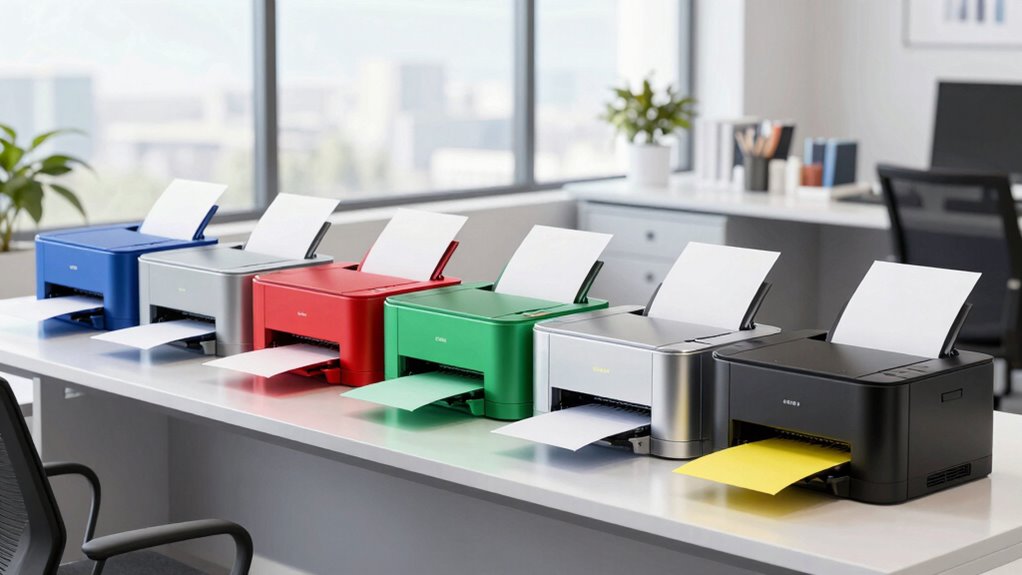
A color laser printer for an office should match your workload: print-only models keep routine output simple, while all-in-ones add scanning and copying for shared tasks. My best overall pick is the Canon Color imageCLASS MF665Cdw, a strong fit for offices that want a versatile all-in-one. The Brother MFC-L8930CDW is the business-focused choice for heavier shared use, while the HP Color LaserJet Pro 3201dw suits teams that mainly need color printing. The main tradeoffs are multifunction capability versus a smaller footprint, and business-oriented capacity versus simpler operation. Read on for the full comparison and help choosing the right fit.

Get privacy and security gear delivered free with Prime
- Fast, free delivery on millions of items
- Prime Video, Amazon Music and more included
- Member-only deals all year
Key Takeaways
- The Canon MF665Cdw leads as the balanced all-in-one: It is the roundup’s best overall pick for offices that need printing alongside scanning and copying, rather than a dedicated print-only device.
- Business workflows point toward the Brother MFC-L8930CDW: Its business-oriented positioning separates it from compact home-office and basic shared-printer options.
- Print-only models make sense when scanning is already covered: The Canon LBP646Cdw, HP 3201dw, Xerox C240, HP Enterprise M554dn, and Brother HL-L3220CDW focus on printing, so buyers should not pay for an all-in-one they will not use.
- Several lineups offer a choice between simpler and broader workflows: Canon’s MF662Cdw and MF665Cdw, and Brother’s MFC-L3720CDW and MFC-L3780CDW, make it worth checking each model’s exact functions rather than choosing by brand alone.
- The right pick depends on the office’s shared tasks: The MF753Cdw II, HP MFP 3301sdw, and all-in-one Brother models suit teams needing document handling, while compact or print-focused alternatives may be a better match for desk-side use.
| Canon Color imageCLASS MF665Cdw Wireless All-in-One Duplex Laser Printer |  | Best Balanced Office All-in-One | Functions: Print, scan, copy, fax | Print speed: Up to 26 ppm, color and monochrome | Document feeder: 50-sheet duplex ADF | VIEW ON AMAZON | See Our Full Breakdown |
| Canon Color imageCLASS MF662Cdw Wireless Duplex Laser Printer |  | Best for Straightforward Office Workflows | Functions: Print, scan, copy | Print speed: Up to 26 ppm | Scanner: Flatbed | VIEW ON AMAZON | See Our Full Breakdown |
| Brother MFC-L3720CDW Wireless Color Laser All-in-One Printer |  | Best for Wireless Small-Office Flexibility | Functions: Print, scan, copy, fax | Print speed: Up to 19 ppm | Scan speed: Up to 29/22 ipm (black/color) | VIEW ON AMAZON | See Our Full Breakdown |
| Canon Color imageCLASS LBP646Cdw Wireless Duplex Laser Printer |  | Best Print-Only Pick | Functions: Print only | Print speed: Up to 26 ppm | First print time: Approximately 10.3 seconds | VIEW ON AMAZON | See Our Full Breakdown |
| Canon Color imageCLASS MF753Cdw II All-in-One Color Duplex Laser Printer |  | Best for Higher-Volume Offices | Functions: Print, scan, copy, fax | Print speed: Up to 35 ppm | Document feeder: 50-sheet, single-pass, two-sided ADF | VIEW ON AMAZON | See Our Full Breakdown |
| HP Color LaserJet Pro 3201dw Wireless Color Laser Printer |  | Best for Small Office Print Volume | Printer type: Laser, color | Print speed: Up to 26 ppm in black and color | Duplex printing: Automatic | VIEW ON AMAZON | See Our Full Breakdown |
| Brother MFC-L8930CDW Business Color Laser All-in-One Printer |  | Best for High-Volume Document Workflows | Functions: Print, copy, scan | Print speed: Up to 33 ppm | Two-sided scan speed: Up to 104 images per minute | VIEW ON AMAZON | See Our Full Breakdown |
| Xerox C240 Wireless Color Laser Printer |  | Best Compact Print-Only Pick | Functions: Print only | Print speed: Up to 26 ppm in color and black-and-white | Print resolution: Up to 2400 x 600 dpi | VIEW ON AMAZON | See Our Full Breakdown |
| Brother MFC-L3780CDW Wireless Color All-in-One Laser Printer |  | Best All-in-One for Small Offices | Functions: Print, copy, scan, fax | Print speed: 31 ppm (black) | Scan speed: 29/22 ipm (black/color) | VIEW ON AMAZON | See Our Full Breakdown |
| HP Color LaserJet Enterprise M554dn Duplex Color Laser Printer |  | Best for High-Volume Shared Printing | Printer type: Laser, color | Print speed: Up to 35 ppm | Duplex printing: Automatic | VIEW ON AMAZON | See Our Full Breakdown |
| Brother HL-L3220CDW Wireless Color Laser Printer |  | Best Compact Print-Only Pick | Printer type: Laser | Functions: Print only | Print speed: Up to 19 pages per minute | VIEW ON AMAZON | See Our Full Breakdown |
| HP Color LaserJet Pro MFP 3301sdw Wireless All-in-One Color Laser Printer |  | Best for Fast Multifunction Office Work | Functions: Print, scan, copy | Print speed: Up to 26 ppm black and 30 ppm color | Print resolution: Up to 600 x 600 dpi | VIEW ON AMAZON | See Our Full Breakdown |
| color laser printer office | Print speed | Connectivity | Functions | Weight |
|---|---|---|---|---|
| Canon Color imageCLASS MF665Cd | Up to 26 ppm, color and monochrome | Wireless and USB; Canon PRINT app, Apple AirPrint, Mopria | Print, scan, copy, fax | 50 pounds |
| Canon Color imageCLASS MF662Cd | Up to 26 ppm | Wireless; Canon PRINT app, Apple AirPrint, Mopria | Print, scan, copy | 55.1 pounds |
| Brother MFC-L3720CDW Wireless | Up to 19 ppm | Dual-band Wi-Fi, Wi-Fi Direct, USB 2.0 | Print, scan, copy, fax | — |
| Canon Color imageCLASS LBP646C | Up to 26 ppm | Wi-Fi, USB, Ethernet; Canon PRINT app, Apple AirPrint, Mopria | Print only | 27.6 pounds |
| Canon Color imageCLASS MF753Cd | Up to 35 ppm | — | Print, scan, copy, fax | 50 pounds |
| HP Color LaserJet Pro 3201dw W | Up to 26 ppm in black and color | Wi-Fi, Ethernet, USB | — | — |
| Brother MFC-L8930CDW Business | Up to 33 ppm | Dual-band Wi-Fi, Gigabit Ethernet | Print, copy, scan | 71.2 pounds |
| Xerox C240 Wireless Color Lase | Up to 26 ppm in color and black-and-white | Dual-band Wi-Fi, Apple AirPrint, Mopria | Print only | — |
| Brother MFC-L3780CDW Wireless | 31 ppm (black) | Dual-band Wi-Fi, Gigabit Ethernet, Wi-Fi Direct, USB | Print, copy, scan, fax | — |
| HP Color LaserJet Enterprise M | Up to 35 ppm | Ethernet, USB; Wi-Fi optional | — | 60.6 pounds |
| Brother HL-L3220CDW Wireless C | Up to 19 pages per minute | Wireless, network-ready | Print only | 24.7 pounds |
| HP Color LaserJet Pro MFP 3301 | Up to 26 ppm black and 30 ppm color | Wi-Fi, Ethernet | Print, scan, copy | 37.7 pounds |
More Details on Our Top Picks
Canon Color imageCLASS MF665Cdw Wireless All-in-One Duplex Laser Printer
The MF665Cdw is a strong fit for a small office that needs more than printing but does not need the MF753Cdw II’s higher output speed or expandable paper capacity. Its 26-page-per-minute printing is matched by a 50-sheet duplex document feeder, so scanning both sides of a multi-page packet takes less manual handling. A 5-inch color touchscreen and mobile printing add straightforward ways to send jobs from shared workspaces.
The tradeoff is a 250-sheet main cassette, which can mean more frequent refills in a busier office, and its 50-pound weight makes it better suited to a settled printer station than a flexible desk setup. Unlike the print-only LBP646Cdw, it also scans, copies, and faxes; choose that simpler Canon instead if those functions would go unused.
Pros:- Prints, scans, copies, and faxes in one device
- 50-sheet duplex ADF scans both sides of documents
- Automatic duplex printing and mobile printing support
- Three-year limited warranty
Cons:- 250-sheet cassette may need frequent refilling in a busy office
- 50-pound weight makes placement and relocation less convenient
Best for: Small offices that regularly print, scan, copy, and fax, and want duplex document feeding without stepping up to a faster, expandable model.
Not ideal for: Busy teams with frequent high-volume jobs or large paper runs, since the standard cassette holds 250 sheets and the printer weighs 50 pounds.
- Functions:Print, scan, copy, fax
- Print speed:Up to 26 ppm, color and monochrome
- Document feeder:50-sheet duplex ADF
- Paper capacity:250-sheet cassette and 1-sheet multipurpose tray
- Display:5-inch color touchscreen
- Connectivity:Wireless and USB; Canon PRINT app, Apple AirPrint, Mopria
- Maximum media size:Legal (8.5 x 14 inches)
- Weight:50 pounds
Our verdict“Choose the MF665Cdw for a small office that wants a capable duplex-scanning all-in-one, but pick the MF753Cdw II for faster output and room to expand paper capacity.”
Canon Color imageCLASS MF662Cdw Wireless Duplex Laser Printer
The MF662Cdw covers core small-office jobs—printing, scanning, and copying—with 26-page-per-minute output, automatic duplex printing, and a 5-inch color touchscreen. Wireless and mobile printing make it easier to share from laptops and phones, while legal-size support suits offices that handle longer forms. Compared with the MF665Cdw, it drops faxing and the 50-sheet duplex feeder, making it a more focused choice for teams that mostly scan occasional pages on the flatbed.
That narrower feature set is also its main limitation: it lacks the document feeder that helps the MF665Cdw and MF753Cdw II process multi-page stacks with less intervention. Its 250-sheet cassette is adequate for a compact workspace, but not a large print queue. At 55.1 pounds, it is also a substantial piece of equipment to move after setup.
Pros:- Prints up to 26 pages per minute
- Combines printing, scanning, and copying
- Automatic duplex printing
- Wireless and mobile printing support
Cons:- Flatbed scanner has no automatic document feeder
- No fax function
- Weighs 55.1 pounds and has a 250-sheet cassette
Best for: Small teams that need color printing, copying, and occasional flatbed scans but do not need faxing or batch document feeding.
Not ideal for: Offices that scan multi-page paperwork often, need fax capability, or want a lighter printer to move between work areas.
- Functions:Print, scan, copy
- Print speed:Up to 26 ppm
- Scanner:Flatbed
- Paper capacity:250-sheet cassette and 1-sheet multipurpose tray
- Display:5-inch color touchscreen
- Duplex printing:Automatic
- Connectivity:Wireless; Canon PRINT app, Apple AirPrint, Mopria
- Weight:55.1 pounds
Our verdict“Pick the MF662Cdw when a touchscreen color printer with basic scanning and copying is enough, but choose the MF665Cdw for faxing and feeder-based duplex scanning.”
Brother MFC-L3720CDW Wireless Color Laser All-in-One Printer
The Brother MFC-L3720CDW is the flexible-networking pick here: dual-band Wi-Fi, Wi-Fi Direct, and USB give a small team several ways to connect, including direct device-to-printer jobs. It handles printing, scanning, copying, and faxing, and its 50-sheet ADF helps with document batches that the flatbed-only Canon MF662Cdw cannot feed automatically. Automatic duplex printing also cuts down on manual page turning.
Its main compromise is speed. At up to 19 ppm, it is slower than the 26-ppm Canon MF665Cdw and MF662Cdw, so frequent color jobs will take longer. The 250-sheet tray fits a small office better than a shared high-volume department, and its one-year limited warranty is shorter than the three-year coverage listed for those Canon models. Cloud and mobile options also rely on a network connection.
Pros:- Prints, scans, copies, and faxes
- 50-sheet automatic document feeder
- Dual-band Wi-Fi, Wi-Fi Direct, and USB connectivity
- Automatic duplex printing
Cons:- Up to 19 ppm is slower than the listed Canon all-in-ones
- 250-sheet paper tray may require regular refills
- One-year limited warranty is shorter than the three-year Canon warranties
Best for: Small offices that value flexible wireless connections and need an ADF for routine scans, but print at a moderate pace.
Not ideal for: Teams with frequent large color print runs or buyers who prioritize a longer listed warranty and faster output.
- Functions:Print, scan, copy, fax
- Print speed:Up to 19 ppm
- Scan speed:Up to 29/22 ipm (black/color)
- Automatic document feeder:50 sheets
- Paper tray capacity:250 sheets
- Display:3.5-inch color touchscreen
- Connectivity:Dual-band Wi-Fi, Wi-Fi Direct, USB 2.0
- Warranty:1-year limited
Our verdict“Choose the MFC-L3720CDW for flexible wireless setup and feeder-assisted office scanning, but favor the MF665Cdw if print speed and warranty length matter more.”
Canon Color imageCLASS LBP646Cdw Wireless Duplex Laser Printer
The LBP646Cdw makes sense when the office already has a scanner or multifunction device and wants a dedicated color printer without paying for unused scanning and fax features. It delivers up to 26 pages per minute, automatic two-sided printing, and wireless, USB, and Ethernet connections. Compared with the MF665Cdw, it is far lighter at 27.6 pounds and takes up less vertical space, making it easier to place on a workstation or shared shelf.
The savings in complexity come with a firm boundary: this is print only, with no copying, scanning, or faxing. Its 250-sheet cassette suits a small office, but the single-sheet multipurpose tray is limiting when switching paper types or sizes. The five-line LCD is also more basic than the MF665Cdw’s color touchscreen, though the printer’s simpler role makes that less of a drawback for routine jobs.
Pros:- Prints up to 26 pages per minute
- Automatic two-sided printing
- Wi-Fi, USB, and Ethernet connectivity
- Lighter and shorter than the Canon MF665Cdw all-in-one
Cons:- No scanning, copying, or faxing
- Multipurpose tray holds only one sheet
- One-year limited warranty
Best for: Offices with a separate scanner or all-in-one that want a compact, wired-or-wireless color printer for everyday documents.
Not ideal for: Buyers who need scanning, copying, faxing, or frequent switching between paper types through the multipurpose tray.
- Functions:Print only
- Print speed:Up to 26 ppm
- First print time:Approximately 10.3 seconds
- Paper capacity:250-sheet cassette and 1-sheet multipurpose tray
- Display:5-line LCD
- Connectivity:Wi-Fi, USB, Ethernet; Canon PRINT app, Apple AirPrint, Mopria
- Maximum media size:Legal (8.5 x 14 inches)
- Weight:27.6 pounds
Our verdict“Choose the LBP646Cdw for fast, compact office printing when another device handles document capture; choose the MF665Cdw if you need an all-in-one.”
Canon Color imageCLASS MF753Cdw II All-in-One Color Duplex Laser Printer
Among these five, the MF753Cdw II is the clearest step-up choice for a busier office: its up-to-35-ppm speed outpaces the 26-ppm MF665Cdw and MF662Cdw, while its 50-sheet single-pass duplex ADF handles both sides of a document in one pass. That combination can reduce waiting and hands-on scanning in teams that process frequent paperwork. It also prints, scans, copies, and faxes, with a 5-inch color touchscreen for common tasks.
Its standard capacity is 250 sheets in the cassette plus a 50-sheet multipurpose tray, rather than a high-capacity tray out of the box. Reaching up to 850 sheets requires an optional cassette, so paper expansion adds another purchase and takes more space. At 50 pounds, it is a permanent-station machine, not a lightweight desk printer; occasional-use offices may get better value from the MF665Cdw’s slower but capable setup.
Pros:- Up to 35 ppm, faster than the other Canon models in this group
- 50-sheet single-pass duplex ADF
- Prints, scans, copies, and faxes
- Paper capacity can expand to 850 sheets with an optional cassette
Cons:- Maximum capacity requires an optional cassette
- Weighs 50 pounds and occupies a substantial printer-station footprint
- Standard cassette holds 250 sheets
Best for: Small and midsize offices with regular color print queues, two-sided scanning needs, and a reason to add paper capacity as workloads grow.
Not ideal for: Occasional-use home offices, tight workspaces, or buyers who want maximum paper capacity without adding an optional cassette.
- Functions:Print, scan, copy, fax
- Print speed:Up to 35 ppm
- Document feeder:50-sheet, single-pass, two-sided ADF
- Standard paper capacity:250-sheet cassette plus 50-sheet multipurpose tray
- Maximum paper capacity:Up to 850 sheets with optional cassette
- Display:5-inch color touchscreen
- Print resolution:Up to 1200 x 1200 dpi
- Weight:50 pounds
Our verdict“Choose the MF753Cdw II for faster office queues and expandable paper handling, but select the MF665Cdw if your workload does not warrant the added capacity option.”
HP Color LaserJet Pro 3201dw Wireless Color Laser Printer
The HP Color LaserJet Pro 3201dw is a straightforward fit for a small team that needs brisk color printing without paying for scanning and copying hardware it will not use. Its 26-page-per-minute speed, automatic duplexing, and 250-sheet tray make it more office-ready than a basic personal printer, while Ethernet gives a shared workgroup a wired-network option. Compared with the Xerox C240, it adds Ethernet and supports media up to legal size, but the Xerox offers a touchscreen and broader mobile-printing support in its listed features. The HP’s key tradeoff is cartridge control: it is designed to block toner that lacks original HP chips or circuitry, limiting supply flexibility. I’d choose it for routine shared documents, not for buyers who want an all-in-one or freedom to source compatible toner.
Pros:- Prints up to 26 pages per minute in both black and color
- Automatic two-sided printing reduces manual page handling
- Wi-Fi, Ethernet, and USB provide flexible connection choices
- 250-sheet input tray supports routine shared-office workloads
Cons:- Print-only design lacks scanning and copying
- Blocks toner cartridges without original HP chips or circuitry
- At 33 pounds, it is not especially easy to move between desks
Best for: Small teams that print shared color reports and legal-size documents, and want duplexing plus Ethernet without an all-in-one.
Not ideal for: Offices that need scanning or copying, or buyers who want to use toner cartridges without original HP chips or circuitry.
- Printer type:Laser, color
- Print speed:Up to 26 ppm in black and color
- Duplex printing:Automatic
- Connectivity:Wi-Fi, Ethernet, USB
- Input tray capacity:250 sheets
- Maximum media size:8.5 x 14 inches
- Resolution:600 x 600 dpi
- Dimensions:15.35 x 20.08 x 10.47 inches (D x W x H)
Our verdict“Choose the HP 3201dw for a small office that prioritizes fast duplex printing and Ethernet over all-in-one functions or toner flexibility.”
Brother MFC-L8930CDW Business Color Laser All-in-One Printer
For an office that handles stacks of forms and shared documents, the Brother MFC-L8930CDW earns its place through fast printing and two-sided scanning, not a compact footprint. It prints and copies at up to 33 pages per minute, and its 80-page feeder can scan both sides at up to 104 images per minute—useful when digitizing paperwork would otherwise tie up staff. The 7-inch touchscreen, Gigabit Ethernet, Wi-Fi, and NFC badge authentication make it better suited to a managed team environment than the print-only HP Color LaserJet Pro 3201dw. That extra capability comes with real costs in space and weight: at 71.2 pounds, it needs a stable, planned location. Some scanning and cloud features also need an internet connection. I’d favor it over simpler all-in-ones when scanning throughput and access controls matter more than easy placement.
Pros:- Prints and copies at up to 33 pages per minute
- Two-sided scanning reaches up to 104 images per minute
- 80-page automatic document feeder supports larger scanning batches
- NFC badge authentication and wired or wireless networking suit shared offices
Cons:- 71.2-pound weight makes placement and relocation difficult
- Some scanning and cloud features require an internet connection
- Larger footprint than print-focused options such as the HP 3201dw
Best for: Busy offices that scan multipage, double-sided paperwork often and need print, copy, scan, and badge-based access in one device.
Not ideal for: Small desks or teams seeking a lightweight printer, or offices that need all scanning and cloud functions to work without internet access.
- Functions:Print, copy, scan
- Print speed:Up to 33 ppm
- Two-sided scan speed:Up to 104 images per minute
- Automatic document feeder:80 pages
- Touchscreen:7-inch color
- Connectivity:Dual-band Wi-Fi, Gigabit Ethernet
- Included toner yield:3,000 pages black; 1,800 pages color
- Weight:71.2 pounds
Our verdict“Pick the Brother MFC-L8930CDW when fast two-sided scanning and team security justify its size and more involved setup.”
Xerox C240 Wireless Color Laser Printer
The Xerox C240 is the print-only choice for a home office or small team that wants color laser speed without an all-in-one taking over the desk. It delivers up to 26 pages per minute, automatic duplexing, and dual-band Wi-Fi, with AirPrint and Mopria support for printing from common mobile devices. Its listed dimensions are smaller than the HP Color LaserJet Pro 3201dw in width and height, though the Xerox is still a 35.9-pound machine rather than a genuinely portable printer. The Easy Assist App can guide setup, and high-yield toner options give buyers a way to manage supply changes. The compromise is clear: there is no scanner or copier, and its maximum media size is Letter or A4, unlike the HP’s legal-size support. Choose it for compact, connected document printing, not broader office workflows.
Pros:- Prints up to 26 pages per minute in color and black-and-white
- Dual-band Wi-Fi, AirPrint, and Mopria support wireless printing
- Automatic duplexing handles two-sided documents without manual reloading
- Easy Assist App guides setup, with high-yield toner options available
Cons:- Print-only design offers no scanning or copying
- Maximum media size is Letter or A4, smaller than the HP 3201dw’s legal-size support
- Weighs 35.9 pounds despite its compact listed dimensions
Best for: Freelancers and small teams that need duplex color printing and easy mobile connections but already handle scanning and copying elsewhere.
Not ideal for: Offices that need an integrated scanner, copier, fax, Ethernet connection, or legal-size printing.
- Functions:Print only
- Print speed:Up to 26 ppm in color and black-and-white
- Print resolution:Up to 2400 x 600 dpi
- Connectivity:Dual-band Wi-Fi, Apple AirPrint, Mopria
- Duplex printing:Automatic
- Maximum media size:A4, Letter (8.5 x 11 inches)
- Recommended monthly printing:Up to 1,500 pages
- Dimensions:15.7 x 16.2 x 9.6 inches (D x W x H)
Our verdict“Choose the Xerox C240 if compact dimensions and mobile printing matter more than all-in-one functions or legal-size output.”
Brother MFC-L3780CDW Wireless Color All-in-One Laser Printer
The Brother MFC-L3780CDW covers the everyday office jobs that the Xerox C240 cannot: it prints, copies, scans, and faxes, while offering Wi-Fi Direct alongside dual-band Wi-Fi, Ethernet, and USB. Its 31-ppm black print speed supports quick monochrome runs, and scan speeds of 29 ipm in black or 22 ipm in color help move paperwork into digital workflows. The 3.5-inch touchscreen is smaller than the 7-inch panel on the Brother MFC-L8930CDW, but the L3780CDW is positioned for home offices and small businesses rather than high-throughput scanning teams. Optional high-yield cartridges are available, though buyers should read the toner-service terms: the Refresh EZ Print service requires a monthly subscription for enrolled service, with possible charges after a free trial. That supply model may not suit offices that prefer to buy toner only when needed.
Pros:- Combines print, copy, scan, and fax functions
- Prints at up to 31 ppm in black
- Dual-band Wi-Fi, Wi-Fi Direct, Gigabit Ethernet, and USB support varied office setups
- Optional high-yield toner cartridges and Energy Star certification
Cons:- Refresh EZ Print requires a monthly subscription for enrolled toner service, with possible charges after the trial
- 3.5-inch touchscreen is smaller than the L8930CDW’s 7-inch panel
- Listed scan speeds are slower than the L8930CDW’s high-speed two-sided scanning
Best for: Small businesses and home offices that want one machine for color printing, scanning, copying, and faxing with both wired and wireless connections.
Not ideal for: Teams with heavy two-sided scanning needs that would benefit from the L8930CDW’s faster scanning, or buyers who do not want subscription-based toner service options.
- Functions:Print, copy, scan, fax
- Print speed:31 ppm (black)
- Scan speed:29/22 ipm (black/color)
- Touchscreen:3.5 inches
- Connectivity:Dual-band Wi-Fi, Gigabit Ethernet, Wi-Fi Direct, USB
- Supported toner cartridges:TN229 Standard Yield, TN229XL High Yield, TN229XXL Super High Yield
- Warranty:1-year limited
- Certification:ENERGY STAR
Our verdict“Choose the MFC-L3780CDW for a small office that wants a versatile all-in-one and broad connectivity without needing the L8930CDW’s faster scanning workflow.”
HP Color LaserJet Enterprise M554dn Duplex Color Laser Printer
The HP Color LaserJet Enterprise M554dn is the strongest fit here for an office that prints large batches and wants fewer interruptions at the paper tray. Its 650-sheet input capacity is well above the 250-sheet tray in the HP Color LaserJet Pro 3201dw, and its speed reaches 35 pages per minute with automatic duplexing. Enterprise security and centralized management also make it a better match for an IT-managed printer fleet than the more basic Xerox C240. The tradeoff is a narrower role: this is a print-only device, so teams still need separate equipment for scanning and copying. Ethernet and USB are listed, while Wi-Fi is optional; that can be a sticking point for offices that expect wireless networking out of the box. At 60.6 pounds, it also calls for a fixed, sturdy location.
Pros:- 650-sheet input capacity reduces paper reloads compared with the HP 3201dw
- Prints up to 35 pages per minute with automatic duplexing
- Enterprise security and centralized printer management suit managed office environments
- Auto-On/Auto-Off technology supports energy-saving operation
Cons:- Print-only design lacks copy and scan functions
- Wi-Fi connectivity is optional; Ethernet and USB are the listed connections
- 60.6-pound weight makes it difficult to reposition
Best for: IT-managed offices that print frequent large color batches and value a high-capacity tray, duplexing, and centralized security controls.
Not ideal for: Small teams needing built-in scanning or copying, wireless connectivity without an optional upgrade, or a printer that can be moved easily.
- Printer type:Laser, color
- Print speed:Up to 35 ppm
- Duplex printing:Automatic
- Input capacity:650 sheets
- Output capacity:275 sheets
- Connectivity:Ethernet, USB; Wi-Fi optional
- Maximum media size:8.5 x 14 inches
- Weight:60.6 pounds
Our verdict“Pick the M554dn for a managed office with high-volume print queues, but choose an all-in-one if staff also need scanning or copying.”
Brother HL-L3220CDW Wireless Color Laser Printer
The Brother HL-L3220CDW suits an office that needs dependable color documents but already has separate scanning and copying options. Its 250-sheet tray and automatic duplex printing reduce routine paper handling, while wireless and mobile printing make it easier to share among staff. At up to 19 pages per minute, it is a more modest-paced choice than the HP Color LaserJet Pro MFP 3301sdw, but it also avoids the added bulk and multifunction features of that all-in-one. The tradeoff is clear: this is a print-only machine, and specialty media goes through the manual feed slot rather than the main tray. I’d choose it for a small office focused on everyday documents, not one that needs a single device for every paper task.
Pros:- Automatic duplex printing helps cut paper use on routine office jobs.
- 250-sheet tray limits interruptions for ordinary printing.
- Wireless and mobile printing support flexible placement and shared access.
- Manual feed slot accommodates specialty media.
Cons:- Print-only design cannot scan or copy documents.
- Up to 19 pages per minute is slower than the HP Color LaserJet Pro MFP 3301sdw.
- Specialty media requires use of the manual feed slot.
Best for: Small offices and home-office users who print color documents regularly, want automatic duplexing, and already have a scanner or copier.
Not ideal for: Teams that need scan-and-copy functions, high-volume rapid output, or frequent specialty-media printing from a dedicated tray.
- Printer type:Laser
- Functions:Print only
- Print speed:Up to 19 pages per minute
- Paper tray capacity:250 sheets
- Output capacity:150 sheets
- Maximum media size:8.5 x 14 inches
- Connectivity:Wireless, network-ready
- Dimensions:15.7 x 15.7 x 9.4 inches
- Weight:24.7 pounds
Our verdict“Choose the HL-L3220CDW if your office wants a compact, shared color printer and does not need scanning or copying built in.”
HP Color LaserJet Pro MFP 3301sdw Wireless All-in-One Color Laser Printer
The HP Color LaserJet Pro MFP 3301sdw is the stronger fit when one office machine needs to print, scan, and copy, rather than handle printing alone. Its automatic document feeder helps with multi-page scanning and copying, and the listed speeds—up to 26 ppm in black and 30 ppm in color—outpace the Brother HL-L3220CDW’s 19 ppm print speed. A 250-sheet input tray, automatic duplexing, Wi-Fi, and Ethernet round out a setup suited to a shared office workflow. The tradeoffs are its 37.7-pound weight and HP’s restriction on toner cartridges without HP chips or circuitry, which narrows supply choices. I’d favor it over a print-only model when document handling matters, but skip it if you want a lighter printer or broader toner flexibility.
Pros:- Print, scan, and copy functions consolidate common office tasks in one device.
- Automatic document feeder supports multi-page scanning and copying.
- Listed color print speed of up to 30 ppm is faster than the Brother HL-L3220CDW.
- Wi-Fi and Ethernet provide wireless and wired connection options.
Cons:- At 37.7 pounds, it is heavy to move or reposition.
- Designed to block toner cartridges without HP chips or circuitry.
- Its multifunction features may be unnecessary for offices that only need printing.
Best for: Small-office teams that regularly print, scan, and copy multi-page documents and want both Wi-Fi and Ethernet connections.
Not ideal for: Buyers who need a lightweight printer, want to use toner cartridges without HP chips or circuitry, or only need basic print output.
- Functions:Print, scan, copy
- Print speed:Up to 26 ppm black and 30 ppm color
- Print resolution:Up to 600 x 600 dpi
- Copy speed:Up to 26 ppm black and white
- Duplex printing:Automatic
- Scanner and feeder:Flatbed scanner with automatic document feeder
- Input tray capacity:250 sheets
- Connectivity:Wi-Fi, Ethernet
- Weight:37.7 pounds
Our verdict“Choose the HP 3301sdw for a shared office that needs faster color printing plus feeder-assisted scanning and copying, and can accept HP toner restrictions.”
How We Picked
I ranked these printers by how well their design fits common office workloads: regular color documents, shared access, and the mix of printing, scanning, and copying a team actually needs. I gave priority to useful workflow coverage and clear role differentiation, rather than treating every all-in-one as automatically better than a print-only model. A multifunction device earns its place when its added functions help an office; a dedicated printer can rank well when a simpler setup is the better fit.
I also weighed usability, office suitability, and the tradeoffs each product asks buyers to accept. Business-oriented models were judged for shared-office fit, while more compact and straightforward printers were considered for smaller teams and lighter workflows. The ranking reflects these differences: the Canon MF665Cdw takes the balanced overall position, the Brother MFC-L8930CDW serves heavier business needs, and dedicated print-only options rank for offices that do not need scanning or copying. Buyers should confirm exact specifications and supply compatibility for their intended setup before purchase.
| color laser printer office | Functions |
|---|---|
| Canon Color imageCLASS MF665Cd | Print, scan, copy, fax |
| Canon Color imageCLASS MF662Cd | Print, scan, copy |
| Brother MFC-L3720CDW Wireless | Print, scan, copy, fax |
| Canon Color imageCLASS LBP646C | Print only |
| Canon Color imageCLASS MF753Cd | Print, scan, copy, fax |
| HP Color LaserJet Pro 3201dw W | — |
| Brother MFC-L8930CDW Business | Print, copy, scan |
| Xerox C240 Wireless Color Lase | Print only |
| Brother MFC-L3780CDW Wireless | Print, copy, scan, fax |
| HP Color LaserJet Enterprise M | — |
| Brother HL-L3220CDW Wireless C | Print only |
| HP Color LaserJet Pro MFP 3301 | Print, scan, copy |
Factors to Consider When Choosing Color Laser Printer Office
Choosing an office color laser printer starts with the work it will handle, not the longest feature list. These models range from dedicated printers to full multifunction devices, and that distinction affects workspace, daily workflow, and what tasks still need another machine. Use the factors below to match the printer to your office routine.
Decide Whether Your Office Needs an All-in-One
Start by listing the tasks the team performs in a typical week: printing, scanning, copying, and any document intake or distribution. A multifunction printer can consolidate several jobs, but it also takes more space and adds functions that may go unused. If scanning and copying already happen through a separate device, a print-only model such as the Canon LBP646Cdw or HP 3201dw may fit the workflow better. Avoid choosing an all-in-one just because it appears more capable on paper. On the other hand, a shared office that regularly copies or digitizes paperwork may spend less time moving between devices with a multifunction model. Match the device to routine tasks, not occasional exceptions.
Match the Printer to How Many People Share It
A printer used by one person has different demands from a device serving a whole department. Shared use makes access, paper handling, and predictable operation more important because delays affect several people at once. Business-oriented options such as the Brother MFC-L8930CDW and HP Enterprise M554dn are worth examining for a more demanding office environment, while simpler models may suit a small team. Do not assume that a business label alone proves a printer fits your workload; check the manufacturer’s stated capacity and recommended use for the exact model. Think about peak periods, not just an average day. If several employees print at once, a suitable shared setup can matter more than an extra convenience feature.
Check the Full Cost of Keeping It Supplied
The purchase decision does not end with the printer itself. Color laser models rely on replaceable supplies, so compare the exact toner and maintenance items supported by each model before committing. Office teams should estimate how often they print color versus black-and-white, since a document-heavy workflow can use supplies differently from one that produces frequent graphics. Ask whether the supply options and availability fit your organization’s purchasing process. A printer with extra functions may not be the better value if those functions go unused or its ongoing supplies do not suit your print mix. Compare total ownership needs across the expected service period rather than focusing on a single specification.
Measure the Real Space and Placement Requirements
Printer dimensions are only part of the space question. All-in-ones need room for users to reach the scanner and operate the controls, while paper trays and output areas need clearance during everyday use. Before ordering, measure the intended surface and check the manufacturer’s dimensions and access requirements for the selected model. A print-only unit can be easier to place beside a workstation, but that benefit disappears if the office later needs a separate scanner. Also consider who will load paper and replace supplies, and whether the printer can sit somewhere convenient for those tasks. Placement affects how often people use the device and whether it creates congestion around a shared area.
Confirm Network, Security, and Device Compatibility
Wireless support can make a printer easier to place, but the office still needs a connection method that works with its network and user devices. Check compatibility with the organization’s computers, mobile devices, and network policies before choosing between models. In a managed workplace, ask the IT team about setup requirements, access controls, and any security rules for network printers. A feature that helps a home office connect quickly may not meet a company’s administration needs. Consider where print jobs will be sent from and who should be able to use the device. Verifying these details first can prevent a printer from becoming a disconnected workstation accessory.
Pay for Color Capability That Matches the Documents
Color is useful for charts, marked-up drafts, presentations, and customer-facing pages, but not every office needs color on every job. If most output is routine text, decide whether color access is needed at the main shared printer or only in a smaller department. A dedicated color laser printer can help consolidate those jobs, yet it is not automatically the right choice for high-volume specialist graphics. Check the manufacturer’s print specifications and consider a representative set of your office documents before deciding. Keep an eye on whether users can default routine jobs to black-and-white where supported. This helps align the printer choice with the actual mix of documents rather than an occasional color request.
Frequently Asked Questions
Should I choose the Canon MF665Cdw or the Canon MF662Cdw for a small office?
Choose between them by comparing the exact features your office needs, rather than assuming two similarly named models are interchangeable. The MF665Cdw is this roundup’s overall all-in-one pick, while the MF662Cdw is another multifunction option in the same Canon family. Check each model’s manufacturer specification sheet for scanning, copying, connectivity, and paper-handling details before deciding. If the extra functions on the MF665Cdw would be used regularly, its broader role may suit a shared office better. If your requirements are simpler, the MF662Cdw may be enough, provided its documented capabilities match your workflow.
When does a print-only color laser printer make more sense than an all-in-one?
A print-only model makes more sense when your office already has reliable scanning and copying, or when those tasks are rare. It can keep the printer’s job focused and may be easier to place near the people who print most often. This roundup includes print-focused choices such as the Canon LBP646Cdw, Xerox C240, and Brother HL-L3220CDW. Before choosing one, check whether staff would need to walk to another device for routine document handling. If scanning paperwork is part of everyday work, the convenience of an all-in-one can matter more than a simpler setup.
Which type of printer should a team choose for frequent shared use?
Start with the manufacturer’s stated workload guidance, then compare the device’s functions with the number of people and tasks it will support. The Brother MFC-L8930CDW is the roundup’s business-focused all-in-one, while the HP Color LaserJet Enterprise M554dn is a dedicated print option for buyers considering an enterprise-oriented model. A multifunction unit makes more sense if the group shares scanning and copying as well as printing. A print-only printer can be the cleaner choice if another device handles document capture. Ask your IT or purchasing team to verify capacity, support, and network fit before placing a shared printer into service.
How can I avoid choosing the wrong model from a printer family?
Compare full model numbers and official specifications, not just a shared brand name or similar product title. This is especially useful here because the roundup includes closely related Canon MF models and Brother MFC models with different intended roles. Check whether the exact unit prints only or also scans and copies, then verify connectivity and paper-handling details that matter to your team. Confirm the required toner and other supplies are compatible with that precise model. A short checklist based on your office’s daily jobs is more reliable than assuming a higher model number always means a better fit.
What should I check before connecting an office color laser printer to a company network?
Confirm that the printer’s supported connection options work with your office network and the computers and mobile devices employees use. Ask IT whether the model fits local security, access, and administration policies, especially for a device shared across departments. Check the setup process and driver support for the operating systems in use. If users will print wirelessly, verify that the network configuration permits the required connections rather than relying on the word wireless alone. These checks help distinguish a convenient desk-side setup from a printer that can be managed reliably by an organization.
Conclusion
For most offices that need printing plus document handling, I recommend the Canon Color imageCLASS MF665Cdw as the best overall. The Brother MFC-L8930CDW is my best premium, business-focused pick for teams evaluating a more office-oriented all-in-one, while the HP Color LaserJet Pro 3201dw is a strong value-style choice for buyers who mainly need color printing and do not require scanning or copying. For a simpler entry into office color printing, compare the Brother HL-L3220CDW with the print-only Canon and Xerox options, checking the exact supplies and connectivity each supports. If scanning and copying are central to the workflow, consider the Canon MF753Cdw II, Brother MFC-L3780CDW, or HP MFP 3301sdw as alternatives with multifunction roles. My final advice: decide first whether the office needs an all-in-one, then choose the model whose stated capacity, network fit, and supply requirements match the people who will use it.
Halloween Picks
halloween
As an affiliate, we earn on qualifying purchases.