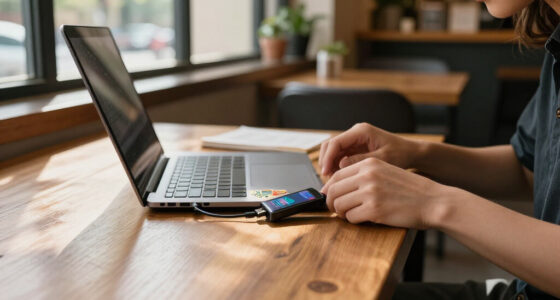
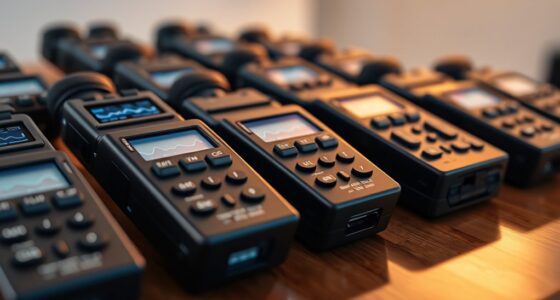
For most people seeking a digital microscope, the Andonstar AD246S-M is the strongest all-around choice because its three-lens setup and 2160P HDMI output suit a range of inspection tasks. The TOMLOV DM9 Max is a standout when a large built-in display matters, while the Jiusion 4K WiFi USB suits buyers who want handheld viewing and computer connectivity. The key tradeoffs are screen size versus portability, stable positioning versus flexible handheld use, and specialized tools versus general-purpose viewing. Magnification claims alone do not reveal how easy a microscope is to focus or how useful its working distance will be. Read on for how these nine options compare and which type of buyer each one fits best.

Get privacy and security gear delivered free with Prime
- Fast, free delivery on millions of items
- Prime Video, Amazon Music and more included
- Member-only deals all year
Key Takeaways
- The Andonstar AD246S-M leads for versatility: its three-lens design and 2160P HDMI output give it a broader role than the more specialized coin, soldering, or children’s models.
- A larger built-in screen favors shared bench work: the TOMLOV DM9 Max’s 10.1-inch IPS display is a different priority from compact handheld models that rely more on a phone or computer.
- Connection type shapes where you can work: the Jiusion combines handheld use with WiFi and USB, while HDMI and built-in-display models suit more fixed viewing setups.
- Task-specific accessories can matter more than headline magnification: the Aikokkl’s C-clamp targets soldering, and the Elikliv coin model adds a weighing scale for coin-focused work.
- Entry-level and kid-oriented picks trade some flexibility for approachability: the BMDSAE and SKYBASIC are geared toward accessible handheld exploration rather than the stability and setup of bench-oriented options.
| Andonstar AD246S-M 3-Lens 2160P HDMI Digital Microscope |  | Best for Multi-Purpose Bench Work | Model: AD246S-M | Lenses: 3 interchangeable lenses: A, D, and L | Video resolution: 2160P | VIEW ON AMAZON | See Our Full Breakdown |
| TOMLOV DM9 Max Digital Microscope with 10.1-Inch IPS Display |  | Best for Large-Screen Viewing | Model: DM9 Max | Display: 10.1-inch IPS | Magnification: 5X–1500X | VIEW ON AMAZON | See Our Full Breakdown |
| Jiusion 4K WiFi USB Digital Handheld Microscope with Metal Stand |  | Best for Phone-Based 4K Viewing | Resolution: 3840 × 2160 | Magnification: 50–1000× | Connectivity: WiFi and USB | VIEW ON AMAZON | See Our Full Breakdown |
| Aikokkl 5-Inch LCD Digital Soldering Microscope with C-Clamp |  | Best for Soldering Workspaces | Model: LP050-TZ1B | Display: 5-inch IPS | Magnification: Up to 1000x digital | VIEW ON AMAZON | See Our Full Breakdown |
| Elikliv EDM4 Digital Microscope with 4.3-Inch LCD and Adjustable LED Lights |  | Best Portable Everyday Pick | Model: EDM4 | Display: 4.3-inch LCD | Image resolution: 720p | VIEW ON AMAZON | See Our Full Breakdown |
| BMDSAE 1000X Handheld Digital Microscope for Kids |  | Best for Kids | Magnification: Up to 1000X | Camera resolution: 2MP | Screen: 2.0-inch IPS | VIEW ON AMAZON | See Our Full Breakdown |
| SKYBASIC Wireless Digital Microscope, 50X–1000X |  | Best for Phone and Tablet Viewing | Magnification: 50X–1000X | Connectivity: Wi-Fi for iOS and Android; USB for Windows and Mac | Sensor: 2 MP HD CMOS | VIEW ON AMAZON | See Our Full Breakdown |
| Elikliv Digital Coin Microscope with Weighing Scale |  | Best for Coin Collectors | Scale capacity: Up to 300 g | Scale resolution: 0.1 g | Scale units: g, oz, ct | VIEW ON AMAZON | See Our Full Breakdown |
| TOMLOV DM9 7-Inch Digital Microscope with 1080p Video and 1200x Magnification |  | Best for Bench Inspection | Model: DM9 (TM-DM9) | Screen size: 7 inches | Maximum magnification: 1200x | VIEW ON AMAZON | See Our Full Breakdown |
| digital microscope | Lighting | Model | Display | Magnification |
|---|---|---|---|---|
| Andonstar AD246S-M 3-Lens 2160 | Adjustable LEDs with 8 intensity levels | AD246S-M | 7-inch LCD | — |
| TOMLOV DM9 Max Digital Microsc | 10 dimmable LED lights | DM9 Max | 10.1-inch IPS | 5X–1500X |
| Jiusion 4K WiFi USB Digital Ha | 8 LED lights | — | — | 50–1000× |
| Aikokkl 5-Inch LCD Digital Sol | — | LP050-TZ1B | 5-inch IPS | Up to 1000x digital |
| Elikliv EDM4 Digital Microscop | 8 adjustable LED lights | EDM4 | 4.3-inch LCD | — |
| BMDSAE 1000X Handheld Digital | 8 adjustable LEDs with 3 brightness modes | — | — | Up to 1000X |
| SKYBASIC Wireless Digital Micr | 8 adjustable LED lights | — | — | 50X–1000X |
| Elikliv Digital Coin Microscop | 10 LEDs: 8 around the lens and 2 side lights | — | 4.3-inch IPS with 178° viewing angle | — |
| TOMLOV DM9 7-Inch Digital Micr | 8 built-in LEDs and 2 flexible gooseneck lights | DM9 (TM-DM9) | — | — |
More Details on Our Top Picks
Andonstar AD246S-M 3-Lens 2160P HDMI Digital Microscope
The Andonstar AD246S-M earns its place for buyers who want one digital microscope to handle several kinds of close-up work. Its three interchangeable lenses are the main distinction: they support electronics repair, general object viewing, and biological slides without relying on a single lens setup. The adjustable boom arm also leaves room to position a circuit board or specimen beneath the camera. Compared with the TOMLOV DM9 Max, this model offers 2160P video recording rather than 1080p, though the TOMLOV has a much larger built-in screen. The 7-inch LCD, HDMI output, remote, and included 32GB card make it ready for standalone viewing and capture. The tradeoff is a more involved lens-based setup, and magnification depends on the lens and display; measurement software is specified for Windows.
Pros:- Three interchangeable lenses suit electronics, general observation, and biological slides
- Records 2160P video and connects to an HDMI display
- Adjustable boom arm gives working room beneath the camera
- Includes remote control, adjustable LED lighting, and a 32GB Micro SD card
Cons:- Measurement software is specified for Windows PCs
- Magnification varies by lens and display, so the stated maximum is not a fixed viewing level
- The 7-inch built-in screen is smaller than the TOMLOV DM9 Max’s 10.1-inch display
Best for: Electronics repairers, hobbyists, and specimen observers who want interchangeable optics and HDMI viewing from one bench setup.
Not ideal for: Buyers who want a large built-in display or a simple fixed-lens microscope; its 7-inch screen is smaller than the TOMLOV DM9 Max’s, and magnification changes with lens and display.
- Model:AD246S-M
- Lenses:3 interchangeable lenses: A, D, and L
- Video resolution:2160P
- Maximum magnification:Up to 2040x on a 28-inch HDMI monitor
- Display:7-inch LCD
- Connectivity:HDMI and USB
- Lighting:Adjustable LEDs with 8 intensity levels
- Included storage:32GB Micro SD card
Our verdict“Choose the AD246S-M if interchangeable lenses and 2160P HDMI capture matter more to your bench work than having the largest built-in screen.”
TOMLOV DM9 Max Digital Microscope with 10.1-Inch IPS Display
The TOMLOV DM9 Max is the screen-first choice in this group. Its 10.1-inch IPS display gives more room to inspect coins, jewelry, and circuit details than the 7-inch panel on the Andonstar AD246S-M, which can make solo bench work easier on the eyes. A 5X–1500X zoom range, remote control, dimmable LEDs, and included 16GB card round out a convenient standalone setup. It also connects to a computer or monitor, so viewing need not stay tied to the built-in screen. The compromise is video capture: its maximum is 1080p, below the Andonstar’s 2160P recording. The 12.6-inch stand may also constrain the height of objects or tools placed underneath, so buyers working on taller assemblies should check their workspace.
Pros:- Large 10.1-inch IPS display provides a generous viewing area
- 5X–1500X zoom range supports varied close-up inspection
- Includes a 16GB microSD card for captures
- Remote control and 10 dimmable LEDs support hands-off adjustments
Cons:- Maximum video resolution is 1080p, below the Andonstar AD246S-M’s 2160P
- The 12.6-inch stand may limit clearance for taller objects or tools
- Its listed zoom range does not by itself describe usable detail at every setting
Best for: Coin, jewelry, and electronics hobbyists who prefer a roomy standalone screen for extended inspection and want included photo and video storage.
Not ideal for: Users prioritizing 4K-class capture or ample clearance for tall repair projects; the video tops out at 1080p and the stand is 12.6 inches high.
- Model:DM9 Max
- Display:10.1-inch IPS
- Magnification:5X–1500X
- Maximum photo resolution:20MP (6096 × 3424)
- Maximum video resolution:1080p (1920 × 1080)
- Stand height:12.6 inches
- Lighting:10 dimmable LED lights
- Included storage:16GB microSD card
Our verdict“Pick the DM9 Max if a large built-in screen is your priority and 1080p recording is sufficient for your inspection work.”
Jiusion 4K WiFi USB Digital Handheld Microscope with Metal Stand
The Jiusion 4K WiFi USB suits buyers who want to bring magnified viewing to a phone or tablet instead of relying on a dedicated LCD. Its WiFi connection supports mobile viewing, while USB adds a wired route to computers across several listed operating systems. The claimed 3840 × 2160 video resolution sets it apart from the TOMLOV DM9 Max, whose listed video maximum is 1080p, but the Jiusion has no built-in display and depends on a separate device for viewing. At 0.2 kg, it is more portable than the fixed-screen bench options, though its plastic enclosure and handheld format are less substantial than a larger stand-based setup. Phone and tablet zoom controls do not work on computers, and the no-lag claim depends on a full battery.
Pros:- WiFi supports viewing on phones and tablets, with USB connectivity for computers
- Captures video at 3840 × 2160 resolution
- Eight LEDs offer adjustable illumination
- Lightweight handheld body and included stand support portable use
Cons:- No built-in display; viewing requires a compatible phone, tablet, or computer
- Phone and tablet zoom buttons do not work on computers
- Plastic enclosure and handheld format offer less bench stability than the Andonstar AD246S-M
Best for: Mobile learners and hobbyists who want to inspect objects on an iPhone, iPad, or Android device and value wireless viewing with 4K video capture.
Not ideal for: Bench technicians who want an integrated screen, sturdy fixed working position, or the same zoom controls on a computer as on a phone.
- Resolution:3840 × 2160
- Magnification:50–1000×
- Connectivity:WiFi and USB
- Lighting:8 LED lights
- Field of view:120 degrees
- Weight:0.2 kg
- Power:Battery powered; 5 volts
- Compatible devices:iPhone, iPad, Android, Mac, Windows, Linux, and Chrome OS
Our verdict“Choose the Jiusion if mobile wireless viewing and 4K capture matter more than an integrated display and a dedicated bench-mounted setup.”
Aikokkl 5-Inch LCD Digital Soldering Microscope with C-Clamp
The Aikokkl LP050-TZ1B is built around a specific job: keeping a compact screen and camera positioned over small repair work. Its C-clamp and flexible arm can attach to a bench and leave both hands free, a practical contrast with the handheld Jiusion 4K WiFi USB. The 5-inch IPS display works without a computer, while PC Camera mode provides a wired viewing option without extra drivers. That focused setup is a good fit for inspecting solder joints, but it is less versatile than the Andonstar AD246S-M, which includes three lenses for broader tasks. Saving photos or 1080p video requires a Micro SD card, and the card is not included. Magnification also relies on physically moving the arm and adjusting the focus wheel rather than simply selecting a zoom level.
Pros:- C-clamp and flexible arm help hold the viewing position over repair work
- Built-in 5-inch IPS display works without a computer
- PC Camera mode connects without additional drivers
- Supports photo and 1080p video capture when a Micro SD card is installed
Cons:- Micro SD card is not included and is required to save photos and videos
- Magnification and focus require manual arm and focus-wheel adjustments
- Designed for small details rather than larger objects or varied specimen work
Best for: Electronics repairers who need a compact clamp-mounted screen positioned over solder joints while keeping both hands free.
Not ideal for: Buyers who need a ready-to-record setup, broad specimen viewing, or quick magnification changes; storage is separate and focus requires manual repositioning.
- Model:LP050-TZ1B
- Display:5-inch IPS
- Magnification:Up to 1000x digital
- Stand:Flexible arm with C-clamp
- Computer connection:PC Camera mode; no additional drivers required
- Storage:Micro SD card required, supports up to 32GB; card not included
- Video capture:1080p
- Warranty:1 year
Our verdict“Choose the Aikokkl for a compact soldering station where clamp mounting and hands-free viewing matter more than interchangeable optics or included storage.”
Elikliv EDM4 Digital Microscope with 4.3-Inch LCD and Adjustable LED Lights
The Elikliv EDM4 is the straightforward portable option for routine coin, circuit-board, and jewelry inspection. Its 4.3-inch 720p display keeps the viewing setup self-contained, while eight adjustable LEDs help illuminate surfaces without adding a separate light source. The rechargeable design runs for up to three hours, making it easier to move between a desk and a work area than the larger TOMLOV DM9 Max, whose 10.1-inch screen favors a fixed bench. The EDM4 also connects to Windows and Mac computers. Its limits are clear: the display and resolution are more modest than the TOMLOV’s, and capturing photos or videos requires a separately purchased memory card. Magnification varies with viewing distance and screen size, so buyers should not treat a single maximum figure as guaranteed usable detail.
Pros:- Portable rechargeable design provides up to three hours of battery life
- 4.3-inch LCD supports standalone viewing
- Eight adjustable LEDs help tune illumination for different surfaces
- Connects to both Windows and Mac computers
Cons:- A separate memory card is needed to save photos and videos
- 720p resolution and the small display offer less viewing detail and screen area than the TOMLOV DM9 Max
- Magnification varies with viewing distance and screen size
Best for: Hobbyists who want a rechargeable, portable microscope for occasional close-up inspection and computer viewing on either Windows or Mac.
Not ideal for: Users who need a large work-screen, higher-resolution viewing, or included capture storage; its display is 4.3 inches at 720p and the memory card is separate.
- Model:EDM4
- Display:4.3-inch LCD
- Image resolution:720p
- Lighting:8 adjustable LED lights
- Battery life:Up to 3 hours
- Computer compatibility:Windows and Mac
- Included accessories:Adjustable bracket, plastic base, USB cable, and user manual
- Warranty:1 year
Our verdict“Pick the EDM4 for portable everyday inspections if you accept a modest 720p display and buying storage separately.”
BMDSAE 1000X Handheld Digital Microscope for Kids
For a child’s first digital microscope, the BMDSAE puts the screen and controls on the device, so exploring does not depend on pairing a phone or computer. Its 2.0-inch IPS display, eight adjustable LEDs, and built-in photo and video storage make it easy to inspect and save observations on the go. Manual focus gives young users a hands-on way to bring specimens into view, though it may take practice before images look sharp. Compared with the SKYBASIC Wireless Digital Microscope, this model is less flexible for viewing on larger personal screens, but it avoids relying on a wireless connection. The main compromises are a short, up-to-two-hour battery life and modest 2MP camera. I’d choose it for casual, portable exploration rather than careful, extended inspection.
Pros:- Built-in 2.0-inch IPS screen works without a phone or computer
- Manual focus encourages hands-on adjustment
- Eight adjustable LEDs with three brightness modes help adapt illumination
- Stores photos and AVI videos on the device
Cons:- Battery life is limited to up to two hours per charge
- Manual focusing may frustrate younger children before they learn to adjust it
- 2MP camera offers less image detail than the 12MP TOMLOV DM9
Best for: Children over age 3 and caregivers seeking a self-contained microscope for supervised, hands-on specimen exploration.
Not ideal for: Families planning long observation sessions or buyers who need easy, consistently precise focusing; its battery is rated for up to two hours and manual focus takes practice.
- Magnification:Up to 1000X
- Camera resolution:2MP
- Screen:2.0-inch IPS
- Lighting:8 adjustable LEDs with 3 brightness modes
- Battery:600mAh; up to 2 hours
- Storage:32M; supports 200+ photos or AVI videos
- Connectivity:USB-C
- Weight:200g
Our verdict“Choose the BMDSAE for a child-friendly, self-contained introduction to digital microscopy, not for long sessions or high-detail imaging.”
SKYBASIC Wireless Digital Microscope, 50X–1000X
The SKYBASIC is a flexible pick for casual viewing because it can send images to iOS and Android devices over Wi-Fi, or connect to a Windows or Mac computer by USB. That makes it easier to share a live view than with the self-contained BMDSAE 1000X Handheld Digital Microscope for Kids, whose small built-in screen keeps viewing on the microscope itself. The SKYBASIC also has eight adjustable LEDs and captures photos and video, with smartphone image resolution listed at up to 1920 × 1080. Its fixed-focus design is the key limit: it suits casual inspection, not work that demands repeatable, finely controlled focus. USB connection also does not provide the Wi-Fi zoom and capture controls, and no power adapter is included. I’d pick it for flexible device viewing, not precision work.
Pros:- Connects wirelessly to iOS and Android devices
- USB connection supports Windows and Mac computers
- Eight adjustable LED lights help illuminate subjects
- Captures photos and video, with up to 1920 × 1080 smartphone image resolution
Cons:- Fixed focus limits control over image sharpness
- Zoom and photo-capture controls are unavailable over USB
- Power adapter is not included
Best for: Casual learners and hobbyists who want to view small objects on a phone, tablet, or computer and share images from different devices.
Not ideal for: Electronics repairers, researchers, or other buyers who need precise manual focusing or professional-grade microscopy.
- Magnification:50X–1000X
- Connectivity:Wi-Fi for iOS and Android; USB for Windows and Mac
- Sensor:2 MP HD CMOS
- Image resolution:1920 × 1080 on smartphones; 720p on computers
- Lighting:8 adjustable LED lights
- Focal length:3–60 mm
- Included accessories:USB cable, bracket, base, and user manual; power adapter not included
- Warranty:One-year replacement service for quality problems
Our verdict“Choose the SKYBASIC if viewing on a phone or tablet matters more than precise focus or professional microscopy features.”
Elikliv Digital Coin Microscope with Weighing Scale
The Elikliv’s defining advantage is the combination of coin inspection and weighing: its scale handles up to 300 g and reports grams, ounces, or carats, while a 4.3-inch screen displays magnified views. That pairing makes it more purpose-built for checking and documenting collectible pieces than the general-use TOMLOV DM9, which offers a larger screen and specified maximum magnification but no scale. Elikliv lists 12MP photos and 1080p video, plus eight lens LEDs and two side lights to help illuminate uneven surfaces. Its detachable handheld microscope adds flexibility away from the stand. Buyers should note that the product data does not give a magnification range or scale accuracy beyond 0.1 g resolution, making it harder to judge close-up capability and weighing precision. A microSD card is also sold separately.
Pros:- Combines a microscope and a scale in one device
- Scale displays grams, ounces, and carats with 0.1 g resolution
- 4.3-inch IPS screen and 10 LEDs support direct viewing and lighting
- Detachable microscope can be used away from its stand
Cons:- Magnification range is not specified in the supplied product data
- Scale accuracy is not stated beyond its 0.1 g resolution
- MicroSD card is not included
Best for: Coin collectors who want one device for close inspection, photo documentation, and weighing pieces up to 300 g.
Not ideal for: Buyers who need a stated magnification range, documented scale accuracy, or included memory storage.
- Scale capacity:Up to 300 g
- Scale resolution:0.1 g
- Scale units:g, oz, ct
- Display:4.3-inch IPS with 178° viewing angle
- Lighting:10 LEDs: 8 around the lens and 2 side lights
- Camera:12 MP photos; 1080p video
- Computer connectivity:USB live view on Windows and Mac
- Battery life:Up to 3 hours
- Storage:MicroSD card supported; card not included
Our verdict“Choose the Elikliv for coin inspection that benefits from built-in weighing, but choose the TOMLOV DM9 if a stated magnification range and included storage matter more.”
TOMLOV DM9 7-Inch Digital Microscope with 1080p Video and 1200x Magnification
The TOMLOV DM9 is the strongest fit here for stationary inspection: its 7-inch built-in screen gives a more comfortable view than the BMDSAE’s 2.0-inch display, while the metal base and adjustable stand help keep a specimen steady. The listed 12MP camera and 1080p video suit buyers who want to save detailed records of coins, jewelry, or electronics. Eight built-in LEDs work alongside two flexible gooseneck lights, giving users more ways to direct light than the simpler lighting on the SKYBASIC Wireless Digital Microscope. It also arrives with a 16GB microSD card, so saving photos and video does not require a separate purchase. The tradeoff is a less portable, stand-based setup; maximum magnification can vary with viewing height and focus. I’d favor it for a workbench, not pocketable field use.
Pros:- Large 7-inch LCD provides a more comfortable viewing area
- Metal base and adjustable stand support stable inspection
- 12MP camera records photos and 1080p video
- Includes a 16GB microSD card and adjustable built-in and gooseneck lighting
Cons:- Stand-based setup is less portable than handheld options such as the SKYBASIC
- Maximum magnification can depend on viewing height and focus
- A computer connection is needed for a larger external display
Best for: Hobbyists and repairers who inspect coins, jewelry, or electronics at a stable bench and want a large built-in viewing screen.
Not ideal for: Buyers who need a lightweight handheld microscope for outdoor use or a fixed, guaranteed magnification at every viewing height.
- Model:DM9 (TM-DM9)
- Screen size:7 inches
- Maximum magnification:1200x
- Camera resolution:12MP
- Video resolution:1080p
- Stand height:8.5 inches
- Lighting:8 built-in LEDs and 2 flexible gooseneck lights
- Storage:16GB microSD card included
- Computer compatibility:Windows and Mac
Our verdict“Choose the TOMLOV DM9 for steady bench work and a generous built-in screen; skip it if portability is your main priority.”

How We Picked
I ranked these digital microscopes by how well their stated design and features match real viewing tasks—not by magnification claims alone. I weighed image and video capability, display size, connection options, stand stability, lighting controls, working setup, and task-specific accessories. I also looked at how much flexibility each model offers if a buyer’s needs change, and whether its format seems suited to a bench, a classroom, or handheld use.
The Andonstar AD246S-M ranks first for the broadest stated combination of three lenses and 2160P HDMI output. The TOMLOV DM9 Max follows for buyers who value a large built-in screen, while the Jiusion earns a distinct place for wireless and USB connectivity. The remaining options rank by their fit for narrower needs—soldering, coins, children, or compact inspection—rather than by pretending each is an equal all-purpose choice. Product details here describe listed features; they should not be read as claims of hands-on testing.
| digital microscope | Model |
|---|---|
| Andonstar AD246S-M 3-Lens 2160 | AD246S-M |
| TOMLOV DM9 Max Digital Microsc | DM9 Max |
| Jiusion 4K WiFi USB Digital Ha | — |
| Aikokkl 5-Inch LCD Digital Sol | LP050-TZ1B |
| Elikliv EDM4 Digital Microscop | EDM4 |
| BMDSAE 1000X Handheld Digital | — |
| SKYBASIC Wireless Digital Micr | — |
| Elikliv Digital Coin Microscop | — |
| TOMLOV DM9 7-Inch Digital Micr | DM9 (TM-DM9) |
Factors to Consider When Choosing Digital Microscope
Before choosing a model, match the microscope to the way you plan to inspect objects. A workable setup depends on more than zoom: screen placement, focus control, lighting, and sample clearance all affect whether viewing is comfortable and repeatable.
Match the Viewing Setup to Your Workspace
Decide where the microscope will sit and where you need to look before choosing a display. A built-in screen keeps the image near the specimen, which can be easier for bench work or shared viewing. HDMI, USB, and WiFi connections can make a larger monitor or computer part of the setup, but they add cables, pairing, or software steps. A handheld design is easier to move between objects, though holding it steady can be harder during close inspection. One common mistake is choosing a screen size without checking whether its position suits your posture and bench layout. Pick the connection and display arrangement that will make you use the microscope comfortably and consistently.
Think About Working Distance and Stand Stability
Working distance is the space between the lens and the object when it is in focus, and it affects what you can do under the camera. Soldering, repairing, or handling a specimen calls for enough clearance for tools and fingers; a high zoom range is not helpful if the lens crowds the work. A rigid stand can make fine adjustments easier, while handheld models trade steadiness for reach and portability. Check how the microscope is supported and whether its base or clamp suits your bench before buying. Buyers often focus on the advertised maximum magnification and overlook the physical room needed to position the sample. For hands-on tasks, favor usable clearance and stable framing over a large headline number.
Read Resolution and Magnification Claims Separately
Magnification describes how large a subject appears, while resolution affects how much fine detail the image can show. Digital zoom can enlarge a view without revealing additional detail, so a large magnification figure does not guarantee a clearer inspection. Resolution labels such as 1080p or 2160P describe video output, but they do not tell the whole story about optics, focus, or image processing. Consider what you need to see: broad surface features, tiny component markings, or details you plan to save and share. If documentation matters, check both image capture options and the display or connection you will use to review files. The better purchase is the one that provides useful detail at a practical distance, not the biggest number on the box.
Check Lighting Control and Object Compatibility
Microscope lighting can change how clearly surface details appear, especially on shiny, dark, or uneven objects. Adjustable LEDs give you a way to reduce harsh reflections or brighten shaded areas, but lighting placement and control matter more than simply having lights built in. Coins and metal parts may reflect direct illumination; textured samples can cast shadows that conceal features. Think about the size, height, and shape of the objects you expect to inspect, along with whether they need to sit on a stage or be held in place. A microscope designed around coins or a clamp-mounted work area may simplify a focused task but feel restrictive for unrelated samples. Check that the included support and lighting suit your usual objects before treating a model as general-purpose.
Choose Connectivity for the Way You Save or Share Images
A microscope that displays an image is not automatically convenient for storing, sharing, or comparing it later. If you need records, check how the model connects to a computer or external display and whether it supports the capture workflow you expect. WiFi can reduce cable clutter, while USB and HDMI can suit a more fixed setup; each depends on compatible devices and a reliable connection. Built-in screens keep viewing self-contained, but may not replace a larger monitor when several people need to inspect fine details. Before buying, consider who needs to see the image and where the files will go. Avoid paying extra for connectivity you will not use, but do not assume a live display also provides an easy documentation process.
Pay for Specialization Only When It Solves a Real Problem
Task-focused extras can be useful when they remove a repeated step from your work. A clamp-oriented microscope may suit soldering because it supports a fixed work area, while a coin-focused model with a scale combines viewing with another part of coin handling. Those features do not automatically make either model a better general microscope. For classroom exploration or family use, simple setup and approachable controls may matter more than advanced video output. A multi-lens or multi-connection model can make more sense if you inspect varied subjects over time. The common mistake is choosing a specialist because its feature list looks longer, even when the extra hardware does not match your routine. Spend more for an accessory or capability only when you can name the task it will improve.
Frequently Asked Questions
Should I choose a built-in screen or a microscope that connects to my computer?
A built-in screen makes a microscope self-contained and can be handy at a workbench or when you want to view an object without setting up another device. A computer connection may suit image review, saving files, or using a larger display, but check which connections and software your computer supports. WiFi can reduce cable use, though wireless setup depends on compatible devices and a stable connection. The TOMLOV DM9 Max and TOMLOV DM9 emphasize built-in displays, while the Jiusion offers WiFi and USB options. Choose based on where you will work and how you plan to view or keep images, rather than screen size alone.
Is a microscope labeled 1000x or 1200x automatically better for fine detail?
No. A high magnification figure can make an image appear larger without adding the detail needed to distinguish small features. Optical performance, focus, lighting, working distance, and the display all contribute to a useful view. Think about the smallest feature you need to inspect and whether you need to handle the object while viewing it. A stable stand and comfortable clearance may help more than a higher maximum figure for soldering or repair work. Treat magnification as one specification to compare, not a standalone measure of image quality.
Can I use a digital microscope for soldering or other hands-on repairs?
Yes, but the setup needs room for tools and a steady view of the work area. Check working distance, stand or clamp design, and whether the display lets you watch the object without leaning into the bench. The Aikokkl’s C-clamp format is aimed at soldering, while a handheld microscope may be less convenient when both hands are occupied. Also consider how the light falls on reflective components, since glare can obscure details. For repeated repairs, prioritize positioning and clearance over a headline magnification figure.
Which features matter most for viewing coins or other reflective objects?
Reflective surfaces can produce bright spots that hide fine marks, so lighting control and the angle of illumination matter. A stable support helps you keep framing consistent while comparing details across an object. For coin-focused work, the Elikliv model’s integrated weighing scale may suit a workflow that combines viewing and weighing, but it is a specialized feature rather than a general advantage. Consider whether you need image records as well as live viewing, and check the device’s display or connection options. A high zoom claim will not solve glare or an unstable setup.
Is a digital microscope a good choice for a child, or should I buy a bench model?
A handheld or kid-oriented model may be easier to move between leaves, fabrics, and everyday objects, which can make casual exploration more engaging. A bench microscope with a larger screen and steadier support may be easier when a child needs help focusing or several people want to look at the same sample. The BMDSAE is specifically positioned for kids, while the SKYBASIC offers wireless handheld viewing; neither format is automatically the best fit for every age or activity. Think about who will set it up, how carefully it needs to be positioned, and whether you want a shared workspace. For supervised projects involving electronics or delicate specimens, stability and working clearance deserve more attention than portability.
Conclusion
For the broadest mix of viewing flexibility and video output, I recommend the Andonstar AD246S-M as the best overall. The Elikliv EDM4 is my best-value pick for buyers who want a straightforward LCD and adjustable lighting without needing a larger bench display or specialist accessories. The TOMLOV DM9 Max is the best premium-style choice for shoppers whose priority is its large 10.1-inch screen, while the BMDSAE is best for beginners and children seeking an approachable handheld option. Choose the Aikokkl for soldering, the Elikliv coin model for coin work that benefits from a built-in scale, or the Jiusion when handheld use plus WiFi and USB connectivity matter most. Match the microscope to your workspace and the objects you inspect; that will narrow the choice faster than comparing magnification claims alone.