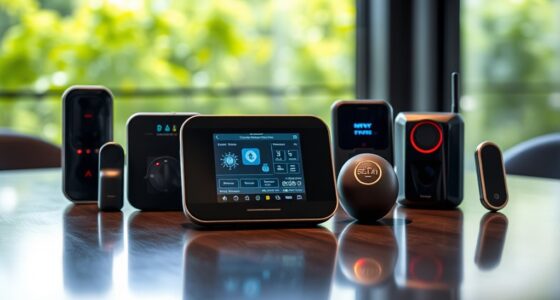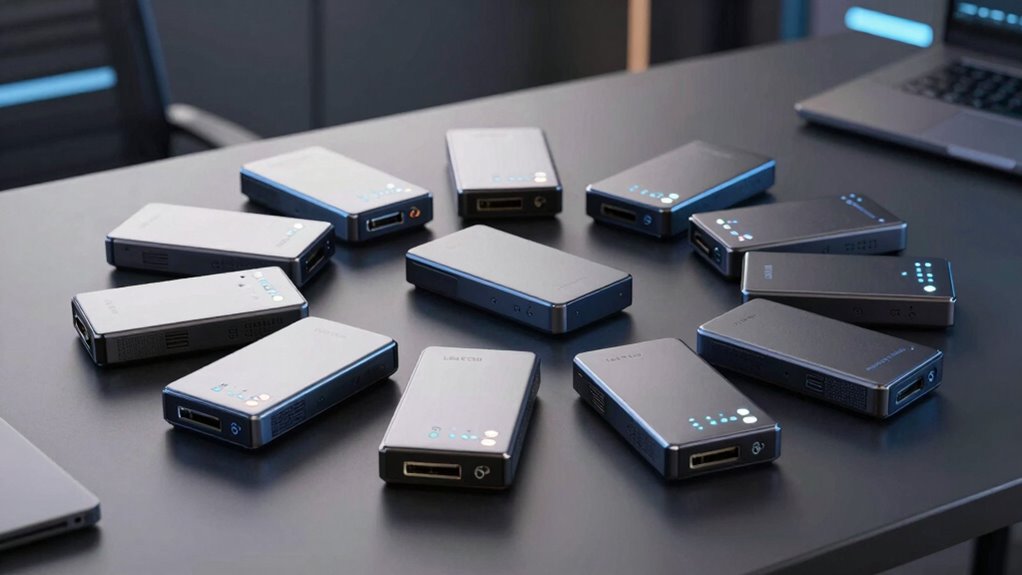

For hardware-encrypted SSDs for secure storage, I’d start with the Kingston IronKey Vault Privacy 80 as the best overall pick for buyers who want an onboard touchscreen and a clear authentication workflow. The iStorage diskAshur M2 stands out for portable PIN-protected SSD storage, while the BUSlink CipherShield 4TB is the capacity-focused choice. The main tradeoffs are capacity, authentication style, physical durability, and how much setup the security features demand. Some options in this lineup are SSDs, while others are portable hard drives, so their speed and portability needs differ. Read on for the full breakdown and the right match for your storage routine.

Get privacy and security gear delivered free with Prime
- Fast, free delivery on millions of items
- Prime Video, Amazon Music and more included
- Member-only deals all year
Key Takeaways
- Authentication style separates the leading picks: the Kingston IronKey Vault Privacy 80 uses an onboard touchscreen, while several iStorage and Apricorn models rely on a physical keypad.
- Capacity can change the type of drive you are buying: the BUSlink CipherShield offers 4TB, while the list also includes smaller-capacity SSDs and portable hard drives that should not be treated as SSD equivalents.
- Ruggedness and security solve different problems: rugged-design options such as the Apricorn Aegis Padlock 480 GB suit rougher handling, but physical toughness does not replace encryption or sound backup habits.
- Product naming needs close attention: the roundup includes SSDs and hard drives, plus several generations of iStorage and Apricorn products, so buyers should confirm the exact model and drive type before choosing.
- Convenience has a security tradeoff: keypad and touchscreen authentication can simplify access without relying on host software, but buyers still need to plan for PIN management, recovery procedures, and compatibility with their devices.
| IODD MINI Pro 512GB Encrypted External SSD with USB-C |  | Best for Secure Virtual Drives | Storage capacity: 512 GB | Encryption: AES-256-XTS hardware encryption | Authentication: PIN protection and device-bound password protection | VIEW ON AMAZON | See Our Full Breakdown |
| BUSlink CipherShield 4TB Mode 0 Encrypted External SSD |  | Best for High-Capacity Regulated Storage | Storage capacity: 4 TB | Encryption: 256-bit AES hardware encryption | Security validation: FIPS 140-2 Level 2 | VIEW ON AMAZON | See Our Full Breakdown |
| DataLocker DL4 FE 1TB Encrypted SSD |  | Best for Government and Managed Deployments | Capacity: 1TB (1024 GB) | Encryption: AES 256-bit XTS | Certification: FIPS 140-3 validated; TAA compliant | VIEW ON AMAZON | See Our Full Breakdown |
| Apricorn Aegis Padlock 480 GB Encrypted Rugged SSD |  | Best for Rugged Field Use | Capacity: 480 GB | Encryption: 256-bit AES-XTS hardware encryption | Security certification: FIPS 140-2 Level 2 | VIEW ON AMAZON | See Our Full Breakdown |
| iStorage diskAshur M2 1TB PIN-Authenticated, Hardware-Encrypted Portable SSD |  | Best for Rugged Everyday Portability | Storage capacity: 1 TB | Encryption: AES-XTS 256-bit hardware encryption | Authentication: 7–15 digit PIN | VIEW ON AMAZON | See Our Full Breakdown |
| iStorage diskAshur2 1TB Secure Portable SSD |  | Best for Rugged Everyday SSD Security | Capacity: 1 TB | Interface: USB 3.0 | Encryption: 256-bit AES-XTS hardware encryption | VIEW ON AMAZON | See Our Full Breakdown |
| Apricorn Aegis Padlock 2TB USB 3.0 Hardware-Encrypted Portable Hard Drive |  | Best for High-Capacity PIN-Protected Storage | Storage capacity: 2 TB | Drive type: Portable hard drive | Encryption: 256-bit AES-XTS | VIEW ON AMAZON | See Our Full Breakdown |
| Apricorn Aegis Fortress L3 2TB Hardware-Encrypted Portable Drive |  | Best for Validated Security Controls | Storage capacity: 2 TB | Interface: USB 3.0 | Encryption: 256-bit AES-XTS hardware encryption | VIEW ON AMAZON | See Our Full Breakdown |
| iStorage diskAshur PRO2 256GB Encrypted Portable SSD |  | Best Compact-Capacity Pick for Validated Security | Storage capacity: 256 GB | Encryption: AES-XTS 256-bit hardware encryption | Authentication: 7–15 digit PIN | VIEW ON AMAZON | See Our Full Breakdown |
| iStorage diskAshur PRO3 1TB Secure Portable SSD |  | Best for Faster Listed Transfer Speeds | Storage capacity: 1 TB | Drive type: Solid-state drive | Encryption: AES-XTS 256-bit hardware encryption | VIEW ON AMAZON | See Our Full Breakdown |
| SecureData SecureDrive KP 250GB Hardware-Encrypted External SSD |  | Best for Simple Keypad Access | Storage capacity: 250 GB | Drive type: SSD | Encryption: Hardware encryption | VIEW ON AMAZON | See Our Full Breakdown |
| Kingston IronKey Vault Privacy 80 960GB Encrypted External SSD |  | Best for Certified Security Controls | Storage capacity: 960 GB | Encryption: XTS-AES 256-bit hardware encryption | Certification: FIPS 197 | VIEW ON AMAZON | See Our Full Breakdown |
| hardware encrypted ssds for secure storage | Encryption | Storage capacity | Interface |
|---|---|---|---|
| IODD MINI Pro 512GB Encrypted | AES-256-XTS hardware encryption | 512 GB | USB Type-C, USB 3.0 |
| BUSlink CipherShield 4TB Mode | 256-bit AES hardware encryption | 4 TB | — |
| DataLocker DL4 FE 1TB Encrypte | AES 256-bit XTS | — | USB-C and USB-A |
| Apricorn Aegis Padlock 480 GB | 256-bit AES-XTS hardware encryption | — | USB 3.0 |
| iStorage diskAshur M2 1TB PIN- | AES-XTS 256-bit hardware encryption | 1 TB | USB 3.2 |
| iStorage diskAshur2 1TB Secure | 256-bit AES-XTS hardware encryption | — | USB 3.0 |
| Apricorn Aegis Padlock 2TB USB | 256-bit AES-XTS | 2 TB | USB 3.0 |
| Apricorn Aegis Fortress L3 2TB | 256-bit AES-XTS hardware encryption | 2 TB | USB 3.0 |
| iStorage diskAshur PRO2 256GB | AES-XTS 256-bit hardware encryption | 256 GB | — |
| iStorage diskAshur PRO3 1TB Se | AES-XTS 256-bit hardware encryption | 1 TB | — |
| SecureData SecureDrive KP 250G | Hardware encryption | 250 GB | — |
| Kingston IronKey Vault Privacy | XTS-AES 256-bit hardware encryption | 960 GB | USB 3.2 Gen 1 |
More Details on Our Top Picks
IODD MINI Pro 512GB Encrypted External SSD with USB-C
The IODD MINI Pro earns its place for buyers who need hardware-encrypted storage that can also mount virtual disks. Its AES-256-XTS protection and PIN access keep the drive’s security controls on the device, while the hardware write blocker can help prevent changes to connected data. Unlike the Apricorn Aegis Padlock 480 GB, which focuses on rugged storage and keypad access, this model adds ISO, VHD, and VMDK mounting, including a bootable virtual optical drive. That makes it a more specialized tool for technicians carrying boot media or virtual machine files. The tradeoff is 512GB capacity and a USB 3.0-class ceiling of 5 Gbps, with read speeds up to 500 MB/s. Its text viewer also handles only ASCII and UTF-16 files.
Pros:- AES-256-XTS hardware encryption with PIN protection
- Hardware write blocker helps guard against unwanted changes
- Mounts ISO, VHD, and VMDK files, including bootable virtual optical media
- USB-C connection and built-in viewer for ASCII and UTF-16 text files
Cons:- 512GB capacity is modest compared with the 1TB DataLocker DL4 FE and iStorage diskAshur M2
- USB 3.0-class interface is limited to 5 Gbps and read speeds up to 500 MB/s
- Text viewer supports only ASCII and UTF-16 formats
Best for: IT technicians and system administrators who need PIN-protected portable storage that can mount bootable ISO files and virtual disks.
Not ideal for: Buyers who prioritize large capacity, faster modern interfaces, or a ruggedized enclosure for rough outdoor handling.
- Storage capacity:512 GB
- Encryption:AES-256-XTS hardware encryption
- Authentication:PIN protection and device-bound password protection
- Interface:USB Type-C, USB 3.0
- Maximum read speed:Up to 500 MB/s
- Maximum data transfer rate:Up to 5 Gbps
- Virtual drive formats:ISO, VHD, VMDK
- Additional security feature:Hardware write blocker
Our verdict“Choose the IODD MINI Pro if mounting protected boot media and virtual disks matters more to you than capacity or ruggedness.”
BUSlink CipherShield 4TB Mode 0 Encrypted External SSD
The BUSlink CipherShield is the capacity-focused choice here: its 4TB SSD pairs 256-bit AES hardware encryption with FIPS 140-2 Level 2 validation, making it a fit for organizations that need substantial protected storage. Its physical CipherKey avoids host software and stored-password dependence; removing the key or losing power locks the drive. That is a different security routine from the PIN entry on the iStorage diskAshur M2, and it can suit shared or controlled workstations where a removable key is easier to manage. The compromise is practical rather than subtle: Mode 0 requires the CipherKey to remain inserted during use, and the unit needs an external power adapter. Its 5 Gbps USB 3.0 and eSATA connections also favor capacity and compatibility over the portability of the smaller DataLocker DL4 FE.
Pros:- 4TB capacity paired with 256-bit AES hardware encryption
- FIPS 140-2 Level 2 validation for regulated use cases
- CipherKey removal or power loss automatically locks the drive
- USB 3.0 and eSATA connections support a range of compatible systems
Cons:- Mode 0 requires the CipherKey to remain inserted while the drive is in use
- External 12V power adapter limits portability
- Transfer rates up to 5 Gbps trail faster modern SSD interfaces
Best for: Regulated teams that need several terabytes of hardware-encrypted storage for a powered workstation and prefer physical-key access over PIN entry.
Not ideal for: Traveling professionals or laptop-only users who need a compact, bus-powered drive without a key left inserted during work.
- Storage capacity:4 TB
- Encryption:256-bit AES hardware encryption
- Security validation:FIPS 140-2 Level 2
- Key operation:Mode 0; CipherKey must remain inserted during use
- Interfaces:USB 3.0 (USB 3.2 Gen 1), eSATA
- Maximum transfer rate:Up to 5 Gbps
- Power:External 12V power adapter
- Compatibility:Windows, macOS, Linux
Our verdict“Pick the CipherShield when validated security and 4TB capacity outweigh the need for a compact, bus-powered drive.”
DataLocker DL4 FE 1TB Encrypted SSD
For buyers who need procurement credentials alongside drive-level protection, the DataLocker DL4 FE combines FIPS 140-3 validation, TAA compliance, and AES-256-XTS encryption. Its touchscreen makes password setup and management more approachable than the keypad routine on the Apricorn Aegis Padlock, while USB-C and USB-A compatibility gives it flexibility across older and newer systems. IP64 protection adds resistance to dust and water splashes, though it is not the same level of immersion protection listed for the iStorage diskAshur M2. The 1TB capacity and 600 MB/s transfer speed suit regular secure file work, but they are not the strongest capacity or speed figures in this group. Buyers who need SafeConsole remote management should account for its separately sold license.
Pros:- FIPS 140-3 validated AES-256-XTS hardware encryption
- TAA compliance supports government procurement requirements
- Touchscreen simplifies password setup and management
- USB-C and USB-A support Windows, Mac, and Linux
Cons:- SafeConsole remote management license is sold separately
- 600 MB/s transfer speed is modest beside newer high-speed SSD options
- IP64 protection does not match the diskAshur M2’s stated immersion resistance
Best for: Government contractors and enterprise IT teams that need a FIPS 140-3 validated, TAA-compliant portable SSD with on-device password management.
Not ideal for: Buyers who need remote management included, more than 1TB of storage, or stronger water protection than IP64 provides.
- Capacity:1TB (1024 GB)
- Encryption:AES 256-bit XTS
- Certification:FIPS 140-3 validated; TAA compliant
- Interface:USB-C and USB-A
- Transfer speed:Up to 600 MB/s
- Durability:IP64 dust and water resistance
- Compatibility:Windows, Mac, Linux
- Management option:SafeConsole remote management license sold separately
Our verdict“Choose the DL4 FE when validated government procurement credentials and touchscreen controls matter more than remote-management cost or maximum speed.”
Apricorn Aegis Padlock 480 GB Encrypted Rugged SSD
The Apricorn Aegis Padlock is built around a straightforward priority: hardware-encrypted storage in a drive designed to tolerate rough handling. Its AES-XTS 256-bit encryption, onboard keypad, and FIPS 140-2 Level 2 validation suit users who need PIN-controlled access without relying on host software. The enclosure is described as crush-resistant and water-resistant, with resistance to shock, vibration, dust, humidity, and temperature extremes; that makes it a more field-oriented option than the touchscreen-led DataLocker DL4 FE. Capacity is only 480GB, and the stated read speed reaches 300 MB/s, so it gives up room and throughput compared with the 1TB DataLocker and iStorage diskAshur M2. Keypad entry is also a deliberate extra step each time access is needed.
Pros:- AES-XTS 256-bit hardware encryption with onboard keypad PIN access
- FIPS 140-2 Level 2 validated
- Rugged enclosure resists shock, vibration, dust, water, and harsh temperatures
- No moving parts and a listed weight of 1.6 ounces
Cons:- 480GB capacity is lower than the 1TB portable options in this batch
- Read speeds reach up to 300 MB/s, below the DL4 FE and IODD MINI Pro figures
- USB 3.0 interface is an older connection standard
Best for: Field workers who need validated PIN-protected storage in a compact drive designed to handle shock, dust, moisture, and temperature extremes.
Not ideal for: Users moving large files frequently or needing at least 1TB, since capacity and stated speed are lower than the DataLocker DL4 FE and diskAshur M2.
- Capacity:480 GB
- Encryption:256-bit AES-XTS hardware encryption
- Security certification:FIPS 140-2 Level 2
- Access control:Onboard keypad PIN
- Interface:USB 3.0
- Read speed:Up to 300 MB/s
- Data transfer rate:160 MB/s
- Weight:1.6 ounces
Our verdict“The Aegis Padlock suits field users who favor a rugged, validated PIN drive over higher capacity and faster transfers.”
iStorage diskAshur M2 1TB PIN-Authenticated, Hardware-Encrypted Portable SSD
The diskAshur M2 balances PIN-based hardware security with unusually strong stated physical protection for a portable SSD. Its AES-XTS 256-bit encryption works with a 7–15 digit PIN, and the enclosure is rated for drops up to 4 m, crushing up to 2.7 tons, and submersion to 1.5 m for 30 minutes. That makes it a more travel-ready choice than the IODD MINI Pro, whose standout strength is virtual-drive mounting rather than listed impact and water ratings. The M2 also offers 1TB capacity and USB 3.2 compatibility, but its maximum 370 MB/s read and write speeds are lower than the DataLocker DL4 FE’s stated 600 MB/s. PIN entry adds a small access routine, and the drive’s appeal is durability more than speed.
Pros:- AES-XTS 256-bit hardware encryption with a 7–15 digit PIN
- IP68-rated water resistance, plus stated drop and crush protection
- 1TB capacity in a compact 65 g drive without its sleeve
- USB 3.2 connection and compatibility with computers, mobile devices, and other listed hosts
Cons:- Maximum read and write speeds of 370 MB/s are below the DataLocker DL4 FE’s stated speed
- PIN must be entered to access the drive
- Listed weight increases from 65 g to 86 g with the sleeve
Best for: Consultants, mobile professionals, and field staff who carry sensitive files across varied environments and want substantial drop, crush, and water resistance.
Not ideal for: Users whose main priority is fast transfers, or technicians who need the IODD MINI Pro’s ISO and virtual-disk mounting features.
- Storage capacity:1 TB
- Encryption:AES-XTS 256-bit hardware encryption
- Authentication:7–15 digit PIN
- Interface:USB 3.2
- Maximum read speed:Up to 370 MB/s
- Maximum write speed:Up to 370 MB/s
- Water resistance:IP68; up to 1.5 m for 30 minutes
- Physical protection:Drops up to 4 m; crush resistance up to 2.7 tons
Our verdict“Choose the diskAshur M2 if rugged protection and PIN-controlled 1TB storage matter more than maximum transfer speed.”
iStorage diskAshur2 1TB Secure Portable SSD
The diskAshur2 pairs PIN access with 256-bit AES-XTS hardware encryption, so protection does not depend on software installed on the connected computer. Its IP56 rating adds practical resistance to dust and splashes, a useful advantage over the keypad-equipped Apricorn Aegis Padlock 2TB, which is a mechanical hard drive and lists no ingress rating. The tradeoff is capacity: 1TB is less suited to large archives than that Apricorn, while the diskAshur2’s stated transfer rates are modest compared with the newer diskAshur PRO3. Broad operating-system support makes it flexible for moving files between devices, but each access still requires a PIN. I’d choose it for portable SSD security with weather protection, not for buyers whose main priority is maximum speed or storage space.
Pros:- 256-bit AES-XTS hardware encryption with PIN access
- No software installation required
- IP56-rated dust and splash resistance
- Works with Windows, macOS, Linux, Chrome, Android, and more
Cons:- PIN entry is required each time the drive is accessed
- Listed read and write speeds are maximums, not guaranteed transfer rates
Best for: People who regularly carry a 1TB encrypted SSD between work locations and want dust- and splash-resistant protection without installing software
Not ideal for: Buyers moving very large archives who need more than 1TB or want transfer speeds beyond the listed maximums
- Capacity:1 TB
- Interface:USB 3.0
- Encryption:256-bit AES-XTS hardware encryption
- Authentication:7–15 digit PIN
- Ingress protection:IP56 certified
- Read speed:Up to 363 MB/s
- Write speed:Up to 358 MB/s
- Compatibility:Windows, macOS, Linux, Chrome, Android, and more
Our verdict“Choose the diskAshur2 for a weather-resistant, software-free 1TB secure SSD, but look to the diskAshur PRO3 if higher listed speeds matter more.”
Apricorn Aegis Padlock 2TB USB 3.0 Hardware-Encrypted Portable Hard Drive
For buyers who need more room than a compact secure SSD typically offers, the Aegis Padlock provides 2TB of storage and 256-bit AES-XTS hardware encryption. Its integrated keypad accepts up to five user PINs plus an admin PIN, which gives it a shared-access option the single-PIN details of the iStorage diskAshur2 do not describe. But this is a 5400 rpm hard drive, not an SSD: it favors capacity over the faster access and solid-state construction of the diskAshur2 or diskAshur PRO3. The software-free setup can suit managed computers where installing utilities is restricted. Its NTFS formatting may call for reformatting in some workflows, and the listed compatibility is narrower than the iStorage drives’ broad device support. I’d pick it for encrypted bulk storage, not frequent high-speed transfers.
Pros:- 2TB capacity for larger file collections
- 256-bit AES-XTS hardware encryption
- Integrated keypad supports up to five user PINs and one admin PIN
- Software-free operation can work on computers without admin rights
Cons:- 5400 rpm hard drive rather than a solid-state drive
- NTFS preformatting may require changes for some devices or workflows
- Listed compatibility is limited to PC and Mac
Best for: PC and Mac users who need 2TB of portable encrypted storage and want separate keypad PINs for several users
Not ideal for: Buyers who specifically need an SSD’s solid-state design, broad mobile-device compatibility, or stated high transfer speeds
- Storage capacity:2 TB
- Drive type:Portable hard drive
- Encryption:256-bit AES-XTS
- Interface:USB 3.0
- Rotational speed:5400 rpm
- PIN support:Up to 5 user PINs and 1 admin PIN
- Preformatted file system:NTFS
- Compatible devices:PC and Mac
Our verdict“Choose the Aegis Padlock when 2TB and multiple PINs matter more than SSD performance and broad device compatibility.”
Apricorn Aegis Fortress L3 2TB Hardware-Encrypted Portable Drive
The Aegis Fortress L3 is the security-focused choice here, with FIPS 140-2 Level 3 validation, on-the-fly AES-XTS encryption, keypad PIN entry, read-only modes, and brute-force defense. Those controls give it a stronger fit for organizations with defined data-handling requirements than the consumer-oriented diskAshur2. Its aircraft-grade aluminum enclosure adds a durable housing, while the 2TB capacity supports larger working sets. The distinction from the diskAshur PRO3 is certification status: the PRO3 lists FIPS 140-3 Level 3 as pending, whereas this model lists Level 3 validation. The Fortress L3’s tradeoffs are a USB 3.0 interface and the need for a powered USB port; its mass-configuration tool is sold separately. I’d favor it for controlled environments where documented security features matter more than the newest interface or streamlined setup.
Pros:- FIPS 140-2 Level 3 validated
- Read-only modes and brute-force defense add access controls
- Keypad PIN entry keeps security parameters off the host computer
- Aircraft-grade 6061 aluminum enclosure
Cons:- Requires a powered USB port
- Aegis Configurator for mass configuration is sold separately
Best for: Organizations and security-conscious professionals who need a 2TB keypad drive with validated controls, read-only modes, and brute-force defense
Not ideal for: Buyers who need a lightweight pocket SSD with newer USB connectivity or want mass configuration included
- Storage capacity:2 TB
- Interface:USB 3.0
- Encryption:256-bit AES-XTS hardware encryption
- Validation:FIPS 140-2 Level 3
- Enclosure:Aircraft-grade 6061 aluminum alloy
- Weight:4.16 ounces
- Compatibility:PC, Mac, Linux, and mass-storage-compliant systems
Our verdict“Choose the Fortress L3 for validated security controls and 2TB capacity; pick the diskAshur PRO3 instead if its higher listed speeds and newer certification standard appeal more.”
iStorage diskAshur PRO2 256GB Encrypted Portable SSD
The diskAshur PRO2 combines FIPS 140-2 Level 3 certification with a Common Criteria EAL 5+ secure microprocessor, hardware encryption, and PIN authentication. It is the smaller-capacity counterpart to the 2TB Apricorn Aegis Fortress L3: both target stronger security controls, but this iStorage drive provides just 256GB and adds an IP56 dust- and water-resistance rating. That smaller capacity can suit a secure travel set or sensitive project files, though it is a poor fit for a broad media archive. Like the diskAshur2, it works without software and supports a range of systems; its listed speeds are similar, so the PRO2’s case rests more on certification and compact capacity than on performance. I’d choose it when validated protection and environmental resistance matter more than room to grow.
Pros:- FIPS 140-2 Level 3 certified with a Common Criteria EAL 5+ secure microprocessor
- AES-XTS 256-bit hardware encryption with 7–15 digit PIN authentication
- IP56 dust- and water-resistance rating
- Broad device and operating-system support without software
Cons:- 256GB capacity is restrictive for large archives
- PIN entry is required to access the drive
- Listed read and write speeds are maximums
Best for: Professionals carrying a limited set of sensitive files who need FIPS Level 3 certification, PIN access, and IP56 protection
Not ideal for: Users who need a general-purpose backup drive or routinely store large video, photo, or project libraries
- Storage capacity:256 GB
- Encryption:AES-XTS 256-bit hardware encryption
- Authentication:7–15 digit PIN
- Certification:FIPS 140-2 Level 3; Common Criteria EAL 5+ secure microprocessor
- Ingress protection:IP56 dust- and water-resistant
- Read and write speeds:Up to 361 MB/s read; up to 358 MB/s write
- Connectivity:USB; USB 3.0; USB 3.2 backward compatible
- Weight:7.9 ounces
Our verdict“Choose the diskAshur PRO2 for a small, rugged drive with certified security, but select the Aegis Fortress L3 if you need substantially more capacity.”
iStorage diskAshur PRO3 1TB Secure Portable SSD
The diskAshur PRO3 has the fastest listed transfer figures among these five products, reaching up to 448 MB/s read and 444 MB/s write. It keeps the core secure-storage setup straightforward: AES-XTS 256-bit hardware encryption, an 8–64-digit PIN on a backlit keypad, and software-free use across a wide range of devices. Compared with the diskAshur2, it offers higher stated speeds and a longer PIN range; compared with the diskAshur PRO2, it doubles capacity to 1TB but lists FIPS 140-3 Level 3 certification as pending rather than claiming the PRO2’s completed FIPS 140-2 certification. Auto-lock and dust resistance add useful protections, though the supplied description gives no ingress rating comparable to the IP56 diskAshur models. This is my pick for a faster, flexible encrypted SSD, with certification status the key caveat.
Pros:- AES-XTS 256-bit hardware encryption with an 8–64-digit PIN
- Highest listed read and write speeds in this five-product group
- Auto-lock and a backlit keypad
- Broad compatibility without software installation
Cons:- FIPS 140-3 Level 3 certification is listed as pending
- The supplied product details do not state an IP rating
- Advertised transfer rates are maximums
Best for: People who move files between current computers and mobile devices and want a 1TB encrypted SSD with the highest listed speeds in this group
Not ideal for: Buyers whose procurement rules require completed FIPS 140-3 Level 3 certification or a stated IP56 rating
- Storage capacity:1 TB
- Drive type:Solid-state drive
- Encryption:AES-XTS 256-bit hardware encryption
- Authentication:8–64-digit PIN
- Certification:FIPS 140-3 Level 3 pending
- Read speed:Up to 448 MB/s
- Write speed:Up to 444 MB/s
- Connectivity:USB 3.0; USB 3.1 Type-A and Type-C
- Features:Auto-lock, dust-resistant, waterproof
Our verdict“Choose the diskAshur PRO3 for 1TB capacity and the strongest listed speeds here, but favor the diskAshur PRO2 when completed FIPS 140-2 certification is the priority.”
SecureData SecureDrive KP 250GB Hardware-Encrypted External SSD
The SecureDrive KP suits buyers who want a physical keypad rather than a touchscreen or software-based unlock. Its hardware encryption and included USB-C and USB-A cables make it usable with a mix of newer and older computers, while the pouch adds a basic layer of splash protection in transit. Compared with the Kingston IronKey Vault Privacy 80, it has less than a third of the capacity and lacks the listed touch-screen passphrase options and read-only modes; its appeal is a more direct keypad routine, not a richer security feature set. I would treat its listed 5 MB/s read speed as a serious limitation for frequent transfers, and the first-year antivirus offer adds a subscription to track. The 250GB capacity is best kept for documents and smaller secure backups.
Pros:- Hardware encryption with keypad unlocking
- USB-C and USB-A cables included
- Portable splash-proof carrying pouch included
- Can be reformatted for Mac or Linux
Cons:- Listed read speed of 5 MB/s is slow for regular large-file transfers
- 250GB capacity is modest beside the Kingston IronKey Vault Privacy 80’s 960GB
- Antivirus subscription is included for only the first year
Best for: People who mainly store sensitive documents and want keypad unlocking plus both USB-C and USB-A cables for mixed-device use.
Not ideal for: Anyone moving large files often or needing close to 1TB of capacity; the listed 5 MB/s read speed and 250GB storage are limiting.
- Storage capacity:250 GB
- Drive type:SSD
- Encryption:Hardware encryption
- Unlock method:Keypad
- Connectivity:USB-C and USB-A
- USB compatibility:USB 2.0, 3.0, 3.1, and 3.2
- Listed read speed:5 MB/s
- Default format:NTFS
- Compatible systems:Windows, Mac, and Linux; reformatting may be required
Our verdict“Choose the SecureDrive KP for keypad-based protection of smaller files, but skip it if transfer speed or larger capacity matters.”
Kingston IronKey Vault Privacy 80 960GB Encrypted External SSD
The IronKey Vault Privacy 80 is the stronger fit for buyers who prioritize documented security controls and flexible access over pocket-sized weight. Its FIPS 197-certified XTS-AES 256-bit hardware encryption, touchscreen PIN or passphrase entry, brute-force protection, and read-only modes offer more layered control than the SecureData SecureDrive KP’s keypad-centered setup. The 960GB capacity also gives it a practical advantage for larger working sets and backups. That security comes with a handling tradeoff: the listing says 15 incorrect admin or user password attempts can trigger crypto-erasure by default, so users must manage credentials carefully. Its listed 250 MB/s read speed is much higher than the SecureDrive’s stated 5 MB/s, though buyers should still weigh it against their transfer needs. At 285g, it is portable, but not especially light.
Pros:- FIPS 197-certified XTS-AES 256-bit hardware encryption
- Touchscreen supports PIN and passphrase access
- Brute-force protection and dual read-only modes add access controls
- USB-C to USB-C and USB-C to USB-A cables included
Cons:- Fifteen incorrect admin or user password attempts can trigger crypto-erasure by default
- Listed read speed of 250 MB/s may limit large, frequent transfers
- At 285g, it is heavier than buyers seeking a particularly light portable drive may prefer
Best for: Security-conscious professionals who need nearly 1TB of encrypted storage, touchscreen credential entry, and read-only options.
Not ideal for: People who frequently mistype passwords, need a very lightweight drive, or want the highest transfer speeds; the default attempt limit can trigger crypto-erasure, and the listed speed is 250 MB/s.
- Storage capacity:960 GB
- Encryption:XTS-AES 256-bit hardware encryption
- Certification:FIPS 197
- Access:Touch-screen PIN and passphrase modes
- Security features:Brute-force protection; dual read-only modes
- Interface:USB 3.2 Gen 1
- Listed read speed:250 MB/s
- Weight:285 g
- Included accessories:Neoprene travel case, USB-C to USB-C cable, USB-C to USB-A cable
Our verdict“Pick the IronKey Vault Privacy 80 for certified encryption, larger capacity, and layered access controls if you can manage its strict password-attempt limit.”

How We Picked
I ranked these products around the needs behind secure portable storage: the clarity and usability of hardware-based authentication, the stated capacity, the drive type, and the practical fit for travel or regular file access. I gave more weight to products whose names and listed features point to a direct, onboard authentication process, since fewer host-side steps can make secure access easier to repeat. I also distinguished SSDs from portable hard drives rather than treating capacity alone as a sign of better performance.
The ranking favors a balanced fit over a single headline feature. A touchscreen or keypad may help with access, while a larger capacity or rugged construction may matter more to a different buyer; each comes with compromises in cost, size, ease of use, or drive performance. I placed products with a clear role higher for the buyers they serve, and ranked older, lower-capacity, or hard-drive models lower for readers specifically seeking an encrypted SSD. Product names alone cannot confirm every certification or compatibility detail, so buyers should verify current manufacturer specifications before purchase.
| hardware encrypted ssds for secure storage | Interface |
|---|---|
| IODD MINI Pro 512GB Encrypted | USB Type-C, USB 3.0 |
| BUSlink CipherShield 4TB Mode | — |
| DataLocker DL4 FE 1TB Encrypte | USB-C and USB-A |
| Apricorn Aegis Padlock 480 GB | USB 3.0 |
| iStorage diskAshur M2 1TB PIN- | USB 3.2 |
| iStorage diskAshur2 1TB Secure | USB 3.0 |
| Apricorn Aegis Padlock 2TB USB | USB 3.0 |
| Apricorn Aegis Fortress L3 2TB | USB 3.0 |
| iStorage diskAshur PRO2 256GB | — |
| iStorage diskAshur PRO3 1TB Se | — |
| SecureData SecureDrive KP 250G | — |
| Kingston IronKey Vault Privacy | USB 3.2 Gen 1 |
Factors to Consider When Choosing Hardware Encrypted Ssds For Secure Storage
Choosing an encrypted drive means matching the security workflow to how you actually store and retrieve files. I’d decide on drive type, authentication, capacity, and recovery needs before comparing individual model names.
Decide Whether You Need an SSD or a Hard Drive
An encrypted portable hard drive can offer ample space, but it is not interchangeable with an SSD. SSDs are generally the more suitable choice when frequent transfers, compact portability, and resistance to movement matter; hard drives may suit larger archives that stay in one place. A common mistake is to pick a high-capacity model from a roundup and assume its drive type meets a speed or travel requirement. Check the exact product listing, since similar product families may include both SSD and hard-drive versions. If the drive will hold an active project, prioritize SSD performance; for a backup archive, capacity and a separate backup plan may matter more.
Choose Authentication You Can Use Reliably
Keypads and touchscreens put access controls on the drive itself, which can reduce dependence on host software. The difference is practical: physical buttons provide a familiar input method, while a touchscreen can offer a more guided interface. Neither style helps if the PIN is easy to guess, forgotten, or stored carelessly. Before buying, check how the manufacturer handles PIN changes, lockouts, and recovery, and decide who will need access if you are unavailable. Do not assume every model has the same reset or recovery process just because it belongs to the same product family.
Buy Capacity for the Job, Not the Largest Number
Estimate the space needed for the files you will keep on the drive, then leave room for growth and working copies. A 4TB option such as the BUSlink CipherShield is aimed at a different workload from compact-capacity models like the iStorage diskAshur PRO2 256GB. Bigger capacity can reduce the number of drives you carry, but it also concentrates more data in one place. For sensitive archives, a second encrypted backup may be more useful than putting every file on one large drive. Check usable capacity and the size of your typical files before deciding.
Treat Durability and Encryption as Separate Protections
A rugged enclosure can help a drive withstand travel or rough handling, while encryption helps protect stored data if the drive is lost or accessed by someone else. One feature does not stand in for the other. Look for specific manufacturer claims about physical protection and verify what conditions they cover rather than relying on words such as rugged or secure in a product name. If the drive will move between offices or job sites, weigh its enclosure and connector protection alongside its authentication method. For desk-based storage, those physical protections may matter less than capacity and a reliable backup routine.
Check Compatibility Before You Store Critical Files
Hardware authentication does not guarantee that a drive will work smoothly with every computer, operating system, or device. Confirm supported interfaces, operating systems, file systems, and any required setup steps before making a purchase. A USB-C connection may suit newer devices, while another connector or included cable may be needed for older equipment. Test access on the computers you plan to use before loading irreplaceable files. Also check whether the drive requires administrator rights or companion software, since that can limit use on managed work computers.
Plan for Lockout, Loss, and Backup
Encryption helps guard data on a misplaced drive, but it does not protect against accidental deletion, device failure, or a forgotten PIN. Read the instructions for lockout behavior and recovery before setting up the drive, and keep any recovery information in a separate, protected location. Maintain another encrypted copy of important files rather than relying on one portable device as the only archive. Buyers often focus on preventing unauthorized access and overlook how they will restore their own data. A secure storage plan needs both access controls and a tested backup.
Frequently Asked Questions
Is the Kingston IronKey Vault Privacy 80 the right pick if I want to avoid installing security software?
The Vault Privacy 80 is a strong candidate for buyers who prefer an onboard touchscreen authentication workflow. That can make access less dependent on a host computer’s software, but it does not mean every device or operating system will support the drive without setup. Check the manufacturer’s current compatibility guidance and the connection requirements for your computers. If your workplace restricts external storage, its policies may still block the drive. Test it on the intended devices before trusting it with important files.
Should I choose a 4TB encrypted drive or a smaller SSD with keypad access?
Choose based on the data you need to carry, not capacity alone. The BUSlink CipherShield 4TB is the capacity-oriented option in this lineup, while smaller keypad-authenticated SSDs may better suit compact file sets and routine travel. Confirm whether the model is an SSD or a hard drive, since the distinction affects speed and how it fits your use. A large drive can keep more data together, but it also puts more files at stake if it is lost or fails. For valuable archives, consider whether splitting data across encrypted backups is a safer fit.
Can I use one of these drives as my only backup?
I would not rely on a single portable drive as the only copy of important files, even if it is hardware-encrypted. Encryption protects against unauthorized access, not drive failure, loss, or accidental deletion. Keep another copy in a separate location and use encryption on that copy too if the files are sensitive. Check the recovery instructions for your chosen model before setup, since forgotten credentials can complicate access. Periodically test that you can restore files from the backup rather than assuming it is usable.
How can I tell whether a listing is for an SSD or a portable hard drive?
Read the full model name and manufacturer specifications instead of relying on a product-family name or the word portable. This roundup includes both SSDs and portable hard drives, including an Apricorn Aegis Padlock 2TB USB 3.0 Hardware-Encrypted Portable Hard Drive. Check the stated storage technology, interface, and product documentation before ordering. If fast transfers or frequent travel are central to your use, confirm that the exact model is an SSD. Retail listings can use imprecise titles, so verify the model identifier with the manufacturer.
What should I check before choosing between a keypad and touchscreen drive?
Think about where you will unlock the drive, how often you will use it, and whether other people need access. A keypad may feel direct and familiar, while a touchscreen can provide a more guided input process; the better fit depends on your routine. Check PIN length rules, lockout behavior, PIN changes, recovery options, and whether the drive can be managed without special software. For shared use, agree on credential handling and recovery before storing files. A secure interface is only practical if you can use it consistently without weakening your PIN habits.
Conclusion
For a balanced choice, I’d make the Kingston IronKey Vault Privacy 80 my best overall pick for its onboard touchscreen approach. Buyers who want a value-focused option should compare the iStorage diskAshur2 and other keypad models against their capacity and compatibility needs, rather than choosing by name alone. For a premium, capacity-led setup, the BUSlink CipherShield 4TB is the standout, subject to confirming its drive type and specifications. The iStorage diskAshur M2 is my best fit for portable PIN-authenticated SSD storage, while the Apricorn Aegis Padlock 480 GB is the more relevant choice for buyers prioritizing a rugged design. For beginners, I’d favor a model with a clear onboard authentication workflow and straightforward recovery instructions; whatever you choose, pair it with a separate encrypted backup.