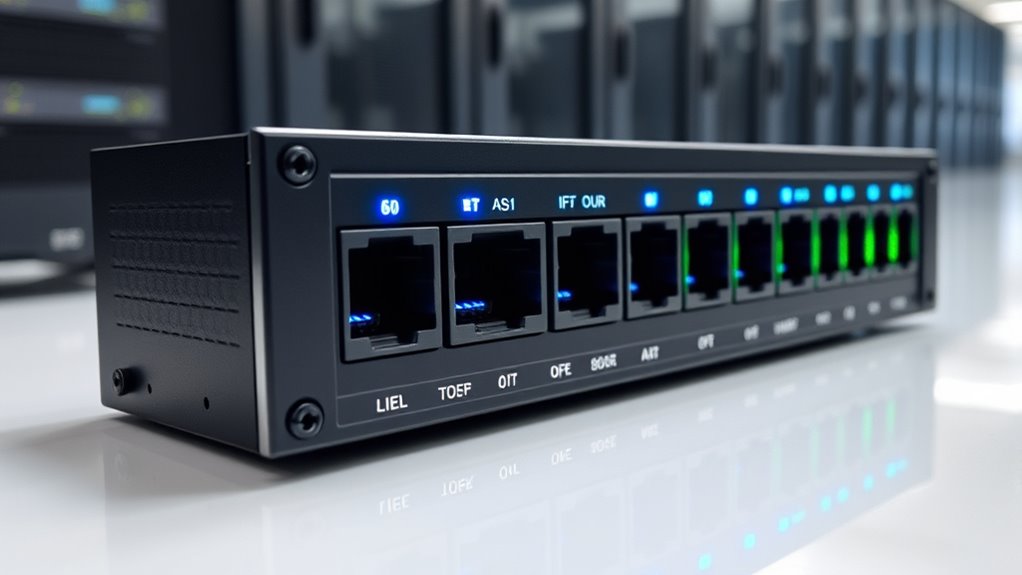

For buyers searching for managed PoE injectors that support 802.3bt, my best overall pick is the IPCamPower 8-Port 802.3bt PoE++ Injector Hub, which combines multiple ports with 10G speeds. The Cudy POE400X stands out for a single high-power connection with 10Gbps pass-through, while the LINOVISION 2.5G 60W model offers a useful display for checking status. The main tradeoffs are power budget, network speed, number of devices, and whether you need actual remote management or simply PoE delivery. Many products here are single-port injectors, so 802.3bt compliance alone does not make them managed devices. Read on for the full comparison and guidance on choosing by network and device needs.

Get privacy and security gear delivered free with Prime
- Fast, free delivery on millions of items
- Prime Video, Amazon Music and more included
- Member-only deals all year
Key Takeaways
- IPCamPower is the only listed multi-port hub: its eight ports and 10G speeds suit installations that need several powered links in one unit, while most alternatives handle one device.
- 10Gbps pass-through is a distinct advantage: the Real HD 10G and Cudy POE400X target faster links than the many gigabit injectors in this roundup.
- 802.3bt support does not automatically mean management: check for stated monitoring, configuration, or control functions if remote administration is a requirement.
- 60W models can be a better fit than 90W units: LINOVISION‘s 2.5G display model, PROCET, Cudy POE300, and ThePoEstore 60W option suit devices whose documented draw stays within their output.
- Similar power ratings do not make the 90W models interchangeable: compare interface speed, physical design, and the exact model specifications before replacing or standardizing equipment.
| Real HD 10G PoE++ Injector, 90W IEEE802.3af/at/bt, RJ45 Interface |  | Best for 10G Single-Device Links | PoE standards: IEEE 802.3af/at/bt | Maximum power output: 90W | Ethernet speed: 10G | VIEW ON AMAZON | See Our Full Breakdown |
| TRENDnet Gigabit PoE++ Injector (TPE-119GI) |  | Best for High-Power Gigabit Deployments | Model: TPE-119GI | PoE standards: IEEE 802.3af/at/bt | Maximum power output: 95W | VIEW ON AMAZON | See Our Full Breakdown |
| LINOVISION 2.5G BT 60W PoE++ Injector with LED Display |  | Best for Power Monitoring | Model: POE-IN6001G2 | PoE standard: IEEE 802.3bt; backward compatible with 802.3af/at | Power output: 60W | VIEW ON AMAZON | See Our Full Breakdown |
| IPCamPower 8-Port 802.3bt POE++ Injector Hub with 10G Speeds |  | Best for Multi-Device Installations | Ports: 8 | PoE standard: IEEE 802.3bt (PoE++) | Maximum power per port: 90W | VIEW ON AMAZON | See Our Full Breakdown |
| Real HD 90W Gigabit PoE++ Injector Adapter (802.3af/at/bt) |  | Best for Simple 90W Gigabit Upgrades | Model: PoE++ Injector (90W) | PoE standards: IEEE 802.3af/at/bt | Maximum power output: 90W | VIEW ON AMAZON | See Our Full Breakdown |
| ThePoEstore High Power 90W Gigabit PoE++ Injector Adapter |  | Best for Simple 90W Upgrades | Model: M931-90W | Power output: Up to 90W | Standards: IEEE 802.3af/at/bt | VIEW ON AMAZON | See Our Full Breakdown |
| Cudy POE400X 90W PoE++ Injector with 10Gbps Data Pass-Through |  | Best for 10Gbps Links | Model: POE400X | Power output: 90W (54V, 1.67A) | PoE standards: IEEE 802.3bt/at/af | VIEW ON AMAZON | See Our Full Breakdown |
| PROCET PoE++ Injector 60W, IEEE802.3bt/at/af Compliant, Gigabit Ethernet PoE Adapter for Cameras and Access Points |  | Best for 60W Gigabit Devices | Model: 60W55V10G | Maximum power output: 60W | Voltage: 55V | VIEW ON AMAZON | See Our Full Breakdown |
| TRENDnet Gigabit PoE++ Injector, TPE-117GI |  | Best for Compliance-Focused Installs | Model: TPE-117GI | Power output: Up to 60W PoE++ | Supported power levels: 15.4W, 30W, and 60W | VIEW ON AMAZON | See Our Full Breakdown |
| YuanLey 90W Gigabit PoE++ Injector Adapter |  | Best for Flexible Placement | Model: HG90A-NEW1-EU | Power output: Up to 90W | Voltage: 48V | VIEW ON AMAZON | See Our Full Breakdown |
| ThePoEstore Gigabit PoE++ Injector (60W) |  | Best for Simple 60W Installs | Model: M921-E-60W | PoE output: 60W | Voltage: 48V | VIEW ON AMAZON | See Our Full Breakdown |
| Cudy POE300 60W Gigabit PoE++ Injector |  | Best for Protected Wall Mounting | Model: POE300 | PoE output: 60W | PoE standards: 802.3bt/at/af | VIEW ON AMAZON | See Our Full Breakdown |
| Cudy 90W Gigabit PoE++ Injector, POE400 |  | Best for Heavy-Duty 90W Loads | Model: POE400 | Maximum PoE output: 90W | PoE standard: IEEE 802.3bt; compatible with 802.3at/af | VIEW ON AMAZON | See Our Full Breakdown |
| LINOVISION Gigabit 90W 802.3bt PoE Injector |  | Best for Legacy PoE Compatibility | Model: POE-IN9001U | PoE output: 90W | Input voltage: 44–57V DC | VIEW ON AMAZON | See Our Full Breakdown |
| managed poe injectors 8023bt | Model | Warranty |
|---|---|---|
| Real HD 10G PoE++ Injector | — | 1 year |
| TRENDnet Gigabit PoE++ Injecto | TPE-119GI | 3 years |
| LINOVISION 2.5G BT 60W PoE++ I | POE-IN6001G2 | 3 years |
| IPCamPower 8-Port 802.3bt POE+ | — | 3 years |
| Real HD 90W Gigabit PoE++ Inje | PoE++ Injector (90W) | — |
| ThePoEstore High Power 90W Gig | M931-90W | 1 year |
| Cudy POE400X 90W PoE++ Injecto | POE400X | 2 years |
| PROCET PoE++ Injector 60W | 60W55V10G | — |
| TRENDnet Gigabit PoE++ Injecto | TPE-117GI | 3-year limited |
| YuanLey 90W Gigabit PoE++ Inje | HG90A-NEW1-EU | — |
| ThePoEstore Gigabit PoE++ Inje | M921-E-60W | 1 year |
| Cudy POE300 60W Gigabit PoE++ | POE300 | 2 years |
| Cudy 90W Gigabit PoE++ Injecto | POE400 | 2 years |
| LINOVISION Gigabit 90W 802.3bt | POE-IN9001U | 3 years |
More Details on Our Top Picks
Real HD 10G PoE++ Injector, 90W IEEE802.3af/at/bt, RJ45 Interface
The Real HD 10G injector pairs up to 90W of PoE with 10G data pass-through, making it a better fit for one demanding, high-bandwidth endpoint than the gigabit-only TRENDnet TPE-119GI. That extra headroom suits a fast access point or PTZ camera when the network link itself would otherwise be a bottleneck. It also supports 5G, 2.5G, and 1G devices and claims transmission up to 100 meters, so it can slot into mixed-speed networks without a configuration step. The tradeoff is its single-device design and heavier 0.64 kg build; it cannot serve several endpoints like the IPCamPower 8-Port Hub. I’d choose it when 10G matters at one location, and skip it when ordinary gigabit is enough.
Pros:- Combines up to 90W output with 10G Ethernet pass-through
- Backward compatible with 5G, 2.5G, and 1G devices
- Supports transmission distances up to 100 meters
- Plug-and-play operation requires no configuration
Cons:- One injector serves only one endpoint
- At 0.64 kg, it is heavier than a typical single-port adapter
- Its 10G capacity offers little benefit to gigabit-only devices
Best for: Network installers powering one 10G-capable access point, PTZ camera, or other high-bandwidth endpoint over a long Ethernet run
Not ideal for: Teams powering several endpoints from one location or installations where gigabit data speeds already meet device needs
- PoE standards:IEEE 802.3af/at/bt
- Maximum power output:90W
- Ethernet speed:10G
- Interface:RJ45
- Transmission distance:Up to 100m
- Data transfer rate:1250 MB/s
- Weight:0.64 kg
- Warranty:1 year
Our verdict“Choose this Real HD model when one endpoint needs both high PoE power and a 10G link; choose a multiport hub for several devices.”
TRENDnet Gigabit PoE++ Injector (TPE-119GI)
The TRENDnet TPE-119GI is the straightforward choice when a device needs up to 95W over gigabit and the network does not call for 2.5G or 10G. Its auto-sensing adjusts output for PoE, PoE+, or PoE++ devices, reducing setup guesswork across a mixed fleet. Compared with the Real HD 10G injector, it provides more stated power but caps data at gigabit; compared with the LINOVISION 2.5G 60W injector, it has more power headroom and no live power display. A metal enclosure, wall-mount design, three-year warranty, and NDAA/TAA compliance suit fixed business or government installations. It is still plug-and-play only, with no configuration options, so buyers who need traffic controls or multiport distribution should look elsewhere.
Pros:- Delivers up to 95W over a gigabit connection
- Auto-sensing supports PoE, PoE+, and PoE++ devices
- Metal enclosure supports wall mounting
- NDAA and TAA compliant, with a three-year warranty
Cons:- Gigabit data pass-through is slower than the 2.5G and 10G alternatives
- Provides only one PoE++ output port
- Has no configuration options beyond plug-and-play operation
Best for: Business and government network installers powering a high-demand gigabit endpoint that needs up to 95W and compliance documentation
Not ideal for: Buyers who need 2.5G or 10G throughput, multiple powered ports, or configurable network management
- Model:TPE-119GI
- PoE standards:IEEE 802.3af/at/bt
- Maximum power output:95W
- Ports:1 Gigabit Data In; 1 Gigabit PoE++ Out
- Maximum distance:100m (328 ft)
- Dimensions:6 x 2.9 inches
- Compliance:NDAA and TAA
- Warranty:3 years
Our verdict“Pick the TPE-119GI for a compliant, high-power gigabit installation where simple automatic operation matters more than faster data links.”
LINOVISION 2.5G BT 60W PoE++ Injector with LED Display
The LINOVISION 2.5G 60W injector gives installers a useful middle ground: more bandwidth than the gigabit TRENDnet TPE-119GI, plus an LED power display that shows output at a glance. That readout can help diagnose whether an endpoint is drawing power without relying on a separate meter. Its 60W ceiling is lower than the 90W Real HD models and the TRENDnet’s 95W, so it suits devices within that power range rather than the most demanding equipment. The compact case and backward compatibility with 802.3af/at also make it easier to fit into an existing setup. This remains a single-port injector, though; the IPCamPower 8-Port Hub is the better match when several devices need power from one unit.
Pros:- 2.5Gbps pass-through supports faster-than-gigabit endpoints
- LED screen displays real-time power output
- Compact dimensions suit tight mounting spaces
- Backward compatible with 802.3af and 802.3at devices
Cons:- 60W output is below the 90W and 95W alternatives
- Single port does not power multiple endpoints
- No configuration is available beyond plug-and-play setup
Best for: Installers of 2.5G access points or cameras who want a compact single-port injector with visible power-output monitoring
Not ideal for: Buyers whose devices need more than 60W or who need to power several endpoints from one injector
- Model:POE-IN6001G2
- PoE standard:IEEE 802.3bt; backward compatible with 802.3af/at
- Power output:60W
- Data speed:2.5Gbps
- Ports:1
- Interface:RJ45
- Voltage:48V
- Dimensions:5.47 x 2.48 x 1.3 inches
- Warranty:3 years
Our verdict“Choose LINOVISION when 2.5G speed and a visible power readout matter more than the higher wattage offered by the Real HD or TRENDnet injectors.”
IPCamPower 8-Port 802.3bt POE++ Injector Hub with 10G Speeds
For a camera cluster or AV setup, the IPCamPower 8-Port Hub solves a different problem from the single-port Real HD 10G injector: it adds PoE++ to as many as eight connections while passing data at up to 10G. Intelligent power allocation supports a mix of endpoint demands, and its 250W total budget can cover several devices without requiring a separate injector at each drop. That budget is the key limit: although each port is rated up to 90W, eight ports cannot all draw 90W at once. The 2.54 kg chassis also takes more room than the compact LINOVISION 2.5G injector. I’d place it in a managed installation where centralizing power is useful, while buyers with just one endpoint will be better served by a smaller adapter.
Pros:- Eight PoE++ output ports support multi-device installations
- 10G data pass-through accommodates high-bandwidth links
- Intelligent power allocation adapts to connected device needs
- NDAA and TAA compliant, with a three-year warranty
Cons:- The 250W total budget cannot supply 90W to all eight ports at once
- Its 2.54 kg chassis is larger and heavier than single-port injectors
- A single hub creates a shared point of failure for connected devices
Best for: Installers powering multiple PTZ cameras or AV-over-IP endpoints from a central location with 10G data pass-through
Not ideal for: Home or small-office users powering one device, and deployments where every port may need close to 90W simultaneously
- Ports:8
- PoE standard:IEEE 802.3bt (PoE++)
- Maximum power per port:90W
- Total power budget:250W
- Data speed:10G (10/100/1000/10000 Mbps)
- Dimensions:12.62 x 8.25 x 1.75 inches
- Weight:2.54 kg
- Compliance:NDAA and TAA
- Warranty:3 years
Our verdict“Choose the IPCamPower hub to centralize power for several high-bandwidth devices, provided their combined draw fits the 250W budget.”
Real HD 90W Gigabit PoE++ Injector Adapter (802.3af/at/bt)
The Real HD 90W Gigabit adapter is a simple way to add high-power PoE to one existing gigabit link. Its auto-sensing is intended to protect non-PoE equipment, while support for 802.3af/at/bt covers a range of standard PoE devices. Compared with the newer Real HD 10G injector, this model gives up faster data pass-through but retains up to 90W output; the TRENDnet TPE-119GI offers a higher stated ceiling of 95W and a listed three-year warranty, which this product data does not specify. A 100-meter reach fits common long runs, but this is still a single-port adapter and does not support passive 24V PoE. I’d choose it for a standard gigabit endpoint that needs substantial power, not for multi-device or faster-than-gigabit networks.
Pros:- Up to 90W output supports high-demand PoE endpoints
- Auto-sensing is designed to protect non-PoE equipment
- Supports 802.3af, 802.3at, and 802.3bt standards
- Rated for transmission distances up to 100 meters
Cons:- Gigabit data rate is slower than the 2.5G and 10G options
- Single-port design does not serve multiple devices
- Does not support passive 24V PoE equipment
Best for: Installers upgrading one gigabit camera or access point that needs up to 90W over standard 802.3af/at/bt PoE
Not ideal for: Buyers using passive 24V PoE devices, needing multiple powered outputs, or seeking 2.5G/10G throughput
- Model:PoE++ Injector (90W)
- PoE standards:IEEE 802.3af/at/bt
- Maximum power output:90W
- Data rate:10/100/1000 Mbps
- Interfaces:2 x RJ-45; 1 x AC socket
- Maximum distance:100m (325 ft)
- Passive 24V PoE support:Not supported
Our verdict“Pick this Real HD adapter for one high-power gigabit device; choose the 10G Real HD model if faster data pass-through is also required.”
ThePoEstore High Power 90W Gigabit PoE++ Injector Adapter
ThePoEstore pairs 90W output with Gigabit data and an integrated AC/DC converter, giving installers a straightforward way to power a high-demand device without an external power brick. Its auto-sensing support for 802.3af/at/bt also makes it a flexible match for mixed generations of PoE equipment. Compared with the Cudy POE400X, it trades 10Gbps pass-through and wattage monitoring for a simpler plug-and-play setup. That makes it a better fit when the network link is Gigabit and the goal is dependable power, rather than high-bandwidth data visibility. The main constraints are the 0°C to 40°C operating range and a one-year warranty; buyers placing it in harsher spaces or seeking longer coverage should look elsewhere.
Pros:- Up to 90W output supports demanding PoE++ devices
- Supports IEEE 802.3af, 802.3at, and 802.3bt devices
- Integrated AC/DC converter avoids a separate power brick
- Gigabit data and plug-and-play setup suit simple network upgrades
Cons:- Gigabit throughput falls short of the Cudy POE400X’s 10Gbps pass-through
- Operating range is limited to 0°C to 40°C
- One-year warranty is shorter than the Cudy POE400X’s two-year coverage
Best for: Installers powering one 90W PoE++ camera or access point on an existing Gigabit network who want a built-in power supply and no configuration.
Not ideal for: Buyers deploying 10Gbps links or equipment in unconditioned spaces that may fall outside the 0°C to 40°C operating range.
- Model:M931-90W
- Power output:Up to 90W
- Standards:IEEE 802.3af/at/bt
- Data rate:1000 Mbps (Gigabit)
- Transmission distance:Up to 100 meters
- Operating temperature:0°C to 40°C
- Dimensions:7.01 × 3.15 × 0.17 inches
- Warranty:1 year
Our verdict“Choose this for a simple 90W PoE++ addition on a Gigabit network, and choose the Cudy POE400X if you need 10Gbps pass-through or wattage monitoring.”
Cudy POE400X 90W PoE++ Injector with 10Gbps Data Pass-Through
For installations where the data link matters as much as the power budget, the Cudy POE400X stands apart with 10Gbps pass-through and up to 90W over four-pair power. That combination suits high-bandwidth endpoints such as Wi-Fi 7 access points and demanding PTZ cameras. Its metal casing, surge and ESD protection, and real-time wattage display add useful visibility and protection; the YuanLey 90W, by comparison, offers Gigabit data without a power-draw display. The tradeoff is installation discipline: full 10Gbps at 90 meters requires Cat.6A cabling, and the injector is a single-device solution rather than a managed multiport system. Buyers who only need Gigabit throughput can avoid those cabling demands with options such as the TRENDnet TPE-117GI, though that model tops out at 60W.
Pros:- 10Gbps pass-through supports higher-bandwidth network links
- 90W four-pair output suits demanding 802.3bt devices
- Real-time wattage display makes device draw easy to check
- Metal enclosure and specified surge and ESD protection add physical and electrical protection
Cons:- Cat.6A is required for full 10Gbps performance at 90 meters
- Single injector does not provide multiport or network management
- Its feature set may be unnecessary for Gigabit-only devices
Best for: Network installers connecting a 90W Wi-Fi 7 access point, PTZ camera, or kiosk over a 10Gbps link with Cat.6A cabling.
Not ideal for: Buyers with only Gigabit endpoints, limited cabling budgets, or a need for managed multiport PoE distribution.
- Model:POE400X
- Power output:90W (54V, 1.67A)
- PoE standards:IEEE 802.3bt/at/af
- Data speed:10Gbps
- Input voltage:AC 100–240V
- Surge and ESD protection:4kV surge and 6kV ESD
- Dimensions:178 × 80 × 46 mm
- Weight:665 g
- Warranty:2 years
Our verdict“Pick the POE400X when both 90W power and 10Gbps data matter, provided the cable plant can support its full link speed.”
PROCET PoE++ Injector 60W, IEEE802.3bt/at/af Compliant, Gigabit Ethernet PoE Adapter for Cameras and Access Points
The PROCET is a practical fit when a device needs up to 60W but the installation does not call for the 90W headroom of the ThePoEstore or YuanLey injectors. It combines IEEE 802.3bt/at/af compatibility with Gigabit Ethernet and a stated reach of 328 feet, so it can add power to a remote camera or access point over a standard-length cable run. Setup is plug-and-play, with one data input and one PoE output. Compared with the TRENDnet TPE-117GI, it offers a similar 60W ceiling but lacks the listed wall-mount design, NDAA compliance, and three-year warranty. Its upper operating temperature is limited to 40°C, and buyers with endpoints above 60W should step up to a 90W model.
Pros:- Up to 60W output supports many 802.3bt cameras and access points
- Gigabit data rate fits standard wired network links
- Stated maximum reach is 328 feet (100 meters)
- Plug-and-play operation needs no software configuration
Cons:- 60W ceiling provides less headroom than the 90W ThePoEstore and YuanLey models
- Upper operating temperature is limited to 40°C
- Product data does not list the NDAA compliance or three-year warranty specified for the TRENDnet TPE-117GI
Best for: Installers powering a 60W-or-lower Gigabit IP camera or access point over a cable run up to 100 meters.
Not ideal for: Buyers needing more than 60W, government procurement compliance, or a specified extended warranty and wall-mount enclosure.
- Model:60W55V10G
- Maximum power output:60W
- Voltage:55V
- Power standards:IEEE 802.3bt/at/af
- Data rate:1000 Mbps (Gigabit)
- Ports:2 (1 input, 1 output)
- Maximum distance:328 ft (100 m)
- Color:Black
Our verdict“Choose PROCET for a straightforward 60W Gigabit endpoint, and move to a 90W injector if the device needs more power headroom.”
TRENDnet Gigabit PoE++ Injector, TPE-117GI
The TPE-117GI puts procurement and predictable installation ahead of extra power headroom: it supplies up to 60W, automatically senses the draw needed by af, at, and bt devices, and carries NDAA compliance. Its wall-mountable metal enclosure and status LEDs suit a fixed installation where checking link and power status matters. Compared with the PROCET 60W injector, TRENDnet specifies NDAA compliance, FCC and CE certifications, and a three-year limited warranty. The ceiling is still 60W, so it cannot replace a 90W unit such as the Cudy POE400X for higher-draw endpoints. It also provides only one PoE output and no advanced management or configuration, making it a focused injector rather than a small managed power system.
Pros:- NDAA compliance suits procurement requirements for government installations
- Auto-sensing supports IEEE 802.3af, 802.3at, and 802.3bt devices
- Wall-mountable metal enclosure and LED indicators suit fixed deployments
- Three-year limited warranty
Cons:- 60W maximum is below the 90W Cudy POE400X and other 90W options
- One input and one output support only a single powered device
- No advanced management or configuration features
Best for: Government and institutional installers who need a wall-mountable, NDAA-compliant 60W injector for one Gigabit endpoint.
Not ideal for: Buyers powering devices above 60W, connecting multiple endpoints, or seeking remote configuration and monitoring.
- Model:TPE-117GI
- Power output:Up to 60W PoE++
- Supported power levels:15.4W, 30W, and 60W
- Ports:1 Gigabit data in, 1 Gigabit PoE++ out
- Maximum distance:100 m (328 ft)
- Compliance:NDAA compliant; IEEE 802.3af/at/bt
- Certifications:FCC, CE
- Mounting and enclosure:Wall-mount design with metal enclosure
- Warranty:3-year limited
Our verdict“Choose the TPE-117GI for one compliance-focused 60W installation, but select a 90W or multiport option for higher demand or broader deployment.”
YuanLey 90W Gigabit PoE++ Injector Adapter
YuanLey makes a strong case for installations that need 90W PoE++ power but remain on Gigabit Ethernet. Its metal housing supports wall or desktop placement, and the stated -10°C to 40°C range allows colder operating conditions than ThePoEstore’s M931-90W, which starts at 0°C. IEEE 802.3bt/at/af compatibility also covers older PoE devices, while plug-and-play setup keeps deployment simple. Compared with the Cudy POE400X, YuanLey gives up 10Gbps pass-through, wattage monitoring, and the specified surge and ESD protection in favor of a straightforward Gigabit unit. The single input and output suit one device at a time, and the listed 48V output should be checked against the endpoint’s requirements.
Pros:- 90W output supports higher-demand PoE++ endpoints
- Metal case supports wall or desktop placement
- Operating range extends down to -10°C
- Backward compatible with IEEE 802.3af and 802.3at devices
Cons:- Gigabit data speed is below the Cudy POE400X’s 10Gbps pass-through
- Single PoE output serves one device
- Maximum operating temperature is 40°C
Best for: Installers who need one 90W PoE++ endpoint on Gigabit Ethernet and want a metal injector that can sit on a desk or mount on a wall.
Not ideal for: Buyers needing 10Gbps pass-through, live wattage monitoring, multiple powered ports, or operation above 40°C.
- Model:HG90A-NEW1-EU
- Power output:Up to 90W
- Voltage:48V
- Standards:IEEE 802.3bt/at/af
- Data speed:10/100/1000 Mbps (Gigabit)
- Maximum distance:100 meters (328 feet)
- Case material:Metal
- Operating temperature:-10°C to 40°C
- Ports:1 input, 1 PoE output
Our verdict“Choose YuanLey for flexible placement and 90W Gigabit power, and choose the Cudy POE400X when a 10Gbps link and power monitoring matter more.”
ThePoEstore Gigabit PoE++ Injector (60W)
ThePoEstore’s 60W output fits installations where a single camera, access point, or other 802.3bt device needs more power than a basic af/at injector can supply. Its internal AC/DC converter keeps the setup tidy, while automatic device detection is useful when the connected equipment may not always draw PoE. Compared with the Cudy POE300, it has a smaller listed footprint and a straightforward plug-in design, but Cudy adds a metal wall-mountable housing and specified surge protection. This model supports Gigabit data and up to 100 meters of Ethernet reach, though the supplied details do not specify surge protection or a mounting option. I’d choose it for a compact, uncomplicated endpoint; buyers planning a protected or wall-mounted installation should look at the Cudy instead.
Pros:- Up to 60W supports compatible higher-draw PoE devices
- Internal AC/DC converter avoids a separate power brick
- Automatic device detection helps protect connected non-PoE equipment
- Gigabit Ethernet supports high-bandwidth links
Cons:- Provides PoE to only one endpoint
- Surge protection and mounting options are not specified in the supplied details
Best for: Installers adding one 60W PoE endpoint to an existing Gigabit network who want an injector with an internal power supply.
Not ideal for: Buyers who need multiple powered ports, documented surge protection, or a stated wall-mounting option.
- Model:M921-E-60W
- PoE output:60W
- Voltage:48V
- Data rate:1000 Mbps (Gigabit)
- Standards:IEEE 802.3af/at/bt
- Interface:Shielded RJ-45
- Dimensions:5.7 × 2.36 × 1.57 inches
- Warranty:1 year
Our verdict“Choose this for a compact single-device 60W Gigabit installation; choose the Cudy POE300 if wall mounting and specified surge protection matter more.”
Cudy POE300 60W Gigabit PoE++ Injector
The Cudy POE300 pairs 60W PoE++ with an aluminum enclosure designed for wall mounting, making it a practical fit for a fixed camera or access point installation. Its 4kV surge protection and stated ESD protection offer safeguards that the ThePoEstore 60W injector does not list, while auto-negotiated Gigabit Ethernet supports faster links than a 10/100-only connection. It also works with 802.3af and 802.3at devices, so one injector can serve older endpoints too. The tradeoff is its larger, heavier body: at 665 g and over seven inches long, it needs more room than ThePoEstore’s compact model. Cudy also specifies Cat5e or better for its stated 100-meter reach, and this remains a single-port solution rather than a multi-endpoint power source.
Pros:- 60W output supports compatible higher-power PoE devices
- Aluminum housing includes a wall-mountable design
- Lists 4kV surge and ESD protection
- Supports 802.3bt, 802.3at, and 802.3af with Gigabit auto-negotiation
Cons:- Larger and heavier than ThePoEstore’s 60W injector
- Cat5e or higher is specified for the full 100-meter transmission distance
- One injector serves a single powered endpoint
Best for: Installers powering one demanding camera or access point who want a mountable metal injector with specified surge and ESD protection.
Not ideal for: Buyers with very limited cabinet space, existing cabling below Cat5e, or several endpoints to power from one device.
- Model:POE300
- PoE output:60W
- PoE standards:802.3bt/at/af
- Port speed:10/100/1000 Mbps
- Transmission distance:Up to 100m
- Surge protection:4kV
- Housing:Aluminum; wall-mountable
- Dimensions and weight:7.01 × 3.15 × 1.81 inches; 665 g
- Warranty:2 years
Our verdict“Pick the POE300 when a fixed, protected 60W installation matters more than minimizing injector size.”
Cudy 90W Gigabit PoE++ Injector, POE400
The POE400 is the strongest fit here for an endpoint that needs up to 90W over four-pair 802.3bt, such as a PTZ camera with heaters or large digital signage. Its metal housing, grounding point, mounting kit, and listed surge and ESD protection suit equipment rooms where sustained operation and electrical safeguards matter. Compared with LINOVISION’s 90W injector, the Cudy supplies AC from a stated 100–240V input and includes real-time wattage indication; LINOVISION instead highlights fanless operation and a DIP switch for legacy and Cisco UPoE compatibility. The Cudy is also much heavier at nearly 960 g, and its listed operating range stops at 40°C. It is an unmanaged, single-endpoint injector, so it will not provide network management or replace a PoE switch for several devices.
Pros:- Up to 90W four-pair 802.3bt output for demanding endpoints
- Gigabit data pass-through on both Ethernet ports
- Metal case, grounding point, and included wall-mount kit
- Lists 4kV surge protection, ESD protection, and a wattage LED
Cons:- Nearly 960 g, so it is less convenient where weight and space are constrained
- Specified maximum operating temperature is 40°C
- Unmanaged injector powers one endpoint rather than several
Best for: Installers powering a single high-draw 802.3bt device who need a rugged, mountable injector with AC input and protection features.
Not ideal for: Buyers who need managed network controls, multiple powered ports, legacy Cisco compatibility options, or operation above 40°C.
- Model:POE400
- Maximum PoE output:90W
- PoE standard:IEEE 802.3bt; compatible with 802.3at/af
- Power method:Four-pair
- Data rate:10/100/1000 Mbps
- AC input:100–240V
- Protection:4kV surge; Level 3 ESD (6kV/8kV)
- Dimensions and weight:178 × 80 × 46 mm; 959.9 g
- Warranty:2 years
Our verdict“Choose the POE400 for a protected, wall-mounted 90W AC installation; favor LINOVISION if legacy-device switching or fanless operation is the priority.”
LINOVISION Gigabit 90W 802.3bt PoE Injector
LINOVISION’s distinguishing feature is its DIP switch for standard, legacy non-standard, and Cisco UPoE devices. That makes this 90W injector a more flexible match for mixed or older equipment than the Cudy POE400, whose supplied details emphasize four-pair power and protection rather than selectable compatibility. A fanless design also avoids injector fan noise in an office or quiet equipment area. The tradeoffs are a narrower installation fit: it requires a 44–57V DC input, while Cudy lists a 100–240V AC input, and LINOVISION’s operating range is specified as 0–40°C. Its 90W output, 6kV surge immunity, and 8kV ESD protection suit a single demanding endpoint, but the provided data does not state a transmission distance or port speed, so I would verify those against the intended link.
Pros:- Up to 90W output for compatible high-consumption devices
- DIP switch supports standard, legacy non-standard, and Cisco UPoE compatibility
- Fanless cooling suits quiet indoor locations
- Lists 6kV surge immunity and 8kV ESD protection
Cons:- Requires a 44–57V DC input rather than the AC input listed for the Cudy POE400
- Specified operating temperature is limited to 0–40°C
- Supplied product data does not specify port speed or transmission distance
Best for: Network technicians connecting one high-power endpoint in a mixed installation that includes legacy non-standard or Cisco UPoE equipment.
Not ideal for: Buyers who need a standard AC-powered setup, operation outside 0–40°C, or confirmed link-distance and data-rate specifications.
- Model:POE-IN9001U
- PoE output:90W
- Input voltage:44–57V DC
- Compatibility:Standard, legacy non-standard, and Cisco UPoE via DIP switch
- Cooling:Fanless
- Operating temperature:0–40°C
- Surge immunity:6kV
- ESD protection:8kV
- Warranty:3 years
Our verdict“Choose LINOVISION when legacy or Cisco UPoE compatibility and silent operation outweigh the need for a standard AC input.”

How We Picked
I ranked these products by how clearly their listed capabilities match common 802.3bt installations: available PoE output, network throughput, port count, and practical status visibility. I gave greater weight to useful distinctions such as multi-port capacity, 10G data paths, or a display than to repeated claims of 90W output across otherwise similar single-port adapters. The order favors products that address a defined buyer need and make their role easy to identify, then places more conventional gigabit choices later.
These listings describe injectors and injector hubs, but they do not all establish remote configuration or monitoring features. Since the word “managed” can mean centralized control to network buyers, I treat management as a point to verify in the product documentation rather than assuming that PoE standards support provides it. Buyers should also confirm the power delivered to the device, input requirements, cabling, and compatibility for the exact model before purchase.
Factors to Consider When Choosing Managed Poe Injectors 8023bt
Start with the powered device and the network path it needs, then decide whether you need one injector or a shared power unit. The label 802.3bt describes a PoE capability; it does not by itself answer questions about management, delivered power, or data speed. These checks can prevent a mismatch even when two products have similar wattage in their names.
Confirm Whether You Need Managed Control
In network equipment, “managed” often means that an administrator can view or change settings remotely, while an injector may only add power to an Ethernet link. Before choosing one, write down the control you expect: power cycling, per-port status, alerts, or configuration from a central interface. Then look for those functions in the exact product documentation instead of inferring them from 802.3bt compliance. If the device is a simple single-port injector, a managed switch upstream may provide more useful visibility. A hub with multiple outputs still needs explicit management features if centralized control is part of the requirement.
Match the Injector’s Output to the Device
Check the powered device’s documented PoE standard and maximum draw, including startup or peak demand when the manufacturer lists it. An injector’s advertised output and the power available at the far end of a cable are not always the same, so read the product specifications for delivered power and supported cable conditions. Avoid selecting by the 60W or 90W label alone. For a device that draws less, a lower-output model may meet the need; for a demanding access point or camera, an underpowered injector can cause unreliable operation. Keep any required power supply and environmental limits in view as well.
Choose Data Speed for the Whole Link
The injector sits in the Ethernet path, so its data rating needs to match the connected device, switch, and cable run. A gigabit injector can constrain a link that would otherwise operate at 2.5G or 10G, even if it supplies enough power. Faster models make most sense where endpoints and the rest of the network can use that throughput. For ordinary gigabit cameras or access points, extra bandwidth may add cost and complexity without improving the connection. Verify whether a listing specifies pass-through speed, port speed, or both.
Decide Between One Port and Several
Single-port injectors are straightforward when powering one endpoint or placing power near a device. Multiple separate injectors can become awkward when an installation grows: they need more outlets, take more space, and can be harder to label and troubleshoot. A multi-port hub can consolidate those links, but its shared power capacity and per-port limits matter as much as its port count. Compare the number of endpoints you expect with the unit’s total budget and output per port. Leave capacity for future devices only if the power supply and hub specifications support that expansion.
Check Installation Conditions and Power Supplies
Rack shelves, cabinets, ceiling spaces, and outdoor enclosures each impose different limits on size, heat, and access to power. Confirm whether the injector includes a power supply or requires a separate one, and check the specified input voltage and connector. Metal construction may suit some installations, but it does not replace checking ventilation or the rated operating environment. Also plan cable length and routing, since poor cabling can undermine both power delivery and data performance. A compact desktop unit can be easier to place, while a consolidated hub may simplify a fixed equipment area.
Compare the Cost of Simplicity With Expansion
A basic injector may be the sensible choice for a stable, single-device connection, especially when there is no need for remote power control. If you expect to add endpoints or want centralized status, compare the total system cost with a PoE switch that provides those controls. Do not pay for 10G or high output unless the endpoints and network can use them. At the same time, choosing the least capable unit can lead to replacement when a device’s power draw or link speed changes. Base the decision on the installed system and likely expansion, not just the injector alone.
Frequently Asked Questions
Does an 802.3bt PoE injector count as managed equipment?
No, 802.3bt identifies a PoE standard and does not by itself promise remote monitoring or configuration. Many injectors simply pass Ethernet data and add power to the cable. Check the exact model documentation for features such as per-port status, remote power cycling, or network configuration. If those controls are required, a managed PoE switch may be a better fit than a standalone injector.
Can I use a 90W injector with a device rated for 60W?
Often a higher-capacity injector can serve a lower-draw compatible device, but confirm that both use compatible PoE standards and that the injector negotiates power as specified. The device generally draws what it needs rather than receiving the injector’s full rated output automatically. Check the device’s maximum draw and the injector’s supported output modes in their documentation. Do not use wattage alone to judge compatibility, particularly with nonstandard passive PoE equipment.
Will a gigabit injector slow down a 2.5G or 10G device?
It can: the injector is part of the data path, so its supported Ethernet speed may limit the link. A 2.5G or 10G endpoint cannot reach its full link rate through a gigabit-only injector. Check the speed rating for both injector interfaces and confirm that the connected switch, endpoint, and cabling also support the desired rate. If the network is gigabit end to end, a faster injector may not provide a practical benefit.
Should I use an injector hub or a separate injector for each device?
A multi-port hub can reduce the number of separate units and outlets when several endpoints are installed together. Separate injectors can be easier to deploy for a small installation or devices spread across different locations. For a hub, verify both its total power budget and its maximum output per port; a port count alone does not show how many high-draw devices it can support. Also weigh whether you need shared monitoring or power control, since those features are not implied by consolidation.
What should I verify before replacing an existing PoE injector?
Record the current injector’s standard, output, data speed, power supply requirements, and connector arrangement, then compare them with the replacement’s exact specifications. Confirm the endpoint’s PoE compatibility and power demand, plus any speed requirement above gigabit. Check cable type and length if the installation has been unstable or operates near its power limit. A similar product name or wattage does not guarantee that the new unit will fit the existing setup.
Conclusion
For multiple powered links in one installation, I recommend the IPCamPower 8-Port hub as best overall because its port count and 10G data capability set it apart from the single-port choices. For a single fast connection, the Cudy POE400X is my pick for 10Gbps pass-through; the LINOVISION 2.5G 60W model is a strong match when its display and lower output align with the endpoint. Buyers who want a straightforward first injector should favor a clearly specified, compatible gigabit model such as the TRENDnet TPE-119GI, after checking its output against the device. For a premium or managed installation, choose only after confirming the exact unit offers the needed power, speed, and control features; this roundup’s listings do not establish remote management for every product. If the goal is simply to power one standard gigabit device, compare the 60W and 90W options by actual requirements rather than assuming the largest rating is the best fit.
Evergreen bestsellers Picks

Samsung 48 4K OLED Smart TV (2026) with WireLogic 8ft Ultra High Speed HDMI Cable

Vitamix Touch & Go Advance 32-Ounce Bar Blender, White

Ninja CREAMi 7-in-1 Ice Cream Maker, NC299AMZ
As an affiliate, we earn on qualifying purchases.