
If you’re looking for the best secure external SSDs with hardware encryption, I recommend considering models like the Samsung T7, SanDisk Extreme Portable, WD My Passport SSD, and iStorage diskAshur2. These drives combine high-speed performance with robust encryption standards such as AES-XTS 256-bit and FIPS certifications. They’re durable, portable, and suitable for sensitive data. To find more options and detailed features, keep exploring to discover the perfect fit for your security needs.
Key Takeaways
- Choose SSDs with 256-bit AES-XTS hardware encryption for robust data security and compliance with industry standards.
- Prioritize models with FIPS 140-2 Level 3 certification for validated security and regulatory adherence.
- Opt for rugged, shock-resistant, and water/dust resistant drives to ensure physical security in harsh environments.
- Select devices supporting cross-platform compatibility without software installation for seamless, secure use across multiple OS.
- Look for features like crypto-erasure, secure PIN access, and tamper-proof design to maximize protection against theft and attacks.
SAMSUNG T7 Portable SSD 2TB External Solid State Drive
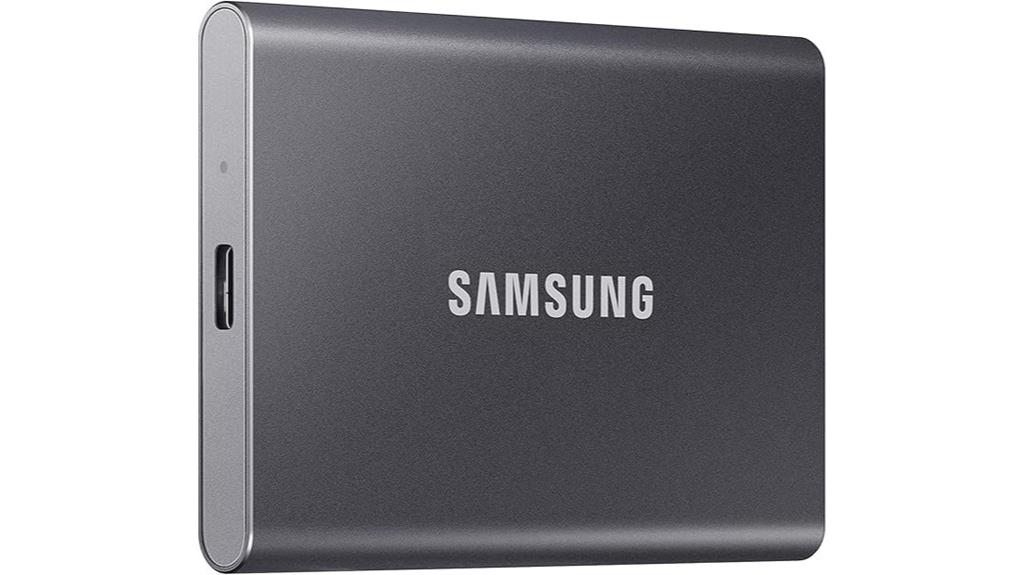
If you’re looking for a portable external SSD that combines speed, durability, and versatile compatibility, the Samsung T7 2TB is an excellent choice. It delivers read/write speeds up to 1,050/1,000 MB/s, making data transfers nearly instant. Its shock-resistant aluminum case can withstand drops from six feet, perfect for on-the-go use. Compact and lightweight at just over two ounces, it easily fits in your pocket. Compatible with PC, Mac, Android, and gaming consoles, it supports high-resolution video recording and large file backups. Samsung’s reputation for quality, combined with its reliable performance and sleek design, makes the T7 a top option for secure, fast storage.
Best For: users seeking a fast, durable, and versatile external SSD for professional, gaming, or creative storage needs.
Pros:
- Ultra-fast read/write speeds up to 1,050/1,000 MB/s for quick data transfer
- Shock-resistant aluminum casing capable of withstanding drops from six feet
- Compatible with multiple platforms including PC, Mac, Android, and gaming consoles
Cons:
- Requires USB 3.2 Gen 2 and UASP mode for maximum performance, which may limit compatibility on older devices
- Reformatting may be necessary for some operating systems
- Slightly premium price point compared to traditional external hard drives
SanDisk 2TB Extreme Portable SSD
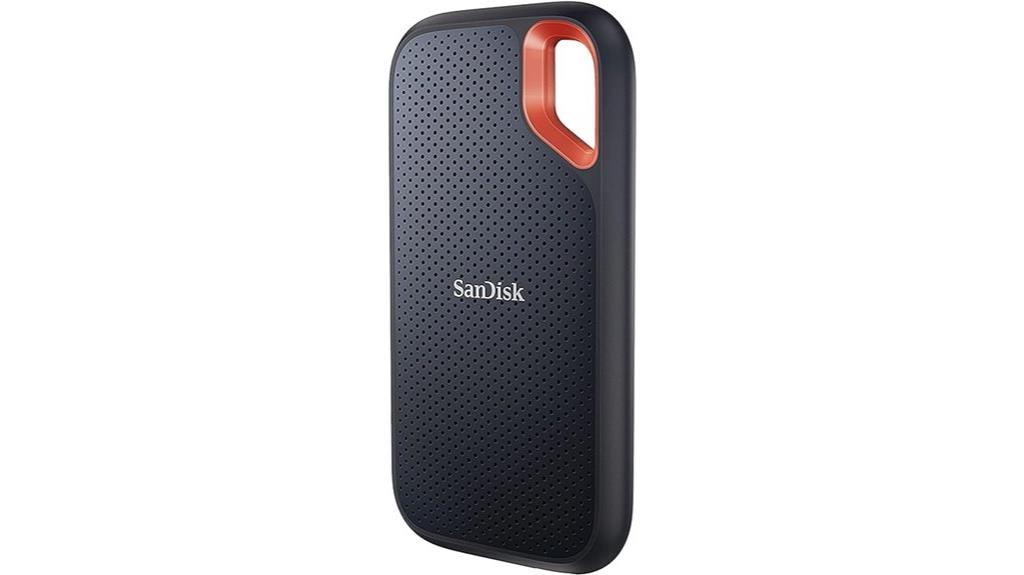
The SanDisk 2TB Extreme Portable SSD stands out as an ideal choice for professionals and travelers who need fast, durable, and secure storage on the go. It offers NVMe-like speeds with read speeds up to 1050MB/s and write speeds up to 1000MB/s, making large file transfers quick and efficient. Its rugged design provides up to two-meter drop protection and IP65 water and dust resistance, ensuring durability in tough environments. Security is enhanced with 256-bit AES hardware encryption and password protection, compatible with Windows and macOS. Its compact, lightweight form factor and included carabiner make it highly portable, perfect for active lifestyles and demanding workflows.
Best For: professionals, content creators, and travelers who require fast, durable, and secure portable storage solutions for large files and demanding environments.
Pros:
- High-speed NVMe-like transfer speeds up to 1050MB/s read and 1000MB/s write
- Rugged design with IP65 water and dust resistance and up to two-meter drop protection
- Secure data with 256-bit AES hardware encryption and password protection
Cons:
- Write speeds can drop significantly when the drive is partially filled, down to around 438MB/s
- Lacks an internal DRAM cache, which may affect sustained performance over time
- Performance can vary depending on host device and usage conditions
WD 1TB My Passport SSD Portable External Solid State Drive
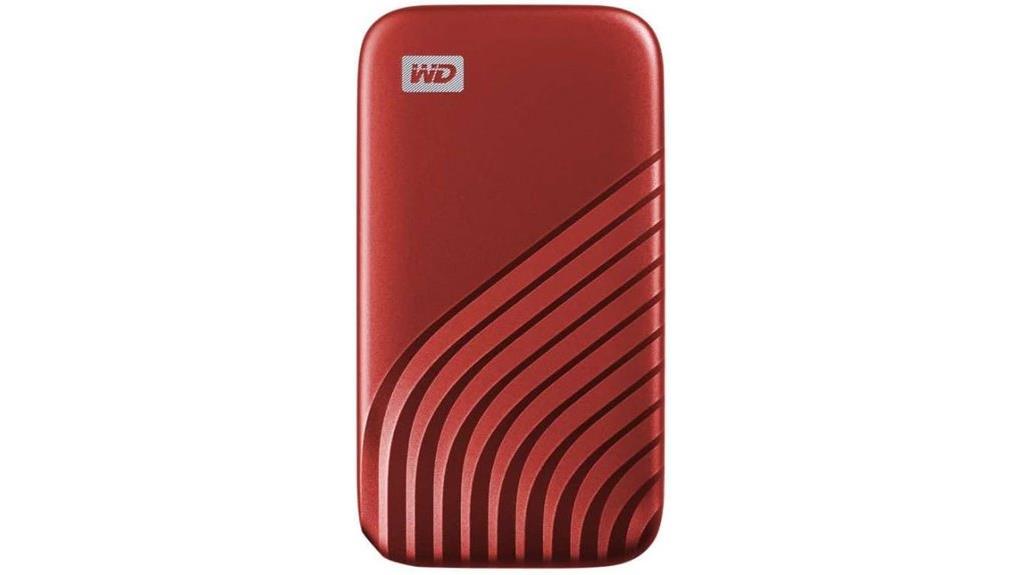
For professionals who need a durable, high-speed external drive with robust security, the WD 1TB My Passport SSD Portable External Solid State Drive stands out. Its sturdy design is shock and vibration resistant, drop-proof up to 6.5 feet, making it reliable on the go. With NVMe technology, it delivers blazing fast read speeds up to 1050MB/s and write speeds up to 1000MB/s. Security is exceptional thanks to password protection with 256-bit AES hardware encryption. Compatibility spans USB 3.2 Gen-2, USB-C, and USB-A ports, ensuring seamless use across various devices. This drive combines speed, durability, and security perfectly.
Best For: professionals and power users who need a durable, high-speed external SSD with advanced security features for on-the-go data transfer.
Pros:
- Extremely fast read/write speeds up to 1050MB/s and 1000MB/s respectively, enabling quick data transfers
- Robust, shock, vibration resistant, and drop-proof up to 6.5 feet, ensuring durability during travel
- Secure with 256-bit AES hardware encryption and password protection for sensitive data
Cons:
- Performance may vary depending on host device and usage conditions
- May be more expensive compared to traditional external drives with lower speed capabilities
- Limited storage capacity options beyond 1TB in this specific model
iStorage diskAshur2 1TB SSD Portable Secure Drive

When prioritizing security and durability in a portable external SSD, the iStorage diskAshur2 1TB stands out as an excellent choice. It uses AES-XTS 256-bit hardware encryption, ensuring data remains protected even when disconnected. The device is password-protected with a PIN of 7-15 digits, and without it, data is inaccessible. Its Common Criteria EAL 5+ certified microprocessor provides high-level security, while its rugged, IP56-rated design offers dust and splash resistance. With fast USB 3.2 speeds up to 361MB/s, it’s compatible across multiple operating systems. Overall, the diskAshur2 offers a robust, secure, and portable solution for sensitive data storage.
Best For: individuals and professionals seeking a highly secure, rugged portable SSD for safeguarding sensitive data on the go.
Pros:
- Hardware AES-XTS 256-bit encryption ensures top-tier data security.
- Rugged IP56-rated design provides dust and splash resistance for durability.
- Fast USB 3.2 speeds up to 361MB/s facilitate efficient data transfer across multiple platforms.
Cons:
- Some users experience lockout issues after multiple failed login attempts.
- Lack of included USB cable may require additional purchase.
- Limited instructions available for recovery procedures if locked out.
Kingston IronKey Vault Privacy 80 960GB External SSD

If you’re seeking a highly secure external SSD that combines robust hardware encryption with user-friendly features, the Kingston IronKey Vault Privacy 80 960GB stands out as an excellent choice. It’s FIPS 197 certified with XTS-AES 256-bit encryption, and a Common Criteria EAL5+ microprocessor guarantees top security. The drive protects against brute-force attacks, crypto-erases after 15 failed attempts, and guards against BadUSB threats with digitally-signed firmware. Its durable shell, large touch-screen interface, and multiple password options—PIN, passphrase, multi-user—make it versatile. While not blazing fast due to encryption overhead, it offers solid compatibility across major OSes and a portable design, ideal for security-conscious users.
Best For: security-conscious professionals and organizations seeking a highly secure, hardware-encrypted external SSD with versatile access options and robust physical protection.
Pros:
- FIPS 197 certified with XTS-AES 256-bit encryption and Common Criteria EAL5+ microprocessor for top-tier security
- Durable shell with a user-friendly, large touch-screen interface and multiple customizable password modes (PIN, passphrase, multi-user)
- Compatibility across all major OSes without additional software, ensuring easy setup and use
Cons:
- Slightly slower performance due to encryption overhead, not achieving native SSD speeds
- Reports of disconnection issues on Windows caused by energy management settings, requiring manual adjustments
- Higher cost compared to non-encrypted SSDs, which may be a consideration for budget-conscious users
LaCie Rugged Secure 2TB External Hard Drive
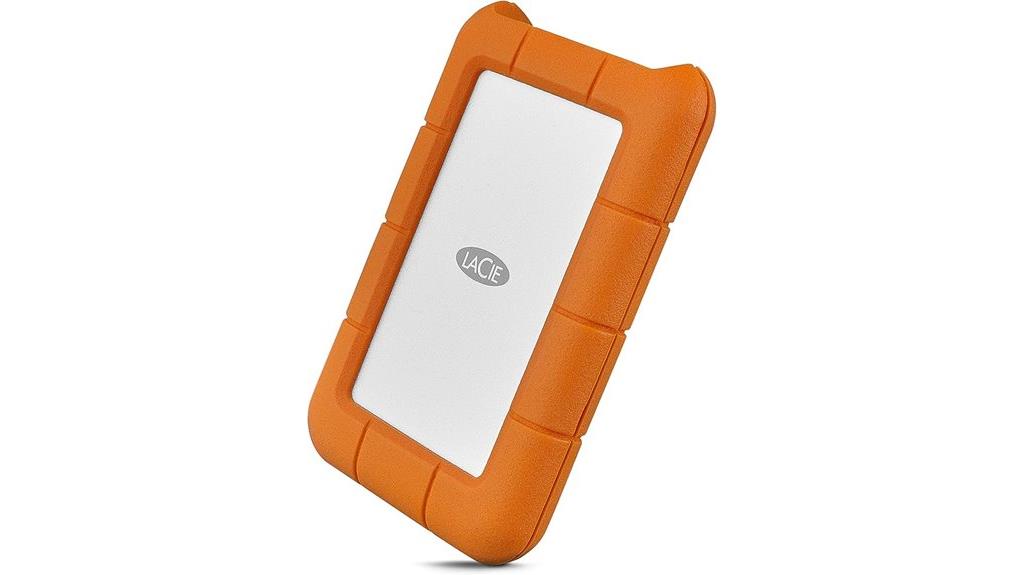
The LaCie Rugged Secure 2TB External Hard Drive stands out as an ideal choice for creative professionals who need reliable, portable storage in tough environments. It features AES-256 hardware encryption for government-grade security and offers a large 2TB capacity with transfer speeds up to 130MB/s. Its rugged design resists drops, crushes, and rain, making it perfect for fieldwork. Compatibility includes Thunderbolt 3, USB-C, and USB 3.0, ensuring broad connectivity. While praised for durability and ease of use, some users report occasional performance issues or data recovery challenges. Overall, it’s a robust, portable solution for safeguarding important data in demanding conditions.
Best For: creative professionals and field workers who require durable, secure, and portable storage solutions for large data files in challenging environments.
Pros:
- Rugged design resists drops, crushes, and rain, ideal for outdoor and on-the-go use
- Large 2TB capacity with fast transfer speeds up to 130MB/s for handling big projects
- AES-256 hardware encryption ensures government-grade security for sensitive data
Cons:
- Some users experience occasional performance issues or slow response times
- Data recovery can be costly and complicated if the drive fails unexpectedly
- Limited protection for the USB-C port despite claims of IP67 water and dust resistance
SanDisk 1TB Extreme PRO Portable SSD
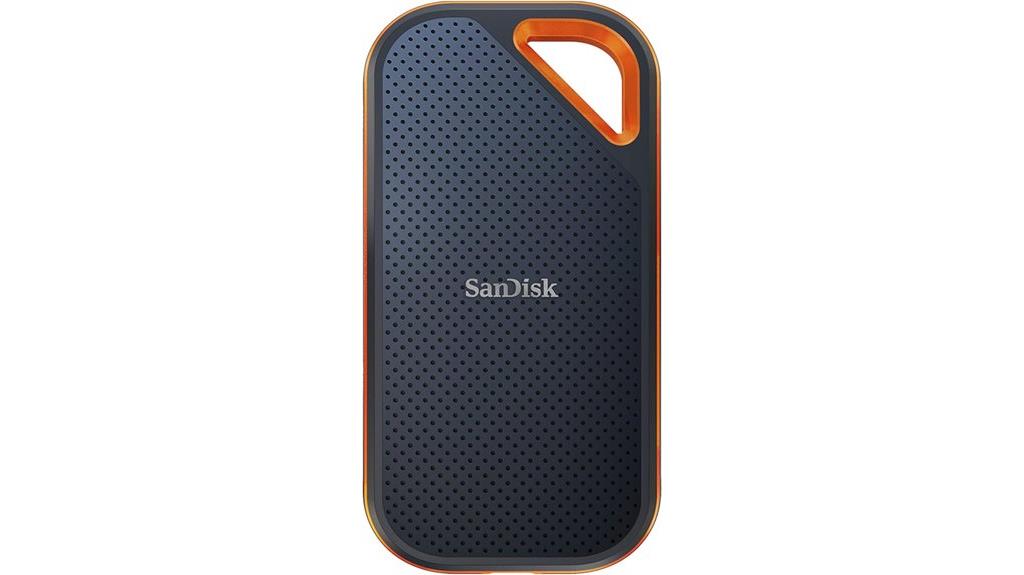
For professionals and content creators who need blazing-fast speeds combined with rugged durability, the SanDisk 1TB Extreme PRO Portable SSD stands out as an ideal choice. It delivers NVMe performance with read/write speeds up to 2000MB/s, maintaining high speeds during large transfers and handling over 500GB without slowdown. Its forged aluminum chassis acts as a heatsink, ensuring cool operation, while IP65 water and dust resistance and drop protection up to 3 meters make it rugged for outdoor use. Compatible with USB-C and USB 3.2 Gen 2×2, it supports demanding tasks like 4K editing and gaming, combining speed, security, and durability in a compact design.
Best For: professionals, content creators, and outdoor enthusiasts seeking high-speed, rugged, portable storage solutions.
Pros:
- Ultra-fast NVMe speeds up to 2000MB/s for quick large file transfers
- Rugged design with IP65 water/dust resistance and drop protection up to 3 meters
- Compact, lightweight, and compatible with USB-C and USB 3.2 Gen 2×2 interfaces
Cons:
- Can generate warmth under heavy use, potentially affecting performance
- Occasional disconnection issues reported with larger capacities during prolonged use
- Price may be higher compared to less durable or slower alternatives
Seagate One Touch 2TB External Hard Drive
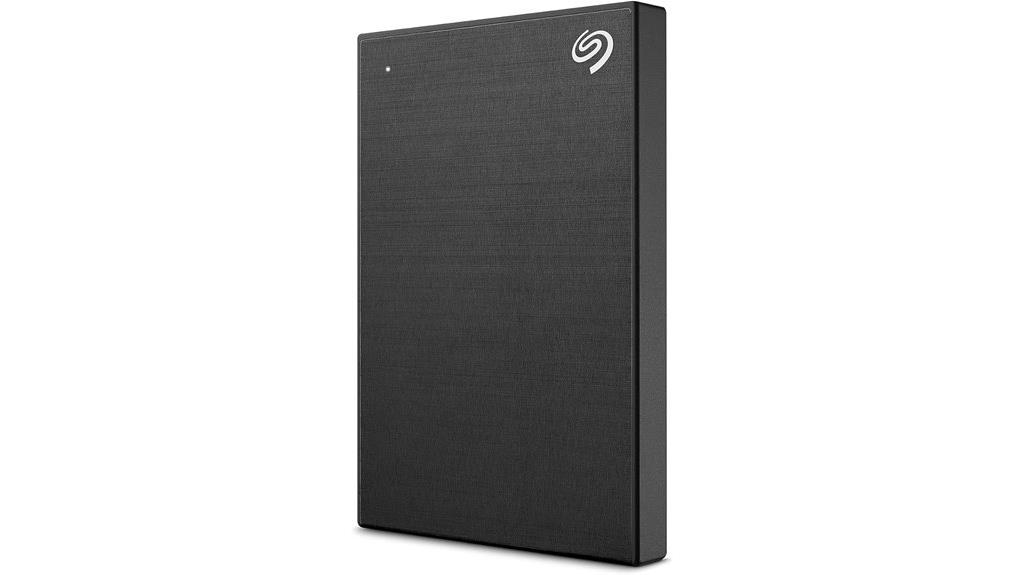
Looking for a reliable external drive that combines hardware encryption with broad device compatibility? The Seagate One Touch 2TB external hard drive fits the bill perfectly. It offers password-activated hardware encryption to keep your data secure and features a sleek brushed metal enclosure. With USB 3.0 connectivity, it works seamlessly with PCs, Macs, Chromebooks, and notebooks—just use an adapter for USB-C or reformat if needed for Time Machine. It supports plug-and-play backups, scheduled automatic backups, and includes useful software like a free year of Mylio Create and four months of Adobe Creative Cloud. Plus, the limited warranty and Rescue Data Recovery Services provide extra peace of mind.
Best For: individuals seeking a secure, versatile external hard drive compatible with multiple devices and offering automatic backup options.
Pros:
- Hardware encryption ensures data security with password protection
- Compatible with PC, Mac, Chromebook, and notebooks with plug-and-play setup
- Includes free software subscriptions like Mylio Create and Adobe Creative Cloud
Cons:
- May require reformatting for Time Machine use on Mac systems
- Adapter needed for USB-C connections on newer devices
- Limited warranty duration may not cover all potential issues
iStorage diskAshur PRO2 1TB SSD with Hardware Encryption
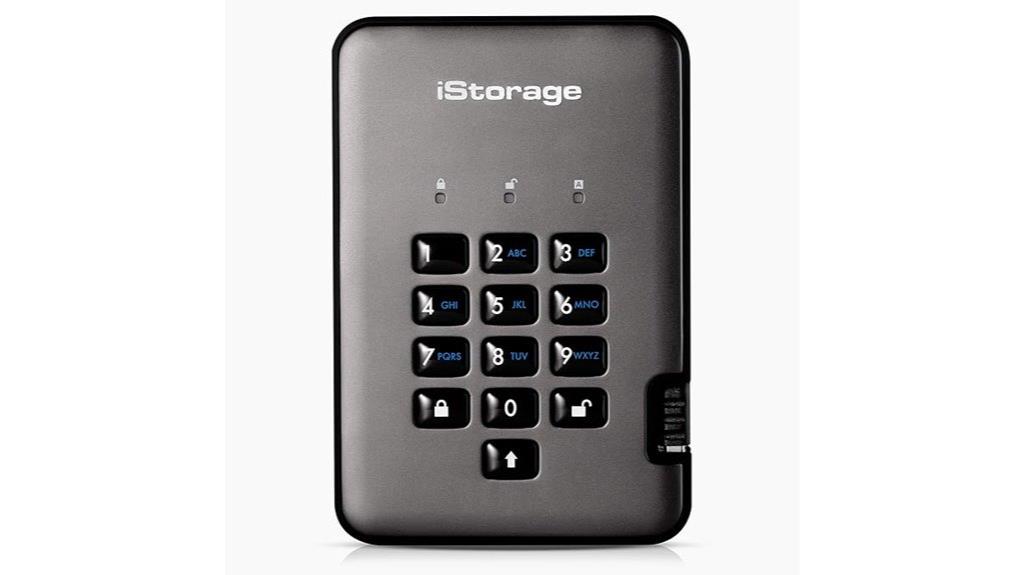
If you’re seeking a portable external SSD that combines top-tier security with broad device compatibility, the iStorage diskAshur PRO2 1TB is an excellent choice. It features hardware AES-XTS 256-bit encryption, a 7-15 digit PIN, and real-time data protection. Certified FIPS 140-2 Level 3 and EAL 5+ secure microprocessor ensure compliance with strict data regulations like GDPR and HIPAA. Its rugged, IP56 water and dust resistance makes it suitable for tough environments. With USB 3.2 speeds up to 361MB/s, it works seamlessly across Windows, macOS, Linux, Android, and embedded systems, making it a versatile, secure storage solution.
Best For: professionals and organizations requiring highly secure, portable external storage that complies with strict data regulations and operates reliably across multiple devices.
Pros:
- Industry-leading security features including hardware AES-XTS 256-bit encryption and FIPS 140-2 Level 3 certification
- Broad compatibility with Windows, macOS, Linux, Android, and embedded systems for versatile use
- Rugged, IP56-rated water and dust resistance suitable for harsh environments
Cons:
- Reports of keypad latency, unreliable input, and difficulty changing default PINs
- Hardware durability issues such as keypad button failures and disconnections over time
- Short, stiff USB cable prone to fraying or disconnection, affecting overall usability
SanDisk 1TB Portable SSD with USB-C and USB 3.2
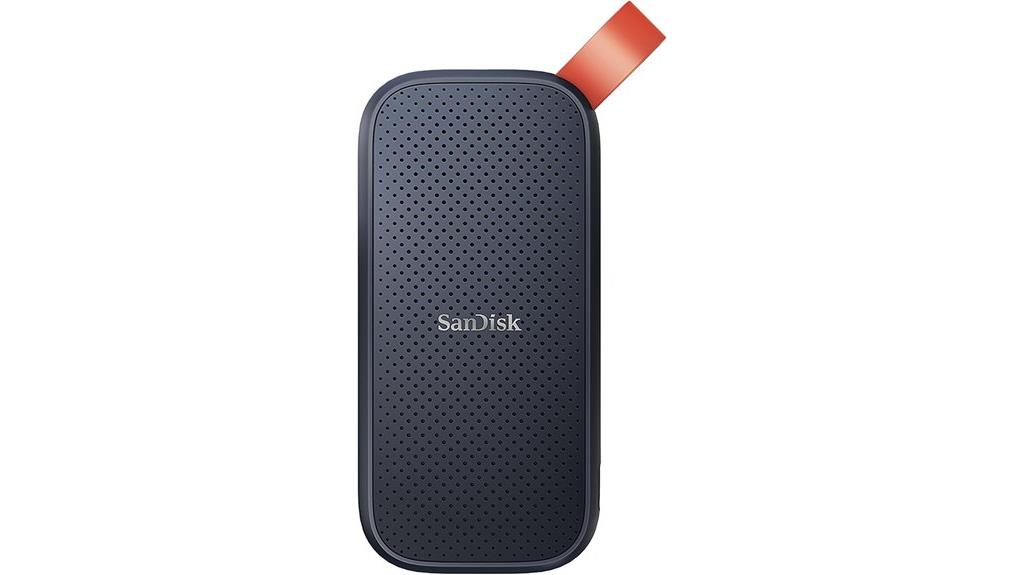
The SanDisk 1TB Portable SSD with USB-C and USB 3.2 stands out as an excellent choice for professionals and adventurers who need fast, reliable storage on the go. It delivers up to 800MB/s read speeds, making data transfers quick and seamless. With 1TB of capacity, it’s perfect for backing up large files, memories, or creative projects. Its rugged design features up to two-meter drop protection and a rubber hook for secure attachment, ensuring durability in various environments. Manufactured by SanDisk, a trusted brand, this SSD combines performance, portability, and toughness, making it a versatile option for those who demand reliability and speed.
Best For: professionals, photographers, and adventurers seeking a durable, high-speed portable SSD for quick data transfer and reliable storage on the go.
Pros:
- Fast transfer speeds up to 800MB/s for quick data migration
- Rugged design with up to two-meter drop protection for durability
- Compact and lightweight with secure rubber hook for easy attachment
Cons:
- Performance may vary depending on device and usage conditions
- Limited to 1TB storage capacity, which might be insufficient for some users
- No built-in encryption or advanced security features included
Kanguru Defender SSD 35 1TB Secure Portable SSD
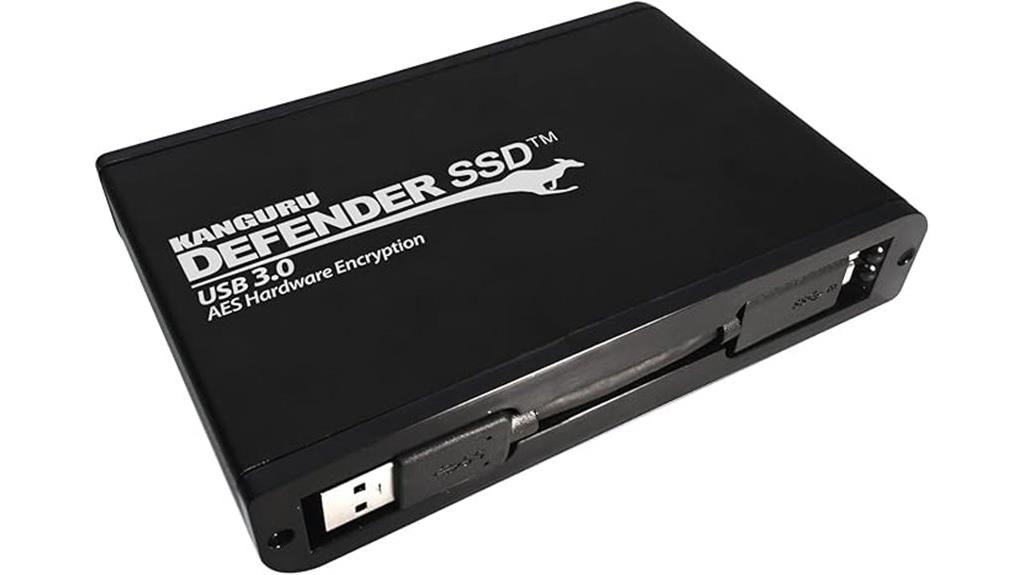
When security is a top priority, the Kanguru Defender SSD 35 1TB stands out as an excellent choice for professionals handling sensitive data. It features hardware encryption with AES 256-bit (XTS mode), certified by FIPS 197, ensuring data protection without sacrificing speed. Compatible across Windows, Mac, and Linux, it’s TAA compliant and suitable for government, healthcare, and corporate use. Its tamper-proof design and optional remote management provide extra security layers, including remote wipe and password control. With read speeds up to 120MB/sec and a compact, lightweight build, this SSD delivers both high performance and robust security for demanding environments.
Best For: professionals and organizations handling sensitive data who require high-level security, fast data transfer, and compatibility across multiple operating systems.
Pros:
- Hardware-encrypted with AES 256-bit (XTS mode), certified by FIPS 197, ensuring robust security.
- Compatible with Windows, Mac, and Linux, offering versatile use across different platforms.
- Compact, lightweight design with high read/write speeds (up to 120MB/sec) for efficient data handling.
Cons:
- 30-day free antivirus trial limited to Windows, requiring additional purchase for extended protection.
- Restocking fees and varying return policies may complicate returns for some vendors.
- Limited warranty duration (30 days for defective or damaged items) may not cover long-term issues.
Apricorn 5TB Aegis Fortress L3 Hardware Encrypted Portable Drive
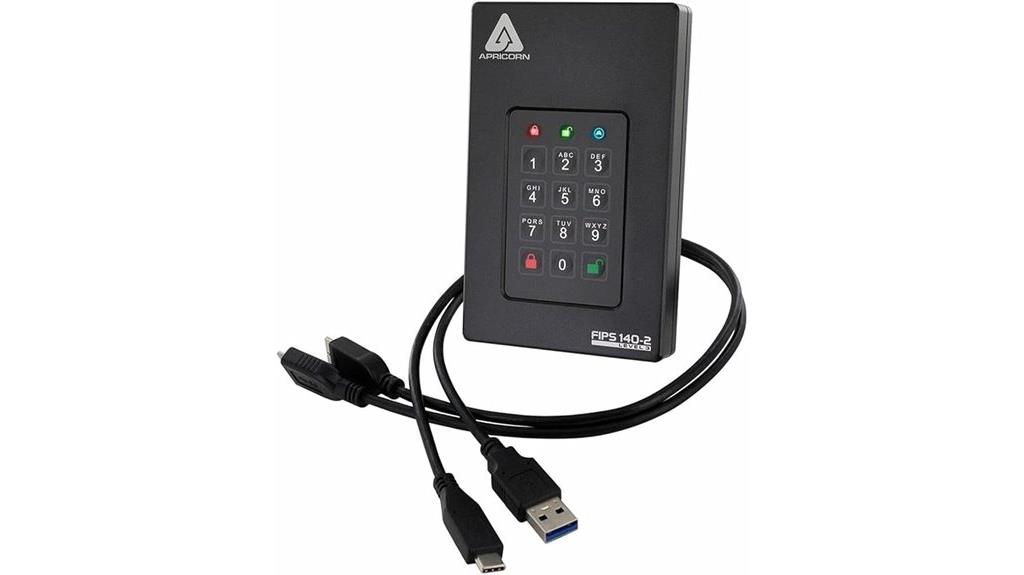
For professionals who need rugged, high-security storage on the go, the Apricorn 5TB Aegis Fortress L3 stands out as an excellent choice. Made from aircraft-grade aluminum, it offers durability and protection in demanding environments. The drive features 256-bit AES-XTS hardware encryption, FIPS 140-2 Level 3 validation, and performs encryption during write operations, ensuring data stays secure even if the drive is removed. With a built-in keypad for PIN entry and multiple security modes, including brute-force attack protection, it provides robust control without software dependencies. Its portability, combined with reliable hardware, makes it perfect for safeguarding sensitive data during travel or fieldwork.
Best For: professionals and security-conscious users who need rugged, portable, high-security storage for sensitive data on the go.
Pros:
- Rugged build with aircraft-grade aluminum for durability in demanding environments
- Hardware encryption with FIPS 140-2 Level 3 validation and multiple security modes
- No software required, with built-in keypad for PIN entry ensuring security without shared parameters
Cons:
- Mechanical hard drive may be slower and less durable than SSD options
- Transfer speeds can be slower during extensive data writing tasks
- Slightly heavier and bulkier compared to simpler portable drives
iodd MINI Pro External SSD/USB-C with AES256 Encryption and Bootable Virtual ODD/HDD (2TB, Made in Korea)
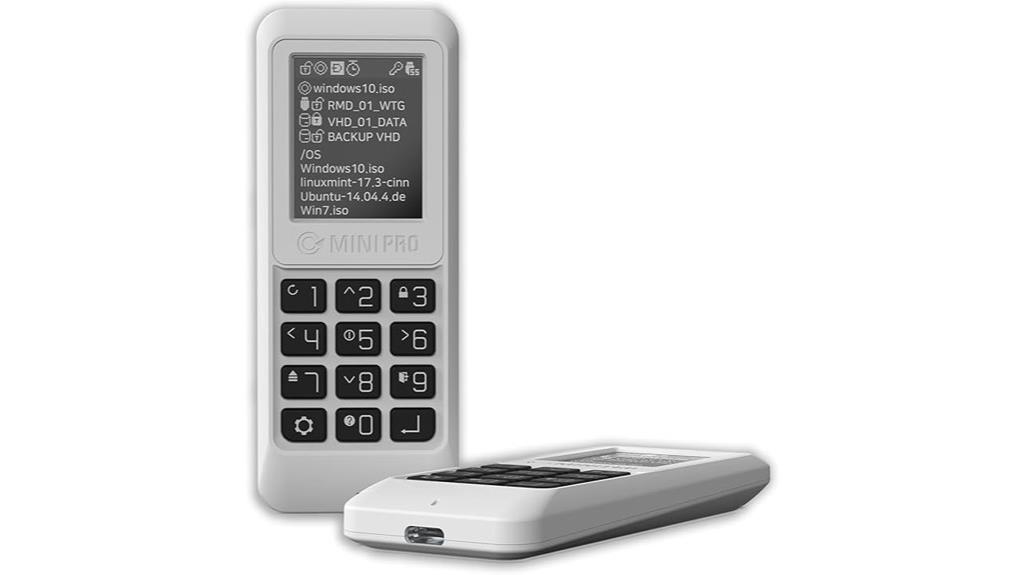
If you’re seeking a portable external SSD that combines robust security with versatile functionality, the iodd MINI Pro is an excellent choice. It features AES256-XTS encryption with up to 76 digits, ensuring your data stays protected. The device doubles as a bootable virtual optical disc drive, supporting ISO files and virtual hard disk conversions. Its USB-C interface offers high compatibility and performance. Additional features like write protection, Windows To Go support, auto sleep, and firmware updates enhance usability and security. Weighing just 4.8 ounces with a durable build, it’s ideal for on-the-go users who need reliable, secure storage with flexible boot options.
Best For: users seeking a portable, secure external SSD with versatile boot and virtual optical drive capabilities, ideal for professionals and tech enthusiasts on the go.
Pros:
- Advanced AES256-XTS encryption ensures high-level data security.
- Supports booting from ISO files and virtual hard disk conversions for flexible use.
- Compact, lightweight design with durable build quality and high performance via USB-C interface.
Cons:
- Limited to B+M key SSDs; M-key SSDs are incompatible.
- Firmware restricts ISO file display to 30 per folder, requiring organization workarounds.
- No support for M.2 NVMe SSDs, limiting upgrade options for some users.
WD 1TB My Passport Portable External Hard Drive
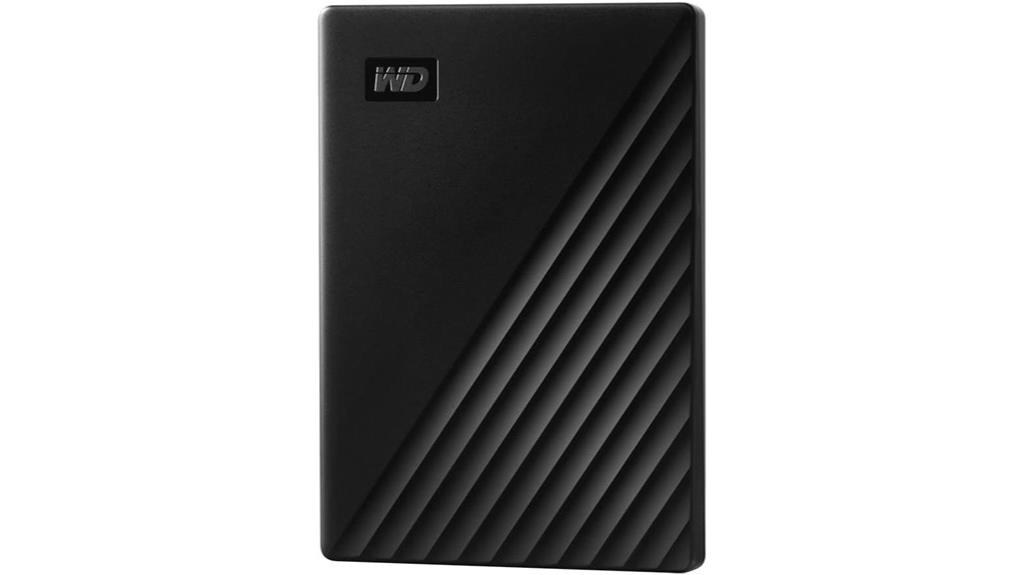
The WD 1TB My Passport Portable External Hard Drive stands out as an excellent choice for users seeking reliable, portable storage with robust security features. Its slim, durable black design makes it easy to carry, weighing just over 4 ounces. Supporting USB 3.1/3.0, it guarantees fast data transfers, perfect for photos, videos, and documents. Built-in password protection and hardware encryption add a layer of security, safeguarding your files. While the included backup software is limited and may require third-party solutions, the drive’s overall reliability, easy setup, and solid performance make it a popular option for on-the-go data protection.
Best For: users seeking a portable, reliable external hard drive with strong security features for everyday backup and file storage needs.
Pros:
- Compact, slim, and lightweight design for easy portability
- Supports fast data transfer via USB 3.1/3.0 interfaces
- Built-in password protection and hardware encryption for security
Cons:
- Preloaded backup software is limited and may require third-party solutions for full functionality
- Not as fast as SSDs, with minor drag when opening large folders
- Some units may experience delivery issues or damage during shipping
Factors to Consider When Choosing Secure External SSD Hardware Encryption
When selecting a secure external SSD with hardware encryption, I focus on the encryption standards used to guarantee data protection. I also consider performance speed and physical durability to match my needs, along with compatibility options for seamless integration. Finally, I look at security features that provide peace of mind and robust defense against unauthorized access.
Encryption Standards
Choosing a secure external SSD means paying close attention to the encryption standards it uses, as these determine how effectively your data is protected. Most hardware encryption relies on AES-XTS 256-bit encryption, a widely recognized standard known for its robustness. Compliance with industry benchmarks like FIPS 140-2 and Common Criteria EAL5+ ensures the encryption method has undergone rigorous security certification. Hardware encryption protects data at rest, so even if the drive is physically stolen, your information remains secure. Features like crypto-erasure, which automatically deletes encryption keys after multiple failed login attempts, add extra layers of security. Ultimately, strong encryption standards and adherence to recognized certifications are essential for safeguarding your data and ensuring regulatory compliance.
Performance Speed
Performance speed is a essential factor when selecting a secure external SSD with hardware encryption, as it directly impacts how quickly you can transfer and access your data. These drives typically offer read speeds up to 1,050MB/s and write speeds around 1,000MB/s, making large file transfers swift. However, actual performance can vary depending on your device’s compatibility, the interface used (like USB 3.2 Gen 2), and how full the drive is. Factors such as caching, drive fill level, and system performance also influence real-world transfer speeds, which are often lower than peak specs. Drives without dedicated DRAM caches may suffer slower performance during prolonged data writing. For tasks like editing large media files or backups, consistent high-speed performance minimizes bottlenecks and ensures efficiency.
Physical Durability
Physical durability plays a vital role in guaranteeing your secure external SSD can withstand the rigors of everyday use and harsh environments. Rugged materials like aircraft-grade aluminum or reinforced rubber protect the drive from impacts, drops, and environmental stressors. Many durable drives are rated to survive drops from six feet or more, preventing data loss during accidental falls. Water and dust resistance ratings, such as IP65 or IP56, offer protection against water jets and dust ingress, enabling reliable operation outdoors. Shock resistance features like internal shock mounts and shock-absorbing casings safeguard internal components from jolts and vibrations. Additionally, a compact, sturdy design minimizes damage risks during transport, making these drives ideal for fieldwork and portable use. Durability guarantees your data remains safe regardless of the environment.
Compatibility Options
When selecting a secure external SSD with hardware encryption, it’s vital to verify it supports multiple operating systems like Windows, macOS, Linux, and Android. This guarantees versatile compatibility across your devices without hassle. Additionally, check if the drive includes both USB-C and USB-A cables or adapters, making connections straightforward with various gadgets. Confirm that the hardware encryption feature aligns with your device’s interface, such as USB 3.2 Gen 2 or Thunderbolt 3, for peak performance. It’s also important to verify the drive’s firmware and security protocols meet industry standards like FIPS 140-2 or Common Criteria, guaranteeing robust data protection. Finally, opt for drives that offer cross-platform support without extra software, allowing seamless, plug-and-play use across all your devices.
Security Features
Choosing a secure external SSD with hardware encryption means paying close attention to its security features, which are essential for protecting your sensitive data. Hardware encryption uses dedicated microprocessors to safeguard data, storing encryption keys safely within the device. AES-XTS 256-bit encryption is common, offering strong resistance to brute-force attacks. Many models include multi-factor authentication like PINs or biometric verification, adding an extra layer of security. Certifications such as FIPS 140-2 and Common Criteria EAL5+ demonstrate compliance with rigorous industry and government standards. Additionally, features like automatic crypto-erasure after multiple failed login attempts help prevent data breaches. These security features ensure that your data remains protected even if the device falls into the wrong hands.
Ease of Use
To guarantee a secure external SSD is truly user-friendly, I look for devices that offer straightforward setup processes, like simple PIN or password entry, without complicated configurations. An intuitive interface, such as large, clearly labeled buttons or a responsive touchscreen, makes operation easier and reduces errors. Compatibility across multiple operating systems—Windows, macOS, Linux, Android—ensures quick, hassle-free access. Features like automatic locking, easy firmware updates, and clear status indicators contribute to a smoother experience. I also prefer devices that minimize reliance on extra software or drivers, so you can access encrypted data instantly. Overall, a device that’s simple to set up, operate, and maintain saves time and frustration, making security accessible for all users without sacrificing convenience.
Data Recovery Methods
Data recovery for secure external SSDs with hardware encryption can be challenging because the encryption often prevents standard recovery methods from accessing data. Many drives use crypto-erasure or lockout features that erase keys after multiple failed attempts, making data recovery impossible without proper authorization. Some manufacturers offer secure recovery options through specialized software or support channels, but these are usually limited to authorized personnel and require proof of ownership. The strength of hardware encryption complicates recovery further, underscoring the significance of maintaining secure backups before issues arise. When hardware failure or lockout occurs, professional data recovery services with expertise in encrypted drives are often necessary. Success depends on the encryption type and the drive’s security features, so understanding these factors is vital before choosing a device.
Price and Value
When selecting a secure external SSD with hardware encryption, understanding the price range and value proposition helps guarantee you get the right features for your budget. Prices typically range from about $150 to over $500, influenced by capacity, speed, and security features. Higher-priced models often include advanced encryption standards, rugged build quality, and extra security options, which are worth the investment if you handle sensitive or professional data. To evaluate value, weigh the cost against encryption strength, transfer speeds, and durability. Choosing a reputable brand with solid security certifications and warranty support can offer better long-term value and peace of mind. Be cautious of cheaper options that may lack robust encryption or durability, risking data security and potential costly breaches.
Frequently Asked Questions
How Does Hardware Encryption Differ From Software Encryption in External SSDS?
Hardware encryption in external SSDs uses a dedicated chip to encrypt data instantly, offering higher security and faster performance. Software encryption relies on your computer’s CPU, which can slow things down and be more vulnerable to hacking. I prefer hardware encryption because it’s seamlessly integrated, more secure, and doesn’t depend on the device’s software, giving me peace of mind knowing my data stays protected even if the drive is lost.
Can Hardware-Encrypted SSDS Be Used Across Different Operating Systems Seamlessly?
Did you know that over 60% of users want seamless cross-platform compatibility? Hardware-encrypted SSDs generally work across different operating systems, but it depends on the encryption standards and the device’s design. Many use industry standards like AES-XTS, which ensures compatibility. However, some require specific drivers or software, so I recommend checking the manufacturer’s details before switching between Windows, macOS, or Linux to verify smooth use.
What Certifications Should I Look for in a Secure External SSD?
When choosing a secure external SSD, I look for certifications like FIPS 140-2 and TCG Opal. FIPS 140-2 guarantees the encryption meets government standards, offering solid data protection. TCG Opal confirms the device supports standardized self-encrypting drives. These certifications give me confidence that the SSD has undergone rigorous testing and adheres to industry security standards, guaranteeing my data stays safe no matter where I use it.
How Does Physical Durability Impact Data Security in External SSDS?
Physical durability acts like a fortress wall, protecting your data from physical threats. When an external SSD is rugged and resistant to shocks, drops, or water, it minimizes the risk of damage that could compromise data integrity. A durable design guarantees your sensitive information stays safe even in tough environments, making it an essential factor in overall data security. Investing in a tough device is like building a stronghold around your digital treasures.
Are There Any Known Vulnerabilities in Hardware Encryption Implementations?
Yes, there are known vulnerabilities in hardware encryption implementations, such as side-channel attacks that can extract encryption keys through power analysis or electromagnetic leaks. I always recommend choosing reputable brands with proven security measures, regularly updating firmware, and enabling multi-factor authentication. While hardware encryption considerably boosts data security, no system is entirely invulnerable, so staying vigilant and informed about potential threats is essential for safeguarding your data effectively.
Conclusion
Choosing the right secure external SSD feels like finding a trusted guardian for your data’s future. With hardware encryption, you’re not just protecting files—you’re anchoring your peace of mind. Think of these drives as digital vaults, each promising maximum security with a touch of innovation. So, whether you’re safeguarding sensitive info or just want peace of mind, these options are your steadfast allies—because your data deserves nothing less than fortress-level protection.