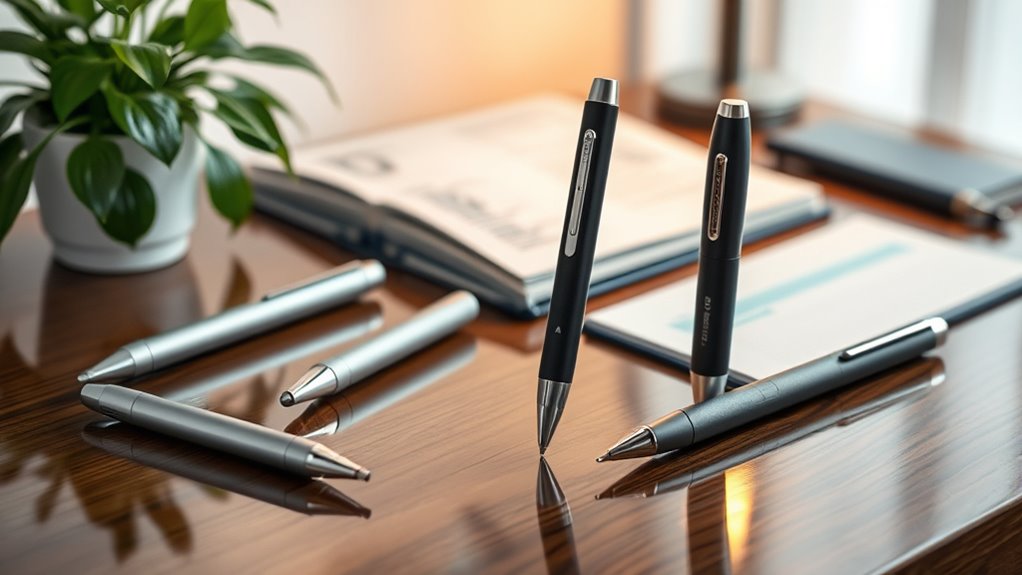

Smart pen recorders pair audio capture with note-taking features, but the right choice depends on whether you value a pen-shaped design, transcription tools, or straightforward recording most. I rank the Flowtica AI Voice Recorder and Smart Note-Taking Pen as the best overall fit for buyers who want recording and note-taking in one device. The Innioasis PR1 stands out for offline transcription and translation, while the Livescribe Echo suits people who want to link recorded audio to handwritten notes. The tradeoffs are practical: AI features may depend on an app or connection, while simpler recorders can offer less help organizing what you captured. Read on for the full breakdown and picks by buyer type.

Get privacy and security gear delivered free with Prime
- Fast, free delivery on millions of items
- Prime Video, Amazon Music and more included
- Member-only deals all year
Key Takeaways
- Flowtica is the strongest all-around match for shoppers specifically seeking a recording pen, while the Innioasis PR1 is the more distinctive pick when offline transcription matters.
- The lineup splits between dedicated pens and compact voice recorders: a pen-shaped body can blend into note-taking, but a recorder may be easier to use when handwriting is not part of the task.
- Livescribe Echo takes a different approach by linking audio with written notes; its 2GB storage makes it less suited to buyers who want large onboard capacity.
- Several newer options foreground AI features such as summaries, mind maps, or multilingual transcription, but buyers should check which features need an app, a network connection, or a paid service.
- ZIPCIDE emphasizes 64GB storage and noise reduction, while pen-oriented alternatives focus more on the convenience of combining writing and recording.
| AI Voice Recorder (2026 Upgraded) Magnetic Mini Digital Audio Recorder & Player with AI Transcription, 118 Languages, App Control, 64GB Storage (Purple) |  | Best Overall | Storage: 64 GB | Continuous recording: Up to 35 hours | Standby time: Up to 166 days | VIEW ON AMAZON | See Our Full Breakdown |
| Innioasis PR1 AI Voice Recorder with Offline Transcription and Translation |  | Best for Private, Subscription-Free AI | Storage: 64 GB | RAM: 4 GB | Screen: 3.99 inches | VIEW ON AMAZON | See Our Full Breakdown |
| Flowtica AI Voice Recorder and Smart Note-Taking Pen |  | Best for Connected Meeting Notes | Weight: 30 g | Material: Aluminum | Standby time: Up to 233 days | VIEW ON AMAZON | See Our Full Breakdown |
| ZIPCIDE 64GB Digital Voice Recorder with AI Noise Reduction |  | Best for Simple Playback and Expandable Storage | Memory: 64 GB, expandable via TF card slot | Recording time: Up to 15 hours | Playback time: Up to 30 hours | VIEW ON AMAZON | See Our Full Breakdown |
| AI Voice Recorder Pen with Transcription & Summary |  | Best Value for Handwritten Notes | Storage: 32 GB | Microphone: Lavalier | Connectivity: USB 3.0 Type-C | VIEW ON AMAZON | See Our Full Breakdown |
| SKARA AI Voice Recorder with Real-Time Transcription, AI Summary & Mind Map |  | Best for Multilingual Meetings | Languages supported: Up to 150 | Battery life: 7 hours | Battery capacity: 210 mAh | VIEW ON AMAZON | See Our Full Breakdown |
| LIMU AI Smart Pen Note Taker with 64GB Storage and Voice Recorder |  | Best for Long Recording Sessions | Storage capacity: 64 GB | Audio storage: Over 480 hours | Battery life: 22 hours continuous recording | VIEW ON AMAZON | See Our Full Breakdown |
| Livescribe 2GB Echo Smartpen |  | Best for Handwritten Note Playback | Memory storage: 2 GB | Digital recording time: 120 minutes | Screen size: 1.8 inches | VIEW ON AMAZON | See Our Full Breakdown |
| smart pen recorder | Connectivity | Battery capacity | Weight |
|---|---|---|---|
| AI Voice Recorder | USB 2.0 and Bluetooth 5.3 | 400 mAh | 30 g |
| Innioasis PR1 AI Voice Recorde | Bluetooth 5, USB Type-C, dual-band Wi-Fi | 2800 mAh | — |
| Flowtica AI Voice Recorder and | — | — | 30 g |
| ZIPCIDE 64GB Digital Voice Rec | Micro-USB | 270 mAh | — |
| AI Voice Recorder Pen with Tra | USB 3.0 Type-C | — | — |
| SKARA AI Voice Recorder with R | — | 210 mAh | — |
| LIMU AI Smart Pen Note Taker w | Bluetooth 5, USB-C | — | 0.83 oz (23.5 g) |
| Livescribe 2GB Echo Smartpen | — | — | 1.28 ounces |
More Details on Our Top Picks
AI Voice Recorder (2026 Upgraded) Magnetic Mini Digital Audio Recorder & Player with AI Transcription, 118 Languages, App Control, 64GB Storage (Purple)
Compact capture with broad language support gives this recorder the strongest all-around fit for people who want to record first and organize later. Its magnetic body and condenser plus bone-conduction microphones support standard recording and call capture, while 64GB of storage and up to 35 hours of continuous recording reduce the need to offload files midweek. The Doway app and web portal add GPT-4o transcription and summaries across 118 languages, a wider stated language range than the Innioasis PR1. That flexibility comes with a recurring cost: unlimited transcription requires a subscription, whereas the PR1 processes transcription offline without subscription fees. Local encryption is a useful privacy measure, but this is still an app-connected workflow. Choose it for a pocketable, versatile recorder; skip it if you want all AI features free or entirely on-device.
Pros:- Dual microphone types support standard recording and call capture
- 64GB storage and up to 35 hours of continuous recording suit frequent use
- Transcription supports 118 languages, with AI summaries through the app or web portal
- Local encryption and a magnetic aluminum body add privacy and placement flexibility
Cons:- Unlimited transcription requires a recurring subscription
- Storage is not expandable, and the device has no headphone jack
- AI features depend on the companion app or web portal
Best for: Mobile professionals and multilingual students who want magnetic placement, call capture, and long recording sessions in a compact device
Not ideal for: Buyers who require subscription-free transcription or want all recordings processed offline
- Storage:64 GB
- Continuous recording:Up to 35 hours
- Standby time:Up to 166 days
- Battery capacity:400 mAh
- Microphones:Condenser and bone conduction
- Connectivity:USB 2.0 and Bluetooth 5.3
- Dimensions:0.12 × 2.08 × 3.34 inches
- Weight:30 g
Our verdict“Pick this for a compact, versatile recorder with broad language support, provided a paid transcription plan fits your workflow.”
Innioasis PR1 AI Voice Recorder with Offline Transcription and Translation
On-device transcription without subscription fees is the PR1’s clearest advantage for buyers who handle sensitive meetings or want predictable access to AI tools. Its 4+1 beamforming microphone array is designed to capture voices across varied settings, and the 3.99-inch touchscreen gives it a more self-contained feel than the app-led AI Voice Recorder (2026 Upgraded). The tradeoff is size and mode management: this is a handheld recorder with a large screen, not a discreet pen-shaped tool, and AI recording runs for up to 17 hours compared with the other model’s 35 hours of continuous recording. Offline transcription covers 70-plus languages, while offline translation is limited to 40; broader translation support requires online connectivity. It suits buyers who prioritize local processing over pocketability and maximum runtime.
Pros:- Transcription and translation features work without subscription fees
- On-device processing supports a privacy-focused workflow
- 4+1 beamforming microphone array is built for clearer voice capture
- Touchscreen and USB-C make device management and charging straightforward
Cons:- AI recording time is limited to 17 hours per charge
- Offline translation supports fewer languages than online translation
- Battery and accuracy tradeoffs may require choosing different recording modes
Best for: Students, researchers, and professionals who need private on-device transcription without ongoing service fees
Not ideal for: People seeking a discreet pen recorder or the longest possible continuous recording session
- Storage:64 GB
- RAM:4 GB
- Screen:3.99 inches
- Battery capacity:2800 mAh
- AI recording time:Up to 17 hours
- Hi-Fi audio recording time:Up to 58 hours
- Microphone:4+1 beamforming array
- Connectivity:Bluetooth 5, USB Type-C, dual-band Wi-Fi
Our verdict“Choose the PR1 if private, subscription-free AI matters more than a pen-like form or the longest recording runtime.”
Flowtica AI Voice Recorder and Smart Note-Taking Pen
Audio, photos, and written highlights in one record make the Flowtica more suited to building connected meeting notes than simply capturing sound. It can recognize up to 15 voices and add AI summaries and auto-tags, which gives it a different role from the AI Voice Recorder (2026 Upgraded), whose strengths lean toward storage, call capture, and extended recording time. Flowtica’s listed maximum session length is five hours, so it is better suited to meetings and interviews than long seminars; the magnetic recorder supports up to 35 hours of continuous recording. Its 16-foot microphone range and lightweight aluminum body help with room capture and portability. The main catch is access: advanced features require a paid membership after a three-month trial, making this a poor fit for anyone who wants ongoing AI tools without a subscription.
Pros:- Combines audio, photos, and highlights in a connected record
- Voice recognition supports up to 15 people
- Auto-tagging and AI summaries help organize meeting material
- Lightweight aluminum body and long standby time favor everyday carry
Cons:- Maximum session length is five hours
- Advanced features require a paid membership after the trial
- The listed microphone range is shorter than a large-room recording setup may need
Best for: Meeting-heavy professionals who want audio linked with photos, highlights, speaker recognition, and organized summaries
Not ideal for: Students recording long lectures or buyers unwilling to pay a subscription for advanced AI features
- Weight:30 g
- Material:Aluminum
- Standby time:Up to 233 days
- Charge time:3 hours
- Microphone range:16 feet
- Voice recognition:Up to 15 voices
- Maximum session length:5 hours
- Certification:FCC certified
Our verdict“Pick Flowtica for connected, multi-speaker meeting notes if you accept its session limit and ongoing membership cost.”
ZIPCIDE 64GB Digital Voice Recorder with AI Noise Reduction
Direct playback and expandable memory make the ZIPCIDE a practical pick for people who want to review recordings on the device and keep files local. It includes wired headphones and a TF card slot, unlike the AI Voice Recorder (2026 Upgraded), which pairs its compact design with app-based transcription and fixed 64GB storage. ZIPCIDE instead focuses on conventional audio capture with AI noise reduction, voice-activated recording, and up to 15 hours of recording per charge. That makes it less capable as a smart pen recorder: the supplied details do not list transcription, translation, summaries, or Bluetooth. Setup also takes extra effort if you want voice activation, since VOR is off by default and needs computer configuration. Its older Micro-USB port is another compromise, but buyers who value expandable local recording and immediate headphone playback may prefer this simpler approach.
Pros:- TF card slot allows storage expansion beyond the included 64GB
- Included wired headphones support immediate playback
- AI and DSP noise reduction are intended to improve captured audio clarity
- Up to 15 hours of recording per charge suits a full day of use
Cons:- No transcription, translation, or AI summary features are listed
- Voice-activated recording must be enabled through computer setup
- Micro-USB charging is less convenient than USB-C
Best for: Interviewers and students who want local audio files, expandable storage, and immediate wired playback
Not ideal for: Buyers who expect smart pen features such as AI transcription, app syncing, or translation
- Memory:64 GB, expandable via TF card slot
- Recording time:Up to 15 hours
- Playback time:Up to 30 hours
- Charging time:1.5 hours
- Battery capacity:270 mAh
- Recording format:192 kbps
- Connectivity:Micro-USB
- Included accessories:64GB TF card, 3.5mm headphones, cable, controller, refills, screwdriver, and manual
Our verdict“Choose ZIPCIDE for expandable local recording and headphone playback, not for AI note-taking or pen-based writing.”
AI Voice Recorder Pen with Transcription & Summary
A working ink pen and audio recorder in one body give this model the most direct match for buyers who want to write while they record. Its stated lifetime access to AI transcription and summaries for early adopters could also make the ongoing software cost easier to manage than the Flowtica, whose advanced features move behind a paid membership after a three-month trial. The tradeoff is a less established feature set: this model has 32GB of storage, a lavalier microphone, and requires a companion app for full functionality. The magnetic AI Voice Recorder (2026 Upgraded) offers twice the listed storage and call capture, while this pen keeps writing at the center of the experience. A nonstandard included battery may complicate replacement, so this pick makes most sense for class notes or interviews where handwriting and recording need to happen together.
Pros:- Functional ink pen lets users write while capturing audio
- Early adopters receive lifetime access to AI transcription and summaries
- Compact pen format fits pockets and notebooks
- USB-C connectivity supports convenient file transfer and charging
Cons:- Full functionality requires a companion app
- 32GB storage is less than the 64GB offered by several alternatives
- Uses a nonstandard battery type
Best for: Students and interviewers who want to write with a real ink pen while recording and value included AI access
Not ideal for: Frequent recorders who need more than 32GB of storage or want to avoid app dependence and unusual batteries
- Storage:32 GB
- Microphone:Lavalier
- Connectivity:USB 3.0 Type-C
- Battery:One nonstandard battery, included
- Warranty:1 year
- Included refills:10
- Included items:Instruction manual, pen, refills, and card needle remover
Our verdict“Choose this pen for simultaneous handwriting and recording with included AI access, if its app dependence and battery format work for you.”
SKARA AI Voice Recorder with Real-Time Transcription, AI Summary & Mind Map
The SKARA AI Voice Recorder suits buyers who need transcription across a wide range of languages: its stated support for 150 languages exceeds the LIMU AI Smart Pen’s 125. Dual MEMS microphones and RS-NE AI noise reduction are intended to make speech easier to capture in meetings or lectures, while the pen-style design keeps the recorder discreet and portable. Its app can turn recordings into summaries and mind maps, giving users more structure than a basic recorder. The tradeoff is a 7-hour battery life, much shorter than LIMU’s stated 22 hours. The included app plan also covers only 300 transcription minutes per month for one year; buyers who record frequently should account for those limits and the subscription requirement for full features afterward.
Pros:- Supports transcription in up to 150 languages
- Dual MEMS microphones with AI noise reduction
- Pen-style form for portable recording
- Includes a one-year starter plan with 300 transcription minutes per month
Cons:- Seven-hour battery life is shorter than the LIMU AI Smart Pen’s stated 22 hours
- Starter plan limits transcription to 300 minutes per month
- Full app features require a subscription after the first year
Best for: Multilingual students and professionals who want app-generated summaries and mind maps for occasional meetings or lectures
Not ideal for: People who record for long stretches or need frequent transcription, because battery life is 7 hours and the starter plan caps transcription at 300 minutes per month
- Languages supported:Up to 150
- Battery life:7 hours
- Battery capacity:210 mAh
- Microphones:Dual MEMS
- Noise reduction:RS-NE AI
- App plan:One-year free starter plan; 300 minutes per month
- Included accessories:Charging cable, user manual, 5 replacement pen refills, screwdriver
Our verdict“Choose the SKARA if broad language support and organized AI notes matter more to you than long battery life or uncapped monthly transcription.”
LIMU AI Smart Pen Note Taker with 64GB Storage and Voice Recorder
For buyers who want one pen recorder to cover a full day of classes or meetings, the LIMU AI Smart Pen has the strongest stated endurance in this group: 22 hours of continuous recording and 64GB of storage for more than 480 hours of audio. Its physical record button and USB-C playback also give it a more direct, device-centered workflow than the app-dependent SKARA. AI tools include transcription, summaries, mind maps, and translation in 125 languages, though the SKARA lists support for 150. LIMU’s one-year unlimited AI period is followed by 400 free minutes per month, so regular transcription users still face a monthly cap. Full functionality also depends on a compatible smartphone, which may make it less suitable for buyers seeking a self-contained recorder.
Pros:- 22 hours of continuous recording
- 64GB storage holds over 480 hours of audio
- Physical record button and USB-C playback
- AI transcription, summaries, mind maps, and translation in 125 languages
Cons:- AI features are limited to 400 free minutes per month after the first year
- Full functionality requires a compatible smartphone
- Supports fewer stated languages than the SKARA AI Voice Recorder
Best for: Students and professionals who record long sessions, want substantial local audio storage, and can use a compatible smartphone for AI features
Not ideal for: Buyers who need the broadest stated language coverage or want AI transcription without monthly limits after the first year
- Storage capacity:64 GB
- Audio storage:Over 480 hours
- Battery life:22 hours continuous recording
- Weight:0.83 oz (23.5 g)
- Connectivity:Bluetooth 5, USB-C
- AI features:GPT-5 transcription, summarization, mind maps, translation
- Languages supported:125
- Materials:Aluminum-alloy and ABS body
- Warranty:1-year manufacturer warranty
Our verdict“Pick the LIMU for long recording sessions and generous onboard storage, provided its smartphone dependence and later transcription cap fit your routine.”
Livescribe 2GB Echo Smartpen
The Livescribe 2GB Echo Smartpen takes a different approach from the AI-focused SKARA and LIMU: it links audio to the notes written on compatible paper, so tapping a spot in your notes replays the corresponding moment. That makes it a distinct fit for students or meeting note-takers who want to revisit what was said beside their own handwriting. Its 2GB memory stores up to 120 minutes of recording, a serious constraint beside LIMU’s stated capacity of more than 480 hours. The Echo also relies on Livescribe paper and desktop software, and its listed system requirements name older Mac and Windows versions. It does not offer the transcription, summaries, or mind maps described for SKARA and LIMU, so buyers who want searchable AI notes should choose an AI-focused pen instead.
Pros:- Links audio recordings to handwritten notes for targeted playback
- Lightweight at 1.28 ounces
- Works with Mac and Windows through Echo Desktop software
- Includes ink cartridges, a cap, and a starter notebook
Cons:- Recording time is limited to 120 minutes
- Requires Livescribe paper and software
- Does not list AI transcription or summary features like the SKARA and LIMU
Best for: Students and meeting note-takers who write by hand and want to replay audio linked to specific notes
Not ideal for: People who need long recording capacity, AI transcription, or a workflow that does not depend on Livescribe paper and software
- Memory storage:2 GB
- Digital recording time:120 minutes
- Screen size:1.8 inches
- Audio format:WAV
- Microphone:Built-in
- Hardware interface:Micro USB 3.0 Type B
- Weight:1.28 ounces
- Dimensions:6.18 inches long
- System requirements:Mac OS X 10.8.5 or later; Windows 7 or 8
Our verdict“Choose the Echo if replaying audio from handwritten notes is your priority and its short recording limit and paper ecosystem suit you.”

How We Picked
I ranked these products by how well their stated features serve someone shopping specifically for a smart pen recorder. I gave the most weight to the usefulness of combining writing and audio capture, recording controls that suit lectures or meetings, and how clearly the product describes transcription and note-organizing functions. Storage, portability, language support, and offline capability also matter because they shape how easily buyers can use recordings after an event.
The order reflects distinct strengths and compromises, rather than treating every AI feature as equally useful. Flowtica leads for its direct fit with the smart note-taking pen concept. Innioasis follows for its stated offline transcription and translation; other picks move up or down based on their focus, such as AI summaries, storage, noise reduction, or a handwritten-note workflow. I treat feature claims as product descriptions, not independent proof of transcription accuracy or recording quality, so buyers should verify app and service requirements before choosing.
| smart pen recorder | Connectivity |
|---|---|
| AI Voice Recorder | USB 2.0 and Bluetooth 5.3 |
| Innioasis PR1 AI Voice Recorde | Bluetooth 5, USB Type-C, dual-band Wi-Fi |
| Flowtica AI Voice Recorder and | — |
| ZIPCIDE 64GB Digital Voice Rec | Micro-USB |
| AI Voice Recorder Pen with Tra | USB 3.0 Type-C |
| SKARA AI Voice Recorder with R | — |
| LIMU AI Smart Pen Note Taker w | Bluetooth 5, USB-C |
| Livescribe 2GB Echo Smartpen | — |
Factors to Consider When Choosing Smart Pen Recorders
Before choosing a smart pen recorder, decide what you need to do with the recording after the conversation or class ends. A pen body, an AI summary, and a large storage number solve different problems; none guarantees that the device fits your routine. These broader checks can help you avoid paying attention to a headline feature while missing a limitation that affects everyday use.
Decide Whether Writing and Recording Need to Share One Device
A pen recorder makes the most sense when you already take handwritten notes and want audio available alongside them. If you mostly record interviews, meetings, or personal reminders without writing, a compact recorder may be simpler to handle and position. Think about where the pen will sit while recording: writing comfort, clip placement, and button access can matter more than a long feature list. A common mistake is choosing a pen shape for its discreet appearance without checking whether it is comfortable to write with. Buyers who alternate between typing and recording may get more from a standalone recorder or phone workflow. Match the body style to what your hands will actually be doing during a session.
Check What Transcription and AI Features Require
Transcription, translation, summaries, and mind maps can reduce the time spent reviewing long recordings, but each depends on a usable processing workflow. Before buying, find out whether speech processing happens on the device, in a companion app, or through an online service. Ask whether a subscription or account is required and whether exported text remains accessible if the service changes. Offline processing can matter for private meetings, travel, or unreliable connectivity, but the label alone does not tell you which languages or functions work without a network. Also consider how you will correct names, technical terms, and overlapping speech. AI features are most useful when you can easily review and edit their output.
Estimate Storage From Your Recording Habits
Storage capacity is useful only when it matches how often you record and how readily you move files elsewhere. A large capacity, such as 64GB, can reduce the need to clear files frequently, while a smaller device may require a more regular transfer routine. Recording format and settings affect how much audio each session uses, so do not infer recording hours from capacity alone. Check whether files can be exported to a computer or phone in a format you can play and keep. If you record sensitive material, learn where copies are stored and how deletion works across the device and app. Buyers who archive every session should prioritize a dependable export path as much as onboard space.
Prioritize Recording Conditions Over Noise-Reduction Labels
Noise reduction can help make speech easier to follow, but it cannot guarantee clear capture in every room. Microphone placement, distance from speakers, room acoustics, and the number of people talking all affect the result. For lectures, a recorder closer to the speaker may matter more than a processing feature; for roundtable meetings, microphone coverage and orientation deserve attention. Consider whether you can place the device on a table or must keep it in hand while taking notes. If you expect recordings to support important decisions, plan to check the audio before relying on an automatic transcript. Product claims about noise handling should be weighed alongside how and where you will record.
Choose a Note-Linking Workflow You Will Keep Using
Some devices focus on turning speech into text or summaries, while the Livescribe Echo emphasizes a connection between handwritten notes and audio. These approaches serve different review habits: search through a transcript, scan an AI summary, or return to a moment associated with a written note. Before choosing, picture how you will find one detail several days after a meeting. Check whether notes and audio stay connected after export, and whether the companion software works on the devices you use. A familiar workflow often saves more time than an extra format you rarely open. Pick the method that fits your current study or meeting routine instead of assuming more automation will change it.
Treat Battery, Compatibility, and Privacy as Daily-Use Features
Battery life and charging affect whether a recorder is ready when a meeting runs long or a class day fills up. Look for stated recording time under conditions similar to yours, and check how charging and file transfer work. Confirm compatibility with your phone or computer before relying on an app, especially if your workplace restricts software installation. If recordings may contain confidential conversations, read how audio and transcripts are stored, synced, and deleted. A feature-rich device can create extra steps if it needs an account or cloud access that you cannot use. These practical checks help distinguish a device that fits your routine from one that only looks capable on its feature list.
Frequently Asked Questions
Can a smart pen recorder capture a meeting while I take handwritten notes?
Some pen-style recorders are designed to combine writing with audio capture, but the exact controls and note-linking features vary. Check whether recording can start without interrupting writing and whether the device lets you mark or revisit important moments. A regular voice recorder may capture audio well while requiring you to keep written notes separately. If you need to connect specific notes to specific audio moments, verify that the product explicitly supports that workflow. Test the setup in a low-stakes meeting before relying on it for important notes.
Do AI transcription and summaries work without an internet connection?
That depends on the device and the individual feature. Innioasis PR1 is described as offering offline transcription and translation, while other products may route some AI functions through an app or online service. Confirm which languages and tools are available offline, rather than assuming all advertised functions work the same way. Offline availability can matter for travel, restricted networks, or sensitive conversations. If connectivity is necessary, check what happens to your recordings when you are offline and whether processing can resume later.
Is a 64GB recorder a better choice than the Livescribe Echo with 2GB?
Capacity matters most if you keep many long recordings on the device before transferring them. The 64GB options in this roundup offer more stated onboard space, while the Livescribe Echo’s 2GB may call for more frequent file management. That difference alone does not determine which is better: Echo’s appeal is its handwritten-note and audio workflow. Check recording settings, file export, and how often you plan to archive sessions. Choose storage around your habits, not just the largest number on a listing.
Will noise reduction make recordings clear in a busy room?
Noise reduction may help, but it cannot remove every distraction or compensate for poor microphone placement. Distance from the speaker, room echo, and overlapping voices still affect intelligibility. If you regularly record group discussions, check how the device handles sound from different directions and whether it can sit centrally on a table. For a single lecturer or speaker, positioning near the source may be more helpful than relying on processing alone. Keep a short test recording in a similar setting before using the device for a session you cannot repeat.
What should I check before relying on a recorder’s AI features for work or school?
Confirm whether transcription, summaries, or mind maps require an app, an account, an internet connection, or a separate service. Review how to export the original audio and generated text so you can keep your own copies. Automatic transcripts can mishear names, specialized vocabulary, and speakers who talk over one another, so plan to review important passages. For work recordings, check your organization’s rules and the product’s storage and deletion settings. Treat AI output as a draft to verify, especially when accuracy affects a decision or assignment.
Conclusion
For most buyers seeking a device that brings recording and note-taking together, I recommend the Flowtica AI Voice Recorder and Smart Note-Taking Pen as the best overall fit. Choose Innioasis PR1 if offline transcription and translation are your priority, and consider ZIPCIDE for a storage-focused recorder with stated noise reduction. SKARA suits buyers drawn to real-time transcription, summaries, and mind maps, while Livescribe Echo is the more specialized choice for people who want audio associated with handwritten notes. For beginners, start with the device whose recording and transfer steps best match your existing routine, rather than choosing by AI feature count. Compare app requirements, storage, and writing comfort before settling on a pen-shaped model.
Halloween Picks
halloween
As an affiliate, we earn on qualifying purchases.