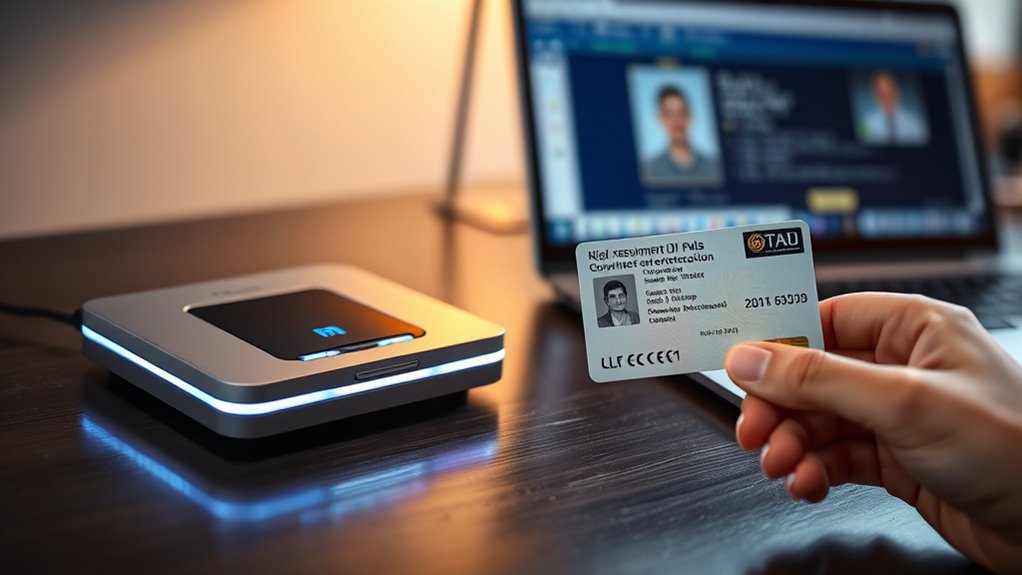

For government ID cards, my best overall pick is the Identiv SCR3310 v2.0 USB-C, which pairs a recognized reader line with a direct USB-C connection. The ZOWEETEK USB CAC and Smart Card Reader is a straightforward alternative for a familiar USB setup, while the 2-in-1 NFC & CAC/PIV reader is the standout for people who need contactless functions as well as a card slot. The main tradeoffs are connector compatibility, portability, and whether you need NFC or only contact-card reading. Check that your agency, operating system, and required card workflows support the reader you choose. Read on for the full comparison and guidance by buyer type.

Get privacy and security gear delivered free with Prime
- Fast, free delivery on millions of items
- Prime Video, Amazon Music and more included
- Member-only deals all year
Key Takeaways
- The Identiv SCR3310 v2.0 USB-C stands out for buyers who want a direct USB-C reader; check your device and card workflow before choosing it over the USB-A SCR3310v2.
- Connector flexibility separates several portable picks: dual USB-A and USB-C models can suit mixed-device households, while foldable designs prioritize travel and storage.
- NFC is a distinct requirement, not a general upgrade. The 2-in-1 NFC & CAC/PIV model is the only listed pick explicitly combining NFC and contact-card reading.
- Operating system claims vary across the lineup. Some listings name Linux or Android alongside Windows and Mac, so verify support for your exact system and use case.
- Several ZOWEETEK options overlap in purpose. Compare their connector and compatibility details first; the product name alone may not reveal a meaningful difference for your setup.
| ZOWEETEK USB CAC and Smart Card Reader |  | Best for Cross-Platform Desktops | Connectivity: USB Type-A | Compatible operating systems: Windows 10/11, macOS 10.15 or later, Linux | Supported standards: PIV, EMS, ISO-7816, EMV 2000 Level 1 | VIEW ON AMAZON | See Our Full Breakdown |
| CAC Reader Military Smart Card Reader, USB-C & USB-A DOD CAC Card Reader |  | Best for Mixed-Port Compatibility | Connectivity: USB Type-A and USB Type-C | Compatible operating systems: Windows, macOS, Linux | Smart card support: ISO 7816 Class A, B, and C (5V, 3V, 1.8V); CAC, PIV, EMV | VIEW ON AMAZON | See Our Full Breakdown |
| Foldable USB-A and USB-C CAC Smart Card Reader |  | Best for Protected Travel Use | Connectivity: USB Type-A and USB Type-C | Compatible operating systems: Windows, Mac OS | Supported smart card standards: ISO 7816 Class A, B, and C (5V, 3V, 1.8V) | VIEW ON AMAZON | See Our Full Breakdown |
| ZOWEETEK USB-C CAC Card Reader for Windows/Mac |  | Best for USB-C Desk Setups | Connectivity: USB Type-C | Slot count: 1 | Compatible operating systems: Windows 10/11, Mac OS 10.15 or later | VIEW ON AMAZON | See Our Full Breakdown |
| Type C CAC Card Reader – DOD Military USB-C Common Access Card Reader, Mini Portable Foldable Smart Card Reader for Windows and Mac OS |  | Best Key-Ring Portable Pick | Connectivity: USB Type-C | Hardware interface: USB 3.0 Type-C | Compatible operating systems: Windows 7+, Mac OS 10.11.1+ | VIEW ON AMAZON | See Our Full Breakdown |
| Rocketek SmartFold USB-C CAC Reader |  | Best for Travel | Connectivity: USB Type-C | Hardware interface: USB 3.1 Type-C | Data transfer rate: 5 Gbps | VIEW ON AMAZON | See Our Full Breakdown |
| SAICOO USB Smart Card Reader for DOD Military CAC (Horizontal Version) |  | Best for Established Government Workflows | Connectivity: USB Type-A | Hardware interface: USB 2.0 | Card standards: ISO7816 Class A, B, and C | VIEW ON AMAZON | See Our Full Breakdown |
| Identiv SCR3310 v2.0 USB-C Smart Card Reader |  | Best for Broad Device Compatibility | Interface: USB Type-C | Weight: 0.15 lb | Media type: Smart card | VIEW ON AMAZON | See Our Full Breakdown |
| Identiv SCR3310v2 USB Smart Card Reader Writer (CAC/PIV) |  | Best for a Proven Standards Checklist | Standards: ISO/IEC 7816, USB CCID, PC/SC, Microsoft WHQL, EMV 2011 Ver 4.3 Level 1, GSA FIPS 201 | Compatible operating systems: Windows, macOS, Linux, Android | Card types: CAC/PIV contact chip cards | VIEW ON AMAZON | See Our Full Breakdown |
| SZLEJUN CAC Reader USB/Type-C |  | Best for Mixed USB Ports and Mobile Setup | Connectivity: USB Type-A and USB Type-C | Data transfer rate: 12 Mbps | Slot count: 1 | VIEW ON AMAZON | See Our Full Breakdown |
| 2-in-1 NFC & CAC/PIV Smart Card Reader (USB-C/USB-A) |  | Best for Contactless and Contact Cards | Connection: USB-A and USB-C | Built-in cable: 3 ft | Contact standards: PC/SC, ISO7816 Class A (5V) and Class B (3.3V), T=0, T=1 | VIEW ON AMAZON | See Our Full Breakdown |
| ZOWEETEK CAC Card Reader for DOD Military ID, USB Smart Card Reader (Windows/Mac/Linux) |  | Best for Straightforward DoD Access | Connectivity: USB Type-A | Card slots: 1 | Compatible systems: Windows 10/11, Mac OS 10.15+, Linux | VIEW ON AMAZON | See Our Full Breakdown |
| ZOWEETEK USB CAC Smart Card Reader for Windows, Mac, and Linux |  | Best for Certified DoD Compatibility | Hardware interface: USB 2.0 | Data transfer rate: 12 Mbps | Chipset: Realtek | VIEW ON AMAZON | See Our Full Breakdown |
| smartcard readers government id | Connectivity | Compatible operating systems | Warranty |
|---|---|---|---|
| ZOWEETEK USB CAC and Smart Car | USB Type-A | Windows 10/11, macOS 10.15 or later, Linux | — |
| CAC Reader Military Smart Card | USB Type-A and USB Type-C | Windows, macOS, Linux | 24 months |
| Foldable USB-A and USB-C CAC S | USB Type-A and USB Type-C | Windows, Mac OS | 18 months |
| ZOWEETEK USB-C CAC Card Reader | USB Type-C | Windows 10/11, Mac OS 10.15 or later | 1 year |
| Type C CAC Card Reader | USB Type-C | Windows 7+, Mac OS 10.11.1+ | — |
| Rocketek SmartFold USB-C CAC R | USB Type-C | Windows, Mac OS, Linux | — |
| SAICOO USB Smart Card Reader f | USB Type-A | Windows XP/Vista/7/8/10 (32/64-bit), Mac OS X, Linux | 18 months |
| Identiv SCR3310 v2.0 USB-C Sma | — | — | — |
| Identiv SCR3310v2 USB Smart Ca | — | Windows, macOS, Linux, Android | — |
| SZLEJUN CAC Reader USB/Type-C | USB Type-A and USB Type-C | Windows 10/11, macOS, Linux, Android | 2-year manufacturer warranty |
| 2-in-1 NFC & CAC/PIV Smart Car | — | — | 24 months |
| ZOWEETEK CAC Card Reader for D | USB Type-A | — | 1 year |
| ZOWEETEK USB CAC Smart Card Re | — | — | — |
More Details on Our Top Picks
ZOWEETEK USB CAC and Smart Card Reader
Broad operating system support is the reason I rank this ZOWEETEK for government ID users who move between Windows, Mac, and Linux computers. It handles CAC and PIV cards through a standard USB-A connection, and its angled slot lets the reader sit upright instead of lying flat. Compared with the ZOWEETEK USB-C CAC Card Reader, this model is easier to share across older desktop setups, but it cannot plug directly into a USB-C-only laptop. Its listed standards also include ISO-7816 and EMV 2000 Level 1, which gives it uses beyond federal authentication. The tradeoff is a larger footprint than the foldable USB-A and USB-C reader, and the plug-and-play design does not remove the need for any required certificates or middleware.
Pros:- Supports CAC and PIV cards
- Compatible with Windows 10/11, macOS 10.15 or later, and Linux
- Angled slot and standing design keep the card accessible on a desk
- Supports ISO-7816 and EMV 2000 Level 1 standards
Cons:- Requires a USB Type-A port
- Larger and less travel-friendly than the foldable dual-connector readers
- Government websites may still require certificates or middleware
Best for: Government employees and contractors who need one CAC/PIV reader for Windows, Mac, and Linux computers with USB-A ports.
Not ideal for: USB-C-only laptop owners and travelers who want a pocketable reader, since this model requires USB-A and has a standing desktop form.
- Connectivity:USB Type-A
- Compatible operating systems:Windows 10/11, macOS 10.15 or later, Linux
- Supported standards:PIV, EMS, ISO-7816, EMV 2000 Level 1
- Data transfer rate:480 megabits per second
- Card slots:1
- Dimensions:3.3 × 2.5 × 2.5 in
- Features:Plug and play, angled card slot
- Certifications:CE, FCC, VCCI, Microsoft WHQL
Our verdict“Choose this ZOWEETEK if you need a desk-ready CAC/PIV reader that can move among USB-A computers running Windows, Mac, or Linux.”
CAC Reader Military Smart Card Reader, USB-C & USB-A DOD CAC Card Reader
For a government ID reader that can follow you between newer and older computers, I give this model the mixed-port pick. Its USB-C and USB-A connections avoid the adapter question that limits the USB-A-only ZOWEETEK reader, while its foldable body suits a go bag better than that desk-oriented option. It supports CAC, PIV, and ISO 7816 Class A, B, and C cards, with automatic card detection and thermal and short-circuit protection. Standard-size SIM support on Windows adds a niche extra that most readers in this group do not list. The product data names common military and federal systems, but compatible hardware alone does not supply certificates or middleware; the listing notes those may be required for some sites. It also does not work with iPhone or iPad.
Pros:- USB-C and USB-A interfaces work across newer and older computers without an adapter
- Supports CAC, PIV, EMV, and ISO 7816 Class A, B, and C cards
- Foldable design is suited to carrying between work locations
- Includes automatic detection, short-circuit and thermal protection, plus Windows SIM support
Cons:- Not compatible with iPhone or iPad
- Some government websites may require separate middleware or security certificates
Best for: Military personnel, federal staff, and contractors who use both USB-C and USB-A computers and want a compact reader for travel.
Not ideal for: iPhone or iPad users, or anyone expecting the reader itself to provide the certificates and middleware a government portal may require.
- Connectivity:USB Type-A and USB Type-C
- Compatible operating systems:Windows, macOS, Linux
- Smart card support:ISO 7816 Class A, B, and C (5V, 3V, 1.8V); CAC, PIV, EMV
- SIM card support:Standard-size SIM on Windows
- Design:Compact and foldable
- Protection:Thermal and short-circuit protection
- Warranty:24 months
- Support:Lifetime technical support
Our verdict“Pick this model if your CAC/PIV work spans USB-C and USB-A computers and you want a foldable reader with broad card support.”
Foldable USB-A and USB-C CAC Smart Card Reader
This foldable reader suits CAC/PIV users who want two connector types and explicit safeguards for a device that may get tossed into a work bag. Movement detection, automatic card-type detection, and thermal and short-circuit protection distinguish it from the simpler USB-A ZOWEETEK, while its USB-A and USB-C connectors offer the same basic port flexibility as the CAC Reader Military Smart Card Reader. Its stated computer support is narrower, though: Windows and Mac OS are listed, but Linux is not. Mac setup can also take extra steps because Java and a third-party CAC enabler may be needed for government access. Those requirements make it less plug-and-go for some users than the broad OS list suggests. I would choose it for portability and protection, not for Linux compatibility.
Pros:- USB-A and USB-C connectors cover a range of computer ports
- Foldable form is convenient for carrying
- Supports CAC and ISO 7816 Class A, B, and C cards
- Automatic detection plus movement, thermal, and short-circuit protections
Cons:- Linux compatibility is not listed
- Mac users may need Java and a third-party CAC enabler
- 18-month warranty is shorter than the 24-month coverage listed for the dual-port CAC Reader Military model
Best for: Windows and Mac CAC/PIV users who carry a reader between locations and value a foldable design with built-in electrical and thermal protections.
Not ideal for: Linux users or Mac users seeking a minimal setup, since Linux is not listed and Mac government access may need Java and a CAC enabler.
- Connectivity:USB Type-A and USB Type-C
- Compatible operating systems:Windows, Mac OS
- Supported smart card standards:ISO 7816 Class A, B, and C (5V, 3V, 1.8V)
- Transfer rate:480 megabits per second
- Slot count:1
- Features:Foldable design, movement detection, automatic card-type detection, short-circuit and thermal protection
- Warranty:18 months
Our verdict“Choose this foldable reader for protected, portable CAC/PIV use on Windows or Mac when you do not need Linux support.”
ZOWEETEK USB-C CAC Card Reader for Windows/Mac
If your government-issued CAC or PIV card is used mainly with a USB-C Windows or Mac computer, this ZOWEETEK keeps the setup focused: one USB-C connection and one card slot. Its listed portal compatibility and stated use for banking and payment apps give it a wider role than federal sign-in alone. Compared with the foldable USB-A and USB-C CAC Smart Card Reader, this is a fixed-format choice with a one-year warranty and no listed protection features such as thermal or short-circuit safeguards. Setup also deserves attention: Windows 11 requires driver installation, while Mac government access may require Java and a third-party CAC enabler. That makes the dual-port CAC Reader Military model the more adaptable pick for mixed computers, but this ZOWEETEK is simpler if the user’s devices are consistently USB-C.
Pros:- USB-C connection suits newer laptops without an adapter
- Supports CAC/PIV and DOD ID cards
- Listed for common government portals as well as banking and payment applications
- One-year warranty
Cons:- Windows 11 requires driver installation
- Mac users may need Java and a third-party CAC enabler
- USB-C-only connection and no listed foldable design limit flexibility
Best for: Windows 10/11 and Mac users with USB-C ports who want a CAC/PIV reader for government portals and other smart card applications.
Not ideal for: People switching between USB-A and USB-C computers, or those wanting the simplest Mac setup, because it has USB-C only and Mac access may need extra software.
- Connectivity:USB Type-C
- Slot count:1
- Compatible operating systems:Windows 10/11, Mac OS 10.15 or later
- Color:Black
- Dimensions:3.32 × 2.72 × 0.59 in
- Warranty:1 year
- Additional setup:Windows 11 driver; Mac may require Java and third-party CAC enabler
Our verdict“Choose this ZOWEETEK for a USB-C Windows or Mac workstation where CAC/PIV access and non-government smart card uses share one reader.”
Type C CAC Card Reader – DOD Military USB-C Common Access Card Reader, Mini Portable Foldable Smart Card Reader for Windows and Mac OS
This is the most travel-focused option in this five-reader batch: its thumb-sized, 360-degree rotatable body folds away and attaches to a key ring. That makes it easier to keep on hand than the fixed USB-C ZOWEETEK, though the ZOWEETEK lists a more current Windows range and a fuller set of dimensions. The reader supports ISO 7816 Class A, B, and C cards and plug-and-play use on Windows 7 and Mac OS 10.11.1 or later. Mac users may still need Java and a third-party CAC enabler, so physical portability does not guarantee a quick first login. Its single slot is typical of the group, and Android use depends on OTG support. I’d favor it for frequent travel over the more desk-oriented models, provided those setup limits fit your devices.
Pros:- Thumb-sized, foldable design rotates and attaches to a key ring
- Supports ISO 7816 Class A, B, and C smart cards
- Plug-and-play operation listed for Windows 7+ and Mac OS 10.11.1+
- 18-month warranty and lifetime technical support
Cons:- USB-C only, so USB-A computers need an adapter
- Mac CAC use may require Java and a third-party CAC enabler
- Android use requires OTG support and only one card slot is provided
Best for: Military or federal travelers who want a compact USB-C CAC/PIV reader attached to a key ring for compatible Windows or Mac computers.
Not ideal for: Users who need USB-A, Linux support, or direct Android compatibility without checking for OTG; Mac users should expect possible software setup.
- Connectivity:USB Type-C
- Hardware interface:USB 3.0 Type-C
- Compatible operating systems:Windows 7+, Mac OS 10.11.1+
- Card standards:ISO 7816 Class A, B, and C (5V, 3V, 1.8V)
- Data transfer rate:480 MB/s
- Slot count:1
- Design:Thumb-sized, foldable, 360-degree rotatable, key-ring portable
- Warranty and support:18-month warranty, lifetime technical support
Our verdict“Pick this reader if key-ring portability matters most and your government ID workflow uses a compatible USB-C Windows or Mac computer.”
Rocketek SmartFold USB-C CAC Reader
The foldable USB-C design gives this Rocketek a clear role for service members and contractors who carry a reader between locations. It supports CAC, PIV, government ID, and banking cards, with ISO7816 Class A, B, and C support and compatibility across Windows, Mac, and Linux. Compared with the Identiv SCR3310 v2.0 USB-C, Rocketek emphasizes a folding form factor and automatic card detection; the Identiv lists Android support and a wider set of formal compliance standards. The tradeoff is that a USB-C connector limits direct use with older USB-A devices, and Mac CAC access requires Java and third-party CAC Enabler software. Government users may also need separate authentication software. I would choose it for packability, provided the required software setup fits your system.
Pros:- Foldable form makes it easier to pack than a fixed-shape reader.
- USB-C connection suits newer laptops and compatible devices.
- Supports CAC, PIV, government ID, and banking cards.
- Automatic card detection and plug-and-play setup are described for Windows, Mac, and Linux.
Cons:- Mac CAC use requires Java and a third-party CAC Enabler program.
- Government authentication may require separate third-party software.
- USB-C-only connectivity may call for an adapter on older computers.
Best for: CAC or PIV users who travel with a USB-C laptop and want a reader that folds for storage.
Not ideal for: Mac users seeking a ready-to-use CAC setup, or people with USB-A-only computers who do not want to use an adapter.
- Connectivity:USB Type-C
- Hardware interface:USB 3.1 Type-C
- Data transfer rate:5 Gbps
- Slot count:1
- Compatible operating systems:Windows, Mac OS, Linux
- Card standards:ISO7816 Class A, B, and C (5V/3V/1.8V)
- Form factor:Foldable, portable
- Color:White
Our verdict“Choose Rocketek if a packable USB-C reader is your priority and you are prepared to set up the required CAC software.”
SAICOO USB Smart Card Reader for DOD Military CAC (Horizontal Version)
The SAICOO’s strongest case is its stated fit with familiar government systems, including ActivClient, AKO, OWA, and DTS. That makes it a practical match for someone who already has a Windows or Mac workstation configured for CAC sign-in and wants a straightforward USB-A reader. It is less flexible than the SZLEJUN CAC Reader, which includes both USB-A and USB-C cables and lists Android support, but SAICOO offers a horizontal design, plug-and-play operation, an 18-month warranty, and lifetime technical support. Its single slot handles one card at a time, and the product description warns that authentication software may not be included. The operating-system list names older Windows releases through Windows 10, so buyers on newer systems should verify their software and reader compatibility before relying on it for work.
Pros:- Specifically lists support for ActivClient, AKO, OWA, DTS, and other government systems.
- Plug-and-play setup is described without a separate driver installation.
- Includes an 18-month warranty and lifetime technical support.
- USB-A connection fits computers with a standard USB port.
Cons:- Only one card slot is provided.
- CAC authentication software such as ActivClient may need to be obtained separately.
- The listed Windows compatibility stops at Windows 10, leaving newer versions unspecified.
Best for: Windows-based government or military users with an existing CAC software setup who want a USB-A reader and ongoing technical support.
Not ideal for: Buyers needing a USB-C or Android-ready option, or anyone who needs authentication software bundled with the reader.
- Connectivity:USB Type-A
- Hardware interface:USB 2.0
- Card standards:ISO7816 Class A, B, and C
- Slot count:1
- Compatible operating systems:Windows XP/Vista/7/8/10 (32/64-bit), Mac OS X, Linux
- Dimensions:6.89 × 4.72 × 2.17 inches
- Color:Gloss black
- Warranty:18 months
Our verdict“Pick SAICOO if your government workstation already has its CAC software and you value support for the listed workflows.”
Identiv SCR3310 v2.0 USB-C Smart Card Reader
The SCR3310 v2.0 USB-C stands out for buyers who want a standards-based contact reader across desktop and mobile platforms: its listed operating systems include Windows, macOS, Linux, and Android, and its compliance includes GSA FIPS 201 alongside ISO/IEC 7816, CCID, and PC/SC. That gives it a stronger documented standards profile than the more travel-focused Rocketek SmartFold, whose appeal centers on folding portability and card detection. Identiv’s reader is compact and uses USB-C, which can suit newer devices but may require an adapter for USB-A computers. It reads contact smart cards only, so it is not a choice for tap-based credentials. Its stated 480 megabits-per-second transfer rate describes the interface; actual sign-in compatibility still depends on the device, card, and required CAC software.
Pros:- Lists compatibility with Windows, macOS, Linux, and Android.
- Compliance includes GSA FIPS 201, USB CCID, and PC/SC.
- Compact form and light listed weight suit mobile carry.
- Supports a broad range of contact chip cards.
Cons:- Reads contact cards only, with no contactless support.
- USB-C may require an adapter for computers without that port.
- CAC sign-in still depends on compatible device software and configuration.
Best for: Users who need a compact contact-card reader for CAC or other smart-card tasks across USB-C computers and Android devices.
Not ideal for: People with USB-A-only computers who lack an adapter, or anyone who needs to read contactless cards.
- Interface:USB Type-C
- Weight:0.15 lb
- Media type:Smart card
- Data transfer rate:480 megabits per second
- Operating systems:Windows, macOS, Linux, Android
- Standards compliance:ISO/IEC 7816, USB CCID, PC/SC, Microsoft WHQL, EMV 2011 Ver 4.3 Level 1, GSA FIPS 201
- Color:White
Our verdict“Choose this Identiv when cross-platform support and documented card standards matter more than contactless reading or USB-A convenience.”
Identiv SCR3310v2 USB Smart Card Reader Writer (CAC/PIV)
For a buyer comparing readers by their documented standards, the SCR3310v2 has a detailed checklist: ISO/IEC 7816, USB CCID, PC/SC, Microsoft WHQL, EMV Level 1, and GSA FIPS 201. It supports CAC and PIV contact cards and lists Windows, macOS, Linux, and Android compatibility. That makes it a more standards-centered pick than the SAICOO Horizontal Version, which emphasizes named government workflows and technical support. Identiv also specifies in-field firmware upgrades and compatibility with the SCM SCR33xx family, useful details for managed deployments. Its tradeoff is the familiar contact-only limit: it cannot read contactless cards. The description calls the design compact and robust but does not provide a connector type or dimensions, so buyers should check the actual listing if port fit or physical size is a deciding factor.
Pros:- Lists GSA FIPS 201 and several widely used smart-card and interface standards.
- Supports CAC/PIV contact cards across major desktop operating systems and Android.
- Firmware can be upgraded in the field.
- Designed for compatibility with the SCM SCR33xx reader family.
Cons:- Does not support contactless cards.
- Connector type and physical dimensions are not provided in the supplied product data.
- Authentication still depends on the required software and host configuration.
Best for: IT buyers and CAC/PIV users who want a contact reader with a broad, explicitly listed standards profile.
Not ideal for: Users who need contactless credentials, or buyers whose choice depends on a confirmed connector type or exact dimensions.
- Standards:ISO/IEC 7816, USB CCID, PC/SC, Microsoft WHQL, EMV 2011 Ver 4.3 Level 1, GSA FIPS 201
- Compatible operating systems:Windows, macOS, Linux, Android
- Card types:CAC/PIV contact chip cards
- Firmware:In-field firmware upgrades
- Compatibility:Software and functionality compatible with SCM SCR33xx reader family
- Card interface:Contact smart cards
Our verdict“Choose the SCR3310v2 if its listed standards and firmware support match your CAC/PIV deployment and contact-card needs.”
SZLEJUN CAC Reader USB/Type-C
The included USB-A and USB-C cables are the SZLEJUN’s clearest advantage for people who move between a desktop, laptop, or Android device with different ports. It also lists Windows 10/11, macOS, Linux, and Android support, plus tools for card testing and an Android SDK. Compared with the Identiv SCR3310 v2.0 USB-C, it offers connection flexibility and broader named card types, including CAC, PIV, PKI, EMV, eSIM, eID, and Java Card. The listed transfer rate is 12 Mbps, far below the 5 Gbps stated for Rocketek, though connection speed alone does not establish authentication performance. SZLEJUN’s brand is less established in this lineup, and users still need to confirm that its software works with their specific government portal. Its two-year warranty adds a defined support window.
Pros:- Includes both USB-A and USB-C cables.
- Lists support for Windows 10/11, macOS, Linux, and Android.
- Includes smart-card testing software and an Android SDK.
- Backed by a two-year manufacturer warranty.
Cons:- The lesser-known brand may be a less familiar choice for managed government deployments.
- Listed transfer rate is 12 Mbps, lower than the rates supplied for some alternatives.
- Specific government application compatibility should be checked for the buyer’s setup.
Best for: CAC/PIV users who switch between USB-A and USB-C hosts or want testing tools for Android development and card checks.
Not ideal for: Buyers who prefer a familiar reader brand, need contactless reading, or require confirmed compatibility with a specific agency portal.
- Connectivity:USB Type-A and USB Type-C
- Data transfer rate:12 Mbps
- Slot count:1
- Compatible operating systems:Windows 10/11, macOS, Linux, Android
- Card standards:ISO7816 T0/T1, PCSC/CCID
- Supported cards:CAC, PIV, PKI, EMV, eSIM, eID, Java Card
- Dimensions:2.5 × 2.5 × 0.03 inches
- Warranty:2-year manufacturer warranty
Our verdict“Pick SZLEJUN if you need both USB connector options and its included tools, after confirming compatibility with your CAC software.”
2-in-1 NFC & CAC/PIV Smart Card Reader (USB-C/USB-A)
For government ID users who handle both contact CAC/PIV cards and contactless NFC credentials, this reader covers more ground than the ZOWEETEK CAC Card Reader, which is focused on contact cards. Its USB-A and USB-C connectors make it easier to move between older computers and newer devices, while support for Windows, macOS, Linux, and Android suits mixed-device households or work setups. The tap-to-read option is useful only when a specific card and application support NFC; it does not replace the contact slot for every government ID workflow. The built-in cable keeps the reader portable, though its three-foot length and the fact that only one interface works at a time limit placement and flexibility. Buyers should also expect to source any required card drivers or software themselves.
Pros:- Reads contact CAC/PIV cards and compatible contactless NFC cards
- Built-in USB-A and USB-C connectors support a wide range of devices
- Works with Windows, macOS, Linux, and Android
- Compact housing and built-in cable suit portable use
Cons:- Only one interface can be used at a time
- Card drivers depend on the card provider, and no editing software is included
- Not compatible with health insurance cards or health apps
Best for: Government ID users who need one reader for contact CAC/PIV cards and compatible NFC credentials across USB-A and USB-C devices
Not ideal for: Buyers who only use contact CAC/PIV cards and want a simpler reader, or anyone seeking health insurance card or health app support
- Connection:USB-A and USB-C
- Built-in cable:3 ft
- Contact standards:PC/SC, ISO7816 Class A (5V) and Class B (3.3V), T=0, T=1
- NFC standards:ISO14443A/B, ISO14443-4 T=CL, MIFARE
- Compatible systems:Windows XP+, macOS 11.1+, Linux Fedora FC8+, Android
- Certifications:FCC, CE, VCCI, CCID, Microsoft WHQL
- Warranty:24 months
Our verdict“Choose this reader if your government ID workflow includes both contact CAC/PIV cards and compatible NFC cards across different USB devices.”
ZOWEETEK CAC Card Reader for DOD Military ID, USB Smart Card Reader (Windows/Mac/Linux)
This is a focused pick for people who mainly need a reader for DoD CAC and government PIV authentication. Its driver-free, plug-and-play design reduces setup steps on supported Windows and Linux systems, and it is described as working with services such as ActivClient, AKO, OWA, and DTS. Compared with the 2-in-1 NFC & CAC/PIV Smart Card Reader, the ZOWEETEK has no contactless NFC mode or USB-C connection, so it is less adaptable to newer devices and mixed card workflows. That narrower scope can suit a desk setup built around a USB-A computer. Mac users need Java installed, and DoD or USG users may also need a third-party CAC Enabler program, so “driver-free” does not mean every government portal is ready without extra setup.
Pros:- Plug-and-play design does not require a reader driver
- Supports Windows, Mac, and Linux
- Designed for CAC/PIV authentication and common DoD services
Cons:- USB Type-A connection only
- Mac users need Java, and DoD or USG users need a third-party CAC Enabler program
Best for: DoD personnel who use a USB-A computer for CAC or PIV access to supported government services
Not ideal for: People who need USB-C, NFC card reading, or a setup with no additional Mac or CAC Enabler software requirements
- Connectivity:USB Type-A
- Card slots:1
- Compatible systems:Windows 10/11, Mac OS 10.15+, Linux
- Supported services:ActivClient, AKO, OWA, DTS, Disa Enterprise Email
- Installation:Driver-free, plug-and-play
- Color:Black
- Warranty:1 year
Our verdict“Pick this for a basic USB-A CAC/PIV setup if its Mac and government portal software requirements fit your computer.”
ZOWEETEK USB CAC Smart Card Reader for Windows, Mac, and Linux
For buyers who want documented standards behind a dedicated CAC/PIV reader, this ZOWEETEK model lists a Realtek chipset and certifications that include PIV, ISO-7816, EMV2 2000 Level 1, and Microsoft WHQL. It also supports named DoD applications such as ActivClient, OWA, and DTS, giving it a more certification-focused case than the simpler ZOWEETEK CAC Card Reader for DOD Military ID. Both are USB-A readers for Windows, Mac, and Linux, but this model adds published hardware and certification details that may help buyers match a managed workstation requirement. Its USB 2.0 connection and single slot keep the design basic, and the listing specifies 12 Mbps, so it is a poor fit for anyone seeking a newer interface or a multi-card setup.
Pros:- Realtek chipset with listed PIV and ISO-7816 certifications
- Works with Windows 10/11, Mac OS 10.15+, and Linux
- Supports common DoD applications including ActivClient, OWA, and DTS
- Plug-and-play design requires no reader drivers or firmware upgrades
Cons:- USB 2.0 data rate is listed as 12 Mbps
- Single card slot and no contactless NFC support
Best for: Government or enterprise users who need a dedicated CAC/PIV reader with published chipset and certification details
Not ideal for: Buyers who need USB-C, contactless NFC, multiple card slots, or a faster connection than the listed 12 Mbps
- Hardware interface:USB 2.0
- Data transfer rate:12 Mbps
- Chipset:Realtek
- Card slots:1
- Compatible systems:Windows 10/11, Mac OS 10.15+, Linux
- Certifications:PIV, EMS, ISO-7816, EMV2 2000 Level 1, CE, FCC, VHCI, Microsoft WHQL
- Dimensions:3.29 x 2.56 x 0.37 inches
- Weight:70 g
Our verdict“Choose this reader when its listed CAC/PIV certifications matter more than USB-C, NFC, or multi-card flexibility.”

How We Picked
I ranked these readers around the needs implied by government ID use: CAC/PIV card support, connection to current computers, stated operating system compatibility, and practical handling at a desk or on the move. I gave more weight to clear connection and use-case details than to broad claims, since a reader that cannot connect to a buyer’s device or support the required workflow is a poor fit regardless of its form.
The ranking gives the lead position to a reader with a clearly defined USB-C role, then distinguishes straightforward USB models, foldable travel options, and specialized NFC or broad-OS picks. Similar products remain lower when their listed details make it harder to identify an advantage for a particular buyer. Product names and listing claims do not establish compatibility with every government site, card, middleware package, or agency process, so buyers should confirm those requirements before purchasing.
| smartcard readers government id | Connectivity |
|---|---|
| ZOWEETEK USB CAC and Smart Car | USB Type-A |
| CAC Reader Military Smart Card | USB Type-A and USB Type-C |
| Foldable USB-A and USB-C CAC S | USB Type-A and USB Type-C |
| ZOWEETEK USB-C CAC Card Reader | USB Type-C |
| Type C CAC Card Reader | USB Type-C |
| Rocketek SmartFold USB-C CAC R | USB Type-C |
| SAICOO USB Smart Card Reader f | USB Type-A |
| Identiv SCR3310 v2.0 USB-C Sma | — |
| Identiv SCR3310v2 USB Smart Ca | — |
| SZLEJUN CAC Reader USB/Type-C | USB Type-A and USB Type-C |
| 2-in-1 NFC & CAC/PIV Smart Car | — |
| ZOWEETEK CAC Card Reader for D | USB Type-A |
| ZOWEETEK USB CAC Smart Card Re | — |
Factors to Consider When Choosing Smartcard Readers Government Id
I would start with the computer and card workflow you need to support, then narrow the field by connector, form, and any contactless requirement. These factors help prevent a common mismatch: buying a reader that sounds suitable for CAC or PIV use but does not fit the device or software involved.
Match the reader to your card and workflow
CAC and PIV labels are useful starting points, but they do not guarantee that every reader works with every card-based service. The operating system, middleware, browser, certificates, and agency setup can all affect whether a login or signing task works. Before buying, check the instructions for the exact service or organization you use and look for a supported reader or compatibility list. A general smart card reader may handle the card hardware while still needing separate software configuration. If the listing leaves your card type unclear, ask the seller or choose a model with explicit CAC/PIV support.
Choose a connector for the device you actually use
USB-A remains common on desktop computers and docks, while newer laptops and tablets may rely on USB-C. A direct USB-C model keeps the setup compact when your device has the matching port. Dual-connector readers can be handy if you regularly switch between older and newer hardware, though extra connector options do not resolve software compatibility. Check whether your port supports data and whether a protective case blocks access on a tablet or phone. An adapter can work, but each added link creates another possible point of connection trouble.
Decide whether portability is worth a folding design
A foldable reader can take up less space in a travel kit and protect its connector when stored. That convenience matters most if you carry the reader between offices or use it with a laptop away from a desk. For a permanent workstation, a compact fixed reader may be simpler to plug in and leave in place. Moving parts also add a point to inspect over time, especially if the reader will be packed often. Pick based on how often you travel rather than assuming a folding body improves card-reading capability.
Separate contact-card reading from NFC
A slot-based CAC/PIV reader is intended for contact smart cards, which communicate through the card contacts. NFC is a separate contactless capability and is useful only when the card and task support that method. Buyers sometimes see NFC in a product title and assume it replaces the contact-card slot; check that both features are present if you need both. If your government ID workflow requires inserting a CAC or PIV card, prioritize explicit contact-card support. Paying for NFC adds little for a workflow that never uses contactless credentials.
Check operating system and software support as a pair
Reader listings often name Windows and Mac, and some also mention Linux or Android. Treat each system as a separate compatibility question: the reader, card middleware, and application all need to work together. A claim of Android support does not mean every phone, browser, or government service will accept the setup. Look for the exact operating system version and software guidance relevant to your task. If this is for work, your agency’s IT support can clarify which middleware and reader combinations it maintains.
Buy for the work setting, not the broadest feature list
For occasional personal use, a simple reader with the right connector and clear CAC/PIV support may be easier to configure than a feature-heavy model. A shared workstation may benefit from a fixed reader that can stay connected, while a travel kit may call for a foldable body or flexible connectors. NFC and additional operating system claims matter when a real workflow uses them, not just because they appear on a listing. Also check the return terms in case your required software does not recognize the device. A little compatibility research can save more time than choosing by feature count alone.
Frequently Asked Questions
Will any CAC or PIV reader work with my government login?
No single reader listing can promise support for every government login. Compatibility can depend on the card, operating system, middleware, browser, certificates, and agency configuration. Check your organization’s instructions or supported hardware guidance before choosing a model. A reader marked CAC/PIV is a useful starting point, but the complete software setup still matters. If this is a work device, ask IT which reader and middleware combinations it supports.
Should I choose USB-C or a dual USB-A and USB-C reader?
Choose direct USB-C if the device you use has an available USB-C data port and you want fewer adapters. A dual-connector model makes more sense if you move between computers with different ports. Neither choice guarantees that the card software will work, so check that separately. Also consider whether a case, dock, or nearby port limits the reader’s fit. The best connector is the one that works reliably with your usual device setup.
Do I need NFC for a government ID card?
Only if your particular card and task use contactless communication. Many CAC and PIV workflows rely on inserting a contact smart card into a reader, so NFC may not help with those tasks. Confirm the method required by your agency or service before paying attention to contactless features. If you need both contact and contactless access, check that the model explicitly supports both. A product title mentioning NFC alone does not establish that it includes a CAC/PIV card slot.
Can I use one of these readers with Linux or Android?
Some listings name Linux or Android support, but that claim does not cover every distribution, device, or application. The reader driver, smart card middleware, browser, and government service all need to work together. For Linux, check the exact distribution and middleware instructions; for Android, check whether your device and target service support USB smart card readers. If the workflow is agency-managed, use its compatibility guidance rather than relying on a broad product title. A return option can help if the setup is personal and documentation is limited.
Is a foldable reader a better choice for travel?
A foldable model can protect or tuck away its connector and take up less room in a bag. That makes it useful for frequent laptop travel, but folding construction does not by itself improve card or software compatibility. For a reader that stays on one desk, a fixed model may be simpler to keep connected. Consider how often you will pack it and how carefully you handle small accessories. Confirm the port type as well, since portability cannot solve a connector mismatch.
Conclusion
For most buyers who want a clearly defined USB-C option, I would start with the Identiv SCR3310 v2.0 USB-C as the best overall pick, subject to checking the required card and software workflow. The ZOWEETEK USB CAC and Smart Card Reader is my best value-style choice for someone seeking a straightforward reader with a familiar USB connection, while the 2-in-1 NFC & CAC/PIV reader is the best fit for buyers whose work calls for contactless capability as well as a card slot. Beginners should favor the model whose connector and compatibility instructions match their computer most clearly, rather than starting with extra features. For travel, look at the foldable readers; for Linux or Android, prioritize explicit support for your exact setup and verify it with the service provider. That leaves the choice centered on the workflow you need to complete, rather than the longest feature list.