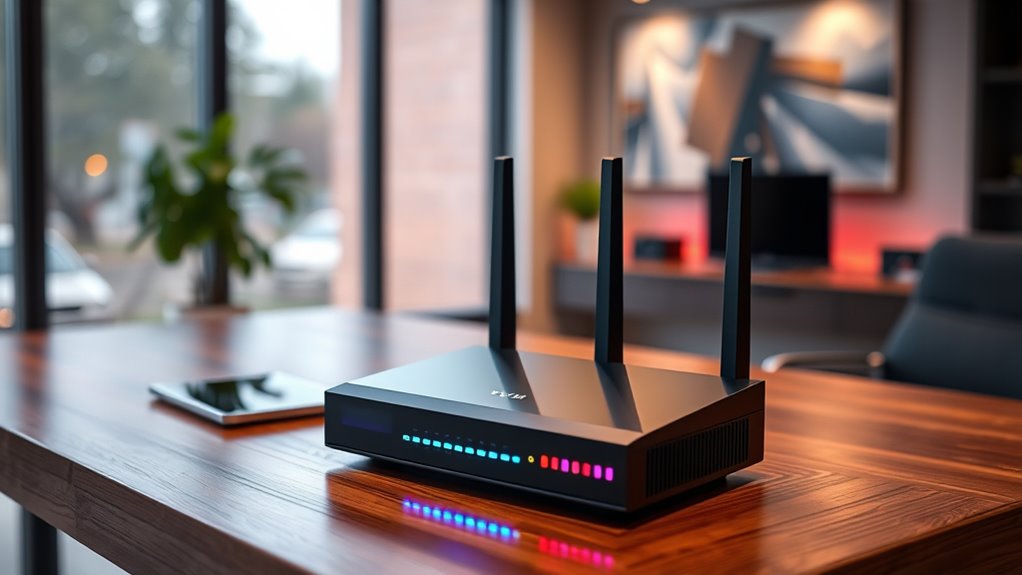

When choosing a VPN router, the goal is to find a device that balances strong security features, fast performance, and user-friendly setup. The best overall pick in 2026 is the GL.iNet GL-BE6500 Flint 3e, offering robust VPN support and excellent value. For those prioritizing speed, the TP-Link AXE5400 Tri-Band WiFi 6E Router stands out with cutting-edge Wi-Fi 6E technology, though it comes at a higher price. A key tradeoff in this category is balancing advanced features against ease of setup and maintenance. Keep reading for a detailed breakdown of these options and how to choose the right VPN router for your needs.

Get privacy and security gear delivered free — and shop member deals
- Fast, free delivery on millions of items
- Access to Prime Big Deal Days deals on October 6–7
- Prime Video, Amazon Music and more included
Key Takeaways
- The top-ranked VPN routers excel in balancing security features with high-speed connectivity.
- Wi-Fi 6 and Wi-Fi 6E models offer faster speeds but often come with higher costs and complexity.
- Travel routers like the GL.iNet GL-MT3000 provide portable VPN solutions suitable for on-the-go use.
- Many budget-friendly options deliver decent security, but they may sacrifice advanced features or speed.
- Ease of setup varies widely; models with integrated apps or simplified interfaces save time and frustration.
| GL.iNet GL-MT3000 Beryl AX Wi-Fi 6 Travel Router, 2.5G WAN, VPN, OpenWrt |  | Best Travel Companion for Secure Wi-Fi 6 | Wireless Speed: 574Mbps (2.4G) + 2402Mbps (5G) | WAN Port: 2.5G Multi-gigabit | LAN Port: 1G gigabit | VIEW ON AMAZON | See Our Full Breakdown |
| ASUS RT-AX1800S Dual Band WiFi 6 Extendable Router with Network Security and Parental Control |  | Best for Home with Mesh Expansion and Security | WiFi Standard: WiFi 6 (802.11ax) | Antenna: External x 4 | Processor: Dual-core | VIEW ON AMAZON | See Our Full Breakdown |
| GL.iNet GL-BE9300 Flint 3 Tri-Band Wi-Fi 7 Router |  | Best for High-Speed Gaming and Streaming with Wi-Fi 7 | Wi-Fi Standard: Wi-Fi 7 | Frequency Band: Tri-Band | Maximum Speed: 12.5 Gbps | VIEW ON AMAZON | See Our Full Breakdown |
| TP-Link ER605 Wired Gigabit VPN Router |  | Best for Business with Multi-WAN and VPN | Number of Ports: 5 (1 WAN, 2 WAN/LAN, 2 LAN) | USB WAN Port: Yes | VPN Support: up to 20 IPsec, 16 OpenVPN, 16 L2TP, 16 PPTP | VIEW ON AMAZON | See Our Full Breakdown |
| TP-Link AXE5400 Tri-Band WiFi 6E Router (Archer AXE75) |  | Best for Next-Gen Whole-Home Wi-Fi with VPN Support | WiFi Speed: up to 5400 Mbps | Bands: Tri-Band (6 GHz, 5 GHz, 2.4 GHz) | Processor: 1.0 GHz dual-core CPU | VIEW ON AMAZON | See Our Full Breakdown |
| TP-Link Tri-Band WiFi 7 Router (Archer BE600) |  | Best Overall for High-Speed, Large Homes | WiFi Technology: WiFi 7 | Bands: Tri-Band (6GHz, 5GHz, 2.4GHz) | Total Bandwidth: 9.7 Gbps | VIEW ON AMAZON | See Our Full Breakdown |
| TP-Link AX1800 WiFi 6 Router (Archer AX21 V5) |  | Best for Multi-Device Streaming and Gaming | Wi-Fi Standard: 802.11ax | Bands: Dual-Band | Total Bandwidth: 1.8 Gbps | VIEW ON AMAZON | See Our Full Breakdown |
| TP-Link Dual-Band Wi-Fi 7 Router, Archer BE3600 |  | Best for Seamless Mesh and Smart Home Integration | Wi-Fi Technology: Wi-Fi 7 | Max Speed: 2882 Mbps (5 GHz), 688 Mbps (2.4 GHz) | Coverage: Up to 2,000 sq. ft. | VIEW ON AMAZON | See Our Full Breakdown |
| GL.iNet GL-AXT1800 Slate AX Pocket-Sized Wi-Fi 6 Travel Router with VPN |  | Best for Portable, Secure Travel Connectivity | Wi-Fi Speed: 1800 Mbps | Frequency Bands: Dual-Band | Wireless Standard: 802.11ax | VIEW ON AMAZON | See Our Full Breakdown |
| Omada ER707-M2 Multi-Gigabit VPN Router |  | Best for Advanced Business-Grade VPN and Network Control | WAN Ports: 1 x 2.5Gbps, 1 x 2.5 Gbps WAN/LAN, 4 x Gigabit WAN/LAN, 1 x SFP WAN/LAN | USB Port: 1 x USB 2.0 | Concurrent Sessions: 500,000 | VIEW ON AMAZON | See Our Full Breakdown |
| GL.iNet GL-BE6500 Flint 3e Wi-Fi 7 Router with VPN for Home and Gaming |  | Best for High-Speed, Large Coverage Home Networks | Wi-Fi Standard: Wi-Fi 7 | Max Speed: 6.5 Gbps | Coverage: up to 2,500 sq ft | VIEW ON AMAZON | See Our Full Breakdown |
| vpn router | Coverage |
|---|---|
| GL.iNet GL-MT3000 Beryl AX Wi- | — |
| ASUS RT-AX1800S Dual Band WiFi | — |
| GL.iNet GL-BE9300 Flint 3 Tri- | 2000 sq ft |
| TP-Link ER605 Wired Gigabit VP | Multi-WAN and VPN supported |
| TP-Link AXE5400 Tri-Band WiFi | — |
| TP-Link Tri-Band WiFi 7 Router | Up to 2,600 sq. ft. |
| TP-Link AX1800 WiFi 6 Router | — |
| TP-Link Dual-Band Wi-Fi 7 Rout | Up to 2,000 sq. ft. |
| GL.iNet GL-AXT1800 Slate AX Po | Moderate to large |
| Omada ER707-M2 Multi-Gigabit V | — |
| GL.iNet GL-BE6500 Flint 3e Wi- | up to 2,500 sq ft |
More Details on Our Top Picks
GL.iNet GL-MT3000 Beryl AX Wi-Fi 6 Travel Router, 2.5G WAN, VPN, OpenWrt
This compact router stands out for its support of Wi-Fi 6 and built-in VPN capabilities, making it an excellent choice for travelers needing secure and fast internet on the go. Unlike the more traditional ASUS RT-AX1800S, the Beryl AX emphasizes portability and open-source flexibility via OpenWrt, but it does come with a steeper setup curve, especially if you’re not familiar with VPN and network configurations. Its 2.5G WAN port ensures future-proofing for higher-speed networks, yet for those who prefer plug-and-play simplicity, this might feel overwhelming. The VPN support—covering OpenVPN and WireGuard—makes it ideal for users who want privacy without relying on third-party solutions. However, active VPN subscriptions are necessary for full functionality, and speed can fluctuate based on network conditions. This pick makes the most sense for tech-savvy travelers who prioritize security and speed in a portable device.
Pros:- Supports Wi-Fi 6 with dual-band high-speed connectivity
- Built-in VPN client and server with open-source flexibility
- Compact, travel-friendly design with multiple gigabit ports
Cons:- Setup can be complex for users unfamiliar with VPN or OpenWrt
- Full VPN features require active subscriptions and configuration
Best for: Frequent travelers and digital nomads needing secure, high-speed Wi-Fi on the road
Not ideal for: Non-technical users seeking a simple setup, as configuring VPN and OpenWrt may be complex
- Wireless Speed:574Mbps (2.4G) + 2402Mbps (5G)
- WAN Port:2.5G Multi-gigabit
- LAN Port:1G gigabit
- USB Port:USB 3.0
- Firmware:OpenWrt 21.02
- VPN Support:OpenVPN, WireGuard
Our verdict“This router is best suited for tech-savvy travelers who need secure, high-speed Wi-Fi in a portable form factor.”
ASUS RT-AX1800S Dual Band WiFi 6 Extendable Router with Network Security and Parental Control
The ASUS RT-AX1800S excels as a reliable home Wi-Fi 6 router, especially for those who want better efficiency with MU-MIMO and OFDMA technology. Compared to the GL.iNet Beryl AX, it offers a more straightforward setup process and seamless integration with AiMesh, making it ideal for expanding coverage across larger homes. Its multiple gigabit ports support high-speed wired devices, and the built-in security, including subscription-free AiProtection, offers peace of mind. However, real-world throughput and coverage can vary depending on the environment, and Wi-Fi 6 benefits are fully realized only with compatible devices. Its focus on security and mesh compatibility makes it a versatile choice for users seeking a dependable, expandable home network. Yet, for tech enthusiasts wanting open-source firmware or travel-specific features, this may be less appealing.
Pros:- Supports Wi-Fi 6 with faster and more efficient connections
- Multiple gigabit ports for wired device connectivity
- AiProtection security and parental controls included
Cons:- Performance depends heavily on device compatibility and environment
- Lacks open-source flexibility found in other models
Best for: Home users seeking reliable Wi-Fi 6 with mesh expansion and robust security
Not ideal for: Users needing portable routers or advanced open-source customization
- WiFi Standard:WiFi 6 (802.11ax)
- Antenna:External x 4
- Processor:Dual-core
- Ports:1 Gigabit WAN, 4 Gigabit LAN
- Security:AiProtection Classic, VPN
- Compatibility:AiMesh
Our verdict“This router is ideal for home environments that value security, ease of use, and expandability through mesh networking.”
GL.iNet GL-BE9300 Flint 3 Tri-Band Wi-Fi 7 Router
The GL.iNet Flint 3 offers a leap into Wi-Fi 7, supporting speeds up to 12.5 Gbps across three bands, making it ideal for demanding gaming and streaming setups. Unlike the simpler Wi-Fi 6 models, the Flint 3’s tri-band configuration and advanced security protocols provide extensive coverage and minimal latency. Its user-friendly app and web interface simplify setup, but the complexity of Wi-Fi 7’s features might challenge less tech-savvy users. The router’s high hardware specifications, including 1 GB RAM and multiple antennas, ensure smooth performance. However, the premium features and setup complexity may deter casual users, and the lack of detailed price info leaves some questions unanswered about value. This device is best for power users who want cutting-edge Wi-Fi technology and maximum bandwidth for their busy networks.
Pros:- Supports Wi-Fi 7 with speeds up to 12.5 Gbps
- Tri-band coverage with extensive range
- Advanced security and parental controls
Cons:- Setup can be complex and may require firmware updates
- Premium features might be overkill for casual users
Best for: Gamers, streamers, and tech enthusiasts demanding top-tier Wi-Fi 7 performance
Not ideal for: Basic users or those seeking a simple, plug-and-play router without Wi-Fi 7 support
- Wi-Fi Standard:Wi-Fi 7
- Frequency Band:Tri-Band
- Maximum Speed:12.5 Gbps
- Coverage:2000 sq ft
- Number of Ports:5
- Security Protocols:wpa2-psk, wpa3, wpa2-enterprise, wpa-enterprise
Our verdict“This router suits power users who need the latest Wi-Fi 7 technology for high-bandwidth activities and large networks.”
TP-Link ER605 Wired Gigabit VPN Router
The TP-Link ER605 is a robust wired VPN router designed for small business or remote office environments. Its five gigabit ports and multiple VPN protocols support secure, high-speed connections, especially when combined with the multi-WAN capabilities to provide redundancy and load balancing. Compared to Wi-Fi-centric models like the AXE5400, the ER605 focuses solely on wired connections and advanced network management, making it less suitable for wireless needs. Its complex setup, including VPN configurations and multi-WAN management, can be challenging for beginners but offers significant control for experienced users. The absence of built-in Wi-Fi means you’ll need an access point for wireless coverage. This makes it ideal for wired networks with security and redundancy in mind, rather than casual home use.
Pros:- Supports multiple WAN connections for bandwidth optimization
- Advanced VPN protocols for secure remote access
- Gigabit Ethernet ports for fast wired connectivity
Cons:- No built-in Wi-Fi, requiring separate access points
- Setup can be complex for those unfamiliar with enterprise networking
Best for: Small businesses or remote offices needing secure, wired VPN with multi-WAN support
Not ideal for: Home users seeking integrated Wi-Fi or simple setup without advanced networking features
- Number of Ports:5 (1 WAN, 2 WAN/LAN, 2 LAN)
- USB WAN Port:Yes
- VPN Support:up to 20 IPsec, 16 OpenVPN, 16 L2TP, 16 PPTP
- Maximum Data Transfer Rate:4000 Mbps
- Wi-Fi Generation:Wi-Fi 6
- Coverage:Multi-WAN and VPN supported
Our verdict“This router is tailored for professional environments needing secure, wired VPN and multi-WAN redundancy.”
TP-Link AXE5400 Tri-Band WiFi 6E Router (Archer AXE75)
The TP-Link AXE5400 Archer AXE75 introduces Wi-Fi 6E, with speeds up to 5400 Mbps and the addition of the 6 GHz band, ideal for gamers and heavy streamers seeking low latency and high capacity. Its support for VPN, including OpenVPN and PPTP, adds a layer of security for remote access. Compared to the Wi-Fi 7 Flint 3, this router offers a more straightforward setup and broad device compatibility, though it lacks the ultra-high speeds and future-proof features of Wi-Fi 7. The sleek design and support for EasyMesh enable seamless whole-home coverage, but the need for a compatible modem and potentially complex setup might challenge non-technical users. It’s a compelling choice for those wanting advanced Wi-Fi 6E performance with VPN security for a smart home or small office network.
Pros:- Supports Wi-Fi 6E with 6 GHz band for low latency
- VPN support for secure remote access
- EasyMesh compatibility for whole-home coverage
Cons:- Requires a compatible modem for most ISPs
- Setup complexity may deter less technical users
Best for: Tech-forward users wanting high-speed Wi-Fi 6E with VPN security for home or small office
Not ideal for: Casual users or those who prefer Wi-Fi 7’s cutting-edge technology and maximum speed
- WiFi Speed:up to 5400 Mbps
- Bands:Tri-Band (6 GHz, 5 GHz, 2.4 GHz)
- Processor:1.0 GHz dual-core CPU
- Memory:512 MB
- Supports VPN:Yes (OpenVPN, PPTP, L2TP)
- Compatibility:EasyMesh
Our verdict“This router offers cutting-edge Wi-Fi 6E performance with integrated VPN security for advanced home networks.”
TP-Link Tri-Band WiFi 7 Router (Archer BE600)
The TP-Link Archer BE600 stands out with its WiFi 7 technology and tri-band setup, delivering up to 9.7 Gbps for demanding streaming, gaming, and smart home integration. Compared with the Archer BE3600, it offers extensive coverage and multi-gigabit ports that support high-speed wired connections, making it ideal for large households. However, its complex setup process and premium price might challenge less technical users or budget-conscious buyers. Its size is substantial, so placement requires space and planning. This router makes the most sense for those needing top-tier performance and coverage in a large home who can navigate advanced setup procedures.
Pros:- High-speed WiFi 7 with up to 9.7 Gbps bandwidth
- Extensive coverage up to 2,600 sq. ft.
- Multiple multi-gigabit ports for fast wired connectivity
- Advanced security features with TP-Link HomeShield
Cons:- Complex setup process for non-technical users
- Premium price point may be prohibitive for some
Best for: Homeowners with large spaces who demand the fastest WiFi and multi-device support
Not ideal for: Users seeking an easy plug-and-play setup or on a tight budget
- WiFi Technology:WiFi 7
- Bands:Tri-Band (6GHz, 5GHz, 2.4GHz)
- Total Bandwidth:9.7 Gbps
- Coverage:Up to 2,600 sq. ft.
- Ports:1x 10 Gbps WAN/LAN, 1x 2.5 Gbps WAN/LAN, 3x 2.5 Gbps LAN, USB 3.0
- Processor:Quad-core CPU
Our verdict“This router is perfect for tech-savvy users needing maximum speed and coverage in large homes.”
TP-Link AX1800 WiFi 6 Router (Archer AX21 V5)
The TP-Link Archer AX21 V5 offers reliable dual-band Wi-Fi 6 speeds up to 1.8 Gbps, supporting multiple devices simultaneously, which makes it a solid choice for busy households. Compared with the WiFi 7 options like the BE600, it is more accessible and easier to set up, but it doesn’t support the newer 6 GHz band, limiting future-proofing. Its four high-gain antennas and beamforming technology help extend coverage, but performance can vary depending on obstacles and environment. Built-in security features, including VPN support, add a layer of privacy for everyday use. This model is better suited for users who want dependable Wi-Fi 6 and straightforward installation without the need for the latest standards.
Pros:- Fast dual-band Wi-Fi 6 speeds up to 1.8 Gbps
- Supports multiple devices via OFDMA technology
- Good coverage with beamforming and high-gain antennas
- Built-in VPN support for added security
Cons:- Does not support WiFi 6E or 6 GHz band
- Performance impacted by environmental factors
Best for: Families or small offices needing strong Wi-Fi 6 performance with VPN support
Not ideal for: Power users wanting WiFi 7 or larger coverage in sprawling homes
- Wi-Fi Standard:802.11ax
- Bands:Dual-Band
- Total Bandwidth:1.8 Gbps
- 5 GHz Speed:up to 1200 Mbps
- 2.4 GHz Speed:up to 574 Mbps
- Security:Advanced security with VPN support
Our verdict“This router delivers dependable Wi-Fi 6 for multi-device households seeking straightforward setup and security.”
TP-Link Dual-Band Wi-Fi 7 Router, Archer BE3600
The TP-Link Archer BE3600 leverages Wi-Fi 7 with features like Multi-Link Operation and 4K-QAM to provide reliable speeds up to 2.9 Gbps. Its support for mesh networking makes it an attractive choice for those wanting seamless coverage across multiple rooms, similar to the BE600 but at a more accessible price point. It supports up to 60 devices, suitable for busy smart homes, yet it lacks support for the 6 GHz band, which limits the latest connectivity options. Its setup is straightforward via the Tether app, and its security features include parental controls and IoT protection. Compared with the BE600, it trades some raw speed and advanced features for ease of use and affordability, ideal for those wanting Wi-Fi 7 in a smaller package.
Pros:- Supports Wi-Fi 7 for fast, reliable connections
- Mesh compatibility for seamless whole-home coverage
- Supports up to 60 devices, suitable for busy homes
- Easy setup via Tether app
Cons:- Lacks support for 6 GHz band
- Performance may vary with obstacles
Best for: Smart home owners seeking mesh coverage and Wi-Fi 7 with easy management
Not ideal for: Users needing support for the latest Wi-Fi 6E or extensive wired ports
- Wi-Fi Technology:Wi-Fi 7
- Max Speed:2882 Mbps (5 GHz), 688 Mbps (2.4 GHz)
- Coverage:Up to 2,000 sq. ft.
- Ports:1 x 2.5 Gbps WAN/LAN, 1 x 2.5 Gbps LAN, 3 x 1 Gbps LAN
- Processor:Next-gen 2.0 GHz quad-core
- Compatibility:EasyMesh, Alexa, Google Assistant
Our verdict“This router is ideal for smart home users who want Wi-Fi 7 and mesh flexibility without complex setup.”
GL.iNet GL-AXT1800 Slate AX Pocket-Sized Wi-Fi 6 Travel Router with VPN
The GL.iNet GL-AXT1800 Slate AX is a compact Wi-Fi 6 router tailored for travel, offering dual-band speeds up to 1800 Mbps and supporting multiple devices with MU-MIMO and OFDMA. Its small size makes it highly portable, perfect for on-the-go internet needs. It supports VPN configurations pre-installed, ensuring secure browsing, which sets it apart from bulkier travel routers. The use of OpenWrt provides extensive customization options, but it may require some technical knowledge to fully leverage. Its limited coverage makes it unsuitable for large homes but ideal for secure, high-speed internet on the move, especially when you need a VPN-enabled device that can be configured to your preference.
Pros:- Compact and portable design ideal for travel
- Supports Wi-Fi 6 with speeds up to 1800 Mbps
- Pre-installed VPN options for security
- Runs on customizable OpenWrt OS
Cons:- Requires configuration for full functionality
- Limited coverage for large areas
Best for: Frequent travelers and remote workers needing portable, secure Wi-Fi on the go
Not ideal for: Home users seeking full coverage or plug-and-play simplicity
- Wi-Fi Speed:1800 Mbps
- Frequency Bands:Dual-Band
- Wireless Standard:802.11ax
- Ports:3
- Operating System:OpenWrt 21.02
- Coverage:Moderate to large
Our verdict“This travel router is perfect for security-conscious users who need a portable Wi-Fi 6 device with VPN support.”
Omada ER707-M2 Multi-Gigabit VPN Router
The Omada ER707-M2 excels as a business-grade VPN router, featuring multiple port options including 2.5Gbps WAN ports and a USB port for flexible connectivity. It supports extensive VPN protocols like IPsec, OpenVPN, L2TP, and PPTP, making it suitable for secure remote access needs. Unlike consumer-focused options like the TP-Link AX1800, this model is designed for larger, more complex networks, with support for over 1,000 clients and centralized cloud management. The setup may be challenging for less technical users, but its high throughput and robust VPN support make it ideal for remote work environments and small business networks. It’s less suited for typical home use due to its complexity and focus on enterprise features.
Pros:- Supports multiple 2.5Gbps and Gigabit ports for high throughput
- Extensive VPN protocols and large concurrent session capacity
- Cloud management for centralized control
- High maximum client support for complex networks
Cons:- Complex setup requiring technical expertise
- Limited wireless capabilities, focused on wired connections
Best for: Small to medium businesses requiring high-capacity VPN and remote network management
Not ideal for: Home users seeking simple setup or basic Wi-Fi connectivity
- WAN Ports:1 x 2.5Gbps, 1 x 2.5 Gbps WAN/LAN, 4 x Gigabit WAN/LAN, 1 x SFP WAN/LAN
- USB Port:1 x USB 2.0
- Concurrent Sessions:500,000
- Maximum Clients:1000+
- VPN Support:LAN-to-LAN IPsec, OpenVPN, L2TP, PPTP
- Warranty:5 years
Our verdict“This router is suited for networks that demand high VPN capacity and centralized control, not casual home use.”
GL.iNet GL-BE6500 Flint 3e Wi-Fi 7 Router with VPN for Home and Gaming
The GL.iNet GL-BE6500 Flint 3e stands out for its support of the latest Wi-Fi 7 standard, delivering impressive speeds up to 6.5 Gbps that surpass most Wi-Fi 6 or Wi-Fi 6E routers, making it ideal for demanding gaming, streaming, and large household coverage. Compared with the ASUS RT-AX1800S, which offers solid Wi-Fi 6 performance but lacks Wi-Fi 7, the Flint 3e provides a future-proof platform with extensive device support, capable of handling over 100 devices simultaneously. Its VPN performance up to 1100 Mbps is robust, but actual speeds can fluctuate based on external factors, and setup may be challenging for less tech-savvy users. The router’s large coverage—up to 2,500 sq ft—makes it suitable for big homes or small offices, with features like parental controls and ad-blocking adding to its appeal. However, the advanced features and complex setup could be overwhelming for casual users seeking a simple plug-and-play solution.
Pros:- Supports Wi-Fi 7 with speeds up to 6.5 Gbps, ensuring future-proof performance
- Covers large areas up to 2,500 sq ft, ideal for big homes or offices
- Handles over 100 devices simultaneously with stable connections
- Includes parental controls and ad-blocking features for added security
Cons:- VPN speeds can vary depending on external factors and device load
- Setup and configuration may require technical familiarity
- Premium features and advanced options could be complex for casual users
Best for: Tech-savvy homeowners or small office users who need ultra-fast Wi-Fi 7 speeds and extensive coverage.
Not ideal for: Casual users or those unfamiliar with network configuration who prefer straightforward setup without complex features.
- Wi-Fi Standard:Wi-Fi 7
- Max Speed:6.5 Gbps
- Coverage:up to 2,500 sq ft
- Device Capacity:over 100 devices
- VPN Speed:up to 1100 Mbps
- Processor:DDR4 1GB
Our verdict“This router is best suited for advanced users seeking high-speed Wi-Fi 7 coverage and extensive device support in demanding home or office environments.”
How We Picked
The selection process focused on performance, security features, ease of use, build quality, and value. We prioritized routers that support popular VPN protocols, offer straightforward setup, and maintain stable connections under load. Compatibility with different VPN services and firmware flexibility also played a key role. The ranking reflects a balance between advanced capabilities and user-friendliness, ensuring options for beginners, power users, and those with specific needs. Products that stood out in real-world scenarios based on these criteria earned higher placement, emphasizing meaningful differences in features and usability.Factors to Consider When Choosing Vpn Routers
Choosing the right VPN router involves more than just hardware specs. It’s important to consider your specific needs—whether for home use, travel, or gaming—and match features accordingly. Beyond raw speed, look for security protocols, ease of setup, and firmware flexibility. Price is a factor, but investing in a reliable, future-proof device often pays off long-term. Keep these key considerations in mind to avoid common pitfalls and make an informed purchase.Performance and Speed
High-speed performance is essential if you stream, game, or work from multiple devices simultaneously. Look for routers supporting Wi-Fi 6 or Wi-Fi 6E, which provide faster, more reliable connections and better handling of multiple devices. However, remember that actual speeds depend on your internet plan and network congestion. Cheaper models may promise high speeds but often deliver inconsistent performance under load. Prioritize devices with robust hardware and dual or tri-band support for optimal performance.
Security and VPN Support
Not all routers support VPN protocols out of the box, so check for compatibility with protocols like OpenVPN or WireGuard. A router with built-in VPN support simplifies secure browsing across all connected devices, without needing separate VPN apps. Firmware flexibility, such as OpenWrt or DD-WRT, can expand VPN options but may complicate setup. For high-security environments, look for routers with hardware encryption acceleration and robust firmware updates to patch vulnerabilities.
Ease of Setup and Management
Ease of setup varies significantly; some routers feature mobile apps that guide you through installation, while others require manual configuration. For less tech-savvy users, straightforward interfaces and automated updates are key benefits. Consider whether the router supports remote management or has user-friendly dashboards. Advanced users may prefer customizable firmware options for deeper control over settings. A well-designed interface reduces setup time and ongoing maintenance effort.
Build Quality and Reliability
Durability and reliable connectivity are foundational for any VPN router. Look for devices with solid build quality and good cooling solutions to prevent overheating. Brands with a track record of timely firmware updates tend to be more reliable over the long term. Also, consider whether the router supports multiple Ethernet ports if wired connections are needed. A durable, well-built device minimizes the risk of failures and ensures consistent performance.
Price and Future-Proofing
While budget options can meet basic VPN needs, investing in a slightly more expensive router often delivers better longevity and features. Look for devices supporting the latest Wi-Fi standards and firmware updates to extend usability. Future-proofing also involves considering your evolving needs, such as adding smart home devices or higher-speed internet plans. Avoid overly cheap models that may lack critical security features or hardware upgrades, which could lead to obsolescence quickly.
Frequently Asked Questions
Can I install a VPN directly on my router?
Yes, many modern VPN routers support direct VPN installation through their firmware, allowing all connected devices to benefit from encrypted traffic without individual setup. Routers with built-in VPN support or compatibility with open-source firmware like OpenWrt or DD-WRT make this process easier. Keep in mind that installing VPN firmware may require some technical knowledge, and it might void the warranty if not done properly. For most users, choosing a router with native VPN support simplifies the process and reduces hassle.
Is a VPN router worth it for a small home network?
For small home networks, a VPN router can significantly enhance security and privacy, especially if multiple devices access sensitive data or if you want to bypass regional restrictions. It centralizes VPN management, so you don’t need to configure each device individually. However, it may add some complexity to setup and maintenance compared to standard routers. If security is a priority and you’re comfortable with initial setup, a VPN router is a worthwhile investment; otherwise, individual VPN apps might suffice.
How does VPN support impact router speed?
Using a VPN on a router can introduce some speed reduction because of encryption overhead. High-performance routers with hardware VPN acceleration mitigate this issue by processing encryption more efficiently. Without this hardware support, your connection might slow down noticeably, especially with high-speed internet plans. When choosing a VPN router, consider models with dedicated VPN hardware if maintaining high speeds is critical for your activities like gaming or streaming.
What features should I prioritize for a VPN router aimed at gaming?
For gaming, prioritize routers with low latency, high throughput, and dual or tri-band Wi-Fi support. Hardware VPN acceleration can also help maintain fast, secure connections without lag. Additionally, look for quality-of-service (QoS) features that prioritize gaming traffic over other network activity. A reliable, stable connection with minimal interference and fast encryption support ensures a smooth gaming experience while maintaining privacy.
Are Wi-Fi 6E routers worth the extra cost for VPN use?
Wi-Fi 6E routers provide access to the 6 GHz band, which offers less interference and higher speeds. If your internet plan supports gigabit or multi-gigabit speeds, Wi-Fi 6E can maximize your connection’s potential. For VPN use, this means faster, more reliable encryption and less congestion. However, the added cost may not be justified for casual browsing or small households if your current devices lack Wi-Fi 6E compatibility. For tech enthusiasts or high-demand environments, Wi-Fi 6E routers are a worthwhile upgrade.
Conclusion
For most users, the GL.iNet GL-BE6500 Flint 3e offers an excellent balance of security, performance, and affordability, making it the best overall choice. Budget-conscious buyers seeking decent security with simple setup might prefer the TP-Link AX1800 WiFi 6 Router. Power users and those with high-speed internet should consider the TP-Link AXE5400 Tri-Band WiFi 6E Router for future-proofing. Beginners will benefit from routers with intuitive apps, like the ASUS RT-AX1800S. Those with specific needs, such as gaming or portability, should focus on models with hardware VPN acceleration or travel features to match their priorities.Fall Picks
fall essentials
As an affiliate, we earn on qualifying purchases.