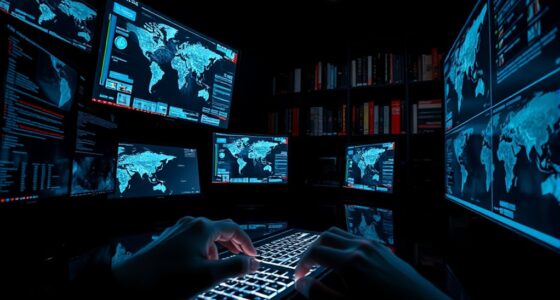

Privacy screen monitors help you keep your information private by limiting what others can see from the sides. They use special filters and physical barriers that make the screen appear clear only when viewed straight on. From side angles, the display darkens or becomes distorted, preventing prying eyes from spy-viewing sensitive data. While you might notice some flickering or visual distortions, newer models minimize these effects. To uncover more about how they work and their benefits, keep exploring how these screens protect your privacy.

Get privacy and security gear delivered free — and shop member deals
- Fast, free delivery on millions of items
- Access to Prime Big Deal Days deals on October 6–7
- Prime Video, Amazon Music and more included
Key Takeaways
- Privacy screen monitors limit viewing angles to only allow clear visibility from the front.
- They block side views, making screens appear dark or distorted from angles.
- Incorporate physical filters that distort or darken the display when viewed from the side.
- May cause slight flickering or distortions to prevent visual hacking.
- Enhance data security by protecting sensitive information in public or shared spaces.
In today’s digital world, protecting your sensitive information is more important than ever, especially when working in public or shared spaces. Privacy screen monitors are designed to help you do just that by preventing prying eyes from viewing your screen. When you’re in a coffee shop, airport, or open office, these monitors create a physical barrier that limits the viewing angle, so only you can see what’s on your display. This means you don’t have to worry about someone sitting nearby glancing over your shoulder, trying to catch glimpses of confidential emails, financial data, or private messages.
These monitors often incorporate special filters that work on a simple principle: they narrow the viewing angle so that the screen appears clear only to someone directly in front of it. If someone tries to look from the side, the display appears dark or distorted, effectively blocking their view. This physical barrier adds an extra layer of security beyond digital protections like data encryption. While data encryption protects your information from being intercepted digitally, privacy screens prevent visual hacking, which is just as critical in today’s interconnected world. They’re especially useful in environments where multiple people are nearby, or when you’re using a device in a public setting, helping you maintain control over who sees your screen.
You might also notice some privacy screens cause screen flickering or slight visual distortions. This flickering isn’t just a nuisance—it’s part of how these screens work to limit viewing angles. The flickering can sometimes be distracting, but it’s a small trade-off for the added privacy. Advances in technology have improved the quality of these filters, making flickering less noticeable, but it’s still a factor to consider if you spend long hours working on sensitive tasks. The flickering effect is designed to be subtle enough to prevent others from viewing your screen from the side, without significantly impairing your ability to see details clearly from the front. Additionally, watt-hours and capacity are important factors to consider when selecting a battery inverter generator for portable power needs, ensuring your device can operate reliably for your required duration. Understanding privacy protection is essential for making informed decisions about the best solutions to secure your information in various environments. Moreover, awareness of nail biology and proper care can help maintain healthy nails, which may be relevant for those who work extensively with their hands and need durable, well-maintained nails.
privacy screen monitor filter
As an affiliate, we earn on qualifying purchases.
As an affiliate, we earn on qualifying purchases.
Frequently Asked Questions
Do Privacy Screens Affect Screen Brightness or Clarity?
Privacy screens can slightly reduce screen brightness and clarity, but they mainly block screen glare and prevent visual distortion from side angles. You might notice a dimmer display when using them, especially in brightly lit environments. However, this trade-off helps protect your privacy without considerably impacting your ability to view the screen straight-on. Overall, they offer a good balance between visibility and security, with minor effects on brightness and clarity.
Can Privacy Screens Be Easily Removed or Replaced?
You can usually remove or replace privacy screens fairly easily, but installation challenges vary depending on the monitor’s design. Some screens snap on or slide into place, making them convenient to swap out, while others may require more effort. Consider aesthetic considerations too, as a poorly fitting or mismatched screen can look less appealing. Always check the compatibility and installation instructions to guarantee a smooth, hassle-free process.
Are Privacy Screens Compatible With All Monitor Sizes?
Privacy screens are generally compatible with most monitor sizes, but you should check your monitor’s dimensions and mounting options first. They can fit many screen resolutions, but some larger or ultra-wide monitors might need specialized panels. When considering monitor mounting, verify the privacy screen aligns with your setup. Always verify compatibility before purchasing to ensure the privacy screen fits securely and doesn’t interfere with your monitor’s performance.
Do Privacy Screens Work Equally Well on All Screen Types?
Privacy screens generally work well on most screen types, but their effectiveness can vary. A good privacy filter minimizes screen reflection, making it harder for others to see your content from side angles. However, on glossy or reflective screens, you might notice more glare, reducing privacy. For best results, choose a privacy filter designed for your specific screen type, ensuring it blocks side views while keeping reflections in check.
How Much Do Privacy Screen Monitors Typically Cost?
You can expect privacy screen monitors to cost between $50 and $300, depending on size and features. For example, a mid-range model like the HP EliteDisplay M3 offers solid privacy at around $150. When doing a cost comparison, consider brand options like Dell, ASUS, or Lenovo, which vary in price but all aim to provide reliable privacy protection. Your choice depends on your budget and specific privacy needs.
Conclusion
So, when you use a privacy screen monitor, you’re not just protecting your data — you’re shielding your entire world from prying eyes. It’s like having a personal fortress of privacy, guarding your secrets from the chaos outside. With one simple screen, you could prevent a disaster worse than a spy movie. Don’t let your sensitive information become a headline — armor up with a privacy screen and keep your life truly yours.
Fall Picks
fall essentials
As an affiliate, we earn on qualifying purchases.