
TL;DR

Get privacy and security gear delivered free — and shop member deals
- Fast, free delivery on millions of items
- Access to Prime Big Deal Days deals on October 6–7
- Prime Video, Amazon Music and more included
Privacy VPN services create an encrypted connection between your device and a provider’s server, which can hide your home IP address and much of your traffic destination information from a local network or internet provider. The provider becomes an intermediary, while HTTPS, account logins, cookies, and browser fingerprints still shape what websites can see. Compare clear data policies, independent audits, ownership, leak protections, and performance before you pay.
Your VPN can hide your home IP address from a website, but the VPN company can still see that address. That simple trade changes who sits between you and the internet.
Privacy VPN services can help on public Wi-Fi or reduce exposure of your IP address. They cannot make you anonymous or replace HTTPS, strong passwords, and careful browsing. Here’s how the protection works, where it stops, and what to check before choosing a provider.
A VPN usually hides your home IP address and much of your destination information from a local network or internet provider, while the VPN provider becomes an…
Logins, cookies, browser fingerprints, and other signals can still identify you; a VPN does not make you anonymous.
Check exactly what a provider collects, who owns it, which laws apply, and what an independent audit covered and when.
Use the kill switch, DNS leak protection, and split tunneling settings with care; check behavior again after app or operating system changes.
Treat free plans and extra features as business and data-policy questions, and pair a VPN with HTTPS, updates, unique passwords, and multifactor authentication.
What a privacy VPN hides from your network—and what it leaves visible
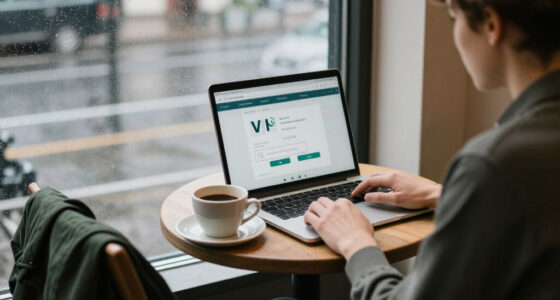
A privacy VPN service creates an encrypted connection between your device and a VPN provider’s server, then routes your internet traffic through that server. Your coffee shop’s Wi-Fi operator and internet provider can generally see that you connected to a VPN, while websites usually see the server’s public IP address instead of your home or mobile IP. For instance, on café Wi-Fi, the network operator may see a VPN connection where it might otherwise see more destination details. This makes the VPN useful when the local network is the party you want to reveal less to, but it does not remove all traces: connection times and data volume may still be visible, and the VPN provider now handles your traffic.
The protection has clear boundaries. Websites can still recognize you when you sign in, keep cookies, or identify a browser fingerprint; HTTPS already encrypts most web traffic between your browser and a site. A VPN is like changing the return address on a package, not erasing your name from the account that ordered it. In practice, this means a VPN can reduce one linking signal—your IP address—while the identifiers you carry between visits can still connect those visits. HTTPS also means the VPN generally cannot read the contents of secure pages, though it can still see some connection information.
The provider becomes an intermediary. It can generally see your originating IP address and connection metadata, and its visibility into DNS requests or unencrypted traffic depends on its service and configuration. This is the central tradeoff: you reduce what a local network or internet provider can observe, but must decide whether you trust another company with the information it receives. A VPN can shift trust away from a local network operator, but your provider’s ownership, jurisdiction, and data practices now matter more. A policy describing what is collected helps you assess that trade; the provider’s technical design and independent evidence help show whether its practices match the policy.
Choose a VPN for a real job, not a promise of anonymity
Privacy VPN services are most useful when you can name the exposure you want to reduce, such as local network observation or IP-based identification by a website. They do not reliably stop phishing, malware, account tracking, or data collection by apps. If you use the same shopping account at home and through a VPN, the shop can still connect those visits to your account. Naming the risk first helps you judge whether the added provider and connection complexity is worthwhile, instead of paying for a broad promise that the tool cannot deliver.
A VPN may add a layer of protection on untrusted public Wi-Fi, reduce your IP address exposure, or connect you to a workplace network. Streaming from another country is less predictable: platforms may block VPN traffic, and using one may conflict with service terms or local rules. A VPN can also add distance and server load to your route, so privacy benefits can come with slower connections or more troubleshooting. Those costs matter most for activities such as video calls, gaming, or large downloads, where delay and interruptions are noticeable.
- Public Wi-Fi: Use a VPN to reduce what the local network can learn about your destinations; keep HTTPS and device updates in place too. The VPN limits the network’s view of your traffic, but it cannot protect a device with outdated software or stop you from entering credentials on a fake site.
- Work access: Use the company’s approved VPN and follow its setup instructions. A workplace VPN may route traffic through company systems for access or security, so its purpose and monitoring rules can differ from a consumer privacy service.
- Everyday privacy: Treat a VPN as one layer alongside unique passwords, multifactor authentication, and careful app permissions. This reduces reliance on any one control: the VPN addresses some network exposure, while the other steps help with account theft and app data collection.
A VPN changes who can see some connection details; it does not make every action anonymous.
Compare the provider’s promises with evidence you can inspect
Privacy VPN services deserve a closer look at the company behind the app, its exact data policy, and evidence supporting its claims. “No logs” is not a standardized promise: one provider may collect connection timestamps or diagnostics while another describes narrower collection. These details matter because even limited records can potentially link an account or device to a period of activity. An independent audit can help, but it only covers a stated scope at a stated time. A narrowly scoped review may say little about other systems or how practices change later, so read the report summary and date rather than treating the word “audited” as a guarantee.
Use this comparison when two plans sound equally private. A provider’s server count or a “no logs” badge alone cannot show what the company collects or how it handles a legal request. The aim is to find evidence that addresses the data you care about: who can access it, how long it is kept, and what controls or disclosures apply. If details are missing, that uncertainty is part of the choice.
| What to compare | What to look for |
|---|---|
| Data policy | Plain-language details on timestamps, bandwidth, diagnostics, DNS, and account data |
| Independent review | Published audit, its scope, and its date |
| Company details | Named ownership, jurisdiction, and transparency about legal requests |
| Security and apps | Current WireGuard or OpenVPN support, updates, leak protections, and device support |
| Business model | Clear pricing, renewal terms, cancellation steps, and a credible explanation of how the service earns money |
For example, if a free app has unclear ownership and a vague policy, you have little basis for judging the data trade. Some free plans simply limit speed or data, while others may rely on ads or data collection; free does not automatically mean unsafe, but the funding model deserves scrutiny. Compare what the free tier actually limits with what information the provider says it collects. A paid plan can make its revenue source clearer, but payment alone does not establish better privacy or security.
Check these settings before you trust the tunnel
Privacy VPN services protect your traffic only as well as their apps and settings allow. A kill switch can block internet traffic if the VPN drops, while DNS leak protection can help keep name lookups inside the tunnel. Auto-connect can start the VPN on unfamiliar networks; split tunneling can deliberately send selected apps outside it. Each setting manages a tradeoff: a kill switch may interrupt access when the tunnel fails, while split tunneling can preserve access to local services but exposes bypassed app traffic to your regular network.
Before relying on a new service, take a few minutes to set it up and check how it behaves on your devices:
- Choose a current protocol. WireGuard is designed to be simpler and faster than older protocols, while OpenVPN remains widely supported. The protocol does not establish a provider’s privacy policy. Its practical effect is on the connection method and performance; the company’s data practices remain a separate question.
- Turn on the protections you need. Enable the kill switch and DNS leak protection if the app offers them, and decide whether auto-connect fits your routine. A kill switch is most valuable if a brief VPN drop would expose activity you want kept private, but blocking all traffic during an outage can be inconvenient. Confirm how the app behaves when the connection drops rather than assuming the setting works the same way on every device.
- Review split tunneling. Check whether any app bypasses the VPN. For example, a banking app routed outside the tunnel will use your regular connection. That may help an app that does not work through a VPN, but it also means that app does not get the VPN’s network-level protection; choose the route deliberately.
- Check performance where you live. Try a nearby server for a video call or file download; distance, congestion, and infrastructure can affect speed and latency. A nearby server is often a useful starting point, but a busy server or a provider’s routing can still make it slower. Test the tasks you care about because a speed test alone may not reveal call quality or how stable the connection is over time.
- Repeat after changes. Operating system updates and app permission changes can affect VPN behavior, so check the provider’s current device instructions. Settings can behave differently across platforms, and a previously working configuration may not survive an update unchanged.
A large server count does not guarantee fast speeds or stronger privacy. Your actual result depends on the route, server load, provider network, protocol, and home connection. Treat server choice as a practical performance setting, not evidence that the company collects less data.
Use a VPN as one layer in your privacy routine
Privacy VPN services work best as one part of a broader routine: keep software updated, use strong unique passwords, turn on multifactor authentication, and watch for suspicious links. These steps address risks a VPN does not, such as a phishing email that tricks you into entering your password on a fake login page. The point is to match each measure to a different exposure: a VPN can change what the network sees, while updates and account protections reduce other ways an attacker might reach you.
When comparing providers, remember that the market changes. WireGuard support has grown, and providers increasingly promote audits, transparency reports, and bundled tools such as tracker blocking or password managers. Each extra feature has its own privacy and effectiveness questions, and an audit remains a point-in-time assessment rather than a promise about every future practice. Bundles may be convenient, but convenience can make it harder to compare what each service collects; assess each tool on its own terms rather than assuming the VPN policy covers it.
For a practical decision, write down your main use—say, reducing exposure on airport Wi-Fi—then compare the provider’s current policy, ownership, app protections, and performance on your phone. Recheck prices, company ownership, audit reports, and supported features before buying because those details can change. This keeps the choice tied to the protection you need: if the main concern is local Wi-Fi observation, weigh tunnel reliability and device behavior alongside the provider’s data practices, and consider whether the added cost and possible slowdown fit your routine.
Frequently Asked Questions
Can a VPN make me anonymous?
No. A VPN can reduce IP-based exposure, but websites may still identify you through account logins, cookies, browser fingerprints, and other signals. Keep using privacy settings and strong account security.
Can my VPN provider see what I do online?
The provider can generally see your originating IP address and connection metadata. HTTPS protects the contents of most web sessions from intermediaries, including the VPN, while DNS handling and unencrypted traffic depend on the service and your settings.
Are “no-logs” VPN services really no-logs?
The phrase has no single standard definition. Read what the provider says it collects, then check whether an independent audit describes its scope and date; a review does not cover every system or future practice.
Will a VPN slow down my internet?
It can. The effect depends on server distance and load, protocol, provider infrastructure, and your own connection, so try a nearby server on the devices you actually use.
Are free VPNs safe to use?
Some free plans may suit limited use, but check how the service is funded, what data it collects, who owns it, and whether its apps and policies have been reviewed. A data or speed limit is different from a vague advertising-based business model.
Conclusion
Choose a VPN for one clear reason, then judge the provider by its data policy, ownership, evidence, and app behavior. Think of it as a locked side door for one part of your connection: useful, but your front door still needs a key.
Fall Picks
fall essentials
As an affiliate, we earn on qualifying purchases.