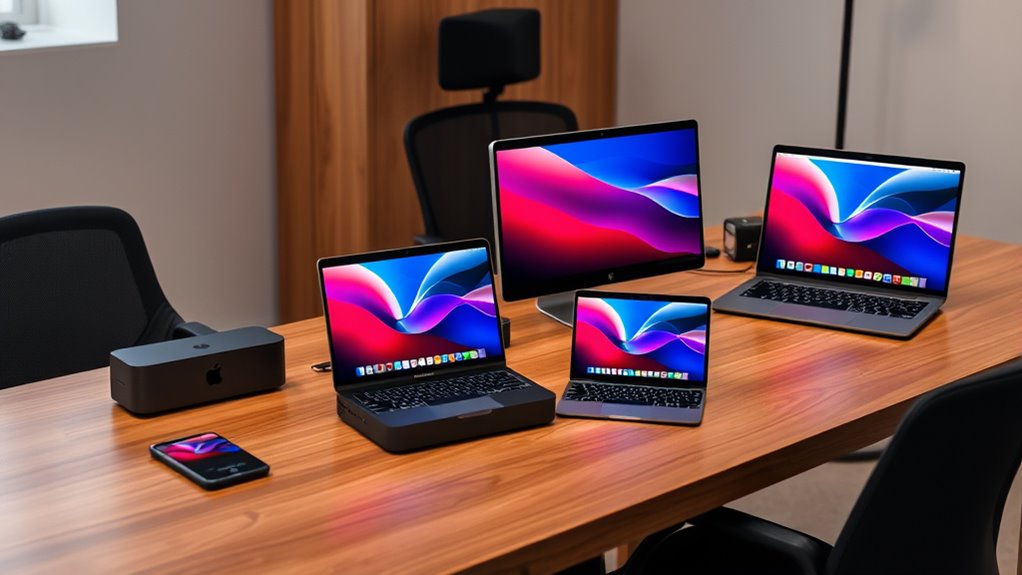

For compact workstation Mac Studio picks, I’d choose the Apple Mac Studio with M5 Max, 18-core CPU, 32-core GPU, 36GB memory, and 1TB SSD as the best overall fit for demanding creative work. The M5 Pro Mac mini is a smaller, more restrained alternative, while the M4 Mac mini with 24GB memory suits lighter workloads and buyers who want a current, compact desktop. The main tradeoff is whether you need the Studio’s extra graphics capacity and workstation headroom or would rather save desk space and avoid paying for power you may not use. Older renewed M1 and M2 models can still suit modest tasks, but their age and memory limits matter for longer-term use. Read on for the full comparison and guidance on choosing the right Mac for your workload.

Get privacy and security gear delivered free with Prime
- Fast, free delivery on millions of items
- Prime Video, Amazon Music and more included
- Member-only deals all year
Complete the kit


Key Takeaways
- The M5 Max Mac Studio is the strongest all-round workstation choice here, pairing substantial graphics capability with 36GB memory and a 1TB SSD.
- The M5 Pro Mac mini line is the compact middle ground: it offers newer workstation-oriented performance without moving up to the Studio enclosure.
- The M4 Mac mini with 24GB memory is a more comfortable everyday pick than the 8GB M1 mini for multitasking and current applications.
- Renewed M1 and M2 systems trade newer hardware for lower-cost entry points; the 16GB M1 is more practical than the 8GB version for sustained multitasking.
- Memory, storage, and workload fit separate these picks as much as chip generation. A 2TB Mac mini suits large local projects, while a Studio is better for GPU-heavy work.
| Apple Mac Studio Desktop Computer with M5 Max |  | Best for Demanding Creative Work | Chip: Apple M5 Max | Unified memory: Up to 128GB | Memory bandwidth: Up to 614GB/s | VIEW ON AMAZON | See Our Full Breakdown |
| Apple Mac mini (2020) with M1 Chip, 8GB Memory, 256GB SSD, Silver (Renewed) |  | Best Entry-Level Renewed Mac | Model: Mac mini MGNR3LL/A, 2020 | Processor: Apple M1, 8-core CPU | Memory: 8GB unified memory | VIEW ON AMAZON | See Our Full Breakdown |
| Apple Mac mini with M5 Pro, 15-core CPU, 16-core GPU, 24GB Memory, 2TB SSD |  | Best Mac mini for Storage-Heavy Work | Model number: Z1UD0007D | Processor: Apple M5 Pro, 15-core CPU | Graphics: Integrated 16-core GPU | VIEW ON AMAZON | See Our Full Breakdown |
| Apple Mac mini (2024) with M4 Chip, 10-Core CPU, 24GB RAM, 512GB SSD, Silver (Renewed) |  | Best Compact Everyday Workstation | Model year: 2024 | Processor: Apple M4, 10-core CPU | Graphics: 10-core integrated GPU | VIEW ON AMAZON | See Our Full Breakdown |
| Apple Mac mini (2020) with M1 Chip, 16GB Memory, 1TB SSD, Silver (Renewed) |  | Best Renewed M1 for Multitasking | Model: Mac mini (2020) | Processor: Apple M1, 8-core CPU | Graphics: 8-core integrated GPU | VIEW ON AMAZON | See Our Full Breakdown |
| Apple Mac Studio (2023) with M2 Max, 12-Core CPU, 30-Core GPU, 32GB Memory, 512GB SSD (Renewed) |  | Best Renewed Mac Studio for Graphics Work | Processor: Apple M2 Max, 12-core CPU | GPU: 30-core | Memory: 32GB | VIEW ON AMAZON | See Our Full Breakdown |
| Apple Mac mini (2023) with M2 Pro, 10-Core CPU, 16GB Unified Memory, 512GB SSD, Silver (Renewed) |  | Best Value Renewed Mini for Port Variety | Processor: Apple M2 Pro, 10-core CPU | Graphics: Integrated Apple M2 Pro, 16-core GPU | Memory: 16GB unified memory; maximum listed as 32GB | VIEW ON AMAZON | See Our Full Breakdown |
| Apple Mac Studio with M5 Max, 18-Core CPU, 32-Core GPU, 36GB Memory, 1TB SSD |  | Best Premium Compact Workstation | Processor: Apple M5 Max, 18-core CPU | GPU: 32-core integrated GPU | Memory: 36GB unified memory; listing also states DDR3 | VIEW ON AMAZON | See Our Full Breakdown |
| Apple Mac mini Desktop Computer with M5 Pro Chip (2026) |  | Best Compact Footprint | Processor: Apple M5 Pro chip | Dimensions: 5 x 5 x 1.97 inches | Weight: 1.61 pounds | VIEW ON AMAZON | See Our Full Breakdown |
| compact workstation macs mac studio pick | Processor | Memory | Storage | Dimensions |
|---|---|---|---|---|
| Apple Mac Studio Desktop Compu | — | — | — | 7.76 × 7.76 × 3.74 inches |
| Apple Mac mini | Apple M1, 8-core CPU | 8GB unified memory | 256GB SSD | — |
| Apple Mac mini with M5 Pro | Apple M5 Pro, 15-core CPU | 24GB unified memory | 2TB SSD | 5 × 5 × 2 inches |
| Apple Mac mini | Apple M4, 10-core CPU | 24GB unified memory | 512GB SSD | — |
| Apple Mac mini | Apple M1, 8-core CPU | 16GB unified memory | 1TB SSD | — |
| Apple Mac Studio | Apple M2 Max, 12-core CPU | 32GB | 512GB SSD | 12.6 x 12 x 9 inches |
| Apple Mac mini | Apple M2 Pro, 10-core CPU | 16GB unified memory; maximum listed as 32GB | 512GB SSD | — |
| Apple Mac Studio with M5 Max | Apple M5 Max, 18-core CPU | 36GB unified memory; listing also states DDR3 | 1TB SSD | 7.7 x 7.7 x 3.7 inches |
| Apple Mac mini Desktop Compute | Apple M5 Pro chip | — | — | 5 x 5 x 1.97 inches |
More Details on Our Top Picks
Apple Mac Studio Desktop Computer with M5 Max
The Mac Studio with M5 Max is the strongest fit here for sustained creative workloads, especially when large projects benefit from abundant unified memory and a high-bandwidth chip. Its support for up to 128GB of memory, memory bandwidth up to 614GB/s, and as many as five external displays gives it more headroom than the Mac mini with M5 Pro. That capacity can matter for complex video timelines, graphics work, and local AI tasks. The tradeoff is that this is a more specialized desktop: it needs a separate display, and the advertised memory ceiling depends on the configuration selected. Compared with the compact Mac mini options, it takes more desk space and offers more capability than everyday users are likely to need. I’d choose it for demanding workflows, not routine office computing.
Pros:- M5 Max and Neural Accelerators target demanding creative and on-device AI workflows.
- Up to 128GB of unified memory and 614GB/s memory bandwidth provide substantial headroom.
- Supports up to five external displays.
- Broad port selection includes Thunderbolt 5, HDMI, USB-A, and an SDXC card slot.
Cons:- Requires a separate display and other desk peripherals.
- Maximum memory and storage depend on the chosen configuration.
- Larger and more specialized than the Mac mini options for routine workloads.
Best for: Video editors, 3D artists, and AI developers who need high memory capacity, fast connectivity, and support for several displays.
Not ideal for: Everyday users or buyers prioritizing the smallest, simplest desktop; the Mac mini models take less space and may provide enough performance.
- Chip:Apple M5 Max
- Unified memory:Up to 128GB
- Memory bandwidth:Up to 614GB/s
- Dimensions:7.76 × 7.76 × 3.74 inches
- Weight:5.94 pounds
- Ports:Four Thunderbolt 5, two USB-C, two USB-A, HDMI, SDXC card slot, headphone jack
- External displays:Up to five
- Wireless:Wi-Fi 7, Bluetooth 6
Our verdict“Choose the M5 Max Mac Studio when demanding creative or AI work needs more memory and display capacity than a Mac mini offers.”
Apple Mac mini (2020) with M1 Chip, 8GB Memory, 256GB SSD, Silver (Renewed)
This renewed 2020 Mac mini with M1 is the basic option for buyers who want a compact macOS desktop for browsing, documents, and light media tasks. Its 8-core CPU, 8-core GPU, and 16-core Neural Engine give it more capability than its age and entry-level memory might suggest, while the small desktop format keeps it easy to fit beside a monitor. Compared with the renewed M1 Mac mini with 16GB memory and a 1TB SSD, this configuration has half the memory and a quarter of the storage, so it is less suited to heavy multitasking or keeping a large local library. The 8GB memory limit is the main constraint, and the renewed listing includes a 90-day limited warranty. I’d treat it as a simple, budget-conscious desktop rather than a workstation for demanding projects.
Pros:- M1 chip combines an 8-core CPU, 8-core GPU, and 16-core Neural Engine.
- Compact desktop design fits easily into a small workspace.
- 256GB SSD provides local storage for basic applications and files.
- Supports wireless connectivity and 4K video output.
Cons:- 8GB unified memory is the maximum listed for this configuration.
- 256GB SSD can fill quickly with creative apps and media.
- Renewed condition includes a 90-day limited warranty.
Best for: A student or home user seeking a renewed Mac for web tasks, documents, video calls, and light media use.
Not ideal for: Multitaskers, creative professionals, or anyone with a large local file library; 8GB memory and a 256GB SSD leave limited room to grow.
- Model:Mac mini MGNR3LL/A, 2020
- Processor:Apple M1, 8-core CPU
- Memory:8GB unified memory
- Storage:256GB SSD
- Graphics:Integrated graphics
- Video output:Up to 6K/4K; listed maximum resolution 3840 × 2160 pixels
- Ports:3 USB ports, 1 HDMI port
- Warranty:90-day limited warranty
Our verdict“Pick this renewed M1 Mac mini for basic desktop work if you can live with 8GB of memory and limited storage.”
Apple Mac mini with M5 Pro, 15-core CPU, 16-core GPU, 24GB Memory, 2TB SSD
The M5 Pro Mac mini stands out among the smaller desktops for buyers who need a capable chip and a large internal drive without moving up to the Mac Studio. Its 15-core CPU, 16-core GPU, and 24GB of unified memory suit heavier multitasking and creative work better than the renewed M1 Mac mini configurations. The 2TB SSD is its clearest advantage over the M4 Mac mini with 512GB: it gives working files and applications more room on the machine, reducing reliance on external storage. That capacity does not make it a substitute for the M5 Max Mac Studio, which offers higher memory capacity and support for up to five displays. Graphics remain integrated, and the listing specifies just one HDMI port. I’d pick this when internal storage and compact size matter more than workstation-class graphics expansion.
Pros:- M5 Pro chip pairs a 15-core CPU with a 16-core GPU.
- 24GB unified memory supports heavier multitasking than the 8GB M1 mini.
- 2TB SSD offers substantial space for applications and active project files.
- Compact 5 × 5 × 2-inch chassis fits a small workstation.
Cons:- Integrated graphics are less suited to demanding GPU-heavy workflows than the Mac Studio.
- Only one HDMI port is listed.
- At 4 pounds, it is heavier than the listed 1.5-pound M4 Mac mini.
Best for: Developers and creative professionals who want a compact Mac with 24GB memory and ample built-in storage for active projects.
Not ideal for: GPU-heavy artists or multi-display users who need the Mac Studio’s higher memory ceiling and support for up to five external displays.
- Model number:Z1UD0007D
- Processor:Apple M5 Pro, 15-core CPU
- Graphics:Integrated 16-core GPU
- Memory:24GB unified memory
- Storage:2TB SSD
- Dimensions:5 × 5 × 2 inches
- Weight:4 pounds
- Connectivity:Bluetooth, Ethernet, HDMI, Thunderbolt, Wi-Fi
Our verdict“Choose this M5 Pro Mac mini if you want a compact desktop with strong multitasking capacity and a 2TB internal SSD.”
Apple Mac mini (2024) with M4 Chip, 10-Core CPU, 24GB RAM, 512GB SSD, Silver (Renewed)
This renewed 2024 Mac mini with M4 is the most space-conscious all-rounder in this group: its 5 × 5-inch chassis and 1.5-pound weight make it easy to place beside a monitor, while 24GB of unified memory gives it more multitasking room than either renewed M1 mini. The front USB-C ports and headphone jack are handy for frequently connected accessories, and rear Thunderbolt 4, HDMI, and Gigabit Ethernet cover common desk setups. Compared with the M5 Pro Mac mini, this model has a smaller 512GB SSD and a 10-core CPU, so it is a better fit for everyday work than storage-heavy or more demanding creative projects. It is renewed, requires a separate monitor, and its listed USB port count may feel restrictive. I’d choose it for a tidy, capable workstation, not maximum expansion.
Pros:- Small 5 × 5-inch chassis fits neatly beside a monitor.
- 24GB unified memory supports multitasking better than the 8GB M1 mini.
- Front USB-C ports and headphone jack are convenient for regular accessory changes.
- Thunderbolt 4, HDMI, and Gigabit Ethernet support a practical desktop setup.
Cons:- Renewed condition rather than new.
- 512GB SSD is smaller than the 2TB drive in the M5 Pro Mac mini.
- Requires a separate display, and the listed USB port total may limit accessories.
Best for: Remote workers and home-office users who want a small, modern Mac for multitasking, calls, and everyday productivity.
Not ideal for: Creative professionals with large active projects or users who need plentiful USB connections; the 512GB SSD and listed port count may constrain them.
- Model year:2024
- Processor:Apple M4, 10-core CPU
- Graphics:10-core integrated GPU
- Memory:24GB unified memory
- Storage:512GB SSD
- Ports:3 × Thunderbolt 4, 2 × USB-C, HDMI, Gigabit Ethernet, 3.5mm headphone jack
- Dimensions and weight:5 × 5 × 2 inches; 1.5 pounds
- Wireless:Wi-Fi 6E, Bluetooth 5.3
Our verdict“Choose this renewed M4 Mac mini for a compact everyday workstation with 24GB memory, provided 512GB storage and its port selection suit your setup.”
Apple Mac mini (2020) with M1 Chip, 16GB Memory, 1TB SSD, Silver (Renewed)
This renewed M1 Mac mini with 16GB memory and a 1TB SSD is the more practical of the two 2020 M1 options for buyers who want an older compact Mac. Compared with the 8GB, 256GB M1 configuration, doubling the memory gives apps more room during multitasking, while the fourfold storage capacity better accommodates applications and local files. Its M1 chip still combines an 8-core CPU and GPU with a 16-core Neural Engine, but the older platform is a step behind the M4 and M5 Pro Mac mini options for newer, heavier workloads. The key tradeoff is the renewed purchase: this listing has a 90-day limited warranty, and the product data gives limited detail about its ports. I’d choose it for modest work that benefits from more memory and storage, not for long-term high-demand creative use.
Pros:- 16GB unified memory offers more multitasking headroom than the 8GB M1 mini.
- 1TB SSD provides four times the listed capacity of the other renewed M1 mini.
- M1 includes an 8-core CPU, 8-core GPU, and 16-core Neural Engine.
- Compact mini desktop includes Wi-Fi and Bluetooth.
Cons:- Renewed condition rather than new.
- 90-day limited warranty is shorter than the listed one-year coverage for the M5 Pro mini.
- Older M1 platform is less suited to demanding workloads than the M4 and M5 Pro options.
Best for: A home-office user or student who wants a renewed Mac for everyday multitasking and needs more storage than the 256GB M1 configuration provides.
Not ideal for: Buyers seeking a new machine, a longer listed warranty, or current-generation performance for demanding creative projects.
- Model:Mac mini (2020)
- Processor:Apple M1, 8-core CPU
- Graphics:8-core integrated GPU
- Neural Engine:16-core
- Memory:16GB unified memory
- Storage:1TB SSD
- Connectivity:USB, Wi-Fi, Bluetooth
- Warranty:90-day limited warranty
Our verdict“Pick this renewed M1 Mac mini over the 8GB model when you want more memory and storage for everyday work and accept its older chip and short warranty.”
Apple Mac Studio (2023) with M2 Max, 12-Core CPU, 30-Core GPU, 32GB Memory, 512GB SSD (Renewed)
The 2023 Mac Studio with M2 Max is the more workstation-oriented renewed pick here: its 12-core CPU, 30-core GPU, and 32GB of memory suit demanding editing and graphics tasks better than the M2 Pro Mac mini, which has a smaller 16-core GPU and half the memory. That extra headroom makes this a stronger fit for projects that lean on GPU processing, while the compact desktop format avoids a tower-sized workstation. The tradeoff is the 512GB SSD, which can fill quickly with source footage and project files, and the listing specifies only two USB ports. Its renewed condition and 90-day limited warranty also call for more caution than the newer M5 Max Studio with one-year manufacturer coverage. I’d choose it for capable Mac Studio hardware at a lower generation, not for buyers who need ample built-in storage or a long warranty.
Pros:- M2 Max pairs a 12-core CPU with a 30-core GPU for graphics-heavy work.
- 32GB of memory offers more working capacity than the M2 Pro Mac mini’s 16GB configuration.
- Compact Mac Studio desktop is aimed at professional workflows without a large workstation tower.
- 512GB SSD provides fast internal storage for applications and active projects.
Cons:- 512GB can be restrictive for large video libraries and production files.
- The listing specifies only two USB ports, limiting direct peripheral connections.
- Renewed condition and a 90-day limited warranty offer less coverage than the newer M5 Max Mac Studio.
Best for: Video editors and graphics professionals who want a compact Mac Studio with a discrete step up in GPU and memory capacity from the M2 Pro Mac mini.
Not ideal for: Buyers who need extensive local media storage, many USB connections, or the reassurance of a longer manufacturer warranty.
- Processor:Apple M2 Max, 12-core CPU
- GPU:30-core
- Memory:32GB
- Storage:512GB SSD
- Model year:2023
- Ports:2 USB ports listed
- Condition and warranty:Renewed; 90-day limited warranty
- Dimensions:12.6 x 12 x 9 inches
Our verdict“Choose this renewed Mac Studio for GPU-focused work when 32GB of memory matters more than generous storage or longer warranty coverage.”
Apple Mac mini (2023) with M2 Pro, 10-Core CPU, 16GB Unified Memory, 512GB SSD, Silver (Renewed)
This M2 Pro Mac mini earns its place as the practical middle ground: it brings a 10-core CPU and 16-core GPU to a compact desktop, with a more useful connection mix than the renewed M2 Max Mac Studio listing, which specifies just two USB ports. Four Thunderbolt 4 ports, two USB-A ports, HDMI, and Gigabit Ethernet make it easier to connect displays and everyday peripherals without immediately relying on adapters. Compared with the Mac Studio, though, its 16GB of unified memory and smaller GPU make it less suited to sustained graphics-heavy production. The 512GB SSD also leaves limited room for large media collections, and this is a renewed unit with a 90-day warranty. I’d favor it for a desk setup that needs capable processing and broad connectivity, rather than maximum workstation headroom.
Pros:- M2 Pro combines a 10-core CPU with an integrated 16-core GPU.
- Four Thunderbolt 4 ports, two USB-A ports, and HDMI simplify peripheral and display connections.
- Wi-Fi 6E, Bluetooth 5.3, and Gigabit Ethernet provide several networking options.
- Compact 1.28 kg design fits easily into a desk setup.
Cons:- 16GB of unified memory is less headroom than the 32GB in the renewed M2 Max Mac Studio.
- 512GB SSD may be tight for media-heavy work.
- Renewed condition is paired with a 90-day limited warranty.
Best for: Home-studio creators and technical users who want an M2 Pro desktop with varied ports for displays, drives, and accessories.
Not ideal for: GPU-intensive editors or users working with large local media libraries who need more memory, graphics capacity, or storage than this configuration provides.
- Processor:Apple M2 Pro, 10-core CPU
- Graphics:Integrated Apple M2 Pro, 16-core GPU
- Memory:16GB unified memory; maximum listed as 32GB
- Storage:512GB SSD
- Ports:4 Thunderbolt 4, 2 USB-A, HDMI, headphone jack
- Connectivity:Wi-Fi 6E, Bluetooth 5.3, Gigabit Ethernet
- Dimensions and weight:9 x 4 x 9 inches; 1.28 kg
- Condition and warranty:Renewed; 90-day limited warranty
Our verdict“Pick this renewed Mac mini for a capable compact workstation with unusually flexible ports, provided its 16GB memory and 512GB storage fit your workload.”
Apple Mac Studio with M5 Max, 18-Core CPU, 32-Core GPU, 36GB Memory, 1TB SSD
For buyers who want the strongest listed workstation configuration in this group, the M5 Max Mac Studio combines an 18-core CPU, 32-core GPU, 36GB of unified memory, and a 1TB SSD in a 7.7-inch-square enclosure. That makes it a more complete production setup than the renewed M2 Max Mac Studio: it offers more listed memory, twice the internal storage, and one-year manufacturer coverage rather than a 90-day renewed-unit warranty. The compact 4-pound chassis is a useful fit for a crowded studio desk, while the M5 Max and Neural Accelerators are positioned for demanding media and AI workloads. The listing has conflicting memory details—unified memory is also described as DDR3—and an implausible 1MB graphics-memory entry. I’d verify those specifications with the seller before buying; the premium configuration is less attractive if the listing cannot be clarified.
Pros:- M5 Max is listed with an 18-core CPU and 32-core integrated GPU.
- 36GB of unified memory supports demanding multitasking and creative workloads.
- 1TB SSD offers more built-in project space than either 512GB option in this batch.
- Compact 7.7 x 7.7 x 3.7-inch chassis weighs 4 pounds.
Cons:- The memory description conflicts, listing both unified memory and DDR3.
- The listed 1MB graphics-memory detail is inconsistent with the broader GPU specification and should be verified.
- A Mac Studio may be more workstation capacity than users with lighter workloads need.
Best for: Video, 3D, and AI creators who need a compact Mac Studio with more listed memory and storage than the renewed M2 Max option.
Not ideal for: Buyers who need fully consistent specification records or whose workloads can be handled by a smaller Mac mini such as the M2 Pro model.
- Processor:Apple M5 Max, 18-core CPU
- GPU:32-core integrated GPU
- Memory:36GB unified memory; listing also states DDR3
- Storage:1TB SSD
- Dimensions:7.7 x 7.7 x 3.7 inches
- Weight:4 pounds
- Connectivity:Bluetooth, Ethernet, HDMI, Thunderbolt, Wi-Fi
- Warranty:1-year limited manufacturer coverage
Our verdict“Choose this premium Mac Studio for demanding creative work and more built-in storage, but confirm the conflicting memory and graphics details before purchase.”
Apple Mac mini Desktop Computer with M5 Pro Chip (2026)
The M5 Pro Mac mini is the space-first pick: at 5 x 5 inches and 1.61 pounds, it occupies less desk area than either Mac Studio, while its M5 Pro chip is described as suited to demanding creative, technical, and on-device AI work. Its front and rear connectivity also makes everyday access easier than the port details supplied for the renewed M2 Max Studio, and three-display support can suit a compact multi-screen workstation. The listed Thunderbolt 5 ports and 2.5Gb Ethernet add fast connection options for compatible equipment. However, the product details do not specify memory capacity or internal storage, making it harder to judge suitability for larger projects than the clearly documented M2 Pro Mac mini. It also requires a separate monitor and peripherals. I’d shortlist it when footprint matters most, but confirm the missing configuration details before choosing it for professional workloads.
Pros:- 5 x 5-inch footprint fits especially tight desks.
- M5 Pro is positioned for demanding creative, technical, and on-device AI workflows.
- Three Thunderbolt 5 ports, HDMI, and 2.5Gb Ethernet offer flexible wired connections.
- Supports up to three external displays and includes front USB-C ports.
Cons:- The supplied specifications do not state memory capacity or internal storage.
- A separate monitor and peripherals are required for a complete desktop setup.
- The listed battery requirement is unusual for a desktop and should be clarified.
Best for: Space-constrained creative and technical professionals building a small desktop setup who need multiple displays and modern wired connectivity.
Not ideal for: Buyers who need confirmed memory and storage capacity before purchase, or a ready-to-use desktop that includes a monitor and peripherals.
- Processor:Apple M5 Pro chip
- Dimensions:5 x 5 x 1.97 inches
- Weight:1.61 pounds
- Memory bandwidth:307 GB/s
- Rear ports:3 Thunderbolt 5, HDMI, 2.5Gb Ethernet
- Front ports:2 USB-C ports, headphone jack
- Display support:Up to 3 external displays
- Wireless:Wi-Fi 7, Bluetooth 6
Our verdict“Choose this Mac mini when the smallest footprint and multi-display support lead your priorities, after confirming its memory and storage configuration.”
How We Picked
I ranked these nine compact Macs by how well their listed configurations fit real workstation roles: sustained CPU and GPU work, available unified memory, built-in storage, and the balance between capability and desk footprint. I gave newer M5 and M4 configurations more weight for buyers seeking a system with useful headroom, while distinguishing the Mac Studio’s workstation focus from the Mac mini’s smaller, more flexible role. Storage capacity and memory mattered because they affect day-to-day work directly, not just benchmark potential.
The order also reflects ownership tradeoffs. Renewed M1 and M2 models remain relevant for lighter workloads, but older chips and leaner configurations limit their appeal as primary workstations. I ranked the M5 Max Studio with 36GB memory and 1TB SSD above the 32GB/1TB version because its listed configuration offers more CPU and GPU capacity; the M5 Pro mini with 2TB storage is a strong alternative for buyers who value local workspace over Studio-class graphics. Product details can vary by seller, so I would confirm the exact configuration and renewed-device condition before buying.
Factors to Consider When Choosing Compact Workstation Macs Mac Studio Picks
Choosing between these compact workstation Macs is less about finding one universally superior model and more about matching the machine to your heaviest recurring task. I’d start with workload, then check memory and storage before deciding whether the Studio’s larger capability is worth its added footprint.
Match the chip to your heaviest regular task
List the applications you use at the same time, then identify the most demanding one: video effects, 3D work, software builds, or large audio sessions can place very different demands on a Mac. GPU-heavy workflows make the Mac Studio’s Max-class graphics more relevant, while many office, development, and general creative tasks can fit a Mac mini. A common mistake is buying for an occasional peak workload and carrying the larger machine’s cost and footprint every day. The opposite mistake is choosing an older entry system for work that routinely strains it. If your workload varies, prioritize the task that most affects deadlines rather than the one you run once in a while.
Choose memory for the life of the workload
Unified memory is shared by the CPU and GPU, so demanding graphics work can leave less available for applications than the nominal capacity suggests. A small memory configuration may feel adequate for one simple task but become restrictive when a browser, editing software, and other tools stay open together. I’d treat 8GB as a narrow-use choice rather than a safe workstation default, especially for a system meant to serve for years. More memory can help with larger projects and multitasking, but it does not make an older chip equivalent to a newer one. Think about your normal project size and application mix before putting extra weight on a single specification.
Plan storage around active projects, not archives
Internal storage fills quickly when video footage, sample libraries, project caches, or virtual machines live on the workstation. A 2TB configuration gives more room for active local work than a 512GB model, but it may be unnecessary if most files sit on a fast external drive or network storage. Buyers often count archived files but overlook scratch data and application caches, which also consume space. Decide which projects need to stay immediately accessible, then compare that need with the included SSD. External storage can expand capacity, though it adds another device, cable, and backup decision.
Decide whether the Studio’s size earns its place
The Mac Studio is still compact beside a tower workstation, but the Mac mini is easier to fit into a crowded desk or shared workspace. The larger enclosure makes most sense when the extra workstation-class capability serves a regular task, not simply because it looks more future-proof. Consider the whole setup: display, audio gear, external drives, and available ventilation may shape the desk footprint more than the computer alone. A Mac mini plus a suitable external drive can be a tidier fit for many mixed workloads. Choose the Studio when its extra performance headroom has a clear job to do.
Treat renewed models as a configuration decision
Renewed M1 and M2 Macs can make sense when the workload is defined, modest, and compatible with an older platform. Their value depends on the exact memory and storage configuration, the seller’s condition details, and the return and warranty terms—not just the chip name. I would favor the 16GB M1 over the 8GB version for multitasking, while buyers with heavier current workloads should compare the renewed M2 Pro against newer M4 or M5 mini options. Check included accessories and the stated cosmetic grade before ordering. A lower-cost older system is a poor fit if it needs replacing soon for memory or performance reasons.
Frequently Asked Questions
Should I choose an M5 Max Mac Studio or an M5 Pro Mac mini for video editing?
I’d choose the M5 Max Studio if your regular work includes demanding effects, high-resolution footage, or frequent GPU-heavy exports. The M5 Pro Mac mini is a more space-conscious choice for editing that relies less on heavy graphics processing or for projects that are manageable with external media storage. Consider how often you wait on renders, not just the resolution of your source footage. If the Studio’s extra graphics capability would shorten routine work, it has a clearer role; if not, the mini may be the more sensible workstation. Check software requirements and project sizes before deciding.
Is a renewed M1 Mac mini still a reasonable workstation purchase?
It can be a reasonable choice for light development, everyday productivity, and modest creative projects, especially with 16GB memory. The 8GB configuration has less room for simultaneous applications and larger projects, so I would treat it as a limited-use desktop rather than a long-term workstation. An M1 also gives you an older platform than the M2 Pro, M4, or M5 options in this roundup. Before buying renewed, confirm the condition, return window, and warranty details. If the system is central to paid work, compare its total expected service life with a newer mini.
Is 2TB of internal storage better than choosing a more powerful chip?
It depends on whether storage or processing is the constraint you face most often. Large video libraries, audio sample collections, and project files can make the 2TB M5 Pro mini a practical choice when local access matters. If your work is primarily limited by rendering or GPU performance, the Mac Studio’s Max-class chip may matter more than extra built-in capacity. External storage can cover archives and some active projects, but it adds hardware and workflow steps. I’d reserve internal space for applications and current work, then choose between capacity and performance based on what currently slows you down.
Which compact Mac is easiest to recommend for a first workstation?
The M4 Mac mini with 24GB memory is a sensible starting point for a first workstation when the workload is general creative work, development, or multitasking rather than heavy GPU production. It offers more memory headroom than the 8GB M1 mini without requiring the Studio form factor. A beginner who already knows they need GPU-heavy rendering should move up to a Studio instead of buying a mini they will quickly outgrow. Also budget for a display, keyboard, mouse, and any external storage, since the computer does not replace those parts of a workstation. Let the actual application requirements guide the final choice.
When does buying a renewed Mac make more sense than choosing a newer mini?
A renewed M1 or M2 model can suit buyers with a known, stable workload who prefer a capable older configuration over paying for newer performance they will not use. This is most persuasive when the machine has enough memory and storage for the intended tasks, and the seller provides clear condition and return information. Newer M4 and M5 minis are a better fit when you want more headroom for evolving software or heavier projects. Compare the exact configuration rather than assuming every model with the same chip is alike. If downtime would disrupt work, warranty coverage and return terms deserve as much attention as the hardware.
Conclusion
For most demanding compact workstation use, I recommend the M5 Max Mac Studio with 36GB memory and 1TB SSD as the best overall pick. The M5 Pro Mac mini with 2TB SSD is my value choice for buyers who need a newer workstation-oriented chip and generous local storage without the Studio enclosure. For a premium, graphics-focused setup, choose the M5 Max Studio; for beginners, the M4 Mac mini with 24GB memory offers a more approachable balance. The renewed M1 Mac mini with 16GB memory fits modest, well-defined tasks, while buyers with large local media libraries should give the 2TB mini special attention. I’d skip the 8GB M1 configuration for a primary workstation unless the workload is genuinely light.