
Console servers for serial over IP let administrators reach serial-managed equipment across an Ethernet or remote-access connection, but the right choice depends on port count, access needs, and deployment complexity. I rank the Vertiv Avocent ACS 8000 8-Port as the best overall for a dedicated multiport console setup, while the Digi Connect IT 4 stands out for remote console access and the StarTech.com NETRS2321E for a straightforward single-device link. The main tradeoff is between a purpose-built console platform with broader management options and a simpler serial-to-Ethernet adapter for a narrower job. Port capacity, network security, power resilience, and whether you need cellular access can change which option makes sense. Read on for the full comparison and a buying guide matched to common deployment needs.

Get privacy and security gear delivered free — and shop member deals
- Fast, free delivery on millions of items
- Access to Prime Big Deal Days deals on October 6–7
- Prime Video, Amazon Music and more included
Key Takeaways
- The Vertiv Avocent ACS 8000 8-Port leads for dedicated console use, pairing multiple serial connections with dual AC power and an analog modem; it is more platform than a one-device connection requires.
- The 16-port Vertiv Avocent ACS8000 with cellular fits larger or harder-to-reach deployments, while its cellular capability and higher port count may be unnecessary in a well-connected rack.
- The StarTech.com NETRS2321E and Lantronix XPort/xDirect address narrower device-connectivity needs; buyers should distinguish a standalone one-port Ethernet device server from embedded connectivity hardware.
- Digi Connect IT 4 is the more console-access-oriented Digi choice, while Digi PortServer TS 4 is a four-port serial-to-Ethernet device server that may better suit general serial networking.
- Tripp Lite B095-004-1E gives buyers a four-port console-server alternative, highlighting that port count alone does not determine fit: access model, installation, and redundancy matter too.
| Vertiv Avocent ACS 8000 8-Port Serial Console Server with Analog Modem and Dual AC Power |  | Best for Redundant Data-Center Access | Model: ACS8008MDAC-400 | Serial ports: 8 | Network: Dual Gigabit Ethernet | VIEW ON AMAZON | See Our Full Breakdown |
| StarTech.com NETRS2321E 1-Port Serial over IP Ethernet Device Server |  | Best for a Single Serial Device | Model: NETRS2321E | Serial ports: 1 | Serial standards: RS-232, RS-422, RS-485 | VIEW ON AMAZON | See Our Full Breakdown |
| Lantronix XPort/xDirect Embedded Device Server |  | Best for Embedded Integrations | Model: XSDR22000-01 | Connectivity: Wired Ethernet | Ethernet speed: 10/100 Mbps | VIEW ON AMAZON | See Our Full Breakdown |
| Vertiv Avocent ACS8000 16-Port Cellular Serial Console Server |  | Best for Remote Sites Without Reliable Wired Access | Model: ACS8016-NA-DAC-400 | Console ports: 16 | Cellular connectivity: 4G LTE; AT&T and Verizon support | VIEW ON AMAZON | See Our Full Breakdown |
| Digi Connect IT 4 Remote Console Access Server, No Cellular Module | 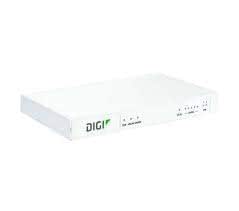 | Best for Regional Use Without Cellular Backup | Model: ASB-5402-RM00-GLB | Cellular module: None | Region: All regions | VIEW ON AMAZON | See Our Full Breakdown |
| Digi PortServer TS 4-Port RS-232 Serial-to-Ethernet Device Server |  | Best Compact Pick | Serial ports: 4 | Serial interface: RS-232 | Network interface: Ethernet | VIEW ON AMAZON | See Our Full Breakdown |
| Tripp Lite 4-Port IP Serial Console/Terminal Server (B095-004-1E) |  | Best for Out-of-Band Console Access | Model: B095-004-1E | Serial ports: 4 RS-232 | Ethernet ports: 4 | VIEW ON AMAZON | See Our Full Breakdown |
| console servers serial over ip | Model | Serial ports |
|---|---|---|
| Vertiv Avocent ACS 8000 8-Port | ACS8008MDAC-400 | 8 |
| StarTech.com NETRS2321E 1-Port | NETRS2321E | 1 |
| Lantronix XPort/xDirect Embedd | XSDR22000-01 | — |
| Vertiv Avocent ACS8000 16-Port | ACS8016-NA-DAC-400 | — |
| Digi Connect IT 4 Remote Conso | ASB-5402-RM00-GLB | — |
| Digi PortServer TS 4-Port RS-2 | — | 4 |
| Tripp Lite 4-Port IP Serial Co | B095-004-1E | 4 RS-232 |
More Details on Our Top Picks
Vertiv Avocent ACS 8000 8-Port Serial Console Server with Analog Modem and Dual AC Power
I’d rank the ACS 8000 8-port ahead of simpler device servers when the job is maintaining secure management access to several data-center devices. Its dual Gigabit Ethernet, automatic network failover, and analog modem give administrators more than one route into equipment when a primary network path fails. Zero-touch provisioning and scripting also help teams apply repeatable setups across deployments. Compared with the 16-port cellular ACS8000, this model connects to fewer serial devices and uses a modem rather than cellular failover; that can suit sites with a phone line and a smaller rack footprint. The tradeoff is specialization: its management, power, and sensor integration features may be unnecessary for a single serial appliance, where the compact StarTech.com NETRS2321E is a simpler fit.
Pros:- Eight serial ports support management of multiple rack devices from one server.
- Dual Gigabit Ethernet and automatic network failover add resilience to remote access.
- Analog modem offers an additional access path when network connectivity is unavailable.
- Zero-touch provisioning, scripting, and support for sensors and rack power devices suit managed infrastructure.
Cons:- The analog modem is useful only where a compatible phone-line connection is available.
- Its data-center feature set is excessive for basic single-device serial access.
- It has fewer console ports and lacks the specified cellular failover of the 16-port ACS8000.
Best for: Data-center teams that need out-of-band access to up to eight serial devices, wired network failover, and analog-modem backup.
Not ideal for: Small offices or buyers connecting one serial device who do not need redundant management paths, automation, or data-center integrations.
- Model:ACS8008MDAC-400
- Serial ports:8
- Network:Dual Gigabit Ethernet
- Modem:Analog
- Processor:Dual-core ARM
- Flash memory:16 GB
- USB ports:8 USB 2.0
- Power supply:Dual AC
Our verdict“Choose this ACS 8000 if you need redundant, automated access to several data-center devices and can use its analog-modem backup.”
StarTech.com NETRS2321E 1-Port Serial over IP Ethernet Device Server
For one legacy device that needs network access, I’d favor the NETRS2321E over a rack console server with ports and management features you will not use. Its standout advantage is RS-232, RS-422, and RS-485 support, which makes it more adaptable to different serial equipment than a model limited to one interface standard. Remote Telnet configuration and support for access across a LAN, WAN, or the internet cover the core serial-over-IP task without a data-center-scale setup. The tradeoff is capacity and speed: there is just one serial port, and the stated rate tops out at 115.2 Kbps. Compared with the eight-port Vertiv Avocent ACS 8000, this is a compact endpoint, not a central console platform for managing a rack of devices.
Pros:- Supports RS-232, RS-422, and RS-485 serial standards.
- Remote Telnet configuration provides network-based setup access.
- Compact single-port enclosure suits a standalone device or space-limited installation.
- Supports common networking protocols and remote access over LAN, WAN, or the internet.
Cons:- One serial port cannot replace a multiport console server.
- Maximum specified transfer rate is 115.2 Kbps per port.
- Does not provide the listed data-center automation and sensor integrations of the Vertiv ACS models.
Best for: Technicians who need to put one RS-232, RS-422, or RS-485 device on a network and configure it remotely.
Not ideal for: Data-center operators managing multiple consoles, or buyers whose serial application requires a transfer rate above 115.2 Kbps.
- Model:NETRS2321E
- Serial ports:1
- Serial standards:RS-232, RS-422, RS-485
- Maximum data transfer rate:115.2 Kbps per port
- Network protocols:IP, HTTP, ICMP, TCP
- Configuration:Remote Telnet
- Dimensions:3.54 x 3.54 x 1.02 inches
- Warranty:2 years
Our verdict“Pick the NETRS2321E when you need straightforward network access to one serial device across common serial standards.”
Lantronix XPort/xDirect Embedded Device Server
I’d shortlist the Lantronix XPort/xDirect when serial-over-IP needs to fit into an embedded or equipment-level design rather than serve as a conventional rack console hub. Its wired 10/100 Ethernet and full TCP/IP stack provide a path for serial equipment to communicate over a network, while the stated 256-bit AES encryption adds a security feature relevant to remote connections. The xDirect version also lists PoE and a web server, which can simplify installation and management, but those details are not clearly applicable to every version in this listing. Compared with the StarTech NETRS2321E, this Lantronix listing is less straightforward about port count and device configuration; buyers should verify the exact variant before ordering. That uncertainty makes it a more specialized choice than either Vertiv rack server.
Pros:- Connects serial equipment to a wired Ethernet network.
- 10/100 Mbps Ethernet and a full TCP/IP stack support network integration.
- 256-bit AES encryption is specified for network security.
- The xDirect version adds PoE support and a web server for remote management.
Cons:- The listing gives inconsistent descriptions of device type and port count.
- PoE and web-server features are specified for xDirect, so buyers must confirm the exact version.
- Its embedded-device focus is less direct for rack-level console management than the Vertiv ACS8000 models.
Best for: Product engineers and integrators connecting serial equipment to wired Ethernet who can confirm the exact XPort or xDirect variant and its interface details.
Not ideal for: Buyers who need a clearly specified, ready-to-deploy multiport rack console server or cannot verify which listed features apply to their unit.
- Model:XSDR22000-01
- Connectivity:Wired Ethernet
- Ethernet speed:10/100 Mbps
- Listed data transfer rate:100 Mbps
- Security:256-bit AES encryption
- Listed number of ports:4
- Voltage:30 volts
- Weight:1.5 pounds
Our verdict“Consider the Lantronix for an embedded wired-network integration only after confirming which variant and port configuration the listing supplies.”
Vertiv Avocent ACS8000 16-Port Cellular Serial Console Server
When a site needs console access even after its wired network drops, I’d put the 16-port cellular ACS8000 ahead of the eight-port analog-modem model. Its 4G LTE failover, dual Gigabit Ethernet, and 16 console ports make it better suited to remote racks where both access resilience and device count matter. It also supports automated provisioning, scripting, environmental sensors, IoT devices, and rack PDUs, extending its role beyond serial console access. The main tradeoff is dependence on cellular coverage: LTE backup cannot help where the supported network is unavailable or weak. Compared with the StarTech NETRS2321E, this Vertiv is a full infrastructure-management platform rather than a compact way to network one serial device, so its added complexity only pays off at managed sites.
Pros:- Sixteen console ports accommodate more devices than the eight-port ACS 8000 and single-port StarTech.
- 4G LTE failover provides another remote-access path when wired networking is down.
- Dual Gigabit Ethernet, automation, and scripting support managed deployments.
- Supports environmental sensors, IoT devices, and rack PDU management.
Cons:- Cellular failover depends on coverage from a supported carrier.
- Its data-center management features may add unnecessary complexity for a small installation.
- The cellular backup path differs from the analog modem included with the eight-port ACS 8000.
Best for: Data-center and remote-site teams managing many serial consoles that need cellular backup plus environmental and rack-power monitoring.
Not ideal for: Small installations with only one or two serial devices, or remote sites without usable AT&T or Verizon LTE coverage.
- Model:ACS8016-NA-DAC-400
- Console ports:16
- Cellular connectivity:4G LTE; AT&T and Verizon support
- Ethernet:Dual 1 Gigabit Ethernet ports
- Power:Dual AC
- Processor:Dual-core ARM
- Flash memory:16 GB
- Environmental monitoring:Temperature, humidity, differential pressure, leak, and door pin sensors
Our verdict“Choose this model for a larger remote rack where LTE backup and management of up to 16 consoles justify a dedicated infrastructure platform.”
Digi Connect IT 4 Remote Console Access Server, No Cellular Module
The Digi Connect IT 4 without a cellular module is a fit for buyers who want remote console access but do not need built-in mobile-network backup. Its all-region designation and rack-mount design make it a different proposition from the one-port StarTech NETRS2321E, which is explicitly a compact serial-to-Ethernet device with listed serial standards and a transfer rate. Here, the supplied data is sparse: it identifies remote operation and Wi-Fi connectivity but does not specify a serial-port count, serial standards, or cellular option that can be added. That limits how confidently I can recommend it for a particular console workload. Compared with the two Avocent servers, it also lacks their stated port capacity and detailed failover and monitoring features. Confirm interface compatibility before choosing it.
Pros:- Provides remote console access for connected equipment.
- Rack-mount design suits equipment-room installations.
- Specified for use across all regions.
- Automatic operation mode is listed.
Cons:- No cellular module is included, so cellular failover is not available out of the box.
- The supplied specifications do not state a serial-port count or serial standards.
- Listed Wi-Fi connectivity gives less detail about wired network and failover capabilities than the Vertiv ACS8000 models.
Best for: IT teams seeking a rack-mount remote console access server for a deployment where cellular backup is not required and the device interfaces have been confirmed.
Not ideal for: Buyers who need cellular failover, a documented serial-port count, or clear compatibility details before purchase.
- Model:ASB-5402-RM00-GLB
- Cellular module:None
- Region:All regions
- Operation mode:Automatic
- Mounting type:Rack mount
- Connectivity protocol:Wi-Fi
- Connector type:Screw terminals
- Control method:Remote
Our verdict“Choose the Digi only when cellular backup is unnecessary and you have verified that its unspecified console interfaces match your equipment.”
Digi PortServer TS 4-Port RS-232 Serial-to-Ethernet Device Server
The Digi PortServer TS is a compact way to put four RS-232 devices on Ethernet when a full rack-oriented console server would be more than the job requires. Its small, wall-mountable enclosure suits equipment closets or installations with limited space, while the broad 9–30 VDC input range gives integrators flexibility over power arrangements. Compared with the Tripp Lite B095-004-1E, this Digi model is much lighter and simpler in the supplied product details; Tripp Lite is the clearer fit when you need listed console-management features such as external-modem support and internal storage. The tradeoff is that the PortServer TS listing does not specify those capabilities or describe dedicated out-of-band access. Choose it for straightforward serial-to-Ethernet connectivity, not for a feature-rich remote recovery setup.
Pros:- Connects four RS-232 serial devices to an Ethernet network
- Compact, wall-mountable form factor fits space-constrained installations
- 9–30 VDC input supports a range of DC power arrangements
Cons:- Product details do not specify modem-based out-of-band access
- Fewer console-management capabilities are documented than for the Tripp Lite B095-004-1E
- The listed RJ-45 connector may require checking cable and pinout compatibility with attached equipment
Best for: IT integrators connecting up to four RS-232 devices in a small wall-mounted installation where a compact Ethernet bridge is the main requirement.
Not ideal for: Administrators who need documented out-of-band modem access, internal storage, or a more fully specified console-management feature set.
- Serial ports:4
- Serial interface:RS-232
- Network interface:Ethernet
- Connector:RJ-45
- Input voltage:9–30 VDC
- Form factor:Wall mountable
- Dimensions:5.25 × 3.33 × 0.95 inches
- Weight:2.26 ounces
- Model number:70002045
Our verdict“Choose the PortServer TS for compact, four-device RS-232-to-Ethernet connectivity, but look to the Tripp Lite if documented remote-access features matter more.”
Tripp Lite 4-Port IP Serial Console/Terminal Server (B095-004-1E)
The Tripp Lite B095-004-1E is the more console-focused choice here for teams managing RS-232 equipment remotely, including UPS systems, PDUs, and RPS units. Its four serial ports are paired with four Ethernet ports, and its support for an external modem can provide a route to out-of-band access when ordinary network management is unavailable. That capability comes with a catch: the modem is not included, so buyers must plan for the extra hardware. Compared with the compact Digi PortServer TS, Tripp Lite adds specified management-oriented details such as 2 GB of internal USB flash storage and Cisco-compatible cabling, but its 1.9-pound steel enclosure is less suited to installations prioritizing minimal weight. Pick it when remote console access matters more than a small, simple serial-to-Ethernet bridge.
Pros:- Four RS-232 ports support remote access to multiple serial-managed devices
- External modem support offers an out-of-band access path when configured with a modem
- 2 GB of internal USB flash storage
- Heavy-duty steel housing and Cisco-compatible cabling
Cons:- An external modem is required for out-of-band access and is not included
- At 1.9 pounds, the enclosure is substantially heavier than the Digi PortServer TS
- The four-port design may be limiting for sites that need to consolidate more serial connections
Best for: Network administrators managing serial-connected UPS, PDU, RPS, router, or server equipment who can supply an external modem for out-of-band access.
Not ideal for: Buyers seeking a lightweight, bare-bones serial-to-Ethernet device or anyone who needs modem-based backup access without sourcing a separate modem.
- Model:B095-004-1E
- Serial ports:4 RS-232
- Ethernet ports:4
- Connectivity:Ethernet
- Internal storage:2 GB USB flash
- Modem support:External modem required for out-of-band access
- Housing:Heavy-duty steel
- Weight:1.9 pounds
- Warranty:2-year limited warranty
Our verdict“Choose the Tripp Lite when you need a four-port console server with a planned modem-based recovery path, and skip it if a separate modem or its heavier enclosure does not suit your installation.”
How We Picked
I compared these products by how directly they serve serial console access over IP, then weighed port capacity, remote-access features, deployment fit, and the amount of infrastructure each option appears intended to manage. A console server designed to reach several network-device consoles earns a different place from a one-port serial device server or embedded connectivity component; I did not treat those categories as interchangeable.
The ranking favors products that offer a useful balance of console-specific function and practical deployment scope. Multiport systems with added resilience or remote-access options rank ahead when those capabilities address real operational needs, while simpler devices rank well for focused, smaller jobs. I also considered tradeoffs such as unused capacity, cellular dependence, and whether the product’s role is less direct for console management. Buyers should confirm supported serial standards, management features, licensing, and compatibility with their exact equipment before purchase.
| console servers serial over ip | Model |
|---|---|
| Vertiv Avocent ACS 8000 8-Port | ACS8008MDAC-400 |
| StarTech.com NETRS2321E 1-Port | NETRS2321E |
| Lantronix XPort/xDirect Embedd | XSDR22000-01 |
| Vertiv Avocent ACS8000 16-Port | ACS8016-NA-DAC-400 |
| Digi Connect IT 4 Remote Conso | ASB-5402-RM00-GLB |
| Digi PortServer TS 4-Port RS-2 | — |
| Tripp Lite 4-Port IP Serial Co | B095-004-1E |
Factors to Consider When Choosing Console Servers Serial Over Ip
Before choosing a model, map the job rather than starting with a feature list. A console server for an outage-response rack has different needs from an adapter that exposes one serial instrument on a LAN. These factors help clarify where extra ports and remote-access functions earn their place—and where they add avoidable complexity.
Count Devices, Then Plan for Growth
Count the serial ports you need to reach today, then account for equipment likely to join the rack during its service life. Matching capacity exactly can reduce unused hardware, but leaving no expansion room may force another purchase and a second management point later. Also check whether the listed port count refers to usable serial connections for your intended setup. A one-port device server is a sensible fit for a single endpoint, not a substitute for a multiport console platform. For a larger site, compare the effort of deploying one higher-capacity unit with maintaining several smaller boxes. Avoid buying more ports solely for an abstract idea of future growth; tie spare capacity to a credible equipment plan.
Separate Console Management From General Serial Networking
“Serial over IP” can describe products with different jobs: a console server is aimed at remote access to equipment management ports, while a device server can connect serial equipment to an Ethernet network. That distinction affects how administrators discover devices, manage sessions, and fit the product into outage procedures. Before buying, list the tasks you expect to perform, such as reaching a switch console, exposing an instrument to an application, or supporting embedded connectivity. Do not assume that a serial-to-Ethernet feature set includes the workflows of a dedicated console server. Confirm how users authenticate and how access is controlled, rather than relying on the category label. The right product is the one that matches the operating task without adding a second tool to fill gaps.
Choose Your Out-of-Band Path Deliberately
Remote serial access only helps during a network problem if the management path remains reachable when the production network is not. Decide whether a separate management network is enough or whether the site needs a cellular or modem-based fallback. Cellular access can help at remote locations, but it brings coverage, carrier, SIM, and policy questions that a wired design avoids. A modem option may suit a different existing support setup, so check what service and infrastructure it depends on. Test the proposed path against realistic failures, including a switch outage or loss of the primary WAN. Buying backup connectivity without checking who can use it and how it is secured can create risk rather than useful resilience.
Check Power and Environmental Resilience
For equipment that must stay available during maintenance or power events, review the actual power arrangement rather than treating redundancy as a checkbox. Dual power inputs are useful only when they connect to independent sources; two cords feeding the same failed circuit offer little protection. Confirm rack power, outlet type, cabling, and any site requirements before choosing a unit. A compact, single-purpose adapter may be easier to place, while a larger console server can demand more rack space and installation planning. Think through replacement and recovery as well: can a technician identify the right connections quickly, and is a spare practical to keep on hand? Align the hardware’s resilience features with the failure scenarios your operations team actually plans for.
Treat Access Control as Part of the Design
A serial console can expose powerful administrative interfaces, so network reachability should not be the only access safeguard. Find out which authentication, authorization, logging, and encryption functions the exact model and software version support. Confirm whether those functions fit your organization’s identity systems and security policies before committing. Restrict management access to an appropriate network path, and plan how credentials and firmware will be maintained. A product that is easy to reach but difficult to govern may create more operational burden than a simpler device on a tightly controlled management network. Include security review and configuration ownership in the deployment plan, not as a task left until installation day.
Verify Serial and Software Compatibility
Check the target equipment’s serial interface, connector, pinout, signal requirements, and console settings against the product documentation. RS-232 support does not automatically mean every cable or device will connect without adaptation. Confirm baud rate and related serial settings, then check how the software presents remote sessions to administrators or applications. Embedded products such as the Lantronix XPort/xDirect may require a different integration effort from a finished rack-ready console server. Ask who will handle configuration, updates, and troubleshooting after installation. A short compatibility check with the equipment vendor can prevent a deployment that reaches the network but cannot communicate reliably with the device.
Frequently Asked Questions
Do I need a console server or a one-port serial device server?
Choose a console server when your main task is remote administration of multiple devices through their serial console ports. A one-port device server is better suited to exposing a single serial endpoint over Ethernet, especially when the application or equipment—not an administrator managing a rack—is the main user. The StarTech.com NETRS2321E illustrates the focused one-port category, while the Vertiv Avocent and Tripp Lite options target multiport console access. Check session handling and access controls as well as port count, since those features influence day-to-day use. If you need both types of workflow, confirm whether one product supports both before assuming a general device server can replace a console platform.
When is cellular access worth adding to a serial console setup?
Cellular access is most useful when the site needs a backup management path and wired connectivity may be unavailable or unreliable. It is less compelling when a separate, dependable management network already reaches the equipment and your operating plan does not require another path. Before choosing a cellular model, verify coverage at the installation location, carrier compatibility, service ownership, and how cellular traffic will be controlled. Also establish who can activate or troubleshoot that connection during an outage. A cellular feature is only a meaningful fallback when the network, account, and access procedure are ready before an incident.
Should I buy a multiport server with spare capacity?
Spare ports can simplify expansion and keep future equipment on a consistent management platform, particularly in a rack that is already growing. They may be wasted capacity in a stable site with just one or two serial-managed devices. Compare the cost and effort of unused capacity against the likely work of adding another server later, including cabling, configuration, and security review. Consider where devices are physically located, since spare ports on one rack do not help equipment in another location. A realistic inventory and deployment plan are more useful than choosing a port count based only on the largest model available.
What should I confirm before connecting a serial device?
Confirm the serial standard, connector, pinout, cable wiring, and communication settings required by the target equipment. Then verify that the product’s management or device-server software supports the way you intend to access the connection. Check whether the endpoint expects a console session or a serial connection for an application, because those uses can call for different workflows. Review the security and network requirements with the team responsible for remote access. Testing against the actual device or an equivalent model before rolling out multiple units can catch cabling and configuration mismatches early.
Can an embedded device server replace a rack console server?
An embedded device server can be appropriate when a product designer needs to add network access to a serial interface or when a small integration calls for that form factor. It is not automatically a like-for-like replacement for a finished rack console server, which may be aimed at managing multiple equipment consoles and administrator sessions. The Lantronix XPort/xDirect represents a different deployment style from the rack-focused Vertiv and Tripp Lite products in this roundup. Check the required integration work, power and enclosure arrangements, software responsibilities, and long-term maintenance ownership. If the goal is hands-on remote administration of a rack, compare the complete management workflow rather than just serial-to-IP connectivity.
Conclusion
For a broad, dedicated rack-console deployment, I recommend the Vertiv Avocent ACS 8000 8-Port as the best overall choice, with its multiport focus, dual AC power, and modem option. The StarTech.com NETRS2321E is my best value-style fit for buyers who need a simple, single-port serial-over-IP link rather than a full console platform; choose the Digi Connect IT 4 as the best option for buyers prioritizing remote console access in a four-port setup. For a premium, larger or remote-site deployment, the Vertiv Avocent ACS8000 16-Port Cellular is the standout when its capacity and cellular path match the operating plan. Beginners with a single endpoint should start by checking the StarTech’s focused role and cabling needs, while the Lantronix XPort/xDirect is for embedded integration and the Digi PortServer TS 4 or Tripp Lite B095-004-1E suit buyers comparing four-port alternatives. Pick by management workflow and resilience requirements first, then confirm exact serial compatibility and security support.
Fall Picks
fall essentials
As an affiliate, we earn on qualifying purchases.