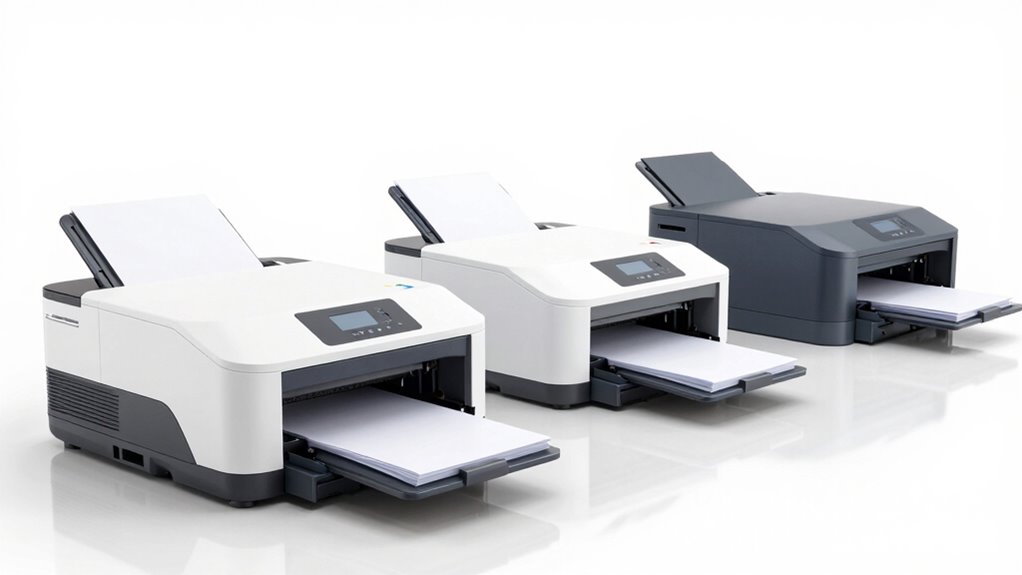
A high-speed document scanner can clear paper backlogs quickly, but the right choice depends on more than pages per minute: feed capacity, duplex scanning, connectivity, and desk space all shape daily use. The ScanSnap iX2500 is my best overall pick for its blend of wireless and USB operation, while the Epson WorkForce ES-590W stands out for wireless office workflows and the Ricoh fi-8170 for demanding, high-volume work. Compact models such as the Brother DS-640 and Epson ES-50 trade batch speed for portability and a smaller footprint. Read on for the full breakdown, including which tradeoffs matter most for your workload.

Get privacy and security gear delivered free with Prime
- Fast, free delivery on millions of items
- Prime Video, Amazon Music and more included
- Member-only deals all year
Key Takeaways
- The iX2500 is my best overall balance: it pairs wireless and USB connections, while the ES-590W is a stronger fit when a wireless office workflow is the priority.
- Heavy workloads call for a different class of machine: the Ricoh fi-8170 is the premium pick for buyers prioritizing sustained office throughput over compact size.
- Duplex scanning is a meaningful time saver: models such as the Epson ES-400 II, Brother ADS-3100, and Canon R40II can capture both sides of a page in one pass.
- Small size and high batch throughput rarely come together: the Brother DS-640 and Epson ES-50 suit mobile or occasional jobs, not repeated stacks of paperwork.
- Connection preferences separate otherwise similar choices: wireless models support flexible placement and sharing, while USB-first options can suit a dedicated workstation with fewer setup demands.
| ScanSnap iX2500 Wireless and USB High-Speed Document Scanner, Black |  | Best Overall | Scanning speed: Up to 45 pages per minute, double-sided | Feeder capacity: 100 sheets | Connectivity: Wi-Fi 6, USB-C | VIEW ON AMAZON | See Our Full Breakdown |
| Brother DS-640 Compact Mobile Document Scanner |  | Best Compact Mobile Pick | Scanning speed: Up to 16 pages per minute | Resolution: 300 dpi | Connection: USB | VIEW ON AMAZON | See Our Full Breakdown |
| Epson WorkForce ES-400 II High-Speed Color Duplex Document Scanner |  | Best Value for Duplex Office Batches | Scanning speed: Up to 35 pages per minute | Duplex scanning: Yes | Feeder capacity: 50 sheets | VIEW ON AMAZON | See Our Full Breakdown |
| Ricoh fi-8170 Premium Bundle High-Speed Document Scanner |  | Best for High-Volume Business Scanning | Scanning speed: Up to 70 double-sided pages per minute | Feeder capacity: 100 sheets | Connectivity: USB, Ethernet | VIEW ON AMAZON | See Our Full Breakdown |
| Brother ADS-3100 High-Speed Desktop Scanner |  | Best Wired Small-Office Workhorse | Scanning speed: Up to 40 pages per minute | Feeder capacity: 60 sheets | Connection: USB 3.0 | VIEW ON AMAZON | See Our Full Breakdown |
| Epson WorkForce ES-500W II Wireless Color Duplex Desktop Document Scanner |  | Best for Wireless Office Scanning | Scanning speed: Up to 35 ppm / 70 ipm | Duplex scanning: Single-pass, two-sided capture | Automatic document feeder: 50 sheets | VIEW ON AMAZON | See Our Full Breakdown |
| Epson WorkForce ES-C220 Compact Duplex Document Scanner |  | Best Compact Pick | Scanner type: Duplex document scanner | Scanning speed: Up to 30 ppm / 60 ipm | Automatic document feeder: 20 pages | VIEW ON AMAZON | See Our Full Breakdown |
| Canon imageFORMULA R40II Duplex Office Document Scanner |  | Best for Fast Office Batches | Scanning speed: Up to 45 pages per minute | Duplex scanning: Yes | Automatic document feeder: 60 sheets | VIEW ON AMAZON | See Our Full Breakdown |
| ScanSnap iX2400 High-Speed Color Document Scanner |  | Best for Large Unattended Batches | Scanning speed: Up to 45 pages per minute | Automatic document feeder: 100 sheets | Connection: USB | VIEW ON AMAZON | See Our Full Breakdown |
| Plustek PS188 High-Speed Double-Sided Color Document Scanner |  | Best for Custom Scan Workflows | Scanning speed: Up to 30 pages per minute | Duplex scanning: Double-sided | Automatic document feeder: 50 sheets | VIEW ON AMAZON | See Our Full Breakdown |
| Epson WorkForce ES-590W Wireless Duplex Document Scanner |  | Best for High-Volume Wireless Scanning | Scanner type: Color duplex document scanner | Connectivity: USB, Wi-Fi | Scanning speed: Up to 45 ppm | VIEW ON AMAZON | See Our Full Breakdown |
| Epson WorkForce ES-50 Portable Document Scanner |  | Best for Portable Single-Page Scanning | Scanner type: Single-sheet-fed document scanner | Connectivity: USB 2.0 | Scanning speed: As fast as 5.5 seconds per page | VIEW ON AMAZON | See Our Full Breakdown |
| ScanSnap iX1300 Wireless or USB Double-Sided Color Document Scanner, White |  | Best Compact Duplex Scanner | Model: ScanSnap iX1300 | Connectivity: USB, Wi-Fi | Duplex scanning speed: Up to 30 ppm | VIEW ON AMAZON | See Our Full Breakdown |
| document scanner high speed | Scanning speed | Weight | Resolution | Dimensions |
|---|---|---|---|---|
| ScanSnap iX2500 Wireless and U | Up to 45 pages per minute, double-sided | 7.7 pounds | 600 dpi | 6.26 x 11.5 x 6.34 inches |
| Brother DS-640 Compact Mobile | Up to 16 pages per minute | 1 pound | 300 dpi | 1.99 x 11.9 x 1.45 inches |
| Epson WorkForce ES-400 II High | Up to 35 pages per minute | 3.7 kg | 300 dpi | 11.6 x 11.6 x 6.9 inches |
| Ricoh fi-8170 Premium Bundle H | Up to 70 double-sided pages per minute | 8.8 pounds | 600 dpi | — |
| Brother ADS-3100 High-Speed De | Up to 40 pages per minute | 6.1 pounds | 600 x 600 dpi | 11.7 x 11.7 x 7.5 inches |
| Epson WorkForce ES-500W II Wir | Up to 35 ppm / 70 ipm | 8.1 pounds | — | 11.6 × 6.6 × 6.9 inches |
| Epson WorkForce ES-C220 Compac | Up to 30 ppm / 60 ipm | — | — | — |
| Canon imageFORMULA R40II Duple | Up to 45 pages per minute | 7.1 pounds | 600 dpi | — |
| ScanSnap iX2400 High-Speed Col | Up to 45 pages per minute | 7.1 pounds | 600 dpi | 6.26 × 11.5 × 6.34 inches |
| Plustek PS188 High-Speed Doubl | Up to 30 pages per minute | — | — | — |
| Epson WorkForce ES-590W Wirele | Up to 45 ppm | 8.2 pounds | 600 dpi | 6.7 x 11.6 x 6.6 inches |
| Epson WorkForce ES-50 Portable | As fast as 5.5 seconds per page | 9.44 ounces | 1200 dpi | 10.7 × 10.7 × 1.3 inches |
| ScanSnap iX1300 Wireless or US | — | 4.4 pounds | 600 dpi | 4.5 x 11.7 x 3.3 inches |
More Details on Our Top Picks
ScanSnap iX2500 Wireless and USB High-Speed Document Scanner, Black
For a fast everyday workflow that also needs room to grow, the ScanSnap iX2500 pairs 45-page-per-minute double-sided scanning with a 100-sheet feeder. That capacity and its large touchscreen make it better suited to repeated home-office batches than the single-sheet Brother DS-640, while Wi-Fi 6 and USB-C give it more connection flexibility than the USB-only Epson ES-400 II. Its software can optimize, name, and organize scans, reducing the sorting work that often follows a paper-heavy session. The tradeoff is that the iX2500 is a desktop commitment: at 7.7 pounds, it needs dedicated space, and its 45-page speed is below the business-focused Ricoh fi-8170. I’d choose it for a broad mix of records, receipts, and photos, but not for the highest-volume office queues.
Pros:- Scans double-sided pages at up to 45 pages per minute
- 100-sheet automatic document feeder suits substantial batches
- Wi-Fi 6 and USB-C provide flexible connections
- Touchscreen and automatic file organization can simplify repeat workflows
Cons:- Requires dedicated desk space and weighs 7.7 pounds
- Its listed speed is lower than the Ricoh fi-8170’s 70 double-sided pages per minute
Best for: Home-office users who scan frequent mixed batches of paperwork and want wireless access, a large feeder, and on-device controls.
Not ideal for: Businesses running sustained, high-volume scanning jobs that need the Ricoh fi-8170’s higher listed throughput, or users without room for a desktop scanner.
- Scanning speed:Up to 45 pages per minute, double-sided
- Feeder capacity:100 sheets
- Connectivity:Wi-Fi 6, USB-C
- Resolution:600 dpi
- Optical sensor:CIS
- Compatible devices:Mac, PC, iOS, Android
- Dimensions:6.26 x 11.5 x 6.34 inches
- Weight:7.7 pounds
Our verdict“Choose the iX2500 for a versatile, fast home-office scanner with a large feeder and wireless workflow, rather than a maximum-throughput business machine.”
Brother DS-640 Compact Mobile Document Scanner
The Brother DS-640 is the portability choice here: it weighs just 1 pound, runs on USB power, and scans at up to 16 pages per minute without needing a wall outlet. That makes it easier to carry between work sites than the desktop ScanSnap iX2500 or Epson ES-400 II. It also handles long documents up to 72 inches, plus business cards and plastic ID cards, so its usefulness extends beyond ordinary letter-size paperwork. The clear compromise is throughput. With single-sheet feeding, it cannot keep pace with the batch-oriented 50- and 100-sheet scanners in this group, and it needs a computer connection to operate. I’d pick it for occasional mobile capture, not for clearing a large filing pile quickly.
Pros:- One-pound body is easy to carry
- USB-powered operation does not require a wall outlet
- Supports documents up to 72 inches long and multiple card types
- Includes OCR and image enhancement software
Cons:- Single-sheet feeding makes large batches slow to process
- Must connect to a computer to operate
- Up to 16 pages per minute is well below desktop options such as the Brother ADS-3100
Best for: Mobile professionals who need to capture receipts, forms, long documents, or ID cards at different locations using a laptop.
Not ideal for: Home offices or departments that regularly scan large stacks and need an automatic document feeder or hands-off batch processing.
- Scanning speed:Up to 16 pages per minute
- Resolution:300 dpi
- Connection:USB
- Power consumption:2.5 W
- Maximum document length:72 inches
- Supported media:Business cards, embossed cards, ID cards, laminated cards, plain paper, plastic cards, receipts
- Dimensions:1.99 x 11.9 x 1.45 inches
- Weight:1 pound
Our verdict“Pick the DS-640 when portability and USB-powered scanning matter more than feeder capacity and batch speed.”
Epson WorkForce ES-400 II High-Speed Color Duplex Document Scanner
The Epson WorkForce ES-400 II balances useful batch speed with a straightforward USB desktop setup. It scans both sides in one pass at up to 35 pages per minute, and its 50-sheet feeder is enough for routine office paperwork without the larger capacity of the ScanSnap iX2500 or Ricoh fi-8170. OCR can turn scans into searchable PDFs or editable Word and Excel files, a practical advantage when documents need to be found or reused later. Double-feed detection and image adjustment tools also help manage ordinary mixed batches. Its main limitation is connectivity: this is a USB-connected scanner, and cloud destinations depend on an internet connection and installed ScanSmart software. Compared with the Brother ADS-3100, it has a smaller feeder and lower listed speed, but remains a capable fit for moderate workloads.
Pros:- Duplex scanning captures both sides in one pass
- Up to 35 pages per minute handles routine batches efficiently
- 50-sheet automatic feeder supports multi-page jobs
- OCR supports searchable PDFs and editable Word or Excel files
Cons:- USB connection limits placement and wireless workflow options
- Cloud features require an internet connection and installed ScanSmart software
- Its 50-sheet feeder is smaller than those on the ScanSnap iX2500 and Ricoh fi-8170
Best for: Home offices and small teams that scan regular two-sided paperwork and want OCR and file conversion through a wired computer workflow.
Not ideal for: People who need wireless scanning, a large-capacity feeder, or the throughput of the Ricoh fi-8170 for heavy daily queues.
- Scanning speed:Up to 35 pages per minute
- Duplex scanning:Yes
- Feeder capacity:50 sheets
- Connection:USB
- Resolution:300 dpi
- Optical sensor:CCD
- Dimensions:11.6 x 11.6 x 6.9 inches
- Weight:3.7 kg
Our verdict“Choose the ES-400 II for moderate wired office batches where duplex speed and OCR matter more than wireless access or maximum feeder capacity.”
Ricoh fi-8170 Premium Bundle High-Speed Document Scanner
When throughput is the main buying criterion, the Ricoh fi-8170 leads this group with up to 70 double-sided pages per minute and a 100-sheet feeder. That puts it well ahead of the ScanSnap iX2500’s 45-page-per-minute rating and makes it a more suitable fit for sustained business queues than the Epson ES-400 II. Its supported media includes documents, ID cards, and passports, while USB and Ethernet give offices a choice between direct and networked connection. The included PaperStream ClickScan software and five-year Advance Exchange warranty add practical support for a business workflow. The key restriction is platform compatibility: the listed system requirements are Windows-only. At 8.8 pounds, it is also a stationary desktop unit rather than a portable scanner.
Pros:- Up to 70 double-sided pages per minute is the highest listed speed in this group
- 100-sheet feeder supports long batch jobs
- USB and Ethernet allow direct or networked connections
- Handles ID cards and passports and includes a five-year Advance Exchange warranty
Cons:- Listed system requirements support Windows only
- At 8.8 pounds, it is intended for a fixed workspace
- Its business-oriented speed and workflow may be more than occasional users need
Best for: Windows-based offices with heavy daily document volumes, multiple operators, and a need to scan cards or passports alongside paperwork.
Not ideal for: Mac users, mobile workers, or small teams with occasional scans who do not need its high throughput and business-oriented setup.
- Scanning speed:Up to 70 double-sided pages per minute
- Feeder capacity:100 sheets
- Connectivity:USB, Ethernet
- Resolution:600 dpi
- Supported media:Business cards, embossed cards, ID cards, receipts
- Included software:PaperStream ClickScan
- Warranty:5-year Advance Exchange
- Weight:8.8 pounds
Our verdict“Choose the fi-8170 for a Windows office that needs the fastest listed duplex throughput and a large feeder, not for portable or light-duty scanning.”
Brother ADS-3100 High-Speed Desktop Scanner
The Brother ADS-3100 sits between the moderate-duty Epson ES-400 II and the faster Ricoh fi-8170: it scans single- or double-sided pages at up to 40 pages per minute and holds 60 sheets. For a small office that processes mixed paperwork but does not need Ricoh-level throughput, that combination provides useful batch capacity without a 100-sheet feeder. It also accepts business cards, ID cards, receipts, and photos, with scans directed to a computer, USB drive, or supported cloud and document-management destinations. The tradeoff is a firmly wired setup: USB 3.0 is the listed connection, with no wireless option specified. The system information is also limited to a Windows 7 minimum requirement, so buyers should check compatibility for their own setup rather than assume broad platform support.
Pros:- Scans single- or double-sided pages at up to 40 pages per minute
- 60-sheet automatic feeder handles routine office batches
- Supports documents, business cards, ID cards, receipts, and photos
- Can send scans to a computer, USB drive, or supported cloud and document-management destinations
Cons:- USB 3.0 is the only listed connection; wireless connectivity is not specified
- Provided minimum system requirement lists Windows 7, with no broader compatibility details
- Feeder capacity is below the 100-sheet ScanSnap iX2500 and Ricoh fi-8170
Best for: Small-business and home-office users who scan varied paper and card types in batches and prefer direct USB connections.
Not ideal for: Teams that need wireless placement, a documented Mac or mobile workflow, or higher sustained throughput than its 40-page-per-minute rating.
- Scanning speed:Up to 40 pages per minute
- Feeder capacity:60 sheets
- Connection:USB 3.0
- Resolution:600 x 600 dpi
- Optical sensor:CIS
- Supported media:Business cards, ID cards, paper, photos, receipts
- Dimensions:11.7 x 11.7 x 7.5 inches
- Weight:6.1 pounds
Our verdict“Pick the ADS-3100 for a wired small office that wants strong batch speed and mixed-media support without stepping up to a 100-sheet business scanner.”
Epson WorkForce ES-500W II Wireless Color Duplex Desktop Document Scanner
The ES-500W II pairs a brisk 35 ppm rating with wireless scanning, so it suits small offices that want speed without keeping every scan tied to a USB-connected computer. Its 50-sheet feeder handles mixed batches, while duplex capture records both sides in one pass; searchable PDFs, OCR, and paper-skew correction help turn those batches into files people can find and use. Compared with the Canon imageFORMULA R40II, it feeds fewer sheets at once and scans more slowly, but it adds Wi-Fi and mobile-app support. The tradeoff is that some cloud and mobile workflows depend on Epson software, and the 50-sheet capacity may require more reloading than the ScanSnap iX2400‘s 100-sheet feeder. This is the stronger fit when wireless access matters more than maximum batch capacity.
Pros:- 35 ppm / 70 ipm duplex scanning captures both sides in one pass.
- Wi-Fi and mobile-app support allow scans without a direct USB connection.
- 50-sheet feeder accepts multiple paper types and sizes.
- OCR, searchable PDFs, and image corrections support more usable digital records.
Cons:- Its 50-sheet feeder holds less than the ScanSnap iX2400’s 100-sheet feeder.
- At 35 ppm, it trails the Canon imageFORMULA R40II and ScanSnap iX2400, both rated at 45 ppm.
- Wireless cloud and mobile workflows rely on Epson software and app support.
Best for: Small-office teams that scan recurring mixed-document batches and want to send files from a computer or mobile device to cloud storage.
Not ideal for: High-volume departments that want the largest feeder in this group or need to scan through a specific third-party driver workflow without relying on Epson’s software.
- Scanning speed:Up to 35 ppm / 70 ipm
- Duplex scanning:Single-pass, two-sided capture
- Automatic document feeder:50 sheets
- Connection:Wi-Fi
- Supported media:Documents, business cards, ID cards, contracts, and extra-long pages up to 240 inches
- Software:Epson ScanSmart, Epson Smart Panel app, and TWAIN driver
- Dimensions:11.6 × 6.6 × 6.9 inches
- Weight:8.1 pounds
Our verdict“Choose the ES-500W II if you want fast duplex batches with wireless and mobile scanning, rather than the highest listed speed or feeder capacity.”
Epson WorkForce ES-C220 Compact Duplex Document Scanner
The ES-C220 is the space-saving choice for a desk where a full-size feeder would be awkward. It scans both sides in one pass at up to 30 ppm / 60 ipm, and its 20-page feeder is enough for routine paperwork without demanding much room. Support for cards and passports adds useful flexibility for a home office or reception desk, while ScanSmart includes OCR and image adjustments. That smaller feeder is the clear compromise: the Epson ES-500W II holds 50 sheets and scans faster, making it better for regular stacks. The ES-C220 also lacks the wireless capability described for the ES-500W II, so it is less suited to shared, device-independent scanning. I would pick it when footprint and varied media matter more than clearing large batches quickly.
Pros:- Compact, lightweight design takes up less desk space.
- Duplex scanning captures both sides in one pass at up to 30 ppm / 60 ipm.
- 20-page feeder supports convenient short batch jobs.
- Handles documents, cards, and passports, with ScanSmart OCR and image adjustments.
Cons:- The 20-page feeder requires frequent reloading for larger batches.
- Its 30 ppm speed is below the Epson ES-500W II and the 45 ppm Canon R40II.
- The listed product details do not specify wireless connectivity.
Best for: Home-office users and small reception desks that need duplex scanning for short batches, cards, and passports in a compact setup.
Not ideal for: Teams that regularly scan long stacks of paperwork or want a larger feeder and faster throughput, such as the Epson ES-500W II offers.
- Scanner type:Duplex document scanner
- Scanning speed:Up to 30 ppm / 60 ipm
- Automatic document feeder:20 pages
- Supported media:Documents, cards, and passports
- Software:Epson ScanSmart with OCR
- Design:Compact and lightweight
Our verdict“Choose the ES-C220 when compact size and mixed small-format documents matter more than feeder capacity or peak speed.”
Canon imageFORMULA R40II Duplex Office Document Scanner
With a listed speed of 45 ppm and a 60-sheet feeder, the Canon imageFORMULA R40II is built to clear office batches quickly. Two-sided color scanning in one pass keeps originals moving, and USB-C plus CaptureOnTouch provide a straightforward computer-based workflow for turning paper into searchable files. Its speed matches the ScanSnap iX2400, but the iX2400’s 100-sheet feeder can run through a larger unattended stack before needing a refill. The Canon’s advantage is a smaller, foldable feed tray and a monochrome LCD for one-touch operation. The main limitation is software flexibility: the listed details say it is designed for CaptureOnTouch and does not support TWAIN or ISIS drivers. That makes it a strong office pick for buyers comfortable with Canon’s included software, but a poor match for driver-dependent document systems.
Pros:- 45 ppm color duplex scanning captures both sides in one pass.
- 60-sheet feeder supports sizable office batches.
- USB-C connection and CaptureOnTouch provide a focused scanning workflow.
- Foldable feed tray supports a compact setup when the scanner is not in use.
Cons:- TWAIN and ISIS drivers are not supported, limiting integration with some software.
- The 60-sheet feeder holds less than the ScanSnap iX2400’s 100-sheet capacity.
- Its software workflow is centered on Canon CaptureOnTouch rather than broader driver options.
Best for: Office users processing frequent medium-sized batches who want 45 ppm duplex scanning and are happy to work in Canon CaptureOnTouch.
Not ideal for: Organizations that depend on TWAIN or ISIS drivers, or users who want a larger unattended batch capacity than its 60-sheet feeder provides.
- Scanning speed:Up to 45 pages per minute
- Duplex scanning:Yes
- Automatic document feeder:60 sheets
- Connection:USB-C
- Resolution:600 dpi
- Software:Canon CaptureOnTouch
- Weight:7.1 pounds
- Warranty:1 year
Our verdict“Choose the R40II for fast office batches if its CaptureOnTouch workflow fits your software needs and 60 sheets is enough between reloads.”
ScanSnap iX2400 High-Speed Color Document Scanner
The ScanSnap iX2400 combines 45 ppm scanning with the largest feeder in this group: 100 sheets. That pairing matters when speed means finishing a long stack with fewer interruptions, rather than just reaching a high page-per-minute figure. Automatic size and color detection, blank-page removal, and skew correction also reduce routine cleanup across documents, receipts, photos, and cards. Compared with the Canon imageFORMULA R40II, it offers 40 more feeder sheets at the same listed speed, making it the better fit for longer batches. The tradeoff is its USB-only connection; unlike the wireless Epson ES-500W II, it is not the choice for mobile or wireless cloud scanning. Its listed operating-system support is also limited to Windows 10/11 and macOS Monterey 12 or later, so older systems should be checked before buying.
Pros:- 45 ppm speed paired with a 100-sheet feeder supports long batches with fewer reloads.
- Automatic size and color detection reduces manual setup.
- Blank-page removal and skew correction limit cleanup after scanning.
- Handles documents, photos, receipts, business cards, and ID or insurance cards.
Cons:- USB connection only; it lacks the wireless options of the Epson ES-500W II.
- Listed compatibility is limited to Windows 10/11 and macOS Monterey 12 or later.
- At 45 ppm, it shares the Canon R40II’s rated speed rather than exceeding it.
Best for: Bookkeepers, administrators, and home-office users who scan long batches of paperwork, receipts, and cards from a supported computer.
Not ideal for: Buyers who need wireless or mobile scanning, or who use an operating system older than the listed Windows 10/11 and macOS Monterey 12 requirements.
- Scanning speed:Up to 45 pages per minute
- Automatic document feeder:100 sheets
- Connection:USB
- Resolution:600 dpi
- Supported media:Documents, business cards, photos, receipts, ID cards, and insurance cards
- Compatible systems:Windows 10/11; macOS Monterey 12 or later
- Dimensions:6.26 × 11.5 × 6.34 inches
- Weight:7.1 pounds
Our verdict“Choose the iX2400 if large batches and a 100-sheet feeder matter more than wireless access or broad operating-system support.”
Plustek PS188 High-Speed Double-Sided Color Document Scanner
The Plustek PS188 is the workflow-focused option for Windows users who want to automate repeat jobs rather than chase the highest listed speed. Its 30 ppm duplex scanning and 50-sheet feeder are solid for regular office batches, while up to 255 scan profiles let users keep different destinations and settings ready. Barcode-based file naming and full-text search are practical advantages for archiving, where consistent labels can save time after the pages leave the feeder. Compared with the Epson ES-500W II, the Plustek trades wireless and mobile scanning for a much larger profile library; it also scans more slowly. The 200-inch maximum document length adds flexibility for long forms, but its Windows-only listed support rules it out for Mac households and mixed-platform offices.
Pros:- Duplex scanning reaches up to 30 ppm with a 50-sheet feeder.
- Up to 255 customizable scan profiles suit repeated, varied workflows.
- Barcode-based file naming and full-text search support organized archiving.
- Handles cards and documents up to 200 inches long.
Cons:- Listed operating-system support is Windows-only.
- Its 30 ppm speed trails the 35 ppm Epson ES-500W II and the 45 ppm Canon R40II.
- USB connection does not offer the wireless flexibility of the Epson ES-500W II.
Best for: Windows-based offices and records teams that repeat distinct scan jobs and benefit from barcode naming, searchable files, and saved profiles.
Not ideal for: Mac users or teams that need wireless scanning, mobile workflows, or faster throughput than 30 ppm.
- Scanning speed:Up to 30 pages per minute
- Duplex scanning:Double-sided
- Automatic document feeder:50 sheets
- Connection:USB
- Optical resolution:600 dpi
- Maximum document length:200 inches
- Scan profiles:Up to 255
- Supported operating systems:Windows 7, 8, 10, and 11
Our verdict“Choose the PS188 if your Windows office values saved scan workflows and barcode-based filing more than wireless access or peak speed.”
Epson WorkForce ES-590W Wireless Duplex Document Scanner
For buyers who need speed across a stack rather than a page at a time, the ES-590W scans up to 45 pages per minute and captures both sides in one pass. Its 100-sheet feeder holds more than the ScanSnap iX1300’s 20-sheet capacity, so larger batches need fewer pauses for reloading. Wi-Fi and a 4.3-inch touchscreen also let users send scans to supported destinations without keeping a computer at the scanner.
The tradeoff is its desktop focus: at 8.2 pounds, it is less convenient to move around than the portable Epson ES-50, and the ES-50 is better for occasional single-page capture on the go. The ES-590W’s speed and feeder suit recurring office batches, but its larger capacity may be unnecessary for light scanning. Choose it for fast, hands-off stacks; skip it if portability or one-off scans matter more.
Pros:- Scans both sides in one pass at speeds up to 45 ppm
- 100-sheet automatic document feeder reduces interruptions during large jobs
- Wi-Fi supports sending scans to computers, mobile devices, and cloud storage
- 4.3-inch touchscreen allows direct operation without a computer
Cons:- Less portable than single-sheet models such as the Epson ES-50
- A 100-sheet feeder may be unnecessary for occasional or small scan jobs
Best for: Small offices and home-office users who regularly scan large mixed-sided document batches and want wireless or touchscreen workflows.
Not ideal for: Traveling professionals and people who mostly scan a few pages at a time; the ES-50 is much lighter, while this model’s large feeder and desktop setup may be more than they need.
- Scanner type:Color duplex document scanner
- Connectivity:USB, Wi-Fi
- Scanning speed:Up to 45 ppm
- Resolution:600 dpi
- Automatic document feeder:100 sheets
- Touchscreen:4.3-inch color
- Dimensions:6.7 x 11.6 x 6.6 inches
- Weight:8.2 pounds
Our verdict“Choose the ES-590W for fast, frequent batch scanning with wireless convenience; choose a portable single-sheet scanner if mobility matters more.”
Epson WorkForce ES-50 Portable Document Scanner
The Epson ES-50 prioritizes mobility over batch throughput. It scans a page in as little as 5.5 seconds, weighs just 9.44 ounces, and draws power through USB, making it practical for a laptop bag or a crowded desk. It also handles receipts, ID cards, and documents up to 8.5 × 72 inches, a useful range for forms or long receipts that a basic sheet scanner may not accommodate.
That portability comes with a clear speed limit: the ES-50 feeds one sheet at a time, unlike the Epson ES-590W’s 100-sheet feeder and 45-ppm duplex scanning. Its 1200-dpi resolution and OCR features support detailed captures and searchable or editable files, but they do not make it a high-volume batch machine. I’d pick it for mobile paperwork and short jobs, not recurring office stacks or hands-free duplex work.
Pros:- Lightweight, compact design is easy to carry
- USB-powered operation avoids a separate power supply
- Accepts long documents up to 8.5 × 72 inches, along with receipts and ID cards
- Software supports searchable PDFs and editable Word and Excel files
Cons:- Single-sheet feeding makes large jobs slow and hands-on
- Requires a computer connection for power and scanning
- Does not offer the listed duplex scanning speed of desktop batch models
Best for: Traveling consultants, field staff, and laptop users who need to capture receipts, IDs, forms, or occasional long documents away from a desk.
Not ideal for: Office teams scanning frequent multi-page or double-sided batches; its single-sheet feed requires manual handling and is slower for stacks than the ES-590W or ScanSnap iX1300.
- Scanner type:Single-sheet-fed document scanner
- Connectivity:USB 2.0
- Scanning speed:As fast as 5.5 seconds per page
- Resolution:1200 dpi
- Maximum document size:8.5 × 72 inches
- Power:2.1 watts; USB-powered
- Dimensions:10.7 × 10.7 × 1.3 inches
- Weight:9.44 ounces
- Compatibility:Windows and Mac
Our verdict“Pick the ES-50 for lightweight, occasional scanning on the move, but choose a feeder-equipped duplex scanner for regular batches.”
ScanSnap iX1300 Wireless or USB Double-Sided Color Document Scanner, White
The ScanSnap iX1300 takes a middle path between a travel scanner and a larger batch-focused desktop model. At up to 30 pages per minute, it scans both sides quickly enough for everyday paperwork, while its 4.4-pound build and compact footprint suit desks with limited space. Unlike the Epson ES-50, it supports duplex scanning and can handle documents, photos, receipts, and plastic cards, giving it more range for a small home office.
Its 20-sheet capacity is the main constraint: it needs more reloading than the ES-590W, whose 100-sheet feeder is better for sustained office batches. Wi-Fi and USB offer flexible connections, and automatic image correction and blank-page removal can reduce cleanup, though some workflows depend on a compatible device or mobile app. I’d choose it when compact duplex convenience matters more than maximum feeder capacity or speed.
Pros:- Compact 4.5 x 11.7 x 3.3-inch design fits smaller work areas
- Duplex scanning reaches speeds up to 30 ppm
- Handles documents, photos, receipts, and plastic cards
- USB and Wi-Fi connectivity, plus automatic image correction and blank-page removal
Cons:- 20-sheet capacity requires more frequent reloading than the ES-590W
- Some scanning workflows require a compatible device or mobile app
- Slower than the ES-590W for high-volume batch scanning
Best for: Home-office users and small-space workers who want duplex scanning for mixed documents, photos, receipts, and cards without a full-size scanner.
Not ideal for: Teams processing large daily stacks; its 20-sheet capacity and 30-ppm speed are less suited to sustained volume than the Epson ES-590W.
- Model:ScanSnap iX1300
- Connectivity:USB, Wi-Fi
- Duplex scanning speed:Up to 30 ppm
- Resolution:600 dpi
- Standard sheet capacity:20 sheets
- Optical sensor technology:CIS
- Dimensions:4.5 x 11.7 x 3.3 inches
- Weight:4.4 pounds
- Warranty:1-year depot warranty
Our verdict“Choose the iX1300 for compact, versatile duplex scanning, but favor the ES-590W when feeder capacity and batch speed take priority.”

How We Picked
I compared these 13 scanners through the needs behind the phrase high-speed document scanner: moving paper through reliably, capturing both sides efficiently, and making files available where they are needed. I weighed stated scanning performance alongside automatic document feeding, duplex capability, connectivity, form factor, and workflow flexibility. I also considered whether a machine appears suited to occasional home paperwork, a shared desktop, mobile use, or sustained office scanning.
The ranking favors useful speed in a real workflow, not a headline speed figure on its own. A fast scanner that is awkward to connect, too large for its intended setting, or poorly matched to batch size may be a worse buy than a more balanced model. That puts the ScanSnap iX2500 first for broad usability, gives the Ricoh fi-8170 a premium role for heavier demands, and places compact portable scanners lower for bulk work even though they serve a different need well. I treat models with overlapping roles as alternatives rather than implying that one is best for every buyer.
Factors to Consider When Choosing Document Scanner High Speed
Before choosing a scanner, map the paper workflow you actually have: how many pages arrive at once, how often you scan, and where the files need to go. A speed figure cannot tell you whether a machine will handle your documents smoothly or fit your work area. These factors help separate a capable everyday scanner from a model that merely looks fast on a specification sheet.
Match speed to batch size and frequency
Think about whether you scan a few receipts each week or regularly process folders of invoices, forms, and records. A portable single-sheet scanner can be convenient for occasional jobs, but feeding pages individually becomes tedious when a backlog grows. For repeated batches, an automatic document feeder can reduce hands-on time as much as a higher rated page speed. Check whether the stated speed applies to one-sided or duplex scanning and whether it depends on a particular resolution or color mode. If your workload comes in short bursts, paying for sustained office-class throughput may bring little benefit. Choose for the largest routine batch you expect to scan, not just the average page count on a quiet day.
Check what duplex means for your documents
Two-sided originals are common in contracts, applications, and office forms, so duplex scanning can cut the number of passes required. Still, a duplex feature only helps when the scanner can reliably feed the paper you use. Mixed stacks of thin receipts, folded pages, or differently sized documents can call for more supervision than a neat batch of standard sheets. Before buying, identify whether your routine includes one-sided paperwork, double-sided pages, or a mixture. If most pages are single-sided, prioritize feed reliability and workflow simplicity over a feature that will see little use. For regular double-sided batches, also consider how the scanner handles page order and blank backs in the resulting files.
Choose connectivity around the people and devices involved
Wireless operation can make a scanner easier to place and share, especially when several people need to send scans from different workstations. A direct USB connection can be a simpler fit for one dedicated computer and may reduce setup steps in a fixed workspace. Do not assume wireless automatically means a better workflow: check that the software and destinations support the way you name, store, and retrieve files. Shared offices should think about access, user handoffs, and where scans land, not just whether a scanner joins the network. Home users may value flexible placement more than multi-user access. Pick the connection that removes friction from your regular process rather than adding features you will rarely use.
Measure the footprint and the full working area
A compact scanner saves desk space, but the space it needs while in use can exceed its closed footprint. Account for the paper path, open trays, cables, and room to load a batch without moving other equipment. Portable models are easier to store or carry, though they may require more manual page handling than a desktop feeder. A fixed office setup can make a larger desktop scanner worthwhile if it reduces repeated work. Also consider where scanned pages will exit and whether there is room to keep originals organized. Measuring the work area before buying helps prevent a fast scanner from becoming inconvenient to use.
Prioritize document handling, not only peak speed
Pages per minute tell only part of the story: misfeeds, jams, and interruptions can erase the advantage of a fast scan rate. Think about the condition and variety of your originals, including thin paper, folded pages, receipts, and mixed sizes. If you scan sensitive or irreplaceable records, careful loading and a workflow that makes errors easy to catch may matter more than a small speed difference. For large routine batches, feeder capacity can influence how often you stop to reload. For occasional personal paperwork, easy setup and straightforward controls may matter more than capacity. Match the machine’s intended workload to your documents rather than assuming every high-speed model handles every paper type equally well.
Pay for workflow improvements you will use
A higher-cost or more specialized scanner makes sense when it reduces repeated labor, supports a demanding office routine, or fits a shared scanning process. It is harder to justify when the extra capability sits unused during occasional home scanning. Estimate the time spent feeding pages, sorting files, and sending scans to their final destination—not only the moment the scanner captures each sheet. Software, saved destinations, and ease of operation can have more day-to-day value than a small change in rated speed. Buyers who are new to document scanning may prefer a straightforward setup over extensive features. Match the spend to a recurring problem the scanner will solve.
Frequently Asked Questions
Is a portable scanner fast enough for a home office?
It can be, if your scanning is occasional and usually involves a few pages at a time. Portable models such as the Brother DS-640 and Epson ES-50 are easier to carry or store, but manual handling makes them less suitable for repeated stacks of paperwork. If you regularly scan two-sided forms or large batches, a desktop model with an automatic feeder will usually save more time across the whole task. Consider your busiest week, not only the typical day. That helps prevent a compact scanner from becoming a bottleneck when paperwork piles up.
Should I choose wireless or USB for a high-speed scanner?
Choose wireless if flexible placement or access from multiple devices is part of your routine. USB is a sensible choice for a single workstation where a direct connection keeps setup simple. Wireless features do not automatically make scanning faster; their main value is how conveniently scans reach the people and devices that need them. Check software compatibility and file destinations before deciding, particularly if scans must go to a shared folder or a specific application. If you do not need shared access, a USB-focused setup may be entirely adequate.
Does a higher pages-per-minute figure always mean faster scanning?
No. Rated speed can depend on resolution, color settings, paper size, and whether the figure counts one-sided or double-sided pages. The time spent loading pages, clearing misfeeds, naming files, and sending scans also affects how quickly a job is finished. For a large batch of two-sided forms, duplex operation and a capable feeder can matter more than a small difference in a quoted speed. Compare figures only when the testing conditions are similar. For your own decision, focus on the complete workflow you expect to repeat.
When is a premium office scanner worth choosing over an everyday desktop model?
A premium model is most defensible when scanning is frequent, batches are large, or interruptions carry a real cost for your office. Buyers who process paper throughout the day may benefit more from a machine built for demanding work than someone who scans occasional personal records. Compare the capacity and workflow features you will use with the space and setup the scanner requires. If the machine will mostly handle short jobs, an everyday desktop option may cover the need without office-focused extras. Think of the premium choice as a productivity purchase, not simply a way to get a higher speed number.
What should I check before scanning mixed paper sizes or fragile originals?
Look beyond the headline speed and confirm that the scanner’s paper handling suits the documents you expect to feed. Mixed sizes, curled receipts, thin sheets, and delicate originals may need more careful loading or individual handling than standard office pages. A fast feeder is most useful when it can move your actual paperwork consistently, not just neat stacks of matching sheets. For records you cannot replace, scan a small sample first and check for missing pages or image problems before processing a full batch. If fragile items are common, prioritize control and safe handling over batch speed.
Conclusion
For the broadest mix of speed, connection choices, and everyday usability, I recommend the ScanSnap iX2500 as best overall. The Brother DS-640 is my best value-style pick for mobile, occasional scanning, while the Ricoh fi-8170 is best premium for offices with heavier, sustained workloads. Beginners who want a straightforward desktop starting point should compare the Canon imageFORMULA R40II and Epson ES-400 II, choosing based on their preferred workflow and connection needs. For wireless office use, the Epson ES-590W deserves a close look; for a small space or travel, consider the ES-50, DS-640, or compact ES-C220. Match your choice to batch size and where scans need to go, and the right scanner will be clearer than any speed figure alone.