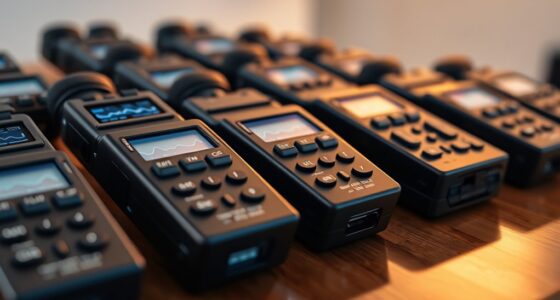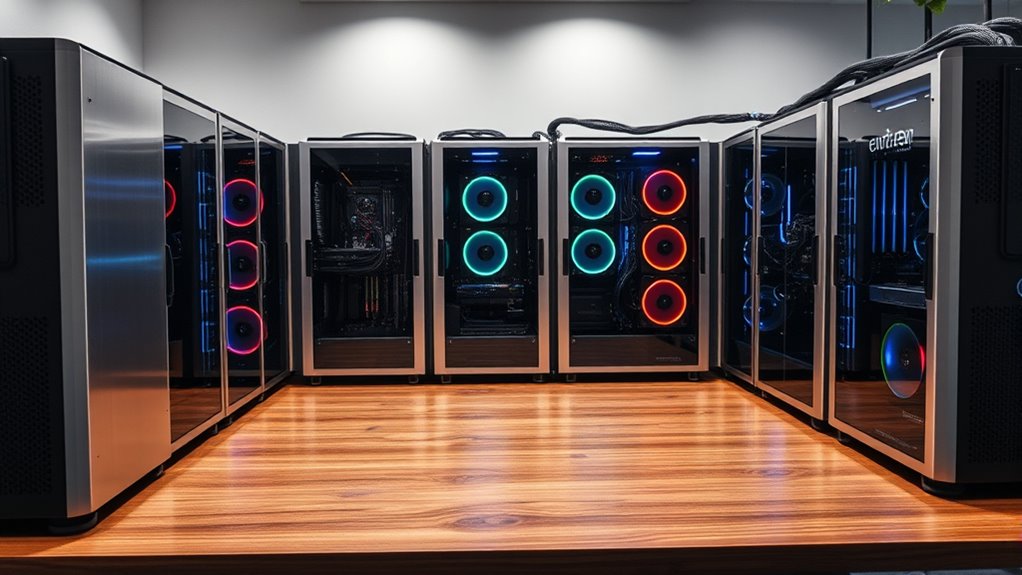

If you’re looking for top-tier homelab server cases in 2025, I’ve found that premium options range from high-capacity rackmounts like the Rosewill 4U chassis, supporting extensive storage and long GPUs, to versatile enclosures like the NavePoint 12U rack with glass doors, perfect for security and expandability. Compact units like the RackChoice Micro-ATX and GeeekPi cabinets also stand out for space efficiency. Continue exploring to discover the best fit for your setup and needs.
Key Takeaways
- Look for cases supporting E-ATX, CEB, or full ATX motherboards for maximum expandability and future-proofing.
- Prioritize models with advanced cooling options, including radiators up to 360mm and multiple pre-installed or supportable fans.
- Choose enclosures with secure features like lockable doors, tempered glass panels, and dust filters for enhanced security and maintenance.
- Opt for high-capacity rackmount cases supporting extensive storage, up to 13 drives, and multiple PCI slots for versatile homelab setups.
- Consider build quality materials such as steel, aluminum, or reinforced composites for durability and stability in long-term use.
Rosewill 4U Server Chassis with 11 Bay Rackmount Server Case
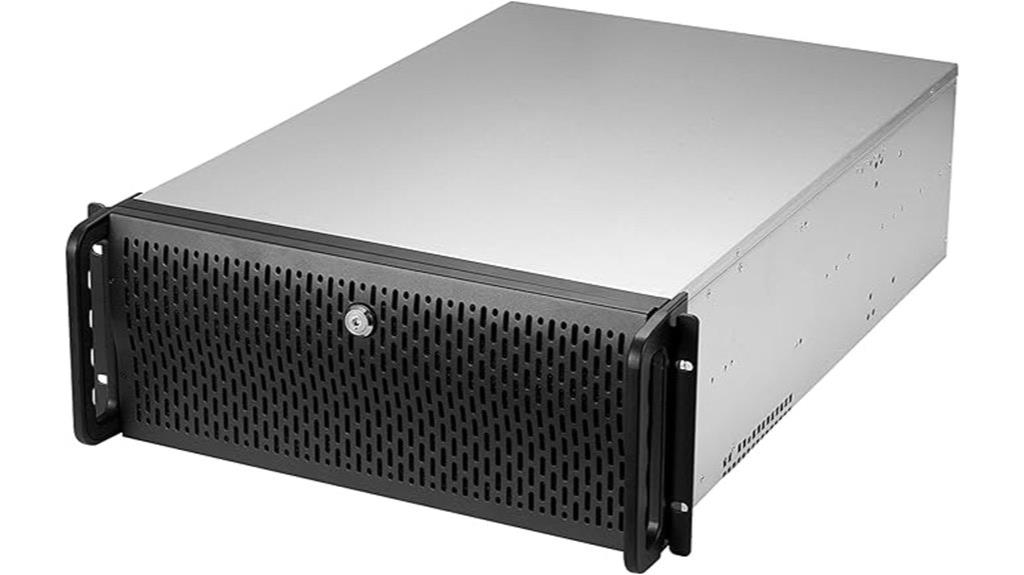
If you’re looking for a high-capacity server case that offers both extensive storage options and robust expandability, the Rosewill RSV-R4000U is an excellent choice. This 4U rackmount chassis measures 21 inches deep and features 8 internal 3.5” HDD bays plus space for 3 additional 5.25” devices, making it ideal for large storage needs. It supports ATX and CEB motherboards, providing flexibility for various builds. With 7 PCI expansion slots and four pre-installed fans, it offers excellent airflow and scalability. The front panel includes LED indicators, USB 3.0 ports, and a lock for security, making it a durable, versatile choice for demanding homelabs.
Best For: professionals or enterprises needing a high-capacity, expandable, and secure rackmount server case for large-scale storage and versatile hardware configurations.
Pros:
- Spacious interior with support for up to 11 drive bays, ideal for extensive storage needs.
- Supports ATX and CEB motherboards, offering build flexibility and compatibility.
- Efficient cooling with four pre-installed fans ensures optimal temperature management with quiet operation.
Cons:
- The 21-inch depth may require significant space in server rooms or racks.
- Limited to 4U rackmount form factor, which might be bulky for smaller setups.
- No included power supply, requiring additional purchase and installation.
RackChoice MicroATX/Mini-ITX 2U Rackmount Server Chassis
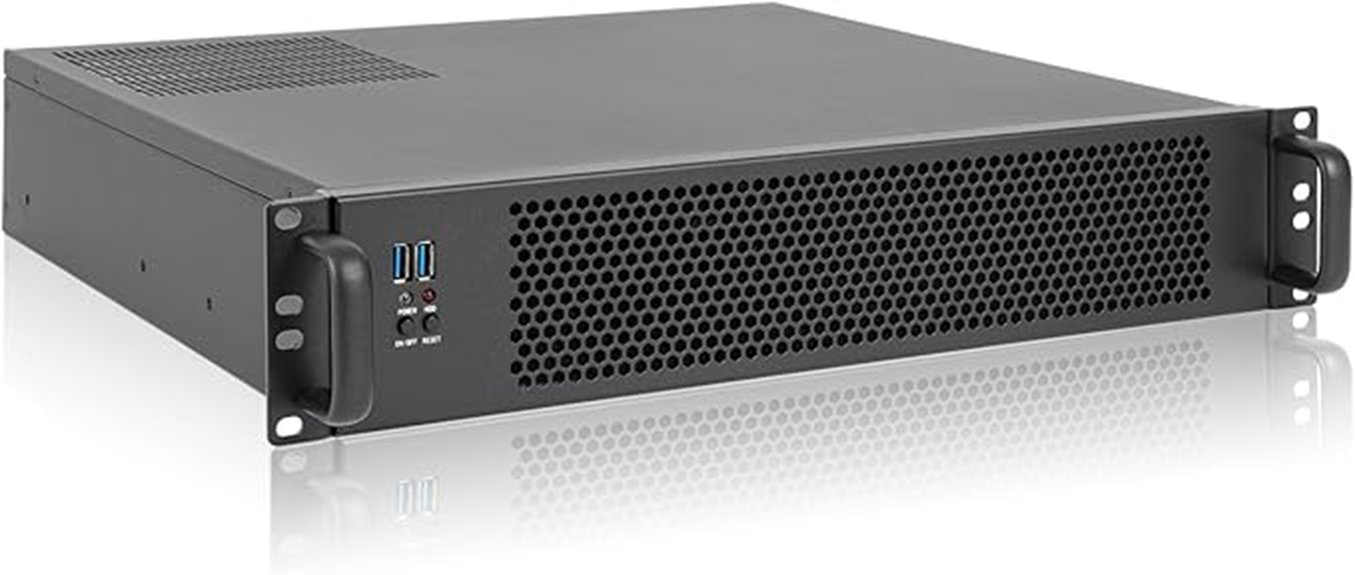
The RackChoice MicroATX/Mini-ITX 2U Rackmount Server Chassis stands out for its flexible compatibility and robust build, making it an ideal choice for homelab enthusiasts who need a compact yet versatile case. It supports Micro-ATX and Mini-ITX motherboards, offering build flexibility. With seven 3.5-inch drive bays or a mix of 3.5-inch and 2.5-inch options, storage isn’t an issue. Constructed with an aluminum front bezel and zinc-coated steel chassis, it ensures durability and good heat dissipation. Plus, it supports standard ATX power supplies and top or side cooling, providing effective airflow for high-performance setups.
Best For: homelab enthusiasts and small business users seeking a compact, versatile, and durable 2U rackmount chassis for server and storage applications.
Pros:
- Supports both Micro-ATX and Mini-ITX motherboards for flexible build options
- Multiple drive bay configurations for extensive storage capacity
- Robust construction with aluminum and zinc-coated steel for durability and heat dissipation
Cons:
- Limited to standard ATX power supplies, which may be bulkier for some setups
- Depth of 15.7 inches might be tight in confined rack spaces
- No included fans, requiring users to purchase cooling solutions separately
GeeekPi 8U Server Cabinet for Network and Audio Equipment

For those seeking a compact yet durable rack for network or audio equipment, the GeeekPi 8U Server Cabinet stands out. Its small footprint, measuring just 11.02 x 7.87 x 17.28 inches, makes it perfect for tight spaces in homes or small offices. The open design with translucent acrylic sides allows easy access, airflow, and interior observation. Made from lightweight yet sturdy aluminum alloy and acrylic, it offers dust resistance and durability. Supporting 8U of equipment, it fits switches, patch panels, or small servers comfortably. Although assembly can be a bit tricky, its high-quality materials and sleek appearance make it a solid choice for space-conscious setups.
Best For: tech enthusiasts, small office setups, and DIY builders seeking a compact, durable, and visually appealing server or network equipment enclosure.
Pros:
- Compact 8U design fits in small spaces while accommodating various equipment.
- Open airflow with translucent acrylic sides promotes cooling and easy interior observation.
- Made from lightweight yet sturdy aluminum alloy and acrylic, ensuring durability and aesthetic appeal.
Cons:
- Assembly can be challenging with some misaligned screw holes or unclear instructions.
- Acrylic panels may crack if crossbars are installed incorrectly or during handling.
- Accessories like shelves and panels are sold separately, which may increase overall cost.
4U Rackmount Server Chassis with 8 HDD Bays and Multiple Drive Bays
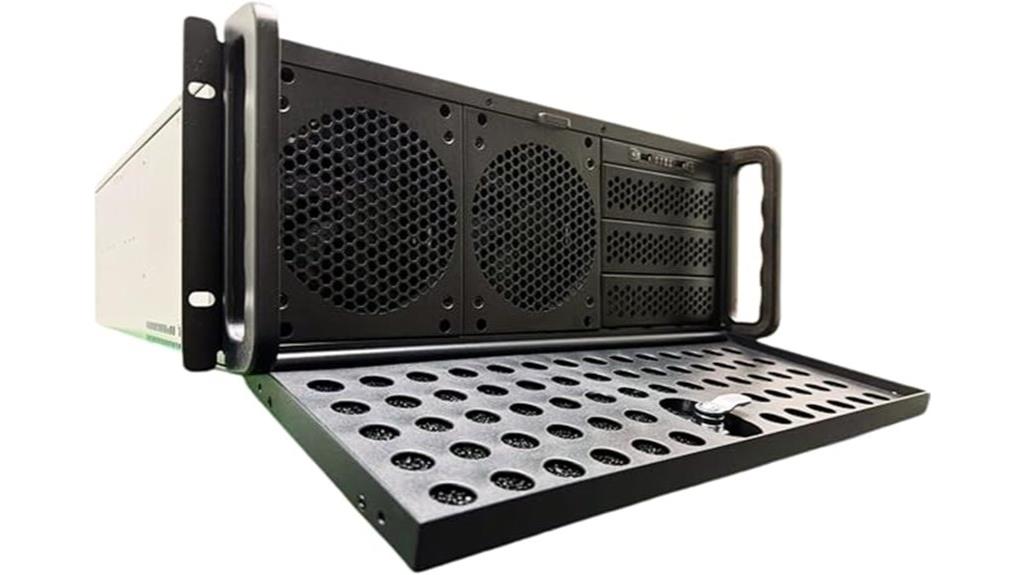
Designed for small-scale data centers and advanced home labs, U rackmount server chassis with 8 HDD bays and multiple drive bays offers a streamlined solution for expanding storage needs. This 4U rackmount case measures 25 x 16.8 x 7 inches and weighs around 37.2 pounds. It supports various motherboards, including E-ATX, CEB, and ATX, with room for up to 10 HDDs and 3 5.25-inch drive bays. With 7 fans for ideal airflow, front lock security, and LED indicators, it provides a durable, well-ventilated, and flexible platform perfect for high-capacity storage and reliable performance.
Best For: small-scale data centers, home labs, and users needing extensive storage and reliable performance in a durable 4U rackmount chassis.
Pros:
- Supports multiple motherboard sizes (E-ATX, CEB, ATX) for versatile compatibility
- Features 8 HDD bays plus 3 additional 5.25-inch drive bays for high-capacity storage
- Equipped with 7 fans for excellent airflow and cooling efficiency
Cons:
- Limited cable management options may complicate internal organization
- Entry points and access could be less user-friendly for quick maintenance
- Heavier weight (around 37.2 pounds) may require sturdy mounting solutions
NavePoint 12U Server Rack Enclosure with Glass Door
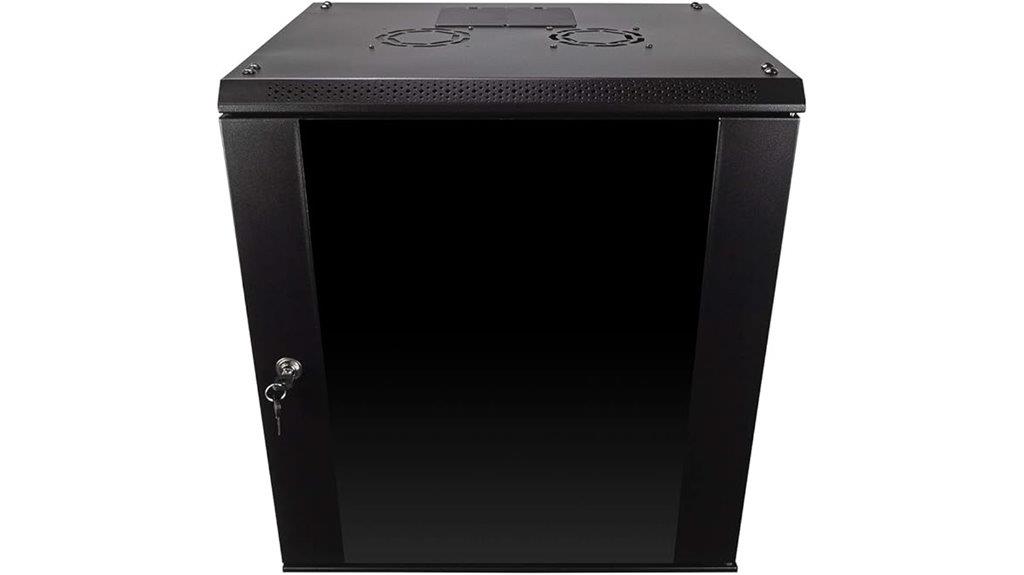
If you’re seeking a secure and space-efficient way to house your networking equipment, the NavePoint 12U Server Rack Enclosure with Glass Door is an excellent choice. Made from high-quality cold rolled steel with a welded frame, it supports up to 110 lbs and fits standard 19” equipment. Its reinforced, heat-treated tempered glass front door features a security lock, providing both security and easy monitoring. Compact at just over 17 inches deep, it’s perfect for tight spaces. Removable side panels and built-in fans ensure efficient airflow and easy customization. Overall, this enclosure combines durability, security, and practicality for a professional homelab setup.
Best For: individuals or organizations seeking a durable, secure, and space-efficient enclosure for networking equipment in professional or home lab environments.
Pros:
- Sturdy construction with high-quality cold rolled steel for long-lasting durability
- Secure, lockable tempered glass door for enhanced security and easy equipment monitoring
- Compact design with built-in ventilation fans, ideal for space-constrained setups
Cons:
- Limited to 12U capacity, which may not suit larger equipment needs
- Requires assembly and installation, which might be time-consuming for some users
- Less flexibility in customization beyond removable side panels and internal configuration
4U Rackmount Server Chassis with 15 HDD Bays and Front Panel Lock

The U rackmount server chassis with 15 HDD bays and a front panel lock is an excellent choice for those who need extensive storage in a compact 4U form factor. Measuring 16.8 x 7.0 x 21.1 inches and weighing around 30.6 pounds, it’s built from durable steel and supports ATX and CEB motherboards. Its 15 internal drive bays accommodate various drives, ideal for RAID or data-heavy applications. Equipped with five pre-installed fans for efficient cooling, it also features a front lock to secure hardware. Despite some minor issues with accessibility and fan reinstallation, it offers solid value for small business or home server setups.
Best For: small businesses or home users seeking a durable, space-efficient 4U rackmount server chassis with extensive storage capacity and reliable cooling.
Pros:
- Supports up to 15 HDDs for large-scale storage and RAID configurations
- Sturdy steel construction with a compact 4U size suitable for shallow racks
- Equipped with five pre-installed quiet fans for effective airflow and cooling
Cons:
- Front panel lock is fragile and may misalign, reducing security
- Fan replacement and access are inconvenient due to recessed screws and limited tool access
- Dust filter is difficult to remove and clean, and the case has sharp edges that can pose safety concerns
RackChoice 3U Rackmount Server Chassis
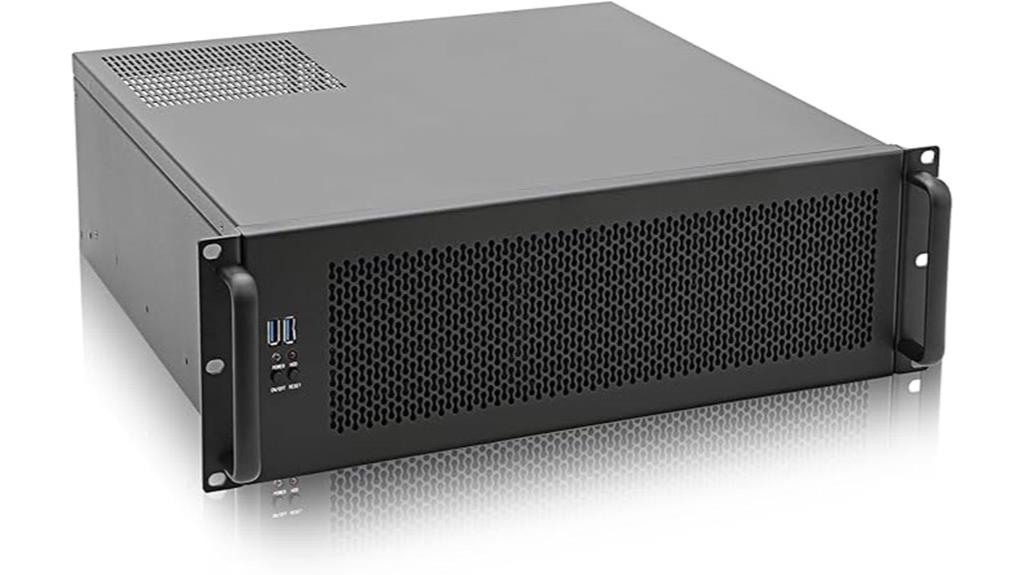
The RackChoice 3U Rackmount Server Chassis stands out as an excellent option for those building compact, versatile homelabs or NAS setups. It supports ATX, Micro-ATX, and Mini-ITX motherboards, with space for multiple drives—up to 8×3.5” or a combination of 3.5” and 2.5” drives. Its sturdy zinc-coated steel body, aluminum front bezel, and handle give it a professional look. With pre-installed fans and support for standard ATX PSUs, it offers good cooling and flexibility. While internal space can be tight and noise levels high with stock fans, upgrading fans and managing cables enhances performance and quietness.
Best For: users seeking a versatile, budget-friendly 3U rackmount chassis for NAS, homelab, or small server builds who are willing to upgrade fans and manage tight internal space.
Pros:
- Supports a wide range of motherboard sizes (ATX, Micro-ATX, Mini-ITX) for flexibility in component choices.
- Robust construction with zinc-coated steel and aluminum front bezel offers a professional look and durability.
- Compatible with standard ATX PSUs and supports multiple drive configurations, making it versatile for various storage needs.
Cons:
- Stock fans can be loud; upgrading to quieter models is recommended for quieter operation.
- Tight internal space may obstruct USB or SATA ports depending on drive cage and component placement.
- Difficult to clean filter design and some issues with installing or removing drive cages can complicate maintenance.
RackChoice 4U Rackmount Server Chassis
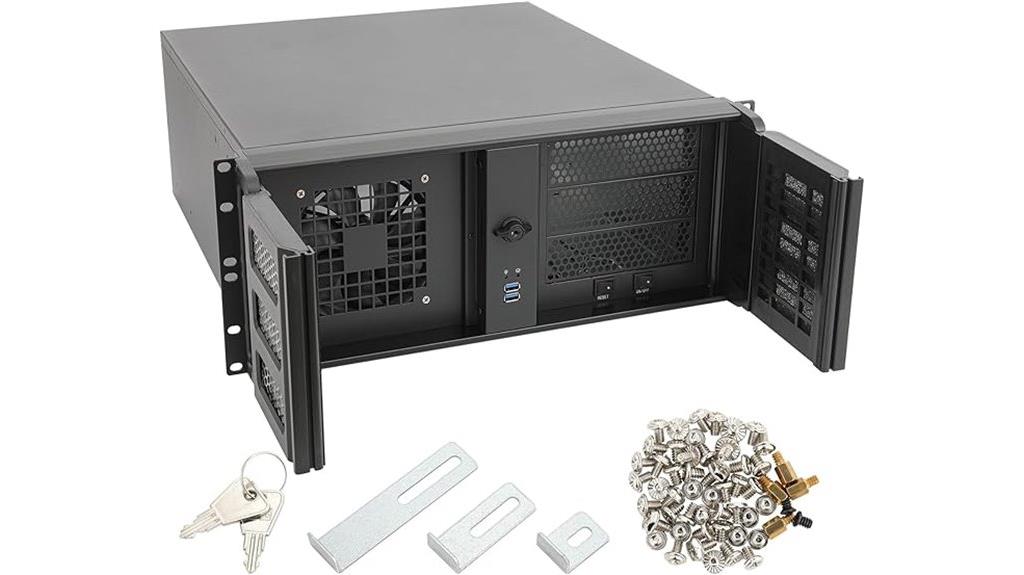
Designed for serious homelab enthusiasts and small-scale server builders, the RackChoice 4U Rackmount Server Chassis offers a robust and versatile platform that supports full ATX motherboards and full-sized GPUs. Built from sturdy zinc-coated steel with an aluminum front bezel, it features lockable doors, dust filters, and multiple drive bays for flexibility. With dimensions of 17.7 x 19 x 7 inches and a weight of around 26.4 pounds, it’s ideal for custom cooling and modifications. The case handles multiple drives, full-length GPUs, and watercooling radiators, making it a reliable, expandable choice for high-quality server setups in 2025.
Best For: serious homelab enthusiasts and small-scale server builders seeking a durable, expandable chassis for full ATX components and custom cooling solutions.
Pros:
- Constructed from sturdy zinc-coated steel with a secure, lockable front bezel and dust filters for longevity and cleanliness
- Supports full-sized ATX motherboards, GPUs up to 16 inches, and watercooling radiators up to 360mm, offering high versatility
- Spacious interior with removable drive cages and ample room for multiple drives and full-length GPUs, facilitating easy modifications
Cons:
- Slightly tight fit around rear I/O and some motherboard configurations, which may require careful installation or removal of drive cages
- Pre-installed fans are noisy; replacing them with quieter models like Noctua improves acoustic performance
- Handles and front mesh panels can be large or cumbersome, potentially affecting rack compatibility and handling ease
Rosewill THOR NAS Pro Full Tower Server Case
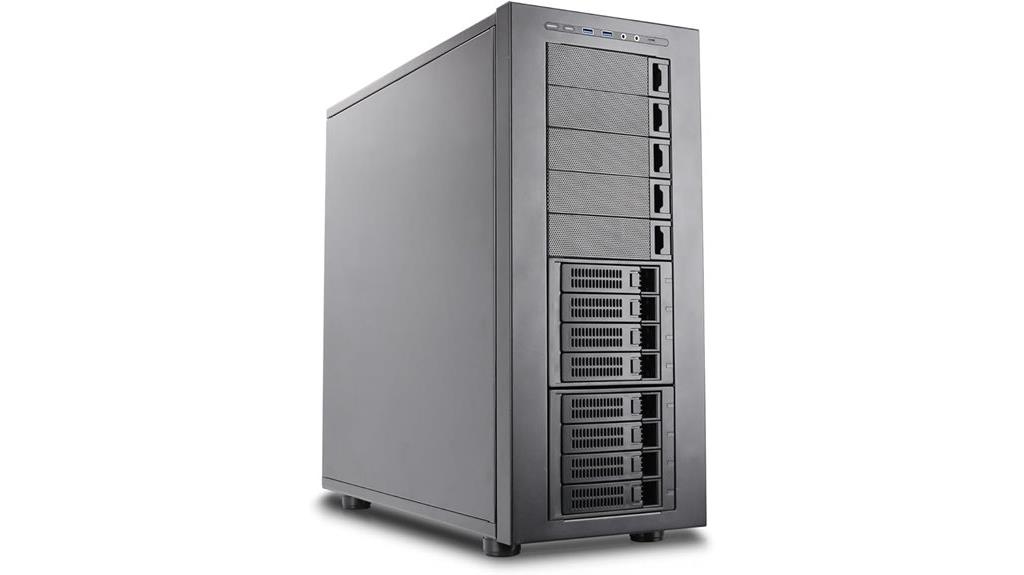
For those building a scalable and versatile homelab, the Rosewill THOR NAS Pro Full Tower Server Case stands out with its support for E-ATX motherboards and extensive storage options. It offers up to eight hot-swap 3.5” SATA/SAS drives, five additional 3.5” bays, and two dedicated SSD slots, providing hybrid storage flexibility. The case features a robust build with support for long expansion cards up to 400mm and includes a 14cm PWM fan for efficient cooling. Its optimized airflow and high-speed USB 3.2 Type-C port make it suitable for demanding enterprise, NAS, AI, and media server setups. This case truly combines power and expandability.
Best For: enthusiasts and professionals building scalable homelabs, enterprise servers, NAS, AI clusters, or media servers requiring extensive storage and high expandability.
Pros:
- Supports E-ATX motherboards and long expansion cards up to 400mm for versatile hardware configurations.
- Offers extensive storage options with support for up to 8 hot-swap 3.5” drives, additional bays, and SSD slots.
- Equipped with a 14cm PWM fan and optimized airflow pathways for efficient thermal management.
Cons:
- Full tower size may require significant space and may not be suitable for compact setups.
- Limited included cooling features beyond the PWM fan, requiring additional cooling solutions for high-performance builds.
- The large number of bays and components can increase overall weight and complexity during assembly.
JONSBO N4 Black NAS PC Case with Walnut Wood Finish
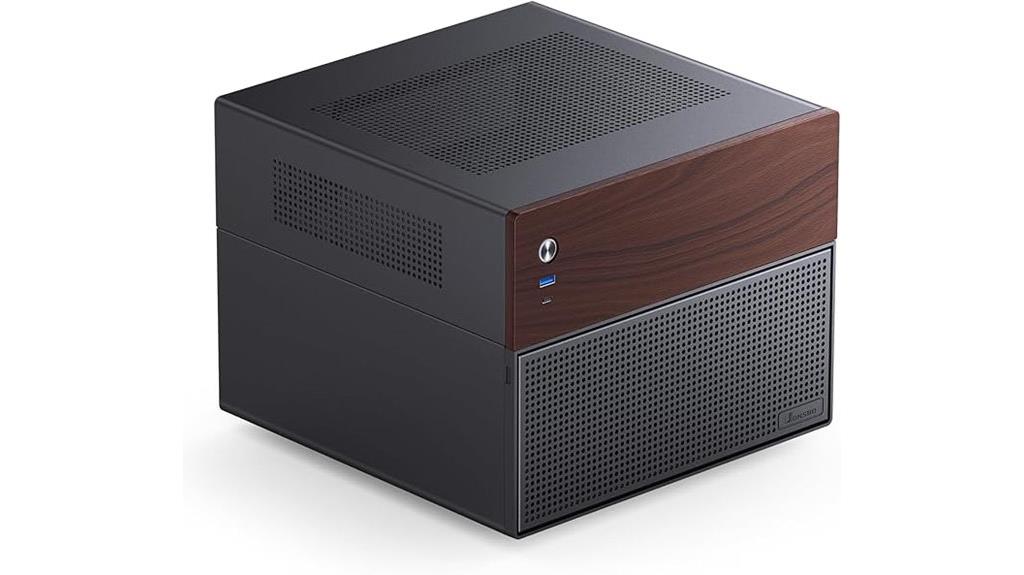
If you’re looking to combine functionality with sophisticated aesthetics in your homelab setup, the JONSBO N4 Black NAS PC Case with Walnut Wood Finish stands out. Its compact size—286mm wide, 300mm deep, and 228mm high—makes it perfect for home or small office environments. Crafted from sturdy steel with elegant 8mm thick North American walnut panels, it offers a natural, high-end look. Supporting up to eight drives, including hot-swap bays, and compatible with ITX and Micro-ATX motherboards, it balances expandability with style. The case also features a built-in 120mm fan, USB-C and USB 3.0 ports, and a split compartment design for easy assembly and efficient cooling.
Best For: home lab enthusiasts, small office users, and anyone seeking a stylish yet functional NAS or server case with natural wood accents.
Pros:
- Elegant combination of steel and North American walnut wood panels offering a high-end aesthetic
- Supports up to eight drives with hot-swap bays for flexible storage expansion
- Compact size with ample hardware compatibility, including ITX and Micro-ATX motherboards, GPUs up to 230mm, and CPU coolers up to 70mm
Cons:
- Limited to SFX power supplies up to 125mm, which may restrict some high-wattage options
- Only one included 120mm fan, potentially requiring additional cooling solutions for high-performance setups
- The case’s natural wood finish, while stylish, may require careful maintenance to prevent damage or wear
RackChoice MicroATX 2U Rackmount Server Chassis
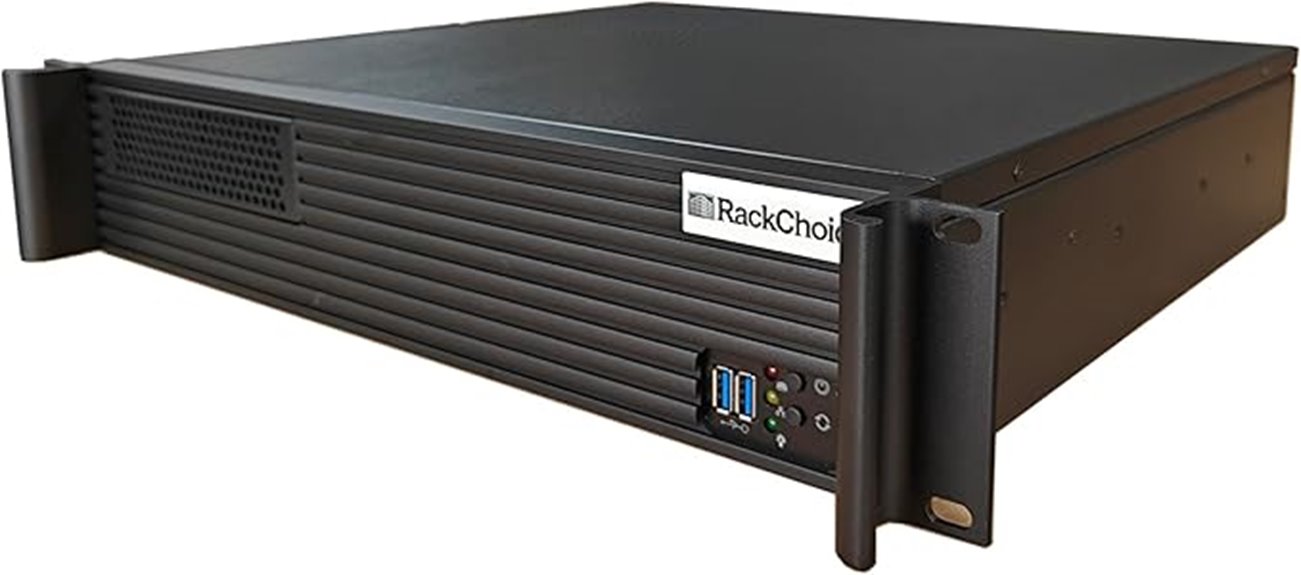
The RackChoice MicroATX 2U Rackmount Server Chassis stands out as an affordable yet versatile option for those building compact rack-mounted servers. It supports Micro-ATX and mini-ITX motherboards, accommodating full-size ATX power supplies and multiple drive configurations. Made with aluminum and steel, it offers solid durability and decent airflow, though the stock fans tend to be loud and require upgrades. Its tight fit can make installation tricky, and limited cable routing adds some frustration. Despite these quirks, it’s a budget-friendly case that’s well-suited for reusing hardware, NAS projects, or small server setups, making it a practical choice for homelabs.
Best For: budget-conscious DIY enthusiasts and small-scale server builders seeking a compact, rack-mountable case for reuse or light-duty projects.
Pros:
- Supports full-size ATX power supplies and multiple drive configurations for versatile hardware setups.
- Durable construction with aluminum and steel, providing solid support for rack-mounted applications.
- Affordable price point making it an ideal choice for budget-friendly server or NAS projects.
Cons:
- Stock fans are loud and lack speed control, often requiring replacement for quieter operation.
- Tight internal space and limited cable routing make installation and cable management challenging.
- Limited rear airflow options and potential fit issues with components or accessories.
DARKROCK Classico Max E-ATX Computer Case with Fans and Storage

Designed for high-performance homelab enthusiasts, the DARKROCK Classico Max E-ATX case offers impressive storage capacity and cooling options. It supports up to 13 drives—10x 3.5″ HDDs and 3x 2.5″ SSDs—giving you plenty of space for data and backups. Compatibility extends to E-ATX, ATX, M-ATX, and ITX motherboards, with a simple removal of hard drive cages for E-ATX setups. Cooling is optimized with a 360mm radiator mount on top and mesh panels for airflow. Four included 120mm fans, along with vertical GPU mounting, ensure efficient heat dissipation and quiet operation for demanding homelab environments.
Best For: homelab enthusiasts and power users needing extensive storage, efficient cooling, and versatile motherboard compatibility in a high-performance PC case.
Pros:
- Supports up to 13 drives, offering ample storage options for data and backups
- Compatible with a wide range of motherboards, including E-ATX, ATX, M-ATX, and ITX
- Equipped with four 120mm fans and radiator support for optimal cooling and quiet operation
Cons:
- E-ATX motherboard installation requires removal of hard drive cages, which may be inconvenient
- Large size may require significant space and may not be suitable for compact setups
- Mesh panels, while good for airflow, could allow dust ingress without filters
NavePoint 22U Wall Mount Server Rack Cabinet
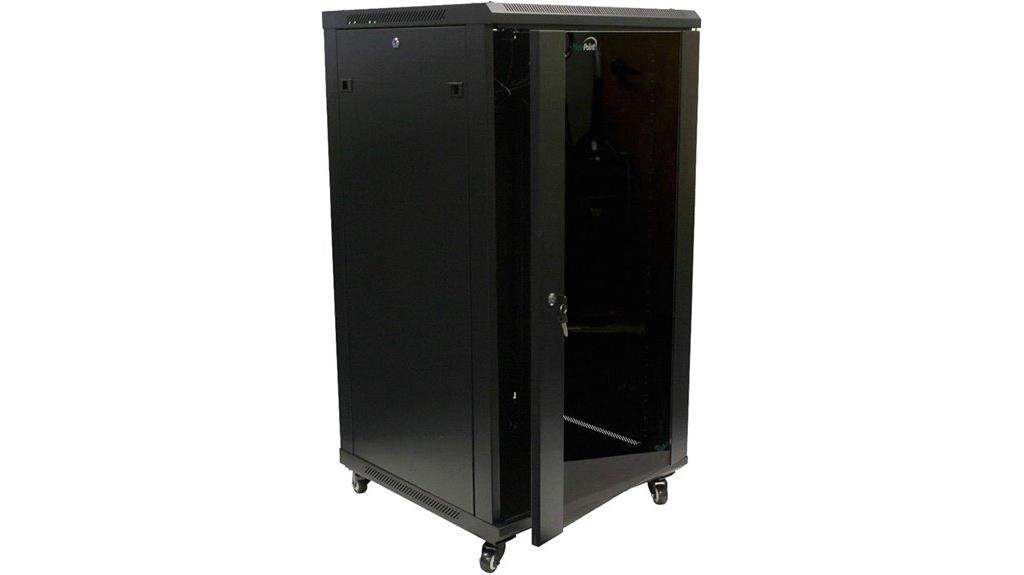
For those seeking a versatile and secure solution to house their home lab equipment, the NavePoint 22U Wall Mount Server Rack Cabinet stands out as an excellent choice. Made from cold-rolled steel with a black powder coating, it’s built to last and supports up to 130 lbs. Its 22U of space fits standard 19-inch equipment, with options for wall mounting or free-standing use, thanks to included casters. The lockable tempered glass front door, along with removable side panels, guarantees security and easy access. Built-in fans and ventilation keep gear cool, making this rack a reliable, customizable, and space-efficient option for any high-quality homelab setup.
Best For: home lab enthusiasts and small IT setups seeking a secure, durable, and space-efficient server rack for their equipment.
Pros:
- Sturdy construction with cold-rolled steel and lockable tempered glass door for security.
- Versatile design supporting wall mount or free-standing use with included casters.
- Effective ventilation with built-in fans, keeping equipment cool and operational.
Cons:
- Assembly can be time-consuming and somewhat tedious, requiring patience and effort.
- Included fans are loud and may need replacement for quieter operation.
- Minor damages have been reported upon delivery due to packaging issues, so careful inspection is advised.
Thermaltake TR100 SFF Chassis

If you’re looking to build a compact yet powerful homelab server, the Thermaltake TR100 SFF Chassis stands out as an excellent choice. Its small 18.9-liter footprint supports mITX builds, making it perfect for space-limited setups. The modular design with magnetic, removable panels simplifies access and customization, while supporting full-sized GPUs up to 360mm and radiators up to 280mm. With a quiet 200mm front fan, ample airflow, and compatibility with liquid cooling, it ensures good thermal management. The chassis includes modern connectivity options like USB 3.0 ports and a PCIe 4.0 riser cable, making it a versatile, durable, and stylish option for high-performance homelabs.
Best For: space-conscious enthusiasts and home server builders seeking a compact yet versatile case capable of supporting high-performance components.
Pros:
- Compact 18.9-liter size ideal for limited spaces and custom setups
- Supports full-sized GPUs up to 360mm and radiators up to 280mm for high-performance builds
- Modular, magnetic panels and removable components for easy access, customization, and maintenance
Cons:
- Limited interior space may restrict certain component choices or upgrades
- No included fans besides the 200mm front fan, requiring additional cooling solutions for some builds
- May require careful planning for cable management due to tight internal layout
GeeekPi 4U Server Cabinet (10 inch Mini Rack)
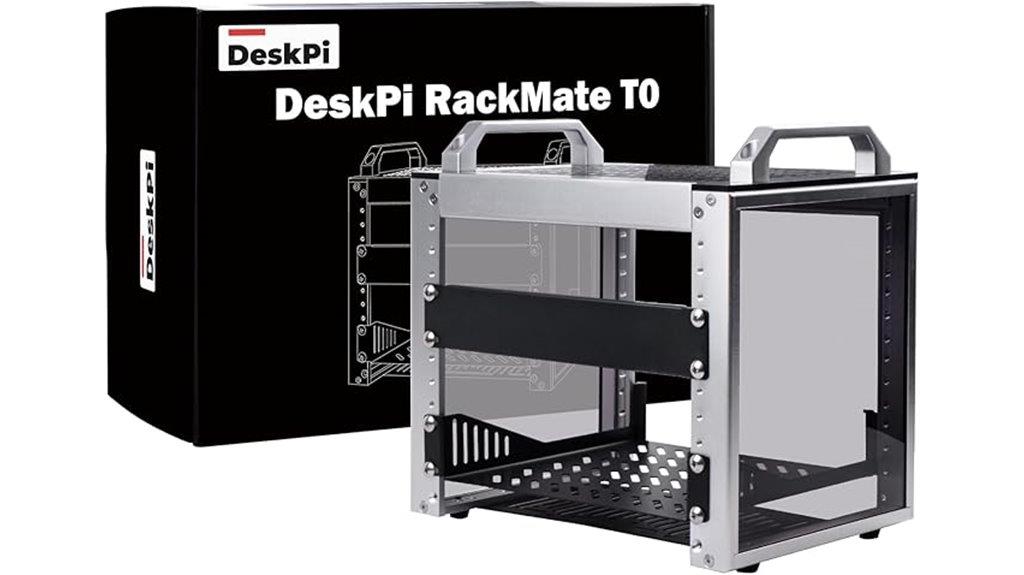
The GeeekPi 4U Server Cabinet stands out as an excellent choice for enthusiasts seeking a compact, customizable rack that offers easy access and efficient cooling. Its 10-inch width and open design make it ideal for small offices, home labs, or enterprise setups needing versatile equipment placement. Made from durable aluminum alloy and acrylic, it’s lightweight yet sturdy. The perforated side panels ensure excellent airflow, and the top-mounted fan options enhance thermal management. Assembly is straightforward with clear instructions and included tools. Overall, it combines premium build quality with flexible configuration options, making it perfect for organizing networking gear, small servers, or media equipment in tight spaces.
Best For: enthusiasts and small-scale professionals seeking a compact, customizable, and easy-to-access server rack for network, server, or media equipment in limited spaces.
Pros:
- Sturdy construction with premium materials like aluminum alloy and acrylic for durability and lightweight handling
- Open design with perforated panels ensures excellent airflow and efficient cooling
- Easy assembly with clear instructions, included tools, and flexible configuration options
Cons:
- Limited rack space (4U) may not accommodate larger or more extensive equipment needs
- Higher price point compared to some alternative racks due to assembled shipping and premium materials
- Larger packaging for pre-assembled unit could increase shipping costs and reduce shipping efficiency
Factors to Consider When Choosing Homelab Server Cases Premium
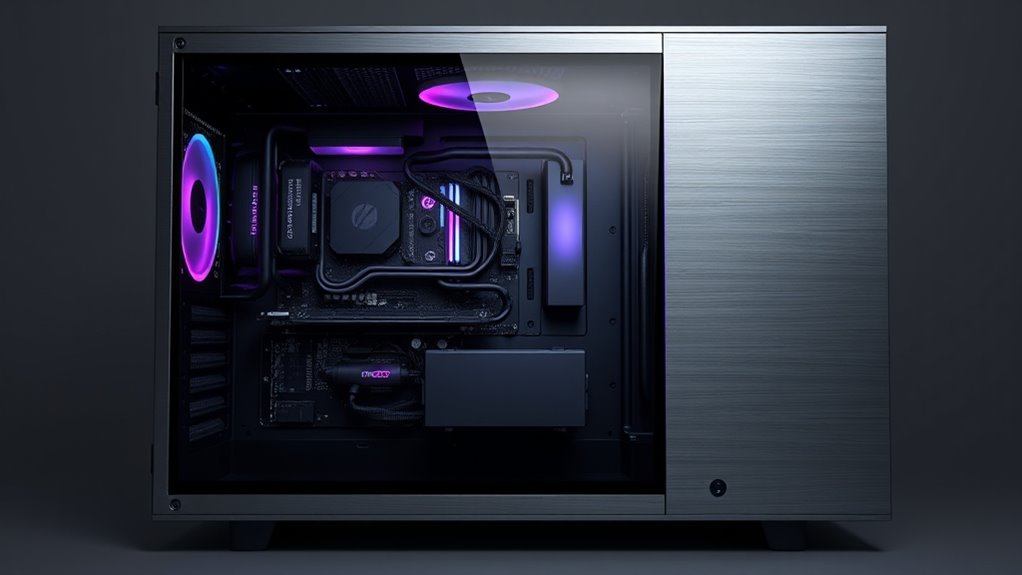
When selecting a premium homelab server case, I focus on key factors like size and form factor to guarantee it fits my setup. Good cooling and ventilation are essential to keep everything running smoothly, while expandability and storage options help future-proof the system. Finally, build quality, accessibility, and maintenance ease are critical for long-term reliability and convenience.
Size and Form Factor
Choosing the right homelab server case hinges on understanding its size and form factor, as these factors directly impact compatibility and expandability. Smaller cases like Mini-ITX and Micro-ATX save space and suit compact setups but can limit options for drives and expansion cards. Larger cases such as 4U or full towers support more drives, GPUs, and advanced cooling solutions, making them ideal for high-performance or storage-heavy homelabs. The case’s dimensions also influence airflow and cable management, with bigger cases offering more room for ideal cooling. Ultimately, selecting the right size ensures your case fits within your space and accommodates current hardware while leaving room for future upgrades. Balancing size and form factor is key to a flexible, high-quality setup.
Cooling and Ventilation
Size and form factor influence not only how much hardware a case can hold but also how effectively it manages heat. In my experience, strategic placement and size of pre-installed fans, like 120mm PWM fans or larger radiators, are vital for maximum airflow. Proper ventilation design includes airflow pathways that direct cool air over key components such as CPUs, GPUs, and storage drives, preventing hotspots. Cases with multiple intake and exhaust fans positioned at the front, rear, or top create balanced airflow, helping maintain consistent internal temperatures. Dust filters on intake vents are a smart addition, reducing dust buildup and preserving cooling efficiency. Removable or adjustable panels also allow for airflow customization, enabling me to tailor cooling based on hardware and workload demands.
Expandability and Storage
To make certain your homelab server can grow with your needs, it’s vital to select a case that supports ample and flexible storage options. Look for cases with multiple drive bays—8 or more HDD/SSD slots—so you can expand your storage as your data demands increase. Flexible drive configurations, like hot-swappable bays or adjustable cages, make upgrades easier and faster. Guarantee the case supports various drive sizes such as 3.5”, 2.5”, and 5.25” to maximize compatibility and versatility. The internal layout should allow easy addition of drives and expansion cards without obstructing airflow or access. Finally, check for compatibility with multiple storage controllers and RAID setups to optimize data management and redundancy.
Build Quality and Materials
When selecting a premium homelab server case, build quality and materials are crucial factors that directly impact durability and performance. High-quality cases are made from tough materials like steel, aluminum, or reinforced composites, ensuring long-term stability. Using thick gauge steel and sturdy panels reduces vibrations and strengthens the case during operation. Premium models often feature corrosion-resistant finishes that shield against environmental damage and wear. Aluminum cases excel at heat dissipation, helping maintain ideal internal temperatures and extending component lifespan. Well-designed cases also incorporate reinforced mounting points and secure compartments for drives and power supplies, reflecting careful craftsmanship. These material choices and construction details ensure your homelab setup remains reliable, efficient, and capable of handling demanding workloads over time.
Accessibility and Maintenance
Choosing a homelab server case with excellent accessibility and maintenance features can save you time and frustration during upgrades or troubleshooting. I look for cases with easily removable panels or doors to quickly access hardware without hassle. Tool-less drive bays and modular components are game-changers, simplifying maintenance and speeding up component swaps. Proper cable management, like dedicated routing channels and ample space behind panels, helps keep airflow perfect and makes internal wiring straightforward. Accessibility to cooling fans and filters is essential for cleaning and maintaining airflow, preventing overheating during long runs. Transparent or translucent side panels are also valuable, allowing me to visually inspect hardware status without disassembly. Overall, these features make maintenance less of a chore and ensure my setup stays clean, cool, and running smoothly.
Compatibility and Features
Ensuring your homelab server case supports your specific hardware needs is crucial, so I pay close attention to compatibility with various motherboard form factors like ATX, Micro-ATX, Mini-ITX, or E-ATX. Beyond that, I check for ample drive bays and flexible storage options, including support for SSDs and HDDs, whether hot-swappable or fixed. Good airflow is necessary, so I verify the case has pre-installed fans or space for liquid cooling radiators. I also review the front panel ports—USB, Ethernet, audio—to ensure seamless connectivity. Security features matter too, especially if the case will sit in accessible areas; locks or tamper-proof panels add peace of mind. Prioritizing these features guarantees a setup that’s both compatible and future-proof.
Frequently Asked Questions
How Does Airflow Management Differ in High-Density Server Cases?
Airflow management in high-density server cases differs mainly because I need to prioritize effective cooling for multiple components packed tightly together. I often use strategically placed fans and vents to create a directed airflow path, ensuring hot air exits efficiently. I also consider positive or negative pressure setups to prevent dust buildup and optimize cooling. Good airflow prevents overheating, which is vital in maintaining system stability and performance in dense setups.
Are Noise Levels a Concern With Premium Homelab Server Cases?
Yes, noise levels can be a concern with premium homelab server cases. I’ve noticed that high-performance components and powerful cooling solutions generate more noise than typical setups. However, many premium cases include sound-dampening features like insulated panels and quiet fans to minimize this. I recommend choosing cases with good airflow and noise-reduction options if you want a high-quality setup that doesn’t disturb your environment.
What Are the Best Cooling Solutions for 4U and 8U Racks?
You’d think cooling solutions for 4U and 8U racks would be straightforward, right? Not quite. I swear by high-quality server fans, liquid cooling options, and vented doors to keep things chill. For 4U, I prefer powerful airflow fans, while 8U setups benefit from dedicated liquid cooling loops. Proper cable management and airflow planning make all the difference—because overheating is the last thing you want in a high-performance homelab.
How Easy Is It to Upgrade Components in These Premium Cases?
Upgrading components in these premium cases is pretty straightforward, I find. They’re designed with accessibility in mind, so I can easily remove panels and access hardware without hassle. Tools are usually minimal, and modular trays or hot-swappable drives speed up the process. Overall, I’d say they’re user-friendly, making maintenance and upgrades simple even if you’re not an expert. It’s a great investment for flexibility and future-proofing.
Do These Cases Support Future Expansion and Additional Hardware?
Think of these cases as a sturdy vessel ready for future voyages. They absolutely support expansion, with spacious interiors and modular design that adapts to your evolving hardware needs. I find them perfect for adding extra drives, GPUs, or cooling solutions as your homelab grows. They’re built with flexibility in mind, ensuring your setup can scale smoothly, just like a ship prepared for any journey ahead.
Conclusion
Choosing the perfect homelab server case can transform your setup from basic to powerhouse. But with so many options, which one will truly elevate your 2025 build? The right case isn’t just about size or looks—it’s about revealing future potential. Ready to make a bold move? Stay tuned, because the best choice might surprise you, and your high-quality setup awaits just beyond the next click.