

For most laptop owners, I’d start with the Kingston IronKey Keypad 200: its onboard keypad lets you unlock the drive without relying on laptop software. The Apricorn Aegis Secure Key 3 NXC stands out for USB-C use and higher capacity, while the Vansuny fingerprint drive offers quick biometric access with both USB-C and USB-A connectors. The main tradeoffs are how you authenticate, whether the connector fits your laptop, and how much storage you need. I ranked these eight options around those practical differences, not security labels alone. Read on for the full breakdown and a guide to choosing the right fit.

Get privacy and security gear delivered free with Prime
- Fast, free delivery on millions of items
- Prime Video, Amazon Music and more included
- Member-only deals all year
Key Takeaways
- On-device entry is a defining split: the Kingston IronKey Keypad 200 and both Apricorn Aegis Secure Key models use a keypad, while the Vansuny relies on fingerprint access.
- USB-C support is not equal across the list: the Keypad 200 and Aegis Secure Key 3 NXC are USB-C choices, and the Vansuny adds USB-A; several other picks use USB-A, which may call for an adapter on newer laptops.
- Capacity ranges from 4GB to 128GB: the Integral Crypto-197 and Apricorn Aegis Secure Key 3NX suit small, sensitive file sets better than large media libraries.
- Certification and access convenience serve different needs: the Integral Crypto-197 highlights FIPS 197 certification and brute-force protection, while biometric access favors quick unlocking.
- There is no single winner for every laptop: connector fit, authentication preference, storage needs, and the importance of physical durability should shape the final choice.
| Kingston IronKey Keypad 200 64GB USB-C Encrypted Flash Drive |  | Best for Laptop Security Without OS Dependence | Storage capacity: 64 GB | Connector: USB Type-C | Interface: USB 3.2 Gen 1 | VIEW LATEST PRICE | See Our Full Breakdown |
| Integral 4GB Crypto-197 256-Bit USB 3.0 Encrypted Flash Drive |  | Best for Small, Rugged Sensitive Files | Storage capacity: 4 GB | Connector: USB Type-A | Interface: USB 3.0 | VIEW LATEST PRICE | See Our Full Breakdown |
| Vansuny 128GB Dual USB-C and USB-A Fingerprint-Encrypted Flash Drive |  | Best for Shared Access and Dual-Port Laptops | Storage capacity: 128 GB | Connectors: USB-C and USB-A | Interface: USB 3.2 Gen 1 | VIEW LATEST PRICE | See Our Full Breakdown |
| Kingston IronKey Locker+ 50 G2 32GB Encrypted USB Drive | 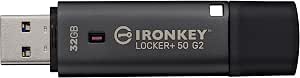 | Best for Certified, Password-Based Protection | Storage capacity: 32 GB | Connector: USB Type-A | Interface: USB 3.2 Gen 1 | VIEW LATEST PRICE | See Our Full Breakdown |
| Integral Secure 360 32GB Encrypted USB 3.0 Flash Drive |  | Best for Separating Everyday and Protected Files | Storage capacity: 32 GB | Interface: USB 3.0 (USB 3.2 Gen 1) | Encryption: 256-bit AES Secure Lock II | VIEW LATEST PRICE | See Our Full Breakdown |
| Kingston IronKey Vault Privacy 50 16GB Encrypted USB Drive |  | Best for Read-Only Security | Storage capacity: 16 GB | Encryption: FIPS 197-certified AES-256 hardware encryption in XTS mode | Attack protection: Brute-force password protection and BadUSB protection with digitally signed firmware | VIEW LATEST PRICE | See Our Full Breakdown |
| Apricorn Aegis Secure Key 3 NXC 128GB Encrypted USB-C Flash Drive |  | Best for USB-C Capacity | Storage capacity: 128 GB | Encryption: 256-bit AES-XTS hardware encryption | Security validation: FIPS 140-2 Level 3 | VIEW LATEST PRICE | See Our Full Breakdown |
| Apricorn Aegis Secure Key 3NX 8GB Encrypted USB 3.0 Flash Drive |  | Best for Keypad Authentication | Storage capacity: 8 GB | Encryption: 256-bit AES-XTS hardware encryption | Security validation: FIPS 140-2 Level 3 | VIEW LATEST PRICE | See Our Full Breakdown |
| encrypted flash drives for laptop | Storage capacity | Interface | Encryption | Warranty |
|---|---|---|---|---|
| Kingston IronKey Keypad 200 64 | 64 GB | USB 3.2 Gen 1 | Hardware-based XTS-AES 256-bit | — |
| Integral 4GB Crypto-197 256-Bi | 4 GB | USB 3.0 | 256-bit hardware AES | 2 years |
| Vansuny 128GB Dual USB-C and U | 128 GB | USB 3.2 Gen 1 | — | — |
| Kingston IronKey Locker+ 50 G2 | 32 GB | USB 3.2 Gen 1 | 256-bit XTS-AES hardware encryption | 5 years |
| Integral Secure 360 32GB Encry | 32 GB | USB 3.0 (USB 3.2 Gen 1) | 256-bit AES Secure Lock II | 2 years |
| Kingston IronKey Vault Privacy | 16 GB | — | FIPS 197-certified AES-256 hardware encryption in XTS mode | — |
| Apricorn Aegis Secure Key 3 NX | 128 GB | USB 3.2 Type-C | 256-bit AES-XTS hardware encryption | 3 years |
| Apricorn Aegis Secure Key 3NX | 8 GB | USB 3.0 | 256-bit AES-XTS hardware encryption | 3 years |
More Details on Our Top Picks
Kingston IronKey Keypad 200 64GB USB-C Encrypted Flash Drive
The IronKey Keypad 200 is the strongest fit here for laptop owners who want encrypted storage that does not rely on software installed on the computer. Its USB-C connector suits newer laptops, while the physical keypad lets you unlock the drive before connecting it. Compared with the Kingston IronKey Locker+ 50 G2, it offers a keypad and OS-independent access rather than relying on a USB-A connection and password options. Hardware-based XTS-AES 256-bit encryption, brute-force and BadUSB protection, and a tamper-evident coating build a more security-focused package. The tradeoffs are a PIN-entry step each time and a certification listed as pending, not completed. Its 64 GB capacity is useful for sensitive work files, though the Vansuny offers twice as much storage.
Pros:- Hardware-based XTS-AES 256-bit encryption with keypad PIN access
- OS-independent operation avoids relying on host software
- Brute-force and BadUSB protection, plus tamper-evident epoxy
- Admin and user PINs and global or session read-only modes
Cons:- Keypad entry adds a step whenever the drive is unlocked
- FIPS 140-3 Level 3 certification is pending
- 64 GB is less capacity than the Vansuny 128GB drive
Best for: Laptop users who need USB-C storage with keypad access and want to unlock it without depending on the host operating system.
Not ideal for: People who prioritize quick, frequent plug-and-transfer access, or buyers who require a completed FIPS 140-3 Level 3 certification.
- Storage capacity:64 GB
- Connector:USB Type-C
- Interface:USB 3.2 Gen 1
- Encryption:Hardware-based XTS-AES 256-bit
- Security certification:FIPS 140-3 Level 3 (pending)
- Read/write speeds:Up to 280 MB/s read; 200 MB/s write
- PIN and read-only options:Admin and user PINs; global or session read-only
- Compatibility:OS-independent
- Weight:25 g
Our verdict“Choose the IronKey Keypad 200 if USB-C, keypad unlocking, and OS-independent protection matter more than instant access or maximum capacity.”
Integral 4GB Crypto-197 256-Bit USB 3.0 Encrypted Flash Drive
The Integral Crypto-197 suits a narrow but practical laptop use: carrying a small set of sensitive documents in a drive built around certified hardware encryption. Its FIPS 197-certified 256-bit AES protection and automatic data erasure after six failed password attempts put access control ahead of convenience. The dual-layer waterproof silicone case also gives it a durability angle that the Kingston IronKey Locker+ 50 G2 does not emphasize. But its 4 GB capacity is the deciding limitation: it works for documents and a modest collection of files, not laptop backups or large media. The Type-A connector fits many older laptops directly, while USB-C-only users will need an adapter. Compared with the 32 GB Kingston, this is a more rugged, lower-capacity choice, and its 8–16 character password limit narrows setup flexibility.
Pros:- FIPS 197-certified 256-bit hardware AES encryption
- Erases stored data after six failed password attempts
- Dual-layer waterproof silicone case adds protection against immersion and drops
- USB 3.0 operation requires no additional software
Cons:- 4 GB capacity is restrictive for modern work files and backups
- Password length is limited to 8–16 characters
- USB Type-A connector may require an adapter for USB-C-only laptops
Best for: Laptop users who carry a small set of confidential documents and need a waterproof, Type-A drive with certified hardware encryption.
Not ideal for: Anyone storing large files, backups, or a broad working library; 4 GB fills quickly, and USB-C-only laptops need an adapter.
- Storage capacity:4 GB
- Connector:USB Type-A
- Interface:USB 3.0
- Encryption:256-bit hardware AES
- Certification:FIPS 197
- Read speed:Up to 120 MB/s
- Password protection:Automatic data erasure after six failed attempts; password length 8–16 characters
- Case:Dual-layer waterproof silicone
- Warranty:2 years
Our verdict“Pick the Crypto-197 for a small, rugged set of protected files, not as a general-purpose encrypted laptop drive.”
Vansuny 128GB Dual USB-C and USB-A Fingerprint-Encrypted Flash Drive
The Vansuny 128GB is the most flexible option here for laptop owners who move between USB-C and USB-A devices or share access with a small group. Its two connectors avoid the adapter problem faced by the Kingston IronKey Locker+ 50 G2, and support for up to 10 fingerprints can make repeat access easier than typing a password. The 128 GB capacity also gives it more room than the other listed drives. That convenience comes with a different security approach: the supplied details describe fingerprint encryption but do not specify a FIPS certification or encryption standard, so buyers with formal compliance requirements may prefer the certified Kingston or Integral options. Read speed is listed up to 150 MB/s, but the 40 MB/s write speed is more modest. Fingerprints also need registration before others can use it.
Pros:- USB-C and USB-A connectors work across a wider range of laptops
- 128 GB capacity exceeds the other drives in this batch
- Fingerprint access supports up to 10 registered users
- Compatible with Windows, Mac, Android, and Linux
Cons:- Listed write speed is 40 MB/s, which can slow large transfers
- Fingerprint users must be registered before they can access the drive
- The provided specifications do not state a FIPS certification or encryption standard
Best for: Laptop users who regularly move files between USB-C and USB-A computers and want fingerprint access for several registered users.
Not ideal for: Organizations requiring a stated FIPS certification or encryption standard, and users who frequently write large files and need higher listed write speeds.
- Storage capacity:128 GB
- Connectors:USB-C and USB-A
- Interface:USB 3.2 Gen 1
- Fingerprint registration:Up to 10 fingerprints
- Read speed:Up to 150 MB/s
- Write speed:40 MB/s
- Compatible systems:Windows, Mac, Android, and Linux
- Casing material:Zinc alloy
Our verdict“Choose the Vansuny for high capacity, dual-port flexibility, and registered fingerprint sharing rather than documented compliance credentials.”
Kingston IronKey Locker+ 50 G2 32GB Encrypted USB Drive
The IronKey Locker+ 50 G2 is a sensible pick for laptop owners who want a familiar password workflow backed by a named certification. Its FIPS 197-certified XTS-AES 256-bit hardware encryption and separate administrator and user passwords give it a more clearly documented security profile than the Vansuny fingerprint drive. Complex and passphrase modes let buyers choose between stricter password formatting and easier-to-remember access. It also has stronger stated transfer speeds than the Integral Crypto-197, with up to 145 MB/s read and 115 MB/s write. The main laptop drawback is its USB Type-A connector: many newer machines need an adapter. At 32 GB, it offers less room than the 64 GB Keypad 200 and 128 GB Vansuny, but its five-year warranty is the longest stated in this group.
Pros:- FIPS 197-certified 256-bit XTS-AES hardware encryption
- Separate administrator and user password options
- Complex and passphrase modes support different password preferences
- Five-year warranty and listed speeds up to 145 MB/s read and 115 MB/s write
Cons:- USB Type-A may require an adapter for newer USB-C-only laptops
- 32 GB capacity is limited compared with the Vansuny 128GB and Keypad 200 64GB
- Password entry is less direct than the Vansuny’s fingerprint access
Best for: Laptop users who want certified hardware encryption, administrator and user password controls, and a conventional USB-A workflow.
Not ideal for: Owners of USB-C-only laptops who do not want an adapter, or users who need more than 32 GB for large projects.
- Storage capacity:32 GB
- Connector:USB Type-A
- Interface:USB 3.2 Gen 1
- Encryption:256-bit XTS-AES hardware encryption
- Certification:FIPS 197
- Password options:Administrator and user; complex and passphrase modes
- Read/write speeds:Up to 145 MB/s read; up to 115 MB/s write
- Weight:22.68 g
- Warranty:5 years
Our verdict“Choose the Locker+ 50 G2 for certified, password-based protection on a USB-A laptop, provided 32 GB is enough.”
Integral Secure 360 32GB Encrypted USB 3.0 Flash Drive
The Integral Secure 360 stands apart by letting laptop users keep regular files and protected files in separate partitions on one drive. That setup is useful when some documents need password protection but others are accessed routinely. Its capless rotating housing also removes a loose cap from the daily carry routine. Compared with the Kingston IronKey Locker+ 50 G2, it offers partition separation and unusually high listed transfer speeds, but the Kingston provides a stated FIPS 197 certification and administrator/user password controls. The Secure 360 uses 256-bit AES Secure Lock II and erases data after ten failed access attempts, which makes forgotten credentials a serious risk. Its listed speeds are high, but actual performance can vary by laptop and USB port. The USB-A connection and Windows/macOS compatibility also make it less flexible than the dual-connector Vansuny.
Pros:- Separate unencrypted and encrypted partitions keep routine and sensitive files apart
- 256-bit AES Secure Lock II protects the encrypted partition
- Capless rotating housing avoids a removable cap
- Listed read and write speeds are up to 625 MB/s and 400 MB/s
Cons:- Data is erased after ten failed access attempts
- USB Type-A may require an adapter for USB-C-only laptops
- Compatibility is listed for Windows and macOS, not Linux
Best for: Windows or macOS laptop users who want one drive divided between routine files and a password-protected section.
Not ideal for: People who need USB-C without an adapter, broad operating-system support, or a stated FIPS certification.
- Storage capacity:32 GB
- Interface:USB 3.0 (USB 3.2 Gen 1)
- Encryption:256-bit AES Secure Lock II
- Partition design:Separate unencrypted and encrypted partitions
- Failed-access response:Data erased after 10 failed attempts; drive can then be reused
- Design:Capless rotating housing
- Read/write speeds:Up to 625 MB/s read; up to 400 MB/s write
- Compatibility:Windows and macOS
- Warranty:2 years
Our verdict“Pick the Secure 360 if partition separation matters more than USB-C convenience or a stated FIPS certification.”
Kingston IronKey Vault Privacy 50 16GB Encrypted USB Drive
The Kingston IronKey Vault Privacy 50 suits laptop users who need a small, controlled set of sensitive files rather than a large portable archive. Its FIPS 197-certified AES-256 hardware encryption, brute-force protection, and digitally signed firmware protections against BadUSB attacks put security ahead of capacity. The two read-only settings add a practical safeguard when I want to view files without risking accidental edits or deletion. Compared with the Apricorn Aegis Secure Key 3 NXC, it uses the more common USB-A connector, but it offers just 16GB rather than 128GB and lacks that model’s USB-C connection. Complex-password and passphrase modes give users a choice between stricter credentials and easier-to-remember phrases. Its main tradeoff is clear: the capacity can fill quickly, and laptop access requires a USB-A port or adapter.
Pros:- FIPS 197-certified AES-256 hardware encryption in XTS mode
- Brute-force password protection and digitally signed firmware protections against BadUSB attacks
- Two read-only settings help prevent unwanted changes to stored files
- Offers both complex-password and passphrase modes
Cons:- 16GB capacity leaves little room for large collections or frequent backups
- USB-A connector requires an adapter for laptops with USB-C-only ports
Best for: Laptop users who carry a modest set of confidential documents and want read-only controls plus USB-A compatibility.
Not ideal for: People who regularly move large media libraries or use USB-C-only laptops without an adapter; 16GB is restrictive and the connector may not fit.
- Storage capacity:16 GB
- Encryption:FIPS 197-certified AES-256 hardware encryption in XTS mode
- Attack protection:Brute-force password protection and BadUSB protection with digitally signed firmware
- Password options:Complex-password and passphrase modes
- Write protection:Dual read-only settings
- Interface and connector:USB 3.2 Gen 1, USB Type-A
- Read / write speed:Up to 250 MB/s read and 180 MB/s write
- Compliance:TAA compliant
Our verdict“Choose this Kingston for a compact, security-focused document drive when read-only controls and USB-A fit matter more than storage space.”
Apricorn Aegis Secure Key 3 NXC 128GB Encrypted USB-C Flash Drive
For laptop owners who need both strong protection and room for working files, the Apricorn Aegis Secure Key 3 NXC is the capacity leader among these three picks. It pairs 128GB of storage with 256-bit AES-XTS hardware encryption validated to FIPS 140-2 Level 3, while software-free operation avoids installing an authentication app on a work machine. Separate administrator and user modes can suit shared or managed use. Compared with the Kingston IronKey Vault Privacy 50, this Apricorn offers eight times the capacity and a USB-C connector, but gives up the Kingston’s listed read-only settings and USB-A convenience. Its USB-C port works well with compatible newer laptops, tablets, and phones; older computers may need an adapter. The specified write speed is strong, though the listed read speed is lower, so transfer performance is not equally fast in both directions.
Pros:- 128GB capacity provides much more working space than the 16GB Kingston Vault Privacy 50 and 8GB Apricorn 3NX
- 256-bit AES-XTS hardware encryption with FIPS 140-2 Level 3 validation
- Software-free operation avoids dependence on a host computer installation
- Separate administrator and user modes support managed access
Cons:- USB-C connector may require an adapter for USB-A-only laptops
- Listed read speed of 171 MB/s is substantially lower than its 625 MB/s write specification
- No read-only settings are listed in the supplied product details
Best for: USB-C laptop users who carry larger encrypted work folders and want software-free access with separate administrator and user modes.
Not ideal for: People using USB-A-only laptops or seeking a drive with listed read-only controls; compatibility depends on USB-C or supported USB OTG.
- Storage capacity:128 GB
- Encryption:256-bit AES-XTS hardware encryption
- Security validation:FIPS 140-2 Level 3
- Interface:USB 3.2 Type-C
- Read / write speed:Up to 171 MB/s read and 625 MB/s write
- Authentication modes:Separate administrator and user modes
- Compatible devices:Computers, tablets, and smartphones with USB-C and USB 3.2 or USB OTG support
- Dimensions and weight:3.25 × 0.75 × 0.25 in; 22.68 g
- Warranty:3 years
Our verdict“Pick the Aegis Secure Key 3 NXC if your laptop has USB-C and you want validated hardware encryption with enough capacity for larger work files.”
Apricorn Aegis Secure Key 3NX 8GB Encrypted USB 3.0 Flash Drive
The Apricorn Aegis Secure Key 3NX is a sensible fit when I want to enter a PIN on the drive itself instead of relying on laptop software or a keyboard-based password prompt. Its onboard keypad and FIPS 140-2 Level 3-validated, 256-bit AES-XTS encryption make it a distinct alternative to the USB-C Aegis Secure Key 3 NXC, which offers far more capacity but uses a different connector and authentication approach. The 3NX is listed as compatible across Windows, Mac, Linux, Android, and Chrome, giving it flexibility for mixed-device households or work setups. Hardened epoxy and locked-down firmware add protection against physical tampering and malware. The tradeoff is severe for file-heavy use: 8GB is the smallest capacity here, and its specified 77 MB/s read and 72 MB/s write speeds are modest.
Pros:- Onboard keypad allows PIN authentication without relying on a host-computer password prompt
- 256-bit AES-XTS hardware encryption with FIPS 140-2 Level 3 validation
- Hardened epoxy and locked-down firmware help resist tampering and malware attacks
- Listed compatibility spans Windows, Mac, Linux, Android, Chrome, and iOS
Cons:- 8GB capacity is much smaller than the 128GB Aegis Secure Key 3 NXC
- Specified transfer speeds of 77 MB/s read and 72 MB/s write are modest for repeated large-file transfers
- Requires a powered USB port and a supported storage file system
Best for: Laptop users who prefer PIN entry on the drive itself and carry a small set of encrypted files across different operating systems.
Not ideal for: People who need to store large folders, transfer files frequently, or use devices without a powered USB port and supported file system.
- Storage capacity:8 GB
- Encryption:256-bit AES-XTS hardware encryption
- Security validation:FIPS 140-2 Level 3
- Authentication:Onboard keypad PIN
- Interface:USB 3.0
- Read / write speed:Up to 77 MB/s read and 72 MB/s write
- Compatibility:Windows, Mac, Linux, Android, Chrome, and iOS
- Dimensions and weight:0.8 × 3.5 × 0.4 in; 22.68 g
- Warranty:3 years
Our verdict“Choose the Aegis Secure Key 3NX for keypad-based PIN entry and broad device compatibility when 8GB is enough for your encrypted files.”

How We Picked
I compared the eight drives on the features that change day-to-day use with a laptop: how users authenticate, connector compatibility, available capacity, and the security protections identified in each product’s specifications. I also looked at practical fit, including whether a drive is better suited to small document sets, frequent transfers, or a workflow that benefits from USB-C without an adapter.
The ranking gives the strongest positions to options that balance laptop usability with a clear security approach, rather than treating a certification or a single feature as a complete verdict. Drives with more specific strengths—such as fingerprint access, a compact capacity, or a particular certification—rank for those needs, while their limitations remain part of the recommendation. I have not treated product names or marketing language as proof of real-world performance, and I recommend checking the exact model’s supported operating systems and security details before purchase.
| encrypted flash drives for laptop | Interface |
|---|---|
| Kingston IronKey Keypad 200 64 | USB 3.2 Gen 1 |
| Integral 4GB Crypto-197 256-Bi | USB 3.0 |
| Vansuny 128GB Dual USB-C and U | USB 3.2 Gen 1 |
| Kingston IronKey Locker+ 50 G2 | USB 3.2 Gen 1 |
| Integral Secure 360 32GB Encry | USB 3.0 (USB 3.2 Gen 1) |
| Kingston IronKey Vault Privacy | — |
| Apricorn Aegis Secure Key 3 NX | USB 3.2 Type-C |
| Apricorn Aegis Secure Key 3NX | USB 3.0 |
Factors to Consider When Choosing Encrypted Flash Drives For Laptops
Choosing among encrypted flash drives is less about picking the longest feature list and more about matching the drive to the way you work. I’d settle the following questions before comparing individual models.
Match the Connector to Your Laptop
Start by checking the ports you actually use, not just the laptop’s model name. A USB-C drive can plug directly into many newer laptops, while a USB-A drive may need an adapter or dock. Adapters add another item to carry and can be inconvenient when moving files between machines. If you regularly use both newer and older computers, a dual-connector design can reduce that friction. Avoid assuming that a connector determines transfer speed; check the drive’s interface specifications separately. For a laptop used at a desk with a dock, connector type may matter less than it does for frequent travel.
Choose an Unlock Method You Will Actually Use
Keypads, fingerprints, and software-based access each create a different routine. A keypad keeps authentication on the drive itself, which can be useful when you work across multiple laptops or do not want to install a companion app. Fingerprint access may be faster for repeated use, but it depends on a reader that works reliably for the people authorized to use the drive. Software-based approaches can be convenient on a familiar computer yet less appealing on a locked-down work laptop. Think about what happens when a finger is wet, a keypad is awkward to enter in public, or a laptop blocks software installation. The method you can use consistently is more useful than one that looks convenient only on paper.
Buy Capacity for the Files You Need to Carry
Encrypted storage can tempt buyers to carry an entire working archive, but a flash drive is often better used for a focused set of files. Small capacities can suit documents and key records; larger capacities make more sense for substantial project folders or media. Leave headroom for updates and file growth instead of filling the drive immediately. Also account for duplicate copies: keeping a second encrypted backup can be safer than relying on one device with all your work. A high-capacity model is not automatically the better choice if the extra space encourages you to carry data you rarely need. Check the usable capacity and confirm that it fits your largest regular transfer.
Read Security Claims as a Set of Protections
A certification, encryption claim, or brute-force protection feature describes only part of a drive’s security story. Check how access is controlled, what happens after repeated incorrect attempts, and whether authentication relies on software running on the laptop. A certification can help when your organization requires a specific standard, but it does not replace suitable handling or a backup plan. Do not assume that every encrypted drive has the same recovery process or protects against every threat. Before storing sensitive work, read the manufacturer’s documentation for setup, lockout behavior, and supported systems. For workplace use, confirm that the model meets your organization’s policy rather than relying on a product label alone.
Plan for Loss, Damage, and Recovery
Encryption helps protect data if a drive is lost, but it cannot restore files that exist nowhere else. Keep another copy of important material in an approved backup location, and test that backup before depending on the drive for travel. Water resistance or a reinforced design can reduce some physical risks, but neither makes a flash drive indestructible. Decide how you will store the device when it is not plugged in, especially if it contains work documents or personal records. Recovery matters too: understand what happens if you forget the PIN or the intended user can no longer authenticate. A manageable recovery plan is part of choosing secure portable storage, not an afterthought.
Frequently Asked Questions
Can I use an encrypted flash drive with a laptop that blocks software installation?
Often, a drive with its own keypad can be a better fit because authentication happens on the device rather than through a laptop app. You still need to check the specific model’s instructions and compatibility requirements before buying. A fingerprint drive may also depend on how its unlocking system presents itself to the computer. Managed work laptops can restrict removable storage entirely, regardless of the drive’s security features. Ask your IT administrator whether encrypted USB storage is permitted and which models are supported.
Should I choose USB-C or a dual-connector drive for a laptop?
Choose USB-C if your laptop has a suitable port and you mainly move files between newer devices. A dual USB-C and USB-A design can be more convenient if you regularly share files with older laptops or other equipment. A USB-A drive can still work with a USB-C adapter, but that adds an accessory and another point of failure or loss. Connector choice does not tell you how fast the drive transfers data, so check the interface and performance specifications separately. If your laptop stays connected to a dock, the connector may be a minor concern.
Is fingerprint unlocking safer than using a keypad?
Neither method is automatically safer for every buyer; they trade convenience and workflow fit. A keypad can keep unlocking independent of a fingerprint reader and may work well across multiple laptops. Fingerprint access can make repeated unlocking quicker, but it depends on biometric recognition and the drive’s specific access design. Think through shared use, authorized users, and what you would do if the normal unlock method fails. For sensitive work, check the manufacturer’s documentation for lockout and recovery behavior before choosing either approach.
Is a certified encrypted drive necessary for personal laptop files?
Not every personal file workflow requires a certification, but some employers and regulated environments do require a named standard. The Integral Crypto-197 is the option in this lineup that specifically identifies FIPS 197 certification, which may make it relevant when that requirement applies. Certification should not be treated as a substitute for checking the drive’s authentication method, compatibility, or recovery process. For personal use, prioritize protections you understand and can use consistently. If the drive will hold work data, follow your organization’s approved-device rules.
Is a small-capacity encrypted drive enough for laptop backups?
It can hold a carefully selected set of documents, but small-capacity models in this roundup are not a practical replacement for a full laptop backup when you have large folders or media files. Check the size of the files you expect to carry, then leave room for growth rather than filling the drive to its limit. A flash drive also creates a single point of failure if it is your only copy. Keep a separate backup in a location approved for the sensitivity of your data. For a complete system backup, confirm that the drive’s capacity and the backup software’s requirements match your needs.
Conclusion
My best overall pick is the Kingston IronKey Keypad 200 for laptop users who want keypad-based access without relying on fingerprint recognition. For a USB-C workflow with more storage, I’d look at the Apricorn Aegis Secure Key 3 NXC as the best premium fit; the Vansuny is a distinct choice for buyers who want fingerprint access and both USB connector types. For beginners, I’d favor a model whose unlock process and recovery steps are clear in the manufacturer’s documentation, rather than choosing by security terminology alone. The Integral Crypto-197 is the most specific match for buyers who need its stated certification and brute-force protection, while the compact-capacity options suit focused file sets. I would choose the best value only after confirming its connector, usable capacity, and security approach fit my laptop and data; those details matter more than a broad label.