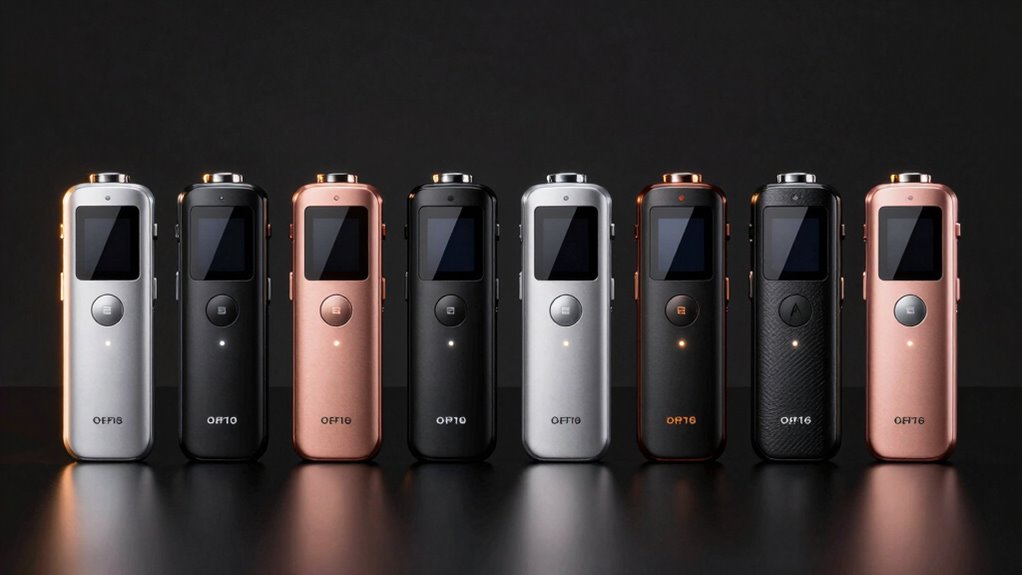

For most people, the EVIDA 128GB Digital Voice Recorder is the best overall digital voice recorder in this group because it pairs generous storage with playback and voice activation. The EVISTR L359 stands out for buyers who want AI transcription, while the Plaud Note Pro is the premium choice for transcription and summaries. The main tradeoff is between straightforward recording features and AI-assisted workflows, alongside choices about storage, playback, and automatic recording. More storage can help with long sessions, but it does not by itself improve audio clarity or make files easier to manage. Read on for how the eight recorders compare and which one fits your recording habits.

Get privacy and security gear delivered free with Prime
- Fast, free delivery on millions of items
- Prime Video, Amazon Music and more included
- Member-only deals all year
Key Takeaways
- EVIDA’s 128GB capacity and voice activation make it a strong all-rounder for people who record often and want automatic starts when sound is detected.
- Plaud Note Pro and EVISTR L359 separate themselves with AI transcription, but buyers should weigh that workflow against simpler playback-focused models.
- Storage ranges from 8GB to 136GB, so the right capacity depends more on recording frequency and file-transfer habits than on the largest number alone.
- Voice activation appears on the EVIDA and HoTiyan models, offering a way to reduce silent gaps, though buyers should check whether that recording style suits their use.
- Tonfarb 64GB, Sunlan 16GB, and EVISTR L357 emphasize recording with playback, making them more direct choices for people who want to review audio without an AI-centered workflow.
| Tonfarb 64GB Digital Voice Recorder with Playback |  | Best for Flexible Recording Controls | Storage: 64 GB | Recording formats: WAV, MP3 | Maximum PCM bitrate: 1536 kbps | VIEW ON AMAZON | See Our Full Breakdown |
| Sunlan 16GB Digital Voice Recorder with Playback |  | Best for Simple, Lightweight Playback | Storage: 16 GB | Recording format: WAV | Recording bitrate: 1536 kbps | VIEW ON AMAZON | See Our Full Breakdown |
| EVIDA 128GB Digital Voice Recorder with Playback and Voice Activation |  | Best for Large Recording Archives | Storage: 128 GB | Recording formats: MP3 at 128 or 192 kbps; WAV at 1536 kbps | Maximum continuous recording time: 54 hours | VIEW ON AMAZON | See Our Full Breakdown |
| HoTiyan 8GB Digital Voice Recorder with Voice Activation |  | Best for Basic Stereo Recording | Storage: 8 GB | Recording formats: MP3, WAV | Recording time: Up to 128 hours | VIEW ON AMAZON | See Our Full Breakdown |
| Tonfarb 136 GB Digital Voice Recorder |  | Best for Maximum Storage and Long Sessions | Storage: 136 GB total: 8 GB built in plus 128 GB TF card | Recording formats: MP3, WAV | Maximum PCM quality: Up to 1536 kbps | VIEW ON AMAZON | See Our Full Breakdown |
| Plaud Note Pro AI Voice Recorder with Transcription and Summaries |  | Best for AI-Assisted Meeting Notes | Storage: 64 GB | Microphones: Four MEMS microphones and one VPU microphone | Recording format: WAV | VIEW ON AMAZON | See Our Full Breakdown |
| EVISTR L357 64GB Digital Voice Recorder with Playback |  | Best for Hands-On Recording and Playback | Storage: 64 GB | Recording formats: MP3 and WAV | Microphone: Built-in stereo | VIEW ON AMAZON | See Our Full Breakdown |
| EVISTR L359 128GB Digital Voice Recorder with AI Transcription |  | Best for High-Capacity AI Transcription | Storage: 128 GB | Microphone: Built-in mono | Audio formats: MP3 and WAV | VIEW ON AMAZON | See Our Full Breakdown |
| digital voice recorder | Storage | Microphone | Recording formats | Display |
|---|---|---|---|---|
| Tonfarb 64GB Digital Voice Rec | 64 GB | Built-in stereo | WAV, MP3 | 1.44 inches |
| Sunlan 16GB Digital Voice Reco | 16 GB | Built-in mono with noise cancellation | — | — |
| EVIDA 128GB Digital Voice Reco | 128 GB | Built-in mono with noise cancellation | MP3 at 128 or 192 kbps; WAV at 1536 kbps | 1.5 inches |
| HoTiyan 8GB Digital Voice Reco | 8 GB | Built-in stereo | MP3, WAV | — |
| Tonfarb 136 GB Digital Voice R | 136 GB total: 8 GB built in plus 128 GB TF card | Built-in dual noise-reduction microphones | MP3, WAV | 1.44 inches |
| Plaud Note Pro AI Voice Record | 64 GB | — | — | 0.95-inch AMOLED |
| EVISTR L357 64GB Digital Voice | 64 GB | Built-in stereo | MP3 and WAV | — |
| EVISTR L359 128GB Digital Voic | 128 GB | Built-in mono | — | — |
More Details on Our Top Picks
Tonfarb 64GB Digital Voice Recorder with Playback
One-click recording, voice activation, and scheduled recording give this Tonfarb more ways to capture planned sessions or unexpected conversations than the simpler Sunlan 16GB. Its 64GB capacity and WAV/MP3 support also leave room for longer projects while letting you choose between higher-detail files and smaller ones. Playback, file segmentation, and password protection add useful organization and privacy tools for everyday notes or meetings. The tradeoff is less certainty around endurance: the description claims up to 48 hours, while the specifications list an average of 32 hours. Compared with the Tonfarb 136 GB, it has less storage and no stated USB-C connection, but its listed AAA battery may suit buyers who prefer a replaceable battery. I’d choose it for flexible controls, not for the most dependable battery estimate.
Pros:- One-click and scheduled recording make it practical for both spontaneous notes and planned sessions.
- 64GB storage supports a substantial library of recordings.
- WAV and MP3 options let users balance audio detail with file size.
- Voice activation, file segmentation, playback, and password protection add useful control.
Cons:- Battery runtime is inconsistent across the listing: up to 48 hours in the description versus an average of 32 hours in the specifications.
- It has less storage than the 136 GB Tonfarb and does not list USB-C file transfer.
Best for: Students and meeting attendees who want one-touch capture, scheduled recording, and playback controls in a recorder with substantial storage.
Not ideal for: People recording multi-day events who need a clearly specified battery runtime or the largest available storage; the runtime figures conflict, and the 136 GB Tonfarb offers more capacity.
- Storage:64 GB
- Recording formats:WAV, MP3
- Maximum PCM bitrate:1536 kbps
- Battery:600 mAh; 1 AAA battery included
- Continuous recording time:Up to 48 hours in description; specifications list an average of 32 hours
- Microphone:Built-in stereo
- Display:1.44 inches
- Connections:3.5 mm headphone jack; USB 2.0
Our verdict“Choose this Tonfarb for flexible recording and file controls, but pick the 136 GB Tonfarb if storage and a higher stated runtime matter more.”
Sunlan 16GB Digital Voice Recorder with Playback
At 35 g and 3.3 inches long, the Sunlan is a straightforward choice for carrying to lectures or interviews without adding much bulk. Its mono microphone records WAV audio at a listed 1536 kbps, while voice activation and DSP noise reduction offer basic help with quiet speech and background sound. The built-in speaker and A-B repeat make it easier to replay a passage without moving files to another device, and USB transfer covers archiving. Compared with the Tonfarb 64GB, the Sunlan has much less storage and records only WAV, but its controls and playback features suit a simpler routine. Its main limitation is endurance after recording: playback is listed at up to 7 hours, and the listing does not clarify recording duration at the stated bitrate. I’d favor it for portable, uncomplicated capture rather than a large archive.
Pros:- Lightweight 35 g body is easy to carry between classes or appointments.
- Voice activation can reduce empty-silence recording and conserve storage.
- Built-in speaker and A-B repeat support quick review without a separate player.
- USB file transfer and music playback add everyday convenience.
Cons:- 16GB storage is modest compared with the 64GB and 128GB options in this lineup.
- Playback lasts up to 7 hours, and recording duration at the stated bitrate is not specified.
- Recording is WAV-only, with a built-in mono microphone.
Best for: Students and interviewers who want a light recorder with voice activation, built-in speaker playback, and easy A-B review.
Not ideal for: People building a large recording archive or listening back for long stretches away from a charger; its 16GB capacity and listed 7-hour playback limit are restrictive.
- Storage:16 GB
- Recording format:WAV
- Recording bitrate:1536 kbps
- Microphone:Built-in mono with noise cancellation
- Recording time:Up to 30 hours
- Playback time:Up to 7 hours
- Weight:35 g
- Connections:USB; 3.5 mm headphone jack
Our verdict“Pick the Sunlan for light, simple recording and quick playback, but choose the Tonfarb 64GB if you need more room or MP3 recording.”
EVIDA 128GB Digital Voice Recorder with Playback and Voice Activation
128GB of storage and up to 54 hours of continuous recording make the EVIDA the archive-focused pick in this group. It supports WAV at 1536 kbps as well as MP3 at 128 or 192 kbps, so you can reserve larger files for important sessions and use smaller ones for routine notes. Six voice-activation sensitivity levels offer more adjustment than the basic voice-activation features listed for the HoTiyan 8GB, while bookmarks and password protection help with reviewing and organizing recordings. The tradeoffs are physical and practical: its mono microphone differs from stereo options such as the HoTiyan, and it has no headphone jack. Its specifications also call for one C battery, which may be less convenient than a rechargeable design. This suits frequent recorders who value capacity over compact playback flexibility.
Pros:- 128GB capacity provides the largest stated storage in this batch.
- Up to 54 hours of continuous recording suits long sessions and frequent use.
- WAV and two MP3 bitrate options allow a choice between detail and smaller files.
- Six voice-activation sensitivity levels, bookmarks, and password protection support control and organization.
Cons:- No headphone jack is listed for private or wired playback.
- The specifications call for one C battery, which may be less convenient than a rechargeable recorder.
- Built-in mono microphone offers a different capture setup from stereo-microphone options such as the HoTiyan.
Best for: Researchers, reporters, and frequent meeting recorders who need a large local archive and adjustable voice activation.
Not ideal for: Buyers who monitor recordings through wired headphones or want a compact, clearly rechargeable setup; this model lacks a headphone jack and specifies a C battery.
- Storage:128 GB
- Recording formats:MP3 at 128 or 192 kbps; WAV at 1536 kbps
- Maximum continuous recording time:54 hours
- Microphone:Built-in mono with noise cancellation
- Voice activation:6 sensitivity levels
- Display:1.5 inches
- Interface:USB 2.0
- Weight:3.35 ounces
- Battery:One C battery, according to specifications
Our verdict“Choose the EVIDA when a large recording archive and adjustable voice activation matter more than a headphone jack or a compact power setup.”
HoTiyan 8GB Digital Voice Recorder with Voice Activation
A built-in stereo microphone, MP3 and WAV recording, and a 3.5 mm headphone jack give the HoTiyan a useful mix for buyers who want more than a bare-bones note recorder. A-B repeat and variable playback speed help with language practice, transcription, or revisiting a particular passage. Its listed up to 128 hours of recording refers to capacity, while battery life is listed separately at 20 hours of continuous recording; that distinction matters when planning long sessions. Compared with the EVIDA 128GB, this model has far less storage and less adjustable voice activation information, but it offers stereo capture and a headphone jack. The listing also describes recording quality inconsistently, so I would not choose it when dependable audio-quality claims are the priority. It makes more sense as a basic, feature-rich recorder for shorter projects.
Pros:- Built-in stereo microphone supports stereo capture.
- MP3 and WAV formats provide two file-size and recording options.
- A-B repeat and variable playback speed help with focused listening and transcription.
- Voice activation, noise reduction, USB transfer, and a headphone jack cover useful everyday needs.
Cons:- 8GB storage is limited compared with the 64GB and larger recorders in this lineup.
- The listing describes recording quality inconsistently, making performance harder to judge from the provided information.
- Continuous recording battery life is listed at 20 hours, with playback at 8 hours using earphones.
Best for: Language learners and occasional interviewers who want stereo recording, headphone monitoring, and speed controls for replay.
Not ideal for: People who need a large archive or rely on consistent, clearly documented recording-quality claims; capacity is 8GB and the listing is inconsistent about quality.
- Storage:8 GB
- Recording formats:MP3, WAV
- Recording time:Up to 128 hours
- Continuous recording battery life:20 hours
- Playback battery life:8 hours with earphones
- Microphone:Built-in stereo
- Battery:Rechargeable 3.6V 300mAh lithium-ion
- Connections:USB 2.0 Type B; 3.5 mm headphone jack
Our verdict“Choose the HoTiyan for stereo capture and playback tools on shorter projects, but select the EVIDA if storage capacity is your priority.”
Tonfarb 136 GB Digital Voice Recorder
136GB of combined storage—8GB built in plus a 128GB TF card—sets this Tonfarb apart for buyers who keep extensive recordings on the device. Its up to 68 hours of continuous recording, dual noise-reduction microphones, voice activation, and one-touch start make it suited to long sessions where quick capture matters. USB-C file transfer is another practical difference from the USB 2.0 connection listed for the Tonfarb 64GB. It also records MP3 and WAV, with PCM quality listed up to 1536 kbps, though the listing says recording capacity varies by format. The costs are a heavier 97–100 g body and a runtime claim that depends on recording settings. Compared with the EVIDA 128GB, it offers more stated storage and dual microphones, while the EVIDA lists six voice-activation sensitivity levels and a longer warranty. I’d choose this Tonfarb for capacity and endurance.
Pros:- 136GB combined storage includes a 128GB TF card alongside 8GB built in.
- Up to 68 hours of continuous recording is the longest stated runtime in this batch.
- Dual noise-reduction microphones and voice activation support hands-off capture.
- USB-C file transfer and one-touch recording simplify capture and offloading.
Cons:- Weight is listed as both 97 g and 100 g.
- Recording capacity varies by audio format, so the maximum runtime may not apply to every setting.
- At roughly 100 g, it is heavier than the 35 g Sunlan.
Best for: Journalists, researchers, and students who record frequently and want high storage capacity, long stated runtime, and USB-C transfers.
Not ideal for: Buyers seeking the lightest pocket recorder or predictable recording duration across formats; its listed weight varies, and capacity depends on audio format.
- Storage:136 GB total: 8 GB built in plus 128 GB TF card
- Recording formats:MP3, WAV
- Maximum PCM quality:Up to 1536 kbps
- Battery capacity:1100 mAh
- Continuous recording time:Up to 68 hours
- Microphone:Built-in dual noise-reduction microphones
- Connections:USB-C, USB 2.0
- Weight:97 g in description; 100 g in product information
- Display:1.44 inches
Our verdict“Choose this Tonfarb for high storage and long recording sessions, but favor the Sunlan if low carry weight matters more.”
Plaud Note Pro AI Voice Recorder with Transcription and Summaries
The Plaud Note Pro is the most meeting-focused choice here: it records calls and in-room conversations, then adds transcription, summaries, and question answering to help turn audio into usable notes. Its support for typed notes and images alongside recordings may suit people who want one organized record of a discussion. Compared with the EVISTR L359, Plaud offers a slimmer, lighter design and a screen, while the L359 provides more storage and AI features such as mind maps and speaker identification. Plaud’s 64 GB capacity and up to 30 hours in Enhance Mode are ample for many routines, with a longer Endurance Mode available. The tradeoff is that transcription depends on a plan capped at 300 minutes monthly at the included tier, and there is no headphone jack for direct listening.
Pros:- AI transcription, summaries, and question answering can make recordings easier to search and use.
- Supports audio alongside typed notes and images for richer meeting records.
- Slim 30 g design includes an AMOLED display and Apple Find My support.
- 64 GB storage and up to 50 hours of recording in Endurance Mode.
Cons:- The included Starter Plan is limited to 300 transcription minutes per month.
- No headphone jack for wired playback.
- Enhance Mode battery life is shorter than the Endurance Mode figure.
Best for: People who regularly capture meetings or calls and want AI-generated transcripts and summaries alongside typed notes and images.
Not ideal for: People who need frequent, high-volume transcription without plan limits, or who want a headphone jack for listening directly from the recorder.
- Storage:64 GB
- Microphones:Four MEMS microphones and one VPU microphone
- Recording format:WAV
- Recording modes:Mono and stereo
- Battery life:Up to 30 hours in Enhance Mode; up to 50 hours in Endurance Mode
- Recording range:Up to 16.4 ft (5 m) in Enhance Mode
- Display:0.95-inch AMOLED
- Dimensions and weight:2.13 × 3.37 × 0.12 inches; 30 g (1.06 oz)
- Included transcription:Starter Plan with 300 minutes per month
Our verdict“Choose the Plaud Note Pro if AI-supported meeting notes matter more than unrestricted transcription or onboard headphone playback.”
EVISTR L357 64GB Digital Voice Recorder with Playback
The EVISTR L357 suits buyers who want a conventional recorder with useful controls rather than an AI-first workflow. Its voice activation can cut down stretches of silence, while seven gain and sensitivity levels give more room to adjust for different recording situations. WAV and MP3 support let you choose between recording formats, and the headphone jack, A-B repeat, and variable-speed playback make reviewing audio straightforward. Compared with the Plaud Note Pro, the L357 has no AI transcription or summaries, but it avoids a transcription-plan workflow and offers direct wired listening. Its 64 GB storage matches Plaud’s capacity, and USB-C file transfer works with Windows and Mac. The listed battery details should be treated cautiously because the product information gives varying battery-life figures; its 2.24-ounce body is also less pocket-slim than Plaud’s.
Pros:- Voice activation can reduce silent sections in recordings.
- Records in both WAV and MP3 formats.
- USB-C transfers and compatibility with Windows and Mac support straightforward file handling.
- A 3.5 mm headphone jack and A-B repeat make on-device playback practical.
Cons:- No AI transcription or summarization features like those on the Plaud Note Pro and EVISTR L359.
- Battery-life information varies across the supplied product details.
- At 2.24 ounces, it is heavier and thicker than the Plaud Note Pro.
Best for: Students, interviewers, and note-takers who want voice activation, physical playback controls, and simple USB-C transfers without relying on transcription features.
Not ideal for: People who want automatic transcripts and meeting summaries, or those prioritizing a very slim, lightweight recorder.
- Storage:64 GB
- Recording formats:MP3 and WAV
- Microphone:Built-in stereo
- Recording controls:Voice activation with seven sensitivity levels; seven recording-gain levels
- Continuous recording:Up to 32 hours
- Continuous playback:Up to 35 hours
- Connectivity and playback:USB Type-C and 3.5 mm headphone jack
- Dimensions and weight:3.86 × 1.2 × 0.47 inches; 2.24 ounces
Our verdict“Pick the EVISTR L357 if you value adjustable recording and hands-on playback more than AI processing.”
EVISTR L359 128GB Digital Voice Recorder with AI Transcription
The EVISTR L359 combines generous local storage with app-based tools for turning recordings into text and structured notes. Its 128 GB capacity is double that of both the Plaud Note Pro and EVISTR L357, giving frequent recorders more room to keep audio on the device. Through the AI DVR Link app, it offers transcription in 113 languages, summaries, mind maps, speaker identification, and AI insights—a broader feature set than the Plaud’s listed transcription and question-answering tools. Voice activation and up to 33 hours of recording also suit long lecture or meeting days. The tradeoffs are meaningful: AI features require the app, and the built-in microphone is mono, unlike the L357’s stereo microphone. Its stated battery uses a nonstandard included type, so buyers should check replacement availability before relying on it for frequent travel.
Pros:- 128 GB storage holds more recordings than the 64 GB Plaud Note Pro and EVISTR L357.
- App-based AI tools include transcription in 113 languages, summaries, mind maps, and speaker identification.
- Up to 33 hours of recording supports extended use between charges.
- Voice activation and wired OTG transfers add practical recording and file-moving options.
Cons:- AI transcription and analysis require the AI DVR Link app.
- The built-in microphone records in mono, unlike the EVISTR L357’s stereo microphone.
- Uses an included nonstandard battery, which may complicate replacement.
Best for: Students, researchers, and multilingual interviewers who record often, need substantial onboard storage, and are comfortable using a companion app for AI processing.
Not ideal for: Buyers who need stereo capture, want AI features without an app, or prefer a recorder with a clearly standard, easy-to-replace battery.
- Storage:128 GB
- Microphone:Built-in mono
- Audio formats:MP3 and WAV
- Maximum recording bitrate:3072 Kbps
- Recording time:Up to 33 hours
- Transcription languages:113
- Connectivity:USB Type-C and wired OTG
- Security:Password encryption and HOLD switch
- Dimensions and weight:0.39 × 1.25 × 4 inches; 2.24 ounces
Our verdict“Choose the EVISTR L359 if storage capacity and app-based AI tools outweigh stereo recording and simpler battery replacement.”

How We Picked
I compared the eight models around the decisions that shape everyday use: whether they support playback, how much storage they offer, whether voice activation is included, and whether transcription or summaries are part of the workflow. I also considered how clearly each model serves a distinct buyer, from someone who wants a straightforward recorder to someone who needs searchable notes after meetings. Capacity matters, but I treated it as one factor rather than a proxy for recording quality.
The ranking favors useful combinations of features and a clear fit for common recording needs. The EVIDA leads as a balanced option with high capacity, playback, and voice activation; the AI-focused Plaud Note Pro and EVISTR L359 serve buyers who value transcription. Simpler models rank for accessible recording and playback, while the HoTiyan’s lower capacity makes it a more specialized fit. Where product details do not establish a feature, I avoid treating it as a benefit.
| digital voice recorder | Recording formats | Microphone |
|---|---|---|
| Tonfarb 64GB Digital Voice Rec | WAV, MP3 | Built-in stereo |
| Sunlan 16GB Digital Voice Reco | — | Built-in mono with noise cancellation |
| EVIDA 128GB Digital Voice Reco | MP3 at 128 or 192 kbps; WAV at 1536 kbps | Built-in mono with noise cancellation |
| HoTiyan 8GB Digital Voice Reco | MP3, WAV | Built-in stereo |
| Tonfarb 136 GB Digital Voice R | MP3, WAV | Built-in dual noise-reduction microphones |
| Plaud Note Pro AI Voice Record | — | — |
| EVISTR L357 64GB Digital Voice | MP3 and WAV | Built-in stereo |
| EVISTR L359 128GB Digital Voic | — | Built-in mono |
Factors to Consider When Choosing Digital Voice Recorder
Before choosing a digital voice recorder, decide what happens after you press record. Your recording length, listening habits, file-transfer routine, and need for written notes can matter more than capacity alone. These factors can help you avoid paying for a workflow you will not use—or choosing a basic device that leaves you doing hours of manual work.
Match Storage to Your Recording Routine
Think about how often you record and how regularly you can move files off the device. A larger capacity, like the 128GB or 136GB options in this roundup, can suit frequent or extended recording, but it may be wasted if you transfer files after every session. Lower-capacity models can be enough for occasional classes or short personal notes when you keep up with file management. Do not assume storage size predicts sound quality; it mainly affects how much material the recorder can hold. Check whether your intended workflow includes a computer or other reliable place to archive recordings. The best capacity is the one that leaves a sensible buffer without encouraging you to keep every file on the recorder indefinitely.
Choose Between Manual Recording and Voice Activation
Voice activation can reduce stretches of silence in a recording, which may help when a conversation has pauses or a session runs for a long time. It is not automatically better than continuous recording: quiet speech, distant speakers, or soft starts may be missed depending on the device’s detection behavior. For an important interview or lecture, continuous recording may feel safer if you cannot risk a clipped opening. For routine notes or recordings with predictable gaps, automatic activation can make playback less tedious. If you select this feature, test it in a low-stakes setting before relying on it for a one-time event. Consider whether saving space or avoiding silence matters more than capturing every sound.
Decide Whether Playback on the Recorder Matters
Playback is useful when you need to check a name, confirm a quote, or review a recording without first connecting another device. It can make a basic recorder more practical for field notes and quick checks. If you always transfer audio to a phone or computer, playback on the recorder may be less important than simple file handling. Buyers sometimes focus on recording capacity and overlook how they will find a specific clip later. Make a habit of naming or sorting files soon after recording, especially if you capture many sessions. A recorder that fits your review routine can save time even if it has fewer headline features.
Pay for Transcription Only If You Need the Text
AI transcription can turn recordings into text that is easier to search, share, or summarize, but it adds a step beyond capturing audio. It is most useful when you routinely need meeting notes, interview drafts, or searchable records. A transcription feature should not be treated as a guarantee of perfect wording; names, accents, overlapping voices, and technical terms may need correction. Consider how transcripts are created, where files are processed, and whether the service fits your privacy requirements before adopting an AI-based workflow. If you only replay occasional voice memos, a playback-focused model may be simpler. Paying for transcription makes more sense when it reduces repeated manual work.
Think Through File Access and Long-Term Organization
A recording is only useful if you can retrieve and keep it. Before buying, consider where files will live, how often you will back them up, and whether you need recordings on a computer, phone, or shared drive. Large storage can delay file transfers, which may leave important material in one place for too long. Create a routine for labeling sessions with dates, speakers, or topics rather than relying on memory. If you record sensitive conversations, check applicable consent rules and handle the files with care. A modest recorder paired with a reliable archive can be more useful than a high-capacity device with no organization plan.
Frequently Asked Questions
Is a 128GB or 136GB recorder worth choosing over a 16GB model?
It depends on how frequently you record and whether you clear or archive files. Higher capacity can be helpful for long sessions or weeks of regular recording without file transfers, while 16GB may suit occasional short notes. Storage alone does not indicate better audio capture or easier playback. If you record important material, plan regular backups regardless of capacity. Choose extra space for convenience, not as a substitute for file organization.
Should I choose voice activation for lectures or interviews?
Voice activation can help reduce silent sections, but it may not capture very quiet speech or the beginning of a sentence if sound detection takes time to respond. For a one-time interview or a lecture where missing a few words would matter, continuous recording is often the safer approach if available. Automatic activation may be more useful for routine recordings with long, predictable pauses. Test the feature in a similar room and with similar speaker volume before relying on it. Also follow local rules and obtain consent where required.
Do I need an AI transcription recorder if I already take notes?
AI transcription is most helpful when you need to search recordings, create a written record, or turn meetings into summaries after the session. If your notes already capture everything you need and you rarely revisit audio, the added workflow may not justify choosing an AI-focused model. Transcripts can contain errors, so allow time to verify key names, figures, and quotations. Check how transcription is handled and whether the service’s data practices suit your work. A recorder with playback may be enough for occasional clarification.
Is onboard playback useful if I can listen to recordings on my phone or computer?
Onboard playback helps when you need to check a clip quickly without transferring files or finding another device. It can be handy for confirming a detail immediately after an interview or lecture. If you already move every recording to a phone or computer, playback on the recorder may add little to your routine. Your file-transfer and review habits should guide this choice more than the feature list. Also consider how you will locate the right file when several recordings share similar names.
Which type of digital voice recorder is best for sensitive meetings?
For sensitive meetings, prioritize a workflow you can control: know when recording begins, where files are stored, and who can access them. AI transcription may involve additional processing beyond the recorder, so check the service and storage details before recording private material. A simple recorder can reduce dependence on extra services, but it still requires secure handling and backups. Confirm permission and applicable recording laws before the meeting. No storage size or transcription feature replaces a clear consent and file-retention plan.
Conclusion
My best overall pick is the EVIDA 128GB for buyers who want substantial storage, playback, and voice activation in one recorder. For best value and straightforward use, compare the Tonfarb 64GB and EVISTR L357: both center on playback rather than an AI workflow, while the Sunlan 16GB is a sensible fit for lighter recording needs. The best premium choice is Plaud Note Pro for buyers who prioritize transcription and summaries; the EVISTR L359 is another AI transcription option with higher listed storage. For beginners, a playback-focused model is the less complicated place to start, while the HoTiyan suits someone who specifically wants voice activation and has modest storage needs. Choose by what you do with recordings after capture: review them, keep them for reference, or turn them into searchable text.