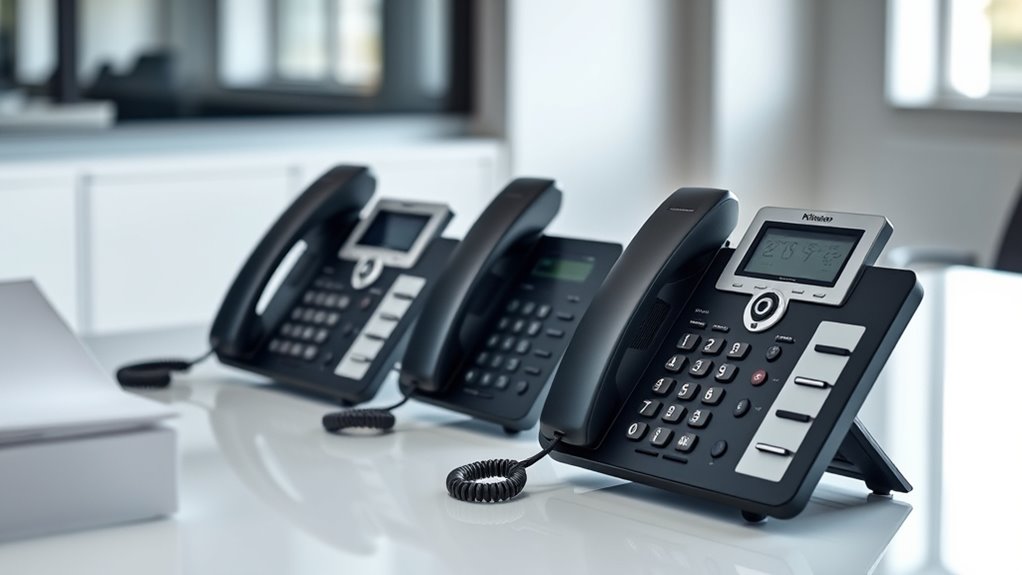

For a secure desk phone with modern business features, I’d start with the Poly Edge E350, whose Wi-Fi and Bluetooth support give it the strongest connectivity options in this group. The Poly Edge E320 is a simpler business IP alternative, while the AT&T ML17929 suits buyers who want a straightforward two-line corded phone. The main tradeoff is that these products span different kinds of security: IP-phone network controls depend on the phone system and configuration, while basic landlines avoid some internet exposure but offer fewer advanced controls. No handset alone can guarantee private calls, so the right choice depends on your service, network, and operating needs. Continue reading for the full comparison and a guide to choosing the right setup.

Get privacy and security gear delivered free with Prime
- Fast, free delivery on millions of items
- Prime Video, Amazon Music and more included
- Member-only deals all year
Key Takeaways
- The Poly Edge E350 leads on business connectivity with Wi-Fi and Bluetooth, but those features only help if your phone service and network are configured securely.
- The Poly Edge E320 is the more straightforward IP-phone choice for buyers who want a business handset without the E350’s added wireless flexibility.
- The AT&T ML17929 stands apart for two-line corded use; it may suit a small office that values simple call handling more than IP-based features.
- VTech’s VG208 and CS6649 add cordless convenience, but cordless handsets bring different privacy and placement considerations than a single corded phone.
- Basic corded models such as the Uvital, AT&T CL2940, and TelPal keep features simple, but they do not offer the business-oriented network capabilities of the Poly IP phones.
| Poly Edge E350 IP Desk Phone with Wi-Fi and Bluetooth |  | Best for Flexible IP Connectivity | Phone type: Corded IP phone | Line keys: 8, supporting up to 32 lines, features, and contacts | Connectivity: Wi-Fi and Bluetooth | VIEW ON AMAZON | See Our Full Breakdown |
| AT&T ML17929 2-Line Corded Speakerphone with Caller ID and Call Waiting |  | Best for Landline Continuity | Phone type: 2-line corded landline phone | Conference calling: 3-way | Caller ID history: 99 names and numbers | VIEW ON AMAZON | See Our Full Breakdown |
| Poly Edge E320 IP Desk Phone | | Best for Bluetooth-Equipped IP Calling | Phone type: Corded IP phone | Line keys: 8, supporting up to 32 lines, features, and contacts | Bluetooth: Integrated | VIEW ON AMAZON | See Our Full Breakdown |
| VTech VG208 DECT 6.0 Corded/Cordless Phone System with Answering Machine |  | Best for Home Backup and Call Screening | Technology: DECT 6.0 | System type: Corded base with one cordless handset | Answering machine capacity: 22 minutes | VIEW ON AMAZON | See Our Full Breakdown |
| Uvital Corded Landline Phone with LCD Display, Black |  | Best for Simple, Power-Free Landline Operation | Phone type: Corded landline phone | Compatible network: PSTN landline | Display: LCD with Caller ID | VIEW ON AMAZON | See Our Full Breakdown |
| VTech CS6649 Expandable Corded/Cordless Phone with Answering System and Caller ID, Silver/Black |  | Best for Shared Home or Small-Office Calls | Technology: DECT 6.0 | Included handsets: 1 cordless handset | Expandable handsets: Up to 5 | VIEW ON AMAZON | See Our Full Breakdown |
| Polycom VVX 450 Business IP Desk Phone |  | Best for Multi-Line Business Security and Call Management | Lines supported: 12 | Ethernet ports: Dual 10/100/1000 | Power: Power over Ethernet; North American power supply included | VIEW ON AMAZON | See Our Full Breakdown |
| AT&T CL2940 Corded Phone with Speakerphone |  | Best for Accessible, Power-Outage-Ready Calling | Phone type: Corded landline | Display and buttons: Tilting display with extra-large buttons | Caller ID history: Up to 50 names and numbers | VIEW ON AMAZON | See Our Full Breakdown |
| TelPal Corded Basic Landline Phone with Caller ID and LCD Display |  | Best for Simple Battery-Free Desk or Wall Calling | Phone type: Corded landline | Power source: Telephone line; battery-free | Display: LCD with caller ID, date, and time | VIEW ON AMAZON | See Our Full Breakdown |
| secure desk phone | Phone type |
|---|---|
| Poly Edge E350 IP Desk Phone w | Corded IP phone |
| AT&T ML17929 2-Line Corded Spe | 2-line corded landline phone |
| Poly Edge E320 IP Desk Phone | Corded IP phone |
| VTech VG208 DECT 6.0 Corded/Co | — |
| Uvital Corded Landline Phone w | Corded landline phone |
| VTech CS6649 Expandable Corded | — |
| Polycom VVX 450 Business IP De | — |
| AT&T CL2940 Corded Phone with | Corded landline |
| TelPal Corded Basic Landline P | Corded landline |
More Details on Our Top Picks
Poly Edge E350 IP Desk Phone with Wi-Fi and Bluetooth
The Poly Edge E350 is my pick for a desk that needs IP calling with fewer restrictions on where the phone can connect. Built-in Wi-Fi and Bluetooth give it more placement and headset flexibility than the wired-network-only details listed for the Poly Edge E320, while both models offer eight line keys supporting up to 32 lines and Poly noise-reduction tools. Its 3.5-inch color display, text-to-speech, and adjustable display settings can also help people who need clearer visual or spoken call information.
The tradeoff is that the E350 is still an IP phone, not a traditional landline backup like the AT&T ML17929, whose Line 1 supports basic calling during power outages. The E350’s conference calling is described as basic, and the product information also mentions a four-AA-battery requirement without clarifying the use. I’d choose it for a feature-rich IP setup, not as a simple outage-ready home phone.
Pros:- Built-in Wi-Fi and Bluetooth offer flexible network placement and device pairing.
- Eight line keys support up to 32 lines, features, and contacts.
- Noise-reduction technology is specified for handset, wired headset, and speakerphone calls.
- Accessibility options include text-to-speech, color adjustments, and larger fonts.
Cons:- Basic conference calling may not suit teams that rely on frequent multi-party calls.
- Product information lists four AA batteries but does not explain their role.
- IP calling is not the same as the AT&T ML17929’s basic Line 1 operation during power outages.
Best for: Small offices using IP telephony that want Wi-Fi placement flexibility, Bluetooth pairing, and accessible display options.
Not ideal for: Landline users seeking basic calling during a power outage or a phone with more developed conferencing and clearly specified power requirements.
- Phone type:Corded IP phone
- Line keys:8, supporting up to 32 lines, features, and contacts
- Connectivity:Wi-Fi and Bluetooth
- Display:3.5-inch color display
- Noise reduction:Poly Acoustic Fence and NoiseBlockAI
- Dimensions:11 x 9 x 3.5 inches
- Weight:2 pounds
- Warranty:1-year manufacturer warranty
Our verdict“Choose the E350 for a flexible, accessibility-minded IP desk setup, but pick the AT&T ML17929 if landline outage operation matters more.”
AT&T ML17929 2-Line Corded Speakerphone with Caller ID and Call Waiting
For a buyer who puts landline continuity ahead of smart features, the AT&T ML17929 has a useful distinction: basic calling on Line 1 remains available during a power outage. It also handles two lines, offers three-way conferencing, and includes a speakerphone, a 100-name phonebook, and 18 speed-dial entries. That makes it more practical for a small office sharing a conventional phone connection than the Poly Edge E320, which is built for IP calling and has Bluetooth but does not list this kind of landline outage operation.
This is not a full communications hub. Outage operation is limited to Line 1, and there is no answering system, so callers need another way to leave messages. Compared with the VTech VG208, the AT&T lacks an answering machine and call blocking, but it supports two lines and can be wall-mounted. I’d favor it where straightforward multi-line calling and a basic fallback matter more than message handling.
Pros:- Supports two phone lines and three-way conferencing.
- Line 1 offers basic calling during power outages.
- Speakerphone, headset compatibility, and wall-mount capability support different desk setups.
- Includes a 100-name phonebook, 18-number speed dial, and 99-entry Caller ID history.
Cons:- Power-outage operation is limited to basic calling on Line 1.
- No answering system is included.
- Its conventional landline design lacks the Wi-Fi and Bluetooth flexibility of the Poly Edge E350.
Best for: Home offices and small businesses using two conventional phone lines that want basic outage calling and hands-free conversations.
Not ideal for: Buyers who need an answering machine, extensive call blocking, or power-outage operation on both lines.
- Phone type:2-line corded landline phone
- Conference calling:3-way
- Caller ID history:99 names and numbers
- Phonebook:100 names
- Speed dial:18 numbers
- Power failure operation:Basic calling on Line 1
- Headset compatible:Yes
- Dimensions:9 x 5.4 x 6.5 inches
Our verdict“Choose the ML17929 for two-line landline calling with a limited outage fallback, and skip it if you need built-in message storage.”
Poly Edge E320 IP Desk Phone
The Poly Edge E320 suits an IP desk where Bluetooth pairing is useful but Wi-Fi is not a requirement. It shares the E350’s eight line keys for up to 32 lines, features, and contacts, plus a 3.5-inch color display and Poly Acoustic Fence and NoiseBlockAI. That gives it a strong focus on managing busy call environments and reducing background noise. Its listed accessibility settings, including text-to-speech and larger fonts, add practical support without requiring a more elaborate phone system.
Compared with the Poly Edge E350, the E320 lists integrated Bluetooth but not Wi-Fi, so it is a less flexible choice for placement away from a network cable. Both have basic conference calling and the product information for each mentions four AA batteries without explaining why. The AT&T ML17929 is a better fit for conventional landline outage calling; the E320 makes more sense when the office already uses IP service and needs Bluetooth alongside multiple line appearances.
Pros:- Eight line keys support up to 32 lines, features, and contacts.
- Integrated Bluetooth supports pairing with a mobile phone or headset.
- Noise-reduction features cover handset, wired headset, and speakerphone calls.
- Display includes text-to-speech, color adjustments, and larger-font settings.
Cons:- Wi-Fi is not listed, unlike the Poly Edge E350.
- Conference calling is listed as basic.
- Product information mentions four AA batteries without explaining their purpose.
Best for: IP-phone users who need Bluetooth headset or mobile pairing, multi-line handling, and display accessibility features.
Not ideal for: Buyers who need built-in Wi-Fi, a conventional landline fallback, or more than basic conference calling.
- Phone type:Corded IP phone
- Line keys:8, supporting up to 32 lines, features, and contacts
- Bluetooth:Integrated
- Display:3.5-inch color display
- Noise reduction:Poly Acoustic Fence and NoiseBlockAI
- Accessibility features:Text-to-speech, color adjustments, and larger-font settings
- Dimensions:12.1 x 10.3 x 3.4 inches
- Weight:0.99 kg
Our verdict“Pick the E320 for Bluetooth-equipped IP calling and accessibility features, but choose the E350 if Wi-Fi placement flexibility is a priority.”
VTech VG208 DECT 6.0 Corded/Cordless Phone System with Answering Machine
The VTech VG208 takes a different approach to a secure desk phone: it pairs a corded base with one cordless handset, then adds call blocking and message recording. Its base can operate in Line-Power mode during outages, while the answering machine stores up to 22 minutes and can be checked from the base, handset, or remotely. Call blocking for up to 150 names and numbers is a useful distinction from the AT&T ML17929, which supports two lines and three-way calls but has no answering system.
The VG208 is more of a home or small-office landline system than an IP desk phone like the Poly Edge E350; it does not offer the same IP line capacity or Wi-Fi/Bluetooth features. It includes only one cordless handset, and the stated outdoor range can vary with conditions. I’d choose it for household call handling and a corded backup point, rather than for a team needing several handsets or advanced business call controls.
Pros:- Corded base supports Line-Power mode during power outages.
- Answering machine holds up to 22 minutes of messages with remote access.
- Call blocking stores up to 150 names and numbers.
- Full-duplex speakerphones and backlit displays are provided on the base and handset.
Cons:- Only one cordless handset is included.
- Outdoor range can vary with conditions.
- It lacks the IP line capacity and Wi-Fi or Bluetooth connectivity of the Poly Edge E350.
Best for: Households and small offices that want a corded base, one cordless handset, call blocking, and built-in message recording.
Not ideal for: Businesses needing IP telephony, many cordless extensions, or the multiple-line capacity of the Poly Edge models.
- Technology:DECT 6.0
- System type:Corded base with one cordless handset
- Answering machine capacity:22 minutes
- Call blocking capacity:Up to 150 names and numbers
- Base display:3.5-inch backlit display
- Handset display:2-inch backlit display
- Conference calling:3-way
- Standby time:5 days
Our verdict“Choose the VG208 for a landline setup that combines call blocking, message recording, and one cordless handset with a corded base.”
Uvital Corded Landline Phone with LCD Display, Black
The Uvital is the simplest choice here for someone who wants a corded PSTN phone without batteries or a separate power supply. It draws power through the RJ11 phone line, displays Caller ID, and stores 61 incoming and 16 outgoing calls. Hands-free calling, adjustable speaker volume, a loud ringer, and a visual incoming-call indicator cover basic desk needs. Compared with the VTech VG208, it gives up cordless use, call blocking, and message recording, but avoids the extra handset and answering-machine setup.
Its limitations matter for buyers looking for more than basic landline calling: it does not support internet connections, caller names are not displayed, and there is no answering machine or voicemail support. The AT&T ML17929 is more capable for two-line use and conferencing, while the Uvital is the leaner pick for one PSTN line and simple operation. I’d skip it for a connected office or anyone who needs richer caller details or stored messages.
Pros:- Runs through an RJ11 phone line without batteries or external power.
- Stores 61 incoming and 16 outgoing calls.
- Hands-free calling includes adjustable speaker volume.
- Loud ringer and visual incoming-call indicator provide multiple call alerts.
Cons:- Works with PSTN landlines only and does not support internet calling.
- Caller names are not displayed.
- No answering machine or voicemail support.
Best for: People who want a straightforward single-line PSTN desk phone with no batteries or external power adapter.
Not ideal for: IP-phone users and buyers who need caller names, voicemail, an answering machine, or multi-line operation.
- Phone type:Corded landline phone
- Compatible network:PSTN landline
- Display:LCD with Caller ID
- Call storage:61 incoming and 16 outgoing calls
- Ringer volume:Up to 110 dB; High, Low, and Off settings
- Speaker volume:Up to 90 dB; 2 adjustable levels
- Power source:RJ11 phone line; no batteries or external power required
- Warranty:1 year
Our verdict“Choose the Uvital for basic, power-free PSTN desk calling, but select the VTech VG208 or AT&T ML17929 if you need message handling or richer call features.”
VTech CS6649 Expandable Corded/Cordless Phone with Answering System and Caller ID, Silver/Black
The VTech CS6649 balances a dependable corded base with the freedom of a cordless handset, giving it more flexibility than the single-line AT&T CL2940. Its digital answering system, caller ID, and speakerphones on both the base and handset cover everyday call handling, while expansion to five handsets can support several rooms from one phone jack. Conference calling with up to four cordless handsets also makes it better suited to shared conversations than a basic corded set. The tradeoff is that this is a conventional telephone system, not a business IP phone like the Polycom VVX 450, which supports multiple lines and larger conferences. Plan on charging the handset for 16 hours before first use; DSL service may also require a filter.
Pros:- Combines a corded base with one cordless handset
- Expandable to five handsets from one phone jack
- Answering system and speakerphones on both base and handset
- Supports conference calls with up to four cordless handsets
Cons:- Cordless handset should charge for 16 hours before first use
- DSL subscribers may need to add a DSL filter
- Does not offer the multi-line business calling capacity of the Polycom VVX 450
Best for: Households or small offices that want a corded base, a portable handset, answering functions, and the option to add handsets in other rooms.
Not ideal for: Buyers who need multiple business lines, VoIP features, or a handset ready to use immediately without an initial long charge.
- Technology:DECT 6.0
- Included handsets:1 cordless handset
- Expandable handsets:Up to 5
- Answering system:Digital; 16-hour recording capacity
- Caller ID / Call waiting:Yes
- Speakerphones:Handset and base
- Conference calls:Outside line with up to 4 cordless handsets
- Standby time:Up to 4 days
- Mounting:Wall-mountable
Our verdict“Choose the VTech CS6649 if you want an answering system and room-to-room flexibility without giving up a corded base.”
Polycom VVX 450 Business IP Desk Phone
For a busy desk, the Polycom VVX 450 is the lineup’s strongest fit for handling multiple business conversations: it supports 12 lines and conferences of up to 12 participants. Dual gigabit Ethernet ports give it a place in a wired office setup, while PoE can simplify power when the network supports it; a North American power supply is included as another option. That makes it much more capable for business call volume than the AT&T CL2940 or TelPal Corded Basic Landline Phone, both of which focus on straightforward single-line calling. Its limits are just as clear: it is a business IP desk phone, not a portable home system with an answering machine, and the plastic enclosure offers less premium build appeal. Buyers should also confirm compatibility with their phone service before choosing it.
Pros:- Supports up to 12 lines for high call volume
- Dual 10/100/1000 Ethernet ports suit a wired office network
- 12-way conference calling supports larger meetings
- Supports Power over Ethernet and includes a North American power supply
Cons:- Requires a compatible service and network setup, unlike basic landline models
- Plastic enclosure lacks the feel of a more substantial business handset
- Does not provide the cordless expansion and home answering features of the VTech CS6649
Best for: Office teams using a compatible business phone service who need many line appearances, wired network connectivity, and larger conference calls.
Not ideal for: Home landline users or buyers who want a simple plug-in phone with cordless handsets, an answering machine, or no service-compatibility checks.
- Lines supported:12
- Ethernet ports:Dual 10/100/1000
- Power:Power over Ethernet; North American power supply included
- Conference calling:Up to 12-way
- Compatible services:Traditional landline networks, ISDN, and VoIP
- Color:Black
- Enclosure material:Plastic
- Model number:2200-48840-001
Our verdict“Pick the VVX 450 for a compatible business network where multiple lines and large conference calls matter more than home-phone simplicity.”
AT&T CL2940 Corded Phone with Speakerphone
The AT&T CL2940 puts ease of dialing and dependable basic calling ahead of expansion. Its extra-large buttons and tilting display can help callers who find small keys or fixed-angle screens difficult to use, while Audio Assist boosts incoming volume. Unlike the VTech CS6649, it has no cordless handset or answering system, but its corded operation can still support basic calls during a power outage. That makes it a practical, straightforward choice for a main or backup phone rather than a shared multi-room setup. The speakerphone adds hands-free convenience, though the model is limited to one line. Caller ID and display functions also depend on four AA batteries that are not included, so those features require extra setup.
Pros:- Extra-large buttons support easier dialing
- Tilting display is easier to view from different positions
- Audio Assist boosts incoming volume
- Basic corded calling can work without AC power
Cons:- Caller ID and display functions require four AA batteries, sold separately
- Single-line operation limits its use for busy offices
- Lacks the answering system and cordless expansion of the VTech CS6649
Best for: People who prefer large, easy-to-read controls and want a corded phone that can handle basic calls without AC power.
Not ideal for: Households needing cordless handsets, an answering machine, multiple lines, or caller ID and display functions without supplying batteries.
- Phone type:Corded landline
- Display and buttons:Tilting display with extra-large buttons
- Caller ID history:Up to 50 names and numbers
- Audio feature:Audio Assist incoming-volume boost
- Power:Basic calls operate without AC power
- Batteries:4 AA batteries required for Caller ID and display; not included
- Mounting:Wall-mountable or desktop
- Dimensions:7.9 x 8.8 x 3.7 inches
Our verdict“Choose the CL2940 if accessible controls and basic corded calling matter more than cordless convenience or advanced call handling.”
TelPal Corded Basic Landline Phone with Caller ID and LCD Display
The TelPal Corded Basic Landline Phone is the simplest fit here for buyers who want a corded phone with a caller ID display but no batteries to maintain. It draws power from the telephone line, and its desk-or-wall mounting gives it placement flexibility that the desktop-focused Polycom VVX 450 does not target. The LCD shows caller ID, date, and time, with memory for 50 incoming and 16 outgoing calls. Compared with the AT&T CL2940, it avoids a separate battery requirement for its display, but it lacks that model’s large-button accessibility and incoming-volume boost. Its basic feature set also means no answering machine or advanced dialing tools such as speed dial. This is a straightforward landline choice, not a complete call-management system.
Pros:- Powered by the telephone line, with no batteries required
- LCD shows caller ID, date, and time
- Can be placed on a desk or mounted on a wall
- Stores 50 incoming and 16 outgoing calls
Cons:- Limited call memory compared with more feature-rich call systems
- No answering machine or speed dial
- Lacks the large buttons and Audio Assist offered by the AT&T CL2940
Best for: Home or office users who want a no-battery corded landline with caller ID and the option to mount it on a wall.
Not ideal for: Buyers who need an answering machine, speed dial, larger call-memory capacity, accessibility-focused buttons, or business multi-line features.
- Phone type:Corded landline
- Power source:Telephone line; battery-free
- Display:LCD with caller ID, date, and time
- Call memory:50 incoming / 16 outgoing
- Mounting:Desk or wall
- Material:ABS plastic
- Weight:0.4 kg
- Model number:300
- Warranty:1 year
Our verdict“Choose the TelPal if you want basic caller ID and flexible placement without batteries, and do not need advanced call features.”

How We Picked
I compared the nine phones by how well their connection type and feature set could fit a buyer’s security needs, rather than treating the word “secure” as a guarantee. I weighed business IP capabilities, wired versus wireless operation, line handling, cordless flexibility, and ease of everyday use. I also looked at the likely setup burden: an IP phone relies on compatible service and network configuration, while a basic corded phone is simpler but offers fewer business controls.
The ranking gives the lead to phones with the clearest fit for business communications, then distinguishes simpler or more specialized alternatives by the needs they serve. The Poly Edge E350 ranks first for its broader connectivity; the E320 follows as a less feature-rich IP option. Corded and cordless analog-style models rank lower for buyers seeking advanced business security controls, though they can be a better match for simple lines, straightforward installation, or cordless reach. I do not treat any listed feature as proof of encryption or secure call handling; those details depend on the phone system, carrier, and configuration.
Factors to Consider When Choosing Secure Desk Phones
Choosing a secure desk phone starts with the whole calling setup, not just the handset. I’d match the phone to the service it must work with, then check what privacy and access controls that service actually supports.
Match the phone to your phone service
Before comparing features, identify whether your line is analog, VoIP, or part of a hosted business phone system. An IP desk phone may need specific provisioning or service compatibility, while a basic corded model generally connects to a traditional phone line. A common mistake is buying an IP handset based on its feature list before checking whether the provider supports it. Ask the provider which models, protocols, and call-security features it supports. If compatibility is uncertain, choosing a simpler phone that matches an existing line can avoid setup problems, though it may limit business controls.
Separate handset features from call security
Buttons, caller ID, and an answering machine can improve usability, but they do not prove that calls are encrypted or protected from interception. For IP calling, ask the service provider about signaling and media encryption, account protections, firmware updates, and administrator controls. For a traditional phone line, ask what protections the carrier provides and who can access the wiring or connected equipment. Buyers often assume a newer-looking handset automatically offers stronger privacy; security usually depends on the system behind it. Pay for business IP features when you can manage them and your provider supports them, not just because the phone is labeled for business.
Choose corded or cordless around the room and the risk
A corded phone limits where it can be used, but it avoids adding a wireless handset link inside the home or office. Cordless systems offer mobility and can make shared workspaces more convenient, yet they add batteries, handset management, and another connection to understand. Consider who can pick up or carry a handset, whether it will be left in a public area, and how often it needs charging. A common buying error is prioritizing roaming range without planning where calls can be overheard or handsets stored. If calls are sensitive and the phone stays at one desk, a corded setup may be the simpler choice; if mobility matters, review the cordless system’s security documentation and placement needs.
Check line capacity and call-handling needs
Line count matters when a desk serves multiple callers or staff members, but extra lines also add setup and management work. A two-line phone can make sense for a small office that needs to handle separate calls without moving to a full IP system. For a single home line, caller ID, speakerphone, or an answering machine may matter more than extra line capacity. Decide whether calls need to be transferred, shared, or handled by different people before choosing a handset. Avoid paying for capabilities your service cannot use, and verify that the provider supports the features you expect.
Plan for updates, access, and maintenance
Security is ongoing: IP phones may need firmware updates and careful account or network settings, while simpler phones still need physical access controls and working wiring. Ask who will install updates, change credentials, and remove access when staff leave. If no one manages the network, a feature-rich IP phone can create more work than a basic corded phone. For shared desks, consider whether call logs, saved contacts, and voicemail access could expose information to the next user. A phone that fits your team’s maintenance capacity may be a safer choice than one with advanced features that nobody administers.
Frequently Asked Questions
Does buying an IP desk phone make my calls secure?
No handset can guarantee call security on its own. Protection depends on the phone’s supported protocols, the service provider, network settings, and how the device is configured and maintained. Ask your provider whether calls are encrypted in transit and whether the specific phone is supported. Also check how administrator access, voicemail, and firmware updates are handled. If those answers are unclear, do not assume that an IP phone offers more privacy than a basic corded model.
Should I choose a corded phone or a cordless system for confidential calls?
A corded phone is a straightforward choice when the handset can stay at one desk and mobility is not needed. A cordless system gives staff room to move, but introduces a wireless handset connection and more opportunities for a handset to be misplaced or left accessible. Neither type alone settles the question of call privacy; the phone service and its safeguards still matter. Think about who can access the handset, where calls are taken, and how sensitive the conversations are. For a shared or public workspace, handset storage and call-area privacy can matter as much as the connection type.
Can I use a business IP phone with my current phone provider?
Possibly, but compatibility depends on the provider’s service, provisioning requirements, and supported device list. Before ordering, ask whether the provider supports the exact phone model and whether any features require a particular plan or configuration. Check whether the phone needs a separate power adapter, network settings, or administrator setup. A phone that connects to Ethernet or Wi-Fi is not automatically ready to work with every VoIP account. Confirming support first can prevent buying a handset that cannot register or use the functions you need.
Is a two-line phone worth choosing for a small office?
It can be useful when staff need to manage two calls or distinguish between separate lines at one desk. The AT&T ML17929 is the lineup’s direct fit for that kind of corded use, while the Poly IP models are better aligned with business systems that rely on IP service. First confirm that your provider supplies two lines and supports the call-handling functions you expect. If the office only needs one number and occasional call waiting, a simpler phone may be easier to manage. Choose line capacity based on actual call patterns, not on the assumption that more lines automatically improve security.
What should I verify before using a desk phone for sensitive business calls?
Start with the provider: ask what call encryption and account protections it offers, and whether those protections apply to your chosen phone. For IP models, have an administrator confirm supported security settings, firmware updates, and network access controls. For any phone, limit access to voicemail, call logs, and stored contacts, especially on shared desks. Consider the physical setting too, since a private connection does not prevent nearby people from hearing a conversation. If your organization has formal security requirements, check the phone and service against those requirements before deployment.
Conclusion
Best overall: I’d choose the Poly Edge E350 for a business setup that can use its wireless connectivity and has an administrator to configure it. Best value for straightforward two-line use: the AT&T ML17929 is the clearest match for a small office that wants a corded phone without moving to an IP system. Best premium business direction: the Poly Edge E350 is the most feature-rich pick here, while the Polycom VVX 450 may suit buyers whose provider already supports that business phone platform. Best for beginners: I’d favor a simple corded model such as the AT&T CL2940 when easy everyday calling matters more than network controls. For cordless reach, compare the VTech VG208 and CS6649; for a basic single-line desk, the Uvital and TelPal keep the feature set simple. My final recommendation is to verify service compatibility and security protections first, then pick the handset style that fits how and where calls happen.